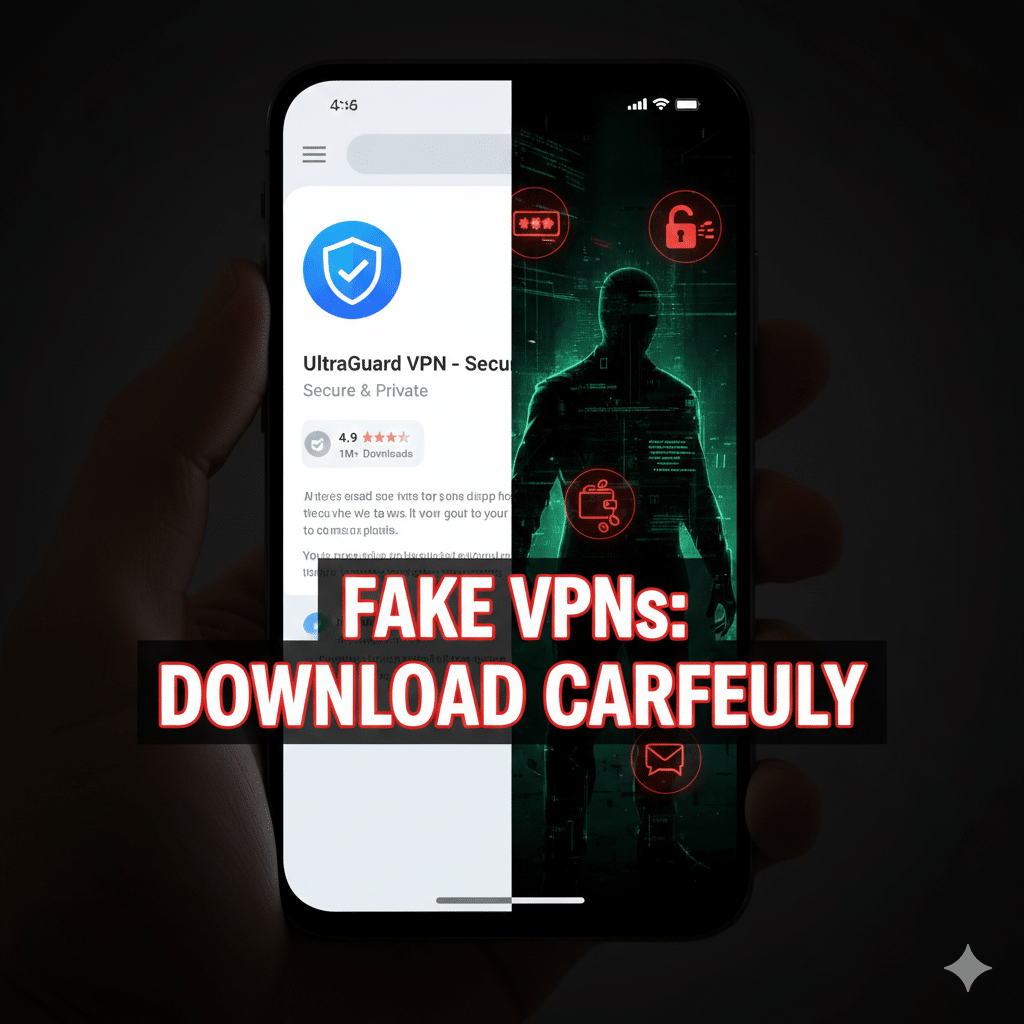

Google’s November 2025 fraud and scams advisory delivered a blunt warning: cybercriminals are increasingly disguising malware as VPN apps and browser extensions, tricking users into installing tools that do the opposite of their promise — they steal data, deliver info-stealers and banking trojans, and open devices to remote access (Fake VPNs). With roughly 3.9 billion Android users worldwide, Google says this trend is a major threat to everyday digital privacy.
This article breaks down what Google found, why fake VPN apps are uniquely dangerous, how they differ from reputable VPN services, and practical steps you can take right now to protect your accounts and devices.
What Google’s advisory actually says
In its November 2025 fraud advisory, Google highlighted a wave of malicious apps and extensions that impersonate legitimate VPN brands or present themselves as “free” privacy tools. Attackers use social engineering (suggestive ads, geopolitical bait, or fake endorsements) to drive installs. Once installed, these fake VPNs can deliver payloads such as info-stealers, remote access trojans (RATs), or banking malware that exfiltrate browsing history, private messages, financial credentials and even cryptocurrency wallet information.
Laurie Richardson, Google’s VP of Trust & Safety, warned that these actors “impersonate trusted enterprise and consumer VPN brands” and use deceptive tactics to lure vulnerable users. The consequence: a tool marketed as privacy protection becomes a surveillance vector.
Why fake VPN apps are especially risky
App permissions are powerful. A VPN needs network access — but many malicious VPNs request excessive permissions (access to storage, SMS, or accessibility APIs) enabling credential theft or remote control. Legitimate VPNs rarely need such broad access.
Free monetization incentives. Analysts estimate a large share of free VPN offerings monetize via tracking, ads, or data resale; some aggregate research suggests a majority of low-quality/free VPNs leak or sell telemetry. Tom’s Guide and others note worrying prevalence of tracking among “free” services.
Distribution on official stores. Attackers increasingly get copycat apps into official stores (Play Store, App Store) using polished listings and fake reviews to build trust, making discovery by casual users much harder.
How fake VPNs differ from legitimate VPN services
Scope of protection: A trustworthy VPN client (from an audited provider) encrypts your network traffic at the OS level; many browser extensions only proxy browser traffic and require far fewer permissions — which also makes browser add-ons easier to abuse. Reputable premium VPN providers publish transparency reports and allow independent audits; fake VPNs provide none.
Business model: Paid VPNs rely on subscriptions, aligning incentives to protect user privacy. Free VPNs that monetize via ads or data resale often trade privacy for revenue. That economic reality explains why some free apps collect and sell telemetry.
Operational transparency: Top VPN providers publish server locations, logging policies, and, increasingly, third-party audits. Malicious apps have no such accountability and often obfuscate developer identities.
Evidence & data (what researchers and journalists found)
Google’s advisory links a recent surge in fake VPN apps to campaigns that use AI-powered lures and exploit current events to boost installs.
Reporting from major outlets shows repeated incidents where supposedly benign security tools (VPNs, ad blockers) were later found to include spyware components or to funnel data to affiliate networks. Infosec investigations note groups like VexTrio that package malware in utility apps to maximize spread.
Industry reporting estimates that many free VPNs track users — one widely quoted figure suggests up to ~80% of free VPNs engage in some tracking or monetization behavior (figures vary by study). Use these headline numbers as a caution, not an absolute.
Actionable steps: how to stay safe
Download only from trusted sources. Use official app stores and verify the developer name. Prefer apps with a long track record and independent audits.
Check permissions before installing. If a VPN requests SMS, accessibility, or broad file access — treat it as suspicious. Legitimate VPNs generally only need network and local storage permissions.
Read the privacy policy and third-party reviews. Look for no-logs policies, independent audits, and transparent developer info.
Use paid, reputable VPNs when privacy matters. Paid services with third-party audits and stable reputations reduce the risk of data resale or hidden telemetry.
Monitor accounts after installing a new security app. If you ever installed a suspicious VPN, change passwords, enable MFA, and scan the device with a reputable mobile security scanner.
Conclusion
Google’s Nov 2025 advisory is a clear wake-up call: the market for privacy tools has become a hunting ground for fraudsters. “Fake VPN apps” are not a hypothetical risk — they’re an active, profitable tactic for attackers to harvest credentials, financial data, and personal communications. The takeaway is simple: treat VPN downloads with the same skepticism you’d give to any financial tool. Verify sources, prefer audited providers, and scrutinize permissions.