
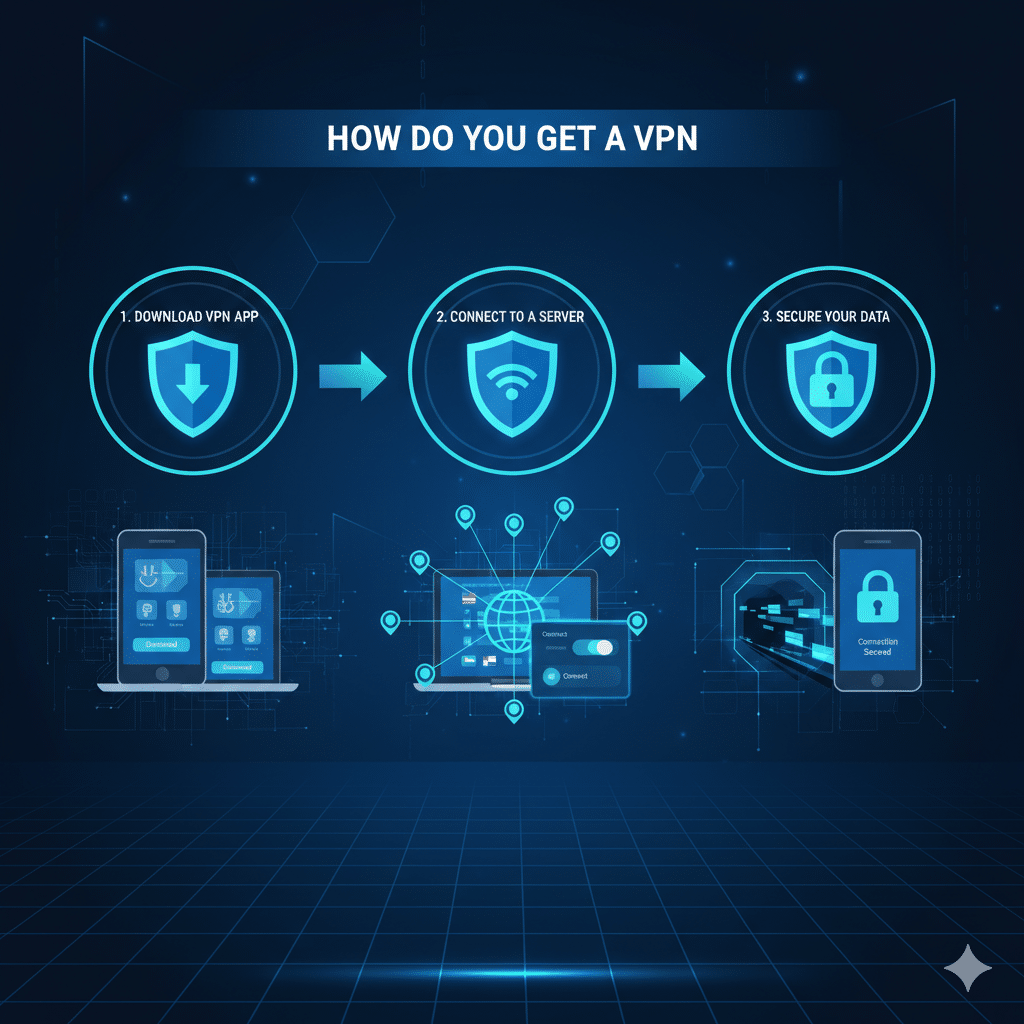

For IT managers and cybersecurity professionals, understanding how do you get a VPN is essential for securing networks, protecting sensitive data, and ensuring compliance across distributed environments. A VPN (Virtual Private Network) creates an encrypted tunnel between devices and remote servers, allowing private and secure communication over public networks. This article addresses the most common questions around obtaining, deploying, and optimizing VPNs for professional use.
What Exactly Does “Get a VPN” Mean?
To “get a VPN” refers to the process of acquiring a VPN service or solution and making it operational on your devices or network infrastructure. This can involve subscribing to a commercial VPN provider, configuring self-hosted VPN servers, or enabling built-in VPN services on enterprise firewalls and endpoints. Acquiring a VPN does not necessarily mean purchasing one; free and open-source options exist, though they may come with limitations in speed, support, or security.
How to Choose the Right VPN Provider
Selecting the appropriate VPN provider requires evaluating security protocols, privacy policies, logging practices, server coverage, and speed performance. Trusted protocols such as OpenVPN, IKEv2/IPSec, and WireGuard ensure data integrity and low latency. Providers like NordVPN offer extensive documentation on server distribution, kill-switch functionality, and multi-device support. According to TechRadar, enterprise-grade VPNs should provide robust encryption, DNS leak protection, and compatibility with various operating systems (source: TechRadar).
How Do You Get a VPN on Your Device (Windows, Mac, iOS, Android)
Installation steps vary by operating system:
- Windows & Mac: Download the VPN client from the provider’s official site, follow the installation wizard, and authenticate using credentials. Advanced setups may require manual configuration using the OS native VPN client.
- iOS & Android: VPN apps can be installed via App Store or Google Play. After authentication, select a server location and connect.
- Configuration: Ensure the device firewall or endpoint security policies permit VPN traffic. Test connectivity using standard network diagnostics.
External testing tools can validate whether the VPN is correctly masking IP addresses and encrypting traffic (source: Cloudflare Learning).
Can You Get a Free VPN Safely?
Free VPNs exist but often impose limitations, including restricted bandwidth, fewer server locations, and potential logging of usage data. ProtonVPN offers a reputable free plan with no ads and strict no-logs policies. It is essential to evaluate each free VPN for potential vulnerabilities, including DNS leaks, weak encryption, and the risk of malware. For enterprise contexts, free VPNs are generally unsuitable due to compliance and audit requirements.
How to Create Your Own VPN Server / Self‑Hosted VPN
Self-hosted VPNs allow organizations to maintain full control over data flows. Options include deploying OpenVPN or WireGuard servers on cloud instances (AWS, Azure, Oracle Cloud). This approach offers advantages such as customizable encryption settings, internal IP assignment, and multi-site connectivity. Setting up a self-hosted VPN requires understanding network topology, firewall rules, and certificate management (source: RFC 8484).
Constraints and performance:
VPN performance depends on server load, encryption overhead, ISP bandwidth, and device capabilities. High-latency connections can occur when routing traffic through distant servers. Enterprises must test under different scenarios, including mobile networks and Wi-Fi hotspots. Routing policies should minimize bottlenecks while maintaining security standards. Device-specific constraints include CPU utilization for encryption, OS limitations on simultaneous tunnels, and client compatibility with enterprise authentication protocols (e.g., LDAP, RADIUS).
How to Set Up a VPN on a Router
Router-based VPNs protect all devices on a local network without individual client installation. Enterprise routers often support VPN pass-through or native client configuration. Deployment requires importing configuration files from the VPN provider or manually configuring OpenVPN/WireGuard credentials. This setup is ideal for protecting IoT devices or networks with multiple endpoints, reducing administrative overhead.
Legal & Practical Considerations in Your Country
VPN usage legality varies across jurisdictions. Some countries restrict or regulate VPN traffic; non-compliance can result in penalties. Organizations must verify local regulations before deploying VPN solutions for remote employees or public users. Beyond legality, considerations include geo-restrictions, banking compliance, and latency impact on cloud services. For secure deployment guidance, Kaspersky provides updated insights on regulatory impacts and threat landscapes (source: Kaspersky Blog).
In summary, knowing how do you get a VPN involves evaluating provider options, installing or configuring clients across platforms, and understanding performance constraints and legal factors. Whether using commercial services or self-hosted setups, implementing a VPN is a critical step in modern cybersecurity and network management strategies. For a detailed comparison of VPN solutions and performance benchmarks, consult authoritative reviews such as AirVPN vs NordVPN.



