
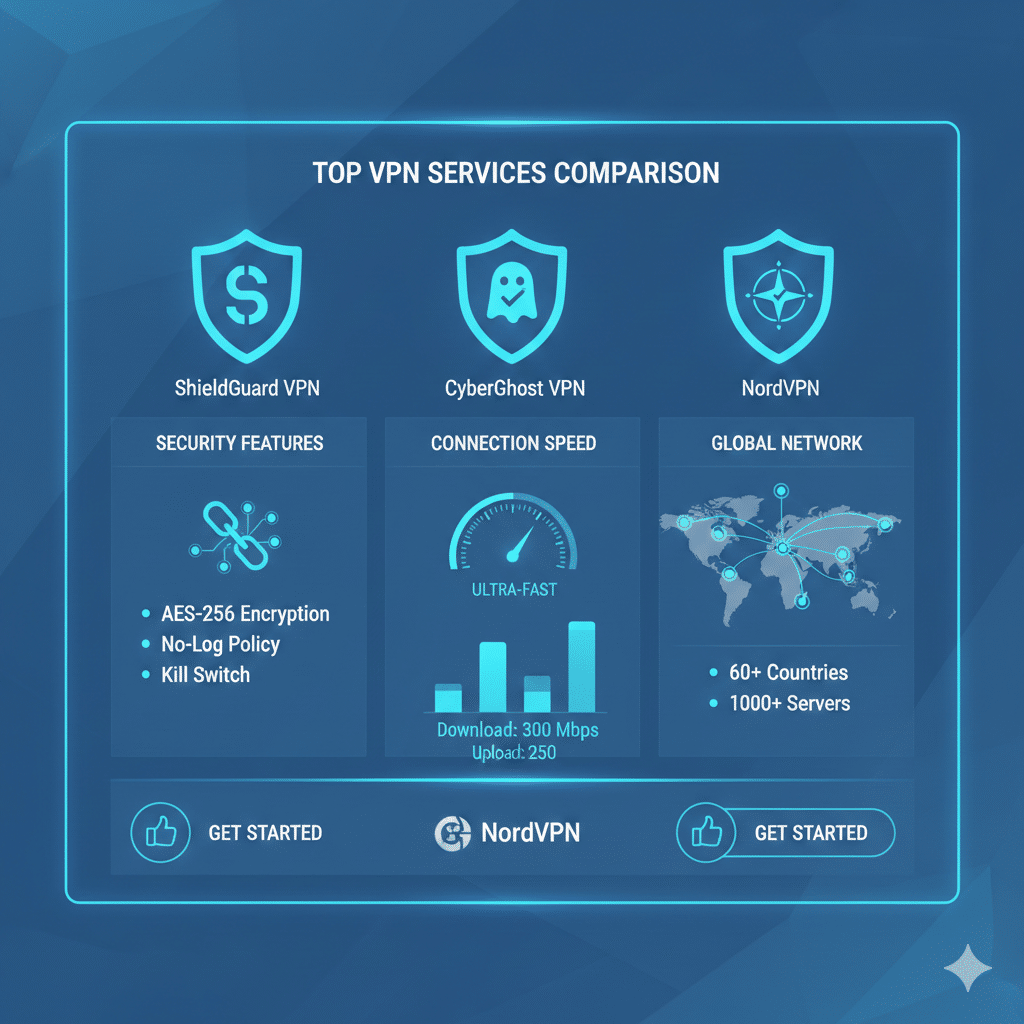

Choosing the right VPN in an enterprise or multi-site infrastructure begins with understanding the operational question behind the search: Which Vpn Is Best for balancing encrypted throughput, latency behavior, endpoint security, and compliance requirements? For IT managers and network engineers, the answer depends on measurable performance, protocol design choices, and practical deployment constraints rather than brand reputation alone.
What criteria determine which VPN is best for enterprise and technical use cases?
Evaluating a VPN for technical environments involves analyzing cryptographic implementation quality, tunnel stability, hardware acceleration support, and compatibility with cross-platform clients. The strongest contenders typically support WireGuard or IKEv2/IPsec, offer predictable load distribution, and provide verifiable no-logs transparency. Resources such as the WireGuard documentation (source: Wikipedia) help illustrate how protocol design affects performance in real deployments.
For organizations managing distributed teams, a VPN must also integrate cleanly with identity providers and enforce MFA without introducing session-resume failures.
How does encryption strength impact the decision of which VPN is best?
Modern VPNs rely heavily on AES-256-GCM, ChaCha20-Poly1305, or combinations adapted for mobile and low-power environments. While all major providers offer strong encryption, implementation differences matter. AES-256 performs best on CPUs with AES-NI hardware acceleration; ChaCha20 excels on mobile devices where hardware support may be inconsistent.
In practice, the “best” VPN is the one that ensures minimal cryptographic overhead while maintaining forward secrecy, leak prevention, and predictable performance under packet loss. This is one of the reasons some IT departments test multiple protocols before finalizing a deployment—especially when using tools for torrent-binding or application-specific routing, as described in guides such as secure torrent binding practices (internal link: https://vpnx.blog/how-to-bind-qbittorrent-to-vpn/).
How do speed and latency influence which VPN is best for technical teams?
Speed testing is a common metric, but latency distribution is far more important for most professional workloads.
A VPN that scores high on download speed but introduces unstable jitter can negatively affect VoIP, remote desktop responsiveness, or SD-WAN failover patterns.
Advanced VPNs typically use techniques such as:
- Multi-hop for traffic separation
- Smart routing to optimize entry/exits
- Dynamic key rotation to reduce renegotiation overhead
When evaluating which Vpn Is Best for an engineering environment, a provider’s global infrastructure density plays a critical role. Providers with more PoPs near end-users typically show better latency patterns.
How do privacy policies and logging practices affect the ranking?
Determining which VPN is best involves verifying trust signals, including third-party audits, open-source clients, warrant canaries, and verifiable zero-knowledge architecture.
Some providers disclose infrastructure details transparently, while others rely on marketing claims. External resources such as TechRadar (source: TechRadar) often analyze audit reports, breach history, and transparency statements, helping IT managers narrow down reliable choices.
For organizations in regulated industries (finance, health, government), the “best VPN” is one that offers region-specific compliance, deterministic server behavior, and non-persistent memory-only node configurations.
Constraints and performance:
Comparing VPNs objectively requires consistent test conditions. Performance can vary based on ISP throttling, peering quality, routing distance, device hardware, and simultaneous load on a given node.
Even the best VPN will behave differently when:
- Used on older routers without hardware encryption acceleration
- Running on mobile networks with inconsistent signal quality
- Tunneling high-packet-rate applications (e.g., game servers, remote compiling)
- Routed through virtualized appliances or VPN concentrators
When reviewing which Vpn Is Best, engineers often perform multi-day baseline tests using identical endpoints, identical servers, and matched conditions across several geographical locations.
What advanced features separate top-tier VPNs from average ones?
High-end VPNs differentiate themselves with targeted functionalities:
- Split tunneling for routing flexibility
- Dedicated IPs for SaaS whitelisting
- On-device threat prevention
- DNS-over-HTTPS or DNS-over-TLS integration
- Optimized streaming locations
- Automated kill switches and session recovery
From an engineering perspective, the most valuable tools are configuration export support, robust CLI clients, and the ability to run on routers or firewalls without requiring custom firmware.
For example, when evaluating application-specific routing or traffic bypass rules, IT teams often reference device-level behavior similar to guides analyzing VPN effects on applications (internal link: https://vpnx.blog/why-does-weave-not-work-when-vpn-is-on/).
5. How to Install a VPN on Different Devices
Most VPN providers offer apps for every major device. Below is a quick guide for each platform.
Windows & macOS
- Go to your VPN provider’s official website.
- Download the installer for Windows or macOS.
- Install the app and sign in with your account.
- Click Connect or choose a specific server.
Android
- Open Google Play Store.
- Search for your VPN provider.
- Install the app and log in.
- Tap Connect to activate the VPN.
iPhone / iPad (iOS)
- Open the App Store.
- Search the VPN app and download it.
- Sign in and approve the VPN configuration request.
Smart TVs (Android TV, FireStick)
- Open your device’s app store.
- Search for the VPN provider.
- Install the app and sign in.
Routers
Installing a VPN on your router protects every device on your network.
Typical steps:
- Check if your router supports VPN firmware.
- Download configuration files from your VPN provider.
- Upload them via your router admin panel.
This method is ideal for smart TVs, gaming consoles, and IoT devices.
6. How to Choose the Best VPN
Not all VPNs offer the same performance. Here are the most important factors to compare:
a. Security
Look for:
- AES-256 encryption
- Kill switch
- No-logs policy
- DNS leak protection
b. Speed Performance
A good VPN should maintain at least 80–90% of your normal internet speed.
Modern VPNs use:
- WireGuard protocol for faster performance
- Optimized servers for streaming and gaming
c. Global Server Coverage
Choose providers with servers in:
- US
- UK
- Europe
- Middle East
- Asia
More locations = better streaming access and lower latency.
d. Device Compatibility
A strong VPN should support:
- Windows
- macOS
- Android
- iOS
- Linux
- Smart TVs
- Browsers (Chrome/Firefox)
e. Customer Support
Look for 24/7 live chat and easy troubleshooting guides.
7. Common VPN Problems & How to Fix Them
Even good VPNs may face issues. Here are solutions to the most common problems:
1. Slow Speeds
Try:
- Switching to a server closer to your location
- Using the WireGuard protocol
- Restarting your router
- Closing apps consuming bandwidth
2. VPN Not Connecting
Possible fixes:
- Change the protocol (OpenVPN → WireGuard)
- Try another server
- Make sure your internet is working without VPN
3. Streaming Services Not Working
Platforms like Netflix may block some servers.
Fix:
- Switch to a “streaming-optimized” server
- Clear browser cookies
4. App Crashes or Errors
Try:
- Updating the app
- Reinstalling
- Restarting your device
8. Is Using a VPN Legal?
In most countries, using a VPN is 100% legal as long as you are not using it for illegal purposes.
Legal in:
- deer
- UK
- EU
- Canada
- Most Middle Eastern countries (for personal privacy purposes)
Always follow local laws and your ISP policies.
9. Frequently Asked Questions
Q1: Do I need a VPN at home?
Yes — it protects your data from ISPs, trackers, and hackers, even on home Wi-Fi.
Q2: Can a VPN increase internet speed?
Usually no, but it can help avoid throttling by your ISP.
Q3: Is a free VPN safe?
Free VPNs often:
- Sell user data
- Use weak encryption
- Limit speed
Premium VPNs are significantly safer.
Q4: Which VPN is best for beginners?
Look for providers with:
- One-click connect
- Simple interface
- Clear setup guides
Q5: Should I leave my VPN on all the time?
Yes — for maximum security and privacy.
10. Final Recommendations
If you want:
- Security & privacy: choose a no-logs VPN with strong encryption.
- Streaming: pick a provider optimized for Netflix, Amazon Prime, and Disney+.
- Gaming: low-latency servers with fast protocols.
A good VPN protects your identity, secures your data, and unlocks global content — all with one subscription.
11. Advanced VPN Settings You Should Know
Most beginners only press Connect, but advanced users can improve security and performance with deeper settings.
a. VPN Protocols
VPN protocols determine how your data is protected and how fast your connection is.
Common protocols:
- WireGuard → Fastest, modern, secure
- OpenVPN (UDP/TCP) → Strong security, stable
- IKEv2/ → Great for mobile devices
- L2TP/IPSe → Older, slower, not recommended
Recommendation:
Use WireGuard for speed and OpenV for maximum privacy.
b. Kill Switch
A kill switch disconnects your internet if the VPN drops, ensuring your IP is never exposed.
Enable it inside:
Settings → Security → Kill Switch
c. Split
Split tunneling allows you to choose which apps use the VPN.
Examples:
- VPN ON for browser
- VPN OFF for local network apps
- VPN ON for streaming apps
Exam
d. Custom DNS
Some VPNs allow you to set private DNS servers to prevent DNS leaks and speed up browsing.
Preferred DNS options:
- Cloudflare 1.1.1.1
- Google DNS 8.8.8.8
- Quad9 9.9.9.9
12. Best Use Cases for a VPN
A VPN is not only for privacy — it unlocks valuable features for different types of users.
1. Travelers
VPNs help bypass restrictions in airports, hotels, and foreign countries.
Use it to:
- Access home streaming accounts
- Protect Wi-Fi sessions in hotels
- Bypass geo-blocked websites
2. Gamers
Benefits for gaming:
- Lower ping on optimized servers
- Protection from DDoS attacks
- And
3. Businesses
Companies use VPNs to:
- Secure employee connections
- Corporate protector
- Create secure remote access to internal servers
4. Streaming & Content Unblocking
A VPN helps you access:
- Netflix US/UK
- BBC iPlayer
- Disney+
- Hulu
- Sports events unavailable in your region
5. Security for Public Wi-Fi
Public networks are the most common place for:
- Data theft
- Password sniffing
- Man-in-the-middle attacks
A VPN e
13. How to Stay Safe While Using a VPN
A VPN protects you, but it’s not magic. Follow these key practices:
a. Always Keep the VPN On
Turning it off exposes your real IP address.
Use Auto-Connect for extra safety.
b. Avoid Free VPNs
Free VPNs can:
- Log and sell your data
- Inject ads
- Limit encryption
- Contain malware
Premium providers are safer and faster.
c. Update the App Regularly
Updates fix:
- Security vulnerabilities
- Bugs
- Protocol improvements
d. Do Not Use Suspicious Chrome Extensions
Many fake “VPN extensions” are actually proxies that don’t provide real encryption.
Always download from the official provider website.
e. Enable Multi-Factor Authentication (MFA)
Protect your VPN account with:
- Email verification
- Authentication apps (Google Authenticator)
14. VPN vs Proxy vs Tor — What’s the Difference?
VPN
- Encrypts all device traffic
- Protects identity
- Good speed
- Works for streaming, gaming, browsing
Proxy
- Only works for a browser or single app
- No encryption
- Poor privacy
Tor
- Most anonymous
- Very slow
- Not ideal for streaming or downloads
Verdict:
Use a VPN for daily online privacy and performance.
15. How to Test If Your VPN Is Working
Follow these simple checks:
Step 1: Check Your IP Address
Before and after connecting:
- Search “What is my IP address”
- Compare results
If it changed → VPN is active.
Step 2: DNS Leak Test
Use any DNS leak test site.
If it shows your VPN server → Safe.
Step 3: Speed Test
Run a speed test to confirm:
- Ping
- Downlo
- Upload speed
Step 4: Streaming Access
Open your streaming apps to check if:
- Netflix
- Hulu
- BBC
are unblocked with the selected server.
16. Future of VPN Technology
VPN technology continues to evolve. Expect:
1. AI-Based Threat Detection
VPN
2. Faster Encryption Algorithms
Newer methods will improve:
- Speed
- Stability
- Battery usage
3. Deeper Integration With Operating Systems
Built-in VPN support in:
- Windows
- macOS
- Android
- iOS
4. How much
Future VPNs will use algorithms that can withstand quantum computing attacks.
17. Summary of Key Takeaways (Quick Review)
- A VPN protects your privacy and online identity.
- It encrypts your connection and hides your IP.
- Best providers offer fast speeds, global servers, and no-logs policies.
- Advanced settings like kill switch, split tunneling, and WireGuard improve performance.
- Most users benefit from VPNs for streaming, gaming, travel, and online safety.
- Avoid free VPNs — paid services offer stronger security.
- Always keep the VPN updated and set to auto-connect.



