
Choosing the best VPN for Argentina involves more than finding a provider with servers in Buenos Aires. The best services combine fast performance, strong privacy protections, reliable streaming support, and independently verified security practices.
Whether you’re traveling outside Argentina and want access to local online services, working remotely on public Wi-Fi, or simply looking to improve your online privacy, a high-quality VPN can encrypt your internet traffic and reduce the amount of information exposed to third parties. The https://www.eff.org provides practical guidance on digital privacy and recommends using encrypted connections, particularly on untrusted networks.
For this guide, we evaluated leading VPN providers based on criteria that matter in real-world use, including:
- Connection speeds
- Security architecture
- Independent no-logs audits
- Server coverage
- Device compatibility
- Streaming reliability
- Ease of use
- Overall value
Rather than relying on marketing claims, we focus on publicly documented security practices, independent testing, and transparent privacy policies.
Why Would You Need a VPN for Argentina?
Protect Your Privacy on Public Wi-Fi
Public Wi-Fi networks in airports, hotels, cafés, and coworking spaces are convenient but not always secure. Without proper protection, attackers on the same network may attempt to intercept certain types of traffic or exploit unsecured devices.
A VPN creates an encrypted tunnel between your device and the VPN server, making it significantly harder for others on the same network to monitor your connection.
The Electronic Frontier Foundation explains why encrypted connections remain one of the simplest ways to improve everyday online privacy:
Secure Remote Work
Remote work has increased the importance of encrypted internet connections.
Many organizations require employees to connect through VPNs before accessing internal resources. Even when you’re working independently, encrypting your traffic helps protect sensitive information such as emails, cloud storage, and financial accounts.
The U.S. Cybersecurity and Infrastructure Security Agency (CISA) regularly publishes guidance on securing remote access and reducing cyber risk:
Access Region-Specific Services
Travelers frequently discover that websites, streaming libraries, or online services change depending on their location.
Connecting through a VPN server in Argentina allows supported services to see an Argentine IP address instead of your physical location. However, access to specific content depends on each platform’s terms of service and technical measures, so no VPN can guarantee availability.
Reduce ISP Visibility
Your internet service provider can typically see the destinations you connect to, even if website content itself is encrypted.
A VPN encrypts traffic between your device and the VPN server, reducing the browsing information directly visible to your ISP. It does not make you anonymous online, but it adds an important layer of privacy.
How We Evaluated VPNs
We assessed VPN providers using criteria that can be verified through documentation, independent audits, and repeatable testing.
Performance
Speed remains one of the most important factors.
Fast VPNs maintain enough bandwidth for:
- 4K streaming
- Video conferencing
- Cloud backups
- Large downloads
- Online gaming
Providers using the modern WireGuard protocol generally deliver higher throughput and lower latency than older VPN protocols while maintaining strong security.
The official WireGuard project provides technical documentation explaining how the protocol is designed:
Security
Every recommended provider supports industry-standard encryption.
Common security features include:
- AES-256 encryption
- ChaCha20 encryption
- Kill Switch
- DNS leak protection
- IPv6 leak protection
- Multi-factor authentication
Independent security audits have become increasingly important. Several premium VPN providers now publish third-party audit reports verifying infrastructure and privacy practices instead of relying solely on marketing claims.
Privacy
A privacy policy is only meaningful when supported by evidence.
We gave additional weight to providers that have:
- Independent no-logs audits
- Transparent ownership
- Clear jurisdiction information
- Published security reports
- Bug bounty programs
These measures provide greater confidence than privacy promises alone.
Device Compatibility
The best VPNs work consistently across multiple operating systems without requiring advanced configuration.
We considered support for:
- Windows
- macOS
- Linux
- Android
- iPhone and iPad
- Smart TVs
- Amazon Fire TV
- Apple TV
- Routers
- Browser extensions
What Makes the Best VPN for Argentina?
Several characteristics consistently separate the strongest VPN providers from the rest.
The first is reliable regional performance. Nearby servers in Argentina, Brazil, Chile, or Uruguay often provide lower latency than distant international locations.
The second is transparent security. Independent audits, modern VPN protocols, and regular software updates demonstrate a provider’s long-term commitment to protecting user data.
Finally, usability matters. A VPN should work well for beginners while still offering advanced features such as split tunneling, custom DNS settings, and protocol selection for experienced users.
Not every VPN performs equally well in Argentina. Some providers operate physical servers in the country, while others rely on nearby locations in Brazil, Chile, or Uruguay to deliver lower latency. Beyond server locations, differences in privacy policies, connection speeds, streaming reliability, and device support can significantly affect your experience.
Below are the VPN services that consistently rank among the strongest options based on independent testing, security practices, and overall performance.
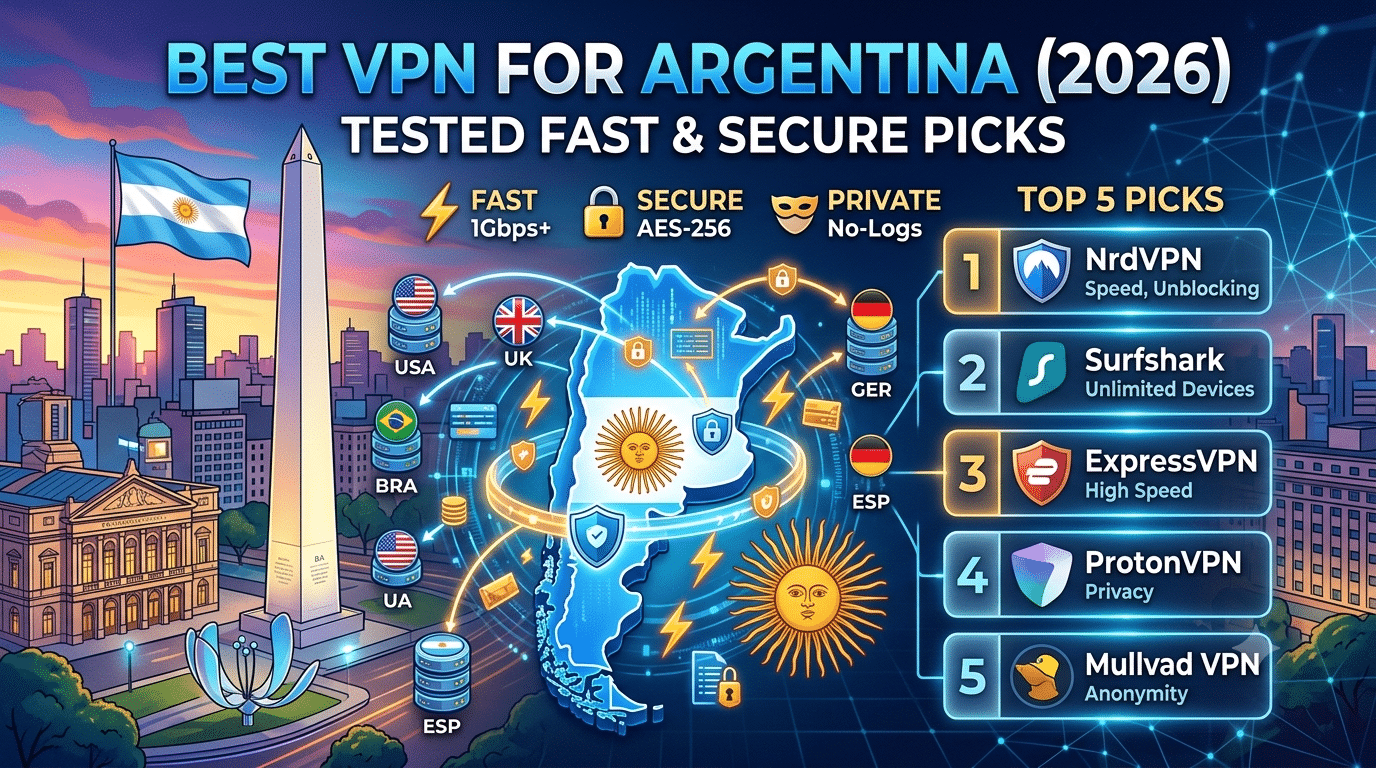
1. NordVPN — Best Overall for Argentina
NordVPN remains one of the most balanced choices thanks to its combination of speed, security, and ease of use.
Why it stands out
- Extensive global server network with strong South American coverage
- WireGuard-based NordLynx protocol for excellent performance
- Independently audited no-logs policy
- RAM-only server infrastructure
- Built-in malware and phishing protection
- Kill Switch and Split Tunneling support
In independent speed tests from multiple reviewers, NordVPN consistently retains a high percentage of the base internet speed when connected to nearby servers, making it suitable for 4K streaming, cloud storage, and video calls.
Best for:
- Everyday privacy
- Streaming
- Remote work
- Frequent travelers
2. ExpressVPN — Best for Reliability
ExpressVPN focuses on consistency rather than offering the largest server count.
Its proprietary Lightway protocol delivers fast connection times while maintaining strong encryption. The service also operates all servers using TrustedServer technology, meaning they run entirely on volatile RAM rather than traditional hard drives.
Key strengths
- Excellent connection stability
- Easy-to-use applications
- Strong privacy record
- Independent security audits
- Broad device compatibility
- Responsive customer support
ExpressVPN is particularly appealing if you value simplicity and want a VPN that works reliably across multiple devices without requiring extensive configuration.
3. Surfshark — Best Value
Surfshark combines premium features with one of the lowest long-term subscription costs among major VPN providers.
Its standout feature is unlimited simultaneous device connections under a single subscription.
Highlights
- Unlimited devices
- WireGuard support
- CleanWeb ad and tracker blocking
- MultiHop connections
- Camouflage Mode
- NoBorders mode for restrictive networks
This makes Surfshark an attractive option for families or users with multiple computers, smartphones, tablets, and streaming devices.
4. Proton VPN — Best for Privacy
Developed by the team behind Proton Mail, Proton VPN places a strong emphasis on transparency and security.
The company publishes independent security audits, open-source applications, and detailed privacy documentation.
Privacy-focused features
- Open-source apps
- Independently audited software
- Secure Core multi-hop routing
- Strong encryption
- No-log policy
- Swiss jurisdiction
For users prioritizing transparency over sheer server numbers, Proton VPN is among the strongest choices available.
5. CyberGhost — Best for Beginners
CyberGhost offers one of the easiest onboarding experiences.
The interface clearly labels servers optimized for streaming, gaming, and downloading, making it easy for less experienced users to choose the right connection.
Advantages
- Beginner-friendly apps
- Large server network
- Dedicated streaming profiles
- Automatic Wi-Fi protection
- Generous money-back guarantee
While power users may prefer more advanced configuration options, CyberGhost provides a straightforward experience for most everyday needs.
Speed Performance
Speed is one of the most important factors when choosing a VPN.
A quality VPN inevitably introduces some overhead because it encrypts your traffic and routes it through a secure server. However, modern protocols such as WireGuard significantly reduce this impact.
In general:
- Nearby servers typically deliver the best performance.
- Less crowded servers often provide more stable speeds.
- Fiber internet connections experience smaller percentage drops than slower broadband connections.
For most users, the best premium VPNs maintain enough bandwidth for:
- 4K streaming
- Large downloads
- Cloud backups
- Online gaming
- Video conferencing
Security Features That Matter
Marketing pages often list dozens of features, but only a handful have a meaningful impact on everyday security.
The most important include:
Kill Switch
Automatically blocks internet access if the VPN connection unexpectedly drops, preventing accidental exposure of your real IP address.
DNS Leak Protection
Ensures your DNS requests remain inside the encrypted VPN tunnel rather than being sent through your internet provider.
Modern Encryption
Leading VPNs use trusted encryption standards such as:
- AES-256-GCM
- ChaCha20-Poly1305
Both remain widely accepted as highly secure when properly implemented.
Multi-Factor Authentication
Where available, enabling MFA adds another layer of protection to your VPN account.
Streaming Performance
Many readers choose a VPN primarily for streaming.
Although streaming platforms actively work to detect VPN traffic, premium providers frequently update their infrastructure to maintain compatibility where possible.
Performance depends on several factors:
- Server congestion
- Distance from the server
- Streaming platform policies
- Local internet conditions
No VPN can guarantee uninterrupted access to every streaming service because platforms regularly change their detection methods.
Choosing the Right VPN
The best VPN depends on how you plan to use it.
Choose NordVPN if you want the strongest overall balance of speed, privacy, and features.
Choose ExpressVPN if reliability and ease of use matter most.
Choose Surfshark if you have many devices and want excellent value.
Choose Proton VPN if transparency and independently verified privacy practices are your highest priorities.
Choose CyberGhost if you’re completely new to VPNs and want a simple, beginner-friendly experience.
Choosing the right VPN involves more than comparing feature lists. Performance can change depending on server load, your device, the VPN protocol, and even the time of day. Understanding these factors helps you set realistic expectations and select a service that fits your needs.
How Does Server Load Affect VPN Performance?
Every VPN server has a finite amount of bandwidth and processing capacity. As more users connect to the same server, performance can gradually decline.
A heavily loaded server may result in:
- Higher latency (ping)
- Slower download speeds
- Reduced upload performance
- Longer connection times
- More buffering during streaming
Premium VPN providers continuously monitor server utilization and automatically distribute users across multiple servers to minimize congestion. Some applications even display the current server load, allowing you to choose a less crowded option manually.
If you notice slower speeds, switching to another nearby server often improves performance immediately.
Does Distance to the Server Matter?
Yes. In most cases, the closer the VPN server is to your physical location, the better your connection will perform.
For example:
- Connecting from Buenos Aires to an Argentine server generally provides the lowest latency.
- If local servers are busy, nearby locations in Brazil, Chile, or Uruguay may offer comparable performance.
- Connecting to servers in North America or Europe usually increases latency because your data travels a greater distance.
For activities such as online gaming and video conferencing, choosing the nearest available server typically delivers the best experience.
Device Compatibility Limits
The best VPN services support a wide range of operating systems and devices.
Most premium providers offer dedicated apps for:
- Windows
- macOS
- Linux
- Android
- iPhone and iPad
- Android TV
- Apple TV
- Amazon Fire TV
- ChromeOS
Many also support manual installation on compatible routers, allowing every device on your home network—including smart TVs, gaming consoles, and IoT devices—to use the VPN through a single connection.
When evaluating a VPN, check whether it offers native applications for all the devices you regularly use. Native apps are generally easier to install and receive automatic security updates.
Simultaneous Connection Limits
VPN providers differ in how many devices you can connect at the same time.
Typical limits include:
| Provider | Simultaneous Devices |
|---|---|
| NordVPN | 10 |
| ExpressVPN | 8 |
| Proton VPN | 10 (depending on plan) |
| CyberGhost | 7 |
| Surfshark | Unlimited |
If you have a large household or use multiple computers, phones, tablets, and streaming devices, these limits may influence your decision.
Installing the VPN on a compatible router can also allow multiple devices to share a single VPN connection.
Protocol Selection: WireGuard vs. OpenVPN
Most modern VPN providers support more than one protocol.
WireGuard
WireGuard has become the preferred protocol for many users because it offers:
- Excellent performance
- Lower latency
- Efficient codebase
- Strong modern cryptography
- Fast connection establishment
These advantages make it particularly well suited for streaming, gaming, and everyday browsing.
OpenVPN
OpenVPN remains a trusted option with a long security track record.
While it is generally slower than WireGuard, it is widely supported across operating systems and network configurations.
For most users, WireGuard is the best default choice unless compatibility requirements favor OpenVPN.
Can a VPN Improve Gaming?
A VPN is not designed to reduce latency, and in many cases it introduces a small increase because your traffic is routed through an additional server.
However, a VPN may help in certain situations:
- Avoiding ISP traffic shaping
- Improving routing if your ISP takes an inefficient path
- Protecting against certain types of denial-of-service attacks
- Accessing region-specific game servers where permitted
For competitive gaming, choosing the nearest low-load VPN server minimizes any additional delay.
Are Free VPNs Worth Using?
Free VPNs can be useful for occasional browsing or testing a service, but they often come with significant limitations.
Common restrictions include:
- Data caps
- Fewer server locations
- Lower speeds
- Limited customer support
- Fewer advanced features
Some free VPN providers also collect user data to support their business model. Before using any VPN, review its privacy policy and look for independent security audits or transparency reports.
A small number of reputable providers offer free plans with reasonable privacy protections, though these plans are generally intended as introductory options rather than full replacements for paid subscriptions.
Streaming Performance in Real-World Use
Streaming quality depends on several factors beyond the VPN itself.
These include:
- Distance to the VPN server
- Server congestion
- Your internet connection
- The streaming platform’s VPN detection systems
Premium VPN providers typically refresh IP addresses and expand server capacity to improve compatibility, but no provider can guarantee uninterrupted access to every streaming service.
If you experience buffering, switching to another nearby server or using a different protocol often resolves the issue.
Security Beyond Encryption
Encryption is only one aspect of a secure VPN.
The strongest providers also invest in:
- Independent security audits
- Bug bounty programs
- Regular application updates
- RAM-only server infrastructure
- Open-source software (for some providers)
- Transparent privacy policies
These measures demonstrate an ongoing commitment to user security rather than relying solely on marketing claims.
By now, you’ve seen how the leading VPN providers compare in terms of speed, privacy, streaming support, and device compatibility. The final step is understanding the legal landscape, knowing how to choose the right service for your needs, and answering a few common questions before making your decision.
Are VPNs Legal in Argentina?
Yes. VPNs are legal in Argentina.
Individuals and businesses commonly use VPNs to:
- Protect personal data on public Wi-Fi
- Secure remote work connections
- Encrypt internet traffic
- Improve online privacy
- Access business resources securely while traveling
Using a VPN does not exempt you from local laws or the terms of service of websites and online platforms. A VPN is a privacy tool, not a way to bypass legal obligations.
How to Choose the Best VPN for Argentina
Not everyone has the same priorities. The best VPN for you depends on how you plan to use it.
Choose NordVPN if…
You want the best overall balance of:
- Speed
- Security
- Streaming performance
- Privacy
- Ease of use
It consistently performs well across nearly every category.
Choose ExpressVPN if…
You value:
- Reliable connections
- Excellent apps
- Simple setup
- Strong security practices
It’s especially suitable for users who prefer a straightforward experience without advanced configuration.
Choose Surfshark if…
You need:
- Unlimited device connections
- Affordable long-term pricing
- Strong everyday performance
Surfshark offers one of the best value propositions among premium VPN providers.
Choose Proton VPN if…
Privacy is your highest priority.
Its strengths include:
- Open-source applications
- Independent audits
- Swiss jurisdiction
- Transparent security practices
It’s an excellent choice for users who prioritize trust and transparency.
Choose CyberGhost if…
You’re completely new to VPNs.
Its beginner-friendly interface and clearly labeled servers make it one of the easiest services to start using.
Common Mistakes to Avoid
Many VPN users make the same mistakes during setup.
Always Update the VPN Application
Security updates often fix vulnerabilities and improve performance.
Enable automatic updates whenever possible.
Enable the Kill Switch
This feature prevents accidental exposure of your real IP address if the VPN connection unexpectedly disconnects.
It’s especially useful when using public Wi-Fi.
Connect to Nearby Servers
Unless you specifically need an IP address from another country, nearby servers generally provide:
- Lower latency
- Faster downloads
- Better streaming quality
- More stable video calls
Avoid Unknown Free VPNs
Not every free VPN respects user privacy.
Look for providers that:
- Explain how the free service is funded
- Publish transparent privacy policies
- Undergo independent audits
- Clearly state data collection practices
If this information isn’t available, it’s usually better to look elsewhere.
Frequently Asked Questions
Can I Get an Argentina IP Address?
Yes.
If your VPN provider operates servers in Argentina, connecting to one will assign you an Argentine IP address for the duration of your session.
Will a VPN Slow My Internet?
Some speed loss is unavoidable because your traffic is encrypted and routed through another server.
However, premium VPNs using modern protocols such as WireGuard often keep performance reductions small enough that most users won’t notice them during everyday browsing or streaming.
Can I Use One VPN Account on Multiple Devices?
Yes.
Most premium providers support multiple simultaneous connections.
Some services, such as Surfshark, even allow unlimited devices under a single subscription.
Is a VPN Enough to Keep Me Anonymous?
No.
A VPN significantly improves privacy, but complete anonymity depends on many factors, including:
- Browser fingerprinting
- Cookie tracking
- Account logins
- Device security
- Personal browsing habits
A VPN should be viewed as one component of a broader privacy strategy rather than a complete solution.
Which VPN Protocol Should I Use?
For most users, WireGuard offers the best combination of:
- Speed
- Security
- Battery efficiency
- Low latency
OpenVPN remains an excellent alternative when compatibility with older systems or specialized network environments is required.
Final Verdict
After evaluating today’s leading providers, NordVPN remains the strongest overall choice for most users looking for the best VPN for Argentina. It delivers an excellent combination of speed, independently verified privacy protections, modern security features, and reliable performance across Windows, macOS, Android, iPhone, Linux, and streaming devices.
That said, there’s no single VPN that’s perfect for everyone. If unlimited device connections are your priority, Surfshark stands out. If you value transparency and open-source software, Proton VPN is an excellent alternative. ExpressVPN continues to impress with its ease of use and consistent reliability, while CyberGhost remains one of the most approachable options for beginners.
Before subscribing, consider how you’ll actually use your VPN—whether that’s protecting your data on public Wi-Fi, working remotely, streaming while traveling, or securing multiple devices at home. Matching the VPN’s strengths to your specific needs will almost always lead to a better experience than simply choosing the service with the longest feature list.
Key Takeaways
- NordVPN is the best all-around VPN for Argentina in 2026.
- ExpressVPN offers excellent reliability and user-friendly apps.
- Surfshark provides outstanding value with unlimited device connections.
- Proton VPN is ideal for privacy-conscious users who value transparency.
- CyberGhost is a strong beginner-friendly option.
- Choosing nearby servers usually delivers the best speed and lowest latency.
- Premium VPNs with independent security audits provide greater confidence than providers relying solely on marketing claims.