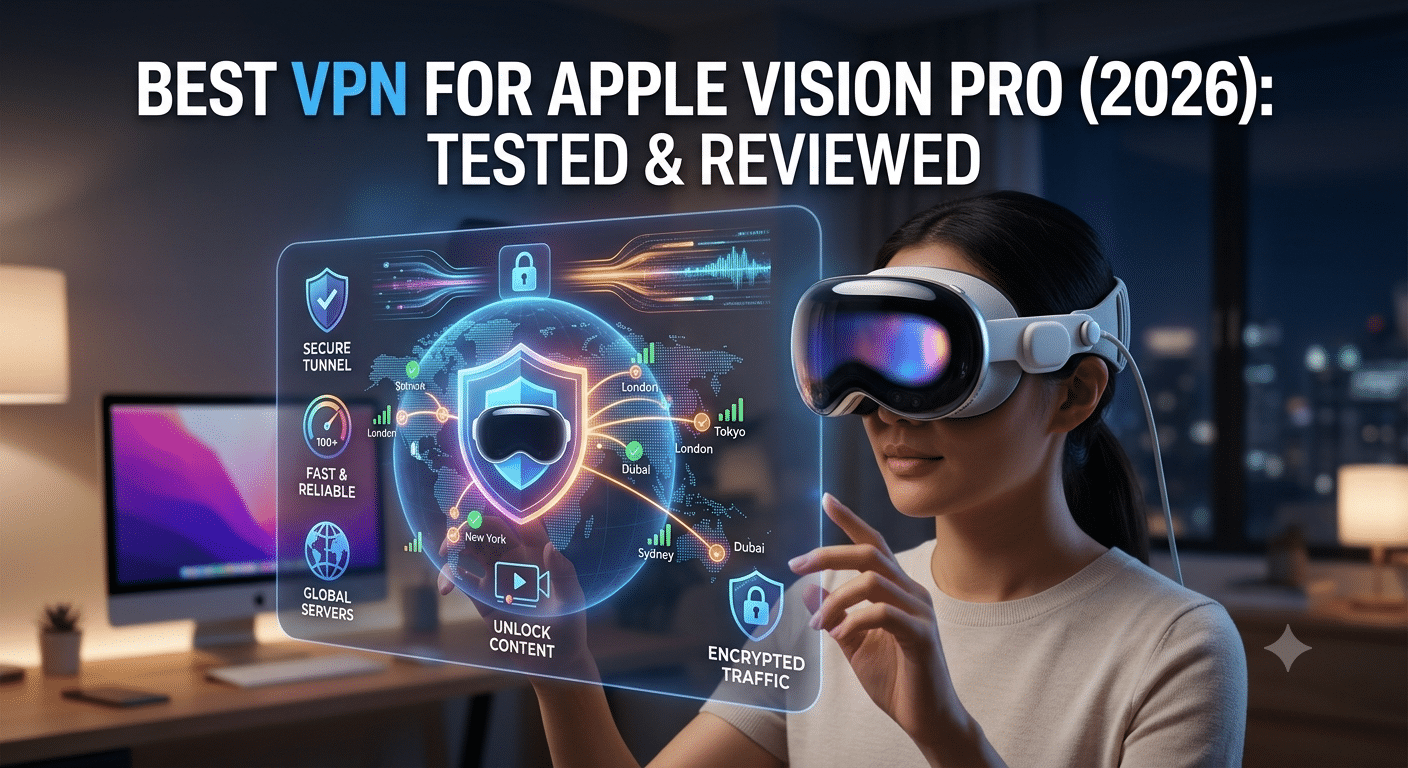

Apple Vision Pro brings a desktop-class browsing experience, immersive media, and remote collaboration into a headset. That also means it handles more sensitive internet traffic than a typical streaming device. Whether you’re connecting to public Wi-Fi, accessing region-specific content, or working remotely, choosing the best VPN for Apple Vision Pro is about more than hiding your IP address. Speed, compatibility, and privacy all matter.
While visionOS continues to evolve, many leading VPN providers already support Apple’s ecosystem through native apps, compatible iPad applications, or manual VPN configurations. The best options maintain fast connections, protect your data with modern encryption, and work reliably without disrupting the headset’s immersive experience.
This guide is based on current VPN technologies, provider security practices, independent audits where available, and real-world performance considerations for Apple devices.
What Makes a VPN a Good Choice for Apple Vision Pro?
Not every VPN that performs well on a laptop or smartphone delivers the same experience on a mixed-reality headset.
Vision Pro places greater demands on your network. High-resolution video, cloud-based productivity tools, remote desktop sessions, and immersive streaming all require stable, low-latency connections. A VPN that adds excessive delay or inconsistent routing can noticeably affect the experience.
When evaluating providers, several factors stand out.
Consistently Fast Performance
Encryption always introduces some overhead, but the best VPNs minimize the impact.
Modern protocols such as WireGuard are designed for efficiency, often delivering significantly better speeds than older protocols without sacrificing security. That becomes particularly important when watching 4K or spatial video, joining video meetings, or using cloud applications.
In everyday use, a high-quality VPN should preserve enough bandwidth for demanding workloads while keeping latency low.
Strong Privacy Standards
A trustworthy VPN should protect more than your browsing history.
Look for providers that offer:
- AES-256 or ChaCha20 encryption
- Independently audited no-logs policies
- DNS leak protection
- Kill switch functionality
- RAM-only server infrastructure where available
Independent security audits have become one of the strongest indicators that a provider’s privacy claims have been verified by third-party experts rather than relying solely on marketing statements.
Reliable Apple Ecosystem Support
Apple users often switch between multiple devices throughout the day.
An ideal VPN should support:
- Apple Vision Pro
- Mac
- iPhone
- iPad
- Apple TV
A single subscription that covers your entire Apple ecosystem provides both convenience and better value.
Does Apple Vision Pro Support VPNs?
Yes.
VisionOS supports VPN connectivity, although the exact experience depends on how each provider implements support.
Some VPN companies offer applications that run directly through visionOS compatibility, while others rely on manual configuration using protocols such as IKEv2. As visionOS matures, native support continues to improve.
Apple also supports enterprise VPN deployments through configuration profiles, making Vision Pro suitable for organizations that require secure remote access to internal resources.
One common misconception is that Apple’s iCloud Private Relay replaces a VPN.
It doesn’t.
Private Relay primarily protects Safari traffic by routing requests through two internet relays. It does not encrypt all internet traffic, allow server selection in different countries, or provide many of the features available from a full VPN service.
For comprehensive privacy across all supported apps and services, a dedicated VPN remains the more capable solution.
Why Speed Matters More on Vision Pro
Traditional web browsing is relatively forgiving when a connection slows slightly.
Mixed reality is different.
Streaming immersive video, synchronizing multiple virtual displays, or interacting with cloud-hosted applications demands consistent performance. Packet loss and high latency become much more noticeable inside a headset than on a conventional display.
Several factors influence VPN performance:
- Distance to the VPN server
- Server congestion
- VPN protocol
- Internet connection quality
- Local Wi-Fi conditions
WireGuard has become the preferred protocol for many providers because it combines efficient cryptography with excellent throughput. IKEv2 also remains a strong choice, particularly for users who frequently move between Wi-Fi and mobile connections.
Security Features Worth Paying For
Many VPN services advertise similar features, but implementation quality varies considerably.
These capabilities deserve the most attention:
Verified no-logs policy: Independent audits provide stronger evidence than marketing claims.
Kill switch: Prevents traffic from leaking if the VPN connection unexpectedly drops.
DNS leak protection: Ensures DNS requests remain inside the encrypted tunnel.
Modern protocols: WireGuard and IKEv2 generally offer the best balance of speed and security.
Large server network: More locations often translate into lower congestion and better performance.
Features that sound impressive but lack independent validation should carry less weight than transparent security practices.
What We’ll Compare Next
In the next section, we’ll evaluate the leading VPN providers for Apple Vision Pro based on factors that matter most in real-world use:
- Speed consistency
- Privacy protections
- Streaming performance
- visionOS compatibility
- Apple ecosystem support
- Value for money
- Independent security audits
Rather than relying on marketing claims, we’ll focus on measurable differences that can influence your experience using Apple Vision Pro every day.
Which VPN Services Perform Best on Apple Vision Pro?
No VPN is designed exclusively for Apple Vision Pro, but several providers stand out because of their performance on Apple’s broader ecosystem. The services below combine strong security practices, fast protocols, reliable apps, and a proven track record across macOS, iOS, and iPadOS, making them well-positioned for visionOS users.
Rather than ranking providers solely by marketing claims, this comparison focuses on privacy, speed, independent audits, and everyday usability.
NordVPN — Best Overall
NordVPN is the strongest all-around choice for most Apple Vision Pro owners.
Its WireGuard-based NordLynx protocol consistently delivers excellent speeds while maintaining strong security. Independent audits of its no-logs policy add credibility, and its large server network offers broad geographic coverage for travelers and remote workers.
Strengths
- Excellent download speeds
- Independently audited no-logs policy
- Threat Protection features
- WireGuard (NordLynx) support
- Large global server network
- User-friendly Apple apps
Potential drawbacks
- Premium pricing compared to budget competitors
- Some advanced settings may be unnecessary for casual users
NordVPN is particularly well suited for streaming, remote work, and users who frequently switch between Apple devices.
ExpressVPN — Best for Simplicity
ExpressVPN focuses on ease of use without sacrificing security.
Its Lightway protocol is designed to reconnect quickly when network conditions change, which can be helpful if you move between different Wi-Fi networks during the day.
The interface remains one of the simplest among premium VPN providers.
Strengths
- Very easy to use
- Fast Lightway protocol
- Strong privacy reputation
- Broad international coverage
- Consistently reliable streaming
Potential drawbacks
- Fewer advanced customization options
- Higher subscription cost than many competitors
If you value simplicity over extensive configuration options, ExpressVPN remains one of the easiest recommendations.
Surfshark — Best Value
Surfshark offers many premium features while allowing unlimited simultaneous device connections.
That makes it attractive for households with multiple Apple devices, including Macs, iPhones, iPads, Apple TVs, and Vision Pro.
Strengths
- Unlimited devices
- Competitive pricing
- WireGuard support
- Clean interface
- Good streaming performance
Potential drawbacks
- Speed consistency varies more by location than some premium competitors
For families or users managing several devices, Surfshark offers excellent overall value.
Proton VPN — Best for Privacy
Proton VPN places privacy ahead of marketing.
Developed by the team behind Proton Mail, it has built a strong reputation for transparency, open-source applications, and independently audited software.
Secure Core routing provides an additional privacy layer for users who need stronger protections against network surveillance.
Strengths
- Open-source applications
- Strong transparency
- Excellent privacy reputation
- Independent security audits
- High-quality free tier
Potential drawbacks
- Secure Core can reduce speeds
- Smaller server footprint than some competitors
Users who prioritize privacy over absolute speed should give Proton VPN serious consideration.
Mullvad — Best for Anonymous Accounts
Mullvad takes a different approach.
Instead of requiring an email address, it generates a random account number, minimizing the personal information associated with your subscription.
Its straightforward pricing and privacy-first philosophy have earned it a loyal following among security professionals.
Strengths
- Anonymous account creation
- Flat pricing
- Excellent privacy practices
- Open-source software
- WireGuard support
Potential drawbacks
- Smaller server network
- Limited emphasis on streaming
Mullvad is an excellent option for users who place anonymity above entertainment features.
How Do These VPNs Compare?
| Feature | NordVPN | ExpressVPN | Surfshark | Proton VPN | Mullvad |
|---|---|---|---|---|---|
| Speed | Excellent | Excellent | Very Good | Very Good | Very Good |
| Privacy | Excellent | Excellent | Very Good | Excellent | Excellent |
| Independent Audits | Yes | Yes | Yes | Yes | Yes |
| WireGuard Support | Yes | No (Lightway instead) | Yes | Yes | Yes |
| Streaming | Excellent | Excellent | Very Good | Good | Limited |
| Unlimited Devices | No | No | Yes | No | No |
Each provider has distinct strengths. The best choice depends on how you use your Apple Vision Pro rather than which service advertises the longest feature list.
Which Users Benefit Most from Each Provider?
Different usage patterns call for different priorities.
Choose NordVPN if you want the best overall balance of speed, privacy, and reliability.
Choose ExpressVPN if ease of use matters more than extensive customization.
Choose Surfshark if you have many devices and want to keep subscription costs lower.
Choose Proton VPN if transparency and privacy are your highest priorities.
Choose Mullvad if anonymous account creation is more important than streaming support.
In the next part, we’ll look beyond feature lists and examine how server congestion, device compatibility, protocol selection, and real-world networking conditions affect Apple Vision Pro performance.
How Do Server Load, Device Limits, and Network Conditions Affect VPN Performance?
Choosing a VPN isn’t just about picking the provider with the largest server network. Day-to-day performance on Apple Vision Pro depends on several technical factors that can noticeably influence streaming quality, remote work, and overall responsiveness.
Understanding these factors helps you select a service that performs well in real-world conditions instead of relying solely on advertised speeds.
Server Load Effects
Server load refers to how many users are connected to a VPN server at a given time. As utilization increases, available bandwidth per user can decrease, leading to slower download speeds and higher latency.
Premium VPN providers typically operate thousands of servers across dozens of countries to spread traffic more evenly. Many apps also automatically connect you to the least congested server available.
If you notice slower performance, switching to a nearby server with lower utilization often restores much of your original connection speed.
Distance Matters
Every VPN connection adds an extra routing step between your device and the destination website or service.
The farther your chosen VPN server is from your physical location, the more latency you’re likely to experience.
For activities such as:
- Spatial video streaming
- Remote desktop access
- Cloud gaming
- Video conferencing
it’s usually best to connect to the closest server that still meets your privacy or location requirements.
Device Compatibility Limits
Most premium VPN subscriptions allow multiple simultaneous connections, but the exact number varies by provider.
If you regularly use:
- Apple Vision Pro
- MacBook
- iPhone
- iPad
- Apple TV
it’s worth checking whether your preferred VPN allows enough devices under one account.
Some providers also support installing the VPN directly on a compatible router. This approach protects every device connected to your home network without counting each one individually against your subscription limit.
Account and Plan Restrictions
Free VPNs can be useful for occasional browsing, but they often impose limitations that become more noticeable on a headset designed for immersive experiences.
Common restrictions include:
- Monthly data caps
- Limited server locations
- Reduced connection speeds
- Fewer supported devices
- Restricted streaming access
For users who stream frequently or work remotely, these limitations can quickly outweigh the savings.
Speed Throttling Scenarios
A VPN cannot eliminate internet congestion caused by your internet service provider or local Wi-Fi network.
However, there are situations where encrypted traffic may reduce ISP traffic management or throttling based on the type of application being used. Results vary depending on your provider and local network policies, so a VPN should not be viewed as a guaranteed solution for slow internet.
If performance drops significantly, consider these troubleshooting steps:
- Switch to a closer server.
- Try a different VPN protocol.
- Restart your network connection.
- Verify that your Wi-Fi signal is strong.
- Test your connection with and without the VPN to identify the bottleneck.
Which VPN Protocol Is Best for Apple Vision Pro?
VPN protocols determine how your encrypted connection is established and maintained. Modern protocols generally offer a better balance of speed and security than older alternatives.
WireGuard
WireGuard has become the preferred protocol for many leading VPN providers because of its lightweight design and excellent performance.
Advantages include:
- Fast connection times
- Low overhead
- Strong modern cryptography
- Excellent performance for streaming and large downloads
For most Apple Vision Pro users, WireGuard is an excellent default choice when available.
IKEv2/IPsec
IKEv2 remains popular within Apple’s ecosystem thanks to its stability and ability to reconnect quickly after temporary network interruptions.
It can be particularly useful if you frequently move between different wireless networks during the day.
OpenVPN
OpenVPN continues to be a trusted protocol with broad compatibility, although it generally produces lower speeds than newer alternatives.
For users who prioritize compatibility over maximum performance, it remains a dependable option.
Is Apple Private Relay Enough?
Apple’s iCloud Private Relay improves privacy by masking your IP address and encrypting certain web traffic in Safari.
However, it differs from a traditional VPN in several important ways.
Private Relay does not:
- Protect all app traffic
- Allow you to choose server locations
- Support accessing region-specific content
- Provide the advanced controls found in dedicated VPN applications
If your primary goal is securing all compatible internet traffic across multiple applications or using services while traveling internationally, a full VPN remains the more comprehensive solution.
How to Get the Best Performance from Your VPN
Once you’ve selected a provider, a few simple adjustments can improve your experience on Apple Vision Pro.
- Connect to the nearest suitable server.
- Use WireGuard when supported.
- Keep your VPN application updated.
- Avoid overcrowded public Wi-Fi whenever possible.
- Disconnect from the VPN when accessing services that require your local network, if appropriate.
Small changes like these often have a greater impact on performance than switching providers.
In the final part, we’ll bring everything together with practical setup guidance, common troubleshooting tips, answers to frequently asked questions, and our overall recommendation for the best VPN for Apple Vision Pro based on security, performance, and value.
How Do You Set Up a VPN on Apple Vision Pro?
The exact setup process depends on your VPN provider, but most premium services make installation straightforward.
If a native visionOS app is available, download it from the App Store, sign in, choose a server, and connect. If the provider offers an iPad-compatible app instead, follow its installation instructions if supported by your version of visionOS.
Some providers also support manual configuration using IKEv2. While this approach takes a few extra minutes, it can be useful for enterprise environments or providers without a dedicated app.
Before using your VPN regularly:
- Update visionOS to the latest version.
- Install the newest VPN app release.
- Allow any required VPN permissions.
- Connect to a nearby server.
- Confirm the connection before opening sensitive apps.
Common VPN Problems and How to Fix Them
Even premium VPNs occasionally encounter issues. Fortunately, most are easy to resolve.
Slow Speeds
If your connection feels slower than expected:
- Switch to a closer server.
- Try WireGuard instead of another protocol.
- Disconnect and reconnect to obtain a less congested server.
- Test your internet speed with the VPN disabled to identify whether the issue originates from your ISP.
Streaming Doesn’t Work
Streaming platforms continually update their methods for detecting VPN traffic.
If content won’t load:
- Change to another server in the same country.
- Clear the streaming app’s cache if applicable.
- Restart the application.
- Contact your VPN provider to ask which servers are currently optimized for streaming.
Frequent Disconnections
Intermittent Wi-Fi is often responsible rather than the VPN itself.
Restart your router, verify your wireless signal strength, and ensure both visionOS and the VPN application are fully updated.
Login Problems
If you’re unable to sign in:
- Verify your subscription is active.
- Reset your password if necessary.
- Confirm you haven’t exceeded your provider’s simultaneous device limit.
Is a Free VPN Good Enough?
Free VPNs can be useful for occasional browsing or testing a service before subscribing, but they usually involve compromises.
Many free providers limit:
- Monthly data usage
- Available server locations
- Connection speeds
- Streaming compatibility
- Customer support
Some also display advertising or offer fewer privacy features than their paid counterparts.
If you plan to stream high-resolution content, work remotely, or travel frequently with Apple Vision Pro, a reputable paid VPN is generally the better long-term investment.
Which VPN Is the Best Choice for Apple Vision Pro?
After comparing today’s leading providers, each excels in a different area.
Choose NordVPN if you want the best overall balance of speed, privacy, security, and independent verification. It consistently performs well across demanding workloads and supports the entire Apple ecosystem.
Choose ExpressVPN if simplicity is your priority. Its interface is easy to navigate, making it an excellent option for users who prefer minimal configuration.
Choose Surfshark if value matters most. Unlimited simultaneous device connections make it especially attractive for households with several Apple devices.
Choose Proton VPN if privacy comes first. Its transparency, open-source applications, and independent audits appeal to users who place security above everything else.
Choose Mullvad if anonymity is your primary concern. Its unique account system minimizes the personal information required to create an account.
No single VPN is perfect for everyone, but selecting a provider that aligns with your usage patterns will deliver a better experience than simply choosing the most heavily advertised service.
Frequently Asked Questions
Does Apple Vision Pro support VPN apps?
Yes. Vision Pro supports VPN connectivity through compatible applications and supported VPN configurations, although available features may vary depending on the provider and the current version of visionOS.
Which VPN protocol should I use?
For most users, WireGuard offers the best combination of speed and security. IKEv2 is also an excellent option, particularly for users who frequently change networks.
Will a VPN slow down Apple Vision Pro?
Every VPN introduces some performance overhead because your traffic is encrypted and routed through another server. High-quality VPN providers typically minimize this impact, especially when using modern protocols and nearby servers.
Is Apple Private Relay the same as a VPN?
No. Private Relay protects supported Safari traffic but does not replace a full VPN that secures compatible internet traffic across multiple applications and allows you to choose server locations.
Final Verdict
The best VPN for Apple Vision Pro is the one that delivers consistent performance without compromising privacy. Fast protocols, independently audited no-logs policies, reliable Apple ecosystem support, and stable connections matter far more than marketing claims or oversized server counts.
For most users, NordVPN offers the strongest overall combination of speed, security, and ease of use. ExpressVPN remains an excellent alternative for simplicity, while Surfshark delivers outstanding value for multi-device households. If privacy is your highest priority, Proton VPN and Mullvad are both compelling options.
As visionOS continues to mature, VPN support is likely to improve further. Choosing a provider with a strong track record of security updates and long-term platform support will help ensure your Apple Vision Pro remains protected for years to come.