
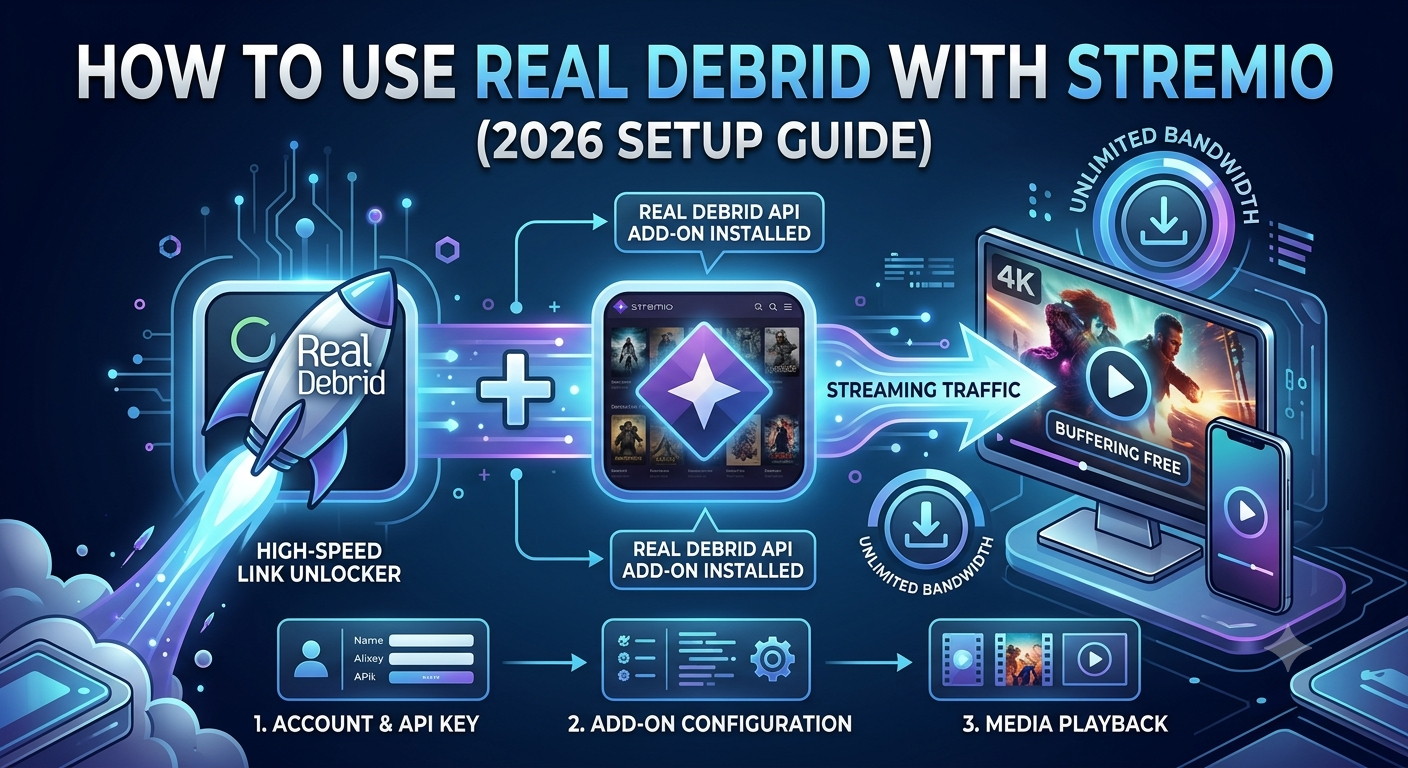

The phrase how to use real debrid with stremio usually sounds simple—until you actually try setting it up. Most users hit confusion at the same point: Stremio alone doesn’t generate high-quality streams, and Real-Debrid doesn’t work inside Stremio by itself. You need a connector layer, correct authentication, and a properly configured addon stack.
This guide breaks the process down the way engineers approach it: what each component does, how they interact, and where most failures happen.
Before diving in, it’s worth understanding the privacy side of streaming tools in general. Organizations like the Electronic Frontier Foundation consistently highlight how streaming traffic, ISP logging, and third-party add-ons can expose metadata even when content itself is encrypted. That matters when you combine services like Stremio and Real-Debrid, because your setup depends heavily on external routing and cached sources.
What is Real-Debrid and how does it work with Stremio?
Real-Debrid is not a streaming app. It’s a premium caching service that converts torrent and hoster links into high-speed direct downloads or instant streams hosted on its servers.
Stremio, on the other hand, is just a media aggregator. It doesn’t host content. It relies on add-ons to fetch streams.
Here’s how the chain works in practice:
- Stremio requests a movie or show
- An add-on (usually Torrentio) finds available torrent sources
- Real-Debrid intercepts and replaces those sources with cached high-speed links
- Stremio plays the stream without buffering from peer-to-peer sources
Without Real-Debrid, you are relying on unstable torrent peers. With it, you are pulling from pre-cached servers.
To understand why many users pair this setup with privacy tools, it helps to grasp the basics of tunneling and encryption. A VPN basics explanation shows how your traffic is routed through encrypted tunnels to reduce ISP visibility and throttling risks. This becomes relevant later when we discuss performance inconsistencies.
For users who want to strengthen privacy while streaming, many rely on leading VPN providers to reduce ISP-based speed shaping or traffic classification. This is not required for Real-Debrid to function, but it can influence stability depending on your network.
How do you set up Real-Debrid with Stremio step by step?
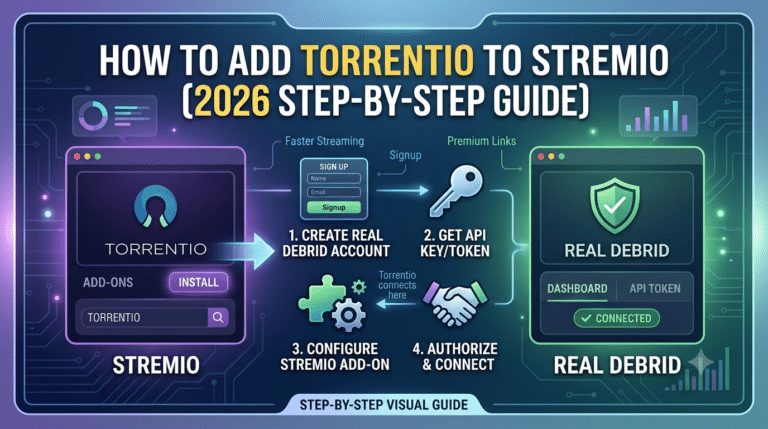
At a high level, the setup has three stages: installing Stremio, adding the correct addon, and linking your Real-Debrid account through an API key.
But the most common failure point is not installation—it’s misconfiguration between the addon and the Real-Debrid authentication layer.
Step 1: Install Stremio
Start with a clean installation on your preferred device (Windows, Android TV, or mobile).
Step 2: Create a Real-Debrid account
You’ll need an active subscription. Free accounts do not unlock cached streaming functionality.
Step 3: Install a compatible addon
Torrentio is currently the most widely used connector because it supports Real-Debrid integration directly.
Step 4: Generate and link API key
Inside your Real-Debrid dashboard:
- Generate API token
- Paste it into the Torrentio configuration page
- Reinstall the addon inside Stremio
Step 5: Test playback
Search for a title and check if “RD+” or cached links appear.
If nothing appears, the issue is almost always:
- Expired API token
- Misconfigured addon instance
- Incorrect device sync
At this stage, many users confuse installation problems with service outages. In reality, Stremio itself is rarely down, but addon connectivity often fails. You can cross-check status patterns in cases where streams stop appearing using resources like Stremio downtime reports.
Why Real-Debrid changes streaming performance
Without Real-Debrid, Stremio depends on live torrent availability. That means:
- Slow peer discovery
- Dead torrents
- Inconsistent quality sources
With Real-Debrid:
- Streams are pre-cached on fast servers
- Playback starts instantly
- Buffering is significantly reduced
However, performance is not unlimited. It depends on server load, device constraints, and your subscription tier.
server load effects, device compatibility limits, account/plan restrictions, speed throttling scenarios, etc
Real-Debrid performance can degrade under specific conditions:
- Server load effects: Peak traffic hours can reduce available cached bandwidth per user.
- Device compatibility limits: Older devices may struggle with high-bitrate 4K streams even if the source is fast.
- Account/plan restrictions: Single-user accounts are limited to one active IP session in many cases.
- Speed throttling scenarios: Some ISPs may still classify streaming traffic, even when using cached sources.
This is where misunderstandings happen. Users often assume Real-Debrid “is slow,” when in reality the bottleneck is usually local decoding capability or ISP-level shaping—not the debrid service itself.
For comparison, platforms like Stremio performance analysis show that most instability reports are tied to addon configuration rather than core platform failure.
Common setup expectation gap (what users get wrong)
Most tutorials skip a key detail: Real-Debrid does not magically “add content.” It only upgrades existing torrent sources into faster links.
So if an addon fails to find sources, Real-Debrid has nothing to enhance.
That’s why configuration order matters:
- Add-ons first
- Real-Debrid linking second
- Playback testing last
Skipping this order is the main reason users see empty results or “no streams found” errors.
Once the basic setup is complete, most users assume everything should work instantly. In reality, this is where Stremio + Real-Debrid setups usually start breaking. The issue is rarely “no support” and almost always incorrect addon behavior, missing cached sources, or authentication drift.
This section focuses on the most critical layer: Torrentio configuration and stream availability logic.
How do you install and configure Torrentio for Real-Debrid?
Torrentio is the backbone of most Stremio + Real-Debrid setups. It acts as a search aggregator that pulls torrent metadata and converts it into playable streams when paired with Real-Debrid.
Without it, Stremio has almost no usable source discovery layer.
Correct installation flow
The correct setup sequence is:
- Open Torrentio configuration page
- Select your preferred providers (keep defaults for stability)
- Enable Real-Debrid integration section
- Paste API token generated from your account
- Set quality filters (1080p minimum recommended)
- Click install → opens Stremio automatically
- Confirm addon activation inside Stremio settings
If you skip reinstalling the addon after adding the API key, Stremio will continue using the old configuration cache.
For users running multiple streaming setups, understanding how addons interact with system-level permissions is important. Some platforms behave similarly to general streaming apps covered in guides like Stremio addons setup behavior, where compatibility depends heavily on how the ecosystem loads external providers.
Why does Stremio show no streams after adding Real-Debrid?
This is the most common failure point and it has very specific causes.
When users see “no streams available,” they usually assume Real-Debrid is broken. It is almost never the case.
Main causes:
- Torrentio not properly linked to Real-Debrid API
- Cached sources not available for that title
- Incorrect catalog refresh inside Stremio
- ISP blocking or filtering addon requests
- Outdated addon instance still running in cache
In practice, the issue is almost always #1 or #2.
If you want to isolate whether the problem is addon-related or platform-wide, you can compare behavior with known Stremio outages and reporting patterns using references like Stremio stream availability issues.
How do API keys actually control streaming access?
The Real-Debrid API key is not just a login token—it defines how Stremio accesses cached content.
When configured correctly:
- Torrentio queries Real-Debrid servers
- Cached torrents are matched instantly
- Playback links are returned in milliseconds
When misconfigured:
- Requests fail silently
- No cached sources appear
- Stremio behaves like Real-Debrid doesn’t exist
A key detail often missed is that API tokens can become invalid after account resets or password changes. In that case, re-generating the token is required.
What makes Torrentio essential in the setup chain?
Without Torrentio, Real-Debrid has nothing to process.
Think of the system as three layers:
- Stremio → UI and playback engine
- Torrentio → source discovery layer
- Real-Debrid → acceleration + caching layer
Remove any one of these and the system collapses.
Torrentio is especially important because it determines:
- Which torrents are visible
- Which providers are queried
- How frequently sources refresh
- Whether Real-Debrid gets triggered at all
This is why even a perfectly valid Real-Debrid account will appear “broken” if Torrentio is misconfigured.
Common mistake: duplicate addon instances
One overlooked issue is having multiple Torrentio installs.
This leads to:
- Conflicting API tokens
- Duplicate stream results
- Random missing sources
- Inconsistent playback behavior
Fix:
- Remove all Torrentio instances
- Reinstall once with correct Real-Debrid config
- Restart Stremio completely
Why Real-Debrid streams sometimes appear and sometimes don’t
This inconsistency is expected behavior, not a bug.
Availability depends on:
- Whether torrents are already cached
- Whether the file matches existing debrid library
- Whether the provider index includes that title
If a movie is new or niche, cached sources may not exist yet. In that case, Stremio will show fewer or no Real-Debrid streams.
This is also where users often confuse system behavior with platform failure. In reality, it is simply a content availability gap.
Device impact on stream visibility
Even when Real-Debrid returns valid streams, your device can influence what you actually see.
Low-power devices may:
- Filter out high-bitrate results
- Fail to load large metadata lists
- Drop streams during playback negotiation
This is especially noticeable on older Android TV boxes or low-RAM Fire TV devices.
At this stage, your Stremio + Real-Debrid setup should already be functional. If streams are appearing but playback is unstable, the problem usually shifts away from configuration and toward system limits, network behavior, and device-level constraints.
This part focuses on why Real-Debrid setups sometimes feel inconsistent even when correctly installed, and how to diagnose performance problems without guessing.
What are the most common Real-Debrid streaming issues?
Even with a correct setup, users frequently report interruptions, missing streams, or inconsistent quality. These issues usually fall into four categories: network behavior, addon conflicts, cached content limitations, or device performance.
1. Cached content mismatch
Real-Debrid only works when the requested torrent already exists in its cache. If the file is not cached:
- Streams may not appear
- Lower-quality fallback links may show instead
- Some titles may return no results at all
This is not a failure—it’s a coverage limitation.
2. Addon indexing delays
Torrentio and similar addons refresh their provider indexes periodically. During delays:
- Newly released content may not appear
- Search results may feel incomplete
- Streams can appear and disappear temporarily
3. Account session conflicts
Real-Debrid limits active sessions per IP in certain configurations. If multiple devices are active:
- Streams may fail to load
- API responses may be delayed
- Some devices may stop receiving RD+ links
4. ISP-level interference
Even though Real-Debrid uses HTTPS, ISPs can still:
- Throttle streaming traffic patterns
- Delay DNS resolution
- Prioritize or deprioritize video streams
For users trying to reduce ISP interference, understanding routing behavior is essential. A VPN encryption explanation shows how tunneling changes how traffic is handled between your device and external servers.
How does server load and device limits affect Real-Debrid performance?
Performance inconsistencies are often misdiagnosed as “broken streams,” but they usually come from infrastructure constraints.
server load effects, device compatibility limits, account/plan restrictions, speed throttling scenarios, etc
Real-Debrid performance depends on multiple hidden layers:
- Server load effects: During peak usage hours, cached server routes may respond slower, increasing initial load time before playback starts.
- Device compatibility limits: Older hardware struggles with high-bitrate cached streams, especially 4K or REMUX files.
- Account/plan restrictions: Some plans enforce IP-based session control, limiting simultaneous playback across devices.
- Speed throttling scenarios: Even with cached content, ISPs may detect streaming patterns and apply indirect throttling or buffering delays.
This explains why two users with identical setups can experience completely different performance outcomes.
For context, many users only discover these limitations after comparing behavior with general VPN performance benchmarks like those discussed in best free VPN options, where network shaping effects are often more visible under heavy streaming loads.
Why Stremio works on some devices but fails on others
Device compatibility is one of the most overlooked factors in Real-Debrid setups.
Even if streams are available, playback can fail due to:
- Weak hardware decoding (especially HEVC 10-bit files)
- Limited RAM causing addon crashes
- Outdated Stremio versions
- OS-level codec restrictions
Common device breakdown:
- Android TV (modern): Best compatibility, smooth RD playback
- Fire TV Stick (new models): Good performance, occasional buffering on high bitrate
- Older TV boxes: Frequent stream skipping or missing RD links
- Mobile devices: Works well but depends heavily on app optimization
If you’re using Stremio across multiple devices, differences in playback behavior are expected, not anomalies.
Why buffering happens even with Real-Debrid
One of the biggest misconceptions is that Real-Debrid eliminates buffering completely. It reduces it significantly—but does not remove it.
Buffering can still occur due to:
- High bitrate exceeding device decode capacity
- Wi-Fi instability or congestion
- Background app usage consuming bandwidth
- CDN switching delays during playback start
Real-Debrid removes torrent peer instability, but it cannot control your local network environment.
When “no streams found” appears after working fine
This issue usually happens in cycles, not permanently.
Common triggers:
- Temporary API sync issues
- Torrentio provider refresh cycles
- Cached server maintenance
- Title-specific cache expiration
If this happens frequently, the issue is almost always addon-related rather than account-related.
You can compare patterns with known cases of Stremio stream availability errors to determine whether the issue is systemic or local.
Advanced stability check (what experienced users do)
Advanced users typically troubleshoot using a three-step isolation method:
- Test different titles (new vs old content)
- Switch between 1080p and 4K streams
- Compare performance across devices
If only specific titles fail → cache limitation
If all titles fail → addon/API issue
If playback stutters only → device/network limitation
This structured approach removes guesswork and isolates the real bottleneck quickly.
At this point, your Stremio + Real-Debrid setup is either stable or you’re dealing with edge cases that don’t follow the usual “install → connect → stream” pattern. Most remaining issues come down to misunderstanding limitations rather than misconfiguration.
This final section ties everything together: safety considerations, VPN relevance, device compatibility choices, and long-term maintenance of your setup.
Is Real-Debrid safe and do you need a VPN for Stremio?
Real-Debrid itself is generally considered a secure service because it relies on HTTPS connections and account-based authentication. However, safety in this setup depends on the entire chain: Stremio, add-ons, and your network environment.
A useful baseline for understanding this is how privacy tools protect traffic at the protocol level. The beginner’s guide to VPNs explains how VPNs create encrypted tunnels that reduce visibility into your browsing and streaming activity.
In practical terms:
- Real-Debrid encrypts the content delivery path
- Stremio acts as a playback interface
- Add-ons handle source discovery
- Your ISP still sees traffic metadata unless additional privacy tools are used
That’s why many users pair streaming setups with tools from industry-leading VPN software to reduce ISP-level traffic shaping or logging visibility.
You don’t strictly need a VPN for Real-Debrid to function, but it can help in specific situations:
- ISP throttling streaming traffic
- Network-level blocking of addon domains
- Privacy-conscious browsing habits
If cost is a concern, some users explore reliable free VPN services, though these often come with speed and server limitations that can impact high-quality streaming.
For deeper technical understanding, VPN routing behavior and encryption layers are explained in detail in how VPN encryption works, which helps clarify why performance sometimes changes when a VPN is enabled.
What causes long-term instability in Stremio + Real-Debrid setups?
Even when everything works initially, setups can degrade over time. This is usually not due to Real-Debrid itself but changes in external dependencies.
1. Addon lifecycle changes
Addons like Torrentio are community-maintained. Over time:
- Providers may stop working
- Indexing sources may change
- API structures may update
2. Cached content rotation
Real-Debrid’s cached library is dynamic:
- Popular content stays cached longer
- Rare content may disappear over time
- Newly added content takes time to propagate
3. Device software updates
Updates to Stremio or your OS can:
- Reset addon configurations
- Clear cached settings
- Require reauthentication
Device and platform limitations you cannot ignore
Even with a perfect setup, your device still defines the upper performance ceiling.
Android TV and streaming boxes
Best overall compatibility. Handles most Real-Debrid streams smoothly.
Mobile devices
Works well but depends on hardware decoding and screen resolution scaling.
Low-end TV boxes
Common issues:
- Missing RD streams due to UI lag
- Playback stutter on high bitrate files
- App crashes under heavy metadata load
Platform restrictions
Some ecosystems restrict app behavior:
- Roku does not natively support Stremio (device compatibility limits)
- iOS requires workaround setups for full functionality (mobile setup differences)
These limitations are not Real-Debrid issues—they are platform constraints.
Troubleshooting framework (final diagnostic model)
Instead of guessing, use this structured breakdown:
If no streams appear:
- Check Torrentio installation
- Re-authenticate Real-Debrid API key
- Confirm addon is active in Stremio
If streams appear but don’t play:
- Test different quality levels (720p vs 4K)
- Switch device or player
- Check internet stability
If performance drops over time:
- Clear addon cache
- Reinstall Torrentio
- Re-link Real-Debrid account
For broader platform-related issues, it helps to compare behavior with known service instability cases like Stremio downtime reports to determine whether the issue is local or system-wide.
If the problem is specifically missing results across multiple titles, troubleshooting guides such as Stremio no streams available fixes can help isolate whether it’s an indexing or cache issue.
Final perspective: how the system actually works
The most important takeaway is this:
Real-Debrid does not “create” streams. It optimizes access to already available torrent sources by replacing unstable peer connections with cached high-speed delivery.
Stremio does not host content. It only displays it.
Torrentio connects both systems.
When all three align correctly:
- Streams load instantly
- Buffering is minimized
- Quality selection improves significantly
When one layer fails:
- No streams appear
- Playback breaks
- Or performance becomes inconsistent
Understanding this separation is the key to long-term stability.





I like that you explained the relationship between Stremio, Real-Debrid, and the connector layer instead of treating the setup as a simple one-click process. A lot of guides skip over why things break, so the focus on authentication and common failure points should make troubleshooting much easier for people who run into issues during setup.