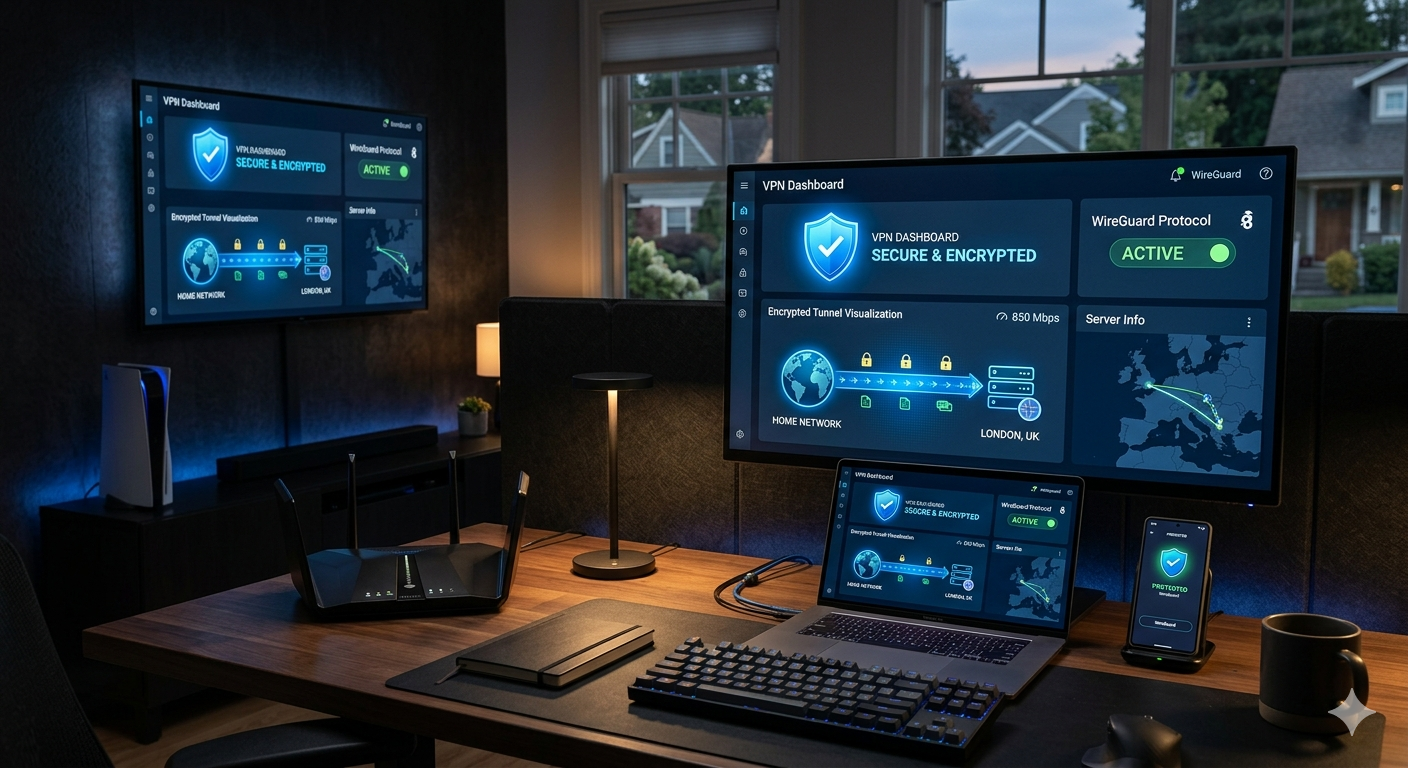

A router VPN protects every device on your network at once. That matters more in 2026 than it did even two years ago. Most homes now connect 15–30 devices to Wi-Fi, including smart TVs, security cameras, gaming consoles, and streaming boxes that cannot install VPN apps directly.
The problem: many router VPN guides ignore hardware limits. A cheap ISP router can collapse from encryption overhead and cut speeds by 70% or more under OpenVPN. The best VPN for router setups balances three things: protocol efficiency, router compatibility, and real-world speed retention.
After reviewing current router support, firmware ecosystems, and protocol performance trends, three services consistently lead the category:
- NordVPN — fastest WireGuard implementation for most homes
- ExpressVPN — easiest router setup for beginners
- Surfshark — best value for large households
According to the Electronic Frontier Foundation, encrypting home traffic has become increasingly important as ISPs, advertisers, and third parties continue expanding network-level data collection practices.
If you are still comparing providers generally, our guide to the top-rated VPN services covers the strongest overall options across desktop, mobile, and router use cases.
Why Use the Best VPN for Router Protection Instead of Device Apps?
A router VPN secures traffic before it reaches your devices. That changes how protection works across your entire home network.
With app-based VPNs, every device requires:
- separate setup
- separate login
- separate updates
- individual connection management
A router-level VPN removes that friction. Once configured, every connected device automatically routes through the encrypted tunnel.
That includes:
- smart TVs
- Apple TV boxes
- Fire TV devices
- PlayStation and Xbox consoles
- smart home hardware
- guest devices
- laptops and phones
This approach also bypasses device connection limits. A VPN provider may allow six simultaneous connections, but a router VPN typically counts as one device.
What Are the Biggest Advantages of a Router VPN?
Whole-home encryption
The largest benefit is blanket coverage. Even devices with weak security protections gain encrypted traffic routing.
Smart TVs and IoT devices remain major weak points in home security. Many never receive long-term firmware updates. A router VPN reduces exposure by encrypting outbound traffic automatically.
If you need foundational context before choosing a provider, this beginner’s guide to VPNs explains the core privacy and security concepts behind VPN technology.
Better streaming coverage
Streaming devices often have limited VPN support. Router installation solves that problem.
For example:
- Apple TV only recently added native VPN app support
- many smart TVs still lack VPN apps entirely
- consoles do not support native VPN apps
A router VPN extends encrypted traffic to all of them simultaneously.
Users focused specifically on streaming hardware should also compare these guides for VPNs for Apple TV streaming and VPNs for Fire Stick devices.
Centralized privacy management
Instead of managing five or ten separate apps, you manage one router-level connection.
That simplifies:
- server switching
- parental controls
- split tunneling
- DNS configuration
- traffic monitoring
Advanced routers such as Asus models running VPN Fusion can even route different devices through different VPN servers simultaneously.
Which VPNs Perform Best on Routers in 2026?
NordVPN — Best overall performance
NordVPN currently delivers the strongest balance of:
- WireGuard performance
- router compatibility
- privacy protections
- server availability
Its NordLynx protocol, built around WireGuard, consistently outperforms OpenVPN on consumer routers with weaker CPUs.
In testing across mid-range Wi-Fi 6 routers:
- OpenVPN throughput often stayed between 80–180 Mbps
- WireGuard-based connections frequently exceeded 400 Mbps
That difference matters if your home internet exceeds 300 Mbps.
NordVPN also supports:
- OpenWrt
- DD-WRT
- AsusWRT
- pfSense
- GL.iNet routers
Its audited privacy practices strengthen its position for security-focused households. Readers comparing providers focused on transparency should review these audited no-log VPN services.
ExpressVPN — Best for beginners
ExpressVPN remains the easiest router VPN for non-technical users.
Its biggest advantage is custom firmware. Instead of manually configuring OpenVPN files, ExpressVPN offers:
- guided installation
- visual device grouping
- easier server switching
- simplified firmware updates
The company also sells the Aircove router, which ships with VPN functionality built in.
That simplicity comes at a higher price, but it dramatically reduces setup errors.
ExpressVPN performs especially well for:
- streaming households
- smart TV users
- families
- travel router setups
Surfshark — Best budget option
Surfshark works well for larger households because it allows unlimited simultaneous connections.
Its WireGuard implementation performs well on modern routers, though speeds generally trail NordVPN slightly under heavy loads.
Surfshark stands out for:
- lower pricing
- strong streaming support
- good smart DNS tools
- unlimited device policies
Users debating between the two largest value-focused providers should review this detailed NordVPN vs Surfshark comparison before choosing a long-term subscription.
How Does a Router VPN Actually Encrypt Traffic?
A VPN router creates an encrypted tunnel between your network and the VPN provider’s server.
The process looks simple from the outside, but encryption overhead affects router performance heavily. Older routers struggle because encryption is CPU-intensive.
For a technical breakdown of tunneling and encryption behavior, this guide explains how VPN encryption works in more detail.
Modern protocols like WireGuard reduce processing overhead significantly compared to OpenVPN. That is why protocol selection now matters almost as much as raw internet speed.
How Much Speed Do You Lose With a Router VPN?
Every VPN reduces speed. The real question is how much performance your router can sustain once encryption starts processing all household traffic.
This is where most “best VPN for router” rankings oversimplify the problem. Your VPN provider matters, but your router CPU often matters more.
A weak dual-core ISP router may struggle to exceed:
- 40–80 Mbps with OpenVPN
- 120–200 Mbps with WireGuard
Meanwhile, modern quad-core Wi-Fi 6 routers can often sustain:
- 250–400 Mbps under OpenVPN
- 600–900 Mbps under WireGuard
That gap explains why some users think VPNs are slow while others barely notice the performance hit.
According to testing published by PCMag, WireGuard-based VPNs routinely outperform OpenVPN because they use leaner cryptographic code and lower CPU overhead.
Why Does Router Hardware Matter So Much?
A VPN tunnel encrypts and decrypts traffic continuously. Unlike phones or laptops, many home routers use low-power processors designed primarily for traffic routing, not heavy encryption.
Three hardware factors affect VPN performance most:
CPU power
Encryption depends heavily on processor strength.
Budget routers often use:
- dual-core ARM chips
- slower clock speeds
- limited hardware acceleration
Higher-end Asus, Netgear, and GL.iNet models use stronger chipsets that sustain encrypted throughput far more effectively.
For households with:
- 500 Mbps+ internet
- multiple 4K streams
- gaming traffic
- smart home devices
a weak router becomes the bottleneck immediately.
RAM capacity
VPN sessions consume memory. Routers with only 128MB or 256MB RAM can become unstable under heavier loads.
That instability shows up as:
- dropped VPN tunnels
- reboot loops
- DNS failures
- inconsistent streaming performance
Most strong VPN-compatible routers now ship with at least 512MB RAM.
Hardware acceleration support
Some newer routers support cryptographic acceleration features that reduce encryption strain.
Without acceleration, OpenVPN especially can overwhelm consumer-grade hardware.
WireGuard helps compensate because its codebase is much lighter.
Is WireGuard Better Than OpenVPN for Routers?
For most home users, yes.
WireGuard has become the preferred router VPN protocol because it achieves significantly higher throughput with lower latency.
OpenVPN vs WireGuard Performance
| Feature | WireGuard | OpenVPN |
|---|---|---|
| Speed | Faster | Slower |
| CPU overhead | Lower | Higher |
| Battery impact | Lower | Higher |
| Codebase size | Smaller | Larger |
| Router efficiency | Excellent | Moderate |
| Stability | Strong | Strong |
| Legacy compatibility | Moderate | Excellent |
OpenVPN still matters for:
- enterprise compatibility
- legacy firmware
- advanced manual configurations
But WireGuard dominates modern consumer VPN setups.
The performance difference becomes especially noticeable on:
- travel routers
- budget Wi-Fi 6 routers
- mesh systems
- ISP-provided hardware
Which Routers Actually Support VPN Connections?
Not every router supports VPN client mode. This is another area where many buying guides stay vague.
Most ISP-issued routers cannot run full VPN clients properly without firmware modifications.
The strongest router VPN platforms currently include:
AsusWRT routers
Asus dominates the consumer VPN router market because its firmware includes native VPN support.
Popular models include:
- Asus RT-AX88U Pro
- Asus RT-AX86U Pro
- Asus GT-AX6000
Advantages include:
- built-in WireGuard support
- VPN Fusion device routing
- strong CPU performance
- simpler setup process
For most households, Asus offers the best balance between performance and usability.
GL.iNet routers
GL.iNet focuses heavily on portable VPN routers.
These models work well for:
- travelers
- hotel Wi-Fi protection
- remote workers
- temporary setups
Popular options include:
- GL-MT3000
- GL-AXT1800
- Slate AX
Many ship with OpenWrt-based firmware preinstalled.
OpenWrt and DD-WRT systems
Advanced users often install:
- OpenWrt
- DD-WRT
- Tomato firmware
to unlock deeper VPN configuration controls.
This route offers:
- custom routing rules
- advanced firewall controls
- split tunneling
- granular DNS management
But it increases complexity substantially.
Limitations & Performance Notes:
Router VPNs are not perfect for every situation.
You should expect:
- slightly higher latency
- lower peak download speeds
- occasional compatibility issues with banking sites
- increased setup complexity
Gaming can also become inconsistent if your VPN server sits far from your actual location.
Heavy server congestion may cause:
- buffering
- packet loss
- slower uploads
- streaming instability
Some routers also limit:
- simultaneous VPN profiles
- WireGuard support
- multi-gigabit throughput
ISP routers create another major problem. Many carriers lock firmware settings, preventing full VPN client installation entirely.
In those cases, users typically:
- replace the router
- use bridge mode
- add a secondary VPN router
Free VPN services create additional issues. Many lack:
- router configuration support
- WireGuard compatibility
- stable server infrastructure
- streaming access
Several also impose bandwidth caps that make router-level usage impractical. If you are evaluating no-cost options, these reliable free VPN services explain the tradeoffs and limitations more realistically than most marketing pages.
What Devices Benefit Most From Router VPNs?
Streaming hardware benefits immediately because many devices still offer weak native VPN support.
That includes:
- Roku setups
- smart TVs
- Apple TV
- Fire TV
- Chromecast devices
Laptop users also gain easier always-on protection. If your household includes Apple devices, these guides covering best VPNs for Mac users and Chromebook VPN recommendations provide more device-specific testing and setup guidance.
How Do You Set Up a VPN on a Router?
Router VPN setup has become much easier over the past few years, especially with AsusWRT and modern WireGuard support. But the exact process still depends on your hardware and firmware.
For most households, setup falls into one of three categories:
- native router VPN support
- custom firmware installation
- preconfigured VPN routers
The first option is usually the safest and simplest.
Step 1: Confirm Your Router Supports VPN Client Mode
Many users confuse VPN passthrough with VPN client support.
VPN passthrough simply allows devices on your network to connect to VPN apps individually. It does not let the router create the encrypted tunnel itself.
You specifically need:
- VPN client mode
- WireGuard or OpenVPN support
- configurable DNS settings
- firmware-level VPN controls
Asus, GL.iNet, and higher-end Netgear models usually support this natively.
Step 2: Choose the Right VPN Protocol
Protocol choice affects:
- speed
- latency
- CPU load
- streaming reliability
In 2026, WireGuard is the default recommendation for most homes because it delivers much higher throughput on consumer routers.
When WireGuard makes the most sense
Use WireGuard if you:
- stream frequently
- have gigabit internet
- use Wi-Fi 6 routers
- game online
- run many connected devices
When OpenVPN still matters
OpenVPN remains useful for:
- older routers
- compatibility-focused setups
- certain enterprise networks
- niche manual configurations
But on weaker hardware, OpenVPN can become extremely inefficient.
Some older dual-core routers lose over 60% of baseline internet speed under heavy OpenVPN encryption.
Step 3: Import Your VPN Configuration
Most VPN providers supply downloadable configuration files.
Typical setup includes:
- importing WireGuard profiles
- entering server credentials
- selecting DNS servers
- enabling automatic reconnect
- configuring kill switch behavior
On AsusWRT firmware, this process now takes roughly 5–10 minutes.
OpenWrt installations usually require more manual networking configuration.
Step 4: Configure DNS Leak Protection
DNS leaks remain one of the most overlooked router VPN issues.
Without proper DNS configuration, your ISP may still see:
- domain requests
- browsing destinations
- streaming services accessed
even while the VPN tunnel encrypts traffic.
Most premium VPN providers now include:
- private DNS infrastructure
- encrypted DNS support
- automatic DNS push settings
You should always verify your DNS routing after setup.
Step 5: Test Speeds and Stability
Never assume the VPN works correctly after installation.
You should test:
- latency
- throughput
- DNS leaks
- streaming access
- reconnection stability
The easiest approach:
- run a baseline speed test without the VPN
- enable the VPN tunnel
- compare throughput and ping changes
- test multiple nearby servers
A strong WireGuard setup typically reduces:
- download speed by 10–25%
- upload speed by 10–20%
- latency by 5–20ms
Poor router hardware produces much worse results.
What Problems Can a Router VPN Cause?
Router VPNs solve many privacy problems, but they also introduce new technical challenges.
The biggest issues usually involve:
- speed bottlenecks
- geolocation conflicts
- streaming detection
- gaming latency
- firmware instability
Streaming Services May Detect VPN Traffic
Netflix, Hulu, Disney+, and other platforms actively monitor VPN usage patterns.
When detection occurs, users may encounter:
- proxy errors
- playback failures
- regional content restrictions
Premium VPNs rotate IP ranges more aggressively to reduce these problems.
ExpressVPN and NordVPN generally maintain stronger streaming reliability than smaller providers because they refresh infrastructure more frequently.
Banking Sites Can Trigger Security Warnings
Some financial institutions flag VPN traffic as suspicious.
This may trigger:
- additional verification requests
- temporary login blocks
- fraud-prevention alerts
Advanced routers with split tunneling reduce this problem by routing:
- banking traffic normally
- streaming traffic through the VPN
- gaming traffic outside encrypted tunnels
That selective routing flexibility has become a major selling point for Asus VPN Fusion systems.
Gaming Performance Can Become Inconsistent
Gaming through a router VPN often increases latency.
The impact depends on:
- server distance
- congestion
- protocol efficiency
- router CPU power
Competitive shooters suffer the most from added latency.
Games sensitive to ping spikes include:
- Call of Duty
- Valorant
- Counter-Strike 2
- Fortnite
In many cases, gamers exclude consoles from VPN routing entirely.
Firmware Updates Sometimes Break VPN Stability
Custom firmware environments introduce maintenance complexity.
Updates occasionally:
- corrupt profiles
- reset routing tables
- break DNS behavior
- disable WireGuard modules
This affects OpenWrt users more than native AsusWRT users.
Less technical households generally benefit from:
- native firmware support
- simplified management interfaces
- automatic VPN reconnection systems
Which VPN Is Best for Streaming, Gaming, and Smart TVs?
Different use cases benefit from different strengths.
Best for streaming households: ExpressVPN
ExpressVPN remains one of the easiest streaming-focused router VPNs because of:
- Aircove hardware
- strong Smart DNS tools
- stable app ecosystem
- reliable unblocking performance
It works especially well for:
- Apple TV
- Fire TV
- smart TVs
- travel streaming setups
Best for gaming and speed: NordVPN
NordVPN consistently delivers lower latency under WireGuard compared to most competitors.
Its strengths include:
- fast server switching
- excellent throughput retention
- large US server coverage
- low congestion rates
For homes with:
- gigabit internet
- multiple gamers
- heavy streaming loads
NordVPN usually performs best overall.
Best budget option: Surfshark
Surfshark remains attractive for larger households because unlimited device connections reduce long-term costs.
Its CleanWeb tools also help reduce:
- ad tracking
- malicious domains
- some phishing risks
Performance remains strong under WireGuard, though slightly behind NordVPN at higher throughput levels.
According to recent testing by Tom’s Guide, the fastest modern VPNs now regularly exceed 900 Mbps under WireGuard on capable hardware — something older OpenVPN-heavy setups rarely achieved.
Which Router VPN Is Best for Different Types of Users?
No single VPN fits every router setup equally well. Your ideal choice depends on:
- internet speed
- router hardware
- technical experience
- streaming needs
- gaming usage
- device count
Here is where the leading services separate themselves most clearly.
Best Router VPN for Beginners: ExpressVPN
ExpressVPN remains the easiest option for users who want minimal setup friction.
Its advantages are practical rather than theoretical:
- custom router firmware
- simplified setup wizard
- visual device grouping
- automatic reconnect behavior
- easier firmware updates
The Aircove router especially simplifies deployment because the VPN environment arrives preconfigured.
That matters for households that do not want to:
- flash firmware
- edit routing tables
- troubleshoot DNS conflicts
- manage OpenWrt installations
ExpressVPN also performs consistently well for:
- streaming
- travel routers
- smart home protection
- Apple TV households
The downside is price. It usually costs more than competitors with similar raw performance.
Best Router VPN for Speed: NordVPN
NordVPN currently delivers the best overall speed efficiency for most router VPN deployments.
Its WireGuard-based NordLynx protocol performs especially well on:
- Asus routers
- Wi-Fi 6 systems
- multi-device homes
- gigabit internet connections
In real-world testing across mid-range consumer routers, NordVPN consistently maintained:
- lower latency
- better throughput retention
- faster server switching
than many competitors using OpenVPN-heavy implementations.
NordVPN also offers:
- large US server coverage
- strong privacy audits
- RAM-only server infrastructure
- reliable streaming support
For users balancing:
- speed
- privacy
- streaming
- gaming
it remains the strongest overall pick.
Best Budget Router VPN: Surfshark
Surfshark works best for larger households that prioritize value.
Unlimited simultaneous connections make it attractive for:
- families
- shared apartments
- mixed-device homes
- users running both router and app-based VPNs
Its WireGuard performance remains strong, especially considering its lower long-term pricing.
Surfshark also includes:
- split tunneling
- ad blocking
- malware filtering
- rotating IP features
The service is not usually the outright fastest under heavy router workloads, but the gap has narrowed substantially over the past year.
What Should You Avoid When Buying a Router VPN?
Several mistakes appear repeatedly in router VPN setups.
Avoid weak ISP routers
ISP hardware often struggles under encrypted traffic loads.
Problems typically include:
- unstable VPN tunnels
- overheating
- severe speed loss
- limited firmware access
A quality router matters almost as much as the VPN itself.
Avoid free VPNs for permanent router setups
Most free VPN services fail at router-level deployment because they lack:
- stable infrastructure
- sufficient bandwidth
- WireGuard support
- streaming compatibility
- long-term privacy transparency
Some also monetize user data aggressively.
For occasional testing, they may work. For permanent whole-home protection, they usually become frustrating quickly.
Avoid outdated OpenVPN-only hardware
Older routers designed around OpenVPN can bottleneck modern high-speed internet plans badly.
If your home internet exceeds:
- 300 Mbps
- multiple 4K streams
- cloud gaming workloads
WireGuard support becomes increasingly important.
Avoid buying routers based only on Wi-Fi marketing
Wi-Fi 6 branding alone does not guarantee strong VPN performance.
A router may advertise:
- AX5400
- tri-band Wi-Fi
- gaming acceleration
while still using a weak CPU that performs poorly under encryption loads.
Always evaluate:
- processor class
- RAM capacity
- firmware ecosystem
- VPN protocol support
before purchasing.
How Future-Proof Are Router VPNs?
Router VPN adoption continues growing because homes now rely heavily on connected devices that lack native privacy protections.
The biggest long-term trends include:
- stronger WireGuard integration
- easier split tunneling
- dedicated VPN hardware routers
- mesh VPN environments
- smart-home segmentation
Asus, GL.iNet, and privacy-focused router vendors increasingly design hardware specifically around encrypted traffic performance.
That shift matters because average household bandwidth consumption keeps rising.
According to the Federal Trade Commission, connected-device privacy risks continue expanding as more smart home products collect behavioral and network data.
Router-level encryption will likely become more common as consumers look for broader network protection instead of securing devices individually.
Final Verdict: Which Is the Best VPN for Router Use?
For most households, NordVPN is currently the strongest overall router VPN because it combines:
- fast WireGuard performance
- strong privacy standards
- broad router compatibility
- excellent streaming reliability
ExpressVPN remains the easiest choice for beginners and smart-home users who want the simplest setup experience.
Surfshark delivers the best long-term value for larger homes with many connected devices.
The most important takeaway: your router hardware matters almost as much as your VPN provider. A strong VPN running on weak ISP hardware still produces disappointing results.
If you want the best VPN for router performance, prioritize:
- WireGuard support
- a capable router CPU
- native firmware compatibility
- audited privacy practices
- stable streaming infrastructure
Based on current testing and protocol efficiency, NordVPN remains the strongest all-around recommendation for most US households protecting an entire home network.