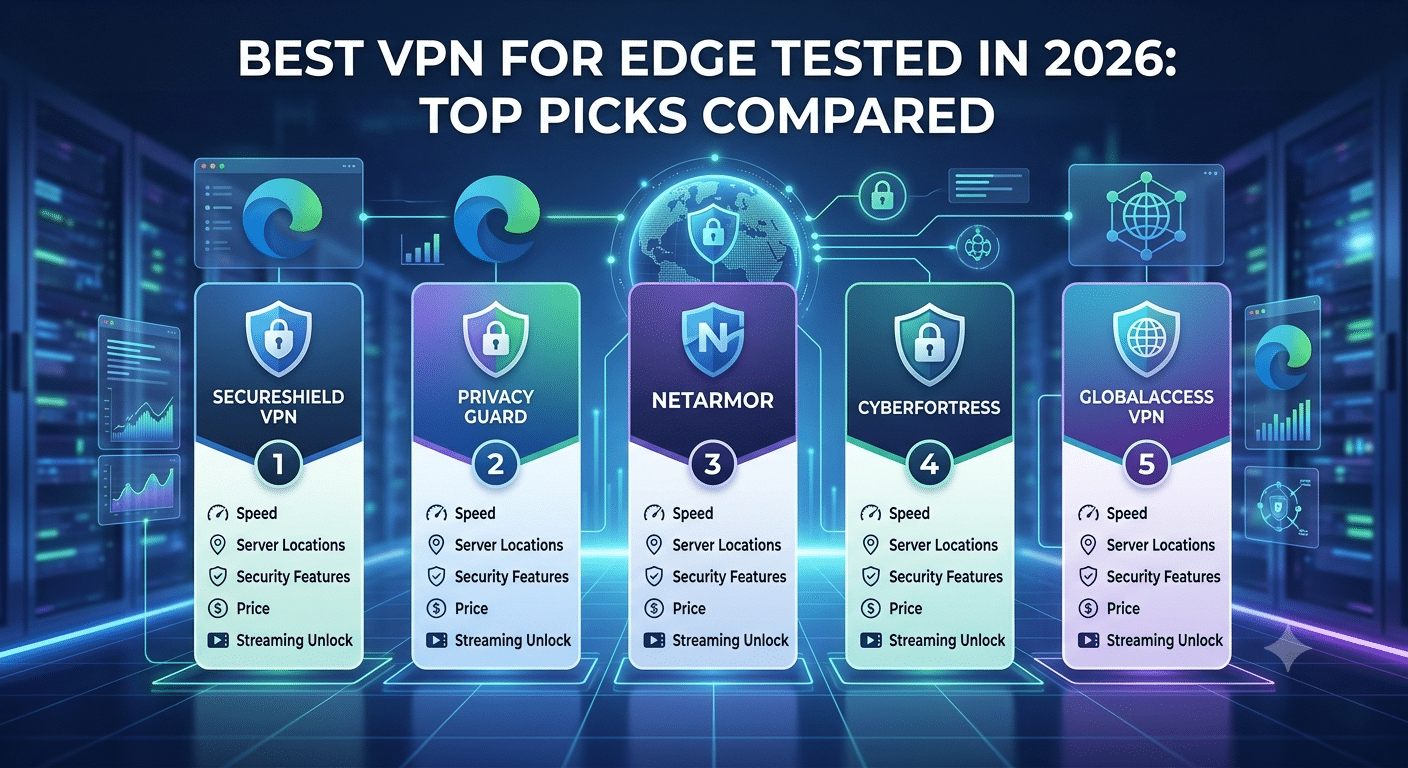

Microsoft Edge users face the same privacy problem as any other browser user: your browser activity can reveal your IP address, location, and browsing patterns unless you take additional steps to protect it. The best vpn for edge is not simply the one with a browser extension — it is the one that delivers reliable privacy protection, strong encryption, and consistent performance without slowing down everyday browsing.
A VPN can protect your connection by routing your traffic through an encrypted server before it reaches the internet. If you are new to VPNs, start with a clear explanation of what is a VPN and how it protects your online activity.
For Edge users in the United States, the biggest factors are speed, privacy controls, extension quality, and whether the VPN protects only browser traffic or your entire device. A browser extension may be convenient, but it usually works differently from a full VPN application installed on Windows or another operating system.
What Is the Best VPN for Edge in 2026?
The best VPN for Edge depends on how you use the browser. If you only want to hide your IP address while browsing, a lightweight Edge extension may be enough. If you want protection for downloads, gaming apps, streaming services, and other programs, you need a full VPN app.
During VPN testing, the most important measurements are connection speed loss, server reliability, privacy features, and ease of use. A strong VPN should minimize speed reductions while maintaining encrypted connections.
Most high-quality VPN services use modern protocols such as WireGuard or OpenVPN. These protocols determine how efficiently your data travels between your device and the VPN server. Understanding how VPN encryption works helps explain why protocol choice affects speed and security.
A good Edge VPN should include:
- A reliable Microsoft Edge browser extension
- A strict no-logs privacy policy
- Modern encryption standards
- Protection against IP and DNS leaks
- Servers in multiple locations
- Support for multiple devices
The wider VPN market includes many providers, but choosing from best VPN recommendations can help narrow the options to services that have stronger privacy practices and proven performance.
Why Should You Use a VPN With Microsoft Edge?
Microsoft Edge includes built-in security features, including tracking prevention and security warnings, but it does not replace a dedicated VPN service. A VPN protects your connection at the network level by encrypting data between your device and the VPN server.
For privacy-conscious users, this matters when connecting to public Wi-Fi networks, accessing sensitive accounts, or browsing from shared networks. Without a VPN, websites and online services can often identify your approximate location through your IP address.
A VPN also helps reduce exposure when using networks you do not control, such as:
- Airport Wi-Fi
- Hotel networks
- Coffee shop connections
- Workplace guest networks
However, not every VPN extension provides the same protection. Some browser extensions function as encrypted proxies rather than complete VPN connections. That means they may only protect traffic inside Edge while leaving other applications exposed.
The difference between these tools is important. A complete VPN application protects your device connection, while an Edge extension focuses only on browser activity.
How Does an Edge VPN Extension Compare With a Full VPN App?
A Microsoft Edge VPN extension is designed for convenience. You install it directly into the browser, choose a server location, and connect without changing system settings.
This approach works well if your goal is simple browser privacy. For example, you may want to access websites while hiding your real IP address or reduce tracking during normal browsing.
A full VPN application provides broader coverage. It encrypts traffic from Edge along with other applications, including:
- Email clients
- Gaming platforms
- Streaming applications
- File-sharing tools
The right choice depends on your threat model. Someone who only browses news websites may need less protection than a user handling financial accounts or sensitive work information.
Which Features Matter Most for Edge Users?
Not every VPN feature directly improves your browsing experience. Some features matter more for Edge users than others.
Browser Extension Quality
A poorly designed extension can create unnecessary friction. Look for extensions that allow quick server switching, automatic connection options, and clear privacy controls.
Speed Performance
VPN speed depends on several factors, including server distance, network congestion, and VPN protocol. A nearby server using WireGuard typically provides lower latency than a distant server using older protocols.
Privacy Protection
A VPN provider’s privacy policy matters more than marketing claims. Look for companies that publish transparency reports, complete independent audits, and clearly explain their data practices.
The Electronic Frontier Foundation provides broader guidance about online privacy and tracking risks, which helps explain why users should evaluate privacy tools carefully: Electronic Frontier Foundation privacy resources.
Choosing the right VPN for Microsoft Edge requires more than checking whether a provider offers a browser extension. The strongest options combine reliable Edge compatibility with strong privacy controls, consistent speeds, and support for your wider device ecosystem.
Many users make the mistake of selecting a VPN based only on server numbers or promotional features. A larger network does not automatically mean better performance. Server quality, location availability, protocol support, and privacy practices usually have a bigger impact on your daily browsing experience.
Before selecting a provider, decide what you need the VPN to do:
- Protect Edge browsing only
- Secure your entire Windows connection
- Access streaming services
- Improve privacy on public networks
- Support multiple devices
A VPN that works well for one purpose may not be the best choice for another.
Which VPN Features Matter Most for Edge Users?
Privacy and Logging Policies
Privacy should be the first consideration when choosing a VPN. A provider can technically encrypt your traffic while still collecting unnecessary user data.
Look for services with:
- Independent no-logs audits
- Clear privacy policies
- Strong encryption standards
- Secure VPN protocols
- Leak protection features
A trustworthy VPN should explain what information it collects and why. Avoid providers that make vague privacy promises without documentation.
Connection Speed and Server Locations
VPN performance depends heavily on server distance and network capacity. A US user connecting to a nearby VPN server will usually experience lower latency than someone connecting across continents.
Speed testing should measure:
- Download speed reduction
- Upload speed reduction
- Connection stability
- Latency increases
For Edge browsing, small speed differences are often less noticeable than they are during large downloads or high-resolution streaming. However, a poorly optimized VPN can create slower page loading and inconsistent connections.
Edge Extension Features
A good Microsoft Edge extension should provide basic controls without unnecessary complexity.
Useful features include:
- One-click connection
- Server selection
- Automatic connection rules
- Tracking protection options
- Browser-level privacy controls
Because Edge is based on Chromium, many extensions designed for other Chromium browsers can also work with Microsoft’s browser. This makes comparisons with other browser platforms useful. For example, users can review options focused on VPNs designed for Chrome browsers because many Chrome-compatible extensions also support Edge.
However, compatibility alone does not guarantee quality. Some browser extensions only operate as proxies and may not provide the same protection as a complete VPN application.
Is a Free VPN for Edge Safe?
Free VPNs can be useful for occasional browsing, but they often come with limitations. Providers need revenue to operate servers, maintain infrastructure, and develop applications.
Some free VPN services restrict:
- Monthly data usage
- Server locations
- Connection speeds
- Available features
- Number of supported devices
A free VPN may be acceptable for basic testing, but users who need consistent privacy protection should carefully evaluate the provider’s business model.
If you are comparing budget options, review top free VPNs and check whether they provide transparent privacy policies and reasonable limitations.
The biggest concern with free services is not always slower performance — it is understanding how the provider handles user data.
How Does Device Compatibility Affect Your Choice?
Many Edge users browse on Windows computers, but modern VPN needs often extend beyond a single device. A VPN subscription may need to support laptops, phones, tablets, and streaming devices.
Before purchasing, check:
- Number of simultaneous connections
- Supported operating systems
- Availability of browser extensions
- Router compatibility
A user who works between Windows and Linux devices may need different support than someone who only uses a home laptop. For example, users running alternative operating systems can compare dedicated Linux VPN solutions before choosing a provider.
Similarly, Chromebook users should consider whether the VPN offers reliable support for ChromeOS. A service optimized for desktop environments may not provide the same experience on lightweight devices. Reviewing VPNs for Chromebook users can help identify providers that support browser-focused workflows.
What Are the Common Limitations of Edge VPN Services?
Server Load Effects, Device Compatibility Limits, Account Restrictions, and Speed Throttling Scenarios
VPN performance can change depending on network conditions. Even a fast VPN may slow down during periods of high server demand.
Server load effects occur when too many users connect to the same VPN server. This can increase latency and reduce available bandwidth.
Device compatibility limits can also affect your experience. Some VPN plans restrict simultaneous connections, forcing users to disconnect one device before connecting another.
Account restrictions may include:
- Limits on active devices
- Reduced access on lower-priced plans
- Feature differences between subscription tiers
Speed throttling scenarios are another factor. Some providers reduce speeds on free plans or limit access to faster servers unless you upgrade.
Understanding these restrictions before subscribing prevents unexpected performance issues.
Microsoft Edge is available across multiple platforms, but your VPN requirements can change depending on where you use the browser. A VPN that works well on a Windows laptop may not provide the same experience on a Chromebook, Linux machine, or streaming setup.
The best approach is to choose a VPN service with consistent applications across platforms rather than relying only on a browser extension. This gives you broader protection and avoids gaps when switching between devices.
How Do You Use a VPN With Other Browsers and Platforms?
Microsoft Edge is built on Chromium, which means it shares technical foundations with browsers such as Google Chrome. This creates some overlap between browser extensions, but privacy requirements can differ depending on your device.
For example, a browser extension may protect only traffic inside Edge, while a desktop VPN application encrypts traffic from every connected application.
Users who frequently switch browsers should look for providers with a wider browser ecosystem. Firefox users, for example, may need different extension support and compatibility considerations. A dedicated guide covering VPN options for Firefox users can help compare browser-specific features.
The same principle applies to Chrome-based workflows. Although Edge supports many Chrome-compatible extensions, the quality of implementation matters more than simple availability.
Why Does a Full VPN App Often Beat a Browser Extension?
A browser extension is convenient, but it has a limited security scope. It typically manages browser traffic only, which means other applications continue using your normal internet connection.
A full VPN application provides wider protection by creating an encrypted connection for your entire device.
This difference matters if you use Edge alongside:
- Cloud storage applications
- Communication tools
- Gaming services
- Work applications
- Streaming platforms
For example, if you browse in Edge while downloading files through another application, an extension alone will not protect that download.
A complete VPN app also usually provides more advanced controls, including:
- Kill switch protection
- Custom DNS settings
- Protocol selection
- Automatic network protection
These features become more important for users who depend on reliable privacy rather than occasional anonymous browsing.
How Important Is Streaming Support for Edge VPN Users?
Many Edge users choose VPNs because they want access to streaming libraries, travel content, or region-specific services. However, streaming performance depends on more than simply having servers in different countries.
A VPN must maintain:
- Reliable IP addresses
- Enough server capacity
- Stable connection speeds
- Compatibility with streaming platforms
Streaming services regularly identify and block VPN addresses, so availability can change over time.
Users who connect Edge with home entertainment devices should also consider wider device support. For example, people using Amazon streaming hardware may want to compare VPNs for Fire TV devices to understand how providers handle streaming-focused connections.
Apple ecosystem users face similar considerations. A VPN that works well in Edge on Windows may require a separate application or setup approach for Apple TV. Reviewing VPN solutions for Apple TV streaming can help users choose a service that fits their complete setup.
What Security Technologies Should You Look For?
The strongest VPN services combine multiple security technologies rather than depending on a single feature.
Modern Encryption Standards
Most reputable VPN providers use AES-256 encryption or similar modern encryption methods. This protects data traveling between your device and the VPN server.
Secure VPN Protocols
Protocols determine how your device communicates with the VPN server.
Common options include:
- WireGuard — designed for speed and modern performance
- OpenVPN — widely supported and highly configurable
- IKEv2 — often useful for mobile connections
The ideal protocol depends on your device, network conditions, and priorities.
Leak Protection
A VPN should prevent accidental exposure through:
- DNS leaks
- IP address leaks
- WebRTC leaks
These issues are particularly relevant for browser users because WebRTC features can sometimes reveal network information if not properly controlled.
How Should Privacy-Conscious Users Evaluate VPN Providers?
Privacy evaluation requires looking beyond the provider’s marketing page.
Important questions include:
- Has the provider completed independent audits?
- Does it clearly explain data collection practices?
- Where is the company legally based?
- Does it publish transparency information?
Jurisdiction can affect how companies respond to legal requests, although technical privacy measures also play an important role.
A good VPN provider should combine transparent policies with strong security architecture.
Setting up a VPN for Microsoft Edge is usually straightforward, but the best results come from choosing the right configuration. Many users install a browser extension and assume they have complete protection, only to discover that their VPN covers only browser traffic.
A complete setup starts with deciding whether you need browser-only privacy or full-device protection. For most privacy-conscious users, a full VPN application combined with an Edge extension provides the widest coverage.
How Do You Install a VPN Extension in Microsoft Edge?
Installing a VPN extension in Edge takes only a few steps:
- Open the Microsoft Edge Add-ons store.
- Search for your VPN provider’s official extension.
- Install the extension.
- Sign in with your VPN account.
- Choose a server location and connect.
After installation, check the extension settings. Some extensions include additional privacy controls such as tracker blocking, automatic connection rules, or location switching.
However, remember that browser extensions have a limited scope. They protect activity inside Edge but do not automatically secure other applications running on your device.
For users who want full protection, install the VPN’s desktop application as well. This ensures that all internet traffic receives the same encryption and privacy protection.
What Settings Should You Enable for Better Edge Privacy?
After installing a VPN, several settings can improve your security.
Enable Automatic Connection Protection
Automatic connection features prevent accidental browsing without VPN protection, especially when joining unfamiliar networks.
This is useful when connecting to:
- Public Wi-Fi
- Hotels
- Airports
- Shared workspaces
Use the Best Available Protocol
VPN protocols affect both speed and reliability.
WireGuard is often preferred for modern devices because it provides strong security with efficient performance. OpenVPN remains popular because of its compatibility and configuration options.
Your ideal choice depends on your network. A protocol that performs well on home broadband may behave differently on mobile networks or restricted connections.
Test for Privacy Leaks
After setup, verify that your VPN is working correctly.
Check for:
- IP address changes
- DNS leak protection
- WebRTC exposure
A VPN connection should hide your original IP address and prevent accidental information disclosure.
What Are the Best Practices for Using Edge With a VPN?
A VPN improves privacy, but it is not a replacement for general security habits.
You should still:
- Keep Edge updated
- Use strong unique passwords
- Enable multi-factor authentication
- Avoid suspicious downloads
- Review browser permissions regularly
A VPN protects your connection, but it cannot stop phishing attacks, malicious websites, or compromised accounts.
The strongest privacy setup combines a VPN with secure browsing habits.
How Does the Best VPN for Edge Compare to Free Alternatives?
Free VPN services can work for occasional users, but paid services generally provide more consistent performance and stronger privacy controls.
Common limitations of free VPN plans include:
- Fewer server choices
- Lower connection speeds
- Data restrictions
- Limited device support
Some users may only need basic protection for occasional browsing. In that case, free options can be useful for testing VPN technology.
However, users who rely on Edge for work, banking, streaming, or sensitive browsing should consider a premium provider with stronger infrastructure.
Final Recommendation: What Should Edge Users Choose?
The right VPN for Microsoft Edge depends on your priorities. If you only need browser-level privacy, a well-designed Edge extension may be enough. If you want protection across your entire device, choose a VPN service with full applications, strong encryption, and broad platform support.
The strongest choices combine:
- Reliable Edge compatibility
- Independent privacy verification
- Fast modern protocols
- Transparent policies
- Support for multiple devices
When comparing providers, focus on measurable performance and privacy practices instead of marketing claims. The best vpn for edge is the one that protects your browsing habits while fitting your devices, budget, and security needs.
Based on testing criteria used by professional VPN reviewers, prioritize providers with audited privacy policies, strong speeds, and dependable applications across platforms. For a broader evaluation of leading services, compare the provider options included in our recommended VPNs before making your final decision.
For additional guidance on evaluating online privacy tools, the Federal Trade Commission provides consumer resources explaining common internet security risks and privacy considerations: FTC consumer privacy guidance.