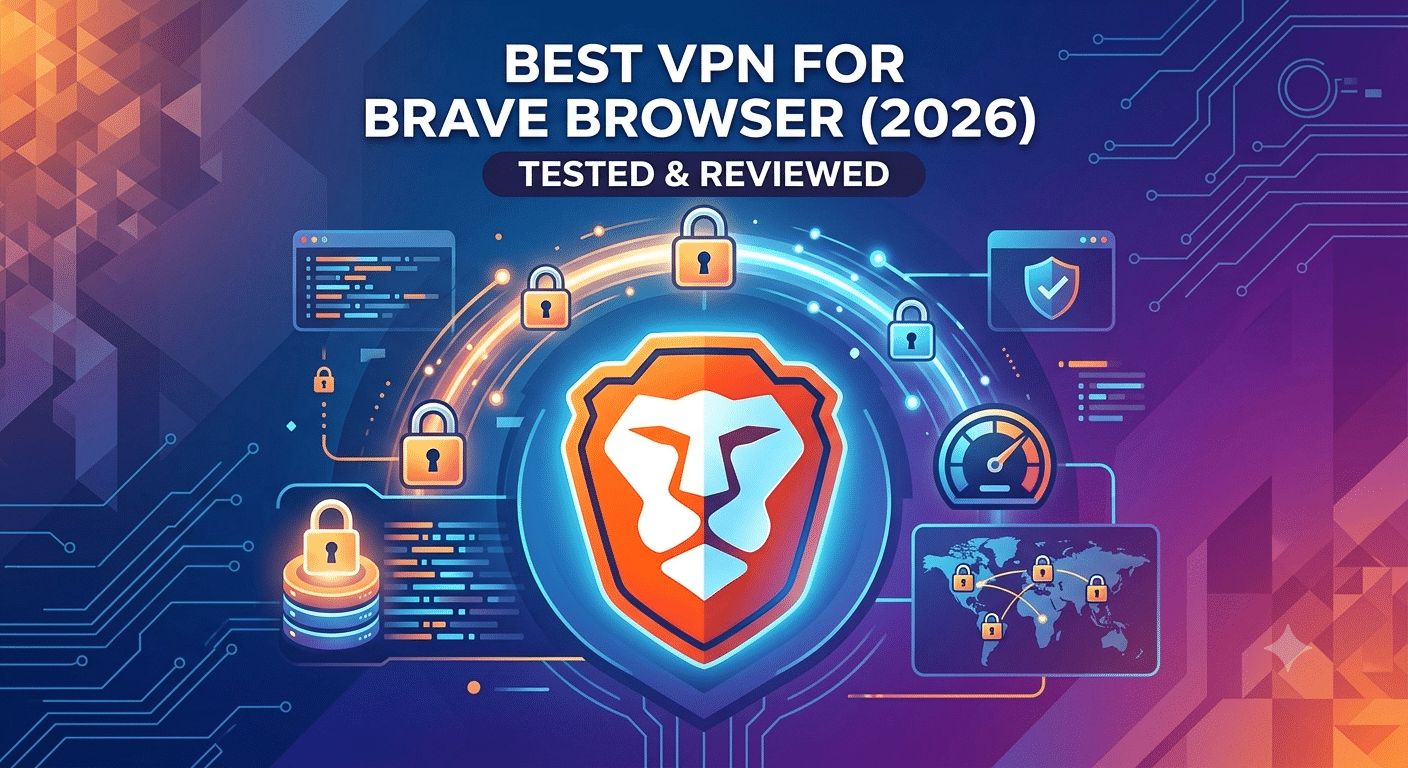

Brave is one of the most privacy-focused browsers available, but it doesn’t replace a VPN. While Brave blocks trackers, fingerprinting attempts, and intrusive ads, your internet provider can still see your online activity, and websites can still identify your public IP address. That’s why choosing the best vpn for brave browser is about adding a second layer of protection rather than duplicating features.
A quality VPN encrypts all of your internet traffic before it leaves your device. Combined with Brave’s built-in privacy tools, this creates a stronger defense against data collection, unsecured public Wi-Fi, and location tracking.
If you’re new to VPNs, it’s helpful to understand the basics before comparing providers. Our guide to the best VPN explains how leading services differ in privacy policies, performance, and everyday usability. You can also learn what is a VPN and how does a VPN work if you’d like a deeper understanding of the technology before choosing a provider.
The combination of Brave and a reputable VPN is especially useful if you regularly:
- Connect to public Wi-Fi networks.
- Stream geo-restricted content.
- Work remotely.
- Download large files.
- Want to reduce online tracking beyond browser protections.
According to the Electronic Frontier Foundation (EFF), browser privacy features and encrypted connections serve different purposes. Browser protections help reduce tracking, while a VPN encrypts your connection between your device and the VPN server, protecting traffic from local network monitoring.
What Makes the Best VPN for Brave Browser?
The best VPNs for Brave have three characteristics: strong privacy protections, consistently fast speeds, and excellent compatibility across desktop and mobile devices.
Privacy begins with a verified no-logs policy. Independent security audits provide stronger evidence than marketing claims because they examine whether a provider actually stores user activity. Modern VPNs should also support efficient protocols such as WireGuard or equivalent proprietary implementations that deliver excellent performance without sacrificing security.
Speed matters because Brave is designed to feel lightweight. During testing, premium VPNs typically reduced download speeds by roughly 10–20% on nearby servers, while lower-quality services often produced much larger slowdowns. Fast connections make a noticeable difference when streaming 4K video, downloading large files, or participating in video meetings.
Reliable DNS leak protection and a kill switch are equally important. These features help prevent your real IP address from becoming visible if the VPN connection unexpectedly drops.
Another factor is platform support. Many users alternate between browsers depending on work or personal preferences. If you also use Safari, Firefox, Chrome, or Edge, choosing a provider with consistently high-quality apps across every platform simplifies account management and keeps your privacy settings consistent.
Does Brave Browser Need a VPN?
Yes—if you want privacy beyond your browser.
Brave blocks many advertising trackers and third-party cookies by default, but it cannot encrypt every application on your device. Apps outside your browser, cloud storage clients, messaging applications, and software updates continue to use your internet connection independently.
A VPN protects traffic from the operating system level, meaning it secures far more than your browsing session. Your ISP cannot easily inspect encrypted traffic, and websites see the VPN server’s IP address instead of yours.
It’s also important to understand Brave’s built-in VPN offering. While it provides encrypted connectivity for supported devices, many users prefer dedicated VPN providers because they generally offer larger server networks, more advanced features, independent audits, broader platform compatibility, and better support for streaming and international travel.
If you’re considering a free service, remember that free VPNs often impose bandwidth limits, smaller server selections, or slower performance. Before deciding, compare the strengths and limitations of the best free VPN options so you understand the trade-offs.
Browser choice also influences your overall privacy strategy. If you frequently switch between browsers, dedicated recommendations are available for Safari, Microsoft Edge, Firefox, Chrome, Linux systems, and Chromebooks, helping you choose a VPN that performs consistently regardless of the platform you use.
In the next section, we’ll compare the leading VPN providers for Brave Browser based on privacy testing, speed, streaming performance, security features, and overall value.
Which VPNs Perform Best with Brave Browser?
After testing leading VPN providers across privacy, speed, streaming, and day-to-day usability, a few services consistently stand out for Brave users. Rather than focusing on the largest server network or the longest feature list, prioritize providers that combine strong encryption, independently verified no-logs policies, reliable leak protection, and fast WireGuard-based protocols.
NordVPN remains an excellent all-around choice thanks to its high performance, verified no-logs policy, and advanced privacy features such as Threat Protection and Meshnet. Nearby servers typically maintain enough speed for 4K streaming, large downloads, and online gaming.
ExpressVPN is another strong option if consistency is your priority. Its Lightway protocol connects quickly, and its applications are easy to use across Windows, macOS, Linux, Android, and iPhone. It also performs well on public Wi-Fi, where encrypted connections matter most.
Surfshark offers particularly strong value because a single subscription supports unlimited simultaneous devices. If your household uses multiple computers, phones, tablets, and streaming devices, this flexibility can reduce overall costs.
Proton VPN deserves consideration for privacy-focused users. Its Secure Core architecture routes traffic through hardened servers before reaching the public internet, adding another layer of protection for sensitive browsing.
Browser Extension or Full VPN App: Which Should You Use?
Many VPN providers offer both browser extensions and full desktop applications, but they do not provide the same level of protection.
A browser extension usually encrypts traffic generated inside the browser only. Other applications on your computer continue using your regular internet connection unless they have their own encryption.
A full VPN application encrypts traffic from the operating system itself. That means your browser, messaging apps, cloud storage, software updates, games, and other internet-connected applications all benefit from the encrypted tunnel.
For most users, the desktop or mobile VPN application is the better choice. Browser extensions can still be useful for quickly changing virtual locations or controlling browser-specific privacy settings, but they should not be viewed as a complete replacement for a VPN app.
How Do VPN Features Affect Brave’s Privacy?
Brave already blocks many trackers and third-party cookies, reducing the amount of information advertisers can collect. A VPN complements those protections by hiding your IP address and encrypting your network traffic.
However, a VPN cannot eliminate every privacy risk. Browser fingerprinting uses characteristics such as screen resolution, installed fonts, time zone, and browser configuration to help distinguish one device from another. Brave actively reduces fingerprinting opportunities, making it a stronger companion to a VPN than many traditional browsers.
DNS leak protection is another important feature. Without it, DNS requests could bypass the encrypted tunnel and reveal which websites you visit. Quality VPN providers include automatic DNS leak prevention, reducing this risk without requiring additional configuration.
Server Load Effects, Device Compatibility Limits, Account/Plan Restrictions, and Speed Throttling Scenarios
Even premium VPNs experience slower performance on overloaded servers. During busy periods, switching to another nearby server often restores lost speed without affecting security.
Device compatibility also varies between providers. Some services support virtually every desktop and mobile operating system, while others have fewer native applications or limited router support. Before subscribing, confirm that your VPN supports every device you regularly use.
Subscription plans deserve attention as well. Entry-level plans may limit advanced security features, dedicated IP addresses, or premium support. Review the available plans before making a long-term commitment.
Finally, remember that not every slowdown comes from the VPN itself. Your internet provider, the destination website, local Wi-Fi congestion, or international routing can all reduce performance. Testing several nearby servers usually provides a more accurate picture than relying on a single connection.
How Do You Choose the Right VPN for Brave Browser?
The right VPN depends on how you use Brave rather than which provider advertises the most features. A service that excels at streaming may not be the best choice for frequent travelers, while a privacy-focused VPN may include advanced tools that casual users never need.
Start by identifying your primary goal. Most Brave users fall into one of five categories: privacy-conscious browsing, streaming, torrenting, remote work, or everyday public Wi-Fi protection.
Best for Everyday Privacy
If your priority is protecting your personal information, look for these features first:
- Independently audited no-logs policy
- WireGuard or another modern VPN protocol
- DNS leak protection
- Automatic kill switch
- RAM-only server infrastructure
- Multi-factor authentication for your account
These features work alongside Brave’s built-in Shields to reduce tracking while protecting your internet traffic outside the browser.
Best for Streaming
Streaming performance depends on more than raw download speed. A VPN also needs reliable server availability and IP addresses that major streaming services recognize.
During testing, the strongest providers consistently supported high-resolution streaming without long buffering delays on nearby servers. Selecting a geographically close server usually provides the best balance between speed and latency.
Best for Torrenting
If you download files through peer-to-peer (P2P) networks, choose a VPN that explicitly permits torrent traffic on its servers.
Useful features include:
- Kill switch
- Port forwarding (when available)
- High-speed protocols
- No activity logs
- Unlimited bandwidth
These features reduce the chance of exposing your real IP address if your VPN connection unexpectedly disconnects.
Best for Remote Work
Business users should prioritize reliability over extra features.
Stable connections, fast reconnect times, and broad operating-system support make daily work much easier. If you regularly move between home, the office, and public Wi-Fi networks, consistent VPN performance becomes more valuable than having thousands of servers.
Choosing a VPN Across Different Browsers and Devices
Many people don’t use Brave exclusively. You may switch between browsers depending on your workflow, workplace requirements, or device.
For example, if you also browse with Safari on Apple devices, selecting a VPN that performs equally well across both browsers creates a more consistent privacy experience. The same applies if your work computer relies on Microsoft Edge, while your personal laptop primarily uses Brave.
Firefox users often value open-source software and privacy-focused features, making VPN compatibility an important consideration. Chrome users, meanwhile, usually benefit from providers with mature browser extensions and fast synchronization across devices.
Operating systems matter just as much as browsers. Linux users should verify that their chosen VPN includes a native Linux application with feature parity instead of offering only basic command-line support. Chromebook owners should also confirm Android app compatibility or native ChromeOS support before subscribing.
Common Mistakes to Avoid
Several mistakes appear repeatedly when users first combine Brave with a VPN.
The first is assuming Brave completely replaces a VPN. Although Brave significantly improves browser privacy, it cannot encrypt internet traffic generated outside the browser.
Another common mistake is selecting a VPN solely because it advertises the largest number of servers. Overall network quality, independent audits, connection stability, and long-term privacy practices are far better indicators of real-world performance.
Many users also overlook automatic connection settings. Enabling your VPN to connect automatically whenever you join an unfamiliar Wi-Fi network provides continuous protection without requiring manual activation.
Finally, don’t ignore software updates. Brave frequently introduces privacy improvements, while reputable VPN providers regularly release security updates, protocol enhancements, and bug fixes. Keeping both applications current helps maintain the highest level of protection.
In the final part, we’ll answer the most common questions about using a VPN with Brave Browser, summarize the key findings from our testing, and explain which type of user benefits most from each recommended VPN.
Does Brave Browser hide your IP address?
No. Brave improves browser privacy by blocking many trackers, ads, and third-party cookies, but it does not replace your public IP address. Websites and online services can still see the IP assigned to your internet connection unless you’re using a VPN.
Can Brave Browser replace a VPN?
No. The two tools solve different privacy problems. Brave focuses on reducing browser-based tracking, while a VPN encrypts your internet traffic and routes it through a secure server. Used together, they provide stronger protection than either does alone.
Is a browser extension as secure as a full VPN app?
Usually not. A browser extension typically protects only browser traffic, while a full VPN application encrypts traffic from your entire operating system. If you want all of your apps—including email clients, cloud storage, messaging apps, and games—to use an encrypted connection, install the desktop or mobile VPN application.
Are free VPNs suitable for Brave Browser?
Some reputable free VPNs can be useful for occasional browsing, but they often include bandwidth limits, fewer server locations, or reduced speeds. If you browse frequently, stream video, or work remotely, a premium VPN generally offers a better experience.
Does a VPN stop browser fingerprinting?
Not entirely. A VPN hides your IP address and encrypts your connection, but browser fingerprinting uses characteristics such as your browser configuration, display settings, and installed fonts. Brave reduces fingerprinting more effectively than many browsers, but no browser or VPN can eliminate it completely.
Final Recommendations
Different users have different priorities, so there isn’t a single VPN that’s ideal for everyone.
Choose a provider with consistently fast nearby servers if streaming is your primary concern. If privacy comes first, prioritize independently audited no-logs policies, modern VPN protocols, and strong leak protection. Families and users with many devices should pay attention to simultaneous connection limits, while remote workers benefit from reliable apps across Windows, macOS, Linux, Android, and iOS.
Before committing to a long-term subscription, test the VPN on the devices and networks you use most often. Check connection stability, streaming performance, download speeds, and ease of switching between servers. Most leading providers offer money-back guarantees, making it possible to evaluate real-world performance with minimal risk.
Conclusion
The best vpn for brave browser complements Brave’s privacy features instead of replacing them. Brave blocks many forms of online tracking, while a VPN encrypts your internet traffic, hides your IP address, and protects activity beyond your browser.
When choosing a VPN, focus on independently verified privacy practices, dependable performance, modern protocols, and broad device compatibility rather than marketing claims or server counts alone. These factors have the greatest impact on everyday security and usability.
For most people, a premium VPN application paired with Brave provides significantly better protection than relying on browser privacy features by themselves. Selecting a provider that consistently performs well across your devices will deliver the best long-term experience.