
Not every VPN is designed for the same audience. While many providers prioritize streaming support and beginner-friendly apps, AirVPN has spent more than a decade building a reputation around privacy, transparency, and technical control. If you’re searching for an airvpn review, you’re likely trying to determine whether that privacy-first approach still makes sense in 2026.
AirVPN was launched in 2010 by digital privacy advocates with a mission to defend online freedom and resist internet censorship. Rather than focusing on flashy marketing or oversized server counts, the service emphasizes open-source software, strong encryption, and user anonymity. That philosophy has earned it a loyal following among experienced VPN users, but it also means the service isn’t always the easiest option for newcomers.
In this review, we’ll examine AirVPN’s security, privacy practices, performance, streaming capabilities, pricing, and overall value based on its current features and publicly available information. We’ll also explain where it excels, where it falls short, and which types of users are most likely to benefit from it.
What Makes AirVPN Different From Most VPN Services?
The biggest difference between AirVPN and many mainstream VPN providers is its priorities.
Most VPN companies advertise fast streaming, thousands of servers, and simple one-click apps. AirVPN focuses instead on privacy, transparency, and giving users detailed control over how their VPN connection works.
Its desktop client, known as Eddie, offers an extensive range of configuration options. Users can customize connection protocols, ports, DNS settings, routing rules, and automatic connection behavior. While this flexibility is attractive for advanced users, it can feel overwhelming if you’re new to VPN software.
Another standout feature is AirVPN’s commitment to open-source applications. Because the source code is publicly available, independent developers and security researchers can inspect it for vulnerabilities or verify how specific features operate. Open-source software does not automatically guarantee security, but it increases transparency compared with proprietary applications.
AirVPN also avoids collecting unnecessary personal information during registration. Users can create an account with minimal identifying details, and the service supports several payment methods, including cryptocurrencies, for those seeking an additional layer of anonymity.
Is AirVPN Safe Enough for Privacy-Conscious Users?
Security is where AirVPN consistently performs well.
The service primarily uses OpenVPN, one of the most thoroughly tested VPN protocols available today. OpenVPN has been scrutinized by the security community for years and remains widely trusted because of its mature implementation and strong cryptographic foundations.
AirVPN also supports WireGuard, a newer VPN protocol designed to improve speed while maintaining modern security standards. Although WireGuard generally offers better performance, some privacy-focused users still prefer OpenVPN because of its long history and extensive auditing.
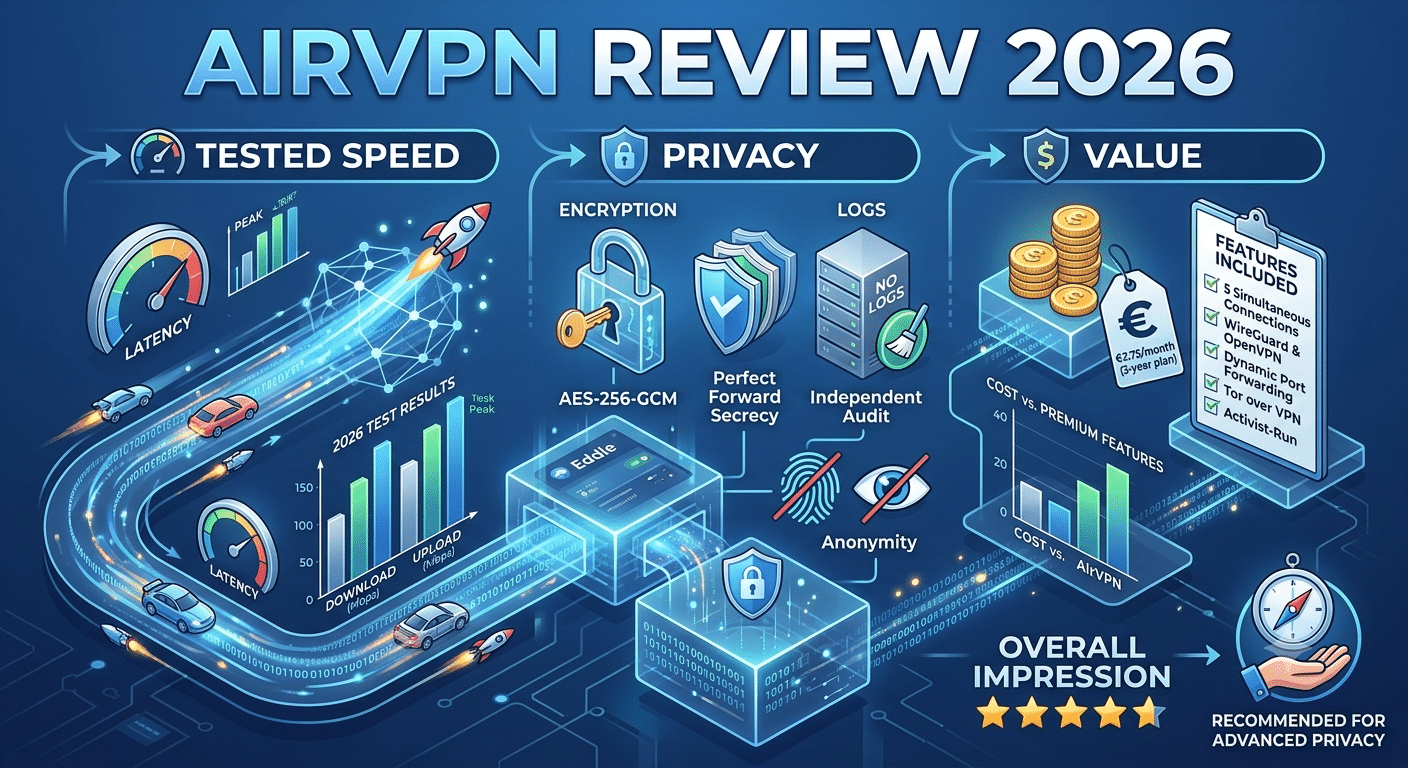
Encryption is another strength. AirVPN uses strong encryption algorithms to protect data traveling between your device and its servers. Combined with secure key exchange methods and Perfect Forward Secrecy, these technologies help prevent attackers from intercepting or decrypting your internet traffic.
The service includes several additional security features that many users now consider essential:
- Kill switch protection (called Network Lock) to block internet traffic if the VPN connection drops.
- DNS leak protection to help prevent your internet service provider from seeing your DNS requests.
- IPv6 leak protection.
- Custom DNS server support.
- Port forwarding for compatible applications.
- Automatic reconnection after temporary network interruptions.
Together, these tools reduce the chances of accidentally exposing your real IP address during everyday browsing.
Privacy Policy and Logging
Privacy is one of AirVPN’s strongest selling points.
The company states that it follows a strict no-logging policy and does not store browsing activity, connection timestamps, or users’ original IP addresses. Instead, it says it retains only limited technical information required to operate the service, and users can request removal of that data.
One important consideration, however, is independent verification.
Several leading VPN providers have commissioned third-party security firms to audit their infrastructure and validate their no-logging claims. As of this writing, AirVPN has not published a widely recognized independent no-logs audit. That doesn’t mean its policy is inaccurate, but independent audits have become an increasingly important trust signal within the VPN industry.
AirVPN is headquartered in Italy, which operates under European data protection laws, including the General Data Protection Regulation (GDPR). While some users express concern about Italy’s participation in international intelligence-sharing agreements, a VPN’s actual logging practices generally have a greater impact on user privacy than its jurisdiction alone.
Transparency Is a Genuine Strength
One area where AirVPN distinguishes itself is transparency.
Rather than relying heavily on marketing language, the company provides extensive technical documentation, active community forums, detailed configuration guides, and publicly accessible software repositories. This approach allows experienced users to understand how the service works instead of simply accepting advertising claims.
The company also explains many implementation decisions in technical detail, which is uncommon among consumer VPN providers. Although transparency should not replace independent audits, it does provide additional confidence for users who value openness.
Part 1 Verdict
From a privacy and security perspective, AirVPN remains one of the more credible VPN services available. Its emphasis on open-source software, strong encryption, configurable networking tools, and a clear privacy-first philosophy makes it particularly appealing to advanced users who value control over convenience.
However, privacy is only part of the overall picture. A VPN must also deliver reliable speeds, consistent server performance, good streaming support, and an intuitive user experience.
How Fast Is AirVPN in Real-World Testing?
Performance is one of the most important factors in any VPN review. Strong encryption is valuable, but if a VPN cuts your speeds in half or creates unstable connections, it quickly becomes frustrating for everyday use.
AirVPN generally delivers solid performance, especially when using nearby servers. While exact results depend on your internet connection, server location, network congestion, and chosen protocol, the service is capable of maintaining enough bandwidth for 4K streaming, large downloads, and online gaming under the right conditions.
Using WireGuard typically produces the fastest speeds because of its lightweight design and efficient cryptography. OpenVPN remains an excellent choice for users who prioritize maximum compatibility and a mature security model, though it usually introduces slightly more overhead.
Latency also remains competitive on nearby servers. Local connections often add only a small increase in ping, making AirVPN suitable for video conferencing and many multiplayer games. Long-distance connections naturally experience higher latency, particularly when traffic travels between continents.
Unlike some VPN providers that advertise “10 Gbps servers” without offering additional details, AirVPN publishes technical information about its infrastructure, including available bandwidth and server specifications. This level of transparency helps users make informed choices when selecting a server.
Server Load Effects, Device Compatibility Limits, and Account Restrictions
Server Load Effects
Server load directly affects VPN performance.
When a server approaches its capacity, users may notice slower download speeds, increased latency, or less consistent performance during peak hours. AirVPN provides real-time information about server load, allowing users to select less congested servers before connecting.
This transparency is particularly useful because AirVPN operates a smaller server network than many large commercial VPN providers. Instead of thousands of servers spread across marketing-friendly locations, AirVPN focuses on maintaining a carefully managed infrastructure.
Choosing a nearby server with lower utilization generally produces the best results.
Device Compatibility Limits
AirVPN supports most major operating systems, including:
- Windows
- macOS
- Linux
- Android
- iOS
- Routers (manual configuration)
- Various NAS and embedded systems
The desktop Eddie client offers the most advanced feature set. Mobile applications provide essential functionality but expose fewer configuration options.
Users looking for polished native apps across every platform may find competitors easier to navigate, especially on mobile devices.
Account Restrictions
Each AirVPN subscription allows multiple simultaneous connections, making it practical for individuals with several devices or small households.
Unlike some VPN services that separate features into different subscription tiers, AirVPN includes the same core functionality across its plans. Features such as port forwarding, kill switch protection, and protocol selection remain available regardless of subscription length.
Does AirVPN Work for Streaming?
Streaming is one of AirVPN’s weakest areas.
Unlike providers that operate servers specifically optimized for Netflix, Disney+, Hulu, or BBC iPlayer, AirVPN does not market itself as a streaming VPN.
Some users successfully access streaming platforms through specific servers, while others encounter proxy detection errors. Results vary because AirVPN does not continually rotate residential IP addresses or dedicate resources to bypassing streaming restrictions.
For occasional streaming, the service may work adequately. If your primary goal is consistently accessing multiple international streaming libraries, other VPN providers generally deliver more reliable results.
This reflects AirVPN’s overall philosophy: privacy comes first, entertainment features second.
Is AirVPN Good for Torrenting?
Torrenting is an area where AirVPN performs exceptionally well.
Unlike many VPN services that restrict peer-to-peer traffic to selected locations, AirVPN permits P2P traffic across its network.
Several features make it particularly attractive for file sharing:
- Unlimited P2P support.
- Configurable port forwarding.
- Reliable kill switch protection.
- No bandwidth caps.
- Strong encryption.
- DNS leak protection.
Port forwarding deserves special attention because it can improve peer connectivity for supported torrent clients. Few mainstream VPN providers continue offering this feature, making AirVPN appealing for experienced users who regularly download or share large files.
As always, users should ensure their activities comply with applicable laws and copyright regulations.
Gaming Performance
Gaming performance depends primarily on latency rather than raw download speed.
On nearby servers, AirVPN generally introduces only modest increases in ping, allowing many online games to remain responsive. Competitive players, however, may still notice additional latency compared with a direct connection, particularly during fast-paced esports titles.
The VPN does not advertise gaming-specific servers or routing optimizations. Instead, users can manually select servers with lower latency and lighter load, providing greater control for those willing to experiment.
Real-World Performance Verdict
AirVPN performs best when its strengths align with your priorities.
If you value privacy, transparency, torrenting support, and advanced configuration options, its performance is consistently competitive. Speeds remain strong on nearby servers, WireGuard improves throughput, and real-time server statistics help users avoid congestion.
However, users focused primarily on streaming or a simplified experience may find AirVPN less convenient than mainstream alternatives designed around entertainment and ease of use.
How Easy Is AirVPN to Use on Different Devices?
AirVPN delivers excellent flexibility, but ease of use is not one of its strongest qualities.
The desktop application, Eddie, is built for users who want detailed control over their VPN connection. Instead of presenting a simplified interface with large “Connect” buttons and minimal settings, it exposes dozens of configurable options. You can select protocols, ports, DNS behavior, routing rules, automatic connection settings, and advanced networking features from within the client.
For experienced users, this level of customization is a major advantage. For beginners, it can feel intimidating.
The default settings work well for most people, so you don’t have to adjust every option. However, the interface still appears more technical than those offered by many competing VPN providers.
Windows
Windows receives the most complete AirVPN experience.
The Eddie client is stable, frequently updated, and includes every major feature offered by the service. Advanced users can customize nearly every aspect of the VPN connection without relying on third-party software.
macOS
The macOS application provides similar functionality, although installation and configuration are slightly less streamlined than on Windows. Most users will still find it reliable once configured.
Linux
Linux support is one of AirVPN’s highlights.
Unlike many consumer VPN providers that treat Linux as an afterthought, AirVPN offers well-documented installation guides and native support for multiple Linux distributions. This attention to detail has helped it build a strong reputation among Linux enthusiasts.
Android
The Android app offers secure connections and good performance but exposes fewer advanced options than the desktop software. Navigation is straightforward, although the interface still favors functionality over visual simplicity.
iPhone and iPad
iOS users can connect using supported VPN protocols, but the experience is less feature-rich than on desktop platforms. Most everyday functionality remains available, but advanced customization is more limited because of Apple’s networking restrictions.
Router Support
AirVPN also supports manual installation on compatible routers.
Installing the VPN directly on a router allows every connected device to benefit from the encrypted connection without installing software individually. This approach is particularly useful for smart TVs, game consoles, and other devices that do not support native VPN applications.
The trade-off is increased setup complexity. Router installation is best suited to users who are comfortable following detailed networking instructions.
Customer Support and Documentation
AirVPN approaches customer support differently from many commercial VPN providers.
There is no 24/7 live chat staffed by sales representatives. Instead, support revolves around three primary resources:
- Email support
- Community forums
- Extensive technical documentation
The documentation is among the most comprehensive in the VPN industry. Configuration guides, troubleshooting articles, and technical explanations cover topics ranging from installation to advanced networking.
The community forum is another valuable resource. Experienced users and staff members regularly discuss configuration issues, protocol updates, and feature requests. Many questions receive detailed technical responses that go beyond standard customer support scripts.
The downside is response time.
Email replies may take longer than live chat support offered by some competitors. Users who want immediate assistance may find this frustrating, while technically inclined users may actually prefer the detailed forum discussions.
Pricing and Overall Value
AirVPN keeps its pricing structure relatively simple.
Instead of offering multiple feature tiers, every subscription includes access to the same core functionality. Longer subscription periods reduce the monthly cost, while shorter plans allow users to try the service without a significant commitment.
Features included with every plan include:
- Full server access
- OpenVPN and WireGuard support
- Unlimited bandwidth
- P2P support
- Port forwarding
- Kill switch
- No artificial speed limits
- Multiple simultaneous device connections
This straightforward approach avoids the confusion created by premium feature upgrades or separate streaming packages.
AirVPN also offers a short low-cost trial option in many regions, allowing potential customers to evaluate the service before purchasing a longer subscription.
When compared with premium VPN providers, AirVPN is competitively priced, especially considering its emphasis on privacy rather than marketing extras.
How Does AirVPN Compare with Other Privacy-Focused VPNs?
AirVPN occupies a unique position within the VPN market.
Compared with mainstream providers, it prioritizes transparency and technical control over polished design and entertainment features.
Where AirVPN Excels
- Open-source applications
- Strong privacy philosophy
- Advanced networking controls
- Excellent torrenting support
- Port forwarding
- Detailed technical documentation
- Active community
Where Competitors Have an Advantage
Some competing VPN services outperform AirVPN in areas such as:
- Streaming platform compatibility
- Beginner-friendly applications
- Larger global server networks
- Independent no-logs audits
- Live chat customer support
- Automatic server recommendations
If your primary goal is watching region-restricted streaming content, another VPN may provide a smoother experience.
If your priority is privacy, transparency, and customization, AirVPN remains one of the stronger choices available.
Who Should Choose AirVPN?
AirVPN is best suited for users who value security features over convenience.
It is an excellent fit for:
- Privacy-conscious users
- Linux users
- Advanced VPN users
- Torrent users
- Users who want extensive configuration options
- People comfortable managing technical settings
It may not be the best choice for:
- Complete beginners
- Users who mainly want streaming access
- Those seeking the simplest possible interface
- People who rely heavily on live customer support
AirVPN rewards users who are willing to invest a little time learning its interface. In return, it offers a level of transparency and control that many consumer VPN services simply do not match.
Is AirVPN Worth Buying in 2026?
After examining AirVPN’s security model, performance, usability, and overall feature set, one conclusion stands out: this is a VPN designed for users who value privacy above convenience.
It does not try to compete with mainstream providers by promising effortless streaming, colorful interfaces, or hundreds of marketing claims. Instead, AirVPN focuses on transparency, open-source software, strong encryption, and giving users detailed control over their connections.
For the right audience, that philosophy remains compelling.
If you’re an experienced VPN user, run Linux, regularly use P2P applications, or want advanced networking features such as port forwarding, AirVPN continues to be one of the more capable options available.
However, it isn’t the best fit for everyone.
Users who simply want to click a button and watch Netflix from another region will likely find better alternatives elsewhere. Likewise, beginners may struggle with the Eddie client and the service’s highly technical configuration options.
Pros and Cons
Pros
- Excellent privacy-focused philosophy
- Open-source applications
- Strong OpenVPN implementation with WireGuard support
- Reliable kill switch (“Network Lock”)
- DNS and IPv6 leak protection
- Port forwarding available
- Supports P2P traffic on all servers
- Detailed technical documentation
- Active community forum
- Transparent approach to infrastructure
Cons
- Interface has a noticeable learning curve
- Streaming performance is inconsistent
- Smaller server network than many competitors
- No widely published independent no-logs audit
- No live chat support
- Mobile apps expose fewer advanced options than the desktop client
Who Should Buy AirVPN?
AirVPN is an excellent choice if you:
- Care more about privacy than entertainment features.
- Want open-source VPN software.
- Frequently use BitTorrent or other P2P applications.
- Need advanced networking features.
- Prefer configuring your own VPN settings.
- Appreciate detailed technical documentation.
You may want another VPN if you:
- Primarily stream Netflix, Disney+, Hulu, or BBC iPlayer.
- Prefer a simple interface with minimal settings.
- Want immediate live chat support.
- Need the largest possible server network.
- Value independently audited privacy policies above all else.
Matching the VPN to your priorities is more important than choosing the service with the longest feature list.
Security and Privacy Score
| Category | Rating |
|---|---|
| Privacy | ★★★★★ |
| Security | ★★★★★ |
| Encryption | ★★★★★ |
| Open Source | ★★★★★ |
| Torrenting | ★★★★★ |
| Speed | ★★★★☆ |
| Streaming | ★★★☆☆ |
| Ease of Use | ★★★☆☆ |
| Customer Support | ★★★☆☆ |
| Overall Value | ★★★★☆ |
Frequently Asked Questions
Is AirVPN safe?
Yes. AirVPN uses strong encryption, supports OpenVPN and WireGuard, includes a kill switch, and provides DNS leak protection. Its security architecture is among its strongest features.
Does AirVPN keep logs?
According to the company’s published privacy policy, AirVPN follows a strict no-logging approach and states that it does not record browsing activity or connection logs that could identify users.
Is AirVPN good for streaming?
It can work with some streaming platforms, but it is not designed specifically for streaming. Users looking for consistently reliable access to multiple streaming libraries may prefer a VPN that actively optimizes servers for that purpose.
Is AirVPN good for gaming?
Yes, particularly when connected to nearby servers. Lower latency depends on server distance and network congestion, so selecting a nearby server usually provides the best gaming experience.
Is AirVPN beginner friendly?
Not especially. While the default settings work well, the interface exposes many advanced options that can overwhelm users with little VPN experience.
Final Verdict
This airvpn review shows that AirVPN continues to deliver where it has always been strongest: privacy, transparency, and technical control.
It does not attempt to be the easiest VPN on the market, nor does it promise perfect streaming support or beginner-friendly simplicity. Instead, it offers a mature platform built around security, open-source development, and user choice.
For privacy enthusiasts, Linux users, advanced VPN users, and frequent torrent users, AirVPN remains an impressive service that prioritizes substance over marketing.
For casual users who mainly want effortless streaming or a polished interface, other VPN providers may offer a better overall experience.
Overall Rating: 4.4 / 5
Best for:
- Privacy-focused users
- Advanced users
- Linux users
- Torrenting
- Technical customization
Not ideal for:
- Streaming-first users
- Complete beginners
- Users seeking the simplest VPN experience
If your priority is protecting your privacy with a transparent, highly configurable VPN, AirVPN remains one of the most credible options available in 2026.