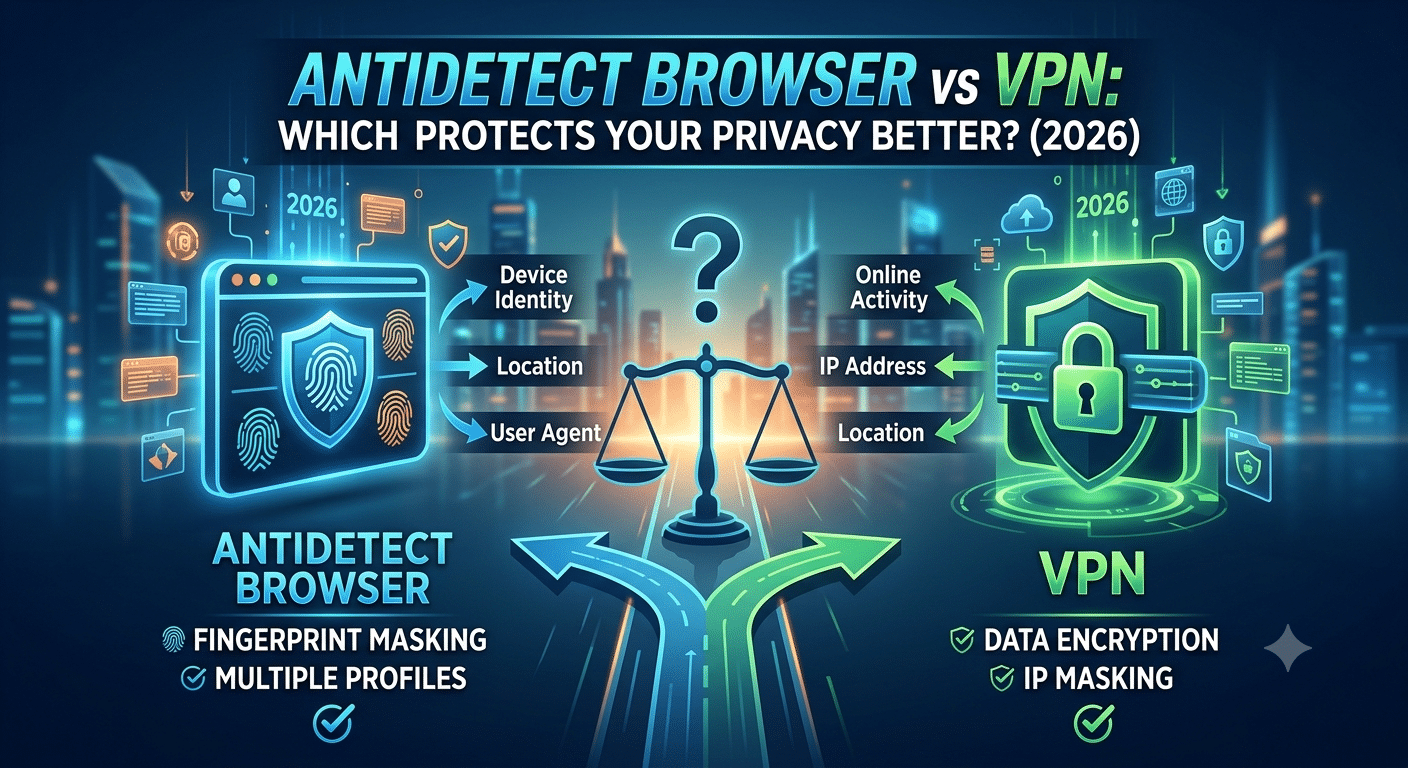

If you’re researching antidetect browser vs vpn, you’re trying to answer an important question: which tool actually protects your privacy online? Although they’re often mentioned together, an antidetect browser and a VPN solve different problems. A VPN encrypts your internet traffic and hides your IP address from the websites you visit and the networks you use. An antidetect browser, on the other hand, focuses on reducing or changing the browser fingerprint that websites use to recognize your device.
Understanding that distinction is essential because modern websites rarely rely on a single tracking method. Instead, they combine IP addresses, cookies, browser fingerprints, account logins, and behavioral data to build a profile of each visitor. Using one privacy tool doesn’t automatically protect you from every tracking technique.
According to the Electronic Frontier Foundation (EFF), browser fingerprinting can identify browsers by combining dozens of characteristics, including screen resolution, installed fonts, graphics rendering, language settings, and hardware capabilities. Even if two users share the same IP address, their browser fingerprints may still be unique enough to distinguish them.
What Is the Difference Between an Antidetect Browser and a VPN?
The biggest difference is the layer of privacy each tool protects.
A VPN creates an encrypted tunnel between your device and a VPN server. Anyone monitoring your local network—including public Wi-Fi operators or your internet service provider—sees encrypted traffic instead of the websites you visit. The websites themselves generally see the VPN server’s IP address instead of your home IP.
An antidetect browser works at the browser level rather than the network level. Instead of encrypting traffic, it modifies or isolates browser characteristics that contribute to fingerprinting. Some solutions let users create separate browser profiles with different User-Agent strings, time zones, fonts, Canvas behavior, or WebGL settings. The goal is to reduce the ability of websites to associate multiple browsing sessions with the same device.
These tools aren’t competitors as much as they are complementary technologies. One protects your network identity; the other focuses on your browser identity.
Why Browser Fingerprinting Matters
Cookies are no longer the only way websites recognize returning visitors. Privacy regulations and browser restrictions have reduced the effectiveness of third-party cookies, encouraging many services to rely more heavily on fingerprinting techniques.
Browser fingerprinting collects information that your browser already exposes during normal browsing, including:
- Browser version
- Operating system
- Screen resolution
- Time zone
- Language settings
- Installed fonts
- Graphics rendering characteristics
- Hardware acceleration details
Individually, these details appear harmless. Combined, they can produce a surprisingly distinctive identifier.
Unlike cookies, browser fingerprints aren’t always easy to delete because they’re based on your browser’s configuration rather than data stored on your computer.
Where a VPN Helps
A VPN remains one of the most valuable privacy tools for everyday internet users.
It helps protect your connection by:
- Encrypting internet traffic on public Wi-Fi
- Masking your public IP address
- Reducing ISP visibility into your browsing activity
- Helping secure data transmitted over untrusted networks
For most people, these protections deliver meaningful privacy benefits without changing the way they browse.
However, a VPN doesn’t automatically prevent websites from reading browser characteristics after a page loads. If a site collects fingerprint data, that process generally continues regardless of whether you’re connected through a VPN.
Where an Antidetect Browser Helps
An antidetect browser targets a different problem.
Instead of focusing on your connection, it attempts to manage browser identity. Advanced users may use isolated browser profiles for software testing, advertising verification, security research, or managing separate online environments without sharing the same fingerprint across every session.
That doesn’t make an antidetect browser a replacement for a VPN. It also doesn’t guarantee anonymity. Websites can still correlate information through account logins, cookies, behavioral analysis, or other identifiers.
The most effective privacy strategy starts with understanding the limitations of every tool. No single application hides every aspect of your online identity, and any product claiming complete anonymity should be viewed with skepticism.
In the next part, we’ll examine whether a VPN can stop browser fingerprinting, compare real-world use cases for each technology, and explain when using both together provides stronger privacy than relying on either one alone.
Part 2: Does a VPN Stop Browser Fingerprinting?
The short answer is no. A VPN protects your network traffic and masks your public IP address, but it doesn’t prevent websites from collecting browser fingerprint data. That’s the most important point to understand in the antidetect browser vs vpn comparison.
Many users assume changing their IP address makes them anonymous. In reality, websites evaluate multiple signals simultaneously. Your IP address is only one identifier among many. Browser fingerprints, cookies, login sessions, device characteristics, and browsing behavior all contribute to recognizing returning visitors.
How Websites Identify You
Modern websites don’t depend on a single tracking method. Instead, they combine several techniques to improve accuracy.
Common identifiers include:
- Public IP address
- Browser fingerprint
- Cookies and local storage
- User account logins
- Time zone and language settings
- Screen resolution
- Installed fonts
- Graphics rendering (Canvas and WebGL)
- Browser extensions
- Mouse movements and interaction patterns
A VPN only changes one of these signals: your visible IP address.
Everything else remains largely unchanged unless additional privacy measures are used.
Why Your Browser Fingerprint Matters
A browser fingerprint is created from information your browser automatically shares with websites.
This can include:
- Operating system
- Browser version
- Display resolution
- Color depth
- Supported codecs
- Graphics hardware
- Available fonts
- Time zone
- Language preferences
When combined, these attributes often create a unique profile.
Changing your IP address doesn’t alter most of this information. If your fingerprint stays consistent over time, websites may still recognize your browser across different sessions—even when you connect through different VPN servers.
What a VPN Protects Well
Although a VPN doesn’t stop fingerprinting, it remains one of the most valuable privacy tools available.
A reputable VPN helps by:
- Encrypting internet traffic
- Protecting data on public Wi-Fi
- Preventing your ISP from viewing your browsing activity
- Hiding your residential IP address from websites
- Making it more difficult for advertisers to use IP-based profiling
These protections significantly improve network privacy and are useful for everyday internet users.
However, they should not be confused with browser anonymity.
What an Antidetect Browser Protects
An antidetect browser addresses browser identity instead of network identity.
Depending on the software, it may:
- Isolate browser profiles
- Modify User-Agent values
- Separate cookies between profiles
- Change browser fingerprint characteristics
- Emulate different devices or operating systems
- Randomize certain browser attributes
This makes it more difficult for websites to associate multiple browser sessions with the same fingerprint.
However, these browsers do not encrypt internet traffic. Your connection still travels across the network unless another privacy tool—such as a VPN—is also being used.
When Should You Use Both?
For many advanced privacy scenarios, using both tools together provides broader protection than relying on either one alone.
For example:
- A VPN protects your internet connection and hides your IP address.
- An antidetect browser manages browser fingerprints and profile separation.
Together, they address different layers of online identification.
That said, most everyday users don’t need an antidetect browser. If your primary concerns are securing public Wi-Fi, reducing ISP visibility, or protecting personal browsing, a trustworthy VPN is typically sufficient.
An antidetect browser is more commonly used for specialized workflows such as browser testing, security research, or maintaining isolated browser environments.
Common Misconceptions
Several myths continue to appear in discussions about online privacy.
“A VPN makes me completely anonymous.”
False. A VPN improves privacy but doesn’t eliminate every tracking technique.
“An antidetect browser hides my internet traffic.”
False. It primarily modifies browser identity, not network traffic.
“Changing my IP address prevents websites from recognizing me.”
Not necessarily. Browser fingerprints, cookies, and account logins can still identify returning visitors.
“One privacy tool solves every problem.”
No single tool provides complete anonymity. Effective privacy comes from understanding what each technology protects and where its limitations begin.
In Part 3, we’ll compare real-world use cases for everyday users, businesses, and privacy enthusiasts. You’ll learn when a VPN alone is enough, when an antidetect browser makes sense, and when combining both provides the greatest benefit without adding unnecessary complexity.
The best choice in the antidetect browser vs vpn debate depends entirely on what you’re trying to protect. While both tools improve privacy, they address different risks. For most people, a VPN is the better first investment. An antidetect browser becomes useful only in specific situations where browser identity matters as much as—or more than—your IP address.
When a VPN Is the Right Choice
For everyday internet users, a VPN provides the greatest practical benefit.
A VPN is the better option if you want to:
- Protect your connection on public Wi-Fi.
- Prevent your internet service provider (ISP) from monitoring your browsing activity.
- Hide your public IP address from websites.
- Reduce location-based tracking.
- Encrypt sensitive data while traveling.
- Secure remote work connections.
These are common privacy concerns that affect millions of users every day. A reputable VPN addresses them with minimal effort and without changing how you browse the web.
However, remember that encryption only protects your internet traffic in transit. Once you reach a website, the browser still reveals information that can contribute to fingerprinting.
When an Antidetect Browser Makes Sense
An antidetect browser is designed for more specialized use cases.
You may benefit from one if you:
- Test websites across multiple browser configurations.
- Conduct cybersecurity or penetration testing.
- Separate browser identities for legitimate research projects.
- Verify how websites appear under different browser environments.
- Need isolated browser profiles for development or quality assurance.
In these scenarios, changing browser fingerprints or keeping browser profiles isolated can be more important than simply masking an IP address.
That doesn’t mean an antidetect browser guarantees anonymity. If you log into the same account from different browser profiles, the website can still associate those sessions through your credentials.
When Using Both Is the Better Solution
Some users require protection at both the network and browser levels.
Using a VPN together with an antidetect browser helps address two separate privacy challenges:
| VPN | Antidetect Browser |
|---|---|
| Encrypts internet traffic | Modifies browser identity |
| Hides public IP address | Reduces fingerprint consistency |
| Protects public Wi-Fi sessions | Isolates browser profiles |
| Prevents ISP monitoring | Separates cookies and local storage |
Because these technologies work independently, they complement rather than replace one another.
Still, combining both tools isn’t necessary for everyone. Additional privacy measures often increase complexity, and unnecessary configuration changes can create usability issues without providing meaningful benefits.
Common Privacy Scenarios
Working From a Coffee Shop
A VPN is the clear choice.
Public Wi-Fi networks are attractive targets for attackers because anyone on the same network may attempt to intercept unsecured traffic. Encrypting your connection helps protect sensitive information such as login credentials and financial data.
An antidetect browser adds little value in this situation unless you also have specialized browser identity requirements.
Online Banking
Security is usually more important than anonymity.
Banks expect consistent account behavior and may trigger additional verification if they detect unusual login patterns. A VPN can help secure your connection, particularly when traveling, but frequently changing browser fingerprints or appearing from multiple unrelated locations may increase fraud alerts.
Web Development and Testing
Developers often need to verify how websites behave across different browser environments.
An antidetect browser can simplify testing by creating isolated browser profiles with different configurations. A VPN may also be useful for testing geo-restricted content or region-specific functionality.
Everyday Browsing
For reading news, shopping, streaming, social media, and email, a reputable VPN is generally sufficient.
An antidetect browser introduces additional complexity that most users don’t need.
Limitations of Both Tools
Neither technology eliminates every form of online tracking.
Even when using both simultaneously, websites may still identify you through:
- Account logins
- Email addresses
- Payment information
- Browser extensions
- Device synchronization
- Behavioral analysis
- First-party cookies
- Cross-device tracking
Privacy should be viewed as reducing identifiable signals rather than achieving complete anonymity.
Best Practices for Better Online Privacy
Whether you choose a VPN, an antidetect browser, or both, several habits can improve your overall privacy:
- Keep your browser updated.
- Use a trusted password manager.
- Enable multi-factor authentication.
- Limit unnecessary browser extensions.
- Clear site permissions you no longer use.
- Review privacy settings regularly.
- Be cautious when logging into the same accounts across multiple identities.
- Use secure HTTPS connections whenever possible.
Privacy is most effective when multiple layers work together. Technology alone cannot compensate for poor security habits.
In the final part, we’ll summarize the key differences between an antidetect browser and a VPN, answer frequently asked questions, and help you decide which solution best fits your privacy needs based on real-world use cases rather than marketing claims.
After comparing every aspect of the antidetect browser vs vpn discussion, one conclusion becomes clear: these tools are designed for different purposes. A VPN protects your internet connection and network identity, while an antidetect browser focuses on your browser identity. Understanding that distinction helps you avoid paying for software that doesn’t address your actual privacy concerns.
Quick Comparison
| Feature | VPN | Antidetect Browser |
|---|---|---|
| Hides your public IP address | ✓ | ✗ |
| Encrypts internet traffic | ✓ | ✗ |
| Protects data on public Wi-Fi | ✓ | ✗ |
| Helps prevent ISP monitoring | ✓ | ✗ |
| Modifies browser fingerprint | ✗ | ✓ |
| Isolates browser profiles | ✗ | ✓ |
| Separates cookies between profiles | Limited | ✓ |
| Useful for everyday privacy | ✓ | Limited |
| Useful for browser identity management | Limited | ✓ |
For most users, the VPN column contains the features that matter most in day-to-day browsing.
Which Tool Is Best for Different Users?
Everyday Internet Users
If your goals include browsing securely, protecting personal information, shopping online, streaming content, or using public Wi-Fi safely, a reputable VPN is the better choice.
It requires little technical knowledge and delivers immediate benefits by encrypting your connection and masking your IP address.
Privacy Enthusiasts
If you want to reduce multiple forms of online tracking, a VPN should still serve as your foundation. You can then strengthen your privacy by using privacy-focused browsers, limiting browser extensions, blocking trackers, and adjusting browser settings.
Only consider an antidetect browser if you have a specific need for browser identity management.
Developers and Security Researchers
Developers, quality assurance teams, and cybersecurity professionals often need isolated browser environments for testing websites under different configurations.
In these situations, an antidetect browser provides capabilities that a VPN simply wasn’t designed to offer.
Businesses Managing Browser Profiles
Organizations that legitimately manage separate browser environments for testing, quality assurance, or security analysis may also benefit from antidetect browsers.
However, they should still implement standard cybersecurity practices such as endpoint protection, multi-factor authentication, encrypted connections, and strong access controls.
Common Mistakes to Avoid
Many users misunderstand what these tools can actually do.
Avoid these common mistakes:
- Assuming a VPN prevents all online tracking.
- Believing an antidetect browser encrypts your internet traffic.
- Confusing browser fingerprints with IP addresses.
- Installing multiple privacy tools without understanding their purpose.
- Ignoring browser updates and security patches.
Privacy tools work best when they’re used for the problems they were designed to solve.
Frequently Asked Questions
Can a VPN stop browser fingerprinting?
No. A VPN hides your IP address and encrypts your internet traffic, but it doesn’t change most browser fingerprint characteristics such as screen resolution, fonts, WebGL information, or Canvas rendering.
Does an antidetect browser hide my IP address?
No. Most antidetect browsers don’t replace a VPN. They focus on browser identity rather than network identity. If you want to hide your public IP address, you’ll still need a VPN or another network-level solution.
Is using both together safer?
In many advanced privacy scenarios, yes. Since they protect different layers of your online identity, combining them offers broader coverage than relying on either tool alone.
Do most people need an antidetect browser?
Probably not.
Most users simply want secure internet access, encrypted traffic, and better protection on public networks. A quality VPN addresses those needs without introducing unnecessary complexity.
Can websites still recognize me?
Yes.
Even with advanced privacy tools, websites can identify users through account logins, payment information, first-party cookies, behavioral patterns, and other signals. No software can guarantee complete anonymity online.
Final Verdict
For the vast majority of people, the winner in the antidetect browser vs vpn comparison is a VPN. It addresses the risks that everyday users are most likely to encounter, including unsecured public Wi-Fi, ISP monitoring, and IP-based tracking, while remaining easy to use across computers and mobile devices.
An antidetect browser serves a more specialized role. It’s valuable for browser identity management, software testing, and research, but it isn’t a replacement for encrypted internet traffic or broader network privacy.
If your goal is practical online privacy, start with a trusted VPN, keep your browser updated, enable multi-factor authentication, and practice good security habits. If your work later requires managing multiple browser identities or testing websites under different browser configurations, an antidetect browser can complement your existing privacy toolkit—but it shouldn’t be your first line of defense.
The strongest privacy strategy isn’t built around a single application. It’s built around understanding how different technologies work together and choosing the right tool for the right job.