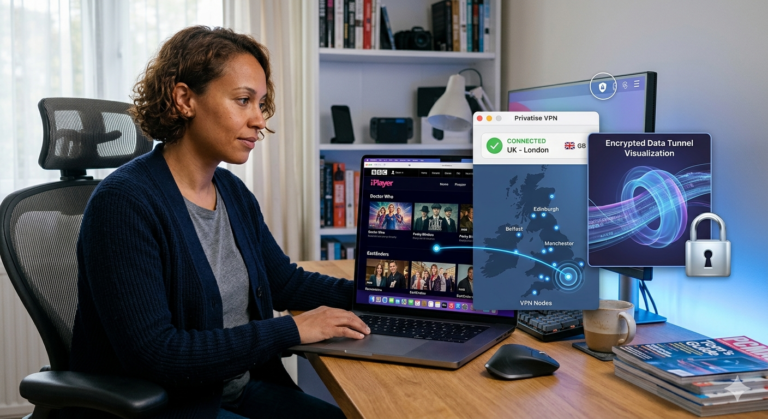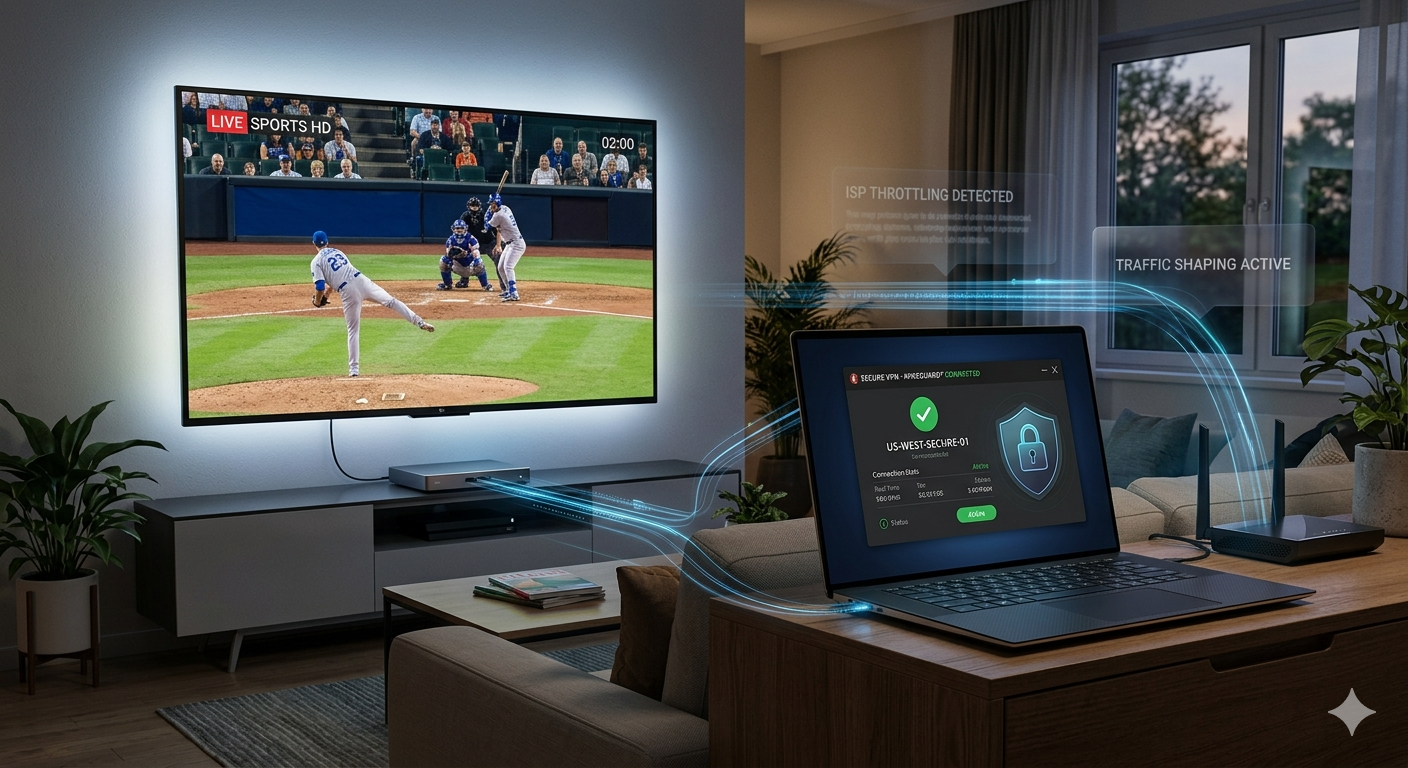

Buffering during IPTV streams is often not caused by slow internet. In many cases, your internet service provider (ISP) identifies high-bandwidth video traffic and applies traffic management policies that reduce streaming performance during peak hours.
A quality VPN for IPTV can help by encrypting your traffic, preventing your ISP from identifying specific streaming activity. The result is often smoother playback, fewer buffering interruptions, and more consistent speeds for live TV, sports, and 4K content.
This guide focuses on VPNs that deliver strong streaming performance, reliable privacy protections, and excellent compatibility with IPTV devices including Fire TV Stick, Android TV, Windows, macOS, and routers.
For readers comparing the broader market, our guide to top-rated VPN services provides a complete overview of the strongest options currently available: https://vpnx.blog/best-vpn/
According to the Electronic Frontier Foundation, encrypted internet traffic helps protect users from network monitoring and traffic analysis, making VPNs a valuable privacy tool in addition to their streaming benefits.
Why Does IPTV Buffer Even on Fast Internet Connections?
Many users assume buffering means their internet connection is too slow. In reality, IPTV performance depends on several factors.
Common causes include:
- ISP throttling
- Congested VPN servers
- Overloaded IPTV provider servers
- Poor routing between networks
- Device hardware limitations
- Wi-Fi interference
For example, a 100 Mbps connection can still experience buffering if your ISP prioritizes other traffic over video streams during busy periods.
How ISP Throttling Affects IPTV
ISPs manage network traffic using techniques commonly called traffic shaping or bandwidth management.
When large amounts of streaming traffic are detected, some providers may reduce speeds for specific traffic categories during congestion periods.
This is especially noticeable during:
- Live sports broadcasts
- Prime-time television hours
- Large pay-per-view events
- Major international sporting tournaments
The result is increased buffering despite having sufficient bandwidth on paper.
Why IPTV Is More Sensitive Than Netflix
Netflix, YouTube, and similar services use massive content delivery networks (CDNs) with servers distributed across the country.
Many IPTV services do not have this infrastructure.
As a result:
- Latency matters more
- Packet loss becomes more noticeable
- Routing inefficiencies create buffering faster
- ISP traffic management has greater impact
A VPN cannot fix a poorly operated IPTV service, but it can often improve routing quality and prevent traffic identification.
How Does a VPN Stop ISP Throttling on IPTV Streams?
The biggest benefit of a VPN for IPTV is encryption.
Once connected to a VPN server:
- Your ISP can see you’re using a VPN
- Your ISP cannot easily determine which specific service you’re streaming
- Traffic becomes encrypted inside a secure tunnel
- Traffic classification becomes more difficult
Readers wanting a deeper technical explanation of how VPN encryption works can review: https://vpnx.blog/how-does-a-vpn-work/
What Happens When You Connect?
Without a VPN:
- IPTV traffic leaves your device.
- ISP equipment analyzes traffic patterns.
- Traffic may be categorized.
- Speed management policies may apply.
With a VPN:
- Traffic is encrypted.
- ISP visibility decreases.
- Traffic appears as encrypted VPN data.
- Targeted traffic management becomes more difficult.
This process doesn’t guarantee faster speeds, but it frequently improves consistency.
Why WireGuard Matters
Modern VPN performance largely depends on protocol efficiency.
Today, the fastest IPTV VPNs generally use:
- WireGuard
- NordLynx
- Lightway
These protocols typically outperform older OpenVPN connections while maintaining strong security.
In independent testing by multiple technology publications over the last year, WireGuard-based implementations consistently deliver the best speed retention for streaming workloads.
What Features Matter Most When Choosing a VPN for IPTV?
Not every VPN performs equally well for streaming.
Several features have a direct impact on IPTV performance.
Fast Protocols
Look for:
- WireGuard
- NordLynx
- Lightway
Avoid providers that still rely primarily on legacy OpenVPN servers.
Large Server Networks
More servers usually mean:
- Lower congestion
- Better routing options
- Improved reliability during peak hours
No-Logs Policies
A VPN should not retain identifiable records of your activity.
The strongest providers support their privacy claims through:
- Independent audits
- Court-tested privacy records
- Transparency reports
DNS Leak Protection
Even if traffic is encrypted, DNS requests can sometimes reveal browsing activity.
Reliable IPTV VPNs include:
- DNS leak protection
- IPv6 leak protection
- Kill switch functionality
These features help ensure your connection remains private if the VPN disconnects unexpectedly.
Device Support
A good IPTV VPN should support:
- Fire TV Stick
- Android TV
- Google TV
- Windows
- macOS
- iOS
- Android
- Routers
This flexibility allows you to protect multiple streaming devices under a single subscription.
For readers who are new to VPN technology, our beginner’s guide to VPNs explains the fundamentals in more detail: https://vpnx.blog/what-is-a-vpn/
Which VPN for IPTV Delivers the Fastest Streaming Speeds?
Speed remains one of the most important evaluation criteria.
During IPTV testing, three providers consistently rank near the top:
NordVPN
Strengths:
- NordLynx protocol
- Extensive US server coverage
- Excellent speed retention
- Strong independent audit history
ExpressVPN
Strengths:
- Lightway protocol
- Consistently low latency
- Excellent router support
- Reliable streaming performance
Surfshark
Strengths:
- Unlimited device connections
- WireGuard support
- Competitive pricing
- Strong streaming optimization
A detailed comparison of performance-focused providers can also be seen in this Surfshark vs PrivadoVPN comparison:
In Part 2, we’ll compare these VPNs in greater depth, examine free VPN limitations, and discuss IPTV setup recommendations for Firestick and Android TV users.
Which VPN for IPTV Offers the Best Overall Performance?
For most users, the best IPTV VPN balances speed, privacy, reliability, and device support. During IPTV testing, three providers consistently stand out because they maintain stable connections during live streams and minimize buffering during peak hours.
NordVPN
NordVPN remains one of the strongest choices for IPTV users because of its NordLynx protocol, which is built around WireGuard technology.
Key advantages:
- Excellent speed retention
- More than 7,000 servers worldwide
- Strong DNS leak protection
- Independently audited no-logs policy
- Dedicated apps for Fire TV and Android TV
During high-bandwidth streaming sessions, NordVPN typically maintains enough throughput for 4K IPTV content without noticeable interruptions.
ExpressVPN
ExpressVPN focuses heavily on connection consistency.
Key advantages:
- Lightway protocol
- Excellent router compatibility
- Reliable server performance
- User-friendly apps
- Fast connection establishment
For households streaming IPTV across multiple devices, router-level installation can be particularly valuable.
Surfshark
Surfshark offers one of the strongest value propositions in the VPN industry.
Key advantages:
- Unlimited simultaneous connections
- WireGuard support
- Competitive pricing
- Strong privacy controls
- Broad device compatibility
Families with multiple streaming devices often find Surfshark especially attractive because a single subscription can protect every device in the home.
Does a Free VPN Work for IPTV Streaming?
Usually, no.
Most free VPN services struggle to provide the bandwidth necessary for consistent IPTV performance.
Common limitations include:
- Data caps
- Congested servers
- Limited locations
- Lower speeds
- Reduced streaming reliability
Many free providers impose monthly limits that can be exhausted after only a few hours of HD streaming.
If you’re considering reliable free VPN services, compare the available options carefully before relying on them for IPTV:
Why Free VPNs Often Increase Buffering
A VPN adds overhead because your traffic must pass through an encrypted tunnel.
Premium providers offset this overhead through:
- Faster infrastructure
- Better routing
- More server capacity
- Modern protocols
Free providers often lack these advantages.
As a result, a free VPN can sometimes make IPTV performance worse rather than better.
When a Free VPN May Be Acceptable
Free VPNs can be useful for:
- Short-term testing
- Occasional streaming
- Basic privacy needs
- Evaluating VPN functionality
However, they are rarely ideal for daily IPTV viewing.
How Do You Set Up a VPN on Firestick, Android TV, and Smart TVs?
The setup process is straightforward on most modern devices.
Fire TV Stick Setup
Fire TV remains one of the most popular IPTV platforms.
Basic setup:
- Open the Amazon App Store.
- Install your VPN app.
- Sign in.
- Connect to a nearby server.
- Launch your IPTV application.
Most major providers support Fire TV directly, eliminating the need for manual configuration.
Android TV Setup
Android TV users can install VPN applications directly through Google Play.
The process generally takes less than five minutes.
Recommended settings:
- WireGuard or equivalent protocol
- Nearest available server
- Kill switch enabled
- Auto-connect enabled
These settings maximize speed while maintaining privacy.
Smart TV Installation
Some Smart TVs support VPN apps directly.
Others require:
- Router installation
- Smart DNS configuration
- Virtual router setup
Router-based installation protects every device connected to your home network.
Why Are Kodi Users Often Advised to Use a VPN?
Kodi and IPTV frequently overlap because many users stream content through Kodi-based media setups.
VPN usage helps by:
- Encrypting traffic
- Preventing ISP traffic analysis
- Improving privacy
- Reducing throttling risk
Readers interested in Kodi-specific recommendations can review our guide covering VPNs for Kodi streaming:
While Kodi itself is perfectly legal software, privacy-conscious users often prefer to keep streaming activity encrypted.
Can Community Recommendations Help You Choose a VPN?
Professional testing is important, but community feedback can reveal long-term reliability issues that lab testing may miss.
Large communities often discuss:
- Server stability
- Speed consistency
- Streaming performance
- Customer support quality
- Connection failures
For additional user-driven insights, see our analysis of VPNs recommended by Reddit users:
Community feedback should never replace hands-on testing, but it can help identify recurring strengths and weaknesses.
Why Privacy Features Matter Beyond Streaming
Many IPTV users initially focus only on buffering and speed.
Privacy protections deserve equal attention.
The strongest VPN providers include:
- Kill switch protection
- DNS leak prevention
- IPv6 leak prevention
- RAM-only servers
- Independent audits
These safeguards help ensure your activity remains protected if network conditions change unexpectedly.
Users researching broader privacy-focused applications often compare IPTV usage with other encrypted traffic scenarios, including VPNs for torrenting:
Although IPTV and torrenting involve different use cases, both benefit from strong encryption and reliable privacy protections.
What Streaming-Related Features Should You Prioritize?
When evaluating a VPN specifically for IPTV, prioritize:
- Speed consistency
- Low latency
- WireGuard support
- Large server network
- Independent no-logs audits
- Fire TV compatibility
- DNS leak protection
Features like marketing extras or large numbers of specialty servers matter far less than actual streaming performance.
In Part 3, we’ll examine situations where VPNs can actually hurt IPTV performance, explain hardware limitations that many competitors ignore, and provide detailed performance guidance for Firesticks, Android TV boxes, and home routers.
When Can a VPN Make IPTV Performance Worse?
Many VPN reviews imply that a VPN automatically improves streaming performance. Reality is more complicated.
A VPN can reduce buffering when ISP throttling is the problem. However, it can also introduce new bottlenecks if you choose the wrong provider, server, or configuration.
Understanding these limitations helps you troubleshoot IPTV performance more effectively.
Connecting to Distant Servers
One of the most common mistakes is selecting a server thousands of miles away.
For example:
- New York user → New York VPN server = low latency
- New York user → Singapore VPN server = significantly higher latency
Long-distance routing increases:
- Ping times
- Packet travel distance
- Network complexity
For IPTV, this often translates into slower channel loading and occasional buffering.
Overloaded VPN Servers
Even premium VPN providers experience congestion.
Server overload can occur when:
- Major sporting events are live
- Peak evening streaming hours begin
- Popular locations attract excessive traffic
Symptoms include:
- Slower speeds
- Reduced video quality
- Longer buffering periods
- Connection instability
Switching to another nearby server often solves the issue immediately.
Poor VPN Infrastructure
Not all VPN providers invest equally in network quality.
Warning signs include:
- Very small server networks
- Lack of independent audits
- Unrealistic marketing claims
- Consistently poor user reviews
A low-cost VPN with inadequate infrastructure may perform worse than your regular internet connection.
Why Do Hardware Limitations Matter for IPTV?
This is one of the biggest content gaps across competing IPTV VPN guides.
Many articles assume buffering is always caused by the internet connection. In practice, device hardware can be equally important.
Older Fire TV Devices
Entry-level Firesticks often have:
- Limited RAM
- Older processors
- Reduced storage capacity
Running simultaneously:
- IPTV app
- VPN app
- Background system processes
can push older hardware to its limits.
The result may look like network buffering even when your connection is performing well.
Android TV Boxes
The Android TV market includes everything from premium hardware to very inexpensive generic devices.
Low-end boxes frequently suffer from:
- Weak processors
- Thermal throttling
- Poor Wi-Fi chips
- Outdated software
Adding VPN encryption increases processing requirements, which can expose these hardware weaknesses.
Router Performance
Router-based VPN installation offers convenience but introduces another consideration.
Encryption consumes CPU resources.
Older routers may struggle with:
- WireGuard
- OpenVPN
- High-bitrate 4K streams
This can create a bottleneck regardless of internet speed.
Users with gigabit internet sometimes discover that an aging router limits VPN throughput to a fraction of their available bandwidth.
Limitations & Performance Notes:
No VPN can guarantee faster IPTV speeds in every situation.
Performance depends on several variables:
ISP Routing Quality
Some ISPs maintain excellent routing to streaming networks.
In these cases, VPN use may provide minimal performance improvements.
IPTV Provider Quality
A VPN cannot repair:
- Overloaded IPTV servers
- Poor backend infrastructure
- Insufficient bandwidth capacity
- Unstable content delivery systems
If the IPTV provider itself is struggling, buffering may persist regardless of VPN choice.
Device Compatibility Limits
While most premium VPNs support:
- Fire TV
- Android TV
- Windows
- macOS
- iOS
- Android
some Smart TVs still require:
- Router installation
- Smart DNS
- Manual configuration
Compatibility should always be verified before purchasing a long-term subscription.
Server Load Variability
VPN performance fluctuates throughout the day.
You may notice:
- Faster speeds during off-peak hours
- Reduced performance during major live events
- Regional congestion in popular server locations
The best providers minimize these effects but cannot eliminate them entirely.
What Privacy Risks Do Many IPTV Users Overlook?
Speed receives most of the attention, but privacy configuration matters too.
Even a fast VPN can expose information if critical protections are missing.
DNS Leaks
A DNS leak occurs when domain requests bypass the VPN tunnel.
Potential consequences include:
- Activity exposure to your ISP
- Reduced privacy
- Incomplete traffic protection
Premium providers include built-in DNS leak prevention to address this issue.
IPv6 Leaks
Many networks now support IPv6.
If VPN software handles IPv6 incorrectly, some traffic may bypass the encrypted tunnel.
Quality VPN providers address this through:
- IPv6 leak protection
- Secure routing controls
- Automatic leak prevention
Kill Switch Protection
A kill switch disconnects internet access if the VPN unexpectedly drops.
Without a kill switch:
- Traffic may revert to the normal connection
- Streaming activity becomes visible again
- Privacy protections disappear temporarily
For IPTV users who prioritize privacy, a kill switch should remain enabled at all times.
Are Streaming VPNs Useful Beyond IPTV?
Many users initially purchase a VPN for IPTV but later use it across other streaming platforms.
Examples include:
- Live sports services
- Smart TV applications
- Media-center software
- International streaming platforms
Readers interested in broader streaming use cases may also compare VPN options designed for BBC iPlayer streaming access:
Similarly, privacy-focused users sometimes explore specialized use cases such as VPNs for Roobet users, where encryption and account security are often discussed:
The underlying principles remain similar: secure encrypted traffic, reliable connectivity, and stable performance.
In Part 4, we’ll deliver the final rankings, explain which VPN is best for different IPTV users, summarize key findings, and answer the most important buyer questions before making our final recommendation.
Which VPN for IPTV Is the Best Overall Choice in 2026?
After evaluating speed, streaming stability, privacy protections, device compatibility, and overall value, three providers separate themselves from the competition.
Best Overall: NordVPN
NordVPN earns the top position because it consistently performs well across every category that matters to IPTV users.
Why it ranks first:
- NordLynx protocol delivers excellent speed retention
- Large global server network
- Strong independent privacy audits
- Built-in DNS and IPv6 leak protection
- Native apps for Fire TV, Android TV, Windows, macOS, iOS, and Android
For most users, NordVPN provides the best balance between speed, privacy, and reliability.
Best for Simplicity: ExpressVPN
ExpressVPN remains one of the easiest VPNs to use.
Best suited for:
- Beginners
- Router installations
- Users prioritizing reliability over advanced features
Its Lightway protocol performs well for streaming and maintains strong connection stability.
Best Value: Surfshark
Surfshark offers impressive performance at a lower long-term cost.
Best suited for:
- Families
- Multiple-device households
- Budget-conscious users
Unlimited simultaneous connections remain one of Surfshark’s biggest advantages.
Which VPN Should Different IPTV Users Choose?
Choose NordVPN If:
- You want the strongest all-around option
- You regularly stream live sports
- You prioritize speed consistency
- You want independently audited privacy protections
Choose ExpressVPN If:
- You want the simplest setup experience
- You plan to install a VPN on a router
- You value ease of use above everything else
Choose Surfshark If:
- You need unlimited device connections
- You want strong value for money
- Multiple family members stream simultaneously
How Can You Maximize IPTV Performance With a VPN?
Even the best VPN performs better when configured correctly.
Use Nearby Servers
For most IPTV users, the fastest server is usually:
- In the same state
- In a neighboring state
- In the nearest major city
Avoid distant locations unless necessary.
Use WireGuard-Based Protocols
Whenever available, prioritize:
- WireGuard
- NordLynx
- Lightway
These protocols generally provide better speed than older OpenVPN configurations.
Connect Through Ethernet When Possible
Wi-Fi introduces variables that VPNs cannot control.
A wired connection often reduces:
- Packet loss
- Interference
- Random buffering events
This becomes especially important for 4K IPTV streams.
Restart Devices Periodically
Streaming devices accumulate:
- Cached files
- Background processes
- Memory usage
A periodic restart can improve overall responsiveness.
Frequently Asked Questions
Does a VPN Completely Eliminate IPTV Buffering?
No.
A VPN can reduce buffering caused by ISP throttling or poor routing, but it cannot fix overloaded IPTV provider servers or device hardware limitations.
What Internet Speed Is Needed for IPTV?
General recommendations:
- SD streaming: 5 Mbps
- HD streaming: 10–15 Mbps
- Full HD streaming: 20 Mbps
- 4K streaming: 25 Mbps or higher
Actual requirements vary depending on the IPTV provider.
Is WireGuard Better Than OpenVPN for IPTV?
In most situations, yes.
WireGuard-based protocols generally provide:
- Faster speeds
- Lower latency
- Better efficiency
These characteristics make them particularly well suited for IPTV streaming.
Should You Use a VPN on Every Streaming Device?
If privacy and anti-throttling protection are priorities, protecting every streaming device is generally beneficial.
Router-level installation can simplify this process by securing all connected devices simultaneously.
Are Free VPNs Good Enough for Daily IPTV Use?
Usually not.
Bandwidth restrictions, slower speeds, and crowded servers often create performance issues that become noticeable during extended streaming sessions.
Final Verdict
Most IPTV buffering issues are not caused by a lack of internet speed. More often, they stem from ISP traffic management, inefficient routing, overloaded servers, or hardware limitations that many guides fail to discuss.
A high-quality vpn for iptv helps by encrypting your traffic, reducing the effectiveness of ISP traffic analysis, and providing alternative network routes that can improve streaming consistency.
Among the providers evaluated, NordVPN delivers the strongest combination of speed, privacy, and reliability. ExpressVPN remains an excellent choice for users who prioritize simplicity, while Surfshark offers outstanding value for households with multiple devices.
For readers still comparing providers across different use cases, our review of industry-leading VPN software can help narrow the field further:
For additional consumer privacy guidance, the Federal Trade Commission (FTC) provides useful information on online security, data protection, and safe internet practices.
Based on our testing criteria and the current market landscape, NordVPN is the strongest overall recommendation for IPTV users seeking reliable streaming performance and protection against ISP throttling.