Most Americans connect to public Wi-Fi every week. Airports, hotels, cafés, and coworking spaces all expose your internet traffic to networks you do not control. At the same time, internet providers, advertisers, apps, and websites collect more behavioral data than ever before.
That is why VPN usage continues to grow rapidly in the United States.
So, what is a vpn exactly?
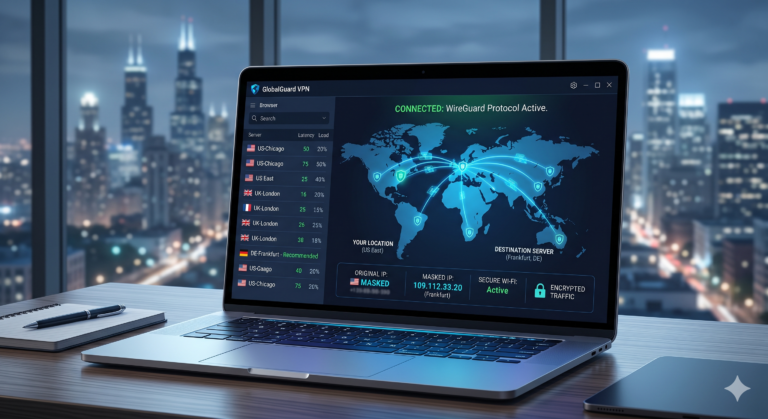
A VPN, or Virtual Private Network, encrypts your internet traffic and routes it through a secure remote server. That process hides your real IP address and makes your online activity harder for internet providers, advertisers, hackers, and public network operators to monitor.
VPNs are no longer niche tools for tech experts. Remote workers use them to access business systems securely. Travelers use them on hotel Wi-Fi. Streamers use them to bypass regional content restrictions. Privacy-focused users use them to reduce ISP tracking and data collection.
But VPNs are also heavily misunderstood. They do not make you anonymous online. They do not stop every form of tracking. And not every VPN provider deserves your trust.
According to the Electronic Frontier Foundation, encrypted tools like VPNs help reduce exposure to network surveillance and insecure internet connections. That matters most when you connect to networks you do not own or trust.
What Is a VPN and Why Do People Use One?
A VPN creates an encrypted connection between your device and a VPN provider’s server. Instead of connecting directly to websites, your traffic first passes through that secure server.
Without a VPN:
- Your ISP can see which websites you visit
- Public Wi-Fi operators may monitor traffic
- Websites can identify your approximate location through your IP address
With a VPN:
- Your ISP mainly sees encrypted traffic
- Websites see the VPN server’s IP address instead of yours
- Public Wi-Fi snooping becomes significantly harder
If you want a deeper technical explanation of how does a VPN work, understanding tunneling and encrypted routing makes the process easier to visualize.
People typically use VPNs for five major reasons.
Privacy
Internet providers in the US can collect extensive metadata about browsing activity. A VPN reduces how much of that traffic your ISP can directly inspect.
That does not mean total invisibility. Websites can still track you through cookies, browser fingerprinting, and logged-in accounts.
Public Wi-Fi Security
Public networks remain one of the most common security risks for casual users. Attackers can create fake hotspots, intercept unencrypted traffic, or exploit weak network configurations.
VPN encryption helps protect your data before it leaves your device.
Streaming Access
Streaming libraries differ by region. Some users connect through VPN servers in other countries to access different content catalogs.
Major streaming platforms actively block many VPN IP ranges, though, especially free services with overcrowded servers.
Remote Work
Businesses use VPNs to secure employee access to internal systems. Corporate VPNs prioritize encrypted access to private business networks rather than anonymous browsing.
Reducing Tracking
VPNs hide your IP address, which removes one major tracking signal from websites and advertisers.
If you are still unsure whether privacy tools are worth using daily, this guide explaining why you need a VPN covers the most practical real-world use cases.
How Does a VPN Work Behind the Scenes?
At a technical level, a VPN creates an encrypted tunnel between your device and a remote VPN server.
The process usually works like this:
- You open the VPN app
- The app authenticates your connection
- An encrypted tunnel forms
- Your traffic routes through the VPN server
- Websites see the VPN server’s IP address instead of yours
That encrypted tunnel prevents local networks from easily reading your traffic contents.
Modern VPN services commonly rely on protocols like:
- WireGuard
- OpenVPN
- IKEv2/IPSec
WireGuard has become especially popular because it delivers faster speeds and lower latency than older protocols in many independent tests.
OpenVPN remains widely trusted because of its long security history and open-source transparency.
What Happens to Your Data When You Connect to a VPN?
When you connect to a VPN, your traffic is encrypted before it leaves your device.
Most premium VPN services now use:
- AES-256 encryption
- ChaCha20 encryption
- Secure key exchanges
- DNS leak protection
That encryption converts readable traffic into unreadable ciphertext. Anyone intercepting the data mainly sees encrypted packets instead of usable information.
If you want the technical breakdown behind how VPN encryption works, modern VPN protocols rely on advanced cryptographic handshakes to establish secure sessions between devices and servers.
Encryption also helps protect:
- Login credentials
- Banking activity
- Email sessions
- File transfers
- Remote work connections
A VPN does not encrypt data already exposed through insecure apps or malware-infected devices, though.
What Is a VPN Server?
A VPN server is the remote system that routes your encrypted traffic to the public internet.
When you connect to a server in another country, websites usually identify your traffic as originating from that location instead of your real one.
That affects:
- Streaming regions
- Search results
- Online pricing
- Regional restrictions
- Localized content
If you want a deeper look at VPN server explained, server distance and infrastructure quality have a major impact on speed and reliability.
Nearby servers usually provide:
- Lower latency
- Faster downloads
- Better gaming responsiveness
- More stable video calls
Distant overloaded servers often reduce performance significantly.
Limitations & Performance Notes:
VPNs almost always reduce internet speeds to some degree because encryption and rerouting add overhead.
Independent testing from publishers like PCMag and Tom’s Guide regularly shows premium VPNs reducing nearby connection speeds by roughly 10% to 25%.
Performance depends heavily on:
- Distance to the VPN server
- Server congestion
- VPN protocol
- Your base internet speed
- Device hardware
Gaming latency can increase noticeably if you connect to distant servers. Video calls may also become less stable on overloaded networks.
Free VPNs usually perform worse because they operate smaller server networks with tighter bandwidth limits.
Are VPNs Actually Safe and Private?
A VPN improves privacy, but it does not make you invisible online.
That distinction matters because many VPN advertisements exaggerate what these tools can actually do. A VPN encrypts your traffic and hides your IP address, but websites, advertisers, apps, and online services still have several ways to identify you.
For example:
- Google still knows who you are if you stay signed in
- Websites can track browser fingerprints
- Cookies continue monitoring browsing behavior
- Apps may collect device identifiers and location data
A VPN reduces exposure. It does not erase your digital identity.
If you want a deeper breakdown of are VPNs safe, the provider’s logging policies and infrastructure matter far more than marketing claims.
What Makes a VPN Provider Trustworthy?
The VPN industry has a major transparency problem.
Hundreds of services advertise “zero logs” or “complete anonymity,” but many never provide evidence supporting those claims.
The most trustworthy VPN providers usually offer:
- Independent security audits
- Transparency reports
- Public ownership information
- Bug bounty programs
- Verified no-log policies
That last point matters most.
No-Log Policies Explained
A no-log policy means a VPN provider claims not to store identifiable browsing activity linked to users.
But not all no-log policies are equal.
Some VPNs still collect:
- Connection timestamps
- Device identifiers
- Session duration
- Bandwidth usage
Premium providers increasingly hire third-party auditing firms like Deloitte or Cure53 to verify logging claims independently.
Without external audits, users mostly rely on trust.
Can a VPN Protect You on Public Wi-Fi?
Yes. This remains one of the strongest practical reasons to use a VPN.
Public Wi-Fi networks are often poorly secured. Attackers can create fake hotspots, intercept local traffic, or exploit vulnerable devices connected to the same network.
VPN encryption helps secure your traffic before it leaves your device.
The Federal Trade Commission continues recommending encrypted connections and cautious browsing behavior on public networks because unsecured Wi-Fi still exposes users to credential theft and session hijacking.
Common Public Wi-Fi Risks
Fake Hotspots
Attackers sometimes create convincing network names like:
- “Airport Free Wi-Fi”
- “Hotel Guest”
- “CoffeeShop_Public”
Users connect without verifying legitimacy, allowing attackers to intercept traffic or redirect users toward malicious login pages.
Man-in-the-Middle Attacks
In these attacks, the attacker positions themselves between your device and the destination website.
Encryption dramatically reduces how much readable data attackers can capture.
Unencrypted Services
Although HTTPS is now widespread, some apps and websites still expose sensitive metadata or poorly secured traffic. VPNs add another security layer on top of existing encryption.
What VPNs Cannot Protect You From
This is where many beginner guides become misleading.
VPNs are useful security tools, but they have hard limitations.
Malware
A VPN cannot stop malware infections. If you download a malicious file or install compromised software, encryption will not protect your system.
Some VPN providers now include:
- Threat blocking
- Ad filtering
- Malicious domain detection
But antivirus protection still matters separately.
Phishing Attacks
If you enter your password into a fake banking website, a VPN cannot prevent account theft.
Phishing succeeds because users trust fraudulent pages — not because attackers intercept traffic.
Browser Fingerprinting
Modern websites can identify users through:
- Browser versions
- Screen resolution
- Installed fonts
- Extensions
- Time zones
- Hardware characteristics
This technique works even if your IP address changes constantly.
Logged-In Accounts
If you remain logged into:
- Amazon
- TikTok
those companies can still associate browsing activity with your account identity.
VPN marketing often implies total anonymity. Real-world privacy is significantly more complicated.
Are VPNs Legal in the United States?
Yes. VPNs are fully legal in the United States.
Businesses, journalists, travelers, gamers, and remote workers use them every day. Large corporations also rely heavily on VPN technology to secure employee access to internal systems.
If you want a full legal overview of is using a VPN legal, laws generally target illegal activity itself — not the VPN software.
However, some countries heavily restrict VPN usage.
Countries With VPN Restrictions
Governments in countries such as:
- China
- Russia
- Iran
- North Korea
either restrict unauthorized VPNs or require state-approved providers.
Travelers should always check local regulations before relying on VPN services abroad.
Should You Use a Free VPN or a Paid VPN?
Free VPNs attract millions of users every year, but most come with serious tradeoffs.
Some free services are legitimate. Others generate revenue through:
- Advertising
- Data collection
- Bandwidth throttling
- Tracking partnerships
- Aggressive upselling
A 2024 review of Android VPN apps found many free VPNs requesting excessive permissions unrelated to VPN functionality.
If you are comparing safer options, this guide to the best free VPN services highlights providers with stronger privacy practices and fewer security concerns.
Common Free VPN Limitations
Smaller Server Networks
Free VPNs usually operate fewer servers, which increases congestion and slows performance.
Data Caps
Many free providers limit users to:
- 500MB per day
- 2GB per month
- Reduced streaming quality
Weak Streaming Access
Netflix, Disney+, Hulu, and other streaming services aggressively block VPN IP ranges. Free providers struggle more because they rotate fewer IP addresses.
What About Cheap Paid VPNs?
Budget VPNs have improved substantially over the past few years.
Several affordable providers now include:
- WireGuard support
- Kill switches
- Multi-device connections
- Streaming compatibility
- Independent audits
This guide covering affordable VPN services explains which low-cost options still meet modern privacy and performance standards.
Cheap does not automatically mean unsafe. Free services usually introduce bigger risks because the provider still needs another way to generate revenue.
Limitations & Performance Notes:
VPNs improve privacy, but they also introduce usability tradeoffs.
Some banking websites trigger fraud checks when they detect VPN IP addresses. Streaming platforms may block connections entirely. Certain websites force CAPTCHA verification more frequently when users connect through heavily shared VPN servers.
Battery consumption can also increase on smartphones because encryption requires continuous background processing.
Lower-end routers and older devices may struggle with faster protocols like WireGuard under heavy network loads.
Which Features Matter Most When Choosing a VPN?
Most VPN services advertise the same promises:
- Faster speeds
- Better privacy
- Unlimited streaming
- Military-grade encryption
In practice, the differences between providers are much larger than the marketing suggests.
Some VPNs operate modern RAM-only server infrastructure and publish independent audits. Others still rely on vague privacy policies and overcrowded rented servers.
If you are comparing providers, start with transparency and performance — not flashy advertising claims.
Many readers begin with lists of the top-rated VPN services because the market contains hundreds of providers with wildly different privacy standards.
What Features Actually Matter?
Server Network Quality
Large server counts sound impressive, but quality matters more than quantity.
A good VPN network should provide:
- Stable nearby servers
- Low congestion
- Fast regional routing
- Reliable uptime
Some providers advertise thousands of servers but still perform poorly because they oversell bandwidth or rely heavily on virtual locations.
VPN Protocol Support
Modern VPNs should support at least:
- WireGuard
- OpenVPN
- IKEv2/IPSec
WireGuard has become the preferred protocol for many users because it delivers:
- Faster speeds
- Lower latency
- Better battery efficiency
- Faster reconnections on mobile devices
OpenVPN remains highly trusted and configurable, especially for advanced users and enterprise deployments.
Kill Switch Protection
A kill switch blocks internet traffic if the VPN connection suddenly drops.
Without a kill switch:
- Your real IP address may leak temporarily
- Apps may reconnect through your normal ISP connection
- Torrent clients can expose your location instantly
Most premium VPNs now include this feature by default.
DNS Leak Protection
Even if your traffic routes through a VPN tunnel, DNS requests can sometimes escape through your ISP’s servers.
That exposes browsing activity despite using a VPN.
Good VPN services include:
- Private DNS servers
- Leak prevention
- IPv6 protection
Device Support
Modern households rarely use a single device anymore.
A strong VPN service should support:
- Windows
- macOS
- iPhone
- Android
- Smart TVs
- Routers
- Linux
Several premium providers now allow unlimited simultaneous connections, while others still limit users to five or six devices.
How Important Is VPN Speed?
For most users, speed determines whether they keep using a VPN long term.
Slow VPNs quickly become frustrating during:
- Streaming
- Gaming
- Video calls
- Large downloads
Independent testing from publishers like PCMag and TechRadar consistently shows that nearby WireGuard servers usually outperform older OpenVPN configurations.
What Affects VPN Performance?
Several factors influence speed:
Distance to the Server
Nearby servers almost always perform better than distant ones.
For example:
- A New York user connecting to Chicago usually sees lower latency than connecting to Singapore
- Long-distance routing increases packet travel time
Server Congestion
Overloaded servers slow down dramatically during peak hours.
Premium VPN providers typically perform better because they operate:
- Larger networks
- Higher-capacity infrastructure
- Better load balancing
VPN Protocol
WireGuard generally delivers:
- Lower latency
- Faster downloads
- Better mobile efficiency
OpenVPN prioritizes flexibility and compatibility but often sacrifices some speed.
Your Base Connection
A VPN cannot improve a poor internet connection consistently.
Some users mistakenly believe VPNs increase internet speed. In reality, encryption and rerouting almost always add some overhead.
Can VPNs Improve Streaming Access?
Sometimes — but streaming reliability changes constantly.
Platforms like:
- Netflix
- Hulu
- Disney+
- BBC iPlayer
- Amazon Prime Video
actively detect and block VPN IP ranges.
Premium providers rotate IP addresses more aggressively and invest more heavily in streaming compatibility. Free VPNs usually struggle because their IP pools are smaller and heavily abused.
Streaming success also varies by:
- Country
- Device
- Browser
- VPN protocol
- Server congestion
No VPN guarantees permanent streaming access.
How Difficult Is It to Install a VPN?
For most users, setup takes less than 10 minutes.
Modern VPN apps are dramatically easier to use than they were a decade ago.
Typical installation involves:
- Creating an account
- Downloading the VPN app
- Logging in
- Choosing a server
- Connecting
If you want a full walkthrough covering apps, routers, smartphones, and smart TVs, this guide explaining how to install a VPN covers the process step by step.
Router Installation vs App Installation
Installing a VPN directly on a router protects every connected device automatically.
That includes:
- Smart TVs
- Game consoles
- IoT devices
- Streaming boxes
Router setup is more complicated, though. Most beginners should start with standard VPN apps first.
Are Mobile VPN Apps Safe?
Usually — but app quality varies heavily.
The safest mobile VPN apps typically provide:
- Independent audits
- Transparent ownership
- Kill switches
- WireGuard support
- Clear privacy policies
Users should avoid VPN apps with:
- Excessive permissions
- No company information
- Aggressive advertising
- Fake review inflation
The mobile VPN market remains crowded with low-quality apps collecting user data while advertising privacy.
What About Browser VPN Extensions?
Browser VPN extensions are often misunderstood.
Some extensions only encrypt browser traffic instead of the entire device connection.
That means:
- Your browser traffic routes through the VPN
- Other apps may still use your normal ISP connection
Full-device VPN apps provide stronger protection overall.
Limitations & Performance Notes:
VPN performance varies dramatically across devices and platforms.
Smart TVs and gaming consoles often support fewer VPN configuration options. Older routers may bottleneck high-speed internet connections because VPN encryption requires significant CPU power.
Mobile VPN apps can also trigger more CAPTCHA checks because many users share the same IP addresses on crowded servers.
Streaming reliability changes frequently because platforms continuously blacklist known VPN infrastructure.
Should You Leave Your VPN On All the Time?
For most users, leaving a VPN enabled full time is completely reasonable.
Modern VPN apps are designed to run continuously in the background with minimal interaction. Many automatically reconnect after sleep mode, network changes, or device restarts.
Keeping your VPN active consistently provides several advantages:
- Better protection on public Wi-Fi
- Reduced ISP visibility
- More consistent IP masking
- Less risk of accidental exposure when switching networks
That said, there are situations where temporarily disabling a VPN makes sense.
When Should You Turn a VPN Off?
Banking and Financial Services
Some banks flag VPN traffic as suspicious because shared VPN IP addresses are frequently associated with fraud prevention systems.
You may encounter:
- CAPTCHA verification
- Temporary login blocks
- Multi-factor authentication prompts
- Account security checks
Gaming
Competitive online gaming depends heavily on low latency.
Although nearby VPN servers can sometimes maintain stable performance, long-distance routing often increases:
- Ping
- Packet loss
- Matchmaking delays
Fast-paced games like:
- Call of Duty
- Valorant
- Fortnite
- Counter-Strike 2
usually perform better without unnecessary routing overhead.
Local Services
Streaming local TV apps, delivery services, or region-sensitive websites sometimes malfunction when they detect foreign IP addresses.
Turning the VPN off temporarily usually resolves those issues quickly.
Can Your ISP Still See Anything While Using a VPN?
Yes — but visibility becomes much more limited.
Your ISP can usually still see:
- That you are connected to a VPN
- Connection timestamps
- Total bandwidth usage
However, the ISP typically cannot see:
- The websites you visit
- Your search queries
- Downloaded content
- Browsing activity inside the encrypted tunnel
That privacy improvement is one of the primary reasons many users adopt VPN services.
Do VPNs Stop Online Ads and Tracking?
Not completely.
A VPN mainly protects network traffic. Advertising ecosystems rely on far more than IP addresses alone.
Advertisers still use:
- Cookies
- Browser fingerprinting
- Account tracking
- Device identifiers
- Ad network profiling
Some VPN providers now include:
- Ad blockers
- Tracker blockers
- Malicious domain filtering
These tools improve privacy, but they do not replace dedicated browser privacy protections.
For stronger protection, combine a VPN with:
- Privacy-focused browsers
- Tracker-blocking extensions
- Multi-factor authentication
- Good password hygiene
Are VPNs Worth Paying For?
For most privacy-conscious users, yes.
Premium VPNs generally offer:
- Faster speeds
- Better server infrastructure
- Stronger privacy practices
- Independent audits
- Reliable streaming access
- Better customer support
Free VPNs often introduce tradeoffs involving:
- Smaller networks
- Data limits
- Slower performance
- Aggressive advertising
- Data monetization
The difference becomes especially noticeable during:
- Streaming
- Gaming
- Remote work
- Travel
- Video conferencing
What Should Beginners Avoid When Choosing a VPN?
Several warning signs appear repeatedly across low-quality VPN providers.
Unrealistic Marketing Claims
Be cautious of services promising:
- “Complete anonymity”
- “100% untraceable browsing”
- “Military-grade privacy” without evidence
No VPN can guarantee total invisibility online.
Missing Transparency
Reliable VPN providers usually disclose:
- Ownership information
- Logging practices
- Audit history
- Server infrastructure details
If basic company information is difficult to find, that is a warning sign.
Excessive Free App Permissions
Many questionable VPN apps request permissions unrelated to VPN functionality, including:
- Contact access
- SMS access
- Device administration privileges
Those requests often signal aggressive data collection practices.
Fake Reviews and Rankings
The VPN industry has a long history of affiliate manipulation and fake recommendation sites.
Independent testing and transparent methodologies matter more than anonymous “Top 10 VPN” lists.
What Is the Best VPN for Most People?
There is no perfect VPN for everyone.
The best choice depends on your priorities:
- Streaming
- Privacy
- Gaming
- Torrenting
- Remote work
- Travel
- Budget
For most beginners, the best VPN services balance:
- Strong privacy practices
- Fast WireGuard performance
- Reliable apps
- Transparent ownership
- Independent audits
- Large server networks
If you are comparing providers directly, these industry-leading VPN software recommendations break down which services perform best for different use cases and budgets.
Final Verdict
So, what is a vpn really?
It is a privacy and security tool that encrypts your internet traffic and routes it through secure remote servers to reduce tracking and protect your data on untrusted networks.
VPNs are useful, but they are not magic. They cannot stop phishing attacks, erase browser fingerprinting, or make you fully anonymous online.
What they can do is significantly improve your privacy, especially on public Wi-Fi and ISP-monitored connections.
For most users, a trustworthy paid VPN with audited privacy practices and modern WireGuard support offers the best balance between security, speed, and usability.
If you are just getting started, focus less on flashy marketing claims and more on transparency, real-world testing, and long-term trustworthiness.
Limitations & Performance Notes:
Even premium VPNs involve tradeoffs.
You may occasionally encounter:
- CAPTCHA challenges
- Streaming blocks
- Banking verification prompts
- Slower long-distance connections
- Reduced battery life on mobile devices
Performance also varies heavily depending on:
- Server congestion
- Distance
- Device hardware
- VPN protocol
- Local ISP routing quality
No VPN completely eliminates online tracking, but a high-quality provider can significantly reduce unnecessary exposure across everyday browsing.