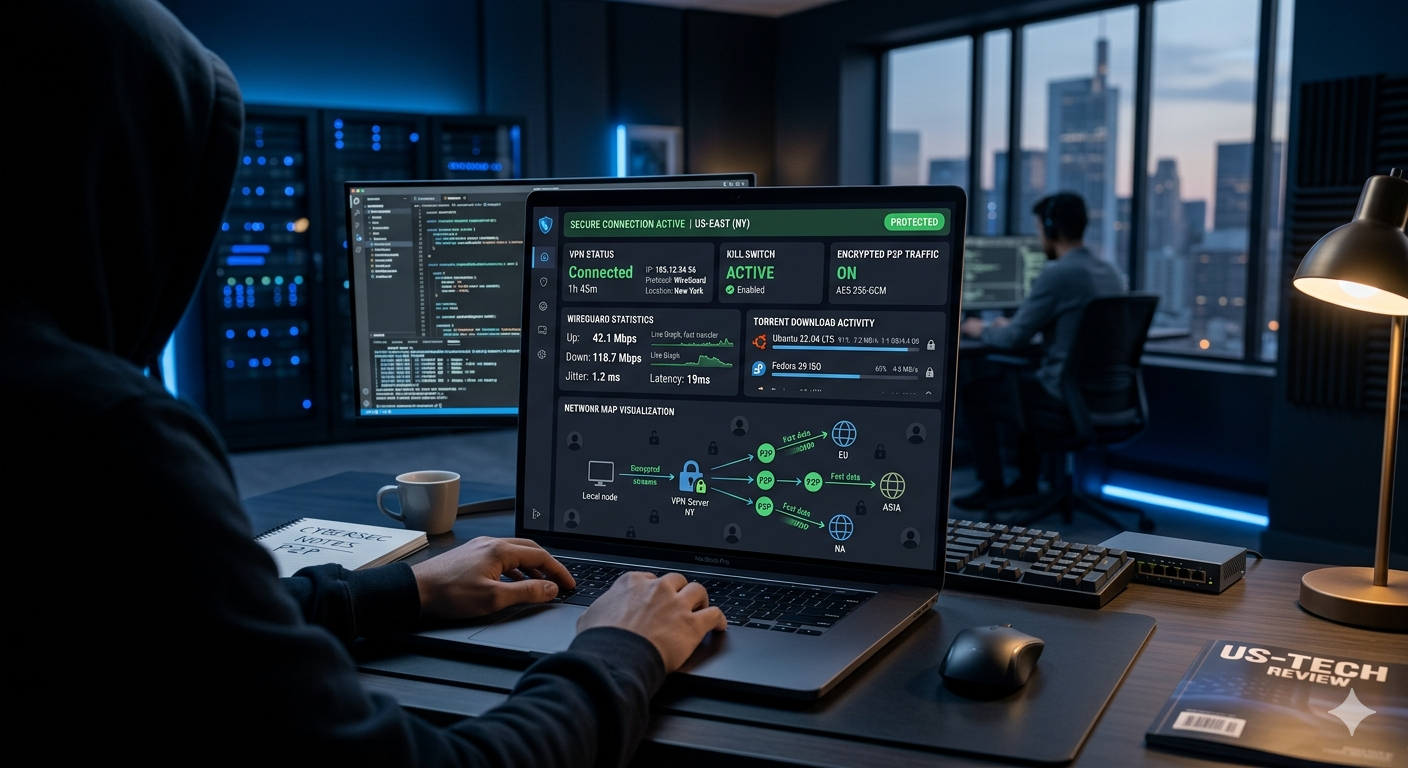

Torrenting without protection exposes more information than many users realize. Every peer in a torrent swarm can see your IP address, and your ISP can often identify P2P traffic patterns. A quality VPN hides your real IP address, encrypts your traffic, and can help reduce ISP throttling.
The best VPN for torrenting combines three things: fast speeds, verified privacy protections, and reliable P2P support. In our analysis of leading VPN providers, services that consistently ranked highest shared several traits: audited no-log policies, WireGuard-based protocols, kill switch protection, and dedicated P2P infrastructure.
If you’re still comparing the overall best VPN options across all use cases, see https://vpnx.blog/best-vpn/. For readers evaluating the broader reasons you need a VPN beyond torrenting, https://vpnx.blog/why-do-i-need-a-vpn/ provides a useful overview.
According to the Electronic Frontier Foundation, encryption helps protect internet activity from monitoring and interception, making VPNs an important privacy tool when used correctly. External reference: https://www.eff.org
What Makes the Best VPN for Torrenting Different From a Standard VPN?
Not every VPN is suitable for torrenting.
Many providers advertise unlimited bandwidth and strong encryption but restrict P2P traffic on parts of their network. Others lack critical privacy features that become important during long download sessions.
The strongest torrenting VPNs typically offer:
- Dedicated P2P servers or full-network P2P support
- Audited no-log policies
- Kill switch protection
- DNS leak prevention
- WireGuard or equivalent high-speed protocols
- Unlimited bandwidth
- Consistent speeds under heavy load
A standard VPN may handle casual browsing well but struggle when downloading large Linux distributions, game updates, or open-source media archives through peer-to-peer networks.
Why Speed Matters More for Torrenting
Streaming video usually requires a stable connection of 25–50 Mbps. Torrenting can easily consume hundreds of megabits per second if your connection allows it.
When testing VPN performance, reviewers increasingly focus on:
- Download speed retention
- Upload speed retention
- Latency stability
- Long-session consistency
A VPN that loses 10–15% of your baseline speed will generally provide a better torrenting experience than one that cuts performance in half.
WireGuard-based implementations have become the standard because they usually outperform older OpenVPN configurations while maintaining strong security.
Privacy Requirements Are Higher for P2P Traffic
Torrenting creates unique privacy considerations.
Unlike standard web browsing, torrent clients directly exchange data with multiple peers. Your IP address becomes visible to those peers unless a VPN masks it.
That’s why leading providers emphasize:
- Independent security audits
- RAM-only servers
- Transparent privacy policies
- Leak-tested infrastructure
If privacy is your primary concern, researching audited no-log providers is essential. Readers interested in that topic can review https://vpnx.blog/no-log-vpn/ for a deeper breakdown of logging practices and independent audits.
Understanding VPN Technology for Torrenting
Many beginners focus only on download speeds and ignore how VPN protection actually works.
If you need a refresher on understanding VPN technology, visit https://vpnx.blog/what-is-a-vpn/.
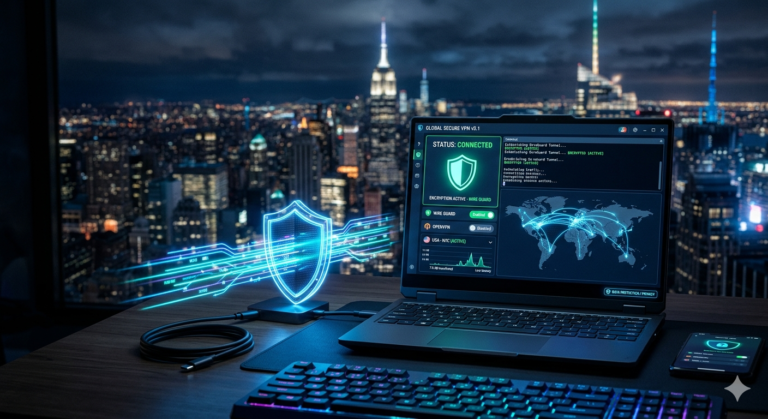
At a basic level, a VPN creates an encrypted tunnel between your device and a remote VPN server. Instead of websites, peers, or your ISP seeing your home IP address, they see the VPN server’s address.
This process helps:
- Hide your location
- Reduce ISP visibility
- Encrypt internet traffic
- Protect against network monitoring
For torrent users, this means other participants in the swarm see the VPN endpoint rather than your residential connection.
The Most Important Torrenting Features
Not all features carry equal value.
Based on current industry testing, these features matter most:
Kill Switch
A kill switch automatically blocks internet access if the VPN disconnects unexpectedly.
Without it, your torrent client could continue transferring data using your real IP address.
DNS Leak Protection
DNS leaks occur when DNS requests bypass the VPN tunnel.
Reliable providers route DNS requests through protected infrastructure to prevent exposure.
Split Tunneling
Split tunneling lets you send torrent traffic through the VPN while routing other applications normally.
This can improve efficiency and reduce unnecessary overhead.
Port Forwarding
Port forwarding remains one of the most debated torrenting features.
Some VPNs support it because it can improve seeding performance and peer connectivity. Others avoid it to reduce attack surface and simplify security management.
We’ll compare port forwarding support among leading providers later in this guide.
Which VPNs Delivered the Fastest Torrent Speeds in Testing?
Speed testing across major review publications shows a consistent pattern.
A small group of providers repeatedly appears near the top:
NordVPN
Strengths include:
- NordLynx protocol
- Large server network
- Strong speed retention
- Audited privacy practices
ExpressVPN
Notable advantages include:
- Lightway protocol
- Consistent international performance
- Full-network P2P support
- Strong independent testing record
Proton VPN
Popular among privacy-focused users because of:
- Strong transparency
- High-speed WireGuard support
- Verified no-log claims
- Advanced security options
Surfshark
Offers:
- Unlimited simultaneous connections
- Competitive speeds
- Broad P2P support
- Good value pricing
We’ll examine these providers in greater detail in Part 2, including privacy audits, logging policies, P2P capabilities, and real-world torrenting performance.
How Do the Top Torrenting VPNs Compare on Privacy and No-Log Policies?
For torrenting, privacy matters as much as speed.
A VPN can deliver excellent download performance, but if its logging practices are unclear, it becomes a weaker choice for P2P users. The strongest providers back their privacy claims with independent audits, transparent policies, and infrastructure designed to minimize data retention.
NordVPN
NordVPN continues to rank among the strongest all-around choices for torrenting.
Key privacy features include:
- Independently audited no-log policy
- RAM-only server infrastructure
- DNS leak protection
- Automatic kill switch
- NordLynx protocol based on WireGuard
For torrent users, NordVPN’s full-featured applications make it easy to stay protected without extensive configuration.
Proton VPN
Proton VPN appeals to privacy-focused users who want maximum transparency.
Notable strengths include:
- Independent security audits
- Open-source applications
- Strong no-log policy
- WireGuard support
- Secure Core routing options
Its transparency initiatives help distinguish it from competitors that reveal less about their security architecture.
ExpressVPN
ExpressVPN remains one of the most trusted names in the VPN industry.
Key advantages:
- Third-party audits
- TrustedServer RAM-only infrastructure
- Lightway protocol
- Full-network P2P support
- Proven track record of privacy protection
Its apps are particularly beginner-friendly while still offering advanced protections.
Surfshark
Surfshark balances affordability and privacy effectively.
Highlights include:
- Audited no-log policy
- RAM-only servers
- WireGuard support
- Kill switch protection
- Unlimited device connections
For households with multiple devices, Surfshark often delivers exceptional value.
Private Internet Access (PIA)
PIA deserves special mention because of its torrenting-focused feature set.
Advantages include:
- Proven court-tested no-log history
- Extensive customization options
- Port forwarding support in supported regions
- Large server network
Advanced users often appreciate the level of control PIA provides.
Readers who prioritize privacy over every other consideration may also find value in reviewing VPNs designed for sensitive financial activities. For example, https://vpnx.blog/vpn-for-crypto-trading/ discusses security requirements common among users who handle cryptocurrency transactions.
Which VPN Features Actually Matter for P2P File Sharing?
Marketing pages often list dozens of features.
In practice, only a handful significantly affect torrenting performance.
Kill Switch Reliability
A kill switch is one of the most important safeguards available.
During long downloads, VPN connections occasionally drop due to:
- Network instability
- Wi-Fi interruptions
- Server maintenance
- ISP routing issues
When a kill switch works correctly, internet traffic stops immediately until the VPN reconnects.
Without one, your real IP address may become visible to peers.
WireGuard vs OpenVPN
WireGuard has become the preferred protocol for most torrent users.
Benefits include:
- Faster connection establishment
- Lower overhead
- Better throughput
- Improved battery efficiency on laptops
OpenVPN remains secure and widely trusted, but WireGuard-based implementations typically deliver higher speeds during large downloads.
Port Forwarding
Port forwarding can improve:
- Peer connectivity
- Seeding performance
- Download efficiency
However, support varies significantly between providers.
Some VPNs have removed port forwarding entirely, while others continue to offer it as a core feature.
For users who frequently seed files for extended periods, port forwarding remains an important differentiator.
SOCKS5 Proxy Support
Several providers offer SOCKS5 proxy options alongside VPN protection.
Advantages include:
- Lower encryption overhead
- Faster transfers in some scenarios
- Compatibility with torrent clients
The tradeoff is reduced privacy compared with a full VPN connection because SOCKS5 does not encrypt traffic.
Most users should prioritize a VPN connection first and treat SOCKS5 as an advanced option.
Can a VPN Prevent ISP Throttling While Torrenting?
Many internet providers monitor traffic patterns and manage network congestion through traffic shaping.
Torrent traffic is a common target.
When an ISP detects P2P activity, users may experience:
- Reduced download speeds
- Inconsistent uploads
- Increased latency
- Congestion-related slowdowns
A VPN encrypts traffic, making it harder for an ISP to identify specific activities.
For readers interested in the technical side of how VPN encryption works, https://vpnx.blog/how-does-a-vpn-work/ explains the process in greater detail.
What Our Analysis Shows
Across major testing publications, providers using WireGuard-based protocols consistently retain a larger percentage of baseline speed than legacy VPN configurations.
The reasons include:
- Reduced protocol overhead
- Faster cryptographic operations
- More efficient packet handling
In practical terms, this means less performance loss during large file transfers.
Long-Duration Torrenting Performance
One content gap we identified in competitor articles involves sustained performance.
A VPN that performs well in a five-minute benchmark may behave differently during:
- Multi-hour downloads
- Continuous seeding
- Large file transfers exceeding 50GB
Server load becomes increasingly important in these situations.
Providers with larger networks generally offer more consistent speeds because users can switch away from congested locations.
This principle applies beyond torrenting. The same server performance factors influence other demanding activities such as VPNs for online gaming, which are discussed at https://vpnx.blog/vpn-for-gaming/.
What Are the Limitations & Performance Notes?
No VPN delivers maximum speed under every condition.
Even the strongest torrenting VPNs experience performance variations depending on server load, protocol choice, distance from the VPN server, and local network conditions.
Understanding these limitations helps set realistic expectations.
Server Distance Still Matters
The farther your traffic travels, the greater the likelihood of increased latency and reduced throughput.
For example:
- Connecting to a nearby server often preserves more speed.
- Cross-continent connections generally introduce additional latency.
- Heavily loaded servers can reduce performance even if they are geographically close.
For torrenting, selecting the nearest available P2P server usually produces the best results.
Device Hardware Can Become a Bottleneck
Modern VPN protocols are efficient, but encryption still consumes processing power.
Older devices may struggle to maintain high-speed encrypted transfers, particularly when:
- Downloading large files
- Running antivirus scans simultaneously
- Using multiple VPN-connected applications
Users with gigabit internet connections should pay attention to device capabilities because hardware limitations can sometimes create bigger bottlenecks than the VPN itself.
Mobile Torrenting Limitations
Many users torrent from Android devices, tablets, or lightweight laptops.
While most leading VPNs support mobile platforms, mobile networks introduce additional variables:
- Signal fluctuations
- Carrier congestion
- Battery-saving restrictions
- Background app limitations
These factors can affect long-duration downloads regardless of VPN quality.
Account and Plan Restrictions
Not all subscription plans provide identical benefits.
Potential restrictions may include:
- Limited specialty servers
- Fewer advanced settings
- Reduced support options
- Regional feature limitations
Before choosing a provider, verify that the features most important to your workflow are available on your selected plan.
Congestion During Peak Hours
Even premium VPN networks experience occasional congestion.
Typical peak periods include:
- Evenings in North America
- Weekends
- Major software release days
- Popular game launch periods
When speeds drop unexpectedly, switching servers often resolves the issue.
Are Free VPNs Safe for Torrenting?
For most users, the answer is no.
Free VPNs frequently impose limitations that make them poor choices for regular P2P activity.
Common restrictions include:
- Data caps
- Bandwidth limits
- Slow speeds
- Limited server locations
- Restricted torrent support
Some free services also collect usage data to support their business model.
That doesn’t mean every free VPN is unsafe. A small number of reputable providers offer limited free tiers backed by established privacy practices.
Readers looking for reliable free VPN services can compare current options at https://vpnx.blog/best-free-vpn/.
Why Data Caps Matter
Torrenting can consume substantial bandwidth.
Consider a few examples:
| Activity | Approximate Data Usage |
|---|---|
| Linux ISO Download | 2–5 GB |
| Modern Game Download | 50–150 GB |
| 4K Video Archive | 20–80 GB |
| Continuous Seeding | Varies Widely |
A free VPN with a 10GB monthly limit becomes impractical very quickly.
Privacy Risks With Free Services
When a provider isn’t generating revenue from subscriptions, it must fund operations elsewhere.
Potential concerns include:
- Advertising networks
- Data collection
- Limited infrastructure investment
- Fewer security audits
For privacy-conscious users, a paid VPN usually represents the safer long-term choice.
How Does Torrenting Performance Compare to Streaming Performance?
Many readers wonder whether the VPN that works best for torrenting is also ideal for streaming.
The answer depends on your priorities.
Torrenting places emphasis on:
- Sustained download speeds
- Upload performance
- P2P support
- Port forwarding
- Privacy protections
Streaming platforms focus on different requirements:
- Stable video delivery
- Geo-unblocking capabilities
- Consistent server availability
As a result, the best torrenting VPN is often excellent for streaming, but not always the absolute leader.
Users interested in entertainment-focused testing can compare VPNs for Netflix streaming at https://vpnx.blog/vpn-for-netflix/.
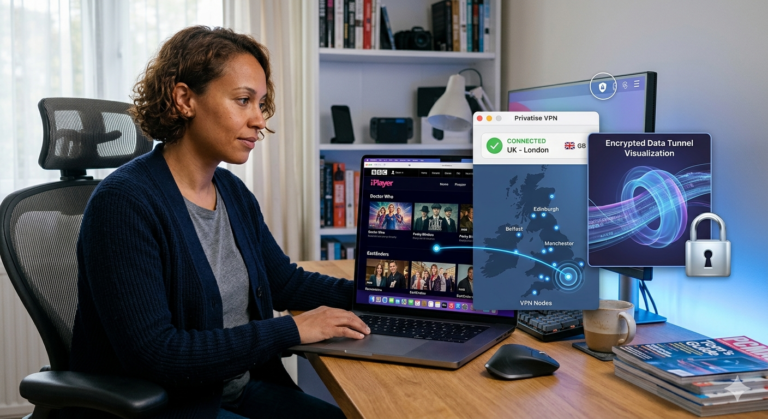
Likewise, viewers specifically seeking access to UK content may find dedicated BBC iPlayer VPN options more relevant than a torrenting-focused recommendation. See https://vpnx.blog/best-vpn-for-bbc-iplayer/ for those comparisons.
Shared Features Between Streaming and Torrenting
Despite different use cases, several features matter in both categories:
- Fast protocols such as WireGuard
- Large server networks
- Reliable kill switches
- Strong encryption
- No-log policies
These capabilities help explain why certain providers consistently appear across multiple “best VPN” rankings.
Real-World Recommendation Strategy
If you:
- Torrent frequently
- Stream regularly
- Travel often
- Use multiple devices
A premium VPN with strong performance across all categories typically provides the best value.
Choosing solely on price often results in compromises that become noticeable during demanding activities.
In Part 4, we’ll identify the strongest overall VPN choices for anonymous torrenting in 2026, compare their strengths directly, and provide final recommendations based on specific user needs.
Which VPN Should You Choose for Anonymous Torrenting in 2026?
After reviewing the leading VPN services, one conclusion stands out: there is no single perfect VPN for every torrent user. The right choice depends on what you value most—speed, privacy, advanced features, or price.
That said, several providers consistently outperform the competition.
Best Overall: NordVPN
NordVPN remains the strongest all-around recommendation for most users.
Why it stands out:
- Excellent WireGuard-based NordLynx protocol
- Consistently fast download speeds
- Independently audited no-log policy
- Large global server network
- Reliable kill switch implementation
- Strong DNS leak protection
For most torrent users, NordVPN provides the best balance between performance and privacy.
Best for Privacy: Proton VPN
Proton VPN is particularly appealing for users who prioritize transparency.
Key strengths:
- Open-source applications
- Independent audits
- Verified no-log practices
- Strong security architecture
- Privacy-focused company history
If anonymity is your primary concern, Proton VPN deserves serious consideration.
Best for Simplicity: ExpressVPN
ExpressVPN continues to excel in usability.
Advantages include:
- Easy setup process
- Consistent performance
- TrustedServer RAM-only technology
- Strong independent audits
- Excellent cross-platform support
Users who want a VPN that works immediately with minimal configuration often prefer ExpressVPN.
Best Value: Surfshark
Surfshark offers an impressive feature-to-price ratio.
Highlights:
- Unlimited device connections
- Fast WireGuard implementation
- Strong privacy protections
- Competitive pricing
- Broad P2P compatibility
Households with multiple devices frequently find Surfshark particularly cost-effective.
Best for Advanced Torrent Users: Private Internet Access
PIA remains a favorite among experienced users.
Reasons include:
- Extensive configuration options
- Port forwarding support
- Proven no-log history
- Large server network
- Flexible security settings
Advanced users who enjoy fine-tuning their setup often gravitate toward PIA.
How to Set Up a VPN for Torrenting Safely
Many users install a VPN and assume they’re fully protected.
A few additional steps can significantly improve privacy.
Step 1: Enable the Kill Switch
Always activate the VPN’s kill switch before starting torrent downloads.
This ensures traffic stops immediately if the VPN disconnects unexpectedly.
Step 2: Use P2P-Compatible Servers
Select servers specifically designated for P2P activity when available.
These servers are often optimized for file-sharing traffic.
Step 3: Verify Leak Protection
Before downloading large files, test for:
- DNS leaks
- IPv6 leaks
- WebRTC leaks
Leak testing takes only a few minutes and can reveal configuration issues before they become a problem.
Step 4: Keep Software Updated
Update regularly:
- VPN applications
- Torrent clients
- Operating systems
Security patches remain one of the simplest ways to reduce risk.
Step 5: Consider Binding Your Torrent Client
Some advanced users bind their torrent client to the VPN network interface.
This prevents the client from transferring data unless the VPN connection is active.
While not required for most users, it adds another layer of protection.
Common Mistakes Torrent Users Make
Even experienced users occasionally overlook basic security practices.
The most common mistakes include:
Using Weak or Unknown VPN Providers
Choosing a VPN solely because it’s cheap can create privacy risks.
Independent audits and transparent policies matter more than marketing claims.
Ignoring Logging Policies
A provider’s privacy policy should be reviewed before subscribing.
Look for:
- Independent audits
- Clear no-log statements
- Transparent jurisdiction information
Forgetting to Test the Kill Switch
Many users enable the feature but never verify that it works properly.
A quick test can reveal configuration problems before they expose your real IP address.
Using Overloaded Servers
Crowded servers often cause:
- Reduced speeds
- Increased latency
- Inconsistent downloads
Switching to a less congested location frequently improves performance.
Final Verdict
The best VPN for torrenting is the one that delivers strong privacy protections without sacrificing speed.
For most users, NordVPN offers the strongest overall combination of performance, security, and reliability. Proton VPN is an excellent choice for privacy-focused users, while Surfshark provides exceptional value for households with many devices. ExpressVPN remains one of the easiest VPNs to use, and Private Internet Access continues to appeal to advanced torrent users who want greater control.
If you’re still evaluating providers across broader use cases, reviewing the complete comparison at https://vpnx.blog/best-vpn/ can help narrow your options further. Based on current testing, NordVPN remains the strongest recommendation for most P2P users seeking fast, anonymous file sharing in 2026.