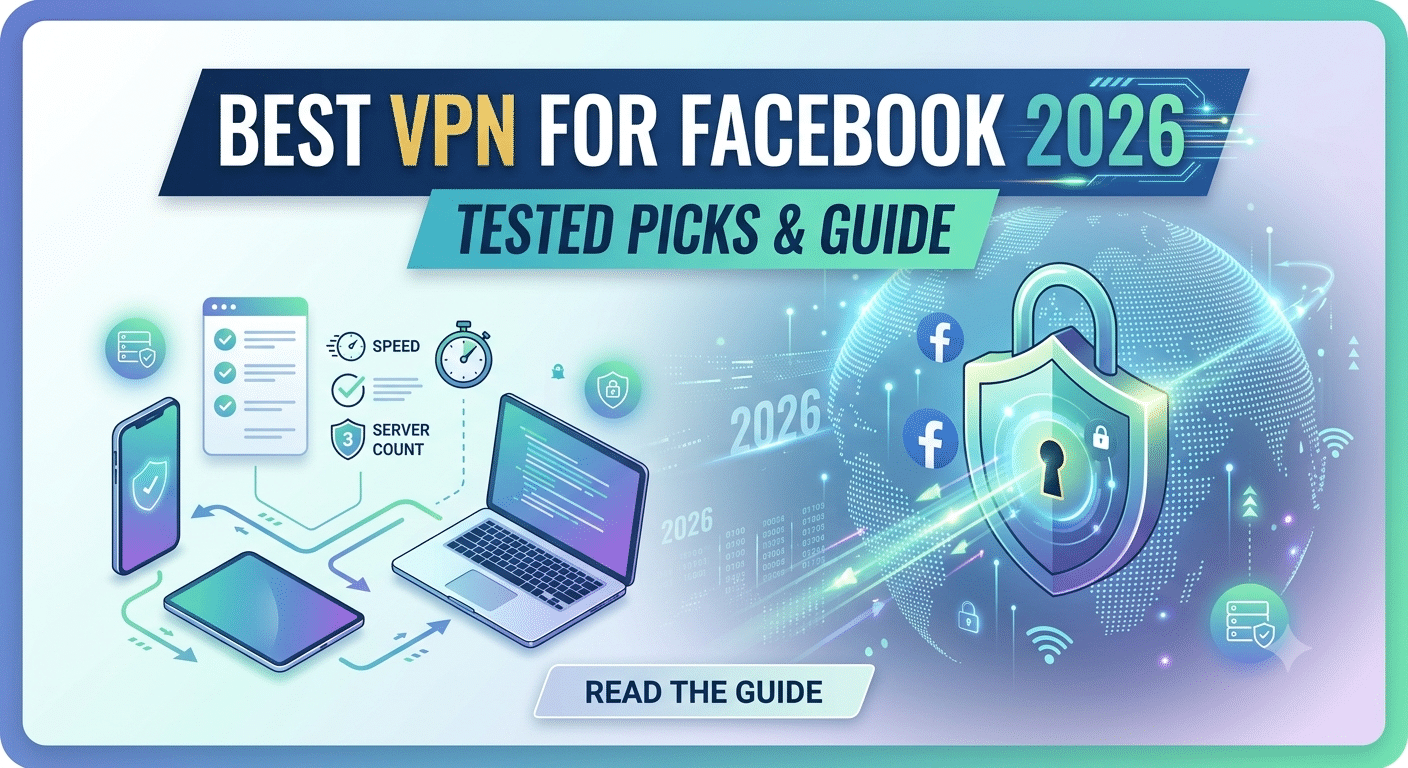

A VPN can improve your Facebook privacy, but it cannot make your account invisible. The best vpn for facebook should protect your connection, reduce tracking from your network provider, and provide reliable access when Facebook is restricted on certain networks.
Many users choose a VPN because they want to access Facebook while traveling, avoid network blocks at schools or workplaces, or protect their activity on public Wi-Fi. However, the right choice depends on more than just having a different IP address. Speed, encryption, device support, server quality, and privacy policies all affect your experience.
Before comparing providers, you need to understand the role a VPN actually plays. A VPN encrypts your internet connection and routes your traffic through a secure server, making it harder for your ISP, public networks, or other third parties to monitor your browsing activity. If you are new to the technology, this overview of what is a VPN explains the basic concepts behind encrypted connections and private browsing.
What Makes a VPN Good for Facebook Access and Privacy?
The best Facebook VPNs focus on three areas: connection reliability, privacy protection, and device compatibility.
Facebook users often need a VPN for practical reasons rather than advanced anonymity. A traveler may need access from a region with restrictions. A remote worker may want protection while connecting from a coffee shop. A privacy-conscious user may want to prevent their ISP from tracking every website they visit.
A strong VPN should provide:
- Reliable servers in multiple locations
- Modern encryption protocols
- Fast mobile and desktop apps
- A clear no-logs policy
- Protection against DNS and IP leaks
- Stable connections during long sessions
A VPN does not replace Facebook security features. You should still enable two-factor authentication, use a strong password, and review login activity inside your Facebook account settings.
For a broader understanding of the technology behind encrypted connections, learning how does a VPN work can help you understand why VPNs protect your data between your device and the VPN server.
Why Facebook Users Need VPN Protection
Facebook collects extensive information connected to your account, including interactions, device information, and activity patterns. A VPN does not stop Facebook from collecting information when you are logged in, but it can hide your IP address and encrypt your connection from your internet provider.
This distinction matters.
A VPN mainly protects the connection layer. Facebook still knows who you are when you sign into your account. Your profile, messages, likes, and activity remain tied to your account.
The main privacy benefits include:
- Preventing your ISP from seeing the websites you access
- Protecting data on unsecured public networks
- Reducing exposure of your real IP address
- Helping bypass network-level restrictions
The Electronic Frontier Foundation explains that internet users should understand the limits of privacy tools and avoid assuming that one security product provides complete anonymity. Electronic Frontier Foundation
Which VPN Features Matter Most for Facebook Users?
Not every VPN performs equally when used with social media platforms. Some providers focus heavily on maximum server numbers, while others prioritize privacy and speed.
Encryption and VPN Protocols
Encryption determines how your data is protected between your device and the VPN server.
Most leading VPN services use protocols such as WireGuard and OpenVPN. WireGuard is popular because it generally offers strong security with faster connection speeds compared with older protocols.
AES-256 encryption is also commonly used across premium VPN services. This encryption standard protects transmitted data from being easily intercepted.
Server Locations and Connection Quality
Server availability affects whether Facebook loads consistently and whether your connection remains stable.
A VPN with servers close to your physical location usually provides better speeds because your data travels a shorter distance. However, users traveling internationally may need access to servers in their home country to maintain familiar login locations.
Server quality also matters because overcrowded servers can cause slower browsing, failed connections, or frequent verification requests from online services.
Mobile App Performance
Most Facebook users access the platform through smartphones, making mobile VPN performance essential.
A good VPN app should:
- Connect quickly
- Maintain background protection
- Support iOS and Android
- Avoid excessive battery usage
- Offer automatic Wi-Fi protection
Can a VPN Affect Facebook Login Security?
Yes. Changing your IP address and location can sometimes trigger Facebook security checks.
Facebook may notice unusual login patterns when your account suddenly appears to connect from another country. This does not mean VPN use is unsafe, but frequent location changes can create additional verification steps.
To avoid problems:
- Use servers in consistent locations
- Keep two-factor authentication enabled
- Avoid switching countries repeatedly in short periods
- Use reputable VPN providers with stable IP ranges
A quality VPN should improve privacy without making normal Facebook usage inconvenient.
Choosing the best vpn for facebook requires looking beyond simple access. A VPN that connects successfully but slows your browsing, causes repeated security checks, or limits your devices will create more problems than it solves.
The strongest options balance privacy features with everyday performance. For Facebook users, that means fast connections, reliable apps, consistent server quality, and enough flexibility to work across phones, tablets, and computers.
How Does VPN Performance Affect Facebook Experience?
Speed matters because Facebook relies heavily on images, videos, live streams, and real-time notifications. A VPN that significantly reduces your connection speed can make feeds load slowly and cause interruptions when watching video content.
During VPN testing, reviewers typically measure:
- Download speed reduction
- Upload performance
- Connection latency
- Server consistency
- Connection recovery after switching networks
A small speed decrease is normal because your traffic takes an extra route through a VPN server. However, premium providers usually minimize the impact through optimized networks and modern protocols.
Users who frequently experience slowdowns from their internet provider may also benefit from understanding how VPNs can help with network restrictions. Some services are designed for bypassing ISP throttling with a VPN, especially when providers intentionally reduce speeds for certain types of traffic.
What Privacy Features Should a Facebook VPN Include?
Privacy features separate serious VPN services from basic IP-changing tools.
No-Logs Policies
A VPN provider must have a clear privacy policy explaining what data it collects. The strongest services minimize stored information and regularly undergo independent audits to verify their claims.
A no-logs policy does not mean a VPN makes you anonymous everywhere. It means the provider limits the amount of information available about your connection activity.
Kill Switch Protection
A kill switch automatically blocks internet access if the VPN connection drops unexpectedly.
Without this feature, your device may briefly reconnect through your normal internet connection, exposing your real IP address.
This feature is especially useful when:
- Using public Wi-Fi
- Traveling internationally
- Accessing sensitive accounts
DNS Leak Protection
DNS requests reveal which websites your device attempts to access. A VPN with DNS leak protection ensures these requests travel through the encrypted VPN tunnel instead of your internet provider.
For Facebook users, this helps protect browsing activity from network-level monitoring.
How Many Devices Should a Facebook VPN Support?
Most users do not access Facebook from only one device. A typical setup may include:
- Smartphone
- Laptop
- Tablet
- Home computer
VPN providers vary significantly in the number of simultaneous connections they allow.
Before subscribing, check:
- Maximum connected devices
- Supported operating systems
- Mobile app quality
- Browser extension availability
A VPN that supports multiple devices can protect your entire digital setup instead of only your phone.
Can Free VPNs Protect Facebook Accounts?
Free VPNs can be tempting, but they often come with limitations.
Some free services provide basic encryption, but many restrict:
- Monthly data usage
- Server locations
- Connection speeds
- Available features
Others may rely on advertising or collect more user data than privacy-focused services.
If you want to test VPN technology without paying, choose carefully and understand the limitations. This guide to reliable free VPN services explains what free VPN users should check before trusting a provider with their traffic.
For regular Facebook use, a paid VPN usually provides better reliability because it offers larger server networks, stronger support, and fewer restrictions.
How Can a VPN Protect Facebook Use on Public Networks?
Public Wi-Fi is one of the most common situations where VPN protection becomes valuable.
Airports, hotels, cafes, and shared workspaces often use networks that many people access. Even when websites use HTTPS encryption, a VPN adds another layer by encrypting your connection between your device and the VPN server.
Using a VPN on public networks can help protect:
- Facebook sessions
- Email accounts
- Online shopping activity
- Personal browsing
Users who frequently connect from public locations should consider VPNs designed specifically for protecting Facebook on public Wi-Fi, because these services prioritize connection stability and automatic protection features.
Does a VPN Help With Other Privacy-Sensitive Activities?
Many people who start using a VPN for Facebook eventually use it for additional privacy needs.
The same security features that protect social media activity can help when accessing financial services or sensitive accounts.
For example:
- Payment platforms require secure connections
- Banking websites benefit from encrypted browsing
- Financial research requires reliable privacy protection
Users who manage online payments may also look for specialized solutions such as VPNs for PayPal security, where connection reliability and account protection are important considerations.
A VPN should be viewed as one part of a wider security strategy. It works best alongside strong passwords, account alerts, and multi-factor authentication.
The best Facebook VPN depends on what you value most: speed, privacy, mobile performance, or connection reliability. A provider that works well for occasional browsing may not be the right choice for users who travel frequently or manage multiple devices.
When evaluating VPN services for Facebook, focus on measurable factors instead of marketing claims:
- Connection speed consistency
- Server availability
- Privacy policy quality
- Mobile app performance
- Device limits
- Security features
A VPN should make Facebook access more reliable while reducing unnecessary exposure of your internet connection.
Which VPN Features Separate the Best Providers?
The strongest VPN providers share several technical characteristics.
Fast and Stable Connections
Facebook users usually need a VPN that handles regular browsing without noticeable delays. Speed is especially important for:
- Video uploads
- Live streams
- Image-heavy feeds
- Messenger calls
A VPN with modern protocols such as WireGuard can often provide faster connections than older VPN technologies while maintaining strong encryption.
However, raw speed numbers do not tell the entire story. A provider with thousands of servers may still perform poorly if those servers are overcrowded or poorly maintained.
Strong Privacy Controls
A reliable Facebook VPN should clearly explain:
- What information it collects
- How long it stores data
- Whether it shares information with third parties
- How it protects user accounts
Privacy-focused users should prioritize providers with independently verified policies rather than relying only on advertising statements.
Reliable Apps Across Devices
The average user switches between several devices throughout the day. A good VPN experience requires consistent apps across:
- Android phones
- iPhones
- Windows computers
- Macs
- Tablets
Apps should offer simple connection controls for beginners while still providing advanced settings for experienced users.
Which VPN Limits Should You Check Before Choosing a Service?
server load effects, device compatibility limits, account/plan restrictions, speed throttling scenarios, etc.
VPN performance can change depending on how many users share the same infrastructure.
Server Load Effects
When too many users connect to one server, available bandwidth can decrease. This can result in:
- Slower Facebook loading times
- Higher connection delays
- Interrupted video playback
Premium VPN services reduce this problem by maintaining larger server networks and balancing user traffic.
Device Compatibility Limits
Some VPN plans restrict how many devices can connect at the same time.
For example, a user may want protection on:
- Personal smartphone
- Work laptop
- Home computer
- Tablet
A lower device limit may require disconnecting one device before protecting another.
Account and Plan Restrictions
VPN subscriptions often differ in:
- Number of simultaneous connections
- Available server locations
- Advanced privacy tools
- Customer support options
Review these limits before choosing a provider, especially if multiple family members use the same account.
Speed Throttling Scenarios
Some VPN services reduce speeds on free plans or lower-tier subscriptions. Heavy users may notice this during:
- Video playback
- Large file uploads
- Long browsing sessions
Users who need consistent performance should compare providers based on independent speed tests rather than advertised maximum speeds.
How Does Facebook Privacy Compare With Other Online Activities?
Many users start looking for a Facebook VPN but eventually use the same service for other privacy-sensitive tasks.
A VPN that protects social media activity can also help secure financial and professional browsing.
For example, users who frequently access financial platforms may consider additional protection for online banking. A VPN designed around VPN protection for online banking focuses on secure connections, privacy controls, and reducing exposure on unfamiliar networks.
Similarly, users who monitor markets or manage investments may value VPN stability during financial activities. Some privacy-focused users compare services designed for VPNs for financial activities and day trading, where consistent connections and strong security features are important.
The same principles apply: encryption, privacy policies, and reliable infrastructure matter regardless of the website you access.
Are Community Reviews Useful When Choosing a Facebook VPN?
Community feedback can reveal issues that professional testing may miss, such as:
- Long-term connection problems
- App bugs
- Customer support experiences
- Unexpected restrictions
However, online discussions should be evaluated carefully. Individual experiences vary depending on location, internet provider, and device type.
Community-based VPN discussions can be useful when comparing real-world experiences, including reviews of community-tested torrenting VPN options, but they should not replace technical testing and privacy research.
A balanced evaluation combines:
- Independent testing
- Privacy audits
- User feedback
- Technical specifications
The right Facebook VPN depends on your priorities. If you mainly want safer browsing on public networks, privacy features should come first. If you travel often, server availability and connection stability matter more. If you use multiple devices, app support and connection limits become deciding factors.
The best vpn for facebook is not necessarily the provider with the largest server count or the cheapest subscription. It is the service that delivers consistent performance while protecting your connection without creating unnecessary account problems.
What Should You Look for When Choosing a Facebook VPN?
Start by identifying why you need a VPN.
For Privacy Protection
Choose a VPN that offers:
- A verified no-logs policy
- Strong encryption standards
- DNS leak protection
- A kill switch
- Clear privacy documentation
A VPN should reduce exposure from your network provider while keeping your browsing connection protected.
For Access Reliability
If you use Facebook while traveling or on restricted networks, prioritize:
- Multiple server locations
- Stable IP addresses
- Fast connection speeds
- Reliable mobile apps
Frequent server switching can sometimes trigger additional account verification, so consistency matters.
For Multiple Devices
Check whether the VPN supports your entire setup.
Important factors include:
- Number of simultaneous connections
- Android and iOS support
- Desktop applications
- Browser extensions
- Router compatibility
A service that protects only one device may not be practical for modern users.
Does a VPN Make Facebook Completely Private?
No. This is one of the most common misunderstandings about VPNs.
A VPN protects your internet connection, but it does not prevent Facebook from knowing information connected to your account.
Facebook can still access information such as:
- Your profile details
- Content you interact with
- Messages you send
- Account activity while logged in
A VPN mainly protects your connection from outside observers, including your ISP and unsecured networks.
For stronger account privacy, combine VPN protection with:
- Two-factor authentication
- Unique passwords
- Regular security checks
- Careful app permissions
Should You Use a Free VPN for Facebook?
Free VPNs can work for occasional testing, but they often have limitations.
Common restrictions include:
- Fewer server choices
- Lower speeds
- Data limits
- Reduced customer support
Some free services may also collect more user information than privacy-focused paid providers.
Before using any free service, review its privacy policy and understand how it handles user data. A comparison of free VPN software can help identify which providers offer reasonable protection without unnecessary risks.
For users who depend on Facebook daily, a paid VPN usually provides a more predictable experience.
How Can You Improve Facebook Security With a VPN?
A VPN works best as part of a complete security setup.
Follow these practices:
- Enable two-factor authentication on Facebook.
- Keep your VPN app updated.
- Avoid repeatedly changing VPN countries.
- Use secure passwords.
- Review connected apps and account permissions.
These steps reduce the chance of unauthorized access while maintaining a smoother Facebook experience.
What Is the Final Recommendation for Facebook VPN Users?
The strongest Facebook VPN choices combine privacy, speed, and reliability. Avoid choosing based only on server numbers or low prices. Look for tested performance, transparent policies, and apps that work consistently across your devices.
A VPN is especially useful when you connect from public networks, travel frequently, or want to reduce ISP visibility into your browsing habits. It should be treated as a privacy tool, not a replacement for account security practices.
Based on the factors covered in this guide, the strongest approach is to select a provider from our recommended VPNs that matches your specific needs, then test its performance during your normal Facebook usage.
For additional privacy-focused browsing protection, review guidance from trusted security organizations and keep your online accounts protected with strong authentication practices. Federal Trade Commission online security guidance
Final recommendation: Choose a VPN with proven privacy practices, reliable speeds, and strong device support rather than simply selecting the cheapest option. Start with a reputable provider, test it with your Facebook workflow, and keep your account security settings updated.