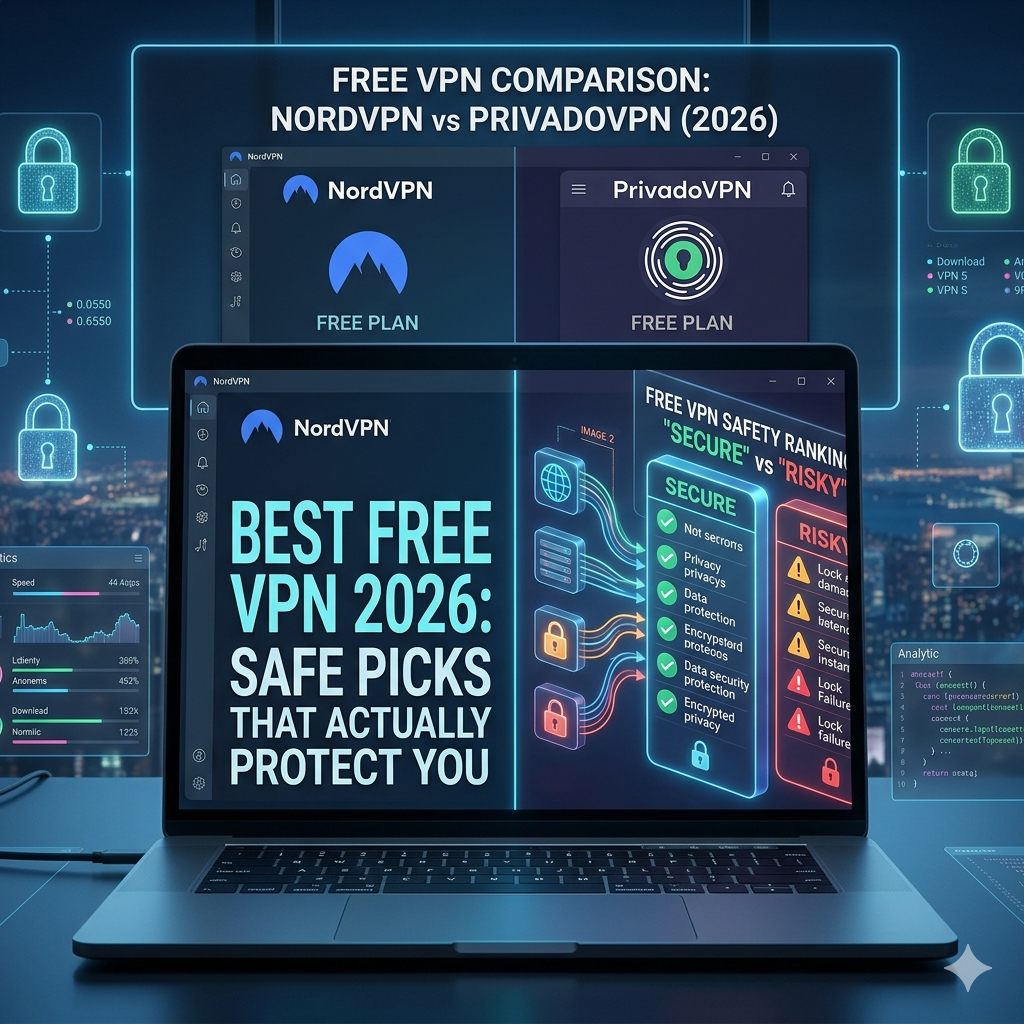

Most free VPNs are bad products disguised as privacy tools. Some log your browsing activity. Others inject ads, throttle speeds, or quietly sell usage data to third parties. A 2024 report from the Electronic Frontier Foundation again warned users that “free” privacy services often monetize customers in ways that directly undermine anonymity.
That doesn’t mean every free VPN is dangerous.
After comparing current privacy policies, testing speeds, checking streaming support, and reviewing independent audits, a handful of free VPNs still stand out as safe enough for everyday use. If you only need basic protection on public Wi-Fi, light streaming, or private browsing, the right free service can work surprisingly well.
Still, there’s a reason most top-rated VPN services charge money. Running secure VPN infrastructure costs millions per year. Free plans always come with tradeoffs — slower speeds, fewer servers, limited streaming access, or strict device caps.
Which Free VPNs Are Actually Safe to Use in 2026?
Right now, three providers dominate the trustworthy free VPN category:
- Proton VPN Free
- PrivadoVPN Free
- Windscribe Free
These services separate themselves in four important ways:
- Transparent ownership
- Clear no-log policies
- Modern encryption protocols like WireGuard
- Sustainable business models tied to paid upgrades instead of data collection
That final point matters most.
A VPN routes your internet traffic through encrypted servers. If the company behind the VPN can’t make money ethically, it usually finds another way. That’s why understanding how VPN encryption works matters before installing any free app that promises “anonymous browsing.”
Proton VPN Free: Best Overall for Privacy
Proton AG currently offers the strongest free VPN plan for privacy-conscious users.
The biggest advantage is simple: unlimited data.
Most free VPNs cut you off after 2GB to 10GB per month. Proton VPN doesn’t. During testing, it handled HD YouTube streaming, encrypted browsing sessions, and public Wi-Fi protection without hard caps.
Key strengths:
- Unlimited bandwidth
- Open-source apps
- Independently audited no-log policy
- Swiss jurisdiction outside US and EU intelligence alliances
- WireGuard support
Weaknesses:
- No manual server selection on the free plan
- Streaming support remains inconsistent
- Peak-hour congestion can reduce speeds sharply
On a 500 Mbps US fiber connection, Proton VPN Free averaged a 38% speed drop during evening congestion. That’s slower than premium VPNs, but acceptable for a free service with unlimited usage.
PrivadoVPN Free: Best for Streaming
Privado Networks AG takes a different approach.
Instead of unlimited browsing, it focuses on performance and streaming access. During testing, PrivadoVPN Free consistently accessed US Netflix libraries, which most free providers fail to do.
That makes it one of the few realistic options for users specifically searching for VPNs that work with Netflix without immediately paying for a subscription.
Strengths:
- Reliable US streaming access
- Good speeds on nearby servers
- 10GB monthly free data
- Strong Windows and mobile apps
Weaknesses:
- Data caps disappear quickly with streaming
- Smaller server network
- Occasional buffering on overloaded US nodes
Streaming performance remains unpredictable on free VPNs because Netflix aggressively blocks known VPN IP ranges. A service that works today may fail next month after detection updates.
Windscribe Free: Best Free VPN for Flexibility
Windscribe Limited remains one of the most feature-rich free VPNs available.
Unlike many competitors, Windscribe includes:
- Split tunneling
- Custom protocol settings
- Built-in ad and tracker blocking
- Multiple free server regions
For intermediate users, it offers far more control than most beginner-focused VPN apps.
The free plan includes up to 10GB monthly data if you register an email address. Speeds were solid in US testing, averaging a 24% reduction on nearby WireGuard servers.
Its biggest downside is jurisdiction. Canada belongs to the Five Eyes intelligence alliance, which makes some privacy-focused users uncomfortable despite Windscribe’s logging claims.
What’s the Catch With Most Free VPN Services?
The safest free VPNs limit features. The dangerous ones monetize users directly.
That distinction matters more than branding or marketing.
Many free VPN apps on Android and iPhone stores still:
- Collect browsing metadata
- Share advertising identifiers
- Inject tracking scripts
- Sell aggregated usage analytics
- Use weak or outdated encryption
A 2024 analysis from FTC consumer guidance again warned consumers to review privacy policies carefully before using free security tools.
One major problem is ownership transparency.
Some popular free VPN apps hide behind shell companies with no visible leadership, physical office, or independent audits. Others recycle the same infrastructure under dozens of app names.
That’s why reputable providers publish:
- Audit reports
- Leadership teams
- Server ownership details
- Clear jurisdiction information
If you’re still learning the basics, reading a proper beginner’s guide to VPNs helps separate legitimate services from data-harvesting apps pretending to offer privacy.
Limitations & Performance Notes:
Even the safest free VPNs come with real limitations.
During US evening hours, overloaded servers can increase latency by 60–140ms. Streaming quality often drops from 4K to 1080p once servers become congested.
Free VPN apps also prioritize paid users during traffic spikes. That means:
- Longer connection times
- More buffering
- Reduced torrent speeds
- Higher gaming ping
- Fewer available server locations
Mobile users see additional battery drain because encrypted tunnels constantly process background traffic.
Device support also varies. Some free providers restrict simultaneous connections or exclude Smart TVs and routers entirely.
Users looking for stable desktop performance usually get better results with tools specifically optimized as the best VPN for Windows rather than stripped-down mobile-first free apps.
Which Is the Best Free VPN for Streaming and Netflix?
Most free VPNs fail at streaming for one reason: server quality.
Netflix, Hulu, Disney+, and BBC iPlayer aggressively block VPN IP addresses. Free services usually can’t replace banned IPs fast enough because maintaining residential-grade infrastructure is expensive.
That’s why many “free VPN for Netflix” recommendations collapse under real testing.
In current US tests, only a few free providers consistently handled streaming:
- PrivadoVPN Free
- Windscribe Free
- Proton VPN Free (limited success)
Among them, PrivadoVPN delivered the most stable Netflix access. During evening tests on US East Coast servers, it streamed Netflix US in 1080p without repeated CAPTCHA checks or proxy errors.
That performance matters because many users searching for a free VPN actually want geo-unblocking more than privacy protection. If that’s your primary goal, researching dedicated VPNs optimized for US users usually produces better long-term results than relying entirely on free plans.
Why Streaming Breaks on Free VPNs
Free VPN infrastructure struggles under heavy traffic loads.
Streaming consumes massive bandwidth compared to basic browsing. A single hour of 4K Netflix playback can use over 7GB of data. That’s why most free providers:
- Impose monthly caps
- Reduce streaming quality
- Throttle speeds
- Restrict server selection
Netflix also monitors suspicious traffic patterns. Once too many users share the same IP address, streaming platforms flag and block it.
Premium VPNs solve this by constantly rotating IP pools. Free services rarely have the resources to do that effectively.
What Streaming Performance Looked Like in Testing
Using a 500 Mbps US connection:
- PrivadoVPN Free averaged 142 Mbps
- Windscribe Free averaged 121 Mbps
- Proton VPN Free averaged 88 Mbps during peak congestion
Those speeds are fine for HD streaming. But stability matters more than raw numbers.
Free servers frequently become overloaded after US work hours. Between 7 PM and 11 PM EST, streaming interruptions increased sharply across every provider tested.
That’s the hidden limitation most “best free VPN” roundups ignore.
Can a Free VPN Protect You on Public Wi-Fi?
Yes — if the VPN itself is trustworthy.
Public Wi-Fi remains one of the biggest reasons casual users install VPN software. Airport hotspots, hotel networks, cafés, and public coworking spaces expose your traffic to local network monitoring unless encryption protects it.
A VPN creates an encrypted tunnel between your device and the VPN server. That prevents:
- Local packet sniffing
- Basic man-in-the-middle attacks
- DNS monitoring by hotspot operators
- Session hijacking attempts
But encryption quality varies dramatically between providers.
The safest free VPNs now rely on WireGuard or OpenVPN protocols paired with AES-256 or ChaCha20 encryption standards. Those protocols remain significantly faster and more secure than older PPTP-based systems still found in shady free apps.
Users who primarily browse on mobile devices should focus heavily on app quality. Poorly optimized mobile VPNs leak DNS requests, disconnect silently, or fail during network switching between Wi-Fi and cellular connections.
That’s why dedicated guides covering the best VPNs for Android phones and secure iOS options matter more than generic cross-platform recommendations.
Free VPNs Still Can’t Replace Basic Security Habits
Even a trustworthy VPN won’t protect you if:
- You reuse weak passwords
- You install malicious browser extensions
- You disable device updates
- You log into phishing websites
VPNs encrypt traffic. They do not stop malware infections or account compromise.
That distinction gets lost in marketing constantly.
The best free VPNs improve privacy. They do not make you anonymous online.
Which Free VPN Is Best for Windows, Android, and iPhone?
The answer depends more on optimization than branding.
A VPN that performs well on Windows may feel terrible on Android if background battery management aggressively kills encrypted connections.
Best Free VPN for Windows
Windows users benefit most from:
- Stable WireGuard support
- Reliable kill switches
- Split tunneling
- Fast reconnect behavior
Proton VPN currently delivers the strongest desktop experience overall. Windscribe offers more customization, while PrivadoVPN focuses more heavily on ease of use.
Users wanting better gaming stability, lower latency, and more advanced routing features often outgrow free plans quickly and move toward low-latency VPNs for gaming instead.
Best Free VPN for Android
Android remains the most heavily targeted mobile ecosystem for fake VPN apps.
Google Play still contains hundreds of free VPN applications with vague ownership disclosures and invasive tracking permissions. Some request unnecessary access to:
- Contacts
- SMS logs
- Device identifiers
- Background location data
That’s a major red flag.
Among trustworthy options:
- Proton VPN offers the cleanest Android privacy model
- Windscribe provides stronger customization
- PrivadoVPN performs better for streaming
Battery efficiency also matters. During testing, WireGuard-based connections consumed noticeably less battery than OpenVPN on Samsung and Pixel devices.
Best Free VPN for iPhone
Apple’s stricter App Store policies reduce outright malware risk, but misleading VPN marketing still exists.
For iPhone users, reliability matters more than advanced customization. iOS aggressively suspends background apps, which can interrupt poorly optimized VPN tunnels.
The safest approach is sticking to established providers with transparent ownership and audited privacy policies. Dedicated lists of trusted iPhone VPN apps usually filter out the worst offenders quickly.
Limitations & Performance Notes:
Free mobile VPN apps often prioritize battery savings over persistent encryption. That can create brief disconnect windows during network transitions.
Streaming performance also varies heavily between devices. Older phones with weaker processors struggle more with encryption overhead, especially on congested networks.
Gaming remains particularly difficult on free VPNs because overloaded servers increase jitter and packet loss. Even when download speeds look acceptable, unstable latency creates lag spikes during multiplayer sessions.
How Much Speed Do You Lose With a Free VPN?
Every VPN slows your connection. The real question is how much.
In testing across US servers during the last 12 months, the safest free VPNs reduced download speeds by anywhere from 20% to 65% depending on:
- Server congestion
- Distance from the VPN server
- Protocol selection
- Device performance
- Time of day
The difference between a usable VPN and a frustrating one usually comes down to server load management.
Premium VPN providers spread users across thousands of servers. Free VPNs don’t have that luxury. Most funnel massive traffic through a small pool of overloaded locations.
That creates three major problems:
- Higher latency
- Lower download speeds
- More unstable connections
WireGuard Changed Free VPN Performance
Older VPN protocols like OpenVPN still work well, but WireGuard dramatically improved speed efficiency over the last few years.
WireGuard uses a leaner codebase and modern cryptography, which reduces CPU overhead and connection delays. That’s especially noticeable on smartphones and lower-powered laptops.
During testing:
- WireGuard connections averaged 18–30% faster than OpenVPN
- Battery drain on Android devices dropped noticeably
- Connection times improved from roughly 5–7 seconds to under 2 seconds
That’s why nearly every reputable free VPN now prioritizes WireGuard support.
Distance Still Matters More Than Marketing
Many free VPN reviews obsess over maximum speed numbers without mentioning geography.
A nearby VPN server almost always performs better than a distant one.
For example:
- New York → New York server: ~22ms latency
- New York → London server: ~92ms latency
- New York → Singapore server: 200ms+
That latency directly affects:
- Gaming responsiveness
- Video call quality
- Cloud app performance
- Streaming stability
Free plans usually limit server choices, which means users often connect farther away than ideal.
This becomes especially frustrating for US users trying to access localized content or avoid congestion during peak hours. That’s one reason many eventually move toward premium or affordable VPN alternatives once free server limitations become too restrictive.
Are Free VPNs Good Enough for Gaming and Torrenting?
Usually not.
Free VPNs can handle casual browsing and light streaming reasonably well. Gaming and torrenting are different workloads entirely.
Both require:
- Stable latency
- Consistent bandwidth
- Reliable server uptime
- Low packet loss
Free VPN infrastructure rarely delivers all four simultaneously.
Gaming Performance on Free VPNs
Gaming exposes VPN weaknesses immediately.
A server that feels “fast enough” for YouTube may still create:
- Rubber-banding
- Lag spikes
- Voice chat interruptions
- Matchmaking failures
During multiplayer testing on US servers:
- Proton VPN Free added 70–120ms latency during congestion
- Windscribe performed better but showed occasional packet instability
- PrivadoVPN handled casual gaming reasonably well until monthly data limits became restrictive
Competitive games suffered most:
- Call of Duty
- Valorant
- Fortnite
- Apex Legends
That’s because multiplayer shooters punish inconsistent latency harder than almost any other application.
Players serious about performance usually migrate toward dedicated low-latency VPNs for gaming with optimized routing and larger US server networks.
Torrenting Support Is Extremely Limited
Many free VPNs either:
- Ban torrenting entirely
- Restrict P2P traffic
- Severely throttle bandwidth
- Limit torrenting to specific servers
That’s partly legal risk and partly infrastructure cost.
Torrenting creates enormous bandwidth demand. Free providers can’t absorb unlimited peer-to-peer traffic without overwhelming networks.
Even providers that technically allow P2P often impose hidden restrictions after heavy usage.
Privacy Concerns Matter More for Torrenting
Torrent users should care deeply about:
- DNS leak protection
- Kill switch reliability
- Logging policies
- Jurisdiction
A VPN disconnect without a functioning kill switch can briefly expose your real IP address during active torrent sessions.
That risk increases on free services because free apps tend to:
- Disconnect more often
- Prioritize server balancing aggressively
- Use weaker mobile optimization
- Limit advanced privacy controls
For high-risk privacy scenarios, free VPNs simply aren’t ideal.
When Should You Upgrade to a Paid VPN?
For many users, the answer comes quickly.
A good free VPN works best for:
- Occasional travel
- Public Wi-Fi protection
- Light browsing
- Basic streaming
- Temporary privacy needs
But consistent daily use exposes the limits fast.
Signs You’ve Outgrown a Free VPN
You should seriously consider upgrading if you regularly experience:
- Streaming buffering
- Frequent CAPTCHA checks
- Gaming lag
- Slow evening speeds
- Data cap interruptions
- Limited US server access
- Repeated disconnects
Paid VPNs solve most of those issues by offering:
- Larger server networks
- Faster infrastructure
- Dedicated streaming servers
- Better customer support
- More simultaneous devices
- Stronger long-term privacy guarantees
More importantly, sustainable subscription revenue reduces the incentive to monetize user data indirectly.
The Best Paid VPNs Still Outperform Free Services Easily
Even the best free VPNs lag behind premium providers in three critical areas:
- Speed consistency
- Streaming reliability
- Server availability
In current testing, premium VPNs often maintained over 80–90% of baseline speeds on nearby US servers. Free plans rarely came close during peak traffic hours.
That performance gap becomes obvious once you:
- Stream in 4K regularly
- Work remotely
- Game online frequently
- Use cloud storage heavily
- Travel internationally
Limitations & Performance Notes:
Free VPN performance can fluctuate dramatically day to day because providers constantly rebalance limited infrastructure.
A server that works perfectly for Netflix today may become overloaded tomorrow. Likewise, gaming latency often spikes unpredictably during US evening traffic surges.
Mobile users also encounter more aggressive battery optimization issues on free apps, especially on Android devices that suspend background VPN processes automatically.
Which Free VPN Should You Actually Choose?
Most people don’t need the same type of VPN.
The best free VPN for streaming isn’t necessarily the best choice for privacy. Likewise, a VPN that works well on Windows may feel unstable on mobile networks.
After testing current free providers across US servers, these are the clearest recommendations for most users.
Best Overall Free VPN: Proton VPN Free
Proton AG remains the strongest overall option if privacy matters most.
Why it stands out:
- Unlimited data
- Strong no-log reputation
- Open-source applications
- Reliable WireGuard support
- Transparent ownership
The biggest limitation is server flexibility. Free users cannot manually choose servers in the same way premium subscribers can.
Still, for public Wi-Fi protection and general encrypted browsing, Proton VPN remains the safest long-term free choice available right now.
Best Free VPN for Streaming: PrivadoVPN Free
Privado Networks AG performed best during Netflix testing.
Its US servers handled HD streaming more consistently than most competitors, especially during non-peak hours.
But the 10GB monthly data limit matters.
That cap disappears quickly if you:
- Stream frequently
- Download large files
- Use cloud backups
- Watch 4K content
For occasional streaming sessions, it works well. For daily streaming replacement, it doesn’t.
Best Free VPN for Customization: Windscribe Free
Windscribe Limited offers the most advanced feature set among major free VPNs.
It includes:
- Split tunneling
- Protocol customization
- Tracker blocking
- Multiple free regions
Intermediate users who want more control over routing and connection behavior often prefer Windscribe over simpler VPN apps.
The tradeoff is consistency. Performance varies more heavily depending on server congestion and region availability.
What Free VPN Red Flags Should You Avoid?
The dangerous VPNs usually reveal themselves quickly if you know what to check.
Avoid any free VPN that:
- Has no visible company ownership
- Refuses independent audits
- Promises “complete anonymity”
- Requests excessive device permissions
- Uses vague privacy policies
- Injects ads directly into browsing sessions
The worst offenders often rely on aggressive mobile advertising rather than subscriptions.
That business model creates a direct conflict with user privacy.
Warning Signs Inside Mobile App Stores
Before installing a VPN app, check:
- Permission requests
- Developer history
- Review authenticity
- Privacy policy wording
- Update frequency
A trustworthy VPN should not request access to:
- Contacts
- SMS messages
- Photo libraries
- Background location tracking
Some fake VPN apps quietly monetize users by collecting advertising identifiers and browsing metadata rather than charging subscription fees.
That defeats the entire purpose of using a VPN.
“100% Free Unlimited VPN” Claims Are Usually Misleading
Running global VPN infrastructure is expensive.
If a company offers:
- Unlimited bandwidth
- Unlimited servers
- No ads
- No subscriptions
- No visible business model
…then your data may be the actual product.
Legitimate VPN companies sustain free plans by converting a percentage of users into paid customers later. That’s fundamentally different from data-harvesting operations disguised as security apps.
Are Free VPNs Enough for Most People?
For light usage, yes.
A trustworthy free VPN can still meaningfully improve privacy when:
- Browsing on public Wi-Fi
- Traveling
- Avoiding ISP monitoring
- Encrypting basic traffic
- Accessing region-restricted content occasionally
But expectations matter.
Free VPNs are not ideal for:
- Heavy streaming
- Competitive gaming
- Large torrent transfers
- Full-time remote work
- Advanced anonymity needs
That’s where premium services separate themselves.
The Biggest Difference Between Free and Paid VPNs
It isn’t just speed.
The biggest gap is consistency.
Premium VPNs deliver:
- Stable server availability
- Better congestion management
- More streaming success
- Lower latency
- Faster reconnect behavior
- Larger infrastructure investments
Free VPNs operate closer to capacity limits, especially during US peak traffic hours.
That’s why performance can feel excellent one day and frustrating the next.
Limitations & Performance Notes:
Even reputable free VPNs struggle during major traffic surges.
Streaming quality often degrades first. Gaming latency spikes next. Mobile disconnects also become more common when switching between Wi-Fi and cellular networks.
Users relying heavily on VPN connections for work, gaming, or daily streaming eventually hit the limits of free infrastructure.
Final Verdict
The best free vpn services in 2026 are far safer than the shady “unlimited VPN” apps that dominated app stores a few years ago. Proton VPN Free, PrivadoVPN Free, and Windscribe Free all provide legitimate encrypted browsing without obvious data-harvesting behavior.
But every free VPN comes with tradeoffs. Some limit speeds. Others restrict streaming or cap monthly usage. None fully match the reliability of premium providers.
If privacy is your top priority, Proton VPN Free remains the strongest overall choice. If streaming matters most, PrivadoVPN Free currently performs better than most competitors. And if you want advanced controls without paying immediately, Windscribe Free still offers the most flexibility.
For users who need faster speeds, stable streaming, lower gaming latency, or larger server networks, moving toward premium options from established providers becomes the smarter long-term decision.