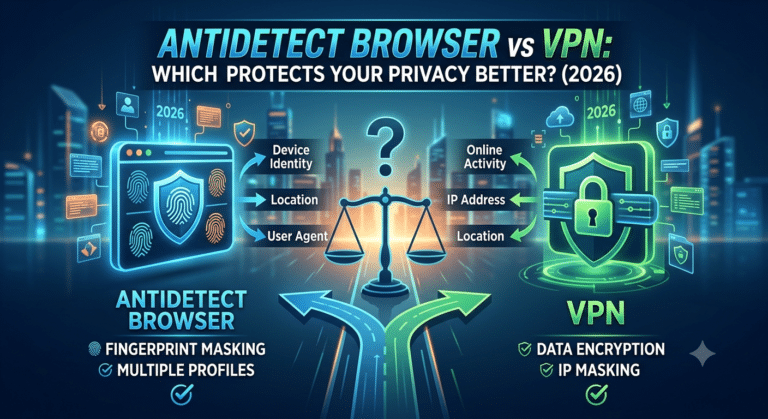

Most reputable VPNs are safe. The problem is that many users trust the wrong providers or misunderstand what a VPN can actually protect. A VPN encrypts your internet traffic and hides your IP address, but it does not make you anonymous or immune to cyber threats.
That distinction matters more in 2026 than ever. Researchers continue to uncover DNS leaks, malicious VPN apps, fake browser extensions, and providers with misleading “no-log” claims. At the same time, public concern about ISP tracking and data collection keeps growing.
According to the Electronic Frontier Foundation, encrypted connections reduce exposure to network surveillance and unsecured public networks. EFF’s privacy resources explain why encryption tools matter for everyday internet use: Electronic Frontier Foundation privacy guides (https://www.eff.org/issues/privacy)
If you are new to VPNs, this beginner’s guide to VPNs explains the basics clearly: https://vpnx.blog/what-is-a-vpn/
Are VPNs Actually Safe for Everyday Use?
Yes — if you use a trustworthy provider with strong security practices.
Premium VPNs typically use AES-256 encryption or ChaCha20 encryption alongside secure tunneling protocols like WireGuard or OpenVPN. That encryption prevents your internet provider, hackers on public networks, and many third parties from reading your traffic in transit.
In practical terms, a VPN helps protect:
- Banking sessions on public Wi-Fi
- Online shopping activity
- Torrent traffic from ISP monitoring
- DNS requests from local network snooping
- Your real IP address from websites and advertisers
But the VPN itself becomes a new trust point. Your traffic no longer passes only through your ISP. It also passes through the VPN company’s infrastructure.
That means the provider matters more than the technology alone.
Some VPN companies undergo independent security audits and publish transparency reports. Others reveal almost nothing about ownership, logging, or server infrastructure.
If you are comparing providers, reviewing independently tested top-rated VPN services can help separate audited products from marketing-heavy VPNs: https://vpnx.blog/best-vpn/
What Makes a VPN Safe?
Four factors matter most.
1. Verified No-Log Policies
Many VPNs advertise “zero logs.” Far fewer prove it.
A real no-log VPN should:
- Undergo third-party security audits
- Publish transparency reports
- Clearly explain what data it collects
- Avoid storing browsing history or source IP addresses
Some providers have had their no-log claims tested in court cases or server seizures. Others rely entirely on marketing language with no external verification.
That is why privacy researchers increasingly focus on independent audits rather than homepage promises alone.
If you want to understand the risks behind VPNs that sell user data, reviewing logging practices is critical before choosing a provider: https://vpnx.blog/do-vpns-sell-your-data/
2. Modern VPN Protocols
The safest VPNs now default to WireGuard or OpenVPN.
WireGuard has become popular because it delivers:
- Faster connection speeds
- Lower latency
- Smaller codebases
- Strong modern cryptography
OpenVPN remains widely trusted because of its long security track record and open-source transparency.
Outdated protocols like PPTP should be avoided entirely. Microsoft itself deprecated PPTP years ago due to known cryptographic weaknesses.
3. Leak Protection
Encryption alone is not enough.
A poorly configured VPN can still leak:
- DNS requests
- IPv6 traffic
- WebRTC identifiers
- Your original IP address
That defeats much of the privacy benefit.
Reliable VPNs include:
- DNS leak protection
- IPv6 blocking or tunneling
- Kill switches that stop traffic if the VPN disconnects unexpectedly
Browser-based leak tests regularly expose weaker VPN apps that fail under reconnection scenarios or network switching.
What Can a VPN Protect You From?
VPNs are most effective against local network surveillance and ISP-level monitoring.
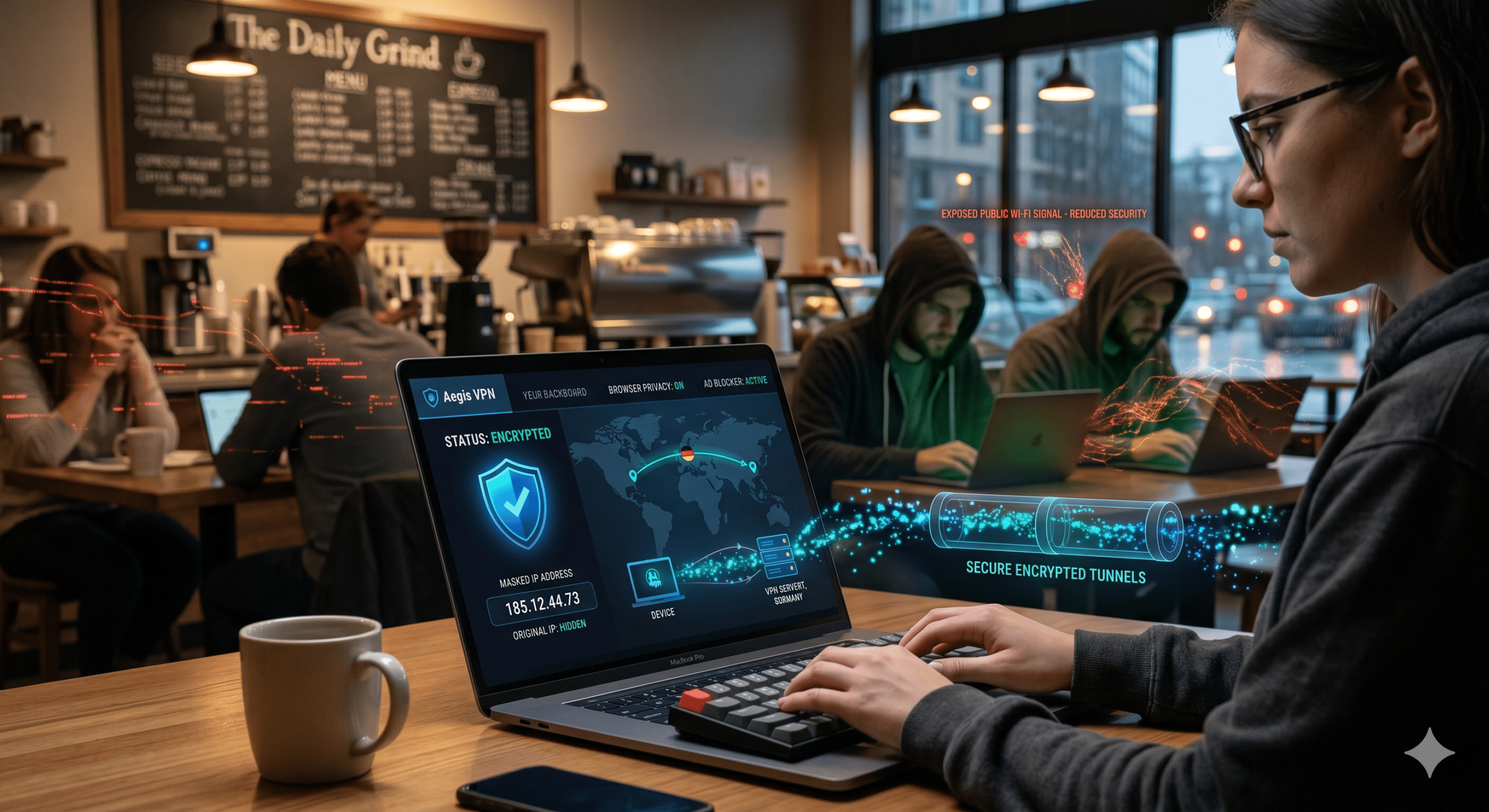
For example, when you connect to airport or hotel Wi-Fi, anyone sharing that network may attempt packet sniffing attacks against unencrypted traffic. A VPN creates an encrypted tunnel between your device and the VPN server, making interception significantly harder.
If you frequently use public hotspots, understanding how VPNs help with protecting yourself on public Wi-Fi is essential: https://vpnx.blog/protects-public-wifi/
VPNs also help reduce tracking tied directly to your IP address.
Your IP address reveals:
- Approximate geographic location
- Internet provider
- General browsing region
- Network ownership
This guide explains what your IP address reveals and why advertisers, websites, and trackers use it for profiling: https://vpnx.blog/what-is-an-ip-address/
How VPN Encryption Actually Works
When you connect to a VPN server, your traffic gets encrypted before leaving your device. Your ISP can still see that you are using a VPN, but it cannot easily inspect the contents of the encrypted tunnel.
The VPN server then forwards your traffic to websites on your behalf. Those sites see the VPN server’s IP address instead of your home IP.
If you want a deeper technical breakdown of how VPN encryption works, this guide explains the tunneling process step by step: https://vpnx.blog/how-does-a-vpn-work/
Limitations & Performance Notes:
VPNs improve privacy, but they nearly always reduce connection speed to some degree.
In testing across major providers, nearby WireGuard servers often reduce speeds by 10% to 20%, while distant OpenVPN connections can cut speeds by 35% or more.
Performance depends heavily on:
- Server congestion
- Distance to the VPN server
- Encryption overhead
- ISP routing quality
- Device hardware
Lower-end routers and older smartphones may struggle with high-speed encrypted connections, especially above 500 Mbps.
Streaming, gaming, and video calls can also suffer from increased latency if the VPN server is overloaded.
What VPNs Can’t Protect You From
A VPN can encrypt your traffic and hide your IP address. It cannot fix unsafe browsing habits, infected devices, or poor account security.
That is where many users misunderstand VPN protection.
VPN marketing often implies “total anonymity,” but real-world privacy does not work that way. Even the safest VPN cannot stop tracking techniques that happen outside the encrypted tunnel.
According to the Federal Trade Commission, phishing, identity theft, and malicious downloads remain among the most common online threats affecting US consumers today. FTC cybersecurity guidance repeatedly emphasizes user behavior and account security alongside encryption tools: FTC online security advice (https://consumer.ftc.gov/topics/online-security)
What Can’t a VPN Protect You From?
Several major threats remain completely outside a VPN’s control.
Malware and Phishing Attacks
A VPN does not stop you from downloading malware or entering passwords into fake websites.
If you:
- Install infected software
- Open malicious email attachments
- Enter credentials into phishing pages
- Download pirated apps bundled with spyware
a VPN will not protect you.
Some premium VPNs now include:
- Malicious domain blocking
- Ad filtering
- Anti-tracker tools
But those features are secondary protections, not replacements for antivirus software or safe browsing habits.
Phishing attacks have become especially dangerous because attackers increasingly imitate legitimate VPN brands. Fake login pages and cloned VPN apps now appear regularly in search ads, browser extensions, and unofficial app stores.
Browser Fingerprinting
Many users believe a VPN makes them invisible online. It does not.
Websites can still identify you through:
- Browser version
- Installed fonts
- Screen resolution
- Device hardware
- Time zone
- Cookies
- Logged-in accounts
This technique is called browser fingerprinting.
Even if your VPN changes your IP address, websites like Google, Amazon, Facebook, and TikTok can still associate activity with your account if you remain logged in.
That is why privacy experts recommend combining VPN usage with:
- Privacy-focused browsers
- Tracker blockers
- Cookie controls
- Multi-factor authentication
Account-Based Tracking
If you sign into Chrome, Gmail, Microsoft, Meta, or Apple services, those companies can still associate activity with your account profile.
Your VPN only masks network-level information. It does not erase account-level identifiers.
For example:
- YouTube still knows which videos you watch
- Google still tracks searches while logged in
- Amazon still tracks shopping behavior
- Netflix still knows your account region
The VPN simply prevents your ISP or local network from seeing those details directly.
Are Free VPNs Safe or Too Risky to Trust?
Some free VPNs are reasonably trustworthy. Many are not.
This is one of the biggest safety problems in the VPN industry.
Free VPN providers still need revenue. If they are not charging subscription fees, they often monetize through:
- Advertising
- Data collection
- Analytics partnerships
- Limited security infrastructure
- Aggressive upselling
Several investigations over the past few years found free VPN apps requesting excessive permissions or exposing user traffic through weak encryption practices.
That does not mean every free VPN is dangerous. Some established premium providers offer limited free tiers mainly as customer acquisition tools.
If you are looking for reliable free VPN services, focus on providers with:
- Independent audits
- Clear ownership
- Transparent privacy policies
- Proven security track records
This breakdown of reliable free VPN services explains which free options avoid the worst privacy tradeoffs: https://vpnx.blog/best-free-vpn/
Red Flags That Suggest a VPN May Be Unsafe
Avoid VPNs that:
- Promise “100% anonymity”
- Hide company ownership
- Lack independent audits
- Offer unlimited free bandwidth with no business model explanation
- Require unnecessary device permissions
- Inject ads into browsing sessions
- Operate entirely through browser extensions without full-device protection
One major warning sign is vague logging language.
For example:
- “We do not monitor browsing activity”
does not necessarily mean: - “We collect no connection logs”
Those are very different statements.
Can VPNs Leak Your Data?
Yes. Even good VPNs can occasionally leak information under certain conditions.
The most common leak types include:
- DNS leaks
- IPv6 leaks
- WebRTC leaks
- Temporary reconnection exposure
DNS leaks happen when your device sends website lookup requests outside the encrypted VPN tunnel. That allows your ISP or network operator to see which domains you visit even if the traffic itself remains encrypted.
IPv6 leaks occur because some VPN apps still prioritize IPv4 tunneling while leaving IPv6 requests exposed.
WebRTC leaks primarily affect browsers. They can reveal local or public IP addresses during voice or video communication sessions.
How to Reduce Leak Risks
You can reduce VPN leak exposure by:
- Using reputable VPN apps instead of browser-only extensions
- Enabling kill switches
- Disabling WebRTC in unsupported browsers
- Running periodic DNS leak tests
- Keeping VPN apps updated
Browser extensions alone usually provide weaker protection than full VPN applications.
That is one reason understanding VPN vs proxy differences matters for privacy-conscious users: https://vpnx.blog/vpn-vs-proxy/
What About Streaming and Geo-Restrictions?
Many users buy VPNs primarily for streaming access rather than privacy.
VPNs can help bypass regional restrictions by routing traffic through servers in different countries. That process changes the visible IP address websites see.
This guide explains how geo-blocking works and why streaming platforms attempt to detect VPN traffic: https://vpnx.blog/what-is-geo-blocking/
However, streaming-focused VPN use introduces additional tradeoffs:
- Slower speeds on overloaded servers
- CAPTCHAs triggered by shared IP addresses
- VPN blocks from Netflix or Hulu
- Temporary account verification prompts
Streaming access reliability changes constantly because platforms aggressively detect VPN server ranges.
How to Know if a VPN Provider Is Actually Trustworthy
The safest VPNs do not rely on marketing slogans. They prove their security claims through audits, transparent ownership, modern infrastructure, and consistent incident handling.
That distinction matters because the VPN industry still contains hundreds of low-quality providers operating with little oversight.
Many VPN websites advertise:
- “military-grade encryption”
- “complete anonymity”
- “zero logs forever”
Those phrases mean very little without independent verification.
How Do You Know if a VPN Provider Is Trustworthy?
You should evaluate VPN providers the same way you would evaluate password managers or cloud storage companies.
Trust comes from evidence, not advertising.
Look for Independent Security Audits
Independent audits have become one of the strongest trust indicators in the VPN industry.
Third-party auditors typically examine:
- Logging practices
- Server configuration
- Infrastructure security
- Application vulnerabilities
- Privacy policy accuracy
The best providers now publish audit summaries publicly.
This matters because a “no-log policy” only becomes meaningful when external researchers verify it.
Providers without audits are not automatically unsafe, but audited VPNs generally present lower transparency risk.
According to recent industry reporting from Tom’s Guide and TechRadar, audited no-log policies are now considered baseline expectations for premium VPN services rather than premium extras.
Why Jurisdiction Still Matters
A VPN company’s legal jurisdiction affects:
- Data retention obligations
- Government requests
- Privacy laws
- Corporate transparency requirements
That does not mean every provider outside the US is automatically safer. The issue is more nuanced.
For example:
- Some privacy-friendly jurisdictions still cooperate with international investigations
- Some providers in “safe” jurisdictions maintain weak internal logging practices
- Some US-based providers minimize retained data effectively despite operating under American legal systems
The more important question is:
“What data exists to hand over?”
If a VPN truly stores minimal connection data, legal demands become far less damaging.
RAM-Only Servers Reduce Data Exposure
Several leading VPN providers now use RAM-only infrastructure.
Traditional servers write data to hard drives. RAM-only servers store operational information temporarily in volatile memory that disappears after reboot.
This reduces:
- Long-term forensic exposure
- Persistent log retention
- Data recovery risk after physical seizure
RAM-only infrastructure does not guarantee privacy by itself, but it strengthens the overall security model.
Can VPNs Be Hacked?
Yes. Like any internet-connected service, VPN infrastructure can contain vulnerabilities.
However, attacks against reputable VPNs remain relatively uncommon compared to broader cybercrime categories like phishing or ransomware.
Recent academic research identified several session management weaknesses affecting parts of the VPN ecosystem, particularly around account authentication and session handling.
The bigger real-world risk for most users is still:
- Using fake VPN apps
- Downloading malicious browser extensions
- Connecting through untrusted APK files
- Ignoring software updates
Fake VPN Apps Are a Growing Problem
Cybercriminals increasingly imitate major VPN brands through:
- Fake mobile apps
- Typosquatting domains
- Malicious browser extensions
- Sponsored phishing ads
Some fake VPN apps contain:
- Credential stealers
- Adware
- Tracking scripts
- Remote access malware
That is why downloading VPN software directly from official sources matters.
If you are setting up a VPN for the first time, this guide to installing a VPN securely explains how to avoid fake apps and unsafe configuration mistakes: https://vpnx.blog/how-to-install-a-vpn/
Which VPN Features Matter Most for Security?
Some VPN features matter significantly more than others.
Marketing pages often prioritize:
- server counts
- streaming claims
- country lists
But actual security depends more on core infrastructure protections.
Kill Switch
A kill switch blocks internet traffic if the VPN disconnects unexpectedly.
Without a kill switch:
- Your real IP address may become visible during reconnection
- Torrent traffic may revert to ISP routing
- DNS requests may leak outside the tunnel
This is especially important for:
- Torrenting
- Journalists
- Remote workers
- Travelers using public networks
Multi-Factor Authentication
A growing number of VPN services now support multi-factor authentication for account access.
That protection matters because:
- VPN credentials are valuable attack targets
- Credential stuffing attacks remain common
- Password reuse still causes major account breaches
Even the safest VPN becomes vulnerable if attackers gain direct access to your account.
Open-Source Applications
Some providers now open-source parts of their VPN apps.
Open-source software allows:
- Independent code review
- Community auditing
- Faster vulnerability discovery
- Greater transparency
Closed-source apps are not automatically unsafe, but transparency improves trust.
Limitations & Performance Notes:
Security-focused VPN features can reduce performance.
For example:
- Double VPN routing increases latency substantially
- Obfuscated servers often reduce speed
- Multi-hop routing creates longer network paths
- Full-device VPN encryption consumes battery on mobile devices
WireGuard generally delivers the best balance between speed and security for most users. OpenVPN remains highly trusted but often produces slower speeds, especially on long-distance servers.
Some streaming platforms also aggressively block IP ranges associated with privacy-focused servers, forcing providers to rotate infrastructure frequently.
Are VPNs Legal and Safe to Use in the United States?
Yes. VPN usage is legal in the United States.
Businesses, journalists, travelers, and ordinary consumers use VPNs every day for:
- Privacy
- Remote work
- Secure Wi-Fi access
- Business networking
- Reducing ISP visibility
However, illegal activity remains illegal even while connected to a VPN.
A VPN does not exempt users from:
- Copyright laws
- Fraud laws
- Harassment laws
- Platform terms of service
The VPN simply encrypts traffic and masks network identity.
Should You Use a VPN in 2026?
For most people, yes. A trustworthy VPN still provides meaningful privacy and security benefits in 2026 — especially on public networks, home ISPs, and heavily tracked websites.
But VPNs work best when you understand their limits.
A VPN is not an invisibility cloak. It is a privacy tool that reduces exposure in specific areas:
- ISP monitoring
- Local network snooping
- IP-based tracking
- Unsecured Wi-Fi interception
That protection remains valuable as online tracking grows more aggressive.
According to Mozilla’s privacy guidance, consumers should treat VPNs as one layer in a broader privacy strategy that also includes secure browsers, strong passwords, software updates, and multi-factor authentication. Mozilla privacy and security resources (https://foundation.mozilla.org/en/privacynotincluded/)
Which Users Benefit Most From a VPN?
VPNs make the biggest difference for users exposed to untrusted or heavily monitored networks.
Frequent Travelers
Airports, hotels, cafés, and convention centers remain common attack environments.
Public Wi-Fi networks often expose users to:
- Rogue hotspots
- Network spoofing
- Packet interception
- Login portal phishing
VPN encryption reduces the visibility of your traffic on those networks.
Remote Workers
Remote employees regularly access:
- Company dashboards
- Cloud storage
- Internal communication systems
A VPN adds another encrypted layer between employee devices and external networks.
Many businesses now require VPN usage for remote access because unsecured home or travel networks create avoidable risks.
Torrent Users
Torrent activity exposes your IP address to:
- Other peers
- Monitoring organizations
- Copyright enforcement systems
A VPN masks your public IP from torrent swarms while encrypting traffic from your ISP.
However, users still need to understand local copyright laws. VPN encryption does not legalize illegal file sharing.
Privacy-Conscious Consumers
Even ordinary browsing sessions generate enormous amounts of metadata.
Without a VPN:
- ISPs can view destination domains
- Advertisers can profile location patterns
- Networks can log browsing behavior
- Websites can associate activity with IP history
A VPN reduces some of that visibility, though browser fingerprinting and account-based tracking still remain significant limitations.
Which VPN Features Matter Most in 2026?
The best VPNs increasingly focus on infrastructure quality rather than raw server counts.
When evaluating providers, prioritize:
- Independent audits
- Kill switches
- Modern protocols
- RAM-only servers
- Transparent ownership
- Leak protection
- Multi-factor authentication
WireGuard Has Become the Default Recommendation
WireGuard now dominates the premium VPN market for a reason.
Compared with older protocols, WireGuard typically delivers:
- Faster speeds
- Lower battery consumption
- Reduced latency
- Simpler codebases
- Strong modern cryptography
That said, OpenVPN still remains highly respected because of its long-term transparency and open-source history.
Avoid providers still relying heavily on:
- PPTP
- L2TP/IPsec without modernization
- Proprietary protocols with little public documentation
What Are the Biggest VPN Misconceptions?
The VPN industry still suffers from exaggerated marketing claims.
Here are the biggest misconceptions users should ignore.
“VPNs Make You Anonymous”
False.
VPNs hide your IP address and encrypt your connection. They do not stop:
- Browser fingerprinting
- Account tracking
- Malware infections
- Phishing attacks
- Social engineering
If you stay logged into Google or Facebook while browsing, those companies still associate activity with your account.
“All VPNs Are Basically the Same”
False.
There are major differences between providers in:
- Logging practices
- Jurisdiction
- Infrastructure quality
- Leak protection
- Transparency
- Security audits
Some providers invest heavily in security research and independent verification. Others operate with almost no transparency.
“Free VPNs Are Good Enough for Everyone”
Usually false.
Some free VPN tiers from established providers are relatively safe. Many completely free VPNs rely on aggressive monetization models that introduce privacy risks.
Bandwidth limits, ad injection, analytics collection, and weak infrastructure remain common among low-quality free VPN services.
Limitations & Performance Notes:
Even the safest VPN cannot guarantee perfect reliability or maximum speeds.
You may still encounter:
- Streaming blocks
- CAPTCHAs
- Slower gaming performance
- Mobile battery drain
- Congested servers
- Higher latency on long-distance routes
VPN performance varies significantly depending on:
- Protocol selection
- Server load
- ISP routing quality
- Device hardware
- Geographic distance
In most real-world tests, nearby WireGuard servers deliver the best balance between privacy and performance.
Final Verdict: Are VPNs Safe?
Are vpns safe? Generally, yes — but only when you choose a reputable provider and understand what the technology can realistically do.
A good VPN:
- Encrypts your traffic
- Hides your IP address
- Reduces ISP visibility
- Protects data on public Wi-Fi
- Improves overall online privacy
A bad VPN can introduce new risks through:
- Weak logging policies
- Data collection
- Poor encryption
- DNS leaks
- Fake apps
- Unsafe browser extensions
That is why provider selection matters more than flashy marketing claims.
Focus on audited VPNs with transparent ownership, modern protocols, leak protection, and strong security histories. Avoid services promising “complete anonymity” without evidence.
Based on current testing and industry transparency trends, audited premium VPN providers remain the strongest choice for most US users who care about privacy and safer browsing habits.