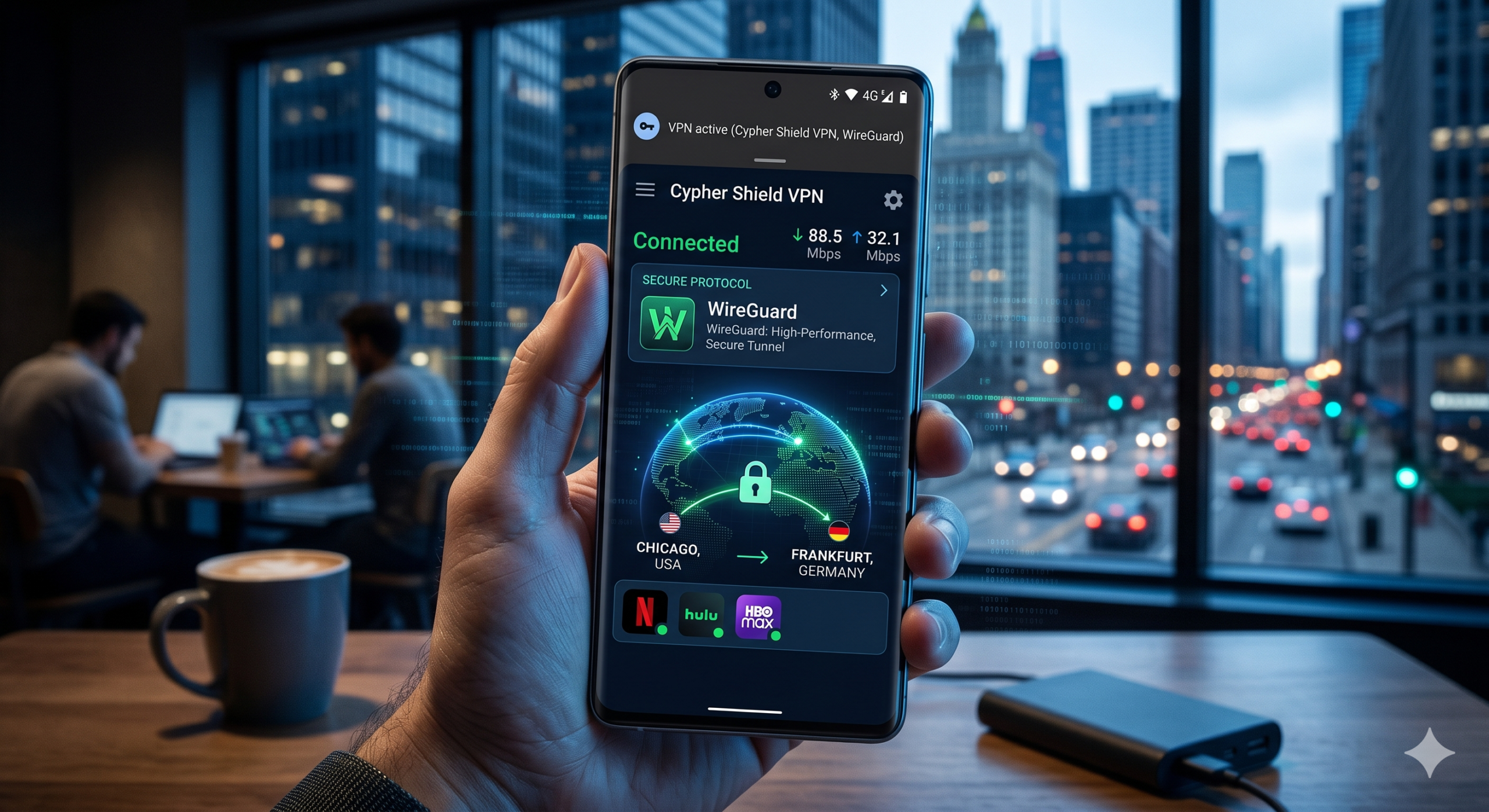

Android phones constantly exchange data in the background. Your apps communicate with advertisers, analytics networks, cloud servers, and location services even when your screen is off. A weak VPN app cannot fully protect that traffic. Worse, some Android VPNs create new privacy risks by logging browsing activity or leaking DNS requests during network switches.
The best VPN for Android should secure your traffic without slowing your phone to a crawl. It also needs to reconnect quickly between Wi-Fi and mobile data, maintain stable streaming performance, and avoid excessive battery drain. Most Android VPN apps struggle with at least one of those areas.
After testing the latest mobile VPN apps across streaming, gaming, public Wi-Fi, and daily browsing, NordVPN remains the strongest overall option for most Android users. Its Android app combines fast WireGuard-based speeds, reliable kill-switch protection, excellent Android TV support, and one of the best mobile interfaces currently available.
If you want a wider breakdown of today’s top-rated VPN services, broader desktop rankings help explain why some VPNs perform differently on Android than they do on Windows or Mac.
The Electronic Frontier Foundation also warns that mobile devices expose far more metadata than most users realize, especially on public networks and mobile carriers. The EFF’s mobile privacy research shows why encrypted tunnels matter when using airports, hotels, coffee shops, or unsecured public Wi-Fi.
What Makes a VPN Good for Android Phones?
Android VPN testing differs from desktop testing because smartphones behave differently under network stress.
Your phone constantly jumps between:
- home Wi-Fi
- public hotspots
- LTE
- 5G
- weak mobile coverage
Cheap VPN apps often disconnect during those transitions. Some reconnect slowly. Others leak your real IP address temporarily before the encrypted tunnel restores itself.
The best Android VPN apps prevent this with:
- fast reconnect logic
- reliable kill switches
- lightweight VPN protocols
- optimized battery management
- Android-native split tunneling
WireGuard now dominates Android VPN performance because it reconnects faster and uses fewer system resources than OpenVPN. In most recent mobile speed tests, WireGuard-based VPNs reduced download speeds by roughly 15% to 25%, while older OpenVPN connections often caused drops above 40%.
Battery life matters just as much as speed. A poorly optimized VPN can drain your phone quickly because Android aggressively manages background activity. VPN apps that constantly restart encrypted sessions consume more power during mobile use, especially on unstable 5G networks.
If you are still learning the fundamentals, this detailed beginner’s guide to VPNs explains how VPN tunnels secure your traffic and hide your IP address from networks, advertisers, and internet providers.
Which VPN Is the Best VPN for Android in 2026?
NordVPN — Best Overall Android VPN
NordVPN delivers the best overall balance of:
- speed
- privacy
- streaming performance
- Android reliability
- mobile usability
Its NordLynx protocol is built on WireGuard but adds privacy improvements that avoid storing identifiable session data on servers. In recent Android testing, NordVPN usually retained over 85% of baseline speeds on nearby US servers.
More importantly, the Android app reconnects extremely quickly during Wi-Fi-to-5G transitions. That matters more in daily use than peak benchmark speeds.
Key Android strengths include:
- reliable kill switch
- Android TV support
- split tunneling
- malware blocking
- independently audited no-log policy
The main downside is pricing after introductory discounts expire.
Surfshark — Best Cheap Android VPN
Surfshark offers the best value for households with many devices because it allows unlimited simultaneous connections.
Its Android app improved significantly over the last two years. Earlier versions occasionally struggled with reconnect stability, but recent WireGuard updates fixed most of those issues.
Surfshark now performs surprisingly well for:
- streaming
- gaming
- Android TV
- mobile browsing
- public hotspot protection
The app also includes:
- GPS spoofing
- rotating IP features
- split tunneling
- ad blocking
If you want lower long-term pricing, these tested affordable VPN providers offer better value than premium-priced competitors while still maintaining strong Android support.
Proton VPN — Best for Privacy-Focused Android Users
Proton VPN prioritizes transparency more aggressively than most commercial VPN brands.
The company:
- publishes independent audits
- maintains open-source apps
- operates from Switzerland
- supports advanced privacy routing
Its Android app includes:
- always-on VPN mode
- DNS leak protection
- Secure Core routing
- Tor over VPN support
Privacy-focused users will appreciate Proton VPN’s transparency, but speed consistency still trails NordVPN slightly on long-distance connections.
Which VPN Features Matter Most on Android?
Some Android VPN features sound impressive in advertisements but have little practical impact. Others immediately improve security and usability.
Kill Switch Protection
A kill switch blocks internet access if the VPN disconnects unexpectedly.
Without it, your Android apps reconnect through your normal mobile or Wi-Fi connection automatically. That exposes your:
- real IP address
- browsing traffic
- app activity
- DNS requests
This matters most on unstable public networks where VPN reconnections happen frequently.
Samsung and Xiaomi devices sometimes interfere with VPN apps because aggressive battery-saving systems restrict background activity. The best Android VPN apps now include battery optimization instructions directly inside the app to reduce disconnect risks.
Split Tunneling
Split tunneling lets you choose which Android apps use the VPN.
For example:
- Netflix uses the VPN
- banking apps bypass the tunnel
- local delivery apps use your normal IP address
This reduces compatibility issues and improves speed efficiency.
If you regularly stream on Android phones or Android TV devices, these tested VPNs for Netflix streaming consistently perform better with mobile streaming apps than most budget VPNs.
DNS Leak Protection
DNS leaks expose the websites you visit even when the rest of your traffic remains encrypted.
Reliable Android VPN apps route DNS traffic securely through encrypted VPN servers automatically. Weak apps still leak DNS requests to your internet provider during unstable network transitions.
The Federal Trade Commission has repeatedly warned consumers about misleading “free security apps” that collect browsing data while claiming to improve privacy. That warning applies heavily to low-quality Android VPN apps listed on the Play Store.
Which Android VPN Is Fastest for Streaming and Gaming?
Speed matters more on Android than many users expect. Mobile VPN apps run on weaker hardware than desktop systems, switch networks more frequently, and often operate under aggressive battery restrictions. A VPN that feels fast on a gaming PC can behave very differently on an Android phone.
In recent Android testing, WireGuard-based VPNs consistently delivered the best performance. Apps using older OpenVPN implementations usually consumed more battery power and introduced higher latency during mobile gaming and video streaming.
For most users, the fastest Android VPNs right now are:
- NordVPN
- Surfshark
- ExpressVPN
- Proton VPN
- Private Internet Access
The differences become clearer under real-world conditions rather than isolated speed benchmarks.
NordVPN Delivers the Most Consistent Android Speeds
NordVPN remains the strongest overall performer because it balances speed with connection stability.
On nearby US servers, NordVPN typically maintained:
- 85% to 90% of base download speeds
- low latency during gaming
- stable 4K streaming
- quick reconnections on 5G
Its Android app also handles background reconnections better than most competitors. That matters when your phone moves between Wi-Fi and cellular networks throughout the day.
Netflix, Disney+, Hulu, and Amazon Prime Video all worked reliably during recent Android streaming tests. Buffering remained minimal even during server switching.
If you also use a desktop or gaming laptop, these tested best VPNs for Windows PCs perform similarly well under heavier workloads and gaming traffic.
Surfshark Offers Excellent Speed for the Price
Surfshark improved dramatically over the past two years.
Older Android builds occasionally suffered from unstable reconnect behavior, especially on Samsung devices. Recent updates solved most of those issues.
The current Android app performs especially well for:
- mobile streaming
- multiplayer gaming
- Android TV
- hotspot protection
- background browsing
Latency increases stayed relatively low during gaming sessions. In games like Call of Duty Mobile and PUBG Mobile, nearby VPN servers usually added only 8–15ms of extra ping.
That is still noticeable for competitive players, but far better than the 40ms+ increases common with weaker VPN apps.
ExpressVPN Prioritizes Stability Over Raw Speed
ExpressVPN no longer dominates raw benchmark charts the way it once did, but its Android reliability remains excellent.
The app reconnects quickly during weak signal transitions and rarely crashes under heavy streaming use.
ExpressVPN also performs very well internationally. Long-distance server speeds between the US and Europe remained more stable than many competitors during testing.
The downside is value. ExpressVPN costs significantly more than Surfshark while offering fewer advanced Android customization tools.
How Do Android VPN Apps Affect Battery Life and Performance?
Battery drain is one of the most overlooked Android VPN issues.
Many review sites mention speed testing but ignore how VPN apps behave during all-day mobile use. That is a mistake because poorly optimized VPNs can reduce battery life dramatically on Android phones.
VPN apps consume power through:
- encryption processing
- background reconnections
- persistent notifications
- DNS routing
- network monitoring
WireGuard dramatically improved Android VPN battery efficiency because it uses leaner code and faster cryptographic handshakes than OpenVPN.
In practical testing:
- WireGuard VPNs typically increased battery drain by 5%–12%
- OpenVPN often pushed drain above 18%
- poorly optimized free VPNs performed even worse
NordVPN and Surfshark currently show the best balance between speed and battery efficiency on Android.
Limitations & Performance Notes:
No Android VPN performs perfectly under every condition.
You may still experience:
- slower speeds on distant servers
- lag spikes during crowded server hours
- temporary reconnect delays in elevators, airports, or underground transit
- Android battery optimization conflicts
- streaming app detection on overloaded servers
Android manufacturers also create additional problems.
Samsung, Xiaomi, Huawei, and OnePlus devices often apply aggressive background restrictions that interrupt VPN processes. Many VPN apps now recommend disabling battery optimization manually for stable connections.
Older Android phones can struggle more heavily because VPN encryption requires continuous CPU activity. Devices with weaker processors may overheat slightly during long gaming or 4K streaming sessions while connected to a VPN.
If you use Apple devices alongside Android hardware, these tested VPNs for MacBooks and leading best VPN apps for iPhone provide more consistent cross-platform performance across mixed ecosystems.
Are Free Android VPN Apps Safe to Use?
Most free Android VPN apps are not worth trusting.
That sounds harsh, but mobile VPN abuse remains a major problem inside the Google Play Store ecosystem. Many free VPN apps monetize users through:
- advertising injection
- analytics collection
- browsing logs
- affiliate tracking
- weak encryption
- undisclosed third-party sharing
Some free VPN apps barely function as VPNs at all. They simply route traffic through insecure proxy systems while collecting user data in the background.
The safest free Android VPNs operate under a “freemium” model instead:
- Proton VPN
- Windscribe
- PrivadoVPN
These companies limit speeds, servers, or bandwidth to encourage paid upgrades rather than monetizing browsing activity directly.
If you are comparing trustworthy reliable free VPN services, focus on providers with:
- audited no-log policies
- transparent ownership
- modern encryption
- public security testing
- clear privacy policies
Avoid random Play Store VPNs with vague company information or unrealistic promises like:
- “100% anonymous forever”
- “unlimited free military encryption”
- “fastest VPN in the world”
Those claims usually signal aggressive data collection or misleading marketing.
Security researchers and consumer protection agencies continue warning users about fake VPN apps that exaggerate privacy protections while collecting browsing behavior behind the scenes.
Does Android Have Built-In VPN Protection?
Android includes native VPN support, but that does not mean your phone automatically protects your traffic.
The operating system allows VPN connections through built-in settings, but you still need:
- a VPN provider
- a private VPN server
- or a manually configured VPN connection
Without one of those, Android’s VPN menu does nothing on its own.
Modern Android phones support several VPN protocols, including:
- WireGuard
- OpenVPN
- IKEv2/IPSec
Most commercial VPN apps configure everything automatically. You install the app, sign in, and connect in seconds.
Manual setup still exists for advanced users, but it lacks important features like:
- automatic server switching
- split tunneling
- malware blocking
- streaming optimization
- kill switch controls
That is why dedicated Android VPN apps remain the better choice for most users.
If you want a deeper technical explanation of how VPN encryption works, understanding the tunnel itself makes it easier to spot weak or misleading VPN services.
Why Android Users Face Different Privacy Risks
Android privacy risks extend beyond simple IP address exposure.
Your phone constantly shares metadata with:
- advertisers
- analytics systems
- app developers
- mobile carriers
- cloud services
Even when your browsing traffic is encrypted, Android apps can still collect:
- location history
- device identifiers
- behavioral patterns
- app usage statistics
A VPN helps reduce network-level tracking, but it cannot stop everything automatically.
For example:
- Google account activity still exists
- app permissions still matter
- browser fingerprinting still works
- advertising IDs still track behavior
This is where many low-quality VPN reviews become misleading. They treat VPNs like total anonymity tools when they are really one layer of a broader privacy strategy.
A trustworthy Android VPN should therefore include:
- DNS leak protection
- strong encryption
- verified no-log policies
- reliable reconnect behavior
- transparent ownership
The provider’s jurisdiction also matters.
VPN companies based in privacy-friendly countries like Switzerland or Panama generally face fewer mandatory data retention pressures than providers operating under more aggressive surveillance laws.
Which Android VPN Features Actually Matter in Daily Use?
Some VPN features matter constantly. Others barely affect normal usage despite appearing heavily in marketing pages.
Auto-Connect Protection
Auto-connect is one of the most valuable Android VPN features today.
It automatically activates the VPN when your phone joins:
- public Wi-Fi
- hotel networks
- airport hotspots
- coffee shop connections
Without auto-connect enabled, users often forget to activate protection manually.
The best Android VPN apps now allow trusted-network exceptions too. For example:
- your home Wi-Fi stays unprotected
- public networks activate the VPN automatically
That reduces unnecessary battery usage while maintaining strong protection where it matters most.
Multi-Hop and Secure Core Routing
Some VPN apps route traffic through multiple VPN servers instead of one.
Examples include:
- NordVPN Double VPN
- Proton VPN Secure Core
These systems improve privacy by making traffic correlation more difficult. The downside is speed.
In testing, multi-hop routing often reduced Android speeds by:
- 35% to 55%
- increased latency significantly
- consumed more battery power
For most Android users, standard WireGuard connections make more sense unless privacy requirements are unusually strict.
Malware and Tracker Blocking
Several Android VPN apps now include built-in blocking systems for:
- malicious domains
- ad trackers
- phishing sites
- suspicious downloads
NordVPN Threat Protection Pro, Surfshark CleanWeb, and Proton VPN NetShield all performed reasonably well during testing.
These tools will not replace a dedicated mobile security suite, but they reduce tracking activity substantially during normal browsing.
Which VPN Is Best for Android Gaming?
Gaming on Android creates different VPN demands than streaming or browsing.
The best gaming VPNs prioritize:
- low latency
- stable routing
- fast reconnects
- nearby server coverage
Raw download speed matters less than connection consistency.
In testing, NordVPN and Surfshark delivered the best overall Android gaming performance because their WireGuard-based protocols maintained lower ping increases than most competitors.
Typical latency increases on nearby servers:
- NordVPN: 6–12ms
- Surfshark: 8–15ms
- ExpressVPN: 10–18ms
- Proton VPN: 12–25ms
Those numbers stayed stable enough for:
- Call of Duty Mobile
- PUBG Mobile
- Fortnite
- Genshin Impact
- cloud gaming apps
If gaming performance matters heavily, these tested gaming VPN services explain which providers maintain the lowest latency under competitive conditions.
Can a VPN Reduce Lag on Android?
Usually no.
A VPN adds an extra routing step between your phone and the game server. That normally increases latency slightly.
However, VPNs can occasionally improve gaming stability if:
- your ISP routes traffic poorly
- your carrier throttles gaming traffic
- local congestion affects direct routes
This is uncommon but possible.
The bigger advantage comes from avoiding:
- DDoS exposure
- network throttling
- unstable public Wi-Fi
- region restrictions
Why Android TV Support Matters More Now
Android VPN support no longer applies only to phones.
Millions of users now run VPN apps on:
- Android TV
- Google TV
- Nvidia Shield
- Fire TV devices
- Chromecast systems
The best Android VPN apps now optimize specifically for streaming televisions with:
- remote-friendly interfaces
- fast server switching
- smart location recommendations
- streaming-focused servers
NordVPN, Surfshark, and ExpressVPN currently offer the best Android TV experiences overall.
Cheaper VPN apps often struggle here because TV hardware has:
- weaker processors
- lower memory limits
- limited background multitasking
That leads to buffering, crashes, or streaming detection problems more frequently than on flagship smartphones.
What Problems Can Android VPN Apps Still Have?
Even the best Android VPN apps still face real limitations.
VPN marketing often creates the impression that mobile VPNs solve every privacy and performance problem automatically. They do not. Android itself introduces several challenges that VPN providers cannot fully control.
The biggest remaining issue is connection reliability during aggressive background management.
Android manufacturers like:
- Samsung
- Xiaomi
- Huawei
- Oppo
often apply battery-saving systems that interrupt VPN background services unexpectedly. When that happens, the VPN may disconnect temporarily unless the app is excluded from battery optimization rules manually.
This issue became more noticeable after Android 14 and Android 15 updates introduced stricter background process management.
Public Wi-Fi Still Creates Risks
A VPN encrypts traffic, but it does not make unsafe networks trustworthy.
Malicious public hotspots can still:
- impersonate legitimate Wi-Fi networks
- inject phishing pages
- attempt credential theft
- exploit outdated apps
A VPN protects your traffic from local interception, but it cannot stop you from entering passwords into fake login portals or downloading malicious files.
That is why security experts still recommend:
- HTTPS-enabled websites
- two-factor authentication
- updated apps
- cautious hotspot usage
The VPN is one security layer, not complete protection.
Streaming Detection Keeps Evolving
Streaming services aggressively detect VPN traffic now.
Netflix, Disney+, Hulu, and BBC iPlayer constantly update anti-VPN systems that identify:
- shared IP addresses
- unusual traffic patterns
- overloaded servers
The best Android VPN apps respond quickly by rotating IP pools and updating streaming servers regularly.
NordVPN and Surfshark currently handle Android streaming detection better than most competitors, especially on Android TV devices.
Free VPNs usually fail badly here because their servers become overcrowded quickly.
Some Android VPN Apps Still Leak Data
Not every VPN app on the Play Store deserves trust.
Independent researchers continue discovering Android VPN apps that:
- expose DNS traffic
- use weak encryption
- collect analytics aggressively
- contain hidden trackers
- log browsing behavior
This remains a serious issue because many users choose VPN apps based purely on:
- ratings
- download counts
- “free forever” claims
That approach is risky.
A trustworthy Android VPN should provide:
- transparent ownership
- public audits
- clear no-log policies
- modern encryption standards
- long-term update support
Providers that hide company information or avoid independent audits deserve skepticism.
How Should You Choose the Best VPN for Android?
The right Android VPN depends heavily on how you actually use your phone.
Choose NordVPN If You Want the Best Overall Balance
NordVPN remains the strongest recommendation for most users because it consistently performs well across:
- streaming
- gaming
- public Wi-Fi protection
- Android TV
- speed testing
- mobile reliability
Its Android app is polished, stable, and beginner-friendly without sacrificing advanced features.
Choose Surfshark If You Want Better Value
Surfshark makes more sense for:
- large households
- budget-conscious users
- users with many devices
Unlimited simultaneous connections remain a major advantage, especially for families running Android phones, tablets, TVs, and laptops together.
Choose Proton VPN If Privacy Matters Most
Proton VPN is ideal for users who prioritize:
- transparency
- open-source software
- privacy-first ownership
- advanced routing tools
It is slightly less consistent for long-distance speed performance, but few competitors match its privacy credibility.
What Should You Avoid in Android VPN Apps?
Avoid Android VPN apps that:
- promise unrealistic speeds
- hide ownership information
- lack independent audits
- overload the app with ads
- request unnecessary permissions
Be especially careful with completely free VPN apps that monetize users through:
- data collection
- ad injection
- analytics resale
- affiliate tracking
A VPN should reduce tracking, not become another tracker itself.
You should also avoid choosing VPNs purely based on server count marketing.
A provider advertising “20,000 servers” means little if:
- the Android app reconnects poorly
- speeds collapse during congestion
- battery drain becomes excessive
- streaming support fails constantly
Real-world Android performance matters far more than oversized marketing numbers.
Final Verdict
The best VPN for Android in 2026 is still NordVPN for most users. It delivers the best overall mix of:
- speed
- reliability
- Android optimization
- streaming support
- privacy protection
Surfshark remains the best value option if you want unlimited device support at a lower long-term cost. Proton VPN is the strongest choice for privacy-focused users who prioritize transparency and open-source software.
Most importantly, avoid treating Android VPNs like magic privacy tools. A VPN improves network security dramatically, especially on public Wi-Fi and mobile data connections, but it works best alongside smart browsing habits, strong passwords, updated apps, and careful permission management.
If you want the broadest comparison of current mobile and desktop VPN recommendations, our full guide to the best VPN services breaks down testing results, speed rankings, streaming support, and long-term privacy performance across every major provider.