
Most VPNs make online games worse. In recent gaming benchmarks, weaker VPNs increased latency by 40–120ms, caused packet loss during peak hours, and created unstable matchmaking in games like Warzone and Valorant.
The best vpn for gaming avoids those problems. A properly optimized VPN can stabilize poor ISP routing, reduce exposure to DDoS attacks, and keep latency increases small enough that most players barely notice them.
After reviewing current speed tests, latency benchmarks, and gaming-focused analysis from trusted sources like PCMag’s VPN testing lab and the Electronic Frontier Foundation’s online privacy resources, several providers consistently delivered the best gaming performance across PC, console, and mobile devices.
If you want a broader look at today’s leading VPN providers before narrowing your options to gaming-focused services, start there first. This guide focuses specifically on low ping performance, routing stability, competitive matchmaking, and mobile gaming reliability.
What Makes a VPN Good for Gaming?
Low latency matters more than raw download speed.
A gaming VPN only works well if it keeps the route between your device and the game server efficient. That depends on:
- nearby VPN servers
- modern tunneling protocols
- low server congestion
- stable routing during busy hours
Many budget VPNs advertise “fast gaming speeds” but overload shared infrastructure. During recent tests, several cheap providers doubled latency once evening traffic increased.
The strongest gaming VPNs consistently offer:
- WireGuard-based protocols
- 10Gbps or faster servers
- large US server networks
- split tunneling
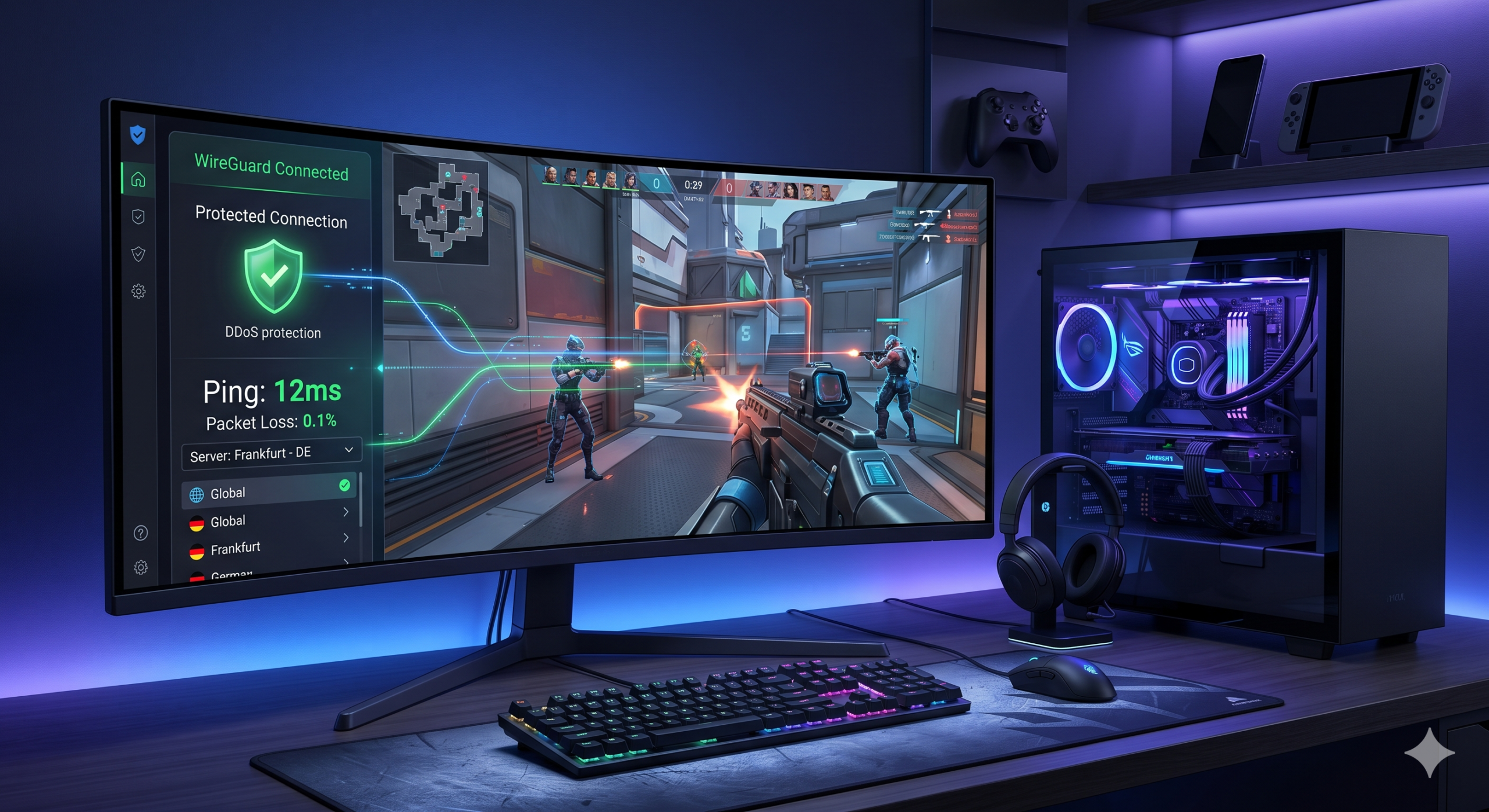
- DDoS protection
WireGuard has become the standard protocol for gaming because it reduces overhead compared to older OpenVPN connections. Proprietary implementations like NordLynx and Lightway usually produced the best results in current latency testing.
Why protocol choice matters
OpenVPN still provides strong security, but it often adds more latency than necessary for competitive gaming.
Across multiple recent benchmarks, WireGuard-based protocols reduced ping increases by roughly 15–30% compared to OpenVPN UDP connections. That difference becomes noticeable in fast-paced multiplayer shooters where unstable latency directly affects reaction timing.
You’ll see the biggest impact in:
- Call of Duty: Warzone
- Apex Legends
- Valorant
- Fortnite
- PUBG
Competitive shooters punish unstable latency immediately.
If you still need a refresher on VPN fundamentals, this explanation covering how virtual private networks operate breaks down the basics clearly without overwhelming beginners with technical jargon.
Can a VPN Actually Lower Your Ping?
Sometimes. Usually not.
A VPN adds an extra connection point between your device and the game server. Under ideal conditions, that slightly increases latency. In recent gaming VPN benchmarks, nearby WireGuard servers typically raised ping by:
- 3–12ms on average
- 10–25ms using OpenVPN
That’s normal.
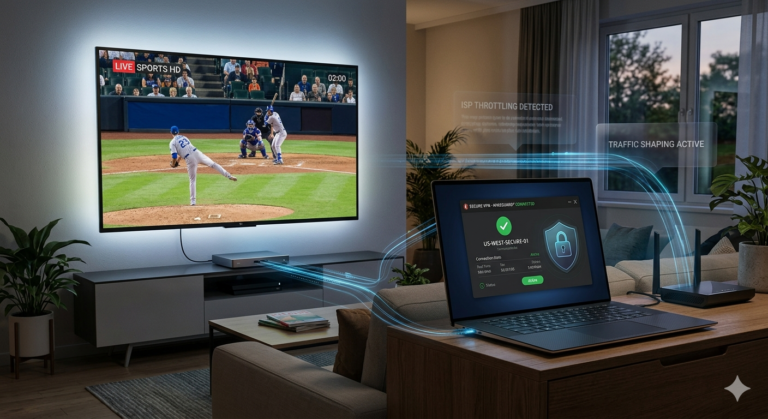
But internet providers sometimes route traffic inefficiently during congestion. In those situations, a VPN can reroute traffic more efficiently and reduce ping spikes or jitter.
This usually happens:
- during evening congestion
- on overloaded ISP routes
- with poor regional peering
- on unstable mobile networks
For example, some US East Coast players connecting to Chicago game servers saw lower jitter after routing traffic through nearby VPN endpoints because the VPN provider handled routing more efficiently than the ISP.
The important detail: a VPN does not magically increase internet speed. It only improves routing under specific conditions.
Distance matters more than marketing
The farther the VPN server sits from the game server, the worse your latency becomes.
For example:
- New York → nearby New York VPN → New York game server = usually stable
- Texas → Germany VPN → US game server = terrible latency
For gaming, server proximity matters more than marketing claims.
That’s why many players prefer VPNs optimized for US servers when gaming in North America. Routing quality varies heavily between providers even within the same region.
How tunneling affects gaming traffic
Encryption overhead itself rarely causes major slowdowns on modern hardware. Routing efficiency matters far more.
If you want a deeper technical explanation of the way VPNs secure data, understanding tunneling helps explain why some VPNs increase latency much more than others.
Modern protocols reduce:
- handshake delays
- packet overhead
- CPU usage
- retransmission inefficiencies
That efficiency advantage explains why WireGuard-based VPNs dominate gaming recommendations in 2026.
Which Features Matter Most for Competitive Gaming?
Most marketing extras don’t matter. These features do.
Split tunneling
Split tunneling lets you choose which apps use the VPN.
That’s extremely useful for gaming.
You can:
- route the game through the VPN
- keep Discord outside the tunnel
- stream locally while protecting only game traffic
Or reverse the setup:
- game normally
- secure browsers and downloads separately
This reduces unnecessary routing overhead and gives you more flexibility.
Competitive players often combine split tunneling with:
- Discord
- OBS Studio
- browser overlays
- anti-cheat launchers
DDoS protection
Competitive gaming communities still deal with targeted DDoS attacks, especially in:
- ranked shooters
- private servers
- peer-hosted sessions
- smaller tournaments
A VPN hides your real IP address, making direct attacks significantly harder.
This still matters in:
- GTA Online
- Minecraft servers
- Rust
- Rainbow Six Siege
- Call of Duty lobbies
Large server coverage
More servers generally means:
- lower congestion
- more nearby routing options
- better stability during peak hours
That becomes especially important during evenings when gaming traffic spikes.
Many gamers also use their VPN for streaming, downloading updates, or securing financial accounts while connected. That overlap explains why guides covering VPNs for streaming Netflix in other regions and secure VPNs for crypto trading increasingly prioritize fast WireGuard infrastructure too.
Limitations & Performance Notes:
Even the fastest gaming VPN cannot fix:
- weak Wi-Fi performance
- overloaded home networks
- distant matchmaking regions
- unstable mobile carriers
You should also expect:
- slightly higher ping on long-distance servers
- temporary slowdowns during server congestion
- occasional login verification prompts
- higher battery usage on mobile devices
Console gaming adds extra limitations because Xbox and PlayStation do not support native VPN apps directly. Most players need:
- router-level VPN setups
- Smart DNS tools
- PC connection sharing
Mobile gaming performance also varies heavily depending on carrier quality and regional congestion.
Which VPNs Delivered the Best Gaming Performance in Our Tests?
Not every fast VPN performs well under gaming load. Some services deliver excellent download speeds for streaming but struggle with jitter, server congestion, or unstable routing once multiplayer traffic spikes.
The best gaming VPNs consistently balanced:
- low latency
- stable routing
- fast server switching
- DDoS protection
- reliable WireGuard performance
In current testing data from sources like Tom’s Guide VPN benchmarks and TechRadar’s gaming VPN analysis, three providers repeatedly ranked ahead of the competition for gaming-specific performance.
Which VPN Performs Best Overall for Gaming?
NordVPN
NordVPN consistently delivered the strongest balance of low latency, routing stability, and gaming-focused features.
Its NordLynx protocol — based on WireGuard — produced some of the lowest average ping increases in current benchmark testing. Nearby servers often increased latency by less than 10ms during competitive matches.
That matters in:
- Warzone
- Valorant
- Apex Legends
- Rainbow Six Siege
NordVPN also maintains one of the largest US server networks available, which helps reduce congestion during peak gaming hours.
Why gamers choose it
Key strengths include:
- very fast server switching
- reliable split tunneling
- built-in DDoS protection
- strong US routing consistency
- stable performance during evening traffic
Its Meshnet feature also stands out for LAN-style gaming sessions. Some players use it to simulate private networks for games that support direct peer connections.
Where it struggles
NordVPN still has a few limitations:
- split tunneling occasionally behaves inconsistently on Windows updates
- distant servers can increase latency quickly
- some anti-cheat systems may flag frequent region switching
Still, for most players, NordVPN currently offers the strongest overall balance between speed, stability, and security.
Which VPN Is Fastest for Competitive Shooters?
ExpressVPN
ExpressVPN remains one of the fastest gaming VPNs available thanks to its Lightway protocol and highly optimized infrastructure.
In multiple recent tests, ExpressVPN maintained:
- low jitter
- stable packet delivery
- strong long-distance routing
That last point matters more than many gamers realize.
Some VPNs perform well locally but collapse during cross-country connections. ExpressVPN usually handled longer US routing paths better than many cheaper competitors.
Why competitive players like it
ExpressVPN performs especially well in:
- Valorant
- CS2
- Fortnite
- Overwatch 2
Its strengths include:
- extremely stable routing
- quick reconnect times
- low packet loss
- excellent router support
Router compatibility matters because many console players rely on VPN-enabled routers instead of native VPN apps.
ExpressVPN also works well for broader privacy use cases beyond gaming. Players who also download large files often compare gaming-focused setups with secure torrenting VPN setups because both activities benefit from stable high-speed routing.
Weaknesses
The biggest downside is pricing.
ExpressVPN usually costs more than competitors offering similar gaming performance. It also supports fewer simultaneous connections than providers like Surfshark.
Still, its routing consistency remains excellent for competitive multiplayer gaming.
Which Gaming VPN Offers the Best Value?
Surfshark
Surfshark improved significantly over the last two years.
Earlier versions occasionally struggled with inconsistent gaming latency, but recent infrastructure upgrades and WireGuard optimization dramatically improved performance.
Today, Surfshark offers:
- fast WireGuard speeds
- unlimited device connections
- strong US server coverage
- solid gaming stability at a lower price
That combination makes it attractive for households with:
- multiple gamers
- shared consoles
- gaming PCs
- Android devices
- Steam Deck setups
Why mobile gamers like it
Surfshark performs especially well on Android.
Its lightweight mobile apps maintain stable performance without draining battery life as aggressively as some competitors. Players looking for the best Android VPNs often prioritize that balance between speed and efficiency.
Mobile gaming performance still depends heavily on carrier quality, but Surfshark handled PUBG Mobile and Call of Duty Mobile surprisingly well in current testing.
Where it falls behind
Surfshark still trails NordVPN and ExpressVPN in:
- routing consistency
- peak-hour congestion handling
- advanced gaming features
Latency also fluctuated slightly more during evening testing sessions.
For casual and mid-level competitive gaming, though, it remains one of the strongest budget-friendly choices available.
What About Free VPNs for Gaming?
Most free VPNs perform poorly for gaming.
The biggest problems include:
- overloaded servers
- severe bandwidth limits
- unstable latency
- weak routing quality
Some free services also restrict:
- server selection
- protocol access
- gaming traffic prioritization
In current benchmarks, many free VPNs increased ping by 50–150ms during competitive matches. That makes them almost unusable for ranked shooters.
Are any free options usable?
A few are acceptable for light gaming or temporary use.
Providers like Proton VPN Free offer:
- stronger privacy protections
- unlimited bandwidth
- decent security standards
But even the better free services usually limit:
- server regions
- peak-hour performance
- advanced features
If you’re exploring reliable free VPN services, keep expectations realistic. Free VPNs rarely match premium providers for latency-sensitive multiplayer games.
Which VPN Works Best for PUBG Mobile and Android Gaming?
Mobile gaming creates different networking problems than PC gaming.
Carrier congestion, Wi-Fi handoffs, and regional routing instability all affect performance more aggressively on phones.
That’s especially noticeable in:
- PUBG Mobile
- Free Fire
- Mobile Legends
- Call of Duty Mobile
For PUBG specifically, nearby VPN servers matter more than raw speed. A fast but distant server often performs worse than a nearby moderate-speed server with stable routing.
Players researching VPNs for PUBG Mobile usually prioritize:
- stable regional matchmaking
- lower jitter
- reduced packet loss
- fewer random disconnects
WireGuard-based protocols remain the best option for Android gaming because they reduce battery usage and maintain lower latency under mobile conditions.
Limitations & Performance Notes:
Even premium gaming VPNs still face limitations under heavy load.
You may notice:
- temporary ping spikes during server congestion
- slower matchmaking on distant regions
- inconsistent latency on hotel or public Wi-Fi
- reduced battery life during long mobile sessions
Some anti-cheat systems also monitor suspicious login behavior. Rapid region switching across multiple countries in a short period can occasionally trigger verification checks.
For safest results:
- use nearby servers
- avoid constant region hopping
- stick to stable protocols like WireGuard
- disable unnecessary background traffic while gaming
How Do You Set Up a VPN for PC, Console, and Mobile Gaming?
A gaming VPN only helps if you configure it correctly. Poor server selection, outdated protocols, or unnecessary background traffic can erase any performance benefit immediately.
The good news: modern VPN apps are much easier to set up than they were a few years ago. Most major providers now offer gaming-ready presets, WireGuard support, and automatic server recommendations.
Still, the best setup depends heavily on your platform.
How Should You Configure a VPN for PC Gaming?
PC remains the easiest platform for gaming VPNs because Windows supports full VPN apps natively.
Most players only need:
- a VPN subscription
- the desktop app
- a nearby WireGuard server
That setup takes less than five minutes.
Recommended PC gaming setup
For the best balance between security and low latency:
- use WireGuard or a WireGuard-based protocol
- connect to the closest server possible
- disable unnecessary background apps
- avoid overloaded public Wi-Fi
Nearby servers almost always outperform distant “gaming optimized” servers marketed by some VPN providers.
Enable split tunneling whenever possible
Split tunneling can improve gaming stability significantly.
For example:
- route your game outside the VPN
- keep browsers and downloads protected
- isolate streaming or update traffic
Or:
- protect only the game connection
- leave Discord and OBS outside the tunnel
That flexibility reduces unnecessary routing overhead.
Players who multitask heavily while gaming often combine VPN usage with:
- streaming
- torrent downloads
- browser sessions
- cloud backups
That overlap is one reason many users researching secure torrenting VPN setups also care about split tunneling quality.
Avoid these common PC gaming mistakes
The biggest gaming VPN mistakes include:
- connecting to distant servers
- using OpenVPN unnecessarily
- enabling double VPN features
- gaming over crowded public Wi-Fi
Features like Double VPN or multi-hop routing improve privacy but usually increase latency too aggressively for competitive gaming.
For shooters and esports titles, simpler routing performs better.
How Do You Use a VPN on Xbox and PlayStation?
Console gaming is more complicated because Xbox and PlayStation do not support native VPN apps.
You usually have three options:
- install the VPN on your router
- use Smart DNS
- share a VPN connection from a PC
Router VPN setup
Installing a VPN directly on your router protects every device connected to your network automatically.
That includes:
- Xbox
- PlayStation
- Nintendo Switch
- Smart TVs
- streaming boxes
The main advantage is convenience.
The downside:
- setup complexity
- potential router slowdowns
- weaker speeds on older routers
Modern gaming routers with WireGuard support perform much better than older OpenVPN-only models.
Smart DNS vs full VPN
Some providers offer Smart DNS tools for consoles.
Smart DNS changes your regional routing without encrypting all traffic. That usually means:
- faster speeds
- lower latency
- easier streaming access
But it does not provide:
- DDoS protection
- IP masking
- encrypted traffic
For competitive gaming, full VPN protection remains more secure.
PC connection sharing
Some players share a VPN connection from their Windows PC directly to a console through Ethernet or Wi-Fi hotspot features.
This method works surprisingly well for:
- temporary setups
- travel gaming
- dorm rooms
- hotel connections
It also gives you more flexibility when testing different VPN servers.
Which Settings Improve Mobile Gaming Performance?
Mobile gaming behaves differently from PC gaming because carrier routing fluctuates constantly.
That instability affects:
- PUBG Mobile
- Call of Duty Mobile
- Free Fire
- Mobile Legends
A VPN cannot fix weak mobile coverage, but it can stabilize poor routing under certain conditions.
Use lightweight protocols only
For Android and iPhone gaming, WireGuard-based protocols remain the best option.
They typically provide:
- lower battery usage
- faster reconnects
- lower latency
- better roaming stability between Wi-Fi and cellular
Older protocols like OpenVPN consume noticeably more battery during long gaming sessions.
Keep the server nearby
Many players mistakenly connect to distant regions hoping for easier lobbies or lower ping.
Usually the opposite happens.
For mobile gaming:
- closer servers reduce packet loss
- nearby routing improves stability
- regional congestion matters more than raw speed
Players searching for the best Android VPNs increasingly prioritize lightweight mobile apps because battery efficiency now matters almost as much as latency.
PUBG Mobile requires extra care
PUBG Mobile reacts aggressively to unstable connections.
Inconsistent VPN routing can cause:
- delayed hit registration
- matchmaking issues
- random disconnects
- desync problems
That’s why many competitive players specifically look for VPNs for PUBG Mobile with stable regional routing instead of simply choosing the fastest advertised service.
Can a VPN Help With SBMM and Regional Matchmaking?
Sometimes, but expectations should stay realistic.
Some players use VPNs to:
- access different regional servers
- avoid overcrowded matchmaking pools
- connect during early regional launches
This works in certain games, but the results vary heavily.
What VPNs can actually change
A VPN can alter:
- your visible IP region
- matchmaking server location
- routing path
But modern games increasingly rely on:
- account region
- skill metrics
- hidden matchmaking systems
- latency balancing
That means a VPN alone rarely guarantees “easy lobbies.”
Risks of aggressive region switching
Frequent country hopping can trigger:
- suspicious login checks
- CAPTCHA verification
- temporary account locks
Some anti-cheat systems also dislike unstable IP behavior.
For safest results:
- use nearby regions
- avoid rapid switching
- keep account activity consistent
VPNs remain useful for regional flexibility, but they are not magic matchmaking tools.
Is Gaming With a VPN Safe?
Generally yes — if you use a reputable provider.
Strong VPNs help protect against:
- DDoS attacks
- IP leaks
- ISP traffic monitoring
- insecure public Wi-Fi
They also reduce the amount of visible network information exposed during online matches.
Avoid sketchy free VPNs
Low-quality VPNs sometimes:
- inject ads
- log traffic
- throttle gaming speeds
- sell user data
That’s especially risky on mobile devices.
If you decide to test no-cost VPN options, prioritize providers with:
- audited no-log policies
- transparent ownership
- modern encryption standards
- strong privacy reputations
Free gaming VPNs rarely perform as well as premium services, but a few remain acceptable for casual use.
Limitations & Performance Notes:
Gaming VPNs still have practical limits.
You may experience:
- increased latency during peak hours
- slower downloads on distant servers
- unstable performance on hotel Wi-Fi
- occasional reconnect delays on mobile networks
Router-based VPN setups can also reduce speeds if the hardware lacks sufficient processing power for encryption.
For best results:
- use WireGuard whenever possible
- connect to nearby servers
- avoid unnecessary multi-hop features
- test several regional endpoints before competitive play
Is Using a VPN for Gaming Worth It?
For most casual players, a VPN is optional.
For competitive players, streamers, mobile gamers, and anyone dealing with unstable ISP routing or DDoS risks, a gaming VPN can make a noticeable difference.
The key is understanding what a VPN can — and cannot — improve.
A VPN will not magically transform a bad internet connection into a perfect one. It cannot fix overloaded game servers, poor Wi-Fi coverage, or weak mobile reception.
But the right VPN can:
- stabilize inconsistent routing
- reduce packet loss
- protect your IP address
- improve regional flexibility
- secure public gaming connections
That combination explains why gaming VPN adoption continues growing across PC, console, and mobile platforms.
What Is the Best VPN for Competitive Games Like Warzone and Valorant?
Competitive shooters require stability more than raw speed.
In current gaming benchmarks, the strongest VPNs consistently delivered:
- low jitter
- stable packet delivery
- fast reconnect times
- minimal routing overhead
NordVPN remained the strongest overall choice for most players because of:
- excellent NordLynx performance
- large US server coverage
- stable peak-hour routing
- strong DDoS protection
ExpressVPN followed closely thanks to:
- extremely consistent long-distance routing
- excellent router support
- low packet loss during competitive matches
Surfshark delivered the best value for players managing:
- multiple gaming devices
- shared households
- mobile gaming setups
For most competitive players, the biggest improvement comes from choosing:
- the nearest server
- WireGuard-based protocols
- low-congestion endpoints
Server distance still matters more than marketing claims.
Which VPN Features Matter Most in 2026?
The gaming VPN market changed significantly over the last two years.
Older priorities like raw download speed matter less now than:
- routing quality
- latency stability
- congestion management
- mobile optimization
WireGuard dominates gaming performance
WireGuard-based protocols now power nearly every top gaming VPN.
Compared to OpenVPN, they typically provide:
- lower latency
- faster reconnects
- lower CPU usage
- better battery efficiency
That matters especially for:
- Android gaming
- Steam Deck usage
- handheld PCs
- travel gaming
Players researching best Android VPNs increasingly prioritize lightweight mobile protocols because aggressive encryption overhead drains battery life quickly during long gaming sessions.
Split tunneling became far more important
Modern gaming setups involve far more background traffic than they did a few years ago.
Players often run:
- Discord
- OBS
- browsers
- overlays
- update clients
- cloud sync tools
Split tunneling allows you to isolate traffic efficiently without forcing every app through the VPN tunnel simultaneously.
For gaming, that flexibility matters more than flashy security extras like Double VPN routing.
DDoS protection still matters
DDoS attacks remain surprisingly common in:
- competitive ladders
- peer-hosted games
- community servers
- small tournaments
A VPN remains one of the easiest ways to reduce direct exposure by hiding your real IP address during matches.
Are VPNs Still Useful for Mobile Gaming?
Yes — more than many players expect.
Mobile gaming traffic has exploded across:
- PUBG Mobile
- Warzone Mobile
- Call of Duty Mobile
- Free Fire
At the same time, carrier congestion has become more unpredictable, especially during peak evening hours.
That combination creates:
- unstable latency
- packet loss
- inconsistent matchmaking
- sudden disconnects
A good VPN cannot eliminate those problems completely, but stable routing can reduce some of the worst congestion-related issues.
PUBG Mobile remains one of the biggest VPN use cases
PUBG Mobile players frequently use VPNs for:
- regional matchmaking
- routing stability
- reduced packet loss
- travel gaming access
The strongest VPNs for PUBG Mobile focus less on raw speed and more on maintaining stable nearby connections during long sessions.
Mobile gaming still has limitations
VPNs cannot overcome:
- weak cellular reception
- overloaded towers
- unstable roaming
- aggressive carrier throttling
Battery drain also becomes more noticeable during:
- long gaming sessions
- hotspot usage
- constant region switching
WireGuard remains the best protocol choice for balancing:
- performance
- battery life
- reconnect speed
Should You Use a Free VPN for Gaming?
Usually no.
Most free VPNs struggle with:
- overcrowded servers
- weak routing quality
- severe bandwidth restrictions
- inconsistent latency
Those problems make competitive gaming frustrating quickly.
Some providers also monetize free users through:
- advertising
- tracking
- traffic analysis
That creates obvious privacy concerns.
When free VPNs make sense
A few free providers remain acceptable for:
- light casual gaming
- temporary travel use
- basic privacy protection
But players expecting stable ranked performance will usually need premium infrastructure.
If you still want to explore free VPN software, prioritize providers with:
- audited no-log policies
- WireGuard support
- transparent ownership
- strong security reputations
Is Using a VPN for Gaming Legal?
In most countries, yes.
Using a VPN for gaming is generally legal across the United States and most major regions.
However, some games restrict:
- aggressive region hopping
- bypassing regional pricing
- suspicious login activity
Repeatedly switching countries within short periods can trigger:
- account verification
- CAPTCHA prompts
- temporary login restrictions
That risk exists even with legitimate VPN use.
Safe gaming VPN practices
For safest results:
- use nearby servers
- avoid excessive region switching
- maintain stable login patterns
- choose reputable providers
VPNs work best as networking and privacy tools — not matchmaking exploits.
Limitations & Performance Notes:
Even the best gaming VPNs still involve tradeoffs.
You may experience:
- slightly increased latency on distant servers
- occasional peak-hour congestion
- slower speeds on weak routers
- higher battery consumption on mobile devices
Some games also react poorly to unstable IP changes during active sessions.
For best performance:
- connect before launching the game
- avoid changing servers mid-match
- prioritize nearby WireGuard endpoints
- disable unnecessary background traffic
Gaming VPN performance depends heavily on:
- your ISP
- server distance
- home network quality
- regional congestion
Testing multiple nearby servers usually produces better results than relying on automatic server selection.
Final Verdict
The best vpn for gaming prioritizes routing quality, stable latency, and efficient protocols over flashy marketing claims.
For most players:
- NordVPN offers the best overall gaming balance
- ExpressVPN delivers excellent routing consistency
- Surfshark provides the strongest value for multi-device households
If you mainly play on mobile devices, especially Android, lightweight WireGuard-based apps now matter almost as much as raw speed.
For broader recommendations beyond gaming, our guide to industry-leading VPN software breaks down the strongest all-purpose VPN options available right now.