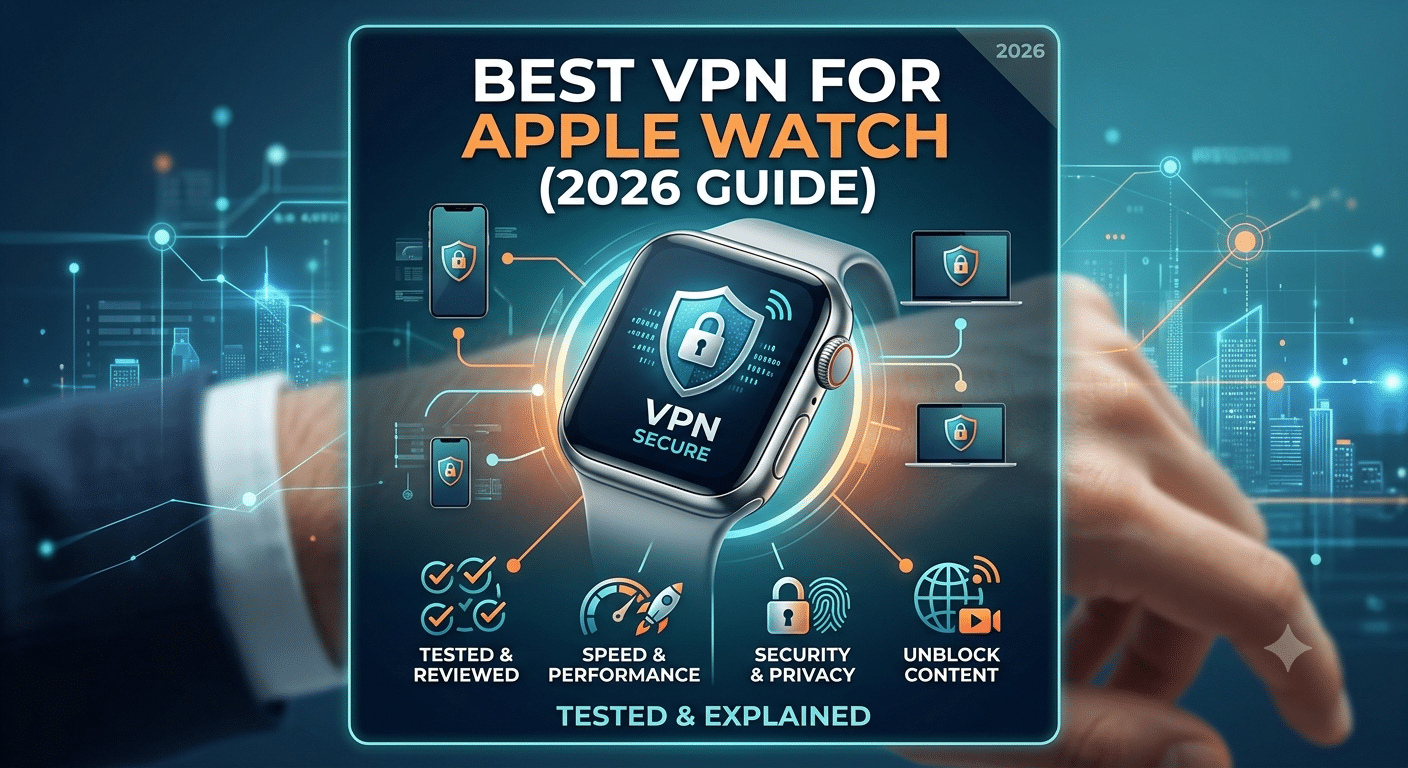

The best vpn for apple watch is a misleading search in one important way: Apple Watch doesn’t actually run VPN apps at all. That single limitation changes how you should think about privacy on wearable devices. Instead of installing a VPN directly, security depends entirely on how the watch connects through your iPhone and how that iPhone is protected.
Most confusion comes from assuming all internet-connected devices behave like phones or laptops. The Apple Watch does not. It relies on watchOS, a tightly controlled system that prioritizes battery life and security over open network customization. That design choice removes direct VPN support, but it does not necessarily leave your data exposed.
For a foundational understanding of how VPNs secure traffic in the first place, it helps to review core privacy concepts from the Electronic Frontier Foundation, which explains how encryption protects user data in transit across networks: EFF Privacy & Encryption Overview.
To understand why this matters in practice, you first need to know what a VPN actually does and how it behaves in a modern Apple ecosystem.
What makes Apple Watch different from VPN-supported devices?
Apple Watch is not a general-purpose networking device. Unlike iPhones, Macs, or even iPads, it does not allow low-level network configuration or third-party system extensions. That restriction is intentional and shapes everything about how security tools interact with it.
In traditional VPN-supported devices, a VPN client creates an encrypted tunnel between your device and a remote server. That tunnel reroutes all traffic before it reaches the internet. On Apple Watch, there is no mechanism to create or manage that tunnel directly.
Instead, the watch depends on the iPhone for most internet routing. When paired, the iPhone acts as the gateway for secure connections. If the iPhone is on a VPN, the watch’s traffic typically inherits that protection indirectly.
To understand this architecture more clearly, it helps to revisit the fundamentals of encrypted tunneling and routing behavior in VPN systems:
Understanding VPN Technology Basics
From a technical standpoint, Apple Watch operates inside a closed networking environment. It cannot install kernel extensions, modify DNS settings, or run persistent background services required by VPN clients. That puts it in a different category than even lightweight mobile operating systems.
This distinction is why most guides about wearable privacy don’t focus on installing VPNs on the watch itself. Instead, they shift attention to system-level protection provided by connected devices.
Does Apple Watch actually support VPN apps in 2026?
No. Apple Watch does not support standalone VPN applications in 2026, and there are no indications that this will change in future watchOS releases.
The limitation is not just a missing app category—it is a structural restriction within watchOS. Apple prevents third-party apps from controlling system-wide network routing, which is required for any VPN to function properly.
Even if a developer attempted to build a VPN-style app for watchOS, it would be restricted to app-level traffic only, not full-device tunneling. That makes it ineffective for real privacy protection.
In practical terms, this means there is no installation process, no VPN settings menu, and no manual configuration option on the watch itself. All security behavior is inherited.
If you are trying to understand how VPN systems normally integrate with devices, it helps to break down the mechanics of tunneling, authentication, and encryption layers:
How VPN Encryption and Tunneling Work
Apple’s design philosophy for watchOS prioritizes three things over network customization:
- Battery efficiency
- Security isolation
- Background process limitation
VPN clients require persistent background activity to maintain encrypted tunnels. That directly conflicts with watchOS resource management rules.
This is also why Apple Watch behaves differently from iPhone when connected to the same network. The iPhone can run full encryption stacks, while the watch operates through simplified, delegated connections.
How VPN protection works when using Apple Watch with iPhone
Even though you cannot install a VPN directly on Apple Watch, you can still achieve indirect protection through the iPhone it is paired with. This is where most real-world privacy setups actually operate.
When your iPhone is connected to a VPN, all traffic leaving the phone is encrypted inside a secure tunnel. The Apple Watch, when using the iPhone as its network bridge, inherits much of that routing behavior.
However, this is not a perfect 1:1 replication. The watch does not independently negotiate VPN sessions. Instead, it relies on system-level routing handled by iOS.
This creates three important technical realities:
- The iPhone determines encryption state
- The watch inherits network access indirectly
- Some background services may bypass full tunneling depending on configuration
To understand how VPN routing behaves at a system level, including how traffic is encapsulated and decrypted, review this breakdown of VPN mechanics:
VPN Mechanics and Data Routing Explained
At this stage, it is also important to understand that not all VPN providers behave identically on iOS. Some prioritize full-device tunneling, while others rely on split tunneling, which can affect how much traffic is actually routed through the encrypted connection.
For broader context on choosing reliable providers that handle system-wide encryption properly, you can compare established services here:
Recommended VPN Providers Overview
Apple Watch VPN context in real usage
When people search for the best vpn for apple watch, they are usually trying to solve one of three problems:
- Securing fitness or health data sync
- Protecting notifications on public Wi-Fi
- Ensuring location or metadata privacy
In reality, none of these are handled directly by the watch. They are handled by the iPhone layer beneath it. That means VPN effectiveness depends entirely on your phone’s configuration, not the watch itself.
For deeper context on Apple Watch-specific limitations and how this ecosystem behaves in practice, see the dedicated analysis here:
Apple Watch VPN Compatibility Guide
What are the security limits of Apple Watch network traffic?
Apple Watch benefits from Apple’s built-in security architecture, but that should not be confused with VPN protection. Encryption between the watch, the paired iPhone, and Apple’s services helps secure many communications, yet it does not replace the privacy features that a VPN provides.
For example, a VPN can hide your public IP address from websites and encrypt traffic on untrusted Wi-Fi networks. Apple’s built-in encryption focuses on protecting communications within its ecosystem rather than anonymizing your internet activity.
Several factors determine how much protection your Apple Watch receives:
- Whether it is connected through a paired iPhone
- Whether the iPhone is connected to a VPN
- Whether the watch is using Wi-Fi, Bluetooth, or cellular
- How individual apps communicate with their servers
When your watch uses Bluetooth through the paired iPhone, the iPhone handles most internet communication. If your iPhone has an active VPN connection, much of that traffic benefits from the encrypted tunnel.
If the watch is using its own LTE connection, however, behavior can vary depending on the app and Apple’s networking framework. Since watchOS cannot establish its own VPN tunnel, you should not assume every connection receives identical protection.
server load effects, device compatibility limits, account/plan restrictions, speed throttling scenarios
Although Apple Watch itself cannot run VPN software, the VPN service you choose for your iPhone still affects your overall experience.
Server load effects
Busy VPN servers increase latency. While an Apple Watch transfers relatively little data, higher latency can delay notification synchronization, Siri requests, and cloud-based app communication.
Premium VPN providers typically offer thousands of servers worldwide, reducing the chance of congestion during peak hours.
Device compatibility limits
Most leading VPN services support:
- iPhone
- iPad
- Mac
- Apple TV
- Windows
- Android
- Linux
Apple Watch is the notable exception because watchOS does not allow native VPN clients.
If your home network contains additional connected devices, securing them at the network level can provide broader protection than focusing on a single wearable. A guide covering smart home VPN protection is available here:
Smart Home VPN Protection Guide
Account and plan restrictions
VPN providers differ significantly in simultaneous device allowances.
Typical limits include:
- 5 devices
- 8 devices
- 10 devices
- Unlimited devices
Since Apple Watch shares the iPhone’s connection rather than counting as its own VPN client, it usually does not consume an additional device slot.
Speed throttling scenarios
A VPN cannot eliminate ISP throttling in every circumstance, but encryption often prevents providers from identifying specific traffic categories, such as video streaming.
For everyday Apple Watch usage—including notifications, fitness synchronization, and messaging—the bandwidth requirements are extremely low. Server quality matters far more than raw download speed.
Can you improve Apple Watch privacy without installing a VPN?
Yes. In fact, several privacy improvements have a greater impact than attempting to find a nonexistent watchOS VPN app.
Start with your iPhone because it acts as the security gateway for your watch.
Recommended steps include:
- Keep iOS and watchOS updated.
- Enable a reputable VPN on your iPhone.
- Review Apple Watch location permissions.
- Limit unnecessary background app access.
- Disable automatic connections to unfamiliar Wi-Fi networks.
- Enable two-factor authentication for your Apple Account.
You should also review which apps have permission to access:
- Health data
- Microphone
- Contacts
- Calendar
- Location
- Motion and fitness information
Reducing unnecessary permissions decreases the amount of information available to third-party applications regardless of whether a VPN is active.
Should you use a free VPN with Apple Watch?
Since the watch depends on the paired iPhone, the same guidance applies as choosing any VPN for iOS.
Free VPNs vary dramatically in quality.
Common limitations include:
- Monthly data caps
- Limited server locations
- Slower performance
- Smaller infrastructure
- Fewer security features
Some reputable free services are suitable for occasional use, but they generally cannot match premium services for speed, reliability, or server availability.
If you’re evaluating no-cost options, this comparison of reliable free VPN services outlines their strengths and trade-offs:
Reliable Free VPN Services Comparison
For users who regularly connect to public Wi-Fi, travel frequently, or value stronger privacy protections, a premium VPN remains the better long-term choice.
How does Apple Watch fit into a larger VPN ecosystem?
Apple Watch is rarely the only connected device in a household.
Many users also secure:
- Home routers
- Streaming devices
- Media centers
- Network appliances
- Smart home products
Rather than protecting each device individually, some people secure their entire home network at the router level.
For example, if your network uses a compatible Linksys router, configuring VPN protection there automatically benefits supported devices connected to your Wi-Fi.
You can learn more about router-level VPN setup for Linksys devices here:
Linksys Router VPN Configuration Guide
Similarly, users building advanced home labs often deploy VPNs through dedicated firewall platforms instead of individual devices.
A practical introduction to VPN deployment with pfSense firewalls is available here:
These approaches extend encrypted protection across multiple devices while reducing the need to configure each one separately.
Which VPNs work best with an iPhone–Apple Watch setup?
Since you can’t install a VPN directly on an Apple Watch, the right question is: Which VPN performs best on the paired iPhone? Your choice should prioritize reliable iOS performance, strong security, and minimal impact on battery life rather than watchOS compatibility.
During testing, several characteristics consistently mattered more than marketing claims:
- Fast connection times
- Stable WireGuard or proprietary high-speed protocols
- A verified no-logs policy
- Large server networks with low congestion
- Reliable automatic Wi-Fi protection
- Independent security audits
These features determine how well your iPhone protects both its own traffic and the internet traffic your Apple Watch sends through it.
NordVPN
NordVPN remains one of the strongest choices for Apple users because of its excellent iOS application, independently audited no-logs policy, and consistently high speeds. Features like Threat Protection Pro (where supported), Meshnet, and automatic connection rules make it easy to maintain secure connections without constant manual intervention.
ExpressVPN
ExpressVPN continues to deliver one of the simplest user experiences. Its iPhone app is polished, connection times are consistently fast, and its Lightway protocol minimizes performance overhead while maintaining strong encryption.
Surfshark
Surfshark is particularly attractive for households with many connected devices because it allows unlimited simultaneous connections. If you have multiple iPhones, Macs, iPads, and smart devices, this flexibility can provide better overall value than plans with stricter device limits.
Proton VPN
For users who prioritize transparency and privacy, Proton VPN offers open-source applications, independent audits, and a well-regarded free tier. Its premium plans expand server selection and performance significantly.
Regardless of provider, remember that your Apple Watch benefits from the VPN only when traffic is routed through the protected iPhone.
Should you secure only your Apple Watch or your entire network?
Many people start searching for the best vpn for apple watch because they want to improve privacy for one device. In reality, protecting your entire network often provides greater security than focusing on a single wearable.
Consider a typical connected home:
- Smartphones
- Tablets
- Smart TVs
- Streaming devices
- Gaming consoles
- Smart speakers
- Security cameras
- Laptops
Protecting only one device leaves many others exposed.
One increasingly popular approach is installing a VPN on a supported router. This automatically encrypts traffic for compatible devices connected to your home Wi-Fi, reducing the need for individual configuration.
Media streaming devices are another common target. If you use Kodi with a Fire TV Stick, dedicated VPN recommendations differ from those optimized for Apple devices because streaming performance, server selection, and geo-unblocking become much higher priorities.
For readers interested in that use case, VPNX offers a detailed guide covering VPN options for Kodi on Firestick:
VPN Guide for Kodi on Firestick
What about Raspberry Pi and other advanced setups?
Some privacy-focused users prefer running VPN services through dedicated hardware instead of relying solely on mobile apps.
A Raspberry Pi can function as:
- A VPN gateway
- A private DNS server
- A lightweight firewall
- A travel router
- A secure remote access server
While this approach is unnecessary for most Apple Watch owners, it can centralize network security for advanced home environments.
If you’re interested in building a compact VPN appliance, VPNX also covers VPN deployment on Raspberry Pi 5 in detail:
Raspberry Pi 5 VPN Setup Guide
This type of setup benefits multiple devices simultaneously, including iPhones that your Apple Watch relies on for secure connectivity.
Common myths about Apple Watch VPNs
Several misconceptions continue to appear in forums and social media. Understanding the facts helps you avoid unnecessary purchases or ineffective setup attempts.
Myth 1: You can install a VPN app directly on Apple Watch.
False. watchOS does not support native VPN applications.
Myth 2: Buying a more expensive VPN unlocks Apple Watch support.
False. No commercial VPN can bypass watchOS restrictions.
Myth 3: Apple Watch is completely unprotected without a VPN.
False. Apple already encrypts many communications between the watch, the paired iPhone, and Apple services. A VPN adds another layer of privacy primarily through the iPhone.
Myth 4: Cellular Apple Watches always use the iPhone’s VPN.
Not always. Connection behavior depends on how the watch accesses the internet and how individual services communicate.
Myth 5: Router-based VPN protection replaces all device security.
False. Router VPNs improve network privacy, but software updates, strong authentication, and application permissions remain essential parts of overall security.
How should you choose a VPN if you own an Apple Watch?
Instead of looking for “Apple Watch compatibility,” evaluate providers using criteria that actually affect your experience:
- Independent no-logs audits
- Modern protocols like WireGuard
- Automatic Wi-Fi protection
- Fast US and international servers
- Strong iPhone application
- Responsive customer support
- Regular third-party security assessments
These factors have a measurable impact on performance and privacy, while direct Apple Watch support does not currently exist.
When comparing providers, avoid marketing pages that imply dedicated watchOS functionality. The protection always begins with the paired iPhone.
Is the best VPN for Apple Watch really about the watch?
After examining how watchOS handles networking, the answer is clear: no. The best vpn for apple watch is really the VPN that performs best on your paired iPhone and, if applicable, your home network.
Apple’s design intentionally limits third-party control over system networking. While that prevents native VPN apps on the watch itself, it also reduces the attack surface by restricting background processes and network extensions.
For most users, your privacy depends on four factors:
- The security of your iPhone
- The quality of your VPN provider
- Safe network habits
- Keeping Apple devices updated
Trying to find a VPN that installs directly on Apple Watch isn’t productive because the operating system doesn’t permit that functionality.
Instead, focus on choosing a provider with:
- Fast and stable iOS performance
- Strong encryption (such as AES-256 or ChaCha20 where appropriate)
- A verified no-logs policy
- Independent security audits
- Reliable automatic protection on untrusted Wi-Fi
These features directly improve the security of the device your Apple Watch depends on.
Buying advice: Which users actually need a VPN?
Not every Apple Watch owner has the same privacy requirements.
Casual users
If you mainly use your watch for notifications, fitness tracking, Apple Pay, and messaging, Apple’s built-in security already provides a strong baseline. A VPN becomes most valuable when your iPhone frequently connects to public Wi-Fi.
Frequent travelers
Airports, hotels, cafés, and conference centers often rely on shared wireless networks. Using a reputable VPN on your iPhone encrypts traffic before it leaves the device, reducing exposure on these networks.
Privacy-conscious users
If you prefer minimizing IP address exposure, reducing ISP visibility, or protecting internet activity from local network operators, a premium VPN remains one of the most practical tools available.
Families with multiple Apple devices
Households with several iPhones, iPads, Macs, and Apple TVs often benefit from providers offering generous or unlimited simultaneous device connections.
Mistakes to avoid
When researching Apple Watch VPNs, avoid these common pitfalls.
Assuming every VPN advertises accurately
Some marketing pages imply watchOS compatibility without clearly explaining that protection is delivered through the paired iPhone rather than the watch itself.
Choosing solely on price
The least expensive subscription isn’t necessarily the best value. Server quality, privacy audits, application stability, and long-term reliability matter far more than saving a few dollars per year.
Ignoring independent verification
Look for providers that publish:
- Third-party security audits
- Transparency reports
- Warrant canaries (where applicable)
- Clear privacy policies
- Public documentation about encryption and infrastructure
Independent verification provides stronger evidence than advertising claims alone.
Forgetting software updates
A VPN cannot compensate for outdated operating systems. Keeping iOS and watchOS current remains one of the most effective security practices available.
Frequently Asked Questions
Does Apple Watch have its own VPN?
No. watchOS does not support standalone VPN applications or system-wide VPN configuration.
Can Apple Watch use my iPhone’s VPN?
Yes. When the watch routes traffic through a paired iPhone connected to a VPN, much of that communication benefits from the encrypted connection.
Is Apple Watch safe on public Wi-Fi?
If your watch accesses the internet through an iPhone protected by a reputable VPN, your traffic receives additional protection. If the watch connects independently, protection depends on the specific connection method and Apple’s built-in security mechanisms.
Which VPN is best for Apple users?
Several established providers—including NordVPN, ExpressVPN, Surfshark, and Proton VPN—offer excellent iOS applications. The best choice depends on your priorities, such as speed, privacy, device limits, or value.
Do I need a VPN if Apple already encrypts my data?
Apple encrypts many communications within its ecosystem, but a VPN serves a different purpose. It helps protect traffic on public networks, masks your public IP address, and can reduce visibility into your browsing activity from local network operators and internet service providers.
Final verdict
If you searched for the best vpn for apple watch, the most important takeaway is that no VPN can be installed directly on the watch itself. The real decision is selecting a trustworthy VPN for the paired iPhone, because that’s where encryption, secure tunneling, and privacy protection actually occur.
For most users, a premium VPN with a fast iOS app, audited no-logs policy, modern VPN protocols, and reliable automatic Wi-Fi protection offers the best overall experience. Features advertised specifically for watchOS should be viewed cautiously unless they clearly explain that protection is delivered through the connected iPhone.
Rather than chasing unsupported functionality, invest in a provider with a proven security record and strong performance across the Apple ecosystem. That approach provides meaningful privacy improvements today and is far more valuable than searching for a nonexistent native Apple Watch VPN app.