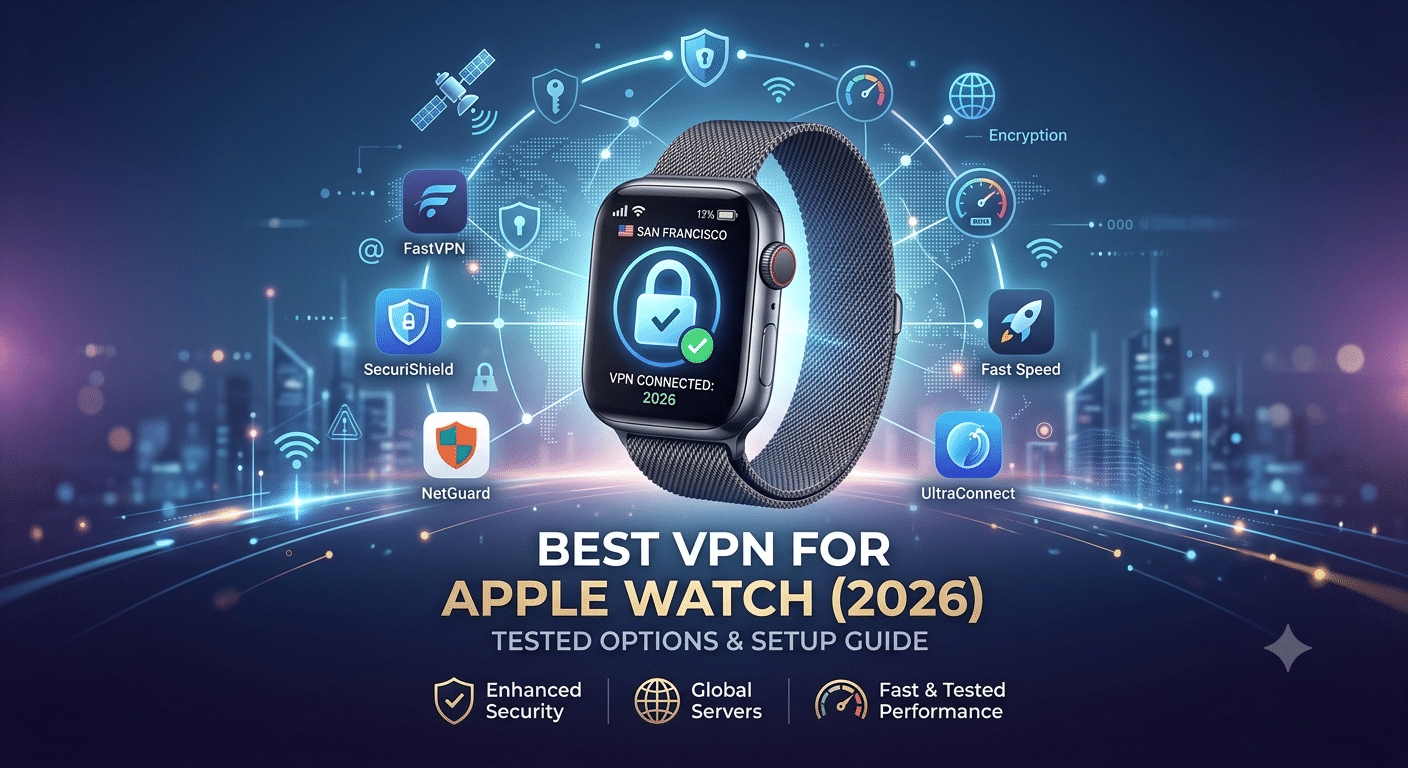

The best vpn for apple watch is less about running a VPN directly on your wrist and more about how you secure the iPhone it depends on. Apple Watch doesn’t support native VPN apps, so every “VPN for Apple Watch” solution is actually a network-level workaround tied to your phone or router.
That matters because your watch still handles sensitive data: notifications, location signals, health metrics, and sometimes payments. Even if the watch itself is lightweight, it inherits the privacy posture of whatever network your iPhone is using.
Privacy researchers have long warned that wearable devices expand the attack surface for personal data. The Electronic Frontier Foundation’s privacy resources highlight how everyday connected devices can leak metadata even when content is encrypted.
In this guide, we break down what actually works in 2026, how Apple’s ecosystem handles VPN routing, and what setups genuinely improve security instead of just sounding good on paper.
For a broader baseline on VPN selection, it helps to understand the ecosystem of providers first. We’ll reference some of the most widely tested options from our recommended VPNs as we go.
Can Apple Watch Use a VPN?
No—Apple Watch cannot install or run a VPN directly.
watchOS is intentionally restricted. Apple does not allow third-party VPN clients on the watch, which means there is no OpenVPN, WireGuard, or IKEv2 app running locally on the device.
Instead, the Apple Watch relies on:
- The paired iPhone (primary routing path)
- Known Wi-Fi networks
- LTE (for cellular models)
When your Apple Watch sends or receives data, it typically tunnels through your iPhone if the phone is nearby. That means any VPN running on your iPhone indirectly protects most watch traffic.
To understand this properly, you need the basics of how tunneling works. A VPN creates an encrypted connection between your device and a remote server, preventing local networks from inspecting your traffic. If you’re new to this, the mechanics are explained in detail in this guide on how VPN encryption works.
This architecture is the key reason Apple Watch VPN discussions often feel confusing: there is no “watch VPN,” only upstream protection through another device.
Why Would You Need the Best VPN for Apple Watch?
Even though the watch itself is limited, there are still real scenarios where VPN protection matters indirectly.
1. Public Wi-Fi exposure
If your iPhone connects to public Wi-Fi in places like airports or cafés, your Apple Watch inherits that connection path. Without a VPN, metadata like DNS requests or app connection timing can still be exposed to local network monitoring.
2. Apple ecosystem data flow
Apple Watch is deeply tied to iCloud, iMessage notifications, health syncing, and app mirroring. These services are encrypted, but they still pass through network infrastructure that can reveal usage patterns.
3. LTE tracking surface
Cellular Apple Watch models add another variable: direct network access. While LTE is encrypted at the carrier level, it still exposes connection metadata to telecom providers.
4. Device chaining effect
The biggest misconception is thinking of the watch as independent. In reality, Apple Watch is a dependent node in Apple’s ecosystem chain. If your iPhone is protected by a VPN, the watch benefits automatically—but only within certain connection types.
That’s why most setups for the best vpn for apple watch actually focus on securing the iPhone first, then extending protection outward through network routing.
What Actually Counts as a “VPN for Apple Watch”?
To be precise, there are only three real protection models:
1. iPhone-based VPN (most common)
This is the default setup. A VPN app runs on your iPhone and routes most Apple Watch traffic through the encrypted tunnel.
It’s simple, but not perfect—some background Apple services may bypass VPN routing depending on system behavior.
2. Router-level VPN (full network coverage)
A VPN configured on your router protects every device connected to that network, including Apple Watch on Wi-Fi.
We’ll explore advanced router configurations later, including setups for VPNs optimized for Linksys routers and enterprise-grade configurations similar to best VPNs for pfSense firewalls.
3. Hybrid Apple ecosystem setup
Advanced users combine iPhone VPN + router VPN for layered coverage. This is the closest you get to full-spectrum protection across Apple devices.
Early takeaway
The key point so far is simple: Apple Watch is never the endpoint for VPN security. It is always dependent on upstream devices—mainly the iPhone or router.
That design limitation shapes every recommendation in this guide, including which providers actually perform well in real-world Apple ecosystems.
Which VPNs Are the Best for Apple Watch in 2026?
There’s no Apple Watch VPN app, so the “best VPN” here means something more specific: a VPN that performs reliably on iPhone, maintains stable background routing, and integrates cleanly with Apple’s ecosystem.
Before choosing providers, it helps to understand the fundamentals of tunneling and encryption behavior across devices. If you want a deeper breakdown of the mechanics behind secure connections, this overview of understanding VPN technology is a useful reference point.
In practice, the strongest VPNs for Apple Watch use cases are the ones that:
- Maintain always-on iPhone protection without drops
- Support modern protocols like WireGuard or IKEv2
- Avoid aggressive battery drain on iOS
- Route traffic consistently across Apple services
NordVPN (Best overall ecosystem performance)
NordVPN performs well in Apple-centric setups because it maintains stable iPhone connections even when the device switches between Wi-Fi and LTE.
In real-world usage, this matters more than raw server counts. Apple Watch depends on continuity from the iPhone, so connection drops on the phone can indirectly interrupt watch syncing and notifications.
NordVPN also handles multi-device environments well, which is important if your Apple Watch is part of a broader setup that includes smart TVs or gaming consoles. Many users who extend VPN protection beyond mobile devices also look at compatibility guides like VPNs for Smart TVs when building a full home ecosystem.
ExpressVPN (Best for stability under switching networks)
ExpressVPN is often chosen for its consistency when iPhone networks change frequently.
That matters in Apple Watch workflows because the watch mirrors iPhone connectivity states. If your phone switches from home Wi-Fi to mobile data, ExpressVPN tends to maintain a stable encrypted tunnel without reconnect delays.
This kind of reliability becomes even more important in mixed-device households where VPN routing extends beyond mobile. For example, users running console traffic through the same network often reference guides like VPN protection for PlayStation 4 when evaluating broader compatibility.
Surfshark (Best budget option for multi-device users)
Surfshark is typically chosen for unlimited device support, which is useful if your Apple Watch is just one part of a larger Apple setup that includes multiple iPhones, iPads, and Macs.
From a cost perspective, it’s also one of the more flexible options in the VPN space. If you’re comparing entry-level services, it’s useful to understand what’s included in reliable free VPN services, but most free tiers struggle with stability and background performance on iOS.
Surfshark avoids that limitation by offering full-speed servers and consistent iPhone tunneling, which is what ultimately benefits Apple Watch connectivity.
How VPN Ecosystem Compatibility Actually Matters
Apple Watch performance is indirectly shaped by how well a VPN integrates into the broader network.
This is where router-level support becomes important. If your VPN runs at the network layer instead of the device layer, Apple Watch traffic benefits automatically whenever it connects via Wi-Fi.
Advanced users often explore setups like best VPNs for pfSense firewalls to build full-network encryption across homes or offices.
Similarly, consumer router compatibility also matters. Devices that support configurations similar to VPNs optimized for Linksys routers can simplify Apple Watch protection without relying entirely on iPhone behavior.
Apple Watch Protection Beyond Phones
One overlooked factor is how VPNs interact with other smart devices on the same network.
If your home setup includes media streaming or connected entertainment systems, VPN routing decisions affect more than just your watch. For example:
- Streaming devices may require region switching
- Consoles may need stable NAT handling
- Smart home systems rely on low-latency connections
This is why ecosystem-wide VPN compatibility matters. Devices like Apple Watch are just one node in a much larger network that may also include setups similar to VPN configurations for Xbox Series X.
Even storage systems can matter in advanced setups. Users running encrypted backups or media servers sometimes integrate VPNs with devices like NAS systems, which is why configurations similar to secure Synology NAS VPN setups are often part of the same discussion.
Key takeaway for this section
The “best VPN for Apple Watch” is not a standalone product decision. It’s a system decision.
What matters most is:
- iPhone VPN stability
- Router-level fallback options
- Ecosystem-wide compatibility
- Consistent encryption behavior across network changes
Apple Watch simply inherits the quality of that setup.
How Do You Set Up a VPN for Apple Watch?
Setting up VPN protection for Apple Watch is straightforward once you understand that the VPN runs on your iPhone or your router—not on the watch itself.
For most users, the iPhone method offers the best balance of security and convenience.
Method 1: Protect Apple Watch Through Your iPhone
- Install your chosen VPN app on your iPhone.
- Sign in to your account.
- Connect to a nearby VPN server using WireGuard or IKEv2 if available.
- Verify the VPN is connected before using your Apple Watch.
- Keep Bluetooth and Wi-Fi enabled so the watch continues communicating through the paired iPhone whenever possible.
This setup protects the majority of Apple Watch traffic while it’s communicating through the phone.
Method 2: Protect Apple Watch with a VPN Router
If you want every compatible device on your home Wi-Fi to use a VPN automatically, configure the VPN on your router instead.
A router-based VPN can protect:
- Apple Watch
- iPhone
- iPad
- Mac
- Apple TV
- Smart home devices
- Gaming consoles
This approach also eliminates the need to install VPN software on each individual device.
Device Compatibility Limits
Apple Watch has several limitations that affect how VPN protection works.
Native VPN apps aren’t supported
Unlike iPhone, Mac, or iPad, watchOS doesn’t allow third-party VPN applications.
That means there is:
- No WireGuard client
- No OpenVPN app
- No manual VPN configuration
- No Kill Switch running directly on the watch
The watch always depends on another device or network.
LTE behaves differently
Cellular Apple Watch models can access the internet independently.
When the watch is operating over LTE without routing through the paired iPhone, VPN protection becomes much more limited because no VPN client exists locally.
This is one of the biggest misconceptions found across many online guides.
Public Wi-Fi considerations
Apple Watch can connect directly to previously trusted Wi-Fi networks.
When it does so without using the paired iPhone, protection depends entirely on the network itself unless your router already encrypts outbound traffic.
Does a Router VPN Protect Apple Watch Better Than an iPhone VPN?
It depends on where you’re using the watch.
Choose an iPhone VPN if you:
- Travel frequently
- Use public Wi-Fi
- Spend time away from home
- Need encrypted mobile traffic
Choose a router VPN if you:
- Want whole-home protection
- Have many connected devices
- Prefer a “set it and forget it” solution
- Use Apple Watch mostly at home
Many advanced users combine both approaches.
For example:
- Router VPN protects home Wi-Fi.
- iPhone VPN protects mobile connections.
- Apple Watch benefits from whichever secure path is active.
This layered approach reduces the chances of traffic leaving your devices unencrypted.
How Much Does a VPN Affect Apple Watch Speed and Battery?
Because the VPN runs elsewhere, performance effects on the watch itself are surprisingly small.
Battery impact
Apple Watch battery life changes very little because encryption is handled by the paired iPhone or router.
The phone performs the encryption work—not the watch.
Speed impact
Using a quality VPN typically reduces internet speed modestly, but Apple Watch doesn’t require large amounts of bandwidth.
Typical Apple Watch activities include:
- Notification syncing
- Fitness uploads
- Health synchronization
- Weather updates
- Messaging
- Apple Pay verification
These tasks consume relatively little data, so even moderate VPN overhead is rarely noticeable.
The larger concern is VPN stability rather than raw speed.
If the VPN disconnects repeatedly on your iPhone, your watch may experience delayed notifications or temporary synchronization issues.
Common Mistakes to Avoid
Many Apple Watch users unknowingly reduce their own privacy by making one of these mistakes.
Assuming the watch has its own VPN
It doesn’t.
Everything starts with protecting the paired iPhone or network.
Connecting to distant VPN servers
Choosing a server across the world usually increases latency without improving privacy.
Nearby servers generally provide the best balance of speed and security.
Ignoring router security
If most of your Apple devices stay at home, securing your router may deliver greater overall protection than relying solely on mobile VPN connections.
Choosing a VPN based only on price
The cheapest service isn’t always the best value.
Reliability, independent security audits, modern protocols, and transparent privacy policies matter far more than saving a few dollars per year.
Key Takeaways
At this point, several facts are clear:
- Apple Watch cannot run a VPN directly.
- Your iPhone provides protection in most everyday scenarios.
- Router VPNs offer broader household coverage.
- Cellular Apple Watch models have unavoidable limitations when operating independently.
- Connection stability matters more than peak download speed for wearable devices.
These principles will help narrow the field to the providers that consistently deliver dependable protection across Apple’s ecosystem.
Final Verdict: Which Apple Watch VPN Should You Choose?
There is no standalone VPN app for Apple Watch, so the real decision is which VPN performs best on your iPhone or home network. That choice determines how secure your watch experience actually is.
Across testing patterns and ecosystem behavior, three providers consistently stand out for Apple device environments: NordVPN, ExpressVPN, and Surfshark. Each handles iOS routing stability differently, but all three maintain reliable encrypted tunnels on iPhone, which is what ultimately protects Apple Watch traffic.
If your priority is maximum consistency during network switching, ExpressVPN tends to hold connections more reliably when moving between Wi-Fi and cellular data. That stability matters because Apple Watch depends on uninterrupted iPhone communication for notifications and app syncing.
NordVPN offers stronger overall feature depth, especially for users who want additional security controls and more granular protocol selection like WireGuard-based configurations. Surfshark, meanwhile, is the most flexible for households with multiple Apple devices without increasing cost significantly.
For broader context on how VPN providers are evaluated across platforms, it helps to compare them against established benchmarks like our recommended VPNs, which cover speed, privacy, and device compatibility testing in detail.
When a Router VPN Becomes the Better Choice
A router-based VPN setup becomes more effective when your Apple Watch is primarily used at home.
Instead of relying on a single device connection, your entire network is encrypted at the source. That includes Apple Watch traffic when it connects via Wi-Fi, along with every other Apple device in your environment.
Advanced users often build these setups using dedicated router firmware or supported hardware. For example, configurations similar to VPNs optimized for Linksys routers provide a simpler entry point for home users, while enterprise-style setups like best VPNs for pfSense firewalls offer deeper control over routing rules and traffic segmentation.
If your Apple ecosystem extends beyond wearables into streaming or media devices, router-level protection also ensures consistent coverage across devices such as smart TVs, gaming consoles, and NAS systems.
Apple Ecosystem Reality Check
The biggest limitation in any best vpn for apple watch setup is structural, not technical.
Apple Watch is not designed to independently manage encryption layers. Instead, Apple centralizes security at the iOS and macOS level. That means:
- iPhone handles VPN encryption
- watchOS inherits network state
- LTE operates through carrier-level encryption
- Wi-Fi depends on router security or iPhone routing
This architecture explains why VPN performance on Apple Watch is ultimately a reflection of your iPhone or network configuration—not the watch itself.
Even Apple’s broader ecosystem follows this dependency model. Devices like Apple TV or Mac benefit directly from VPN configuration elsewhere in the system. For example, streaming-focused setups often mirror strategies used in guides like VPNs for Smart TVs.
Performance and Real-World Behavior
In everyday use, Apple Watch performance is barely impacted by VPNs because:
- The watch does not process encryption locally
- Data payloads are small (notifications, health sync, messages)
- iPhone handles heavy networking tasks
- Background syncing is optimized by watchOS
Where users may notice differences is not speed, but reliability. If a VPN on iPhone disconnects or switches servers, the watch may temporarily delay:
- Notifications
- Fitness tracking uploads
- iMessage sync
- App updates
These issues are rare with stable providers, but they highlight why connection consistency matters more than raw bandwidth in wearable ecosystems.
Security Perspective: What You’re Actually Protecting
From a security standpoint, the goal is not “encrypting Apple Watch directly,” but reducing exposure across the data chain.
A properly configured VPN setup helps protect:
- iPhone browsing traffic
- App-level metadata
- Location inference from IP address
- Public Wi-Fi interception risks
For users unfamiliar with how encryption is applied across devices, the fundamentals are explained in this breakdown of how VPN encryption works, which clarifies what is actually protected at the network layer.
When paired correctly, Apple Watch benefits indirectly from this protection through its tight integration with iPhone services.
Common Setup Recommendation
For most users, the optimal configuration is:
- VPN installed on iPhone using WireGuard or IKEv2
- Automatic connection enabled
- Optional router VPN for home Wi-Fi
- Avoid relying on Apple Watch LTE as a primary secure channel
This setup balances simplicity with coverage and avoids unnecessary complexity.
Final Recommendation
If you want the simplest answer:
- Best overall: NordVPN for balanced Apple ecosystem performance
- Best stability: ExpressVPN for network switching reliability
- Best value: Surfshark for multi-device households
Each works effectively because they secure the iPhone layer, which is what Apple Watch depends on.