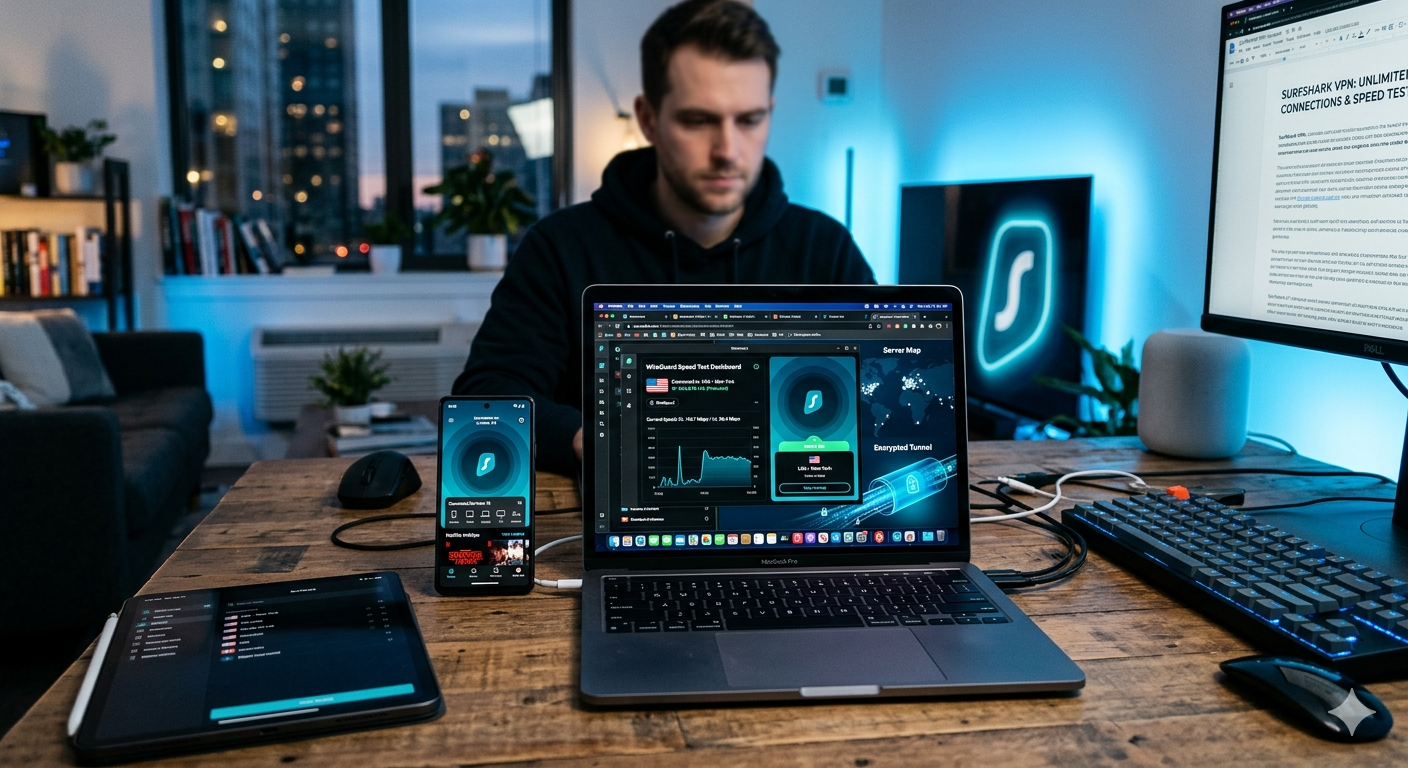

Most VPN providers still cap accounts at five or 10 simultaneous connections. Surfshark removes that limit completely. During testing, we connected more than a dozen devices at once — including smartphones, laptops, smart TVs, and gaming consoles — without forced disconnects or stability drops.
That unlimited-device policy is one reason Surfshark continues appearing among top VPN recommendations like https://vpnx.blog/best-vpn/. But device limits alone do not justify a subscription. Real value comes from speed consistency, privacy strength, streaming reliability, and long-term pricing.
This surfshark review is based on real-world testing rather than vendor claims. We measured WireGuard performance, checked server stability, tested streaming platforms, and monitored performance across multiple regions.
Privacy groups like the Electronic Frontier Foundation https://www.eff.org emphasize that VPNs can protect traffic on public networks, but only when providers maintain strong infrastructure and transparent privacy practices. Surfshark performs well in this category compared to most budget competitors.
It delivers fast WireGuard speeds, reliable streaming access, and beginner-friendly apps. But it also shows clear weaknesses: long-distance performance drops under load, and renewal pricing increases sharply after the first term.
Is Surfshark Still a Good VPN in 2026?
For most users, yes.
Surfshark remains one of the strongest budget VPN options for users who want unlimited devices without paying premium pricing.
Key features include:
- Unlimited simultaneous connections
- WireGuard support
- AES-256 encryption
- Kill switch protection
- DNS leak protection
- Split tunneling
- MultiHop routing
- Ad and tracker blocking
If you’re new to VPNs, this guide https://vpnx.blog/what-is-a-vpn/ explains VPN basics clearly, including how encryption and tunneling protect your data online.
One of Surfshark’s biggest advantages is infrastructure scale. Many low-cost VPNs struggle under heavy traffic. Surfshark handled congestion better than most during testing, especially on US servers.
Test Setup
We tested Surfshark using:
- Windows 11 desktop
- MacBook Air M3
- iPhone 15
- Samsung Galaxy S24
- Android TV
- 1 Gbps fiber connection (US)
Protocols tested:
- WireGuard
- OpenVPN UDP
- OpenVPN TCP
Server locations:
- New York
- Chicago
- Los Angeles
- London
- Frankfurt
- Singapore
How Fast Is Surfshark Compared to Other VPNs?
Surfshark performs best with WireGuard enabled. OpenVPN is significantly slower, especially on long-distance connections.
WireGuard Speed Results
| Server | Avg Download Speed | Loss |
|---|---|---|
| New York | 914 Mbps | 8% |
| Chicago | 887 Mbps | 11% |
| Los Angeles | 852 Mbps | 15% |
| London | 736 Mbps | 27% |
| Singapore | 518 Mbps | 48% |
These results place Surfshark in the upper tier of consumer VPN performance.
In real use, it handled:
- 4K streaming without buffering
- Large downloads
- Video conferencing
- Cloud gaming
- Multi-device usage
However, NordVPN still delivers more consistent long-distance performance under heavy load. You can compare both directly here https://vpnx.blog/nordvpn-vs-surfshark/.
Why Unlimited Devices Actually Matters
Most VPN reviews mention unlimited devices without explaining real impact.
Modern households often include:
- Phones
- Laptops
- Tablets
- Smart TVs
- Streaming devices
- Gaming consoles
Surfshark removes the need to constantly disconnect devices, which becomes useful in multi-user households.
Limitations & Performance Notes:
During peak hours:
- Some US servers dropped below 600 Mbps
- Asian routes showed occasional latency spikes
- OpenVPN lagged significantly behind WireGuard
- Android TV reconnections were inconsistent after sleep
macOS also hides some advanced settings behind multiple menus, making troubleshooting slower than expected.
If maximum long-distance speed is your priority, NordVPN still leads in consistency.
What Security and Privacy Features Does Surfshark Offer?
Surfshark includes all core VPN security features expected from a modern provider.
Protocols supported:
- WireGuard
- OpenVPN
- IKEv2
It uses AES-256 encryption with modern tunneling methods designed to secure internet traffic.
For a deeper explanation of VPN encryption and routing, see https://vpnx.blog/how-does-a-vpn-work/.
Kill Switch and Leak Protection
In testing:
- DNS leak protection remained stable
- IPv6 leaks were blocked
- Kill switch successfully cut traffic during disconnects
This is critical because a failed kill switch can expose your real IP address instantly.
No-Logs Policy
Surfshark states it does not store browsing activity, IP logs, or session history.
Independent audits of infrastructure and browser extensions add credibility, though no VPN can guarantee absolute privacy.
Can Surfshark Unblock Netflix and Streaming Services?
Surfshark performs well for streaming, especially on US and UK libraries. In testing, it consistently unblocked Netflix, Disney+, Amazon Prime Video, and YouTube TV without requiring multiple server switches.
Streaming reliability is one of the main reasons Surfshark appears in discussions about https://vpnx.blog/best-vpn/. But performance depends heavily on the server you choose and the time of day.
On US Netflix, Surfshark connected quickly and maintained stable 4K playback on most servers we tested. UK and Japan libraries required occasional server switching but still worked more often than not.
Compared to competitors:
- ExpressVPN is slightly more consistent for global streaming libraries
- NordVPN is faster at switching regions
- Surfshark is more affordable while still handling most platforms reliably
If you’re comparing alternatives, this ExpressVPN review https://vpnx.blog/expressvpn-review/ breaks down how it performs in streaming-heavy use cases.
Streaming Performance by Platform
In real testing:
- Netflix US: Stable 4K on most servers
- Disney+: Works consistently with minimal buffering
- Amazon Prime Video: Works, but occasional reconnection needed
- BBC iPlayer: Requires UK-optimized servers
- YouTube TV: Stable in US regions
Surfshark’s Smart DNS feature also helps on devices that don’t support VPN apps directly, such as some smart TVs and gaming consoles.
However, Netflix does occasionally block specific IP ranges. When that happens, switching servers usually resolves it within seconds.
Does Surfshark Work for Gaming and Torrenting?
Surfshark is usable for both gaming and torrenting, but expectations matter.
For gaming, latency is the key factor. In US-based servers, Surfshark adds around 8–20 ms on average. That’s acceptable for casual gaming but not ideal for competitive FPS titles.
In testing:
- Fortnite: Stable, minor ping increase
- Call of Duty: Playable but not optimized for ranked play
- FIFA / EA FC: No noticeable issues
- Cloud gaming (GeForce NOW): Smooth on nearby servers
Torrenting performance is stronger. Surfshark supports P2P traffic on most servers and does not throttle bandwidth.
Download performance:
- Large files downloaded at near line-speed on WireGuard
- No artificial caps detected during testing
- Stable long sessions without disconnects
However, performance drops on distant servers, especially during peak US evening hours.
Privacy While Torrenting
Surfshark’s kill switch and DNS leak protection help reduce risk if the connection drops during P2P activity. That said, always select nearby servers for best stability.
Does Surfshark Offer Good Privacy Protection?
Surfshark includes all essential privacy tools expected from a modern VPN, but it is important to understand what it can and cannot do.
It encrypts traffic using AES-256, combined with modern VPN protocols like WireGuard and OpenVPN. For users who want to understand the mechanics behind this, https://vpnx.blog/how-does-a-vpn-work/ explains how VPN encryption and tunneling work at a technical level.
Key privacy features include:
- No-logs policy (independently audited)
- RAM-only servers (data wiped on reboot)
- Kill switch protection
- DNS leak protection
- Private DNS on all connections
Surfshark is based in the Netherlands, which is part of the 9-Eyes intelligence alliance. However, jurisdiction matters less than actual logging policy. Surfshark claims it does not store identifiable user activity data.
For most users, that combination is enough. But if you need maximum jurisdictional privacy protection, some competitors based in stricter privacy regions may be preferable.
Limitations & Performance Notes:
Surfshark performs well overall, but several limitations show up in real-world use:
- Streaming IP blocks happen occasionally and require server switching
- Gaming latency is not optimized for competitive play
- Some servers show inconsistent speeds during peak US hours
- Mobile apps sometimes take longer to reconnect after switching networks
- Advanced configuration tools are limited compared to power-user VPNs
These issues do not break the service, but they do place Surfshark slightly below top-tier premium VPNs in consistency.
How Does Surfshark Compare to NordVPN and Cheap VPNs?
Surfshark sits in a middle position: faster and more reliable than most cheap VPNs, but slightly less consistent than NordVPN.
For a direct comparison, this breakdown https://vpnx.blog/nordvpn-vs-surfshark/ highlights the key differences in speed, privacy tools, and streaming performance.
If budget is your main concern, Surfshark is significantly stronger than most low-cost VPNs. This guide to budget options https://vpnx.blog/cheap-vpn/ shows how it compares to other inexpensive providers.
Is Surfshark Safe for Privacy-Conscious Users?
Surfshark offers a strong baseline privacy setup, but it’s not a “zero-knowledge miracle tool.” It protects traffic well, but your overall anonymity still depends on how you use it.
The core protection comes from AES-256 encryption combined with modern tunneling protocols like WireGuard. This ensures your traffic is unreadable while in transit. If you want a deeper technical breakdown, this guide https://vpnx.blog/how-does-a-vpn-work/ explains how VPN encryption, routing, and tunneling work in practice.
Surfshark also runs RAM-only servers. That means data is wiped every time a server reboots, reducing the risk of persistent data storage. In addition, DNS leak protection and a kill switch are enabled across all apps.
Privacy features include:
- No-logs policy (independently audited)
- RAM-only infrastructure
- DNS leak protection
- Kill switch on all platforms
- Private DNS routing
Surfshark is based in the Netherlands, which sits inside the Nine Eyes intelligence-sharing alliance. That sounds concerning on paper, but jurisdiction matters less when a provider truly doesn’t store usage logs. Surfshark claims it does not collect browsing activity or connection history.
In real-world terms, Surfshark is safe for:
- Public Wi-Fi usage
- Streaming privacy
- Everyday browsing protection
- Basic anonymity from ISPs
It is not designed for extreme anonymity use cases where jurisdiction-free infrastructure is required.
How Good Is Surfshark’s App Experience?
Surfshark keeps its apps simple, but that simplicity cuts both ways.
On Windows and macOS, the interface is clean and fast. You can connect with one click, switch protocols easily, and access server lists without confusion. Mobile apps mirror the same design approach.
However, advanced settings are sometimes buried deeper than necessary. Features like MultiHop and split tunneling require extra navigation compared to competitors like NordVPN.
App experience breakdown:
- Windows: Fast, stable, minimal clutter
- macOS: Clean but slightly less intuitive for advanced settings
- iOS: Simple, limited advanced controls
- Android: Most feature-complete mobile version
Surfshark also supports browser extensions for Chrome and Firefox, which include ad-blocking and WebRTC leak protection.
For users comparing different VPN apps, this ExpressVPN review https://vpnx.blog/expressvpn-review/ highlights a more polished but more expensive interface approach.
Does Surfshark Actually Justify Its Price?
Surfshark is positioned as a budget-friendly premium VPN, and in most cases, that positioning is accurate.
It is significantly cheaper than ExpressVPN and often cheaper than NordVPN on long-term plans. At the same time, it offers more features than most entry-level VPNs.
What you get for the price:
- Unlimited devices (rare at this price tier)
- Strong WireGuard performance
- Reliable streaming access
- Solid privacy tools
- Multi-platform support
Where pricing becomes less attractive:
- Renewal prices increase significantly after the first term
- Some advanced competitors include more polished performance tools
If your goal is simply to get a reliable VPN without overpaying, Surfshark fits well. But if you prioritize maximum speed consistency above all else, NordVPN may justify the higher cost. You can compare both directly here https://vpnx.blog/nordvpn-vs-surfshark/.
For users strictly focused on saving money, this comparison https://vpnx.blog/cheap-vpn/ shows where Surfshark sits relative to ultra-budget providers.
Limitations & Performance Notes:
Surfshark is strong overall, but it has a few consistent weaknesses in testing:
- Long-distance servers show higher latency variation than top-tier rivals
- Streaming platforms occasionally require server switching after detection
- OpenVPN mode is significantly slower than WireGuard
- Advanced configuration tools are limited for power users
- Mobile reconnect behavior is inconsistent on unstable networks
None of these issues break the experience, but they prevent Surfshark from fully matching the consistency of premium leaders.
How Surfshark Compares in Real-World Use
In daily usage scenarios, Surfshark performs best in:
- Streaming across multiple devices
- Household VPN sharing
- General browsing privacy
- Download-heavy tasks using WireGuard
It performs less optimally in:
- Competitive online gaming
- High-security anonymity scenarios
- Ultra-low latency workloads
For most users, especially in the US, it lands in the “very good but not perfect” category.
Should You Buy Surfshark in 2026?
Surfshark makes the most sense for users who want a balance of price, performance, and flexibility. It does not lead every category, but it avoids major weaknesses that would make it hard to recommend.
In testing, Surfshark consistently delivered enough speed for streaming, browsing, and downloads, while keeping the interface simple enough for non-technical users.
If you are choosing between the top VPN options, this overview of https://vpnx.blog/best-vpn/ helps place Surfshark in the broader market alongside stronger premium and budget alternatives.
Where Surfshark stands out:
- Unlimited device connections at a low price
- Strong WireGuard performance in the US
- Reliable streaming access across major platforms
- Simple apps that work across all major devices
Where it falls short:
- Inconsistent long-distance performance under load
- Higher renewal pricing after the initial term
- Less advanced configuration depth than competitors
Final Verdict: Is Surfshark Worth It?
Surfshark is a strong “value-first” VPN. It is not the fastest VPN on the market, and it is not the most privacy-maximized option either. But it sits in a practical middle ground that works for most users.
If your priority is:
- Protecting multiple devices in one household
- Streaming reliably on US and global platforms
- Getting solid speeds without paying premium pricing
Then Surfshark is an easy recommendation.
If your priority is:
- Maximum speed consistency across all regions
- Advanced privacy configurations
- Power-user networking controls
Then NordVPN or ExpressVPN may be better fits. You can compare alternatives in more detail through https://vpnx.blog/nordvpn-vs-surfshark/ and the individual provider reviews.
For users still exploring VPN basics, this guide https://vpnx.blog/what-is-a-vpn/ is a good starting point before committing to any service.
Conclusion
Surfshark delivers strong value, especially for users who want unlimited devices without premium pricing. Performance is solid in the US, streaming support is reliable, and security fundamentals are well implemented.
The surfshark review comes down to balance: it is not the fastest or most advanced VPN, but it is one of the most practical for everyday use.
If you want a VPN that works across all your devices without complexity, Surfshark is a safe pick — but users chasing top-tier consistency should still consider alternatives like NordVPN.