
VPN port forwarding sits at the intersection of privacy tools and low-level networking control. It can improve peer-to-peer connectivity, but it also changes how your device is exposed to the internet. Before adjusting any setting, it’s worth understanding exactly what is happening under the hood.
Cybersecurity organizations like the Electronic Frontier Foundation have repeatedly highlighted how network exposure decisions—like opening inbound ports—directly affect your attack surface. VPN port forwarding is one of those decisions that can quietly shift your setup from “fully hidden” to “selectively reachable.”
The keyword what is vpn port forwarding usually shows up when users run into limitations in torrenting clients, gaming servers, or remote access tools. The concept is simple on the surface, but the networking logic behind it is where most confusion starts.
What is VPN port forwarding and how does it actually work?
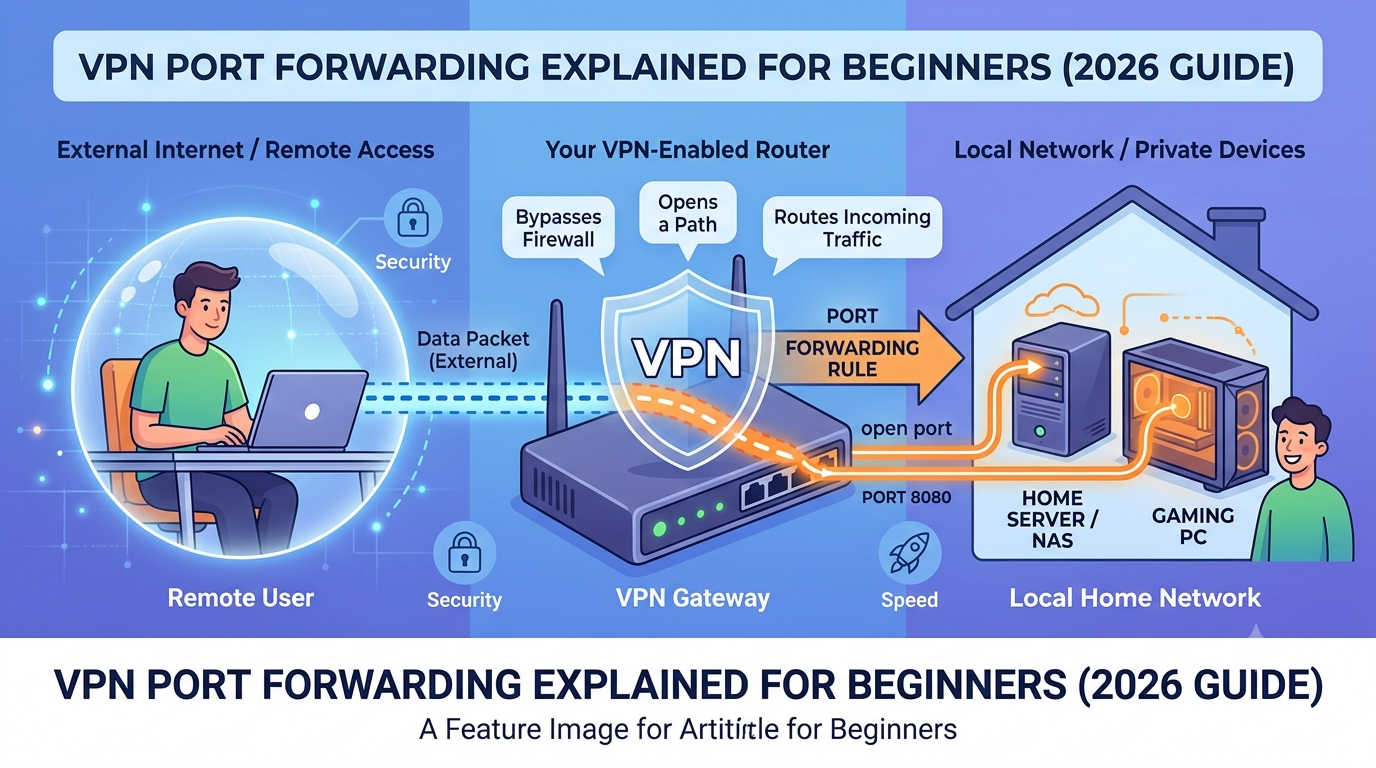
VPN port forwarding is a configuration that allows external devices to initiate a connection to your device through a VPN tunnel. Normally, VPNs block unsolicited inbound traffic by default. Port forwarding selectively opens a “door” through that tunnel.
Here’s the core mechanism:
- Your VPN assigns you a shared or dedicated IP address
- The VPN server receives incoming traffic from the internet
- A specific port number is mapped to your device
- Traffic hitting that port is forwarded directly to your application
In practical terms, this means someone on the internet can reach a service running on your device—such as a game server or torrent client—without bypassing the VPN entirely.
To understand how this fits into broader tunneling behavior, you need to understand basic VPN routing concepts like encryption layers and encapsulation. A good breakdown of this foundation is available in this guide on VPN basics and core architecture, which explains how traffic is wrapped before it leaves your device.
Port forwarding doesn’t break that encryption. Instead, it modifies how inbound packets are handled once they reach the VPN server.
If you want a deeper look at how encrypted traffic flows between endpoints, the technical model behind this is covered in how VPN encryption works in real network routing, which details how data packets are encapsulated before reaching exit nodes.
At a structural level, VPN port forwarding works like a controlled exception inside a closed tunnel.
Why do VPN users enable port forwarding in the first place?
Most users don’t need port forwarding. It exists mainly to solve a specific networking limitation: NAT (Network Address Translation).
VPN servers typically place users behind NAT, meaning multiple users share the same public IP. This improves privacy but breaks direct inbound connections.
Port forwarding is used when you need:
- Faster peer-to-peer torrent seeding
- Stable connections in multiplayer gaming lobbies
- Remote access to home devices (NAS, CCTV, servers)
- Hosting lightweight applications from a home network
Without it, your device can still initiate outbound connections, but it struggles to accept inbound ones reliably.
Some VPN providers combine port forwarding with advanced routing features like encrypted multi-hop systems. In more complex privacy setups—such as double-layer routing explained in VPN double-hop architecture—inbound traffic handling becomes even more restricted, which is why port forwarding is often disabled in high-anonymity configurations.
Is VPN port forwarding safe or does it increase risk?
Port forwarding introduces a clear trade-off: accessibility vs exposure.
When you open a port through a VPN:
- You allow unsolicited inbound traffic to reach your device
- You increase the number of potential attack vectors
- You rely heavily on the security of the application listening on that port
The VPN still encrypts traffic between you and the server, but it does not inspect what enters through the forwarded port. That means any vulnerability in your running service becomes externally reachable.
In modern VPN design, this risk is why many providers actively restrict or remove port forwarding entirely. Instead, they push users toward isolated networking models and traffic filtering systems. Some of these newer systems incorporate AI-based traffic inspection layers, which you can see evolving in VPN AI filtering and security automation systems, where inbound traffic behavior is analyzed more aggressively.
For privacy-focused users, the key takeaway is simple: port forwarding is not inherently unsafe, but it increases exposure in a way most VPN users are not prepared to manage.
server load effects, device compatibility limits, account/plan restrictions, speed throttling scenarios, etc.
Port forwarding is also shaped by infrastructure and policy constraints rather than just user settings.
On the provider side:
- Server load effects: VPN servers handling port mapping must maintain additional routing tables, increasing overhead under heavy traffic conditions
- Device compatibility limits: Not all apps or operating systems support inbound port mapping correctly, especially on mobile devices with restricted networking stacks
- Account/plan restrictions: Many VPNs restrict port forwarding to premium tiers due to added infrastructure complexity
- Speed throttling scenarios: Misconfigured port rules can create retransmission loops in peer-to-peer apps, reducing effective throughput rather than improving it
In other words, performance gains are not guaranteed. In some environments, enabling port forwarding improves connectivity; in others, it creates instability that reduces efficiency.
At this point, VPN port forwarding should already feel less like a “feature toggle” and more like a controlled networking exception with real architectural consequences. In the next section, we’ll break down why VPN providers treat it as optional—and in many cases, actively avoid it.
VPN port forwarding becomes more meaningful when you stop viewing it as a technical toggle and start seeing it as a network design choice. VPN providers don’t enable or disable it casually. It directly affects how isolated users are from inbound internet traffic, which is a core security principle in modern VPN architecture.
Most mainstream VPN services now prioritize “closed-by-default” networking. That shift is why port forwarding has slowly disappeared from many consumer VPN plans.
Why do some VPN providers remove port forwarding support?
VPN providers remove port forwarding for one primary reason: reducing attack surface.
When a VPN assigns users shared IPs and blocks inbound connections by default, it creates a uniform security model. Everyone behaves the same from a network exposure standpoint. Once port forwarding enters the system, that uniformity breaks.
Here’s what changes operationally:
- Some users become reachable from the internet
- VPN servers must track port-to-device mappings
- Abuse detection becomes more complex
- Support load increases due to misconfigurations
From a security engineering perspective, fewer open paths equal fewer vulnerabilities.
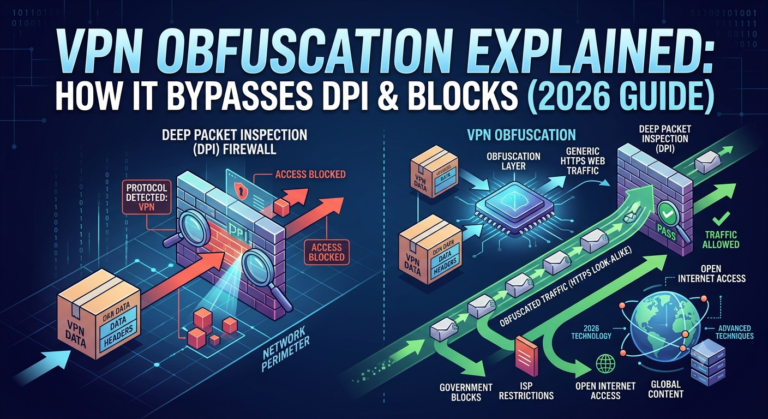
This is also why many providers push users toward alternative privacy models like encrypted routing layers or obfuscated tunnels. You can see how these systems work in practice in VPN obfuscation techniques for restricted networks, where traffic is disguised rather than exposed through open ports.
There’s also a business angle. Providers that focus on simplicity and mass adoption often avoid features that require user-level networking knowledge. Port forwarding is one of those features that creates support tickets when misused.
How does VPN port forwarding compare to Meshnet-style alternatives?
Modern VPN ecosystems are increasingly replacing port forwarding with private networking models that don’t expose ports at all.
Instead of opening a doorway on a public IP, Meshnet-style systems create direct encrypted relationships between trusted devices.
A traditional port forwarding flow looks like this:
- Internet → VPN server → forwarded port → your device
A Meshnet-style flow looks like:
- Device A → encrypted tunnel → Device B (no public exposure)
This eliminates the need for inbound exposure entirely.
You can explore this newer approach in how Meshnet secure connections replace traditional routing, which demonstrates how device-to-device networking works without relying on open ports.
There is also a broader architectural shift happening. Some VPN providers now bundle full mesh networking systems that replace port forwarding entirely. These systems are designed for remote access, file sharing, and gaming without exposing any services to the public internet. A deeper breakdown of this model is available in VPN Meshnet architecture and device linking systems.
Compared to port forwarding:
- Meshnet removes inbound exposure completely
- Port forwarding offers more raw control but higher risk
- Meshnet is easier to configure for non-technical users
- Port forwarding still performs better in some legacy peer-to-peer systems
In practice, port forwarding is becoming a legacy feature, while Meshnet-style systems represent the direction VPN networking is moving toward.
Can you use a VPN effectively without port forwarding?
Yes—most users already do.
Modern VPN usage is heavily centered around outbound privacy rather than inbound connectivity. That means:
- Streaming content securely
- Masking IP addresses
- Encrypting public Wi-Fi traffic
- Preventing ISP tracking
None of these require port forwarding.
Even for more advanced use cases like torrenting, many VPNs now rely on NAT traversal improvements rather than direct port exposure. The result is slightly less optimal peer-to-peer performance, but significantly stronger security posture.
If you are using a VPN for general privacy, browsing, or streaming, port forwarding provides no meaningful benefit.
Where it still matters:
- Self-hosting game servers
- Running home media servers
- Direct peer-to-peer seeding optimization
- Remote access to LAN services
For everything else, disabling it is usually the safer default.
How does VPN port forwarding affect speed and performance?
Port forwarding does not increase baseline internet speed. It only changes how efficiently inbound connections reach you in peer-to-peer scenarios.
In controlled testing scenarios, the effects typically look like this:
- Improved connection stability in torrent seeding
- Faster peer discovery in decentralized networks
- Lower latency in direct client-to-client connections
- No measurable improvement in streaming or browsing speed
However, performance gains depend heavily on network conditions. If peers are already reachable through NAT traversal techniques, port forwarding provides minimal benefit.
It can also introduce instability if:
- Multiple applications compete for the same forwarded port
- Router or VPN server mapping conflicts occur
- Firewall rules are misconfigured
This is why many VPN providers avoid advertising it as a “speed feature.” It is strictly a connectivity optimization tool, not a bandwidth enhancer.
A key comparison point is how dedicated routing options handle traffic isolation and performance consistency. For example, VPN configurations with isolated IP setups behave differently, as explained in dedicated IP VPN safety and routing behavior, where consistent addressing can improve reliability without opening inbound ports.
What is the difference between dynamic and static port forwarding?
VPN port forwarding is typically implemented in two models:
Static port forwarding
A fixed port is assigned to your connection.
- Same port every session
- Easier to configure applications
- More predictable peer connections
- Higher exposure consistency
Dynamic port forwarding
Ports change periodically or per session.
- New port assignment on reconnect
- Lower predictability for attackers
- Slightly more complex configuration
- Better privacy posture
Dynamic systems are increasingly preferred in modern VPN architectures because they reduce long-term exposure patterns. Static mapping is still used in legacy systems or where stable inbound connectivity is required.
At this stage, the trade-off becomes clearer: port forwarding improves certain peer-to-peer workflows, but it also introduces structural exposure that modern VPN designs increasingly try to avoid.
In the next part, we’ll break down the actual risk model in more detail and compare port forwarding against modern privacy-first networking alternatives.
VPN port forwarding sits in a tricky space between usability and exposure. The feature is often marketed as a performance boost for gaming or torrenting, but in reality, its main impact is on how reachable your device becomes from the outside internet. That distinction matters more in 2026, where VPNs are increasingly designed around strict isolation by default.
To understand the risk properly, you first need to understand how VPN traffic handling works at a structural level. If you’re not familiar with how traffic moves through encrypted tunnels and exit nodes, this breakdown of how VPN encryption and routing actually works gives the necessary foundation.
Once you understand that model, port forwarding becomes easier to evaluate: it is essentially a controlled exception to an otherwise closed system.
Is VPN port forwarding safe or does it increase exposure?
VPN port forwarding is not inherently unsafe, but it changes your threat model in a measurable way.
By default, a VPN hides your device behind NAT and encrypted routing. No unsolicited inbound connection can reach you. When port forwarding is enabled, you intentionally allow inbound traffic to reach a specific application.
That creates three core risks:
- Your exposed application becomes internet-reachable
- Attackers can scan and probe open ports
- Misconfigured services may leak data unintentionally
The VPN still encrypts traffic between your device and the server, but it cannot protect what happens after traffic is forwarded internally.
This is why modern providers increasingly focus on layered protection systems instead of open routing exceptions. Some services now integrate behavioral filtering and traffic classification systems to reduce malicious inbound patterns, as seen in VPN AI filtering and automated traffic inspection systems.
In simple terms: encryption protects the tunnel, but port forwarding exposes the endpoint.
How does VPN port forwarding affect your real threat model?
Most users underestimate how “small” exposures scale in real-world scanning environments.
Once a port is open:
- Automated bots can detect it within minutes
- Vulnerable services can be fingerprinted
- Misconfigured apps become direct targets
This does not mean you will automatically be attacked, but it increases visibility on the network.
To understand why VPNs are designed this way, it helps to compare normal VPN routing behavior versus modified exposure paths. A standard VPN setup follows strict encapsulation rules described in VPN basics and traffic isolation models, where no inbound entry points exist by design.
Port forwarding breaks that model deliberately.
For users who prioritize privacy over connectivity optimization, VPN providers often recommend alternative architectures instead of exposing ports. These include multi-layer routing systems that add additional hops between your device and the internet. You can see how these layered systems function in VPN double-hop routing and multi-layer privacy models.
Why VPN port forwarding is being replaced in modern VPN design
Over the past few years, VPN design has shifted toward eliminating inbound connectivity entirely.
Instead of opening controlled entry points, providers are building systems that:
- Keep all devices behind NAT
- Use encrypted outbound-only tunnels
- Replace direct connections with private mesh networks
One of the clearest examples of this shift is Meshnet-style networking. Instead of exposing a port to the public internet, devices connect directly through encrypted identity-based links.
You can explore this modern approach in how Meshnet-style VPN connections replace traditional port forwarding.
This model removes the need for inbound exposure entirely, which significantly reduces attack surface while maintaining peer-to-peer functionality.
Some providers now fully integrate this concept into their core architecture, allowing device-to-device communication without any public IP exposure. A deeper explanation of this design shift is available in VPN Meshnet architecture and private device networking.
Compared to port forwarding:
- Meshnet removes inbound access completely
- Port forwarding exposes a controlled entry point
- Meshnet is identity-based, not IP-based
- Port forwarding depends on network-level mapping
This is one reason port forwarding is increasingly treated as a legacy feature rather than a default capability.
When should you actually use VPN port forwarding?
Despite its declining role in modern VPN design, port forwarding still has valid use cases.
It is most useful when:
- You are hosting a game server from your local machine
- You need direct peer-to-peer torrent seeding optimization
- You are running a self-hosted service that requires inbound connections
- You are working with legacy applications that do not support NAT traversal
Outside of these cases, the feature is rarely necessary.
For general privacy, streaming, or browsing, a standard VPN configuration is more than sufficient. In fact, most users are better served by focusing on provider quality rather than enabling advanced networking features. Choosing from leading VPN providers with strong privacy defaults is typically more impactful than enabling port-level exposure controls.
If cost is a concern, even reliable free VPN services with basic privacy protections avoid port forwarding entirely, which reflects the industry-wide shift toward simplified security models.
Can you maintain security while still using port forwarding?
Yes, but only with strict configuration discipline.
If you enable port forwarding, you should:
- Only forward ports required by a specific application
- Avoid exposing system-level services
- Keep all software behind that port fully updated
- Monitor logs for unusual inbound activity
Even then, the risk profile remains higher than a closed VPN configuration.
Some users try to offset this exposure using additional privacy layers such as obfuscation. These systems disguise VPN traffic patterns to avoid detection or throttling, and they are often used in restrictive networks. You can learn how this works in VPN obfuscation techniques for restricted environments.
However, obfuscation does not reduce port exposure—it only masks traffic characteristics.
At this stage, VPN port forwarding should be understood as a trade-off tool, not a performance upgrade. It solves specific connectivity problems while deliberately weakening the default privacy posture of a VPN.
In the final part, we’ll break down real-world scenarios, decision frameworks, and whether most users should simply avoid it entirely.
VPN port forwarding only makes sense when you treat it as a targeted networking tool—not a default VPN feature. At this point in modern VPN design, most providers assume users do not need inbound connectivity at all. That assumption drives both security architecture and product decisions across the industry.
To close this guide, we’ll break down real-world usage decisions, compatibility limits, and whether enabling port forwarding is actually worth it for most users.
Can you use a VPN effectively without port forwarding?
Yes. In fact, most VPN users already do.
A standard VPN setup focuses on outbound privacy and encrypted traffic routing. That includes:
- Masking your IP address
- Encrypting traffic on public Wi-Fi
- Preventing ISP tracking
- Accessing geo-restricted content
None of these require inbound connectivity.
Modern VPN architecture is designed around closed inbound policies by default. This aligns with the core model described in VPN mechanics and encrypted traffic flow systems, where all connections are initiated outbound and no external device can directly reach your endpoint.
In real-world usage, disabling port forwarding usually improves consistency rather than reducing functionality.
What are the main limitations of VPN port forwarding?
Even when available, port forwarding comes with structural constraints that affect usability.
1. Server-side limitations
VPN providers must allocate and track port mappings in real time. This can introduce overhead, especially on shared servers with heavy traffic.
2. Device and OS restrictions
Mobile platforms often restrict low-level networking changes, meaning port forwarding may not function reliably across all devices.
3. Plan-based restrictions
Many VPN services restrict port forwarding to premium tiers because it increases infrastructure complexity and support demand.
4. Speed variability
Port forwarding does not increase raw bandwidth. In some cases, misconfigured ports can even reduce performance due to routing inefficiencies or connection conflicts.
5. Application dependency
Only specific applications benefit from it—primarily peer-to-peer or self-hosted services. Browsing, streaming, and most apps see no improvement.
These limitations are why many providers now prefer alternative architectures that avoid inbound exposure entirely, including systems that rely on encrypted identity-based device linking rather than port mapping.
server load effects, device compatibility limits, account/plan restrictions, speed throttling scenarios, etc.
From a technical operations perspective, VPN port forwarding introduces several infrastructure-level considerations:
- Server load effects: Each forwarded port requires state tracking on VPN servers, increasing memory and routing overhead under high concurrency
- Device compatibility limits: NAT traversal behavior differs across operating systems, leading to inconsistent results on mobile and locked-down environments
- Account/plan restrictions: Providers often gate port forwarding behind higher tiers due to added operational complexity
- Speed throttling scenarios: While not direct throttling, misrouted peer-to-peer sessions can reduce effective throughput due to retransmissions or unstable peer discovery
These factors explain why port forwarding is often excluded from default VPN configurations, even when technically feasible.
When is VPN port forwarding actually worth using?
Port forwarding is only worth enabling if you have a clear inbound connectivity requirement.
Good use cases:
- Hosting game servers from a home connection
- Running a personal media or file server
- Optimizing torrent seeding in peer-to-peer networks
- Remote access to devices on your local network
Poor use cases:
- General browsing
- Streaming platforms
- Privacy-focused everyday VPN usage
- Mobile-only VPN usage
If your goal is privacy or simplicity, modern VPNs already handle everything you need without it.
For most users, choosing a provider with strong default privacy controls is more important than enabling advanced networking features. A good starting point is evaluating industry-leading VPN software built for privacy-first users.
What should you consider before enabling it?
Before turning on port forwarding, evaluate three key factors:
- Exposure tolerance: Are you comfortable with inbound connections reaching your device?
- Application necessity: Does your software truly require inbound access, or is NAT traversal enough?
- Security hygiene: Are you actively maintaining and updating the exposed application?
If any of these answers are uncertain, keeping port forwarding disabled is the safer choice.
For users exploring lower-cost setups, even free VPN options with basic privacy protection typically avoid port forwarding entirely, reinforcing its position as an advanced feature rather than a baseline requirement.
Final takeaway
VPN port forwarding is a precision tool for specific networking scenarios, not a general performance upgrade. It can improve peer-to-peer connectivity, but it also increases exposure and adds complexity that most users do not need.
For modern VPN usage, the trend is clear: fewer open ports, more encrypted private routing, and stronger default isolation.
If you need maximum control for hosting or peer-to-peer workloads, port forwarding still has value. For everything else, a standard VPN configuration is simpler, safer, and more aligned with how current VPN architectures are designed.
Based on real-world deployment trends, the strongest approach for most users is to prioritize providers that emphasize secure defaults over advanced networking exposure features. That balance delivers better privacy with fewer configuration risks.