
Many VPNs fail not because their encryption is weak, but because networks can identify that you’re using a VPN in the first place. Schools, workplaces, streaming services, internet providers, and governments increasingly use traffic analysis tools to detect and restrict VPN connections.
That is where VPN stealth mode comes in.
If you’ve ever seen features called Stealth Mode, Camouflage Mode, Obfuscated Servers, or VPN Obfuscation, they all aim to solve the same problem: making VPN traffic look like regular internet traffic. Instead of advertising itself as a VPN connection, stealth mode disguises the connection so filtering systems have a harder time recognizing it.
For users facing VPN blocks, network restrictions, or censorship, stealth mode can be one of the most useful privacy features available.
Before exploring stealth technology, it helps to understand the basics of a VPN. If you’re new to the topic, see this guide on VPN basics to understand how VPN services encrypt and route internet traffic.
What Is VPN Stealth Mode?
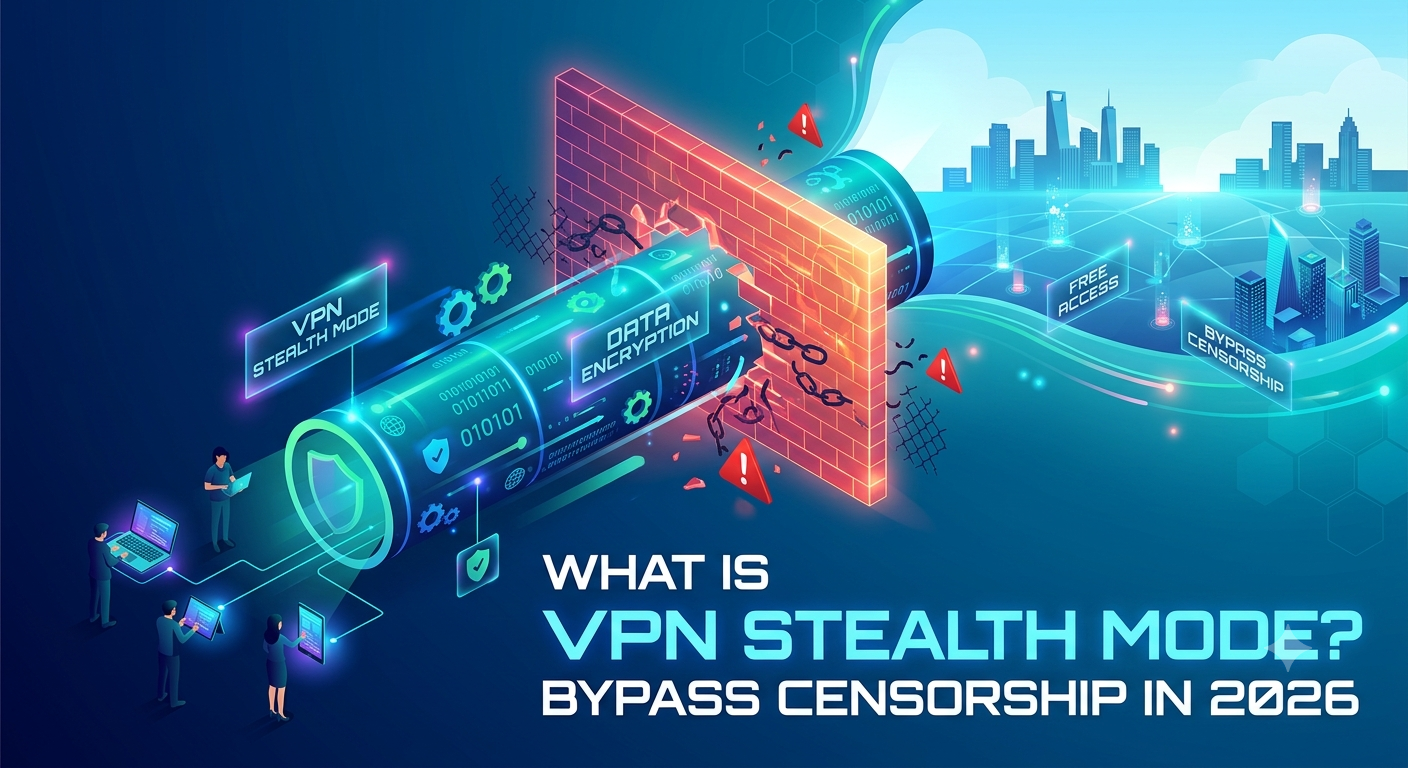
VPN stealth mode is a technology that disguises VPN traffic so it appears to be ordinary internet traffic.
Under normal circumstances, VPN protocols create traffic patterns that network monitoring systems can recognize. Even though the contents of the connection remain encrypted, the traffic itself often reveals that a VPN is being used.
Stealth mode changes that.
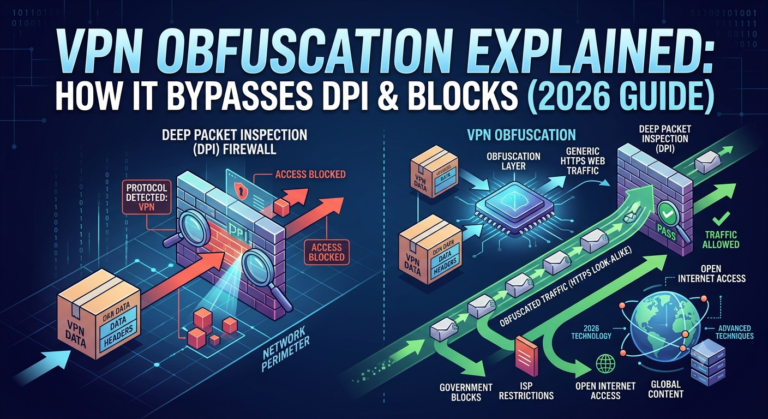
Instead of allowing traffic to look like a standard VPN connection, the VPN adds an extra layer of obfuscation. This process masks identifiable characteristics that network filtering systems use to detect VPN activity.
The result is that:
- VPN traffic becomes harder to identify.
- VPN blocking systems become less effective.
- Deep packet inspection systems face additional obstacles.
- Network restrictions become easier to bypass.
Importantly, stealth mode does not replace encryption. It works alongside existing VPN security measures.
Think of standard VPN encryption as placing a confidential document inside a locked briefcase. Stealth mode goes one step further by making the briefcase look like an ordinary backpack that attracts less attention.
Why Do Networks Block VPNs?
Many people assume VPNs are always welcome because they improve privacy and security. In reality, numerous organizations actively attempt to detect and block VPN traffic.
Common examples include:
Government Censorship
Some countries restrict access to social media platforms, news websites, messaging apps, and foreign services. Governments may deploy sophisticated filtering systems designed to identify VPN traffic patterns.
Workplace Restrictions
Employers sometimes block VPN usage to enforce network policies and monitor internet activity on company devices.
School Networks
Schools frequently restrict VPN use to prevent students from bypassing content filters.
Streaming Services
Certain streaming platforms attempt to detect VPN traffic to enforce regional licensing agreements.
Internet Service Providers
Some ISPs monitor traffic patterns and may throttle certain types of connections. Obfuscation can make traffic analysis more difficult.
The growing use of VPN detection systems explains why stealth technologies have become increasingly important over the last several years.
How Does VPN Stealth Mode Work?
At a high level, stealth mode modifies VPN traffic so it resembles normal encrypted web traffic.
Most websites already use HTTPS encryption. Every time you visit a secure website, your browser exchanges encrypted data that appears routine to network monitoring systems.
Stealth mode takes advantage of that expectation.
Instead of exposing identifiable VPN signatures, the VPN transforms traffic patterns to blend in with ordinary HTTPS communications.
To understand the foundation of this process, it helps to learn how VPN encryption works and how encrypted tunnels are established between devices and VPN servers.
Traffic Obfuscation
The core technology behind stealth mode is obfuscation.
Obfuscation removes or hides protocol characteristics that reveal VPN usage.
Without obfuscation:
- VPN traffic has recognizable signatures.
- Firewalls can identify protocol fingerprints.
- Detection systems may block connections automatically.
With obfuscation:
- VPN signatures become harder to identify.
- Traffic resembles ordinary HTTPS activity.
- Filtering systems have less information to work with.
Many providers use different names for the same concept. Some call it Stealth Mode. Others call it Camouflage Mode or Obfuscated Servers.
If you’d like a deeper technical breakdown, this guide to VPN traffic obfuscation techniques explains the underlying mechanisms in greater detail.
Deep Packet Inspection Resistance
One of the primary reasons stealth mode exists is to combat Deep Packet Inspection (DPI).
DPI systems inspect network traffic beyond simple IP addresses and ports. They analyze packet structures, metadata, and protocol behavior.
Organizations use DPI for:
- Content filtering
- VPN detection
- Traffic shaping
- Network monitoring
- Censorship enforcement
Stealth mode attempts to remove the indicators that DPI systems typically rely on.
This doesn’t guarantee invisibility. Modern detection systems continue evolving. However, stealth technology often significantly increases the difficulty of identifying VPN connections.
Is VPN Stealth Mode the Same as VPN Obfuscation?
In most cases, yes.
For practical purposes, stealth mode and VPN obfuscation describe the same idea.
Different VPN providers simply use different branding terms.
You may encounter names such as:
- Stealth VPN
- Camouflage Mode
- Obfuscated Servers
- Stealth Protocol
- Hidden VPN Mode
- Anti-Censorship Mode
Although implementation details vary, the goal remains consistent: disguise VPN traffic so it looks like normal encrypted internet activity.
Some providers implement basic obfuscation. Others deploy more advanced systems that dynamically adjust traffic patterns based on network conditions.
Those differences can affect success rates when bypassing sophisticated filtering systems.
When Should You Use VPN Stealth Mode?
Stealth mode is most useful when a standard VPN connection fails.
Typical scenarios include:
- VPN connections being blocked.
- Frequent VPN disconnections.
- School network restrictions.
- Workplace filtering systems.
- Public Wi-Fi networks with VPN detection.
- Government censorship environments.
- ISP throttling concerns.
For routine browsing on unrestricted networks, stealth mode is often unnecessary.
Because stealth mode introduces additional processing overhead, many users achieve better speeds using standard VPN connections when restrictions are not present.
The next section will examine exactly how stealth mode affects performance, connection speeds, battery life, and overall VPN efficiency.
What Are the Performance and Speed Trade-Offs?
Stealth mode helps bypass VPN blocks, but it rarely comes without a cost. The same techniques that disguise VPN traffic add extra processing steps, which can affect speed, latency, and battery life.
For most users, the trade-off is worthwhile only when network restrictions exist.
If your VPN connects normally and you are not facing censorship, standard VPN protocols usually deliver better performance.
Why Stealth Mode Can Reduce Speeds
A typical VPN connection already encrypts your traffic before sending it through a secure tunnel.
Stealth mode adds another layer of processing designed to hide VPN fingerprints.
That additional work can result in:
- Higher latency
- Lower download speeds
- Reduced upload speeds
- Increased CPU usage
- Additional battery consumption on mobile devices
The impact varies significantly between providers.
Some modern implementations add only a small performance penalty. Others can reduce speeds much more noticeably, especially on long-distance server connections.
Factors That Affect Stealth Performance
Several variables determine how much speed you lose.
Server Distance
The farther your VPN server is from your physical location, the more latency you introduce.
A nearby obfuscated server will usually outperform a distant one.
Server Load
Busy servers must process more encrypted traffic simultaneously.
Heavy server load can increase response times and reduce throughput regardless of whether stealth mode is enabled.
VPN Protocol
Different protocols handle obfuscation differently.
OpenVPN-based stealth implementations often prioritize compatibility and censorship resistance.
WireGuard-based stealth systems generally focus on efficiency and speed while maintaining strong privacy protections.
Device Performance
Older smartphones, tablets, and laptops may struggle with the extra computational overhead introduced by obfuscation.
Newer devices usually handle stealth mode with minimal noticeable impact.
Can VPN Stealth Mode Bypass Deep Packet Inspection?
In many situations, yes.
However, the answer is not absolute.
Deep Packet Inspection systems continue evolving, and no stealth technology guarantees success against every filtering system.
The goal of stealth mode is not perfection. The goal is to make VPN traffic significantly harder to identify.
How DPI Systems Detect VPNs
Deep Packet Inspection examines more than destination addresses.
Modern systems may analyze:
- Packet headers
- Protocol signatures
- Connection behavior
- Traffic timing patterns
- Handshake characteristics
- Encryption fingerprints
Many standard VPN protocols create recognizable patterns.
Once a firewall identifies those patterns, it can:
- Block the connection
- Slow the connection
- Flag the connection for monitoring
- Restrict access to specific services
The Role of VPN Handshakes
Every VPN connection begins with a negotiation process called a handshake.
During this process, the device and VPN server establish secure communication parameters.
Some filtering systems look for characteristics associated with VPN handshakes.
Understanding this process helps explain why stealth technologies focus heavily on disguising connection setup behavior. For a deeper explanation, see this guide on how VPN handshakes establish secure connections.
Realistic Expectations
Stealth mode is highly effective against many common VPN detection systems.
However, users should avoid assuming it provides complete invisibility.
Advanced censorship systems may combine:
- IP reputation analysis
- Traffic correlation
- Behavioral monitoring
- Active probing techniques
Stealth mode raises the difficulty of detection, but it does not eliminate every possible detection method.
What Other VPN Features Work Alongside Stealth Mode?
Stealth mode becomes even more useful when combined with other privacy-focused VPN features.
Many of the strongest privacy configurations rely on multiple technologies working together rather than a single feature.
Multi-Hop VPN Routing
A multi-hop VPN sends traffic through multiple VPN servers instead of a single location.
This makes traffic correlation attacks more difficult and increases separation between your original IP address and your final exit point.
Users who need stronger anonymity can combine stealth mode with multi-hop VPN routing strategies for additional privacy protection.
The downside is that multiple server hops typically increase latency and reduce speeds.
Split Tunneling
Not every application needs VPN protection.
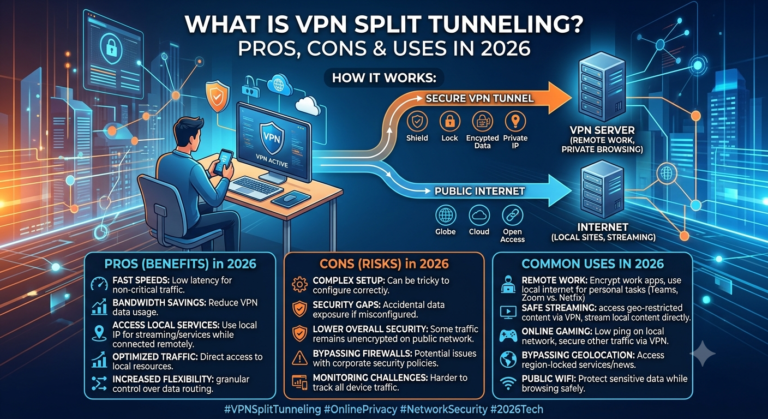
Split tunneling allows selected apps or websites to use the VPN while others connect directly to the internet.
This can improve performance and reduce unnecessary VPN usage.
If you’re unfamiliar with the feature, this explanation of VPN split tunneling functionality covers common use cases and security considerations.
Many users combine split tunneling with stealth mode to protect sensitive traffic while minimizing performance impacts.
DNS Leak Protection
Stealth mode hides VPN traffic patterns, but DNS privacy remains equally important.
If DNS requests escape outside the VPN tunnel, websites and network operators may still gain information about your browsing activity.
A DNS leak can undermine privacy even when stealth mode is active.
Learning how to identify and fix DNS leaks in a VPN is an important step for maintaining a secure setup.
Are Free VPNs Good for Stealth Mode?
Usually not.
Most free VPN services focus on providing basic encrypted connections rather than advanced anti-censorship technologies.
Developing effective stealth systems requires:
- Specialized infrastructure
- Ongoing maintenance
- Regular updates
- Dedicated obfuscated servers
These features cost money to operate.
As a result, many free services either lack stealth capabilities entirely or offer limited implementations.
If you’re evaluating no-cost options, review reputable comparisons of reliable free VPN services before making a decision.
For users who frequently encounter VPN blocks, paid providers generally offer stronger obfuscation technologies and better long-term reliability.
Is VPN Stealth Mode Necessary for Everyday Browsing?
For most people in the United States, the answer is no.
If your VPN connects without issues and your network does not block VPN traffic, enabling stealth mode all the time usually provides little benefit.
Stealth mode is a specialized tool. Like any specialized security feature, it works best when used for the situations it was designed to solve.
When You Probably Don’t Need Stealth Mode
A standard VPN connection is often sufficient when:
- Browsing from home
- Using trusted mobile networks
- Accessing public Wi-Fi with no VPN restrictions
- Streaming content on VPN-friendly services
- Protecting data on unsecured networks
- Preventing ISP monitoring
In these scenarios, standard VPN encryption already hides your browsing activity and protects your connection.
Adding stealth mode may simply introduce unnecessary overhead.
When Stealth Mode Makes Sense
Stealth mode becomes much more valuable when you encounter:
- VPN blocking systems
- Aggressive network filtering
- Government censorship
- School VPN restrictions
- Workplace VPN bans
- ISP traffic shaping
- Network environments that inspect traffic patterns
In these situations, the performance trade-off is often justified because a standard VPN connection may not work at all.
How Do VPN Providers Implement Stealth Mode?
Not all stealth technologies are identical.
Different VPN companies use different techniques to disguise traffic.
Some providers focus on modifying OpenVPN traffic. Others build custom systems around WireGuard or proprietary protocols.
The result is that one provider’s stealth mode can perform very differently from another’s.
OpenVPN-Based Obfuscation
Many VPN providers originally built stealth systems on top of OpenVPN.
OpenVPN remains widely supported and highly configurable.
Common approaches include:
- TLS camouflage
- Packet scrambling
- Signature masking
- Traffic wrapping
These methods attempt to remove the characteristics that make OpenVPN recognizable.
WireGuard Obfuscation
WireGuard has become one of the most popular VPN protocols due to its efficiency and performance.
However, its identifiable traffic patterns created a new challenge.
To address that issue, many providers developed WireGuard obfuscation techniques that preserve speed while improving resistance to VPN detection.
This remains one of the fastest-growing areas of VPN development.
Proprietary Stealth Technologies
Several major VPN providers have developed custom solutions.
Examples include:
- Stealth Mode
- Camouflage Mode
- Invisible VPN
- Obfuscated Servers
- Custom anti-censorship protocols
Although marketing names differ, the objective remains the same: make VPN traffic resemble normal internet traffic.
Does Stealth Mode Improve Privacy?
Yes, but only in specific ways.
Stealth mode improves privacy by reducing the visibility of VPN usage itself.
That distinction matters.
A regular VPN already encrypts your traffic and hides your IP address. Stealth mode does not suddenly make encryption stronger.
Instead, it helps conceal the fact that a VPN connection exists.
What Stealth Mode Protects
Stealth mode may help protect against:
- VPN identification
- Automated VPN blocking
- Basic traffic classification
- Some forms of ISP analysis
- Certain censorship systems
What Stealth Mode Does Not Protect Against
Stealth mode does not automatically protect against:
- Malware infections
- Phishing attacks
- Weak passwords
- Browser fingerprinting
- Account tracking
- Unsafe downloads
Many users mistakenly assume stealth mode provides complete anonymity.
It does not.
Privacy depends on your overall security setup, not a single feature.
Can Stealth Mode Replace Other VPN Features?
No.
Stealth mode works best as one component of a broader privacy strategy.
Several other VPN features solve different problems.
Port Forwarding Serves a Different Purpose
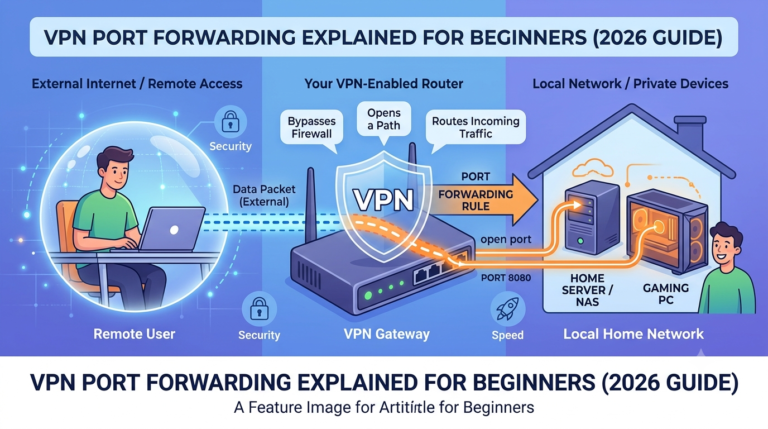
Port forwarding allows incoming connections to reach specific devices or applications through a VPN connection.
This feature is commonly used for:
- Gaming servers
- Remote access
- Certain peer-to-peer applications
- Self-hosted services
It is unrelated to obfuscation.
In fact, users should understand the advantages and disadvantages of VPN port forwarding configurations before enabling them because the privacy implications differ significantly from stealth mode.
Kill Switch Protection
A kill switch protects you if the VPN disconnects unexpectedly.
Without one, your device may revert to the normal internet connection and expose your real IP address.
Stealth mode does not replace this protection.
No-Logs Policies
A trustworthy no-logs policy remains one of the most important VPN features available.
Even the strongest stealth technology cannot compensate for poor privacy practices by a VPN provider.
When evaluating services, look for:
- Independent audits
- Transparent privacy policies
- Strong security track records
- Clear jurisdiction information
Which VPNs Typically Offer Stealth Mode?
Not every VPN provider includes stealth functionality.
Many budget VPNs focus on basic encryption and server coverage while omitting advanced anti-censorship features.
The providers most likely to offer stealth capabilities generally invest heavily in privacy and censorship-resistance technologies.
If stealth mode is a priority, start by comparing reputable industry-leading VPN software that specifically advertises obfuscated servers, camouflage technology, or anti-censorship features.
When reviewing providers, don’t focus solely on marketing claims.
Evaluate:
- Independent testing
- Speed results
- Reliability under restricted networks
- Server availability
- Privacy audits
- Protocol support
These factors often matter more than the specific branding attached to a stealth feature.
Is VPN Stealth Mode Worth Using in 2026?
For users who regularly encounter VPN restrictions, the answer is often yes.
VPN detection systems have become more sophisticated over the past several years. Schools, workplaces, streaming platforms, internet providers, and governments increasingly use traffic analysis techniques to identify VPN usage.
A standard VPN connection remains effective in many situations. However, when VPN traffic is actively blocked or throttled, stealth mode can make the difference between connecting successfully and being denied access.
The key is understanding when the feature provides real value.
Situations Where Stealth Mode Delivers the Biggest Benefits
Stealth mode is particularly useful when:
- VPN connections fail repeatedly.
- Networks block known VPN protocols.
- Deep Packet Inspection systems are deployed.
- Internet censorship is present.
- Public Wi-Fi providers restrict VPN traffic.
- VPN traffic receives unusual throttling.
In these environments, obfuscation technology often improves connection reliability significantly.
Situations Where Stealth Mode May Be Unnecessary
You may not need stealth mode when:
- Your VPN already connects normally.
- Network restrictions are minimal.
- Maximum speed is your priority.
- Battery life is more important than censorship resistance.
- You primarily use VPNs for routine privacy protection.
For many users, enabling stealth mode only when necessary provides the best balance between performance and accessibility.
Common Myths About VPN Stealth Mode
Many misconceptions surround stealth technology.
Let’s separate marketing claims from reality.
Myth #1: Stealth Mode Makes You Completely Invisible
False.
Stealth mode hides indicators that reveal VPN usage, but it does not make you invisible online.
Websites can still use:
- Browser fingerprinting
- Account tracking
- Cookies
- Device identifiers
Good privacy practices remain important.
Myth #2: Stealth Mode Always Improves Security
Not exactly.
Stealth mode improves resistance to VPN detection.
It does not automatically strengthen encryption beyond what your VPN already provides.
A VPN using modern encryption standards remains secure regardless of whether stealth mode is enabled.
Myth #3: Every VPN Offers the Same Stealth Technology
False.
Different providers implement obfuscation differently.
Some systems are highly effective against sophisticated filtering systems. Others only disguise traffic in limited ways.
This is why independent testing matters more than feature names.
Myth #4: Stealth Mode Guarantees Access Everywhere
No VPN feature can guarantee universal access.
Network administrators continuously update filtering systems.
Stealth mode increases the likelihood of bypassing restrictions, but success rates vary depending on the environment.
How to Choose a VPN With Effective Stealth Mode
If stealth functionality is important to you, focus on measurable performance rather than marketing language.
Look for providers that offer:
Verified Obfuscation Technology
The VPN should clearly explain how its anti-detection technology works.
Vague claims without technical details deserve scrutiny.
Independent Security Audits
Third-party audits help verify privacy claims and security practices.
Independent validation carries more weight than provider marketing materials.
Reliable Server Availability
Stealth servers are only useful if they remain accessible and stable.
A large server network often improves your chances of finding a reliable connection.
Strong Protocol Support
Leading VPN providers commonly support:
- OpenVPN
- WireGuard
- Proprietary stealth protocols
Protocol flexibility helps when one connection method becomes restricted.
Transparent Privacy Policies
A provider’s privacy policy remains one of the strongest indicators of trustworthiness.
Look for:
- No-logs policies
- Audit reports
- Security transparency
- Clear jurisdiction disclosures
Frequently Asked Questions
What is VPN stealth mode used for?
VPN stealth mode disguises VPN traffic so it resembles normal internet traffic. This helps bypass VPN restrictions, censorship systems, and certain forms of traffic filtering.
Is VPN stealth mode the same as obfuscation?
In most cases, yes. Different VPN providers use different names for technologies that hide VPN traffic patterns and signatures.
Does stealth mode slow down a VPN?
Usually, yes. Additional processing required for traffic obfuscation can reduce speeds and increase latency compared with a standard VPN connection.
Can stealth mode bypass Deep Packet Inspection?
It can often help bypass many DPI-based VPN detection systems. However, no stealth technology guarantees success against every filtering method.
Should I leave stealth mode enabled all the time?
Most users should enable it only when necessary. If your VPN works normally without restrictions, a standard connection usually provides better performance.
Final Verdict
So, what is vpn stealth mode?
It is a specialized VPN feature that disguises VPN traffic to look like ordinary encrypted web traffic. Its primary purpose is not stronger encryption but improved resistance to VPN detection, blocking, and censorship.
For users facing network restrictions, Deep Packet Inspection, or VPN bans, stealth mode can be one of the most valuable tools available. For everyday browsing on unrestricted networks, the feature is often unnecessary and may reduce performance slightly.
If you regularly encounter blocked VPN connections, choose a provider that offers proven obfuscation technology, independent security audits, and reliable stealth servers. The best implementations strike a balance between privacy, accessibility, and speed rather than focusing on any one factor alone.