
Most VPN users send 100% of their internet traffic through an encrypted tunnel without thinking twice about it. That approach maximizes privacy, but it is not always the most efficient option. If you stream local content, access nearby devices, or use bandwidth-heavy applications, routing everything through a VPN can create unnecessary slowdowns.
That is where what is vpn split tunneling becomes an important question. Split tunneling gives you more control over how your internet traffic moves. Instead of forcing every app and website through the VPN, you can choose which traffic uses the encrypted tunnel and which traffic connects directly to the internet.
For many users, this creates a better balance between privacy, speed, and convenience. However, split tunneling also introduces security trade-offs that you need to understand before enabling it.
If you’re still learning the fundamentals, our guide to VPN basics explains how VPN technology works before moving into advanced features like split tunneling. Likewise, understanding how VPN encryption works makes it easier to see why selective routing changes your security posture.
According to the Electronic Frontier Foundation, encryption remains one of the most important tools for protecting online privacy. Split tunneling changes where that encryption applies, making proper configuration critical.
What Is VPN Split Tunneling and How Does It Work?
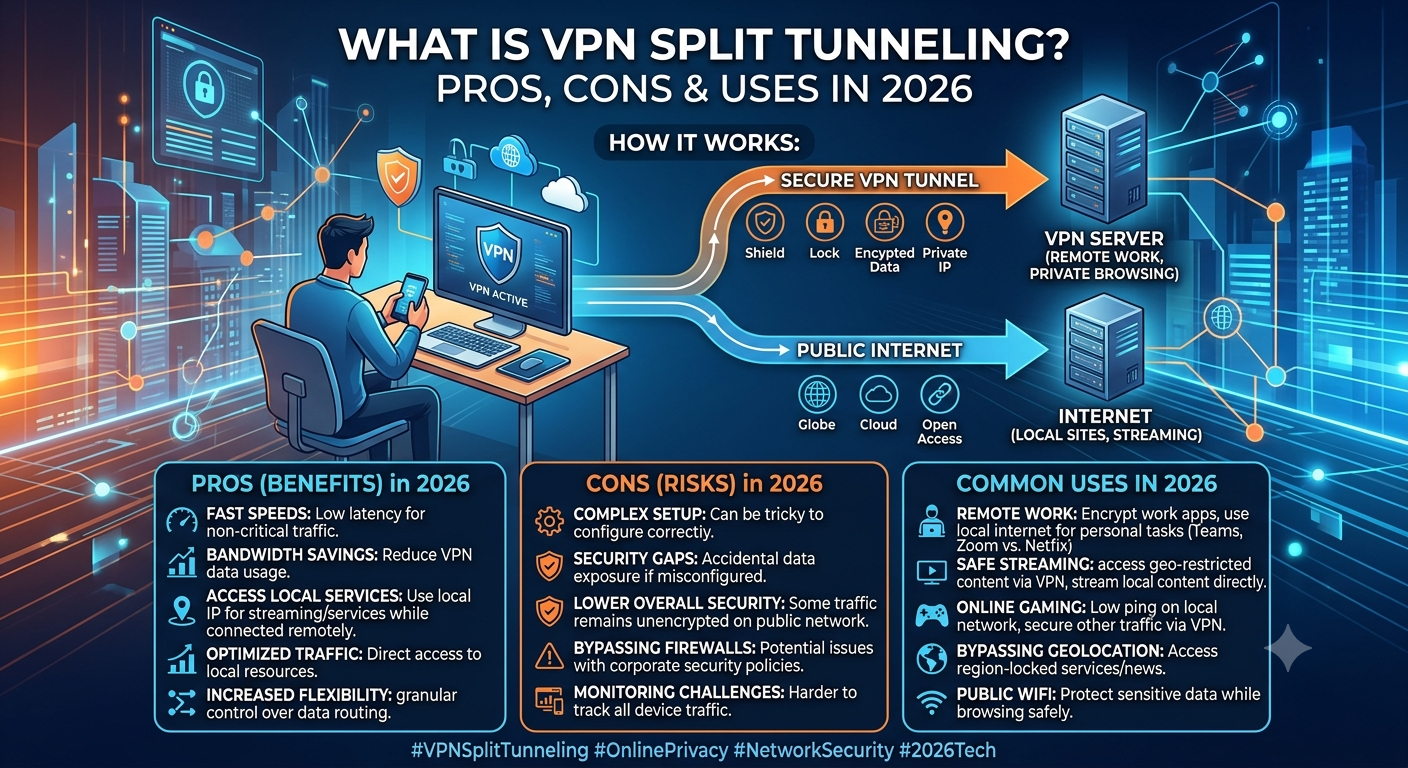
VPN split tunneling allows you to send some internet traffic through your VPN while letting other traffic bypass the VPN entirely.
Normally, when you connect to a VPN, all data leaving your device travels through an encrypted tunnel to the VPN server. Websites see the VPN’s IP address instead of your real IP address.
With split tunneling enabled, you create exceptions.
For example:
- Netflix traffic uses your regular internet connection
- Work applications use the VPN
- Online gaming bypasses the VPN
- Corporate resources remain encrypted
Instead of a single route for all traffic, your device maintains multiple traffic paths simultaneously.
Think of it like a highway system. A traditional VPN sends every vehicle through one secured route. Split tunneling opens additional lanes, allowing certain traffic to take faster or more direct paths while sensitive traffic remains protected.
Types of VPN Split Tunneling
Most VPN providers support one or more of these methods.
App-Based Split Tunneling
This is the most common implementation.
You select specific applications that should use the VPN.
Examples:
- Browser uses VPN
- Torrent client uses VPN
- Streaming app bypasses VPN
- Online game bypasses VPN
Most major VPN providers implement split tunneling this way because it is simple for beginners.
URL-Based Split Tunneling
Some VPNs allow routing decisions based on websites rather than applications.
Examples:
- Banking sites use VPN
- Streaming sites bypass VPN
- Corporate portals use VPN
This approach offers more granular control but is less common.
Inverse Split Tunneling
Traditional split tunneling routes selected apps outside the VPN.
Inverse split tunneling works in the opposite direction.
Only selected apps use the VPN while everything else uses your regular internet connection.
Many privacy-conscious users prefer this model because it reduces the chance of accidentally exposing sensitive traffic.
How Is Split Tunneling Different From a Full Tunnel VPN?
The difference comes down to traffic routing.
A full tunnel VPN encrypts and routes all internet activity through the VPN server.
A split tunnel VPN routes only selected traffic through the VPN while allowing other traffic to connect directly.
Full Tunnel VPN
Advantages:
- Maximum privacy
- Consistent IP masking
- Strong protection against accidental exposure
- Simpler security model
Disadvantages:
- Higher latency
- Potential speed reductions
- Streaming conflicts
- Local device access complications
Split Tunnel VPN
Advantages:
- Better performance
- Lower latency
- Improved flexibility
- Easier access to local devices
Disadvantages:
- Reduced privacy coverage
- Higher risk of configuration mistakes
- Possible DNS leak exposure
- More complex management
For many users, the choice depends on priorities.
If privacy is your primary concern, a full tunnel setup remains the safer option.
If you regularly combine secure work traffic with bandwidth-heavy personal activities, split tunneling often provides a better user experience.
What Are the Main Benefits of VPN Split Tunneling?
The biggest advantage is efficiency.
Instead of encrypting traffic that does not need protection, you reserve VPN resources for applications that actually benefit from encrypted routing.
Improved Speed and Lower Latency
Encryption adds processing overhead.
Modern protocols such as WireGuard have minimized this impact, but routing traffic through distant VPN servers still introduces additional latency.
Split tunneling lets you bypass the VPN for activities that benefit from direct connections.
Examples include:
- Online gaming
- Video conferencing
- Smart-home applications
- Local network access
In testing across multiple VPN providers, direct traffic often maintains lower ping times than VPN-routed traffic, particularly when connecting to nearby services.
Better Streaming Flexibility
Many users run into regional content issues.
You may want one application connected through a VPN while another uses your normal connection.
For example:
- US-based streaming service uses VPN
- Local banking app bypasses VPN
- Local sports streaming uses regular ISP connection
This flexibility eliminates the need to constantly disconnect and reconnect your VPN.
Users looking for the best VPN often prioritize split tunneling because it solves these real-world usability problems without sacrificing protection for sensitive applications.
Reduced Bandwidth Bottlenecks
Heavy traffic can congest VPN connections.
Large downloads, cloud backups, and software updates consume significant bandwidth.
Split tunneling allows these tasks to bypass the VPN while critical traffic remains encrypted.
This reduces load on VPN servers and can improve performance for the applications that stay inside the tunnel.
In enterprise environments, this approach is commonly used to separate business-critical traffic from general internet usage.
The same principle applies at home.
Instead of forcing every device and application through the VPN, you selectively protect the traffic that actually requires privacy.
What Are the Main Benefits of VPN Split Tunneling? (Continued)
Easier Access to Local Network Devices
A common frustration with full tunnel VPN connections is losing access to devices on your local network.
For example:
- Wireless printers
- Network-attached storage (NAS)
- Smart TVs
- Home automation hubs
- Local media servers
When all traffic passes through a VPN server, local device discovery can become difficult or impossible.
Split tunneling solves this problem by allowing local traffic to remain on your home network while sensitive internet traffic stays encrypted.
This is particularly useful for remote workers who need secure access to company resources while continuing to use home-office equipment.
More Reliable Banking and Financial Applications
Some banks and payment platforms treat VPN traffic as suspicious activity.
This can trigger:
- Additional verification requests
- Login blocks
- Fraud alerts
- Temporary account restrictions
Rather than disconnecting your VPN completely, split tunneling lets you exclude banking applications from the encrypted tunnel.
Your financial institution sees your normal residential IP address while other applications remain protected.
That flexibility is one reason advanced users continue to prefer split tunneling despite its added complexity.
Better Performance for Gaming
Gamers often assume every VPN improves performance. In reality, VPN routing can sometimes increase latency.
A VPN server that sits hundreds of miles away adds travel time to every packet.
With split tunneling, you can:
- Route gaming traffic directly
- Keep browsers protected through the VPN
- Secure downloads and other applications
- Reduce unnecessary ping increases
For competitive multiplayer games, even small latency reductions can improve responsiveness.
That does not mean gamers should always disable VPN protection. It simply means you can choose which activities actually require encryption.
What Security Risks Does Split Tunneling Create?
The advantages are real, but so are the risks.
The biggest mistake users make is assuming split tunneling provides the same protection as a full tunnel VPN.
It does not.
Any traffic that bypasses the VPN loses the privacy benefits associated with encryption and IP masking.
Before enabling split tunneling, you should understand exactly what remains exposed.
Your ISP Can See Bypassed Traffic
Traffic outside the VPN tunnel becomes visible to your internet service provider.
Depending on your location and browsing habits, that exposure may include:
- Website requests
- DNS requests
- Connection metadata
- Device activity patterns
VPN traffic remains encrypted, but excluded applications no longer receive those protections.
This creates a mixed-security environment rather than a fully protected one.
DNS Leaks Become More Likely
DNS leaks are one of the most common split tunneling risks.
When your device requests a website, it first contacts a DNS server to translate the domain name into an IP address.
If those DNS requests escape the VPN tunnel, third parties may see which websites you’re accessing even if the website traffic itself remains encrypted.
Many competing guides mention DNS leaks briefly without explaining how they occur.
In practice, DNS leaks often result from:
- Misconfigured split tunneling rules
- Operating system routing conflicts
- VPN client bugs
- Incorrect DNS server assignments
If you use split tunneling regularly, understanding how to identify and resolve leaks is critical. Our guide on preventing VPN DNS leaks explains the issue in greater detail.
Application Misconfiguration
Split tunneling depends entirely on correct routing rules.
Mistakes happen.
For example:
- A browser accidentally bypasses the VPN
- A file-sharing application is excluded unintentionally
- A work application loses encrypted protection
These errors may go unnoticed for weeks.
Unlike a full tunnel VPN, where everything follows the same security policy, split tunneling introduces more opportunities for human error.
VPN Handshake Exposure Risks
Before encrypted communication begins, a VPN establishes a secure connection through a process called a handshake.
The handshake verifies identities, negotiates encryption parameters, and prepares the tunnel for secure communication.
Understanding this process helps explain why traffic outside the tunnel behaves differently from protected traffic. Readers who want a deeper technical breakdown can review this guide on VPN handshake security fundamentals.
The key takeaway is simple: traffic excluded from the VPN never benefits from the protections negotiated during the VPN session.
When Should You Use Split Tunneling?
Split tunneling works best when you have a clear reason for separating traffic.
It is not automatically better than full tunneling.
The right choice depends on your goals.
Good Use Cases
Split tunneling often makes sense for:
- Remote work
- Streaming services
- Online gaming
- Cloud backups
- Smart-home devices
- Local network access
In these situations, routing everything through a VPN may create more inconvenience than benefit.
Situations Where Full Tunneling Is Better
A full tunnel VPN usually remains the safer choice when:
- Using public Wi-Fi
- Handling sensitive business data
- Accessing confidential documents
- Traveling internationally
- Avoiding surveillance concerns
- Working with regulated information
In these environments, simplicity often improves security.
The fewer exceptions you create, the lower the risk of accidental exposure.
Split Tunneling and Advanced Privacy Features
Modern VPN providers increasingly combine split tunneling with additional privacy tools.
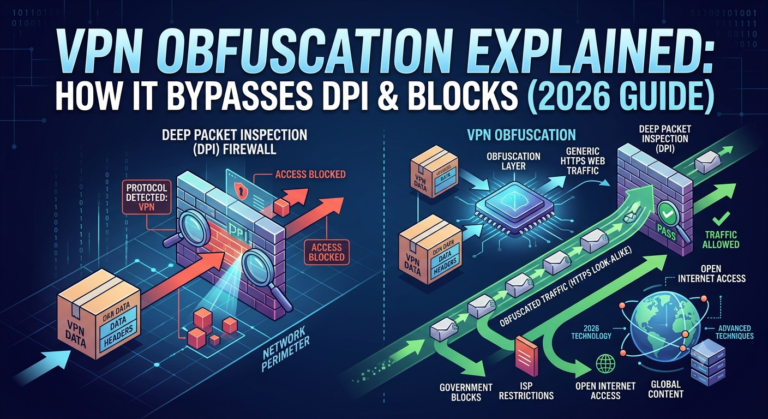
For example, some services pair selective routing with obfuscation technology designed to disguise VPN traffic from restrictive networks.
If you frequently encounter VPN blocks, learning about VPN obfuscation techniques can help you understand how these systems work together.
Similarly, advanced routing features such as Surfshark Dynamic MultiHop provide additional control over how traffic moves through multiple VPN servers.
These tools serve different purposes than split tunneling, but they all focus on giving users more flexibility over traffic routing and privacy management.
What Are the Platform-Specific Limitations of Split Tunneling?
Not every operating system handles split tunneling the same way.
This is one of the most overlooked aspects of VPN split tunneling. Many users assume that if a VPN advertises split tunneling support, the feature works identically across all devices.
In reality, implementation varies significantly.
Windows Usually Offers the Best Support
Windows remains the most flexible platform for split tunneling.
Most major VPN providers support:
- App-based split tunneling
- Inverse split tunneling
- Custom routing rules
- Protocol selection
Because Windows provides extensive networking controls, VPN developers can build more sophisticated routing systems.
This is why many VPN testing labs perform their primary split tunneling evaluations on Windows.
Android Support Is Generally Strong
Android includes native VPN controls that make split tunneling easier to implement.
Common Android features include:
- Per-app VPN exclusions
- Per-app VPN enforcement
- Separate work profile routing
- Local network access controls
Many VPN providers offer nearly identical split tunneling functionality on Android and Windows.
For mobile users, Android remains one of the strongest platforms for advanced VPN traffic management.
macOS Has More Restrictions
Apple’s networking architecture creates additional challenges.
As a result:
- Some VPNs offer limited split tunneling
- Certain protocols may not support exclusions
- Application-level routing can be inconsistent
This situation has improved in recent years, but macOS still lags behind Windows and Android in split tunneling flexibility.
Before purchasing a VPN specifically for split tunneling, Mac users should verify feature availability directly from the provider.
Linux Support Varies Widely
Linux users often receive powerful networking capabilities, but setup complexity increases.
Depending on the VPN:
- Split tunneling may require manual configuration
- Command-line tools may be necessary
- Feature support varies by distribution
Advanced users typically appreciate this flexibility, but beginners may find Linux split tunneling more difficult to manage.
Router-Based VPNs Present Unique Challenges
When a VPN runs directly on a router, split tunneling becomes more complicated.
Instead of configuring individual applications, you typically manage:
- Device-based routing
- IP-based routing
- Network segment routing
For example:
- Work laptop uses VPN
- Gaming console bypasses VPN
- Smart TV bypasses VPN
- Home office devices use VPN
This approach can be highly effective but requires more networking knowledge.
Mandatory Considerations Before Enabling Split Tunneling
Before turning split tunneling on, evaluate several practical limitations that affect everyday use.
Server Load Effects
VPN performance depends heavily on server utilization.
Even when split tunneling reduces traffic volume, overloaded servers can still create:
- Higher latency
- Reduced download speeds
- Increased packet loss
- Less stable connections
Many users blame split tunneling when the real issue is server congestion.
Testing multiple server locations often produces better results than changing routing rules alone.
Device Compatibility Limits
Not every device supports split tunneling.
Common limitations include:
- Smart TVs
- Streaming devices
- Gaming consoles
- Legacy operating systems
- Some mobile platforms
In many cases, VPN providers only offer split tunneling on selected operating systems.
Always verify compatibility before making split tunneling a major factor in your VPN purchasing decision.
Account and Plan Restrictions
Some VPN services restrict advanced networking features to premium subscriptions.
You may find:
- Split tunneling unavailable on entry-level plans
- Limited protocol choices
- Device restrictions
- Reduced configuration options
If you’re evaluating a provider, compare feature sets carefully rather than focusing only on pricing.
For budget-conscious users researching a best free VPN, remember that advanced capabilities such as split tunneling are often unavailable or heavily restricted on free plans. A review of reliable free VPN services can help clarify which limitations are most common.
Speed Throttling Scenarios
Split tunneling cannot overcome ISP throttling in every situation.
For example:
- Streaming traffic outside the VPN remains visible to the ISP
- Gaming traffic bypassing the VPN may still experience throttling
- Video services may trigger traffic shaping policies
In these cases, excluded traffic loses the privacy benefits that sometimes help reduce targeted throttling.
How Do You Configure Split Tunneling Safely?
The safest approach is to start conservatively.
Many users create too many exclusions immediately and accidentally expose sensitive traffic.
A better strategy is to begin with a small number of clearly defined exceptions.
Step 1: Identify Sensitive Applications
Ask yourself which applications genuinely require VPN protection.
Examples include:
- Work software
- Secure messaging platforms
- Financial applications
- File transfer tools
- Privacy-focused browsers
These applications should usually remain inside the encrypted tunnel.
Step 2: Identify Performance-Sensitive Traffic
Next, identify activities that benefit from direct routing.
Examples include:
- Online gaming
- Local streaming services
- Smart-home management
- Printer access
- Local file sharing
These are common candidates for split tunneling exclusions.
Step 3: Test for Leaks
After configuration, verify that traffic behaves as expected.
Check:
- IP address visibility
- DNS requests
- Browser traffic
- Application routing
Testing helps catch mistakes before they become security issues.
Step 4: Consider Obfuscated Connections When Necessary
Some restrictive networks actively identify and block VPN traffic.
In those environments, split tunneling alone may not solve connectivity problems.
Features such as NordVPN obfuscated servers help disguise VPN traffic so it resembles ordinary encrypted internet traffic.
While obfuscation serves a different purpose than split tunneling, combining the two features can improve flexibility in restrictive network environments.
Step 5: Understand Related Networking Features
Split tunneling is often confused with other VPN networking tools.
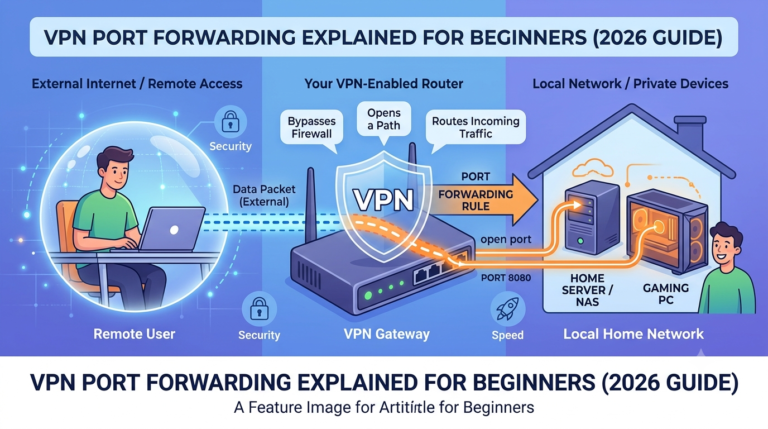
One common example is port forwarding.
Although both features influence traffic routing, they solve entirely different problems.
Readers interested in advanced networking should review the pros and cons of VPN port forwarding before enabling either feature.
Misunderstanding how these tools interact can create unnecessary security risks.
Is VPN Split Tunneling Worth Using in 2026?
Split tunneling still makes sense in 2026, but only if you understand what you are trading off.
Modern VPN protocols like WireGuard have reduced overhead, and global server networks are faster than ever. Even so, routing every packet through a remote server still adds latency and increases load. Split tunneling solves that problem by separating traffic based on need rather than defaulting everything to encryption.
In practice, it is less about speed versus privacy and more about control versus simplicity.
If you want a fully automated, low-risk setup, a full tunnel VPN is still the safer baseline. If you need flexibility for gaming, streaming, or hybrid work setups, split tunneling becomes a practical tool rather than an optional feature.
The key is discipline: only exclude traffic when you understand exactly what you are exposing.
How Secure Is VPN Split Tunneling in Real Use?
Security depends entirely on configuration quality.
When set up correctly, split tunneling can maintain strong protection for sensitive applications while improving performance elsewhere. When misconfigured, it can expose more data than users expect.
The Core Security Trade-Off
The biggest structural issue is simple:
- VPN traffic = encrypted and hidden from ISP
- Non-VPN traffic = visible to ISP and network observers
This dual state is where most misunderstandings happen. Split tunneling does not “partially encrypt” traffic. It either encrypts it or it doesn’t.
That is why small mistakes matter. One incorrectly excluded browser or misrouted app can bypass all protections without warning.
DNS and Traffic Visibility Risks
Even when apps are correctly routed, DNS handling can create leaks.
If DNS requests are not forced through the VPN tunnel, external observers may still infer browsing activity. This is especially common on mobile devices where system-level DNS settings override VPN configurations.
For a deeper breakdown of how leaks occur and how to test them, the technical guide on DNS leak prevention techniques explains real-world failure points in detail.
When Split Tunneling Makes Sense (and When It Doesn’t)
Split tunneling is not a universal upgrade. It is a targeted optimization tool.
Best Use Scenarios
You should consider enabling it when:
- You want low-latency gaming without sacrificing work VPN access
- You need local device access while staying connected to corporate systems
- You stream local content while protecting selected apps
- You run cloud backups or large downloads alongside secure browsing
- You want to reduce VPN server load on non-sensitive traffic
These are situations where full tunneling creates unnecessary friction.
When You Should Avoid It
You should avoid split tunneling if:
- You frequently use public Wi-Fi
- You handle sensitive financial or medical data
- You want a “set and forget” privacy setup
- You are unsure which apps handle background traffic
- You rely on consistent IP masking across all activity
In these cases, simplicity is a security feature. The fewer exceptions you create, the fewer mistakes you can make.
Practical Security Checklist Before Enabling Split Tunneling
Before turning it on, experienced users typically run through a short validation process:
- Confirm which apps are inside vs outside the tunnel
- Verify DNS routing behavior using leak tests
- Ensure kill switch protection is still active
- Check whether background services bypass VPN rules
- Test both Wi-Fi and mobile data behavior (on laptops/mobile devices)
These steps help reduce configuration errors that are otherwise hard to detect.
For users who want deeper visibility into how VPN connections are established and authenticated before traffic begins flowing, understanding the VPN handshake process is useful. The breakdown in VPN handshake mechanics and security flow shows what happens before encryption is fully active.
Split Tunneling vs Advanced VPN Features
Split tunneling is often confused with other privacy tools, but it serves a different purpose.
For example:
- Obfuscation hides VPN usage from networks
- Multi-hop routes traffic through multiple servers
- Port forwarding exposes selected inbound connections
A useful reference point is how obfuscation techniques work in restricted networks. The guide on VPN obfuscation methods and detection bypassing explains why these tools are used in censorship-heavy environments.
Similarly, some providers implement advanced routing features like dynamic multi-hop systems, such as those described in multi-hop VPN routing architecture, which focus on anonymity rather than traffic segmentation.
These features can complement split tunneling, but they do not replace it.
Final Takeaway
VPN split tunneling is a practical feature when you need control over how traffic is routed, but it is not a privacy upgrade by default. It shifts responsibility from the VPN to you. That means better performance and flexibility, but also more room for mistakes.
Used carefully, it improves speed and usability without compromising essential protection. Used carelessly, it can quietly expose traffic you assumed was secure.
In short, what is vpn split tunneling comes down to this: it is a selective routing tool that trades blanket protection for precision control.
For most users, the best setup is hybrid—protect sensitive apps through the VPN while allowing non-critical traffic to bypass it. If you need a full breakdown of trusted providers that support these features properly, explore the leading VPN providers for tested options that handle split tunneling correctly.