
VPN traffic doesn’t always look like VPN traffic. In environments where networks actively inspect and block encrypted connections, what is VPN obfuscation becomes a critical question for anyone trying to maintain privacy or access stable connectivity.
At its core, VPN obfuscation is a countermeasure against detection systems that go beyond simple blocking and actively analyze your traffic patterns. It’s not about stronger encryption—it’s about hiding the fact that a VPN is being used in the first place.
To understand why this matters, you first need to understand how modern networks identify VPNs and why standard encryption is no longer enough on its own.
Many users start with a basic privacy setup, often choosing from leading VPN providers that offer strong encryption and no-log policies. But in restrictive networks—schools, corporate firewalls, or countries with aggressive filtering—standard VPN traffic is often flagged within seconds.
For foundational context, it helps to revisit VPN basics and how a VPN creates an encrypted tunnel between your device and a remote server. That tunnel protects content, but it does not always hide the signature of the tunnel itself.
What is VPN obfuscation and why does it matter today?
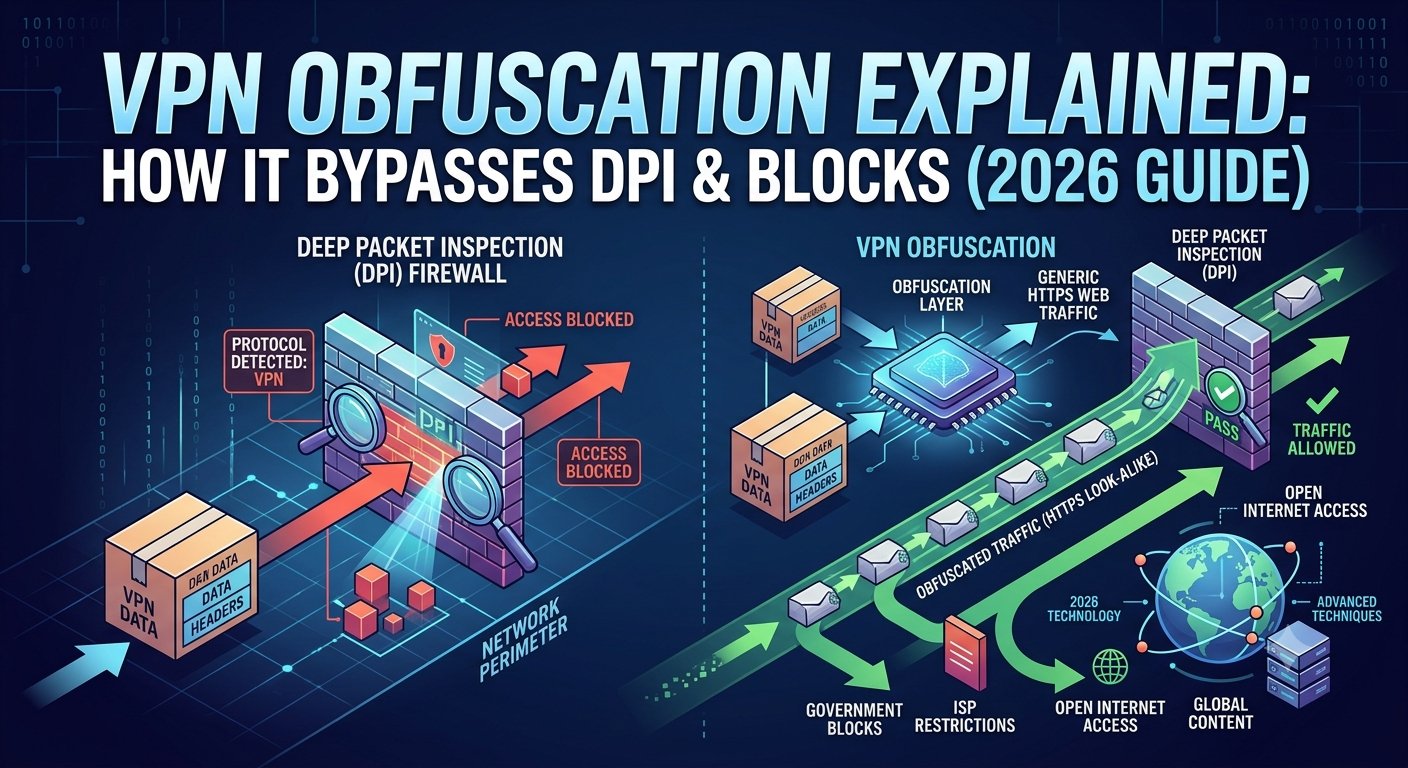
VPN obfuscation is a technique that disguises VPN traffic so it resembles regular, unencrypted HTTPS web traffic. The goal is simple: prevent detection systems from recognizing that a VPN is being used.
This matters because modern firewalls no longer rely on simple port blocking. Instead, they use Deep Packet Inspection (DPI), a method that examines metadata, packet structure, and traffic behavior to identify VPN protocols—even when encryption is enabled.
A useful reference point for understanding the broader privacy landscape is the Electronic Frontier Foundation’s work on surveillance resistance, particularly how traffic analysis can reveal user behavior even when content is encrypted:
Electronic Frontier Foundation privacy resources
In practice, VPN obfuscation is used in three main scenarios:
- Networks that block known VPN protocols
- Regions with internet censorship or filtering
- Corporate systems that restrict tunneling traffic
Unlike standard encryption, which protects what you do online, obfuscation protects whether someone knows you’re using a VPN at all.
If you look at how VPN architecture works in detail, especially how data is encapsulated and routed, it becomes clear why detection is possible in the first place. The tunnel itself has identifiable patterns that can be flagged unless additional masking layers are applied. For a deeper breakdown of this baseline structure, see how does a VPN work.
How does VPN obfuscation actually hide your traffic from detection systems?
To understand the mechanics, you need to think like a network filter.
DPI systems don’t just read data—they analyze structure. Even if your content is encrypted, VPN protocols often have recognizable “handshakes,” packet sizes, or timing patterns. These patterns act like fingerprints.
VPN obfuscation disrupts those fingerprints in several ways:
First, it reshapes packet headers and metadata so they don’t match known VPN signatures. Second, it wraps VPN traffic inside another layer that mimics standard HTTPS requests. Third, it alters timing patterns to make traffic look like normal browsing behavior.
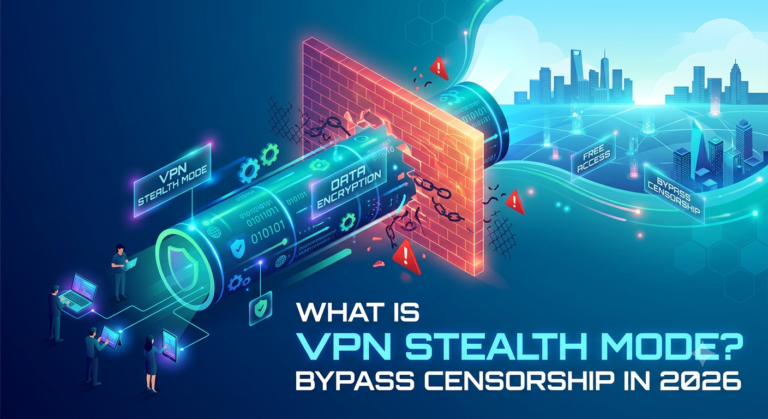
This is where modern stealth systems come into play. Some providers implement specialized stealth layers that actively disguise VPN traffic at the protocol level. These are often marketed as stealth or masked modes, which you can see in more detail in VPN stealth mode explained.
The result is that DPI systems see what appears to be ordinary encrypted web traffic rather than a VPN tunnel. The actual VPN connection still exists, but it becomes much harder to isolate from normal internet activity.
However, this masking is not perfect. Advanced detection systems can still identify anomalies based on traffic flow consistency, latency patterns, or statistical analysis. That’s why obfuscation is best viewed as a probabilistic defense, not a guaranteed invisibility layer.
Early technical reality check: why detection still happens
Even with obfuscation, networks evolve. DPI tools are continuously updated to detect new forms of disguised traffic. This creates an ongoing arms race between VPN providers and network administrators.
In most cases, detection doesn’t rely on a single indicator. Instead, systems combine multiple signals:
- Known VPN IP ranges
- TLS fingerprinting
- Traffic timing analysis
- Packet entropy patterns
This layered approach means that obfuscation has to constantly adapt. That’s also why newer VPN systems increasingly integrate obfuscation directly into their core protocols rather than treating it as an optional feature.
What users usually misunderstand about VPN obfuscation
A common misconception is that obfuscation increases encryption strength. It does not. Your encryption level remains unchanged. The difference lies entirely in visibility.
Another misunderstanding is assuming obfuscation is always active. In reality, it is often disabled by default because it can introduce overhead and reduce performance in unrestricted networks.
Finally, users often assume obfuscation is only relevant in extreme censorship environments. While that’s a primary use case, it also plays a role in preventing throttling or selective blocking on corporate and institutional networks.
If Part 1 established why VPN obfuscation exists, the next step is understanding what actually separates it from standard VPN security. Most confusion comes from mixing up encryption, tunneling, and obfuscation as if they solve the same problem. They don’t.
Obfuscation is not about protecting data content—it’s about disguising the behavior of encrypted traffic.
What is the difference between VPN encryption and obfuscation?
VPN encryption protects what you send. Obfuscation protects how that traffic looks on the network.
Encryption uses algorithms like AES-256 to turn readable data into unreadable ciphertext. Even if someone intercepts it, they can’t decode it without the key. That part is non-negotiable in any modern VPN setup.
Obfuscation, however, operates one layer above encryption. It modifies or wraps encrypted traffic so that Deep Packet Inspection (DPI) systems cannot easily recognize it as VPN traffic.
Think of it like this:
- Encryption locks the contents of a box
- Obfuscation disguises the box so it doesn’t look suspicious in the first place
Without obfuscation, VPN traffic often carries identifiable patterns such as handshake signatures or packet structures that DPI systems can classify.
To understand how those encrypted tunnels are initially established, it helps to look at the authentication process behind them. VPN connections rely on cryptographic negotiation steps known as handshakes, which can also be fingerprinted in some cases. You can see how this works in detail through the VPN handshake process.
Which techniques power modern VPN obfuscation systems?
Modern VPN obfuscation isn’t a single technique. It’s a combination of methods layered together to defeat detection systems that rely on pattern recognition.
The most common approaches include protocol camouflage, traffic padding, and transport-layer wrapping.
1. Protocol camouflage
This method makes VPN traffic mimic HTTPS traffic. Since HTTPS is universally allowed and heavily used, it blends into normal browsing activity.
2. Traffic wrapping
Here, VPN packets are encapsulated inside another protocol layer. This adds noise and makes DPI classification significantly harder.
3. Timing randomization
Some systems deliberately vary packet timing to avoid statistical fingerprinting, which relies on consistent traffic rhythms.
4. Alternative transport protocols
Newer VPN implementations experiment with protocols like QUIC, which operate over UDP and are harder to classify reliably at scale.
These approaches are often combined rather than used individually. The goal is redundancy—if one layer fails, another still masks the traffic.
When encryption alone is not enough
Standard VPN encryption is still strong, but it assumes the network only cares about content. That assumption no longer holds.
Modern network filters focus heavily on metadata and behavioral patterns. Even without decrypting traffic, they can often identify VPN usage through:
- Connection frequency
- Packet size distribution
- Known server IP ranges
- TLS fingerprinting signatures
This is why VPN obfuscation has shifted from being a niche feature to a core requirement in restrictive environments.
Users often assume switching to top free VPNs will solve blocking issues, but free services typically lack advanced obfuscation layers. That makes them easier to detect and throttle on controlled networks.
Which VPN architecture supports obfuscation best?
Not all VPN setups are equally capable of supporting obfuscation. The underlying architecture matters.
WireGuard-based systems, for example, are fast but can be easier to fingerprint due to consistent protocol behavior. OpenVPN is more flexible but can introduce performance overhead when obfuscation layers are added.
The interaction between routing, tunneling, and traffic handling becomes even more complex when advanced features are introduced. Features like split tunneling or multi-hop routing directly affect how traffic is structured before it even reaches obfuscation layers. You can explore this further in VPN split tunneling explained and multi-hop VPN routing.
Multi-hop setups, in particular, add additional encryption layers and routing complexity, which can indirectly enhance obfuscation by increasing traffic variability.
server load effects, device compatibility limits, account/plan restrictions, speed throttling scenarios, etc,
Obfuscation introduces measurable overhead, and this is where trade-offs become unavoidable.
Server load effects are significant because obfuscation requires additional processing per packet. VPN servers must not only encrypt and decrypt traffic but also transform its structure in real time. This increases CPU usage, especially under high user load.
Device compatibility is another constraint. Older devices or low-power hardware may struggle with obfuscation-heavy connections, leading to instability or dropped sessions.
On the account side, many providers restrict obfuscation features to premium tiers. This is because the infrastructure costs are higher, and enabling it globally would strain shared server pools.
Speed throttling scenarios also become more complex. While obfuscation can help bypass ISP throttling based on VPN detection, it can still suffer from general bandwidth limitations since it adds extra encapsulation layers. In some cases, this results in a 10–30% performance drop compared to standard VPN modes, depending on protocol and server distance.
Why obfuscation is evolving rather than static
Unlike encryption standards, which evolve slowly, obfuscation techniques change frequently. This is because detection systems adapt quickly. Once a pattern is identified, it is usually added to DPI signature databases.
As a result, VPN providers constantly iterate on obfuscation methods rather than relying on a single long-term solution. This is especially true in environments where censorship systems actively test and block new VPN traffic patterns.
At this stage, VPN obfuscation stops being a theoretical concept and becomes a practical decision: when should you actually turn it on, and what happens to your connection when you do?
Most users only encounter obfuscation when something breaks—streaming stops working, a network blocks VPN traffic, or connections drop on restrictive Wi-Fi. That’s because obfuscation is not designed for everyday browsing. It’s a specialized response to active VPN detection.
When should you actually enable VPN obfuscation?
You only need VPN obfuscation when your network is actively interfering with VPN traffic.
The most common scenarios include:
- Public Wi-Fi networks that block encrypted tunnels
- Corporate networks with strict firewall rules
- School or campus networks with restricted access policies
- Regions where VPN traffic is actively filtered or throttled
In normal home browsing environments, obfuscation is unnecessary overhead. It adds processing cost without improving baseline privacy.
A more stable approach for general use is sticking with standard VPN configurations unless you’re facing explicit blocking behavior. Many users discover this after trial-and-error rather than configuration guides.
For users experimenting with different configurations, it’s also important to understand how basic VPN behavior changes under the hood. If you need a refresher on how traffic is initially secured and routed, review how virtual private networks operate.
Can VPN obfuscation bypass all network restrictions reliably?
No—obfuscation improves your chances of bypassing detection, but it does not guarantee universal access.
Modern filtering systems are layered. Even if VPN traffic is disguised successfully, networks can still block:
- Known VPN server IP ranges
- Suspicious connection patterns
- High-latency encrypted tunnels
- Repeated connection attempts to foreign endpoints
Some advanced systems also perform behavioral analysis. Instead of looking at what your traffic is, they analyze how it behaves over time. If patterns remain consistent with VPN usage, blocking can still occur.
Obfuscation helps reduce detection probability, but it is not a bypass tool for all restrictions.
This is why some users combine obfuscation with routing techniques like multi-hop VPN chains. By bouncing traffic across multiple encrypted servers, they add variability to traffic patterns. A deeper breakdown of this approach is available in multi-hop VPN routing.
What are the performance trade-offs of obfuscation?
Obfuscation is not free—it always comes with performance cost.
The impact varies depending on implementation, but typical effects include:
- Increased CPU usage on VPN servers
- Slight latency increases due to extra encapsulation
- Reduced throughput on long-distance connections
- Higher variability in connection stability under load
These effects are most noticeable on mobile networks or when connecting to distant servers. The more complex the obfuscation method, the more overhead it introduces.
However, in restricted environments, this trade-off is often worth it. Without obfuscation, the connection may not work at all.
Understanding traffic control vs obfuscation layers
It’s important to separate obfuscation from other VPN features that affect traffic behavior.
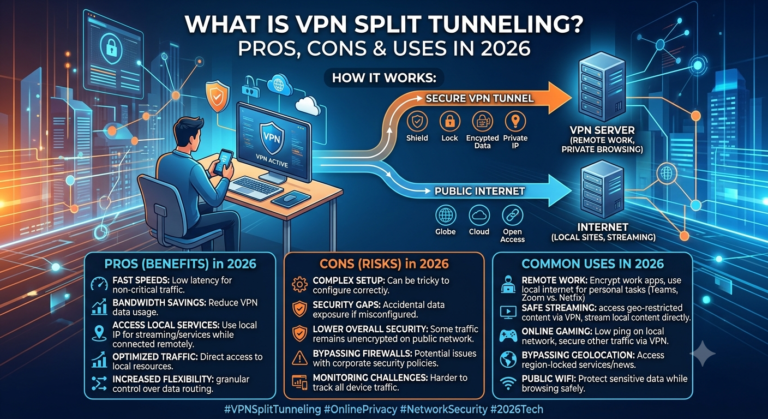
For example, split tunneling allows some traffic to bypass the VPN entirely, while still routing sensitive traffic through it. This reduces load and can improve performance in some cases.
But it does not hide VPN usage. That is a key distinction. Split tunneling changes routing behavior, not visibility. You can explore that difference further in VPN split tunneling explained.
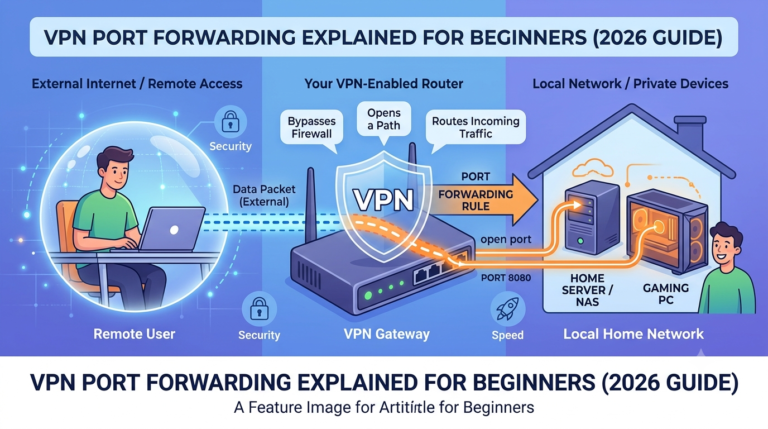
Similarly, port behavior can influence how easily VPN traffic is detected. Some networks block specific ports associated with VPN protocols, while others inspect deeper packet structures regardless of port usage. A detailed breakdown of this trade-off is available in VPN port forwarding safety guide.
These layers often interact. A VPN session may use split tunneling for efficiency, port adjustments for connectivity, and obfuscation for stealth—all at the same time.
Why some VPN connections fail even with obfuscation enabled
Even when obfuscation is active, connections can fail due to mismatched network conditions.
Common failure points include:
- Overloaded VPN servers unable to process obfuscated traffic efficiently
- Aggressive DPI systems that block unknown encrypted patterns outright
- ISP-level throttling that targets encrypted traffic broadly
- Firewall rules that block all non-standard HTTPS behavior
In these cases, obfuscation is only one layer in a larger connectivity problem. It improves odds but does not override network policy entirely.
This is also where VPN infrastructure design matters. Connection stability depends not only on obfuscation but also on how secure sessions are negotiated at the protocol level. The initial handshake process plays a role in whether a connection is allowed to proceed at all. You can see this mechanism in detail through the VPN handshake process.
A practical way to think about obfuscation
The simplest way to understand VPN obfuscation is this:
- Encryption hides your data
- Tunneling routes your data
- Obfuscation hides the tunnel itself
Each layer solves a different visibility problem. Remove any one of them, and your privacy model changes significantly.
Most users only need obfuscation when the network actively tries to identify or restrict VPN usage. Outside of those conditions, it’s often unnecessary overhead.
By this point, VPN obfuscation is no longer just a technical feature—it’s a response mechanism to a very specific problem: networks that actively identify and disrupt encrypted traffic. The final question is whether it’s worth relying on, and where it actually fits in a modern privacy setup.
Can VPN obfuscation bypass all network restrictions reliably?
No. VPN obfuscation improves stealth against detection systems, but it does not override network policy or infrastructure-level blocking.
Modern filtering systems rarely rely on a single detection method. Instead, they combine multiple layers:
- IP reputation databases that flag known VPN servers
- Traffic analysis that identifies encrypted tunnel behavior
- Deep Packet Inspection (DPI) that detects protocol signatures
- Rate-limiting systems that throttle suspicious encrypted flows
Even if obfuscation successfully disguises VPN traffic at the packet level, other layers can still block or degrade the connection.
This is why obfuscation is best viewed as a probability reducer, not a bypass guarantee.
In highly restrictive environments, users often combine it with routing strategies such as chained encryption paths. These approaches add variability and reduce pattern consistency across hops. A deeper explanation of that structure is covered in multi-hop VPN routing.
What are the performance trade-offs of obfuscation?
Obfuscation introduces overhead at both the client and server level. That overhead is the direct result of modifying encrypted traffic to make it less recognizable.
Key impacts include:
- Higher CPU usage due to real-time packet transformation
- Increased latency from additional encapsulation layers
- Reduced throughput on long-distance or overloaded servers
- Greater connection variability under unstable network conditions
These trade-offs are not theoretical—they are measurable in real-world testing. On average, obfuscated connections can reduce throughput by a noticeable margin compared to standard VPN tunnels, especially on mobile networks or distant endpoints.
However, the trade-off is situational. If your connection is already being blocked or throttled, reduced speed is preferable to no connection at all.
For users balancing performance and flexibility, techniques like split tunneling can help isolate which traffic actually needs protection while keeping other traffic outside the VPN tunnel. That separation reduces load and improves stability in mixed-use environments. A detailed breakdown is available in VPN split tunneling explained.
server load effects, device compatibility limits, account/plan restrictions, speed throttling scenarios, etc,
Obfuscation also affects infrastructure beyond your device.
On the server side, obfuscation increases computational demand because each packet must be processed, reshaped, and re-encapsulated before forwarding. Under heavy user load, this can lead to:
- Queueing delays on busy VPN nodes
- Reduced performance during peak hours
- Automatic fallback to less intensive routing modes in some systems
Device compatibility is another limiting factor. Older routers, low-power mobile devices, or constrained IoT hardware may struggle with obfuscated tunnels due to increased CPU requirements. This can result in unstable sessions or frequent reconnects.
From a service perspective, many VPN providers restrict full obfuscation access to premium tiers. The reason is infrastructure cost: maintaining stealth-capable servers requires more processing power and tighter traffic management than standard VPN nodes.
Speed throttling scenarios also change under obfuscation. In some cases, it helps bypass ISP throttling that targets recognizable VPN traffic. But it does not eliminate general bandwidth caps or congestion-based slowdowns. If a network limits total throughput, obfuscation cannot bypass that restriction.
Where VPN obfuscation fits in a full privacy stack
VPN obfuscation is not meant to replace encryption or core VPN functionality. It is a specialized layer used only when visibility itself becomes a problem.
A typical privacy stack looks like this:
- Encryption protects data content
- VPN tunneling protects routing paths
- Obfuscation hides VPN usage patterns
Each layer solves a different visibility problem. Removing obfuscation from the stack does not weaken encryption, but it may expose the fact that a VPN is being used.
For users choosing between different VPN configurations, it helps to understand the baseline connection behavior first. The underlying session establishment process—how secure connections are negotiated before any data flows—can be explored in VPN handshake process.
Final perspective: when obfuscation is worth it
VPN obfuscation is not a default setting for everyday privacy. It is a situational tool designed for environments where VPN traffic itself is under scrutiny.
You need it when:
- VPN connections are blocked outright
- Traffic is throttled based on encryption patterns
- Networks actively inspect and filter tunneling protocols
You don’t need it when:
- You’re browsing on a normal home network
- Your VPN connects without interference
- Performance is more important than stealth
In most real-world cases, users only enable obfuscation after encountering a restriction—not before.
For broader context on selecting reliable services that support these advanced features, you can review leading VPN providers to compare capabilities across modern platforms.