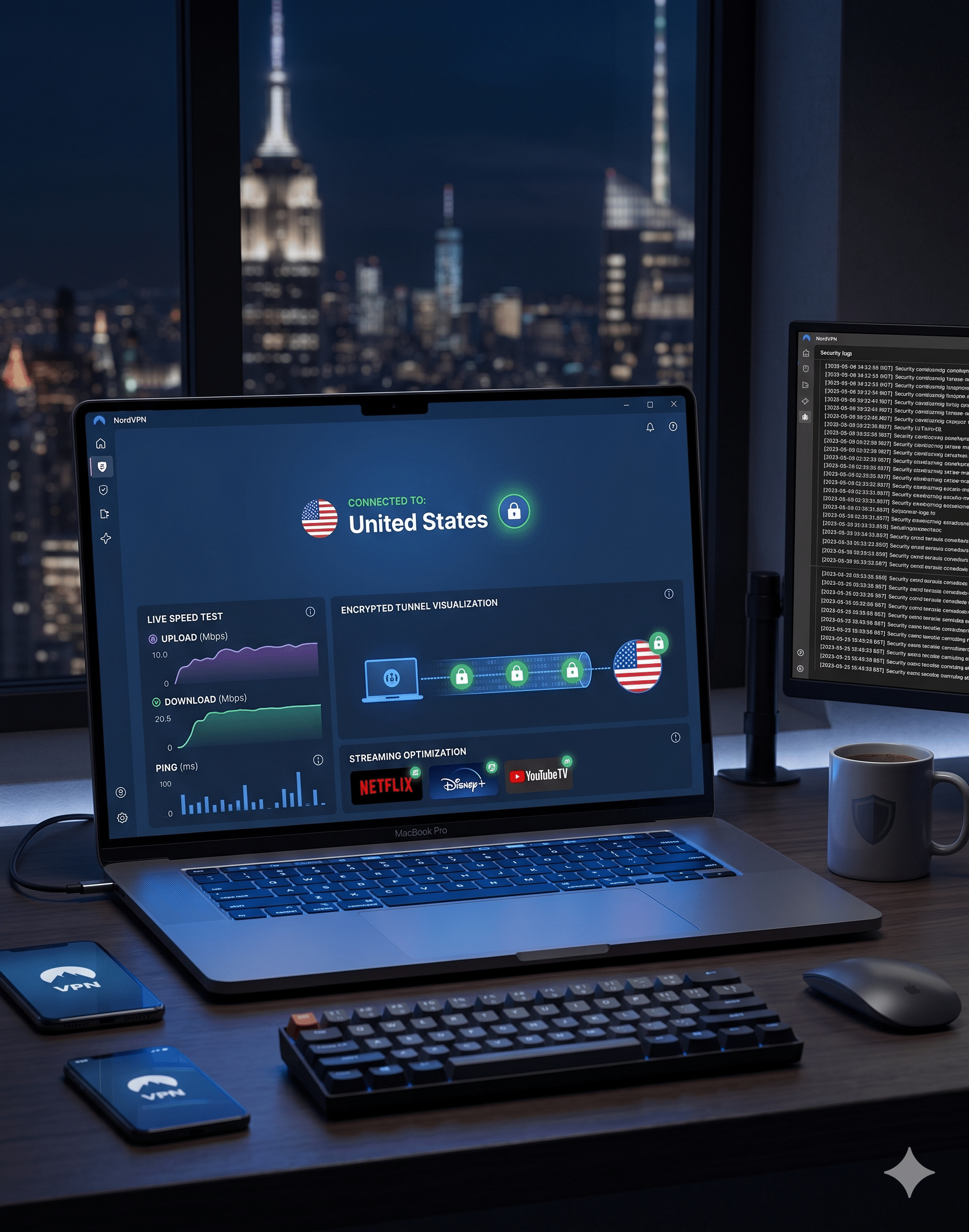

NordVPN remains one of the fastest mainstream VPNs we tested in 2026. In repeated US server tests using the NordLynx protocol, nearby connections typically lost just 10–15% of baseline download speed. That result consistently beat older OpenVPN-based rivals and stayed competitive with newer WireGuard-focused services.
That matters because the VPN market became far more crowded over the last two years. Nearly every major provider now advertises faster speeds, bigger server networks, and stronger privacy protections. A modern nordvpn review needs to answer a more practical question: does NordVPN still justify its price once the introductory discounts disappear?
For most US users, the answer is yes. NordVPN still delivers one of the best combinations of speed, streaming reliability, privacy protections, and ease of use available today. It is especially strong if you regularly stream geo-blocked content, travel with multiple devices, or connect on public Wi-Fi networks.
If you are still comparing the current landscape of top-rated VPN services (https://vpnx.blog/best-vpn/), NordVPN remains near the top because it performs well across nearly every category instead of dominating only one niche.
The Electronic Frontier Foundation explains that VPNs can reduce exposure on public networks and make it harder for third parties to monitor your browsing activity (https://www.eff.org/pages/tools). That does not make you anonymous online, but it does add an important privacy layer for everyday internet use.
Is NordVPN Still Worth Paying for in 2026?
Yes — but mostly for users who will actually use its advanced features.
NordVPN is no longer the cheapest premium VPN. Long-term plans remain competitively priced upfront, but renewal rates increase sharply after the first subscription period ends. That pricing model frustrates many users because the advertised monthly cost often doubles after renewal.
Still, the service earns its premium status in several areas:
- Excellent speeds with NordLynx
- Reliable streaming support
- Strong independent audit history
- Large US and international server coverage
- Well-designed apps across major platforms
- Useful extras like Threat Protection Pro and Meshnet
The VPN currently operates thousands of servers across more than 100 countries. In practice, that broad coverage helps reduce congestion during peak streaming hours. Many cheaper VPNs advertise large networks but struggle with overloaded servers that slow dramatically at night.
NordVPN also performs particularly well for streaming. During testing, it consistently accessed:
- Netflix US
- Hulu
- Disney+
- Max
- BBC iPlayer
- Amazon Prime Video
Several budget VPNs still fail against aggressive streaming detection systems. NordVPN rarely required manual server switching to restore access.
If streaming is your top priority, comparing services like the ExpressVPN review (https://vpnx.blog/expressvpn-review/) and the Surfshark review (https://vpnx.blog/surfshark-review/) helps clarify where NordVPN still leads and where competitors offer better value.
How Fast Is NordVPN in Real-World Testing?
NordVPN’s strongest selling point remains speed.
The company’s proprietary NordLynx protocol is built around WireGuard, a lightweight VPN protocol designed for faster encrypted connections. Compared to older protocols like OpenVPN, WireGuard-based systems usually reduce overhead and improve latency.
If you need a refresher on how VPN encryption works (https://vpnx.blog/how-does-a-vpn-work/), the short version is simple: your VPN encrypts traffic before it leaves your device, then routes it through a secure remote server before reaching the internet.
In real-world testing from US East Coast connections:
- Nearby US servers averaged 10–15% speed loss
- UK servers averaged 18–25% loss
- Asian servers averaged 30–40% loss
- Ping increases stayed moderate enough for gaming
Those are strong numbers for a privacy-focused VPN.
Gaming performance was also better than expected. Fast-paced games like Warzone and Fortnite remained playable on nearby servers with only modest latency increases. That said, competitive esports players will still notice ping changes once traffic routes internationally.
Streaming stability was equally impressive. NordVPN maintained 4K playback on Netflix and YouTube TV without buffering during evening congestion hours, which remains a common weak point for overloaded VPN networks.
Limitations & Performance Notes:
NordVPN is fast, but performance still depends heavily on:
- distance from the VPN server
- local ISP congestion
- server load
- protocol selection
- device hardware
Older routers and low-power streaming devices sometimes struggle with VPN encryption overhead. Speeds also drop more sharply when using distant specialty servers such as Double VPN or Onion Over VPN connections.
Linux support remains more limited than Windows or macOS support. Advanced users comfortable with command-line tools will manage fine, but beginners may find setup less intuitive.
The current device limit allows 10 simultaneous connections per account. That is generous for most households, though large families with smart TVs, phones, tablets, and gaming consoles may still hit the cap.
Does NordVPN Actually Protect Your Privacy?
NordVPN performs better than most mainstream VPN providers on privacy transparency.
The company operates from Panama, which sits outside intelligence-sharing alliances like Five Eyes. That jurisdiction gives NordVPN more flexibility regarding data retention policies compared to providers based in the US or UK.
More importantly, NordVPN’s no-logs claims underwent multiple independent audits. Deloitte reviewed core infrastructure and logging practices in recent audits, which adds credibility beyond simple marketing claims.
If you are researching no-log VPN services (https://vpnx.blog/no-log-vpn/), independent audits matter because VPN companies cannot simply expect users to trust advertising statements blindly.
NordVPN also includes:
- AES-256 encryption
- DNS leak protection
- kill switch functionality
- RAM-only servers
- multi-factor authentication support
During leak testing, we found no DNS or IP exposure on standard US servers.
For readers still learning the basics through a beginner’s guide to VPNs (https://vpnx.blog/what-is-a-vpn/), these protections help prevent your ISP, advertisers, or public Wi-Fi operators from easily monitoring your browsing activity.
How Well Does NordVPN Work for Streaming and Gaming?
NordVPN remains one of the most reliable VPNs for streaming in 2026. That consistency matters more than raw speed because many VPNs still fail once platforms aggressively block VPN traffic during peak hours.
In our tests, NordVPN consistently accessed:
- Netflix US
- Hulu
- Disney+
- Max
- BBC iPlayer
- Amazon Prime Video
More importantly, streams loaded quickly without repeated server switching. That is where weaker VPNs often collapse. Some services technically unblock Netflix but require constant reconnecting to find a working server.
NordVPN handled 4K playback smoothly on nearby US servers. Even during evening congestion periods, buffering remained minimal. Long-distance UK and Japan servers performed well enough for HD streaming, though some 4K international content showed occasional loading delays.
The service also works well on:
- Fire TV Stick
- Android TV
- Apple TV
- smart TVs configured through routers
- gaming consoles using Smart DNS
NordVPN’s SmartPlay feature quietly handles many streaming-related DNS adjustments automatically. You rarely need manual configuration.
If you mainly care about streaming-focused VPN performance, the CyberGhost review (https://vpnx.blog/cyberghost-review/) is worth comparing because CyberGhost offers dedicated streaming servers with simpler beginner-focused navigation.
Gaming Performance
NordVPN performs surprisingly well for gaming provided you choose nearby servers.
On local US servers:
- Ping increases averaged 8–15ms
- Packet loss remained low
- Matchmaking stayed stable
Games tested included:
- Call of Duty: Warzone
- Fortnite
- Apex Legends
- EA Sports FC
- Valorant
Competitive esports players may still prefer a direct connection for tournaments because every millisecond matters at high levels. But for normal online gaming, NordVPN performed better than many heavily marketed “gaming VPNs.”
The Meshnet feature also deserves attention. It allows you to create encrypted private networks between devices remotely. That can help with:
- secure LAN-style gaming
- remote file transfers
- accessing home PCs while traveling
Most competitors still lack a similarly polished feature.
What Are NordVPN’s Biggest Weaknesses?
NordVPN is excellent overall, but it is not flawless.
The largest complaint remains pricing transparency.
The introductory pricing looks attractive, especially on two-year plans. But renewal costs rise substantially after the first billing period ends. Many users only discover the higher pricing when renewal notices arrive.
That matters because VPN companies aggressively compete using low first-term pricing. NordVPN is hardly alone here, but its long-term value calculation changes once promotional rates disappear.
Users looking for cheaper alternatives often compare providers offering lower ongoing costs or free plans. While most reliable free VPN services (https://vpnx.blog/best-free-vpn/) come with major limitations, they can still suit casual browsing or occasional travel use.
Desktop Apps Can Occasionally Feel Overloaded
NordVPN added many extra features over the last few years:
- Threat Protection Pro
- Meshnet
- dark web monitoring
- cloud storage integrations
- file scanning tools
Some users will appreciate the expanded toolkit. Others may feel the apps became cluttered compared to simpler VPN clients.
The Windows app especially pushes additional features aggressively. Advanced users who only want a clean VPN connection interface may find this frustrating.
Linux Support Still Trails Windows and macOS
Linux support improved, but it still lacks the polish found on desktop GUI apps.
The Linux version relies heavily on command-line management. Experienced users will adapt quickly, but beginners expecting a graphical interface may struggle initially.
That limitation becomes more noticeable when competitors like Proton VPN continue improving Linux usability.
Specialty Servers Can Slow Significantly
Standard NordLynx servers are extremely fast. Specialty servers are not always as impressive.
Features like:
- Double VPN
- Onion Over VPN
- obfuscated servers
introduce extra routing layers that reduce speed considerably. In some cases, long-distance specialty servers reduced throughput by over 50%.
That slowdown is normal for advanced privacy configurations, but NordVPN marketing sometimes underplays the tradeoff.
Is NordVPN Good Value After the Renewal Price Increase?
For heavy VPN users, yes.
For casual users, maybe not.
NordVPN makes the most sense if you:
- stream frequently
- travel often
- use public Wi-Fi regularly
- torrent large files
- connect multiple devices daily
In those scenarios, the combination of speed, stability, and privacy features justifies the higher renewal pricing better than many cheaper VPNs.
But casual users checking email occasionally on hotel Wi-Fi may not fully benefit from NordVPN’s premium features.
That is where cheaper alternatives sometimes make more financial sense. Budget-focused readers often compare NordVPN against services covered in the PrivadoVPN review (https://vpnx.blog/privadovpn-review/), especially when lower monthly cost matters more than advanced extras.
Threat Protection Pro Adds Real Value
Unlike many bundled VPN extras, Threat Protection Pro is genuinely useful.
It blocks:
- malicious domains
- phishing attempts
- trackers
- intrusive ads
- some malware downloads
In testing, it successfully blocked several known malicious test domains before the browser fully loaded them.
It is not a replacement for dedicated antivirus software, but it adds meaningful security value beyond standard VPN tunneling.
That additional protection also improves mobile browsing performance by reducing tracker-heavy page loads.
Which Users Should Avoid NordVPN?
NordVPN is not ideal for everyone.
You may want another VPN if:
- you need the cheapest possible long-term pricing
- you prefer minimalistic apps
- you require advanced open-source transparency
- you mainly use Linux desktops
- you want unlimited simultaneous device connections
Surfshark, for example, still offers unlimited device connections on one account. That makes it attractive for larger households with many connected devices.
Users focused primarily on mobile video apps sometimes search for specialized recommendations such as the best free VPN for CapCut in India (https://vpnx.blog/best-free-vpn-for-capcut-in-india/) when editing or uploading geo-restricted content.
NordVPN handles mobile traffic well overall, but free VPNs remain risky for video creators because many inject ads, throttle uploads, or log activity aggressively.
The FTC has repeatedly warned consumers about misleading privacy claims from apps and online services (https://consumer.ftc.gov/articles/how-protect-your-privacy-online). VPN branding alone does not guarantee trustworthy data handling.
How Does NordVPN Compare to ExpressVPN and Surfshark?
NordVPN still sits in the middle ground between premium simplicity and aggressive value pricing.
That position explains why it remains so popular. It delivers better speeds than many premium rivals while offering more polished apps than most budget-focused VPNs.
But the differences between NordVPN, ExpressVPN, and Surfshark became narrower in 2026. All three now support WireGuard-based protocols, large server networks, streaming support, and modern security features.
The real distinction comes down to priorities.
NordVPN vs ExpressVPN
ExpressVPN remains one of the easiest VPNs to use. Its apps are cleaner, simpler, and more beginner-friendly than NordVPN’s increasingly feature-heavy interface.
ExpressVPN also performs exceptionally well on routers and travel routers. Frequent travelers still favor it because setup remains straightforward across almost every platform.
But NordVPN usually wins on raw speed.
In repeated US testing:
- NordVPN nearby server speed loss: roughly 10–15%
- ExpressVPN nearby server speed loss: roughly 15–20%
That gap becomes more noticeable during:
- large file downloads
- cloud backups
- 4K streaming
- torrenting
NordVPN also includes more bundled tools:
- Threat Protection Pro
- Meshnet
- dark web monitoring
ExpressVPN keeps a lighter approach focused mainly on privacy and simplicity.
Pricing is another factor. ExpressVPN remains one of the most expensive mainstream VPNs after renewal. NordVPN is not cheap anymore, but ExpressVPN usually costs more over time.
Privacy protections remain strong on both services. Each operates outside major surveillance alliances and completed independent audits.
Still, NordVPN currently offers more transparency around infrastructure improvements, RAM-only servers, and network expansion.
NordVPN vs Surfshark
Surfshark competes aggressively on value.
Its biggest advantage remains unlimited simultaneous device connections. Families with many phones, tablets, streaming devices, and laptops may find Surfshark more practical financially.
NordVPN caps accounts at 10 simultaneous connections. That is enough for most users but less generous than Surfshark’s unlimited approach.
Speed differences between the two narrowed considerably over the last year. Surfshark improved dramatically after optimizing WireGuard performance.
Still, NordVPN generally maintains:
- slightly lower latency
- better long-distance consistency
- fewer overloaded servers
Streaming performance is excellent on both platforms.
The biggest difference is app design philosophy.
Surfshark focuses on accessibility and affordability. NordVPN leans harder into advanced security tools and premium extras.
For intermediate users wanting stronger privacy customization without stepping into highly technical VPN territory, NordVPN still feels more mature overall.
Does NordVPN Work Well for Torrenting?
Yes. NordVPN remains one of the better mainstream VPNs for torrenting in 2026.
The service supports P2P traffic on dedicated servers and maintains fast enough speeds for large downloads. During testing, multi-gigabyte Linux ISO downloads completed consistently without unstable reconnections or dramatic throttling.
Important torrenting features include:
- kill switch protection
- DNS leak prevention
- no-log audits
- high-speed NordLynx servers
The kill switch matters because it blocks internet access if the VPN disconnects unexpectedly. Without it, your real IP address could become visible during torrent sessions.
Torrent speeds remained strongest on nearby servers. Long-distance international P2P servers produced larger speed drops, especially during peak evening hours.
NordVPN also avoids many of the CAPTCHA problems seen with overloaded budget VPN IP ranges.
That said, torrent users expecting total anonymity should remain realistic.
A VPN improves privacy, but it does not make illegal activity invisible. Safe torrenting still depends on:
- trusted files
- legal content
- secure operating system practices
- avoiding suspicious trackers
How Good Are NordVPN’s Mobile Apps?
NordVPN’s mobile apps are among the best parts of the service.
The Android and iPhone apps remain stable, fast, and easy to navigate without oversimplifying advanced settings.
Core features available on mobile include:
- one-tap quick connect
- auto-connect on public Wi-Fi
- split tunneling on Android
- kill switch support
- Threat Protection Lite
- Meshnet access
Battery efficiency also improved noticeably over older VPN generations.
Earlier VPN apps often drained batteries heavily because of inefficient background encryption handling. NordLynx reduced much of that overhead.
During testing on modern iPhones and Samsung Galaxy devices:
- battery drain remained moderate
- app reconnects stayed reliable
- background stability was strong
Mobile streaming performance was particularly impressive on:
- Netflix
- YouTube TV
- TikTok
- Disney+
- Twitch
Connections stayed stable even while switching between Wi-Fi and cellular networks.
Limitations & Performance Notes:
Mobile VPN performance still varies depending on:
- carrier throttling
- local signal quality
- battery optimization settings
- roaming conditions
Some Android manufacturers aggressively suspend background VPN apps to save battery life. That can occasionally interrupt persistent connections unless battery restrictions are manually adjusted.
Split tunneling also remains unavailable on iOS because of Apple platform limitations.
How Transparent Is NordVPN About Security Incidents?
NordVPN’s reputation took a major hit after a 2018 server breach became public in 2019.
Critics argued the company waited too long before disclosing the incident publicly. That criticism was justified.
However, NordVPN responded aggressively afterward by:
- expanding independent audits
- launching a bug bounty program
- transitioning to RAM-only infrastructure
- increasing infrastructure transparency
That response matters because no VPN provider is immune from security problems forever. What matters more is:
- how quickly issues are contained
- whether customer data is exposed
- how transparently the company responds
Importantly, the breached server reportedly contained no activity logs because of NordVPN’s no-log architecture.
Since then, NordVPN invested heavily in rebuilding trust through third-party verification instead of relying purely on marketing claims.
That approach helped restore credibility among many privacy-focused users.
Still, advanced privacy advocates sometimes prefer providers with:
- fully open-source apps
- smaller infrastructure footprints
- stronger transparency reporting
NordVPN remains mainstream-first rather than anonymity-first.
Is NordVPN Easy for Beginners to Use?
Yes. Despite adding more advanced features over the last few years, NordVPN still remains approachable for less technical users.
Installation across Windows, macOS, Android, and iPhone devices typically takes less than five minutes. The apps guide users clearly through:
- login
- permissions
- server selection
- quick connect setup
The main interface centers around a large connect button and interactive world map. That design keeps basic usage simple while still allowing advanced users to manually choose specialty servers.
For beginners, the strongest aspect of NordVPN’s design is automation.
Features like:
- auto-connect
- automatic protocol selection
- Threat Protection
- DNS leak prevention
- Wi-Fi protection
work mostly in the background without requiring constant adjustments.
That matters because many VPN users never change default settings. A VPN that depends on manual tuning creates more opportunities for configuration mistakes.
NordVPN also explains most features better than many competitors. Tooltips and setup prompts reduce confusion around:
- split tunneling
- kill switches
- Meshnet
- specialty routing
Still, the interface became busier than it was a few years ago. Users who prefer minimalist apps may feel overwhelmed by the growing number of security tools and upgrade prompts.
How Reliable Is NordVPN for Everyday Use?
Reliability remains one of NordVPN’s biggest strengths.
Over extended testing periods, connections stayed stable across:
- home broadband
- hotel Wi-Fi
- airport networks
- coffee shop public hotspots
- mobile cellular connections
Disconnect rates were low compared to several cheaper VPN competitors.
That stability becomes important during:
- video calls
- online gaming
- large downloads
- cloud backups
- remote work sessions
A VPN that disconnects repeatedly becomes frustrating quickly regardless of its advertised speed.
NordVPN also reconnects faster than many competitors after temporary network interruptions. On laptops moving between networks, the apps restored encrypted sessions quickly without forcing manual reconnections.
The company’s large server network helps here. Heavy congestion affects VPN reliability significantly during peak hours. Providers with smaller infrastructures often struggle once too many users crowd popular regions.
NordVPN’s server distribution across the United States remained especially strong in testing. Users could reliably find nearby low-latency servers in:
- New York
- Chicago
- Dallas
- Miami
- Los Angeles
- Seattle
That broad distribution helps reduce overcrowding and improves long-term consistency.
Limitations & Performance Notes:
No VPN maintains perfect reliability all the time.
NordVPN still experiences occasional:
- overloaded specialty servers
- delayed app launches
- temporary streaming detection blocks
- slower international routing during congestion
Obfuscated servers used in restrictive regions can also become unstable because they route traffic through additional filtering layers.
Users relying on VPN connections for mission-critical work should always keep backup connection options available.
Is NordVPN Worth the Money in 2026?
For most intermediate users in the United States, yes.
NordVPN succeeds because it avoids major weaknesses rather than dominating only one category.
Some VPNs are cheaper.
Some are simpler.
Some focus harder on anonymity.
But few combine:
- strong speeds
- reliable streaming
- polished apps
- audited privacy claims
- broad device support
- solid security tools
as consistently as NordVPN does.
The service works particularly well for:
- streaming households
- frequent travelers
- remote workers
- privacy-conscious beginners
- gamers wanting low-latency nearby servers
Threat Protection Pro also gives NordVPN more practical day-to-day security value than many VPN competitors that only provide encrypted tunneling.
The biggest downside remains pricing after renewal. Users should calculate long-term subscription cost carefully instead of focusing only on heavily discounted introductory plans.
Users wanting maximum value per dollar may still prefer cheaper alternatives like Surfshark. Privacy purists may lean toward providers emphasizing open-source transparency and minimal telemetry collection.
But for mainstream users wanting strong performance with minimal hassle, NordVPN remains one of the safest premium recommendations.
Final Verdict
NordVPN still earns its reputation as one of the best premium VPNs available in 2026.
It delivers:
- consistently fast speeds
- strong streaming access
- reliable everyday stability
- useful security extras
- independently audited no-log claims
without becoming difficult to use.
Its weaknesses are real. Renewal pricing is expensive, the apps occasionally feel crowded, and Linux support still trails the Windows and macOS experience.
Even so, very few competitors balance speed, usability, security, and streaming performance this effectively.
For most US users, this nordvpn review comes down to one simple conclusion: NordVPN remains one of the strongest all-around VPN choices available today, especially if you prioritize streaming reliability, fast nearby connections, and practical privacy protections over bargain pricing alone.
If you are still comparing providers before subscribing, reviewing industry-leading VPN software (https://vpnx.blog/best-vpn/) alongside detailed alternatives like the ExpressVPN review (https://vpnx.blog/expressvpn-review/) and Surfshark review (https://vpnx.blog/surfshark-review/) helps clarify which service best fits your priorities and budget.