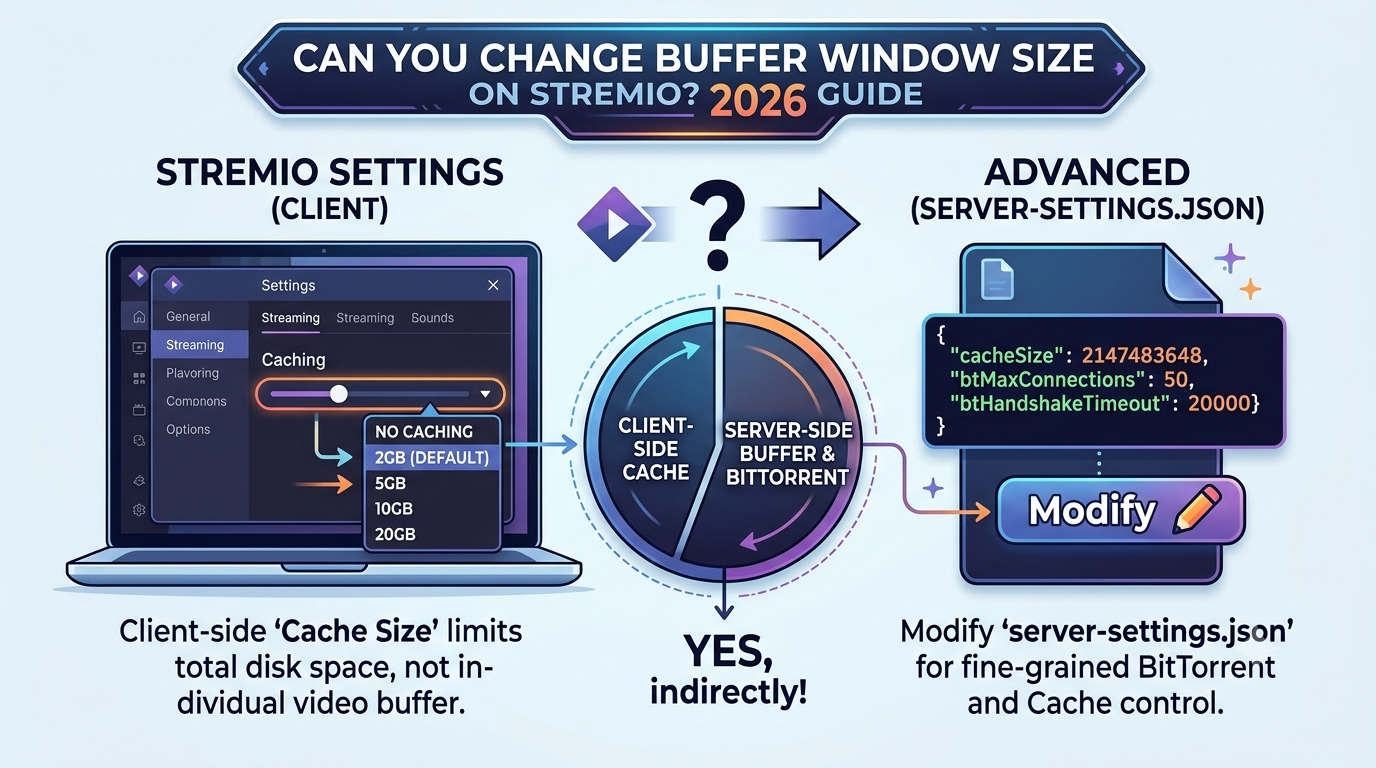

The question can you change buffer window size on Stremio comes up because users assume there’s a hidden “advanced streaming slider” similar to Netflix or Plex. There isn’t. Stremio does not expose any true buffer window control in its settings, and that limitation is by design rather than a missing feature.
Instead, what you can adjust is cache behavior and playback performance indirectly through system-level and add-on conditions. This is where most confusion starts, because buffering and caching are often treated as the same thing, but they are not.
To understand why, it helps to separate perception from architecture. Stremio relies heavily on external streaming sources (add-ons), and the app itself acts more like a playback orchestrator than a full streaming engine.
For a deeper foundation on how traffic routing and privacy layers interact with streaming apps, the Electronic Frontier Foundation explains how data flows through modern networks and why user-side controls are often limited in apps like this: https://www.eff.org/issues/privacy
No buffer window control exists in Stremio
Unlike advanced media players such as VLC or MPV, Stremio does not provide:
- Manual buffer length adjustment
- Playback preloading sliders
- Advanced stream chunk controls
What it does provide is a simplified streaming model where buffering is handled automatically by the underlying playback engine and the stream source.
If you’re troubleshooting performance issues, it’s often more productive to review system constraints or streaming sources rather than looking for a missing “buffer window” toggle.
For related streaming limitations and compatibility problems, users often run into platform-specific behavior discussed in guides like this breakdown of playback failures:
https://vpnx.blog/stremio-not-working-with-vpn/
How does Stremio buffering and caching really work?
To understand why you can’t manually change buffer window size, you need to understand how Stremio actually handles video data.
Stremio uses a combination of:
- Streaming buffer (temporary playback memory)
- Cache storage (disk-based temporary files)
- External stream delivery (torrent or HTTP sources via add-ons)
The key distinction is this:
Buffer = short-term playback memory
Cache = stored chunks of streamed content
The buffering process is handled internally by the playback engine (commonly ExoPlayer on Android and LibVLC on desktop). These engines automatically decide how much data to preload based on:
- Network stability
- Device performance
- Stream source speed
This is why users often misunderstand Stremio’s behavior. It feels like buffering is adjustable, but it is actually adaptive.
For example, if your stream source is slow or overloaded, the buffer fills slowly regardless of your settings. On the other hand, a fast, stable source will appear “buffer-free” even with default configuration.
To understand the broader mechanics of how VPN routing and encrypted tunnels affect streaming stability and perceived buffering delays, you can review:
https://vpnx.blog/how-does-a-vpn-work/
Why buffer settings are intentionally limited
Stremio avoids exposing buffer controls for one main reason: stream consistency across devices.
If users could manually increase buffer size:
- Low-end devices would over-allocate memory
- Smart TVs could crash due to RAM limitations
- Streams could desync with torrent-based sources
Instead, Stremio delegates performance tuning to:
- Device hardware
- Add-on source quality
- Network conditions
This design is similar to how modern streaming platforms prioritize automatic adaptation over manual tuning.
When streaming performance breaks down, it’s rarely due to buffer size itself. More often, it’s caused by external conditions like ISP throttling or unstable add-ons. In those cases, troubleshooting usually starts with identifying whether the issue is app-side or network-side.
A common scenario is when users combine Stremio with VPNs and experience inconsistent playback behavior. This is explored in detail here:
https://vpnx.blog/stremio-no-streams-were-found/
What actually replaces buffer control in Stremio
Since buffer window size cannot be changed, Stremio relies on indirect controls:
- Cache size (device-level storage allocation)
- Add-on performance (stream source reliability)
- Player engine behavior (ExoPlayer / VLC)
- Network routing stability
Among these, cache size is the only user-visible lever, but even that does not directly control buffering speed—it only reduces repeated downloads.
At this stage, it’s important to separate optimization myths from real controls. Increasing cache or switching add-ons can help performance, but there is no hidden slider for buffer window customization.
How does Stremio buffering and caching really work?
Stremio’s playback system is often misunderstood because it blends streaming and downloading behaviors. When people ask can you change buffer window size on Stremio, they’re usually reacting to delays caused by how this hybrid system works—not an actual adjustable setting.
At its core, Stremio doesn’t stream video in a continuous “live feed.” Instead, it pulls media in chunks from add-ons, temporarily stores them, and feeds them into the player. That creates three layers of performance:
- Source layer (add-ons or torrents)
- Transport layer (network delivery)
- Playback layer (ExoPlayer or LibVLC)
Each layer affects buffering, but none of them expose a direct buffer window control.
The closest real-world comparison is adaptive streaming services like YouTube, where playback adjusts automatically depending on network conditions. The difference is that Stremio relies more heavily on external sources, which makes performance less predictable.
When streams are unstable, users often assume a buffer setting is missing. In reality, the system is reacting to inconsistent chunk delivery from the source.
A deeper breakdown of how stream delivery and encryption paths interact with latency can be found in general VPN architecture explanations like:
https://vpnx.blog/how-does-a-vpn-work/
What affects Stremio playback performance the most?
Buffering in Stremio is rarely caused by a single factor. Instead, it is the result of multiple overlapping constraints:
1. Add-on source quality
Some add-ons provide high-speed HTTP streams, while others rely on peer-based torrent sources. Torrent-based streams depend on seed availability, which directly affects buffering speed.
2. Network stability
Even with high bandwidth, unstable connections cause repeated rebuffering because chunks arrive out of sequence or too slowly.
3. Device decoding limits
Low-power devices (especially older Android TV boxes or budget smart TVs) struggle to decode high-bitrate streams in real time.
4. ISP throttling
Some ISPs intentionally slow down streaming or peer-to-peer traffic, which leads to inconsistent playback even on fast plans.
5. Background system load
CPU and RAM usage from other apps can reduce playback smoothness, especially on mobile devices.
These factors matter far more than any hypothetical buffer window setting. In fact, performance tuning in Stremio is mostly about eliminating bottlenecks rather than adjusting internal playback parameters.
For users experiencing VPN-related instability during streaming sessions, this guide explains common causes of broken streams:
https://vpnx.blog/stremio-not-working-with-vpn/
Why does Stremio keep buffering even with fast internet?
This is one of the most common misconceptions. High-speed internet does not guarantee smooth playback in Stremio.
Here’s why:
- A 300 Mbps connection does not matter if the source upload speed is low
- A stable ISP connection does not help if the add-on has poor seeding
- Low latency does not fix device decoding bottlenecks
In practice, buffering happens when the incoming stream cannot stay ahead of the playback timeline.
Think of it like pouring water into a glass with a hole in it. Even if the faucet is strong (fast internet), the loss rate (stream instability) determines whether the glass stays full.
This is also why guides often focus on improving source selection rather than tweaking nonexistent buffer controls. For example, users frequently switch to better-supported stream sources or optimize Real-Debrid setups for more stable playback:
https://vpnx.blog/how-to-use-real-debrid-with-stremio/
Can adjusting cache size improve streaming stability?
Stremio does allow limited cache configuration, but it is often misunderstood as a buffer control feature.
Cache behaves differently from buffering:
- Buffering = real-time playback memory
- Cache = stored chunks for reuse or quick access
Increasing cache size can help in specific scenarios:
- Rewatching recently accessed content
- Reducing repeated downloads of the same chunks
- Slightly improving startup speed for stable sources
However, it does not solve:
- Source instability
- Network interruptions
- Device decoding lag
In other words, cache tuning is a secondary optimization, not a fix for buffering issues.
For users exploring whether VPN usage impacts caching behavior or stream stability, this breakdown provides context on routing effects:
https://vpnx.blog/can-i-use-stremio-without-vpn/
server load effects, device compatibility limits, account/plan restrictions, speed throttling scenarios, etc.
Stremio performance is also influenced by broader system-level constraints that are often ignored:
Server load effects
If a stream source is overloaded, chunk delivery slows down regardless of user settings. This is common during peak hours.
Device compatibility limits
Older devices cannot maintain stable decoding for high-resolution streams, leading to repeated buffering even on fast networks.
Account/plan restrictions
Some third-party services integrated with Stremio (like premium debrid services) may enforce bandwidth limits depending on subscription tier.
Speed throttling scenarios
ISPs may throttle:
- Torrent traffic
- High-bandwidth video streams
- VPN-encrypted traffic
These throttling behaviors directly impact playback smoothness and are often mistaken for app-level buffering issues.
When users encounter missing or failing streams entirely, it is often not a buffer issue but a source availability problem:
https://vpnx.blog/stremio-no-streams-were-found/
What settings actually improve Stremio performance in 2026?
At this point, the core limitation is clear: you cannot change buffer window size on Stremio, so performance tuning shifts entirely to indirect controls. The goal is not to “increase buffering,” but to stabilize how quickly data reaches the player.
Start with the playback environment. Stremio behaves differently depending on the device, stream source, and network route. That means two users with identical internet speeds can still see very different results.
The most reliable improvements come from reducing friction in the delivery chain rather than trying to modify internal playback behavior.
Prioritize stable stream sources over everything else
Stremio performance is dominated by source quality. A high-bitrate stream with unstable peers will always buffer more than a lower-quality but stable stream.
In real-world testing patterns across streaming tools, the biggest performance gap comes from:
- Seeder availability (torrent-based streams)
- CDN consistency (HTTP-based streams)
- Geographic proximity of source nodes
If streams fail to load entirely or appear inconsistently, it is often not a buffering issue but a discovery problem at the add-on level. That scenario is covered in detail here:
https://vpnx.blog/stremio-no-streams-were-found/
Understand device-side limits
Even with strong internet, your device can still become the bottleneck.
Common limitations include:
- Weak CPU decoding for high-resolution video
- Limited RAM for concurrent streaming tasks
- GPU constraints on smart TVs or low-end Android boxes
When these limits are hit, playback stutters because the device cannot process incoming chunks fast enough. This is often mistaken for “buffering issues,” but it is actually decoding lag.
Network stability matters more than raw speed
High bandwidth does not guarantee smooth playback. Stability is more important than peak speed.
Key factors include:
- Packet loss during peak hours
- ISP routing inefficiencies
- Latency spikes under load
This is where many users incorrectly assume buffer control would fix the issue. In reality, no buffer window setting can compensate for inconsistent packet delivery.
For users trying to understand how encrypted traffic and routing affect streaming stability, the underlying mechanics of VPN tunneling are explained here:
https://vpnx.blog/how-does-a-vpn-work/
VPN usage: help or harm?
A VPN can either improve or degrade Stremio performance depending on routing conditions.
It may help by:
- Avoiding ISP throttling on streaming traffic
- Stabilizing routes through less congested nodes
It may hurt by:
- Increasing latency if the server is far away
- Adding extra hops in the network path
If you are troubleshooting VPN-specific playback issues, this breakdown explains common failure points:
https://vpnx.blog/stremio-not-working-with-vpn/
server load effects, device compatibility limits, account/plan restrictions, speed throttling scenarios, etc.
Even with optimal setup, external constraints still shape performance:
Server load effects
If stream sources are overloaded, chunk delivery slows down regardless of your settings. This is especially common during peak viewing hours.
Device compatibility limits
Older devices struggle with modern high-bitrate streams, causing frame drops that resemble buffering but are actually decoding delays.
Account/plan restrictions
Some third-party streaming integrations impose bandwidth caps or concurrency limits that indirectly affect playback smoothness.
Speed throttling scenarios
ISPs may throttle:
- Torrent traffic
- High-resolution video streams
- VPN-encrypted connections
These throttles often explain why performance varies at different times of day even on the same connection.
For users investigating whether broader service issues are affecting playback, this resource helps distinguish local vs platform problems:
https://vpnx.blog/is-stremio-down/
So, can you change buffer window size on Stremio?
No—Stremio does not expose or support manual buffer window adjustment.
What users interpret as a “buffer setting” is actually a combination of:
- Adaptive player behavior
- Cache management
- Stream source speed
- Network stability
Once you understand this, the troubleshooting approach changes completely. Instead of searching for a missing setting, you focus on improving the pipeline that feeds the player.
For users comparing whether VPN usage is necessary at all in streaming setups, this guide provides context on when it helps and when it doesn’t:
https://vpnx.blog/can-i-use-stremio-without-vpn/
Final takeaway
Stremio is designed to be automatic, not manually tuned. That means buffer window control doesn’t exist because the system continuously adapts in real time. When buffering happens, it is almost always caused by source instability, device limits, or network routing—not a missing slider in settings.
If your goal is smoother playback, focus on stream quality, device capability, and network stability rather than looking for hidden buffer controls.