
If you’re searching for how to add torrentio to stremio, the process is simpler than many first-time users expect. Unlike add-ons that appear directly inside Stremio’s official catalog, Torrentio is installed through an external configuration page that sends the add-on to your Stremio app.
Before you begin, make sure you’re using the latest version of Stremio and that it’s already installed on your device. If you haven’t done that yet, our guide on setting up Stremio from scratch walks through the entire installation process for Windows, macOS, Linux, Android, and Android TV.
According to the Electronic Frontier Foundation (EFF), understanding how your internet traffic is handled is an important part of protecting your online privacy. That’s especially relevant when applications connect to peer-to-peer networks or third-party services.
What Is Torrentio and Why Do People Use It With Stremio?
Torrentio is a community-developed Stremio add-on that aggregates streaming sources from multiple torrent indexers. Instead of hosting movies or TV shows itself, it searches supported providers and returns matching sources that Stremio can display.
This distinction is important:
- Stremio is the media center.
- Torrentio is an add-on that supplies streaming sources.
- Optional services such as Real-Debrid can provide cached links for supported content.
Many beginners confuse these components because they work together in the final experience. Understanding the difference makes troubleshooting much easier later.
If you’d like a deeper explanation of the platform itself, our article explaining how Stremio actually works covers the overall architecture in more detail.
Before You Install Torrentio
Before adding Torrentio, check the following:
- Install the latest version of Stremio.
- Sign in to your Stremio account.
- Verify your web browser can open external application links.
- Use a stable internet connection.
- Decide whether you’ll connect a supported debrid service during setup.
Torrentio doesn’t appear inside Stremio’s built-in Community Add-ons catalog. Instead, you’ll configure it on its dedicated webpage, which then passes the configuration directly to your installed Stremio application.
How to Add Torrentio to Stremio Step by Step
The installation process usually takes less than five minutes.
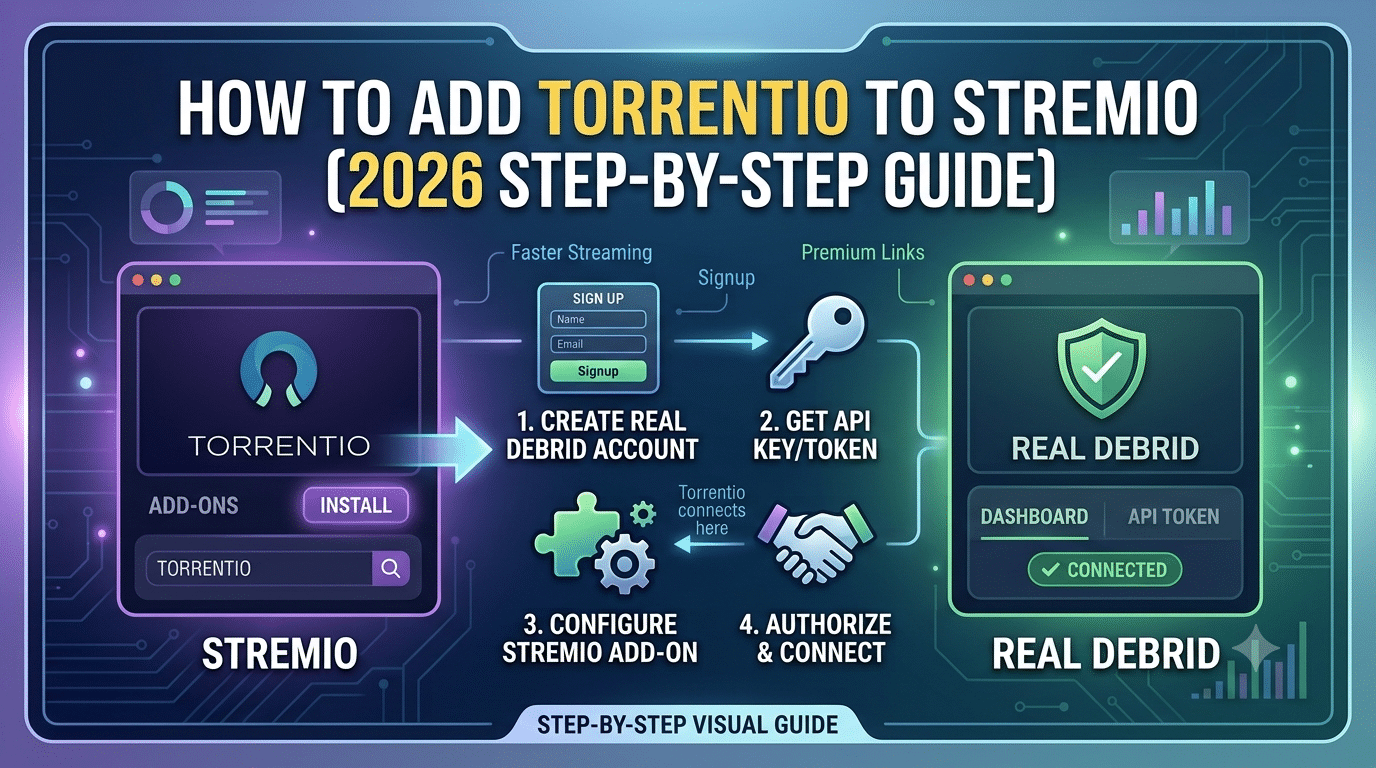
Step 1: Open the Torrentio Configuration Page
Visit the official Torrentio configuration page in your browser.
You’ll see several options that let you customize how the add-on behaves before installation.
Step 2: Choose Your Preferred Providers
Torrentio supports numerous source providers.
For most users, the default provider selection works well. Advanced users may choose to disable providers they don’t use or prioritize specific ones depending on content availability.
There’s no universally “best” provider list. The right choice depends on the type of content you’re looking for and which sources are available at the time.
Step 3: Configure Optional Debrid Services
If you subscribe to a compatible debrid service, you can authorize it during this step.
Doing so may provide access to cached links for supported content, potentially improving playback reliability compared with relying solely on public sources.
If you’re new to this process, our complete guide to using Real-Debrid with Stremio explains each configuration option in detail.
Step 4: Install the Add-on
After selecting your preferred settings, click Install.
Your browser should ask permission to open Stremio.
Approve the request.
Stremio will then display a confirmation window showing the Torrentio add-on.
Select Install to finish the process.
The add-on will synchronize with your account, making it available on any compatible device where you sign in with the same Stremio account.
How Can You Confirm Torrentio Installed Correctly?
After installation:
- Open Stremio.
- Navigate to Installed Add-ons.
- Confirm Torrentio appears in your installed list.
- Search for a movie or TV show.
- Open the title.
- Wait for available streaming sources to load.
If sources appear, the installation was successful.
If the add-on doesn’t appear, don’t reinstall repeatedly. Most installation issues are caused by browser association problems or incomplete synchronization rather than a failed installation itself.
We’ll cover those troubleshooting steps in the next section of this guide.
You may also want to learn how to install Stremio add-ons more generally, especially if you plan to expand your media library with additional community add-ons.
How Should You Configure Torrentio for the Best Streaming Experience?
Installing Torrentio is only the first step. Your configuration determines which sources appear, how quickly results load, and whether optional services such as Real-Debrid are used. While there isn’t a single “perfect” setup for everyone, a few general recommendations work well for most beginners.
Choose Providers Carefully
Torrentio can search multiple supported torrent indexers. Enabling every available provider isn’t always the best approach. More providers may increase the number of available sources, but they can also produce duplicate or lower-quality results.
For most users, the default provider selection offers a good balance between speed and source availability. If you later notice duplicate listings or consistently unreliable sources, you can revisit the Torrentio configuration page and adjust your provider list.
Remember that available sources change over time. A provider that performs well today may have fewer results in the future, so occasional adjustments are normal.
Decide Whether to Use a Debrid Service
One of the most common questions is whether Torrentio requires Real-Debrid.
The answer is no.
Torrentio works without any debrid subscription. However, compatible debrid services can provide access to cached files that often start playing faster and may offer more consistent performance than relying only on public peer-to-peer availability.
If you’re comparing your options, it’s helpful to understand the differences between supported services before purchasing a subscription.
Can You Use Torrentio Without Real-Debrid?
Yes. Many people install Torrentio without connecting any premium service.
In this configuration, playback depends largely on the health of the available torrent swarm. If very few peers are sharing a file, playback may buffer or fail to start.
A compatible debrid service can improve reliability for supported cached content, but it doesn’t guarantee that every title will always be available.
Whether you choose to add a debrid service depends on your priorities, budget, and the type of content you typically watch.
Which Other Stremio Add-ons Are Worth Installing?
Torrentio is one of the most widely used community add-ons, but it isn’t the only one available.
If you’re building a more complete Stremio library, you may also want to explore our guide covering the best Stremio add-ons worth installing. It explains what different add-ons do, how they complement one another, and which ones are useful for different types of content.
Installing unnecessary add-ons simply because they’re popular isn’t recommended. Each add-on serves a different purpose, so it’s better to choose only those that match your viewing needs.
What Are the Privacy and Security Considerations?
Many users assume that Torrentio, Stremio, and a VPN all provide the same type of privacy protection. They don’t.
Each serves a different role:
- Stremio organizes your media library and add-ons.
- Torrentio aggregates compatible streaming sources.
- A VPN encrypts your internet connection between your device and the VPN server.
Understanding those differences helps you make informed decisions instead of relying on common misconceptions.
If you’re unfamiliar with the technology, our guide explaining VPN basics introduces the concepts in beginner-friendly language.
You can also learn how VPN encryption works to better understand how encrypted tunnels protect network traffic while you’re connected.
Keep in mind that a VPN and a debrid service solve different problems. A VPN primarily focuses on protecting your network connection and privacy, while a debrid service is designed to improve access to supported cached content. One does not replace the other.
Should You Use a VPN With Torrentio?
Whether you use a VPN is a personal decision that depends on your privacy preferences, internet provider, and local laws.
If privacy is important to you, choosing a reputable provider matters more than simply selecting the cheapest subscription available. Independent testing, transparent privacy policies, and consistent performance are generally better indicators than marketing claims.
Our regularly updated guide to the best VPN compares leading services based on privacy features, performance, device support, and overall value.
If you’re looking for a no-cost solution while learning the basics, we’ve also reviewed several reliable free VPN services, including their limitations and situations where a free plan may—or may not—be appropriate.
In the next part, we’ll look at the most common Torrentio installation problems, explain why they happen, and walk through practical fixes for Windows, Android, Fire TV, and other supported devices.
What Problems Can Prevent Torrentio From Working?
If Torrentio installs successfully but doesn’t return streaming sources, the problem is usually related to configuration, synchronization, or device settings—not the add-on itself. Working through the following checks in order resolves most issues without requiring a complete reinstall.
The Add-on Doesn’t Appear After Installation
After clicking Install on the Torrentio configuration page, your browser should launch Stremio automatically. If nothing happens:
- Make sure Stremio is installed on your device.
- Confirm you’ve allowed your browser to open external applications.
- Close and reopen Stremio.
- Sign out of your Stremio account and sign back in.
- Retry the installation from the official Torrentio configuration page.
On desktop operating systems, browser permissions are a common cause of installation failures. On Android and Android TV, synchronization may take a little longer, especially after a fresh installation.
No Streaming Sources Appear
If Torrentio is listed under your installed add-ons but a movie or TV show shows no available sources, consider these possibilities:
- The selected providers don’t currently have matching sources.
- The title has limited availability.
- Your internet connection is unstable.
- Your provider selection is too restrictive.
- The selected content has very few active peers.
Try searching for a different title before assuming the add-on is malfunctioning. Popular and recently released content generally has more available sources than older or niche media.
Real-Debrid Authorization Issues
If you’ve connected a compatible debrid service and cached links aren’t appearing, check that your account is still active and properly authorized.
Expired subscriptions, revoked authorization tokens, or configuration changes can prevent cached sources from displaying. Reauthorizing the service through the Torrentio configuration page often resolves these issues.
Mandatory Subsection: Server Load Effects, Device Compatibility Limits, Account/Plan Restrictions, and Speed Throttling Scenarios
Server Load Effects
Although Torrentio itself doesn’t host media files, the services and providers it communicates with can experience heavy demand. During peak usage periods, source retrieval may take longer than usual, and some providers may respond more slowly.
Waiting a few moments or trying again later is often sufficient if delays are temporary.
Device Compatibility Limits
Torrentio works across most platforms officially supported by Stremio, including:
- Windows
- macOS
- Linux
- Android
- Android TV
The installation workflow is similar on each platform, but browser behavior differs. Desktop browsers typically prompt you to open Stremio automatically, while some mobile browsers may require additional confirmation.
Using an outdated version of Stremio can also cause compatibility issues, so keeping the application updated is recommended.
Account and Plan Restrictions
Torrentio itself doesn’t require a paid subscription.
However, optional services that integrate with Torrentio—such as compatible debrid providers—may require an active subscription for premium features. If your subscription expires, cached links associated with that service may no longer appear until your account is renewed.
Speed Throttling Scenarios
Slow playback isn’t always caused by Torrentio.
Performance may be affected by:
- Your internet connection
- ISP congestion
- Limited peer availability
- Temporary provider issues
- High network usage within your home
Testing another title, changing providers, or retrying later can help determine whether the issue is temporary or configuration-related.
Common Questions From New Users
Can You Reconfigure Torrentio Without Reinstalling Stremio?
Yes.
You can reopen the Torrentio configuration page, modify your settings, and install the updated configuration. There’s no need to remove and reinstall the entire Stremio application.
Is There a Bleack Kai Edition on Stremio?
Some users encounter references to a “Bleack Kai Edition” while browsing community discussions. If you’re wondering what it is and whether it’s available, our guide explaining Bleack Kai Edition on Stremio covers what is currently known, common misconceptions, and what users should expect.
Always verify information from unofficial community posts before making changes to your setup, as recommendations can become outdated over time.
In the final part of this guide, we’ll answer the most frequently asked questions, summarize the key installation steps, and provide practical recommendations to help you keep your Stremio setup organized and easy to maintain.
Frequently Asked Questions About Torrentio
Is Torrentio safe to install?
Torrentio is a third-party Stremio add-on rather than an official add-on published by the Stremio project. As with any community-developed software, you should install it only from its official configuration page, keep Stremio updated, and review the permissions or settings before installation.
Because third-party add-ons can change over time, it’s a good idea to check for updates periodically instead of relying on old installation instructions.
Do I need a Real-Debrid subscription?
No.
Torrentio functions without Real-Debrid or another supported debrid provider. A debrid subscription may provide additional cached sources and improve playback consistency for supported content, but it’s optional.
If you’re new to debrid services, consider trying Torrentio first before deciding whether the additional features justify a subscription.
Can I use Torrentio on multiple devices?
Yes.
Your installed add-ons are associated with your Stremio account. After signing in with the same account on another supported device, your add-on configuration typically synchronizes automatically.
Depending on your device and internet connection, synchronization may take a few moments after your first sign-in.
Why do some movies or TV shows have no sources?
Torrentio doesn’t host content. It searches supported providers for matching sources.
Availability depends on factors such as:
- Provider coverage
- Content popularity
- Active peers
- Optional debrid integration
- Temporary provider availability
If one title has no results, another may work normally.
How do I update Torrentio?
Torrentio doesn’t usually update through Stremio’s built-in add-on manager.
Instead, revisit the official Torrentio configuration page, adjust your settings if needed, and reinstall the configuration. Your updated settings will replace the previous configuration without requiring you to reinstall Stremio itself.
Best Practices for Maintaining Your Stremio Setup
Once Torrentio is installed, a little maintenance helps keep your setup reliable.
A few habits are worth following:
- Keep Stremio updated to the latest stable version.
- Review your Torrentio configuration occasionally.
- Remove community add-ons you no longer use.
- Verify optional debrid authorizations remain active if you use one.
- Avoid installing duplicate add-ons that provide the same functionality.
- Test configuration changes one at a time so it’s easier to identify the cause of any problems.
These simple steps reduce conflicts and make troubleshooting much easier in the future.
Key Takeaways
If you’re learning how to add torrentio to stremio, the process is straightforward once you understand how the different components work together.
Remember these points:
- Torrentio is installed through its external configuration page rather than Stremio’s built-in add-on catalog.
- Stremio, Torrentio, and optional debrid services each perform different roles.
- Most installation issues are caused by browser permissions, synchronization delays, or configuration choices—not by the add-on itself.
- Keeping Stremio updated and reviewing your settings periodically can prevent many common problems.
Approaching the setup methodically will save time and make future troubleshooting much simpler.
Final Recommendation
For most beginners, the best approach is to install Torrentio using its default configuration, confirm everything works correctly, and only then experiment with provider selections or optional debrid services.
If privacy is an important consideration, take time to understand how VPNs and debrid services differ before deciding whether either fits your needs. Making informed choices about your setup will generally lead to a more reliable and predictable experience than copying someone else’s configuration without understanding what each setting does.