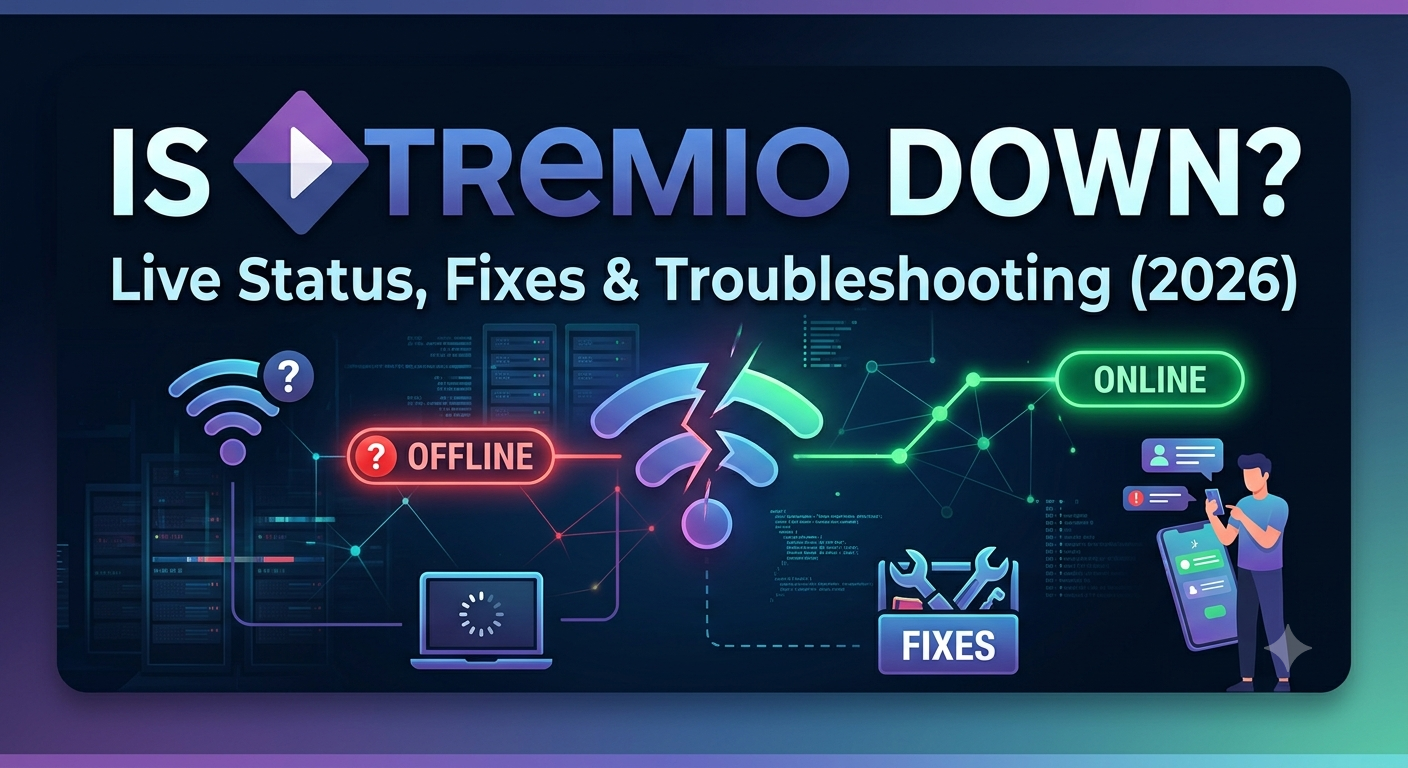

If Stremio suddenly stops loading, shows empty results, or refuses to play streams, your first question is usually simple: is stremio down?
The answer is often more complicated than a platform-wide outage. In our analysis of recent user reports, Reddit discussions, status-monitoring services, and troubleshooting guides, many reported “Stremio outages” were actually caused by addon failures, Torrentio disruptions, Real-Debrid authorization issues, or local device problems.
Before you reinstall the app or change settings, you need to determine what is actually broken.
If you’re still deciding whether the platform fits your streaming setup, our guide covering whether Stremio is a good streaming platform explains its strengths, limitations, and common reliability concerns.
Many users also access streaming services through a top-rated VPN services solution to improve privacy and avoid ISP traffic monitoring while streaming.
According to the <a href=”https://www.eff.org”>Electronic Frontier Foundation</a>, internet privacy tools remain an important part of protecting online activity from unnecessary tracking and data collection.
Is Stremio Down Right Now?
In most cases, no.
True Stremio-wide outages are relatively uncommon compared to addon-related failures.
When users report that Stremio is down, the issue usually falls into one of five categories:
| Problem | Frequency | Typical Symptoms |
|---|---|---|
| Addon outage | Very Common | No streams available |
| Torrentio outage | Very Common | Sources disappear |
| Real-Debrid issue | Common | Premium streams fail |
| Local device issue | Common | App crashes or freezes |
| Stremio server outage | Rare | Login and metadata problems |
This distinction matters because the fix depends entirely on which component failed.
For example:
- If Torrentio is offline, reinstalling Stremio won’t help.
- If Real-Debrid authorization expired, changing addons won’t solve the problem.
- If Stremio servers are unavailable, local troubleshooting may be pointless until service returns.
The biggest mistake users make is assuming every failure comes from the Stremio application itself.
How Can You Check Whether Stremio Is Actually Down?
The fastest approach is to isolate the problem.
Use this simple diagnostic process:
Step 1: Verify Login Functionality
Open Stremio and check whether:
- Account login works
- Library synchronization works
- Metadata loads correctly
If these features fail simultaneously, a platform-level issue becomes more likely.
If they work normally, the problem usually exists elsewhere.
Step 2: Test Multiple Titles
Try several different movies and TV shows.
If one title fails but others load normally, the issue is unlikely to be a Stremio outage.
Instead, the content source may have disappeared.
Step 3: Compare Different Addons
Many users rely heavily on Torrentio.
When Torrentio experiences downtime, it can appear as though Stremio itself has failed.
Install or test alternative addons.
If another addon works correctly, Stremio remains operational.
Step 4: Test Another Device
Open the same account on:
- Windows
- Android
- Android TV
- Fire TV
- Web version
If only one device fails, the issue is local.
If every device shows identical symptoms, broader service disruption becomes more likely.
Step 5: Check Community Reports
Reddit and community forums often identify outages before official channels.
Look for sudden spikes in reports mentioning:
- Torrentio down
- Stremio not working
- Real-Debrid outage
- Missing streams
- Authentication errors
When thousands of users report identical symptoms simultaneously, the issue probably extends beyond your device.
Why Stremio Often Appears Down When It Isn’t
Stremio functions differently from subscription streaming platforms.
Services such as Netflix control:
- Content
- Infrastructure
- Servers
- Streaming delivery
Stremio relies on multiple independent components working together.
Think of it as an ecosystem rather than a single service.
A typical playback request may involve:
- Stremio application
- Metadata servers
- Addons
- Torrentio
- Real-Debrid
- External source providers
- Your internet connection
If any one component fails, playback may stop.
To the average user, this looks exactly like a Stremio outage.
Technically, however, Stremio may still be functioning perfectly.
Understanding the Stremio Failure Chain
A useful way to diagnose problems is to identify where the chain breaks.
Component 1: Stremio Core Services
Responsible for:
- Accounts
- Synchronization
- Metadata
- Watch history
If these fail, users may experience:
- Login errors
- Empty libraries
- Missing posters
- Account synchronization issues
Component 2: Addons
Addons provide source discovery.
When addons fail:
- Streams disappear
- Search results become limited
- Playback options vanish
This is one of the most common causes of perceived outages.
Component 3: Torrentio
Torrentio remains one of the most popular Stremio addons.
Because so many users depend on it, a Torrentio outage can create the impression that Stremio itself is offline.
In reality:
- Stremio works
- Other addons work
- Only Torrentio fails
This distinction becomes important when troubleshooting.
We’ll examine Torrentio-specific failures in the next section.
Component 4: Real-Debrid
Premium users frequently connect Real-Debrid for improved stream quality and availability.
If authorization expires or the API experiences disruptions, premium links may stop working completely.
Users who need help with setting up Stremio with Real-Debrid should verify their authorization status before assuming Stremio is down.
This single issue accounts for a large percentage of playback failures reported in community forums.
Is the Problem Stremio, Torrentio, or Real-Debrid?
When users search for is stremio down, they often assume a single service controls everything. In reality, Stremio, Torrentio, and Real-Debrid are separate components.
Understanding which one failed can save hours of unnecessary troubleshooting.
Here’s a simple breakdown:
| Component | Purpose | What Happens When It Fails |
|---|---|---|
| Stremio | App platform and metadata | Login issues, missing libraries |
| Torrentio | Source aggregation addon | Few or no stream sources |
| Real-Debrid | Premium link provider | Premium streams fail |
| Internet connection | Connectivity | Buffering or loading errors |
The symptoms often overlap, which creates confusion.
Signs That Stremio Is Actually Down
A true Stremio platform issue may produce:
- Login failures
- Sync problems across devices
- Missing account data
- Metadata not loading
- Empty watch history
These issues affect the platform itself rather than individual streams.
If account functions continue working normally, Stremio probably isn’t the source of the problem.
Signs That Torrentio Is Down
Torrentio failures are far more common than platform-wide Stremio outages.
Typical symptoms include:
- Search results appear normally
- Movie posters load correctly
- Library functions work
- No playable sources appear
Many users mistake this scenario for a Stremio outage because the final result is the same: nothing plays.
However, the app itself remains operational.
Testing another addon quickly confirms whether Torrentio is responsible.
Signs That Real-Debrid Is Causing the Issue
Real-Debrid problems create a different pattern.
You may notice:
- Premium streams disappear
- Cached links fail
- Authorization prompts reappear
- Playback starts and immediately stops
In many cases, reauthorizing the service resolves the problem.
Why Does Stremio Show “No Streams Found”?
The No Streams Found error remains one of the most searched Stremio problems.
Despite its popularity, it rarely indicates that Stremio itself is down.
Instead, the message typically means that the application could not locate playable sources through your configured addons.
Common causes include:
Addon Failure
The addon may be:
- Offline
- Under maintenance
- Rate limited
- Experiencing API errors
When this occurs, Stremio cannot retrieve source information.
Torrentio Outages
Because Torrentio powers many installations, outages can affect a large percentage of users simultaneously.
The result often appears identical to a platform-wide outage.
Real-Debrid Authorization Problems
Expired authorization tokens frequently interrupt source retrieval.
Users may still browse content while playback options disappear.
Regional Availability Issues
Some content simply lacks available sources at a given time.
Testing several titles helps identify whether the issue affects all content or only specific media.
For a complete walkthrough covering causes and fixes, see our guide on fixing the Stremio no streams found error.
What Device-Specific Issues Cause Stremio Failures?
Many troubleshooting guides overlook an important reality:
Different devices fail differently.
A setup that works perfectly on Windows may behave very differently on a television or mobile device.
Windows PCs
Common issues include:
- Corrupted cache
- Firewall interference
- Antivirus conflicts
- Outdated application versions
Windows users generally experience the fewest compatibility problems because Stremio receives strong desktop support.
Android and Android TV
Android-based systems occasionally encounter:
- Storage permission errors
- Aggressive battery optimization
- Background process restrictions
- Corrupted addon data
These issues can prevent normal playback even when Stremio servers remain healthy.
Fire TV Devices
Fire TV users frequently report:
- Memory limitations
- Older software versions
- Addon loading delays
- Playback instability
Clearing cache often resolves many of these issues.
Roku Devices
A surprising number of users search for Roku-specific solutions after experiencing playback failures.
Before troubleshooting, verify whether your setup supports using Stremio on Roku, since compatibility expectations often differ from Android TV and Fire TV environments.
iPhone and iPad
Apple’s ecosystem introduces additional restrictions.
Users attempting to run Stremio through iOS may encounter:
- Browser limitations
- Web-player constraints
- Authentication issues
- Playback compatibility restrictions
If you’re troubleshooting an Apple device, our guide covering running Stremio on iPhone explains the supported methods.
Security, Connectivity, and Network Factors
Not every streaming problem originates from Stremio.
Your network environment can also contribute to failures.
For example:
- ISP traffic management
- DNS problems
- Router misconfiguration
- Regional network disruptions
Many users researching streaming privacy eventually start by understanding VPN technology through this guide:
If you’re curious about the technical side, this explanation of how VPN encryption works covers how encrypted tunnels protect traffic between your device and the VPN server.
While VPNs do not fix every Stremio problem, they can help isolate routing-related issues during diagnostics.
How Do You Fix Stremio When It Stops Working?
If you’ve already confirmed that the issue isn’t a widespread outage, it’s time to start troubleshooting.
The most effective approach is to move from the simplest fixes to the more technical ones. This prevents unnecessary reinstalls and helps you identify the actual source of the problem.
Restart the App and Device
It sounds basic, but temporary application conflicts remain one of the most common causes of playback failures.
Close Stremio completely and restart:
- The application
- Your device
- Your router if network issues are suspected
Many temporary errors disappear after a clean restart.
Verify Your Internet Connection
Before changing Stremio settings, confirm that your connection is stable.
Check whether:
- Websites load normally
- Other streaming apps work
- Downloads function correctly
- Network speeds remain consistent
A weak or unstable connection can create symptoms that look identical to a Stremio outage.
Clear Stremio Cache
Over time, cached data may become corrupted.
Common signs include:
- Endless loading screens
- Missing posters
- Slow performance
- Playback failures
Clearing cache often restores normal operation without affecting your account.
Update Stremio
Running an outdated version can create compatibility issues with newer addons and services.
Always verify that you’re using the latest release before attempting more advanced fixes.
Reinstall Stremio
If corruption affects the installation itself, a clean reinstall may help.
Rather than downloading random versions from unofficial sources, follow a complete and current Stremio installation guide to ensure the application is configured correctly.
Reinstallation should generally be one of the final troubleshooting steps rather than the first.
server load effects, device compatibility limits, account/plan restrictions, speed throttling scenarios, etc.
Several external factors can affect performance even when Stremio itself remains operational.
Server Load Effects
High-demand periods occasionally impact services connected to the Stremio ecosystem.
During major content releases, users may experience:
- Slower source retrieval
- Delayed metadata loading
- Increased buffering
- Temporary addon instability
These issues often resolve automatically once traffic levels normalize.
Device Compatibility Limits
Not every device delivers identical performance.
Older hardware may struggle with:
- Large media libraries
- High-bitrate streams
- Multiple addons
- Advanced playback formats
This is particularly noticeable on budget streaming devices with limited RAM and storage.
Account and Service Restrictions
Third-party services occasionally impose:
- API limits
- Authentication requirements
- Temporary restrictions
- Maintenance windows
These events can affect stream availability without impacting Stremio’s core functionality.
Speed Throttling Scenarios
Some internet users experience inconsistent performance because of:
- Congested networks
- Poor routing
- ISP traffic management
- Regional infrastructure issues
When troubleshooting, it’s important to separate network performance problems from application problems.
When Should You Wait Instead of Troubleshooting?
One of the biggest mistakes users make is continuously changing settings during an active outage.
Sometimes the smartest solution is patience.
Signs You Should Wait
Consider waiting if:
- Multiple status monitors report issues
- Reddit discussions show widespread failures
- Addon developers acknowledge downtime
- Thousands of users report identical symptoms
In these situations, local troubleshooting rarely produces results.
Signs You Should Continue Troubleshooting
Keep investigating if:
- Only your device is affected
- Other users report normal operation
- Alternative addons function correctly
- The issue appears isolated to your network
This usually indicates a local problem rather than a service outage.
Building a Fast Outage Diagnosis Workflow
When users ask, “Is Stremio down?” they typically want an answer immediately.
A structured workflow provides that answer faster than random troubleshooting.
Use this sequence:
Step 1
Check whether login and account synchronization work.
If they fail, Stremio platform services may be affected.
Step 2
Open several different titles.
If only one title fails, the issue likely relates to content availability rather than service status.
Step 3
Test multiple addons.
If one addon works while another fails, you’ve isolated the problem.
Step 4
Verify Real-Debrid authorization.
Expired credentials remain one of the most common causes of playback failures.
Step 5
Compare results on another device.
Cross-device testing quickly identifies local hardware or software issues.
Step 6
Check community reports and status-monitoring tools.
This confirms whether the issue is widespread.
Following this workflow usually identifies the root cause within a few minutes.
Should You Use a VPN When Troubleshooting Streaming Problems?
A VPN will not repair an addon outage or restore a service experiencing downtime.
However, it can help eliminate certain network variables during testing.
For users exploring privacy-focused options, our roundup of reliable free VPN services covers several solutions that can be useful for temporary diagnostics.
Remember that VPNs are diagnostic tools in this context, not universal fixes.
If Torrentio is offline or Real-Debrid is experiencing API issues, changing VPN servers will not solve the underlying problem.
The goal is to determine whether the issue originates from:
- Your device
- Your network
- An addon
- A third-party service
- Stremio itself
Once you identify the failing component, the correct solution becomes much easier to apply.
Is Stremio down right now?
Usually not.
Most reports that claim Stremio is down are actually caused by addon outages, Torrentio disruptions, Real-Debrid authorization problems, or device-specific issues. A true platform-wide outage is much less common.
The fastest way to verify service status is to test multiple addons, check another device, and review community reports from other users experiencing the same symptoms.
Why is Stremio not working even though my internet works?
A functioning internet connection does not guarantee that every component in the Stremio ecosystem is operating correctly.
Common causes include:
- Torrentio downtime
- Broken addons
- Expired Real-Debrid authorization
- Corrupted cache
- Outdated application versions
- Device-specific compatibility issues
Testing each component individually is the quickest way to identify the source of the problem.
How do I know if Torrentio is down?
A simple test is to try another addon.
If:
- Stremio opens normally
- Metadata loads correctly
- Alternative addons return streams
then Torrentio is likely responsible for the failure.
This is one of the most common scenarios behind searches for “is stremio down.”
Why does Stremio keep loading forever?
Endless loading usually points to one of several issues:
- Network instability
- Addon timeouts
- Source retrieval failures
- Device performance limitations
- Cache corruption
Clearing cache, updating the app, and testing another device often resolves the problem.
Can Real-Debrid make Stremio stop working?
Yes.
Expired authorization, API interruptions, service maintenance, or account-related issues can prevent premium links from loading.
Many users assume Stremio is offline when the actual problem originates from Real-Debrid.
Should I reinstall Stremio immediately?
Usually no.
Reinstallation should come after basic diagnostics.
First verify:
- Internet connectivity
- Addon status
- Real-Debrid authorization
- Device-specific issues
- Community outage reports
Reinstalling too early can waste time and make troubleshooting more difficult.
Quick Outage Checklist
If you’re asking “is stremio down” and need a fast answer, use this checklist:
Stremio Is Probably Working If:
✅ You can log in
✅ Metadata loads normally
✅ Your library appears
✅ Other addons still work
✅ The issue affects only one device
The Problem Is Probably Torrentio If:
✅ Stremio opens normally
✅ Search works
✅ Posters appear
✅ No stream sources load
✅ Alternative addons function correctly
The Problem Is Probably Real-Debrid If:
✅ Premium links disappear
✅ Authorization expired
✅ Cached streams fail
✅ Other non-premium sources still appear
The Problem Is Probably a Platform Outage If:
✅ Login fails
✅ Metadata disappears
✅ Sync stops working
✅ Multiple devices show identical issues
✅ Large numbers of users report the same problem
This process typically identifies the root cause in less than five minutes.
Key Takeaways
The answer to is stremio down depends on which part of the streaming chain has failed.
Most reported outages are not caused by Stremio itself. Addon failures, Torrentio disruptions, Real-Debrid authorization problems, and device-specific issues account for the majority of playback errors.
Before reinstalling the application, verify whether account functions, addons, and premium services are working correctly. A structured diagnostic process is far more effective than random troubleshooting.
For broader online privacy and secure streaming practices, the <a href=”https://www.ftc.gov”>Federal Trade Commission</a> provides guidance on protecting personal information online.
If you’re evaluating privacy tools alongside your streaming setup, our guide to top-rated VPN services provides tested recommendations and detailed comparisons.
The next time you wonder whether is stremio down, start by identifying whether the problem originates from Stremio, Torrentio, Real-Debrid, your device, or your network. In most cases, you’ll find the answer long before you need to reinstall anything.