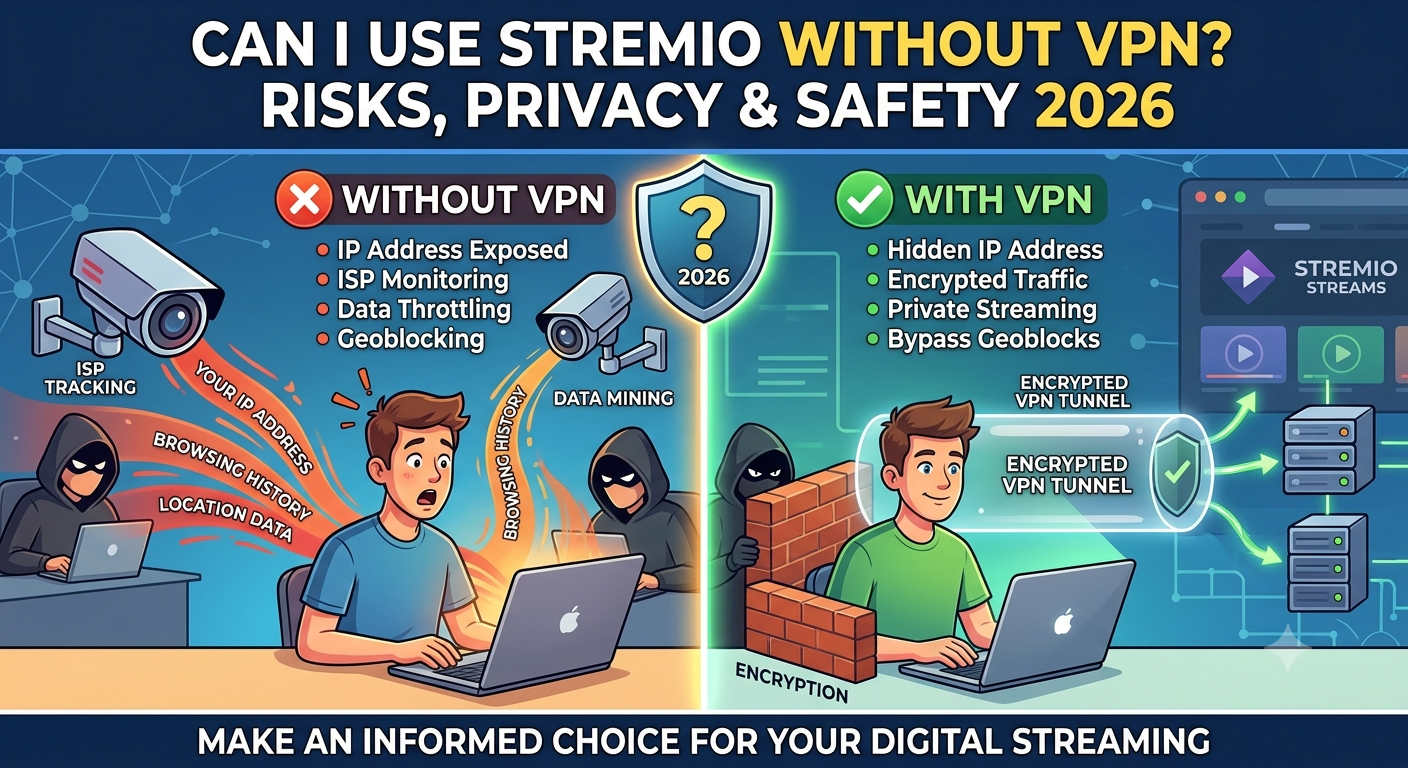

The question can i use stremio without vpn comes down to one core issue: visibility. Stremio will run normally without a VPN, but your internet activity is still visible to your ISP and network provider.
That matters because modern streaming tools don’t just pull content from one source. They rely on multiple add-ons and external providers, which changes how your traffic behaves on the network.
Privacy groups like the Electronic Frontier Foundation note that ISPs can still observe metadata such as connection timing and traffic volume, even when content itself is encrypted. That’s enough to raise privacy concerns for streaming-heavy users.
Can You Use Stremio Without a VPN?
Yes. Stremio works without a VPN on all major platforms, including Windows, Android TV, and mobile devices. There is no built-in requirement for VPN usage.
However, there’s a difference between “works” and “private.”
Without a VPN:
- Your ISP can see that you are streaming
- Your connection timing and data usage are visible
- Your IP address is exposed to external servers
This becomes more relevant depending on the type of add-ons you use. Official add-ons are generally low-risk, while third-party sources can increase exposure.
A deeper breakdown of platform safety is available in this guide on whether Stremio is good, which explains how the app itself is not the issue—the content sources are.
Is Stremio Safe Without VPN Protection?
Stremio is technically safe as software, but privacy depends on how you use it.
1. Application safety
The app itself does not behave like malware or spyware. It functions as a media aggregator and streaming client.
2. Network visibility
Without a VPN, your ISP can still observe:
- That you are connected to streaming services
- When and how often you stream
- Approximate data usage patterns
To understand why this matters, you need to understand how encryption works in transit. A VPN creates an encrypted tunnel between your device and the internet, reducing visibility into your traffic. More detail is available in this explanation of how VPN encryption works.
3. Content-source exposure
The biggest variable is the add-ons:
- Official add-ons → generally safe and predictable
- Community add-ons → mixed reliability
- External sources → highest variability in risk
This is why VPN usage depends more on behavior than on the app itself.
If privacy is a concern, many users start by reviewing a best VPN list to choose a service that fits streaming use.
What Happens When You Don’t Use a VPN?
Using Stremio without a VPN means your connection is unprotected at the network level.
Here’s what that means in practice:
- Your ISP can detect streaming activity
- Your IP address is visible to connected services
- Traffic patterns can potentially be analyzed
This does not automatically mean you are being monitored individually, but it does mean you are not anonymous online.
In some cases, users also experience buffering or missing sources due to routing or ISP filtering. These issues are sometimes confused with app errors, similar to situations like Stremio no streams were found.
What Happens When You Stream Without VPN Protection?
When you use Stremio without a VPN, your traffic flows directly through your internet service provider. That sounds normal—and it is—but it also means your ISP sits in the middle of every connection you make.
Even if the content itself is encrypted, your ISP can still observe:
- The fact that you are streaming
- The time and duration of usage
- The volume of data transferred
- The domains or endpoints you connect to
This matters because modern streaming isn’t a single connection. Stremio pulls data from multiple sources depending on the add-ons you use, which creates a more complex traffic pattern than traditional platforms.
In some regions, ISPs may also apply traffic shaping. That means streaming traffic can be slowed during peak hours, especially if it resembles peer-to-peer behavior.
Can Your ISP See Stremio Activity?
Yes—but not in the way most users assume.
Your ISP does not “see inside” the content you stream, but it can see what you are connecting to and how much you are using it. This includes:
- IP addresses of connected servers
- Connection timing patterns
- Total bandwidth usage
- DNS lookup requests (unless protected)
This level of visibility is standard for all unprotected internet traffic.
To understand how this changes with encryption, it helps to look at how VPN tunnels work. A VPN encrypts your data before it leaves your device, making it unreadable to intermediaries. A technical breakdown of this process is available in this guide on how VPN encryption works.
Without that layer, Stremio traffic behaves like any other unprotected streaming session.
What Happens When You Use Torrent-Based Stremio Add-Ons?
This is where risk levels change significantly.
Stremio itself is just a platform, but some community add-ons rely on peer-to-peer (P2P) or torrent-based sources. These systems work differently from standard streaming.
Instead of downloading from a single server, your device may:
- Connect to multiple peers simultaneously
- Share parts of the stream while downloading
- Expose your IP address to other participants
That exposure is the key difference.
Why this matters
In P2P systems:
- Your IP address is visible to other peers
- Your traffic can be identified as torrent-like behavior
- ISPs may flag or throttle the connection in some regions
This does not automatically mean legal trouble, but it does increase visibility compared to standard streaming.
A detailed breakdown of streaming behavior and platform safety is available in this analysis of whether Stremio is good, which explains how the platform changes depending on add-ons used.
Official Add-Ons vs Community Add-Ons
Not all Stremio sources behave the same way.
Official add-ons
- Pull content from licensed providers
- Lower exposure risk
- More stable streaming performance
- Minimal ISP attention in most cases
Community add-ons
- Source content from external providers
- May include P2P or scraping methods
- Higher variability in privacy risk
- More likely to trigger ISP filtering or throttling
This distinction is the core reason VPN recommendations vary so widely for Stremio users.
Do You Need a VPN for Stremio Add-Ons?
Not always—but it depends entirely on what you’re using.
You likely do NOT need a VPN if:
- You only use official add-ons
- You stream licensed content
- You are not concerned about ISP visibility
You SHOULD consider a VPN if:
- You use torrent-based add-ons
- You want to hide streaming activity from your ISP
- You experience throttling or buffering tied to traffic type
If you decide to use one, many users compare options through curated lists like top-rated VPN services based on speed and streaming performance.
VPN vs Real-Debrid: What’s the Difference?
A common point of confusion is the role of VPNs compared to services like Real-Debrid. They solve completely different problems, even though users often group them together when improving Stremio performance.
A VPN focuses on network privacy and encryption. It hides your traffic from your ISP and routes it through an encrypted tunnel.
Real-Debrid, on the other hand, is a premium link resolver and caching service. It improves streaming quality by providing faster, more reliable sources, but it does not hide your identity or encrypt your traffic.
You can use Stremio with Real-Debrid without a VPN, but that only improves stream availability—not privacy.
A full setup breakdown is available in this guide on configuring Stremio with Real-Debrid, which explains how it fits into the streaming pipeline.
Key difference in simple terms:
- VPN → hides what you do online
- Real-Debrid → improves what you can stream
These tools complement each other but are not interchangeable.
Does Real-Debrid Replace a VPN?
No.
Real-Debrid does not:
- Encrypt your traffic
- Hide your IP address from your ISP
- Prevent ISP throttling
- Provide anonymity
What it does:
- Reduces buffering
- Improves stream quality
- Expands available sources
So when users ask can i use stremio without vpn, Real-Debrid is often mistakenly treated as a replacement. It isn’t. It simply improves performance, not privacy.
ISP Throttling and Streaming Performance
One of the most overlooked reasons users turn to VPNs is not privacy—it’s performance.
Some ISPs actively manage network traffic. That includes:
- Slowing down video streaming during peak hours
- Reducing speeds for high-bandwidth usage
- Flagging torrent-like traffic patterns
When Stremio uses certain community add-ons or P2P sources, traffic can resemble torrent behavior. That can trigger throttling in some networks.
This is why users sometimes report buffering even on fast internet connections.
A VPN can help in these cases by masking traffic type, making it harder for ISPs to classify your usage patterns.
However, it’s not a guaranteed fix. In some cases, a poorly chosen VPN can even reduce speeds further depending on server load and distance.
server load effects, device compatibility limits, account/plan restrictions, speed throttling scenarios, etc.
Stremio performance is not only dependent on your ISP—it also depends on infrastructure constraints that are often ignored in basic guides.
Server load effects
When too many users access the same streaming sources or add-ons, backend servers can become overloaded. This results in:
- Slower stream startup times
- Buffering during playback
- Temporary stream failures
This is not caused by your VPN or ISP directly, but by upstream resource demand.
Device compatibility limits
Stremio behaves differently depending on the device:
- Android TV: best overall stability
- Windows/macOS: highest flexibility
- Mobile devices: limited add-on performance in some cases
- iOS: more restricted environment, fewer options
These differences affect whether streaming feels smooth even before considering VPN usage.
Account/plan restrictions
While Stremio itself does not require paid plans, third-party services used within it may:
- Limit bandwidth for free users
- Restrict source availability
- Prioritize premium users for faster links
This can indirectly influence whether users think a VPN is needed.
Speed throttling scenarios
Even with high-speed internet, users may experience:
- Reduced performance during peak hours
- Slower P2P-based streams
- Inconsistent playback quality across add-ons
This is where VPN usage sometimes helps—but only when throttling is based on traffic classification, not general congestion.
When Do You Actually Need a VPN for Stremio?
A VPN is not mandatory for using Stremio, but it becomes useful in specific scenarios.
Low-risk usage (VPN optional)
- Official add-ons only
- Stable streaming performance
- No privacy concerns
Medium-risk usage (VPN recommended)
- Mixed official and community add-ons
- Occasional buffering or ISP slowdown
- Desire for basic privacy protection
High-risk usage (VPN strongly recommended)
- Heavy use of torrent-based add-ons
- Concern about ISP monitoring
- Living in regions with strict traffic oversight
- Frequent P2P streaming activity
For users in higher-risk categories, selecting a service from a best VPN list becomes more relevant due to differences in logging policies, speed, and streaming compatibility.
How Can You Use Stremio More Safely?
If you decide to use Stremio without a VPN, the goal is not to eliminate risk entirely—that’s not realistic—but to reduce unnecessary exposure.
Start with the simplest rule: control your add-ons.
1. Stick to trusted sources
Official add-ons are generally more predictable because they rely on licensed or curated content. Community add-ons vary widely in reliability and privacy exposure.
2. Limit unknown third-party integrations
Many privacy issues don’t come from Stremio itself, but from external sources that plug into it. The more unknown providers you add, the harder it becomes to understand where your data is going.
3. Monitor performance changes
If you notice sudden buffering, slow load times, or inconsistent streams, it may not be your internet speed. It could be:
- ISP traffic shaping
- Overloaded streaming sources
- Blocked or filtered endpoints
In some cases, troubleshooting issues like Stremio downtime or instability helps identify whether the problem is platform-related or network-related.
Device-Specific Safety Considerations
Stremio does not behave identically across devices, and that affects how you should think about VPN usage.
Android TV and Fire TV
- Most stable environment
- Common for long streaming sessions
- VPN apps are often directly installable
Windows and macOS
- Full control over add-ons
- Easier troubleshooting
- Better compatibility with VPN clients
Mobile devices
- More limited add-on ecosystem
- Background restrictions can affect streaming stability
iPhone and iPad
- More restricted environment overall
- Setup complexity is higher
- Some users rely on alternative configuration methods, like guides for using Stremio on iPhone
Is Stremio Legal in the United States?
Stremio itself is legal software. The legality question depends entirely on what you stream and how the content is sourced.
Key distinction:
- The platform → legal
- Content sources → may vary in legality
This is similar to many media tools: the application is neutral, but usage determines compliance.
A deeper platform overview is available in this analysis of whether Stremio is good, which outlines how legality concerns usually arise from third-party add-ons rather than the app itself.
VPN Security Features That Matter for Stremio
If you choose to use a VPN, not all features are equally important for streaming.
Prioritize:
- WireGuard or OpenVPN support
- No-logs policy
- DNS leak protection
- Kill switch
- High-speed servers optimized for streaming
These features ensure the VPN actually improves privacy without degrading performance.
If you’re evaluating options, curated lists of reliable free VPN services can help for basic use cases, although paid services typically offer better stability for streaming.
Frequently Asked Questions About Stremio and VPN Use
Can I use Stremio without a VPN?
Yes. Stremio works without a VPN, but your ISP can still observe your connection activity.
Is Stremio safe without VPN protection?
It is safe as software, but privacy depends on the add-ons and sources you use.
Can my ISP see Stremio activity?
Yes. ISPs can typically see traffic patterns, data usage, and connection destinations.
Do I need a VPN for Stremio add-ons?
Not always. It depends on whether you use official or third-party torrent-based add-ons.
Does Real-Debrid replace a VPN?
No. Real-Debrid improves streaming quality but does not provide encryption or anonymity.
Final Conclusion
So, can i use stremio without vpn? Yes—you absolutely can, and many users do without issues. But the real question is not whether it works, but what level of visibility you’re comfortable with.
If you only use official add-ons and don’t care about ISP monitoring, a VPN is optional. If you use third-party or torrent-based sources, or you want stronger privacy control, a VPN becomes a practical safeguard rather than an accessory.
Stremio itself is not the risk—the way it connects to content sources is what determines exposure.
For most users prioritizing privacy and stability, a well-configured VPN remains the safest baseline choice when streaming beyond official sources.