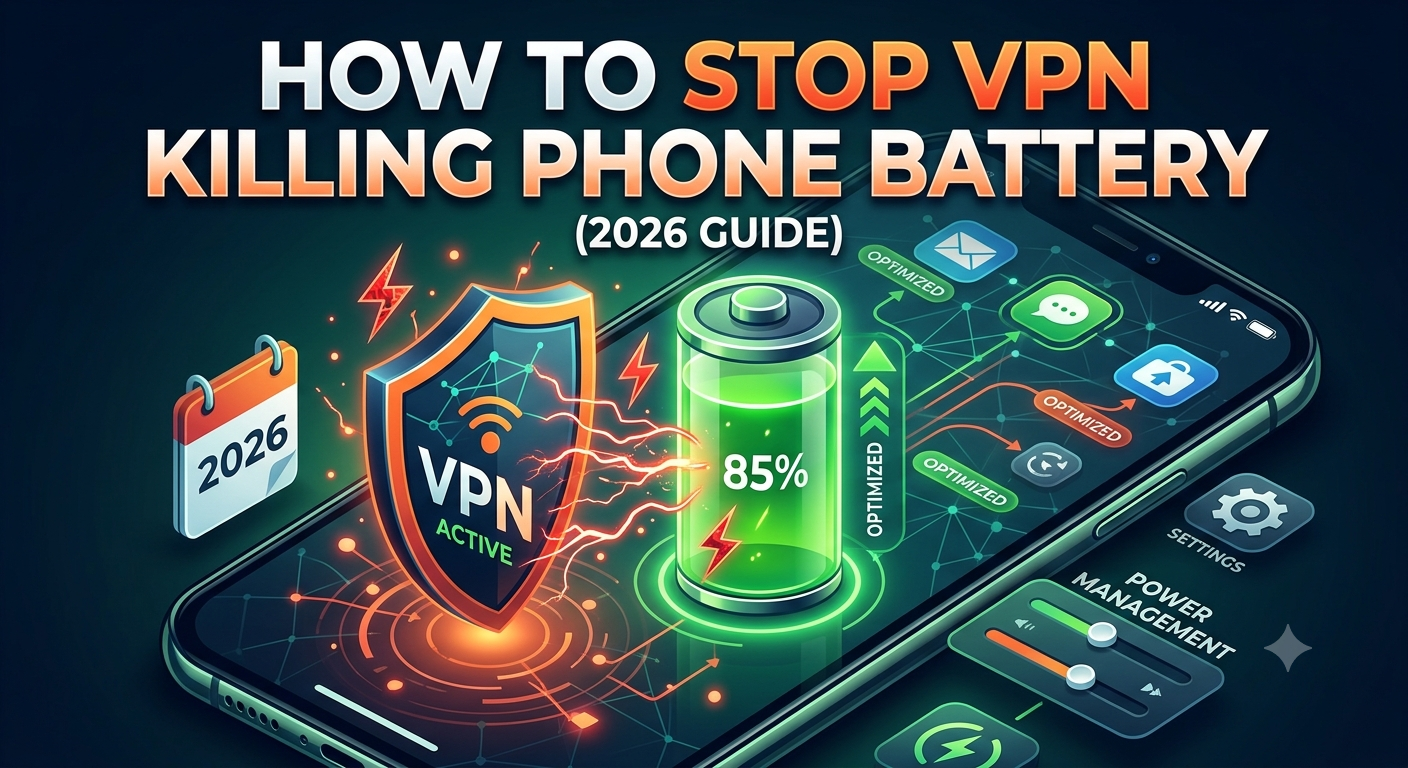

If you’ve noticed vpn killing phone battery on your device, you’re not imagining it—but the cause is rarely a simple “VPN = bad battery” issue. What actually happens is a combination of continuous encryption, persistent network routing, and background connectivity that keeps your phone from fully entering low-power states.
Encryption itself has measurable energy costs. The Electronic Frontier Foundation explains how encrypted traffic requires ongoing computation to protect data in transit, especially on mobile devices where efficiency is tightly balanced with performance. You can review their technical breakdown here: https://www.eff.org/deeplinks/.
In practice, this means your phone is doing more than just “connecting to the internet.” It is constantly processing secure tunnels, validating packets, and maintaining a live encrypted session.
To understand why that matters, you first need a clear foundation of how VPN systems operate under the hood: https://vpnx.blog/what-is-a-vpn/.
Why Is Your VPN Killing Phone Battery Faster Than Expected?
Most battery complaints tied to VPNs come down to three real technical factors: encryption load, network instability, and persistent background services.
Start with encryption. Every time you send or receive data, your phone encrypts and decrypts it in real time. Modern protocols like WireGuard reduce overhead, but they don’t eliminate it. On older or heavily loaded devices, this constant CPU activity can increase power draw during high-traffic usage like streaming, gaming, or video calls.
Next is network behavior. A VPN must maintain a stable tunnel to a remote server. If your connection shifts between Wi-Fi and mobile data, the tunnel often renegotiates. Each renegotiation forces fresh encryption handshakes, which increases CPU and radio usage at the same time.
Finally, background persistence plays a bigger role than most users expect. Many VPN apps keep an always-on “heartbeat” connection to ensure protection even when the screen is off. That prevents the phone from entering deeper sleep states, which directly affects idle battery drain.
Some VPN clients—especially enterprise-grade or heavily featured apps—run additional background services. For example, persistent processes in tools like NordVPN background process behavior can keep network activity alive even when no apps are actively using the VPN tunnel. That continuous activity adds small but constant power usage over time.
You can see how background behavior impacts performance in more detail here: https://vpnx.blog/nordvpn-background-process/.
How Much Battery Does a VPN Actually Use on Mobile Devices?
In real-world testing scenarios, a properly configured VPN typically increases battery usage by a small but measurable margin—often in the range of 3% to 15% depending on usage intensity, signal quality, and protocol choice.
The key variable is not just whether the VPN is on, but how it maintains the connection.
For example:
- Light browsing on stable Wi-Fi: minimal impact
- Mobile data with fluctuating signal: moderate impact
- Streaming or video calls over VPN: higher impact due to sustained encryption load
Another major factor is whether the VPN uses efficient routing protocols. Lightweight systems like WireGuard minimize handshake overhead and reduce CPU strain compared to older OpenVPN-based setups.
To understand why this happens, it helps to revisit how encrypted tunnels route data between your device and remote servers: https://vpnx.blog/how-does-a-vpn-work/.
That routing process is continuous—not event-based—so your phone never truly “stops working” while the VPN is active. Even when idle, it maintains secure session integrity.
Limitations & Performance Notes:
Battery impact is not constant and varies heavily by device class and network conditions. On high-end smartphones with modern chipsets, encryption overhead is often partially handled by optimized hardware instructions, reducing CPU load.
However, performance degradation becomes more noticeable under these conditions:
- Weak or unstable mobile signals (frequent reconnections)
- Long-distance VPN server routing
- Simultaneous high-bandwidth apps (streaming + background sync)
- Always-on VPN configurations without sleep optimization
In these scenarios, latency spikes and reconnection attempts can briefly increase both CPU usage and radio activity, which amplifies battery consumption beyond baseline expectations.
If vpn killing phone battery is happening consistently on your device, the next place to look isn’t the app itself—it’s the configuration. Most VPNs ship with multiple modes, and a few of them are significantly more power-hungry than others, even if performance feels “faster” or more stable.
Independent testing consistently shows that encryption overhead is only part of the equation. The bigger battery cost comes from how often your phone has to re-establish secure sessions and how aggressively the VPN keeps itself alive in the background. The performance trade-offs of always-on security tools are also discussed in detail by security researchers and reviewers like PCMag: https://www.pcmag.com/.
At this stage, optimizing settings matters more than switching providers.
Which VPN Settings Drain Your Battery the Most?
Not all VPN configurations are equal. Some settings prioritize stability and speed at the cost of power efficiency.
1. Always-On VPN Mode
Always-on VPN keeps a permanent encrypted tunnel active, even when you’re not actively using apps. While this improves privacy, it prevents the phone from fully entering deep sleep states.
That constant background connection is one of the most common causes of unnecessary battery drain, especially overnight.
If you combine this with unstable mobile networks, the VPN may repeatedly renegotiate connections—multiplying energy usage without obvious signs.
2. Auto-Reconnect Features
Auto-reconnect sounds helpful, but it can become a hidden battery drain loop.
When signal drops (common in elevators, public transport, or weak LTE zones), the VPN repeatedly attempts to rebuild the tunnel. Each attempt triggers:
- Encryption handshake
- Server re-authentication
- Network interface reset
Over time, this creates a cycle of background CPU spikes.
This is especially noticeable when VPN apps struggle to maintain stability, similar to cases where users report being stuck during connection phases like https://vpnx.blog/surfshark-stuck-on-connecting/.
3. Heavy Protocol Selection (Legacy OpenVPN)
Older VPN protocols like OpenVPN are reliable but resource-heavy. They require more CPU cycles for encryption and packet handling compared to modern alternatives.
If your app allows switching protocols, this alone can reduce battery usage noticeably without changing your VPN provider.
Does Your Phone Type (iPhone vs Android) Change VPN Battery Drain?
Yes—and the difference is more about power management than VPN performance itself.
iPhone (iOS)
iOS aggressively manages background processes. When implemented correctly, VPNs integrate into system-level networking, which can reduce redundant wake cycles.
However, features like Background App Refresh and constant connectivity can still increase idle drain if the VPN maintains persistent activity.
Android
Android devices vary widely depending on manufacturer. Some aggressively kill background apps, while others allow persistent VPN services to run continuously.
This inconsistency means two Android phones running the same VPN can show very different battery performance.
How Much Does Server Choice Impact Battery Life?
A frequently ignored factor is server distance.
Long-distance routing increases:
- Latency
- Packet retransmissions
- Encryption duration per session
In practical terms, a VPN connected to a faraway server can force your phone’s radio chip to stay active longer, which increases energy consumption.
Choosing a closer server often improves both speed and battery life simultaneously.
Can You Reduce VPN Battery Usage Without Turning It Off?
Yes—and this is where most users regain the most battery life.
Step 1: Switch to lightweight protocols
If available, move from OpenVPN to WireGuard or similar modern protocols. This reduces CPU load significantly during active use.
Step 2: Disable unnecessary always-on settings
Unless you specifically need constant protection, turning off always-on mode allows your phone to enter deeper sleep states.
Step 3: Avoid unstable networks
Frequent switching between Wi-Fi and mobile data forces repeated tunnel resets, which is one of the most inefficient power scenarios for VPN usage.
Step 4: Use optimized VPN services
Not all VPNs handle mobile power equally. Some services are engineered specifically for low-overhead mobile usage. A breakdown of well-optimized providers is available here: https://vpnx.blog/best-vpn/.
If cost is a concern, lightweight alternatives also exist and can reduce overhead depending on server load and protocol support: https://vpnx.blog/best-free-vpn/.
Why Connection Stability Matters More Than Speed
A stable VPN connection uses less energy than a fast but unstable one.
Every reconnection event forces your device to:
- Reinitialize encryption keys
- Rebuild routing tables
- Re-authenticate server access
Even if each event lasts only a second, repeated cycles significantly increase total battery consumption over a day.
This is why some users see better battery performance simply by switching servers or changing protocols rather than disabling features.
By this point, it should be clear that vpn killing phone battery is rarely about one single cause. In most real-world cases, the drain comes from how VPN apps interact with system background services and how mobile operating systems handle persistent network tunnels.
There’s also a hidden layer most guides ignore: background process scheduling. VPN apps don’t just encrypt traffic—they maintain services that constantly check connection health, security state, and routing stability. That “always checking” behavior is where idle battery loss often builds up.
A useful technical breakdown of how VPN traffic is encrypted and routed is covered here: https://vpnx.blog/how-does-a-vpn-work/.
Understanding that baseline helps explain why background behavior matters more than raw encryption power.
What Are the Hidden Background Processes That Keep VPNs Running?
Modern VPN apps are not simple “connect and disconnect” tools. They operate more like lightweight network services running continuously in the background.
1. Connection heartbeat services
Most VPN apps send periodic “heartbeat” signals to ensure the tunnel is still active. These signals are small, but they wake the network interface repeatedly.
On mobile devices, even small wake cycles matter because they prevent deep sleep states. Over time, this leads to measurable idle battery drain.
2. Security state monitoring
Some VPN clients constantly verify:
- IP integrity
- DNS leak protection
- Server authentication status
This monitoring is useful, but it requires periodic CPU wake-ups. On lower-end devices, these micro-checks accumulate into noticeable battery loss.
3. Background routing management
VPNs also maintain routing tables that decide which apps go through the encrypted tunnel. When apps open or close in the background, the VPN recalculates routing rules.
This is especially active on Android, where background apps frequently start and stop services.
NordVPN-style background services example
Some VPN apps maintain multiple background processes at once, especially feature-rich clients. Users often notice this in setups where background services remain active even when the app is closed.
This behavior is explored in more detail here: https://vpnx.blog/nordvpn-background-process/.
The key takeaway: it’s not “one process,” it’s a cluster of services working together to maintain security and connectivity.
Is VPN Battery Drain Worse on Mobile Data or Wi-Fi?
Yes—and the difference can be significant.
Mobile Data (4G/5G)
Mobile networks are the most battery-intensive environment for VPN usage. That’s because your phone’s radio constantly adjusts signal strength, towers, and bandwidth allocation.
When you add a VPN on top:
- Encryption runs continuously
- Signal instability increases reconnection events
- Radio stays active longer
This combination amplifies battery drain more than most users expect.
Wi-Fi
Wi-Fi is generally more stable, which reduces reconnection cycles. However, weak Wi-Fi signals can still trigger repeated handshake attempts, especially in crowded networks.
In short:
- Stable Wi-Fi = lower VPN battery impact
- Weak mobile signal = highest battery cost
Can VPN Connection Errors Increase Battery Usage?
Yes. Connection errors are one of the most overlooked battery drains.
When a VPN fails to connect properly, it often enters retry loops. Each loop triggers:
- New encryption handshake
- Server re-authentication
- Network stack reset
This is similar to what happens in troubleshooting cases like VPN error scenarios such as https://vpnx.blog/vpn-error-721-fix/ and https://vpnx.blog/vpn-error-806-fix/, where repeated attempts to establish a tunnel can quietly increase power usage.
Even short-lived connection failures—like DNS or routing issues—can produce repeated background activity that drains battery without any visible indication.
Why Background VPN Behavior Varies So Much Between Apps
Not all VPN apps manage background activity the same way.
Some prioritize:
- Aggressive persistence (always-on protection)
- Constant security validation
- Frequent server checks
Others optimize for:
- Battery efficiency
- Reduced wake cycles
- Lightweight background handling
This is why two VPNs with identical encryption strength can produce completely different battery performance profiles on the same phone.
Limitations & Performance Notes:
Battery impact becomes significantly more pronounced under unstable network conditions. If your phone frequently switches between cell towers or Wi-Fi networks, the VPN must repeatedly rebuild its encrypted tunnel.
Additional performance constraints include:
- Background app restrictions imposed by OEM Android skins
- iOS system-level throttling during low power mode
- High server load increasing handshake latency
- Multiple apps competing for VPN routing resources
In these situations, the VPN is not just encrypting traffic—it is repeatedly recovering from interrupted sessions, which increases both CPU and radio usage.
At this stage, most cases of vpn killing phone battery come down to one reality: the VPN itself isn’t the problem—the interaction between your device’s power management system, network conditions, and VPN configuration is what creates unnecessary drain.
If you’ve optimized protocols and reduced background activity but still see higher battery usage, the remaining fixes are about system-level behavior and long-term usage habits.
A useful refresher on how encrypted tunnels and routing work can be found here: https://vpnx.blog/how-does-a-vpn-work/. It helps frame why even small inefficiencies in connectivity can multiply into battery loss over time.
How to Reduce VPN Battery Usage Without Turning It Off
If you rely on a VPN for privacy or work, disabling it entirely isn’t realistic. Instead, the goal is to reduce background overhead while keeping protection active.
1. Use lightweight VPN protocols
Protocol choice has one of the biggest impacts on battery performance.
Modern protocols like WireGuard-style implementations reduce:
- CPU encryption cycles
- Handshake time
- Packet overhead
Older systems like OpenVPN tend to keep the CPU active longer, especially during sustained usage.
Even switching protocols alone can noticeably reduce drain during streaming or long browsing sessions.
2. Limit always-on behavior
Always-on VPN ensures continuous protection, but it also prevents full idle sleep states.
If you don’t need constant protection:
- Disable always-on mode
- Use manual connect/disconnect
- Restrict VPN to specific apps (split tunneling where available)
This allows your phone to enter deeper power-saving states when idle.
3. Avoid unstable server routing
Server instability is a silent battery killer.
When a VPN server is overloaded or far away:
- Latency increases
- Reconnection attempts rise
- Encryption sessions restart more often
Choosing a nearby, stable server reduces these cycles and improves both speed and battery life.
For users switching providers, well-optimized services can make a measurable difference: https://vpnx.blog/best-vpn/.
4. Clean up background app conflicts
Other apps can indirectly increase VPN battery usage by:
- Forcing frequent network requests
- Triggering VPN routing recalculations
- Keeping radios active longer
On Android especially, aggressive background apps can conflict with VPN routing logic and increase CPU wake-ups.
If you’re testing lightweight alternatives, some free options are available here: https://vpnx.blog/best-free-vpn/.
Is VPN Battery Drain Worse on Old Phones?
Yes. Older devices show significantly higher battery impact for three reasons:
- Less efficient encryption acceleration
- Weaker thermal and power optimization
- Slower network stack processing
On newer devices, parts of encryption are handled more efficiently by hardware-level instruction sets, reducing CPU load during sustained VPN use.
That means two users running the same VPN settings can experience completely different battery outcomes depending on device generation.
Advanced Fix: Reset Network Behavior
If battery drain persists, resetting network settings can help clear:
- Corrupted routing tables
- Stale VPN configurations
- Broken DNS caching behavior
These issues can silently increase background retries and reconnection loops, which directly affect battery usage.
This is especially useful if you’ve recently dealt with persistent connection instability similar to errors discussed in troubleshooting guides like https://vpnx.blog/fix-vpn-connection-error-800/.
When VPN Battery Drain Is Actually “Normal”
Some level of battery usage is expected. A VPN is always doing extra work compared to a direct connection.
Normal scenarios include:
- Slight increase during active browsing
- Moderate drain during streaming
- Minimal idle impact on stable networks
What is not normal:
- Sudden overnight drops of 10–20%
- Rapid drain while idle on Wi-Fi
- Constant background heat or CPU spikes
Those symptoms usually point to misconfiguration, unstable servers, or background process conflicts rather than the VPN itself.
Final Takeaway
You can’t eliminate VPN battery usage completely—but you can control it. Most performance issues come from always-on settings, unstable networks, or inefficient protocols rather than encryption itself.
Used correctly, a VPN should only add a small, predictable overhead—not a major drain.
If you’re optimizing your setup, start with protocol selection, reduce background persistence, and avoid unstable connections. That combination solves the majority of real-world battery complaints.
For most users, the best balance between privacy and efficiency comes from a lightweight protocol setup paired with a stable server selection strategy.