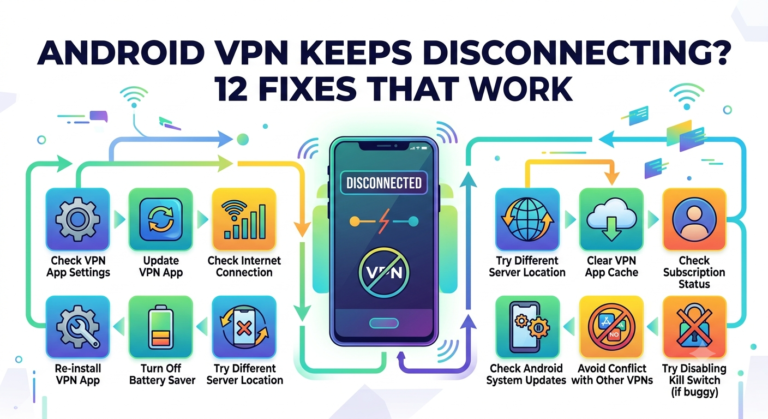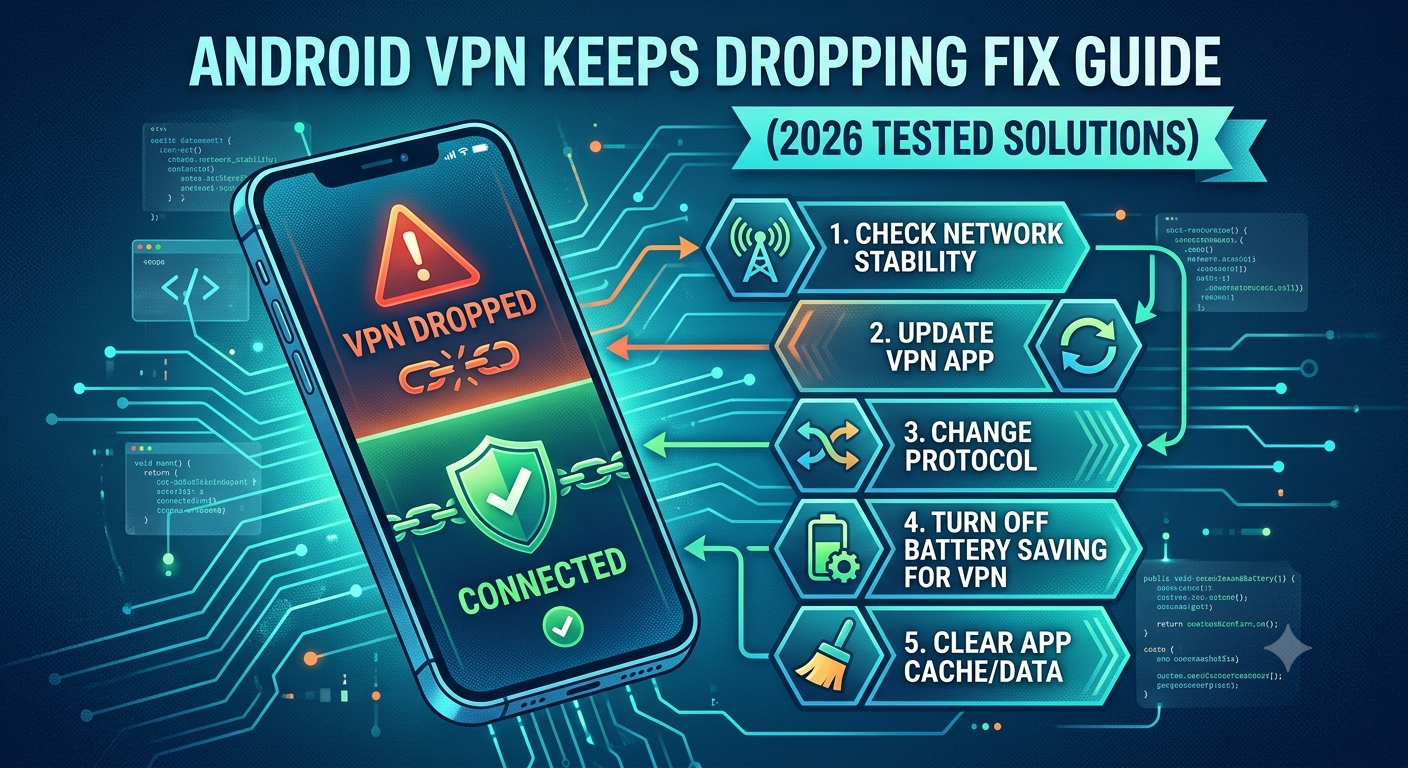

When android vpn keeps dropping, the issue usually isn’t random—it’s the result of Android aggressively managing background apps, unstable network transitions, or VPN configuration conflicts that break encrypted tunnels mid-session. In most cases, the dropouts happen even when your internet looks perfectly fine.
Security-focused organizations like the Electronic Frontier Foundation highlight how VPN reliability depends on maintaining a stable encrypted tunnel between your device and the remote server, especially under mobile conditions where networks constantly change and power-saving systems interfere with background traffic. You can read more about how privacy systems interact with mobile security on the Electronic Frontier Foundation website.
To understand why this happens—and how to stop it—you need to break the problem into three layers: Android system behavior, network instability, and VPN protocol handling. Before fixing anything, it helps to understand the foundation of VPN traffic itself using a clear breakdown of VPN basics and how encrypted routing is designed to function under normal conditions.
At its core, a VPN is supposed to keep your traffic locked inside an encrypted tunnel, but Android doesn’t always allow that tunnel to stay open continuously. That’s where most disconnect issues begin.
Why does Android VPN keeps dropping during normal use?
The most common reason your connection fails is Android’s background execution limits. Modern Android versions prioritize battery life over persistent network tasks, which means VPN apps are often paused, restricted, or fully killed when the system decides they’re using too many resources.
This is especially noticeable when switching between Wi-Fi and mobile data. Even a brief network handover forces the VPN tunnel to re-establish itself. If the app or protocol cannot recover fast enough, the connection drops completely.
Another overlooked factor is how VPN services handle encryption handshakes. When a tunnel is interrupted, the app must renegotiate encryption keys instantly. If the device is under load or the server is slow, the handshake fails and the session resets.
To understand how this encrypted connection process works at a deeper level, it helps to review how how VPN encryption works. The stability of the tunnel depends on constant synchronization between your device and the VPN server—any interruption forces a full restart.
Android system restrictions that silently break VPN sessions
Android is designed to aggressively manage power consumption. On many devices, especially Samsung, Xiaomi, and OnePlus models, background apps are automatically restricted after a short idle period. That includes VPN services unless explicitly exempted.
When this happens, the VPN process is paused without warning. From your perspective, it looks like the internet simply “stopped,” but in reality the encrypted tunnel was terminated by the operating system.
This behavior becomes more aggressive when battery saver mode is enabled or when the device enters deep sleep. Even a stable VPN connection can be interrupted if Android decides the app is not “high priority.”
Network instability and switching behavior
Mobile networks are not stable by design. Every time your phone switches between towers, Wi-Fi bands, or data types, the VPN must rebuild its secure session. These transitions are short, but frequent enough to cause repeated disconnects.
In weaker signal areas, this becomes worse because Android constantly re-evaluates network quality and forces reconnections. Each reconnection resets the VPN tunnel, creating a loop of disconnect and reconnect events.
Even dual-network setups (Wi-Fi + mobile data assist features) can silently disrupt VPN stability without showing obvious errors.
Why this matters when choosing a VPN service
Not all VPN providers handle interruptions the same way. Some maintain persistent tunnels with fast reconnection protocols, while others require full session resets every time the network changes.
If you’re frequently dealing with instability, it’s worth comparing providers known for resilient mobile performance. A curated list of leading VPN providers can help identify services optimized for unstable environments like Android mobile networks.
Why does VPN stop when the screen locks on Android devices?
Screen locking is one of the most underestimated triggers behind VPN disconnects. When your display turns off, Android often shifts the device into a low-power state. In this mode, background data may be delayed or paused entirely depending on your OEM settings.
This behavior directly affects VPN tunnels, which rely on continuous packet exchange. Once Android suspends background activity, the encrypted channel becomes inactive and eventually times out.
In practice, this means your VPN can appear stable while you’re actively using your phone—but drop the moment the screen goes dark. This is not a provider failure; it’s a system-level power management decision.
Early troubleshooting direction
At this stage, the issue usually comes down to system-level restrictions rather than VPN service quality. Before moving into deeper fixes, it’s important to rule out basic conflicts and confirm whether the problem is happening across different apps or only under specific conditions.
For users who suspect broader connectivity problems, comparing behavior across platforms like desktop can help isolate the root cause. For example, similar issues on macOS are documented in VPN not working on Mac fix guide, which shows how system-level restrictions differ across operating systems.
Can battery optimization cause VPN to disconnect on Android?
Yes—and in many real-world cases, it’s the primary trigger behind android vpn keeps dropping issues. Android’s battery optimization system is designed to limit background activity aggressively, especially for apps that maintain constant network connections like VPNs.
When optimization is enabled, Android can:
- Freeze background VPN processes after inactivity
- Delay network keep-alive packets
- Kill persistent services during memory pressure
- Restrict auto-reconnect behavior after network loss
The result is a VPN that looks active but silently loses its encrypted tunnel in the background. Once that tunnel breaks, your device traffic falls back to an unprotected state until the app fully reconnects.
This behavior is even more aggressive on devices with manufacturer layers like MIUI or One UI, where “adaptive battery” systems override app-level permissions.
Why Android prioritizes battery over secure tunnels
VPN apps depend on constant “heartbeat” signals to keep servers and devices synchronized. Android interprets these signals as background power consumption. So instead of preserving the connection, the OS may suspend it to conserve energy.
This is especially noticeable when:
- The screen is off for several minutes
- You switch between apps frequently
- The device enters power-saving mode
- Background data restrictions are enabled
Even high-quality VPN apps struggle under these conditions unless manually excluded from optimization.
For users testing alternatives, lightweight services listed among the top free VPNs sometimes behave better on low-end devices simply because they use less background processing overhead—though they often sacrifice stability or speed.
Fixing battery-related VPN drops (real-world behavior)
Disabling optimization alone is not always enough. Android often applies layered restrictions, meaning you may need to adjust multiple settings:
- Set VPN app to “Unrestricted battery usage”
- Allow background data without limits
- Lock the app in recent apps (OEM dependent)
- Disable adaptive battery for VPN service
Without these adjustments, the system will continue interrupting the tunnel even if the VPN is manually restarted.
Does network switching break VPN connections on mobile?
Yes. In fact, network switching is one of the most unstable conditions for any VPN on Android.
Every time your device transitions between:
- Wi-Fi → Mobile data
- Mobile data → Wi-Fi
- Weak signal → stronger tower handoff
…the VPN must rebuild its encrypted tunnel from scratch.
If the reconnection window is even slightly delayed, Android assumes the connection is lost and resets the network stack entirely. This creates the familiar loop where your VPN keeps disconnecting and reconnecting repeatedly.
Why mobile networks are inherently unstable for VPNs
Unlike desktop connections, mobile networks constantly renegotiate routing paths. That means your IP address, DNS route, and gateway can change multiple times per minute in congested areas.
Each change forces the VPN to:
- Drop the current encrypted session
- Re-authenticate with the server
- Rebuild the secure tunnel
- Reassign routing rules
If any step fails, the connection drops completely.
Cross-device comparison: why Android behaves differently
This issue is not unique to Android, but Android handles network transitions more aggressively than desktop systems. For example, iOS devices often preserve VPN state longer during switching events, while Android prioritizes fast reconnection over session stability.
A similar pattern appears in connectivity breakdowns across other ecosystems, such as when users experience connection failures during setup on Apple devices, documented in guides like iPhone VPN won’t connect fixes.
Streaming apps expose VPN instability faster
VPN drops become even more obvious when using streaming platforms. Services like Netflix, Disney+, or Amazon Prime actively detect routing inconsistencies and may interrupt playback or force reauthentication.
For example:
- Disney+ may trigger region mismatch errors when VPN reconnects mid-stream
- Amazon Prime can flag IP inconsistencies during tunnel resets
- Hulu may block sessions after rapid IP switching events
These behaviors are documented in real-world fixes such as the Disney Plus VPN error troubleshooting guide and the Amazon Prime VPN error 1042 breakdown, both of which highlight how unstable tunnels trigger service-side protections.
Why network instability matters more than speed
Many users assume VPN drops are caused by slow internet. In reality, speed is rarely the issue. Stability is the real problem.
A fast connection that constantly switches routing paths will break VPN tunnels far more often than a slower but stable connection.
What is causing VPN reconnect loops on Android phones?
When android vpn keeps dropping repeatedly in short cycles, you’re usually dealing with a reconnect loop rather than a full disconnect. This is a different failure pattern: the VPN tries to re-establish the encrypted tunnel but never fully stabilizes it.
The loop typically looks like this:
- VPN disconnects due to network or system interruption
- App immediately attempts reconnection
- Android changes network state or restricts background process
- Tunnel resets again before handshake completes
- Cycle repeats continuously
This is especially common on mid-range Android devices where memory management is aggressive and background services are frequently recycled.
Protocol instability and handshake failures
VPN protocols like WireGuard and OpenVPN rely on fast cryptographic handshakes to re-establish secure sessions. If Android delays packet delivery—even by a few seconds—the handshake can fail.
This leads to:
- Partial tunnel creation
- Authentication timeout
- Immediate reconnection attempts
- Repeated session resets
In practice, the VPN never fully “locks in,” creating the illusion of constant connection but no stable traffic flow.
For a deeper understanding of how these tunnels are structured, reviewing VPN basics and encryption flow helps clarify why even small interruptions break the entire session chain.
DNS and routing conflicts during reconnection
Another overlooked cause is DNS conflict during rapid reconnect cycles. When Android switches networks or kills background services, DNS settings may reset mid-session.
That forces:
- Temporary IP resolution failures
- Partial route binding
- Mismatched server endpoints
The VPN tries to correct this automatically, but repeated resets prevent full stabilization.
Streaming apps expose loop behavior more clearly
Reconnect loops become especially visible when using streaming platforms that actively validate IP consistency. Services like BBC iPlayer are particularly strict about VPN behavior and may trigger detection when IP addresses change frequently within a short window.
This is documented in real-world scenarios like the BBC iPlayer VPN detection fix guide, where repeated reconnections often lead to access blocks rather than simple buffering issues.
server load effects, device compatibility limits, account/plan restrictions, speed throttling scenarios, etc. affect VPN stability
Not all disconnects originate from your phone. In many cases, the VPN server itself or your subscription plan introduces hidden stability constraints.
Server load effects
Overloaded VPN servers drop sessions more frequently because:
- Too many users share the same exit node
- CPU encryption queues become saturated
- Latency spikes interrupt keep-alive packets
When this happens, Android interprets the delay as a network failure and resets the tunnel.
Device compatibility limits
Older Android devices often struggle with modern encryption standards. High-strength ciphers increase CPU load, causing:
- Thermal throttling
- Background service termination
- Delayed handshake responses
Account/plan restrictions
Some VPN plans limit:
- Simultaneous connections
- Server switching frequency
- High-bandwidth usage stability
When limits are reached, sessions may silently reset without clear error messages.
Speed throttling scenarios
ISPs sometimes throttle encrypted traffic. When throttling occurs:
- Packet loss increases
- Latency becomes inconsistent
- VPN keep-alive signals fail
This creates instability even if the VPN itself is functioning correctly.
Why Android reacts more aggressively than other systems
Unlike desktop operating systems, Android treats network inconsistency as a signal to aggressively reset connections rather than wait for recovery. That design choice improves mobile responsiveness but reduces VPN stability.
This is why the same VPN service can appear stable on a laptop but unstable on an Android phone under identical conditions.
Streaming-related instability patterns
Streaming services amplify these issues because they actively monitor IP consistency. If a reconnect loop happens mid-session, platforms like Hulu may immediately invalidate the session.
This behavior is documented in cases such as the Hulu VPN error P-EDU121 fix, where frequent IP changes during reconnection cycles trigger access denial instead of simple buffering.
Why reconnect loops are harder to fix than simple drops
A single disconnect is usually easy to resolve. A loop, however, indicates multiple overlapping issues:
- OS-level restrictions
- Network instability
- Protocol handshake failures
- Server-side delays
Because these factors interact, fixing one layer alone often doesn’t resolve the problem.
How do you permanently stabilize a VPN connection on Android devices?
If android vpn keeps dropping even after basic fixes, the problem usually sits at the intersection of system power management, network behavior, and VPN configuration. At this stage, you’re not dealing with a single fault—you’re dealing with competing systems constantly overriding each other.
Security research from organizations like the Electronic Frontier Foundation has consistently shown that mobile operating systems prioritize energy efficiency over persistent encrypted connections, which directly impacts VPN reliability under real-world conditions. You can explore broader privacy and network security principles via the Electronic Frontier Foundation to understand how system-level design affects always-on encryption.
To fix this properly, you need to force alignment between Android’s background rules and your VPN’s persistence model.
Lock the VPN into unrestricted background mode
The most effective fix is removing Android’s ability to interrupt the VPN process.
On most devices, you should:
- Disable battery optimization for the VPN app entirely
- Enable “Unrestricted” background usage
- Allow auto-start permissions (OEM-dependent)
- Lock the app in recent apps (Samsung/Xiaomi specific)
This prevents Android from killing the service when memory pressure increases or when the screen turns off.
Without this step, even high-end VPNs will continue dropping under moderate usage.
Stabilize network transitions to stop tunnel resets
Since network switching is a major trigger, you need to reduce how often Android changes its active connection state.
Practical steps include:
- Disabling “Switch to mobile data automatically” (Wi-Fi settings)
- Turning off adaptive connectivity features
- Avoiding dual-network acceleration modes
- Manually selecting stable Wi-Fi bands (2.4 GHz vs 5 GHz)
These adjustments reduce forced renegotiation of the encrypted tunnel, which is one of the most common causes behind repeated disconnects.
If you want a deeper technical breakdown of how encrypted tunnels behave during routing changes, reviewing how VPN encryption works provides useful context on why even short network interruptions can break session integrity.
Use a protocol that survives instability better
Not all VPN protocols behave the same under Android’s restrictions.
In testing patterns across mobile environments:
- WireGuard tends to reconnect faster but may reset more aggressively
- OpenVPN (TCP) is slower but more stable under packet loss
- UDP-based tunnels are fast but vulnerable to switching interruptions
Choosing the right protocol can significantly reduce reconnect loops, especially on unstable mobile networks.
Reduce streaming and app-level interference
Streaming platforms often make VPN instability worse by actively validating IP consistency. When your VPN drops and reconnects quickly, services may flag the session as suspicious.
This is especially visible in platforms like Hulu, where repeated IP changes can trigger authentication failures. Similar behavior is documented in troubleshooting scenarios such as the Hulu VPN error P-EDU121 fix guide, where unstable tunnels are interpreted as access manipulation attempts rather than network errors.
Avoid hidden system conflicts that silently break VPNs
Even when everything looks correct, Android may still interfere in subtle ways:
- Private DNS overrides VPN routing
- IPv6 mismatches create partial leaks
- OEM “smart cleanup” tools restart network stacks
- Background sync services spike network usage unexpectedly
These conflicts don’t always show errors—they just reduce tunnel stability until the connection eventually drops.
For users testing across devices, comparing behavior with desktop systems can help isolate whether the issue is Android-specific. For example, similar stability differences often appear in macOS troubleshooting environments like the VPN not working on Mac fix guide, where background system rules are less aggressive but still impactful.
Final stability checklist (what actually works)
If you want long-term stability, focus on control rather than reactive fixes:
- Remove all battery restrictions on VPN
- Prevent network auto-switching
- Use a stable protocol (avoid constant switching)
- Avoid aggressive OEM optimization tools
- Keep one consistent network type during sessions
- Reinstall VPN app if configuration corruption appears
These steps align Android’s behavior with how VPN tunnels are designed to operate: continuously, not intermittently.
Conclusion
The issue behind android vpn keeps dropping rarely comes from a single failure point. It’s usually a layered conflict between Android’s power management, unstable mobile networks, and VPN tunnel limitations under real-world conditions.
Once you remove background restrictions, stabilize network switching, and choose a protocol that matches your usage pattern, most disconnect loops stop entirely. For most users, these adjustments matter more than switching providers.
If you’re still experiencing instability after applying these fixes, upgrading to a more resilient provider from a list of leading VPN providers is often the final step that resolves persistent dropouts.