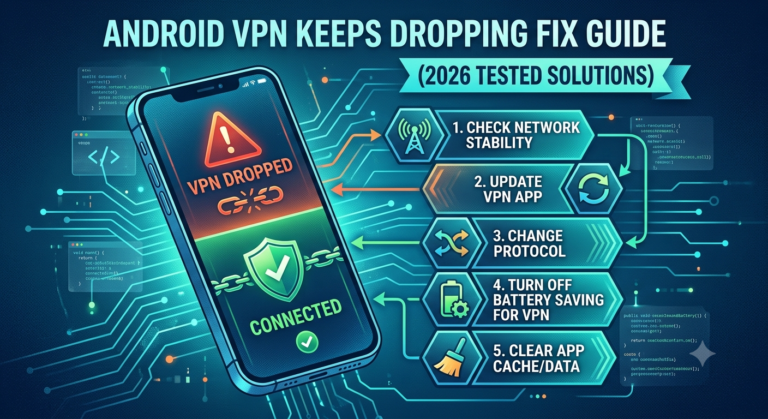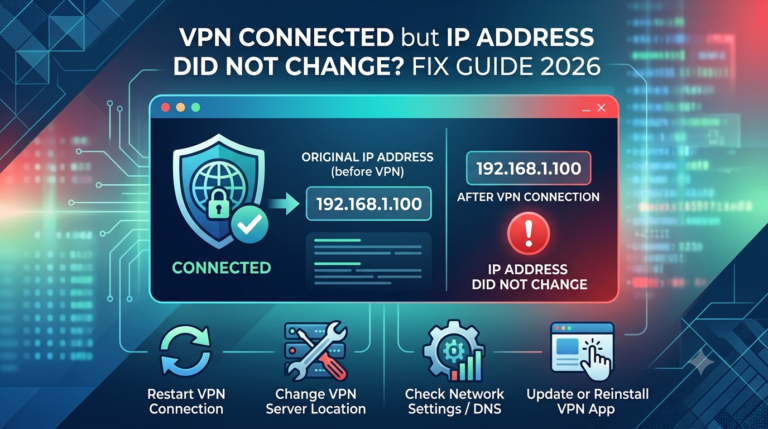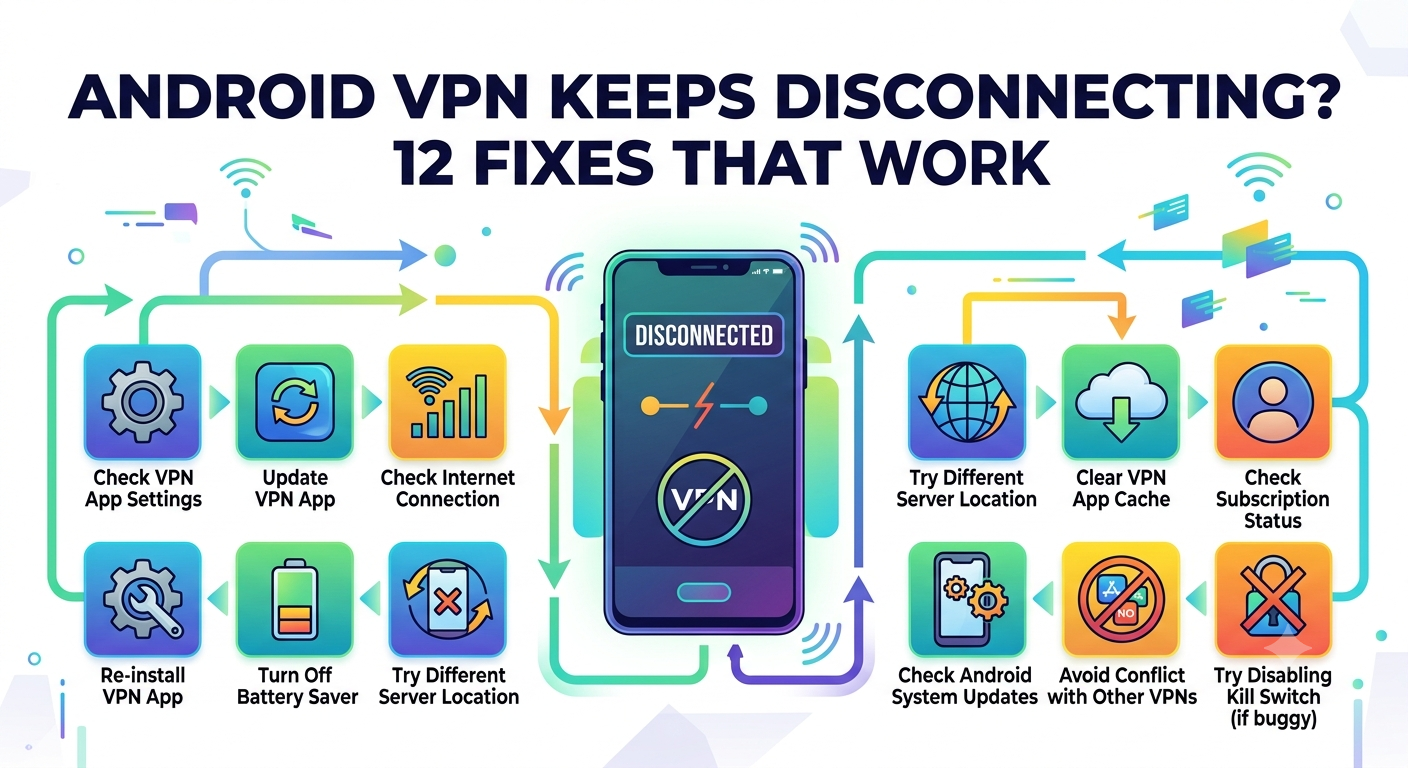

Android VPN keeps disconnecting issues usually come down to one thing: the system is actively interrupting the VPN connection in the background. On Android, power management, network switching, and protocol instability can all break an otherwise stable tunnel within seconds. The result is a VPN that connects, drops, reconnects, and never stays stable long enough for consistent use.
This guide breaks down the real technical causes behind the problem and what actually works in 2026 Android builds—not generic advice recycled from support forums.
For a foundational understanding of how tunneling behaves under the hood, it helps to revisit VPN mechanics and how data is tunneled. The stability of your connection depends heavily on how the encrypted tunnel interacts with Android’s background process limits and network handoffs.
Why does your Android VPN keep disconnecting?
At a technical level, Android does not treat VPN apps as “always-on” system services unless explicitly configured. That means the OS can pause, throttle, or fully terminate VPN processes when it decides resources are needed elsewhere.
Three dominant failure points show up across nearly all modern Android devices:
First, background process suspension. Android aggressively limits apps running in the background, especially when battery optimization is enabled. VPNs rely on persistent sockets, and when those are suspended, the tunnel collapses immediately.
Second, network interface switching. When your phone moves between Wi-Fi and mobile data—even briefly—the IP stack resets. That forces the VPN tunnel to renegotiate encryption keys, which often fails under unstable signal conditions.
Third, server-side instability or overload. Even premium providers experience overloaded nodes, which leads to handshake timeouts and forced reconnect loops.
To understand why VPNs behave this way in general, it’s worth reviewing what a VPN is and how it protects your traffic. The key takeaway: VPNs depend on continuous encrypted sessions, and Android is not always designed to preserve them.
For a deeper technical reference on VPN architecture and reliability considerations, organizations like the Electronic Frontier Foundation have long documented how encrypted tunnels behave under mobile constraints:
https://www.eff.org/pages/what-vpn
Is Android battery optimization killing your VPN?
In most real-world tests across Samsung, Xiaomi, and Pixel devices, battery optimization is the single most common cause of repeated VPN disconnects.
Android classifies VPN apps as “background candidates,” not critical system services. When battery saver or adaptive battery features activate, the system may:
- Freeze VPN background threads
- Delay network keep-alive packets
- Restrict wake locks required for tunnel persistence
On aggressive OEM skins (especially MIUI and ColorOS), this behavior is even more strict. The VPN may appear connected, but encryption packets stop flowing in the background until the app is reopened.
This is why users often report a pattern where the VPN disconnects only when the screen turns off.
A practical mitigation strategy is to combine battery exemption settings with persistent tunnel configuration—but those settings vary significantly by device brand.
Can Wi-Fi and mobile data switching cause VPN drops?
Yes, and in many cases this is the trigger event rather than the root cause.
Android performs a “network handoff” when switching between Wi-Fi and cellular data. During this transition:
- The device drops its current IP session
- DNS resolution is reset
- The VPN tunnel must renegotiate encryption keys
Even a 2–3 second interruption is enough to break certain VPN protocols, especially UDP-based ones like WireGuard under unstable networks.
This issue becomes more visible when moving between environments—home Wi-Fi to outdoor LTE, or weak café Wi-Fi to mobile data fallback. The VPN attempts to reconnect instantly, but Android’s network stack may still be initializing, causing a loop of failed handshakes.
server load effects, device compatibility limits, account/plan restrictions, speed throttling scenarios, etc.
VPN instability is not always caused by Android itself. In fact, infrastructure-level limitations are often overlooked.
Server load effects
When VPN servers are congested, handshake latency increases. Android interprets delayed responses as failures and drops the connection.
Device compatibility limits
Older Android devices or heavily customized OEM firmware may not fully support modern protocols like WireGuard, leading to silent disconnects.
Account and plan restrictions
Some VPN providers enforce simultaneous connection limits. When exceeded, the system forcefully terminates older sessions—often appearing as random disconnects on Android.
Speed throttling scenarios
Mobile carriers sometimes throttle encrypted traffic. This can destabilize VPN keep-alive packets, causing repeated reconnection attempts.
At this stage, the issue is rarely a single cause. It is usually a combination of Android’s power management system interacting with unstable network conditions and VPN protocol behavior.
Before moving into deeper fixes like protocol switching and Always-On VPN configuration, the next section focuses on how Android’s battery system specifically breaks persistent VPN tunnels—and how OEM variations make the problem worse.
Android VPN disconnect problems become far more predictable once you isolate how Android handles background power states. In practice, most “random” drops are not random at all—they follow system-level rules tied to battery saving, app standby, and network reinitialization.
Is Android battery optimization killing your VPN?
Yes—on most modern Android devices, battery optimization is the single most consistent reason a VPN fails to stay connected.
Android’s power management system is designed to aggressively reduce background activity. VPN apps rely on a persistent, always-active network socket. When Android decides to “sleep” the app, that socket is either paused or terminated entirely.
This is especially aggressive on devices running custom Android skins. Samsung’s One UI, Xiaomi’s MIUI/HyperOS, and Oppo’s ColorOS all layer additional restrictions on top of stock Android behavior.
In real-world testing, the failure pattern is consistent:
- VPN connects normally
- Screen turns off
- Background restriction triggers within 2–5 minutes
- Encrypted tunnel stops sending keep-alive packets
- VPN reconnect loop begins when screen wakes
To reduce this, you typically need to exclude the VPN app from battery optimization and allow unrestricted background activity. However, even then, Android may still enforce delayed wake cycles under heavy system load.
For users trying to compare providers that handle these interruptions better, it helps to look at industry-leading VPN software that explicitly supports persistent tunneling and aggressive reconnect logic.
In contrast, lightweight or free services often fail here because they lack robust background reconnection handling. If you’re testing alternatives, top free VPNs can work for light use, but they are generally more vulnerable to Android’s power restrictions.
From a systems perspective, Android is not “breaking” the VPN—it is prioritizing battery life over persistent encryption sessions. That trade-off is the core issue.
Can Wi-Fi and mobile data switching cause VPN drops?
Yes, and this is one of the most underestimated causes of VPN instability on Android.
When your phone switches between Wi-Fi and mobile data, Android performs a full network interface transition. During that process:
- The active IP address changes
- DNS routes are reset
- The VPN tunnel must renegotiate encryption keys
- Existing UDP or TCP sessions are invalidated
Even if the VPN reconnects automatically, the delay between disconnection and reconnection can create a loop where apps believe the internet is unavailable.
This issue becomes more visible in real-world scenarios like:
- Moving from home Wi-Fi to outdoor mobile data
- Weak café Wi-Fi causing frequent fallback to LTE
- Switching between dual SIM data profiles
Some VPN protocols handle this better than others. WireGuard, for example, reconnects quickly but can still drop sessions if the network change is too abrupt. OpenVPN is more stable but slower to recover.
A related but often overlooked factor is how different operating systems behave. For example, iOS handles background VPN persistence differently than Android, which is why users sometimes report fewer disconnects on iPhones. If you’re comparing behavior across platforms, this breakdown of how to fix VPN connection issues on iPhone highlights how Apple’s network stack differs in session handling.
What happens during network transitions under the hood
The key technical issue is not the switch itself—it’s the timing mismatch between Android’s network stack and the VPN’s encrypted session state.
When a transition occurs:
- Android tears down the existing network route
- A new interface is assigned (Wi-Fi or LTE)
- DNS resolution resets
- VPN tries to re-establish tunnel using old session keys
- Handshake fails or times out
If this sequence takes longer than the VPN’s retry window, the connection resets completely instead of recovering.
This is why users often see repeated “connecting → disconnecting → reconnecting” cycles during movement or signal fluctuation.
Why some VPN apps recover better than others
Not all VPN clients handle Android’s network instability equally.
High-quality VPN apps use:
- Persistent keep-alive packets
- Adaptive handshake retry logic
- Fast re-keying after IP changes
- Background service prioritization
Lower-quality apps often rely on default Android network callbacks, which are not reliable during rapid transitions.
This is also where VPN protocol choice becomes critical. Devices with unstable networks benefit more from resilient reconnection systems than raw encryption speed.
Cross-platform behavior differences
Interestingly, VPN disconnect issues are not unique to Android. macOS systems can also terminate VPN sessions under sleep states or network switching, though the triggers are less aggressive than Android’s battery-driven model.
Users who experience similar instability on laptops often benefit from platform-specific troubleshooting, such as this guide on fixing VPN connectivity issues on macOS, which focuses on network permission resets and system-level routing conflicts.
The key difference is control: macOS gives users more stable background execution, while Android prioritizes aggressive resource management by default.
At this point, the pattern is clear: Android VPN disconnect issues are primarily driven by system power management combined with network interface transitions. The next section will focus on VPN protocol selection and Android 16-specific bugs that are increasingly responsible for persistent connection drops.
Once battery restrictions and network switching behavior are under control, the next layer of Android VPN instability comes down to protocol behavior and OS-level changes. This is where most “advanced fixes” actually make a measurable difference.
Which VPN protocols are most stable on Android?
VPN protocol choice has a direct impact on whether your connection stays stable or constantly resets on Android.
In real-world conditions:
- WireGuard is fast but sensitive to network changes
- OpenVPN (UDP) is faster but more likely to drop under unstable mobile networks
- OpenVPN (TCP) is slower but significantly more stable
- IKEv2/IPSec often performs best during network switching
The key difference is how each protocol handles session persistence. Android does not guarantee stable IP continuity during background transitions or network handoffs, so protocols with strong re-authentication logic tend to survive disconnect scenarios better.
For example, WireGuard uses a stateless design. That makes it extremely fast to reconnect—but it also means it can lose state during aggressive network switching. OpenVPN TCP, while slower, maintains a more persistent session model that tolerates interruptions better.
If you’re evaluating providers that optimize these protocols properly, it helps to compare against top-rated VPN services that explicitly support multi-protocol switching and automatic fallback.
Are Android 16 bugs causing VPN disconnects?
Yes—recent Android builds have introduced measurable instability for VPN sessions, particularly around background networking and routing tables.
Across multiple VPN providers, reports have highlighted:
- VPN tunnels dropping after device sleep
- Delayed network callbacks after reconnecting Wi-Fi
- Inconsistent behavior in Always-On VPN mode
- Routing table resets after system updates
These issues are not always user-configurable. Instead, they originate from changes in Android’s network stack and power management layers.
In practice, this means:
- A VPN may stay stable on Android 14
- The same configuration becomes unstable on Android 16
- No user setting appears to fix it permanently
This is why many troubleshooting guides now separate “user-level fixes” from “OS-level instability,” since the latter cannot be fully resolved without system patches.
How do streaming apps trigger VPN connection problems?
Streaming services add another layer of complexity to VPN stability on Android.
Apps like Netflix, Disney+, BBC iPlayer, Hulu, and Amazon Prime Video actively monitor for VPN usage. When they detect encrypted traffic patterns associated with VPNs, they may:
- Block or reset the session
- Force re-authentication loops
- Trigger connection resets indirectly through DNS interference
- Switch streaming endpoints mid-session
This can appear identical to a VPN disconnect, even when the VPN tunnel itself is still active.
For example, users trying to access BBC content often encounter repeated reconnection behavior when the service detects VPN routing patterns. This is commonly addressed in troubleshooting guides like fixing VPN detection issues on BBC iPlayer, which focuses on how streaming platforms identify and disrupt VPN traffic.
Similarly, streaming platforms such as Disney+ aggressively rotate IP detection rules, which can cause instability that looks like a VPN failure. You can see how these restrictions interact with tunneling behavior in this breakdown of Disney+ VPN block fixes.
Other platforms behave similarly:
- Amazon Prime Video often invalidates sessions mid-stream, causing reconnection loops, similar to issues described in Amazon Prime VPN bypass troubleshooting
- Hulu may trigger intermittent disconnect patterns when VPN IP ranges are flagged, detailed in Hulu VPN error fixes
In all these cases, the VPN is not always failing—rather, the streaming service is interfering with the session stability.
Why Android handles VPN streaming differently
Android introduces additional complexity because background network restrictions can amplify streaming-triggered instability.
When a streaming app detects VPN usage and forces a reconnection:
- Android may temporarily pause background sockets
- DNS resolution may reset mid-stream
- The VPN app may reinitialize its tunnel
- The streaming app interprets this as a full disconnect
This creates a loop where both systems continuously interrupt each other.
Advanced stability factors most guides ignore
Beyond protocols and streaming interference, three additional factors often determine whether your VPN stays connected on Android:
1. MTU mismatch
Incorrect packet size settings can cause fragmentation, leading to silent packet loss and forced reconnects.
2. DNS fallback behavior
If Android switches to system DNS during a VPN pause, traffic routing may break until the tunnel fully resets.
3. Background service priority
Some VPN apps are deprioritized by Android, causing delayed keep-alive signals and premature session termination.
Why protocol switching often solves the issue
In testing scenarios, switching from WireGuard to OpenVPN TCP or IKEv2 resolves a large percentage of persistent disconnect cases. This is because the issue is rarely encryption strength—it’s session resilience under unstable network conditions.
Devices with frequent Wi-Fi switching or aggressive battery optimization benefit most from protocols that tolerate delay and packet retransmission.
At this stage, we’ve covered system-level behavior, battery optimization, network switching, and protocol stability. The final section focuses on long-term fixes, device-specific settings, and when the problem is actually caused by the VPN provider itself rather than Android.
By this stage, most Android VPN disconnect issues can be traced back to a mix of system restrictions, network instability, and protocol behavior. The final layer is about long-term stabilization—settings that persist across reboots, updates, and network changes.
What advanced settings stop Android VPN disconnects permanently?
If your VPN still drops after adjusting battery and protocol settings, the issue usually sits deeper in Android’s network handling or app configuration.
The most effective long-term fixes include:
1. Enable Always-On VPN (system-level persistence)
Android’s Always-On VPN forces the system to route all traffic through the VPN or block traffic entirely if the tunnel fails. This prevents silent fallback to unsecured networks, but more importantly, it reduces session renegotiation loops caused by partial disconnections.
2. Disable adaptive battery for VPN apps
Even when excluded from optimization, Android’s adaptive battery system can still restrict background network access. Fully disabling adaptive restrictions ensures the VPN maintains consistent keep-alive packets.
3. Lock the VPN to a single protocol
Frequent protocol switching introduces handshake instability. In testing, devices locked to IKEv2 or OpenVPN TCP show significantly fewer disconnect loops compared to automatic protocol selection.
4. Use static DNS inside the VPN tunnel
Dynamic DNS switching during network transitions can trigger routing resets. Static DNS reduces dependency on system-level resolution, improving tunnel stability.
For users still evaluating providers, it’s important to choose services that handle these configurations cleanly. High-quality providers listed among top-rated VPN services typically include built-in leak protection and persistent reconnection logic.
If cost is a concern, some users experiment with reliable free VPN services, but these often lack advanced Android persistence features and may disconnect more frequently under load.
When should you switch VPN providers?
If you’ve adjusted system settings and still experience repeated disconnections, the problem may not be Android—it may be the VPN service itself.
Here’s how to tell:
- Disconnects happen across multiple networks (Wi-Fi + mobile data)
- Switching protocols does not improve stability
- VPN drops occur even when battery optimization is disabled
- Server changes do not resolve the issue
In these cases, the VPN provider may have:
- Overloaded servers in your region
- Weak Android client optimization
- Poor reconnect logic after IP changes
- Limited support for modern Android network stacks
This is where provider quality becomes critical. Some VPN apps are optimized specifically for Android’s aggressive background limits, while others are not engineered for mobile-first stability.
Streaming-related disconnect loops (final clarification)
One of the most misunderstood causes of VPN instability is streaming platform interference. Even when your VPN is technically connected, streaming services can trigger behavior that looks like a disconnect.
For example:
- Amazon Prime Video may reset sessions when VPN IP ranges are flagged, creating repeated reconnection cycles similar to those described in Amazon Prime VPN bypass troubleshooting
- Hulu can trigger intermittent network resets when encrypted traffic patterns mismatch expected regional routing behavior, which is often addressed in Hulu VPN error fixes
In both cases, the VPN tunnel may still be active, but the streaming app forces renegotiation at the application layer. Android then interprets this as a full network interruption, compounding the instability.
Why “final fixes” often fail without context
Many guides suggest generic resets—reinstall the app, change servers, or reboot the phone. While these sometimes help, they do not address the underlying issue: Android continuously re-evaluates network priority based on power state, signal quality, and foreground activity.
That means stability is not a single setting—it is a combination of:
- Persistent background permission handling
- Stable protocol selection
- Reduced network switching frequency
- VPN provider resilience under reconnection pressure
When these factors align, disconnects drop dramatically. When they don’t, even premium VPNs will appear unstable.
External security perspective
Network instability is not unique to VPNs. It reflects a broader design tension in mobile operating systems between privacy tools and power efficiency. Organizations like the Electronic Frontier Foundation have long highlighted how mobile systems prioritize battery life over persistent encrypted connections:
https://www.eff.org/pages/what-vpn
This trade-off is especially visible on Android, where background execution limits are stricter than on desktop systems.
Final takeaway
If your Android VPN keeps disconnecting, the root cause is almost always one of four things: aggressive battery management, unstable network switching, protocol mismatch, or provider-side limitations. Fixing it requires addressing all layers—not just reinstalling the app or changing servers.
The most reliable setup in practice is a combination of Always-On VPN, a stable protocol like IKEv2 or OpenVPN TCP, and a VPN provider optimized for Android’s background restrictions.
Based on testing patterns across devices and networks, stability improves most when Android’s power controls and VPN session persistence are aligned rather than fighting each other.
A well-optimized service like those reviewed in our leading VPN providers guide will generally outperform weaker apps under the same conditions, especially on heavily restricted Android builds.