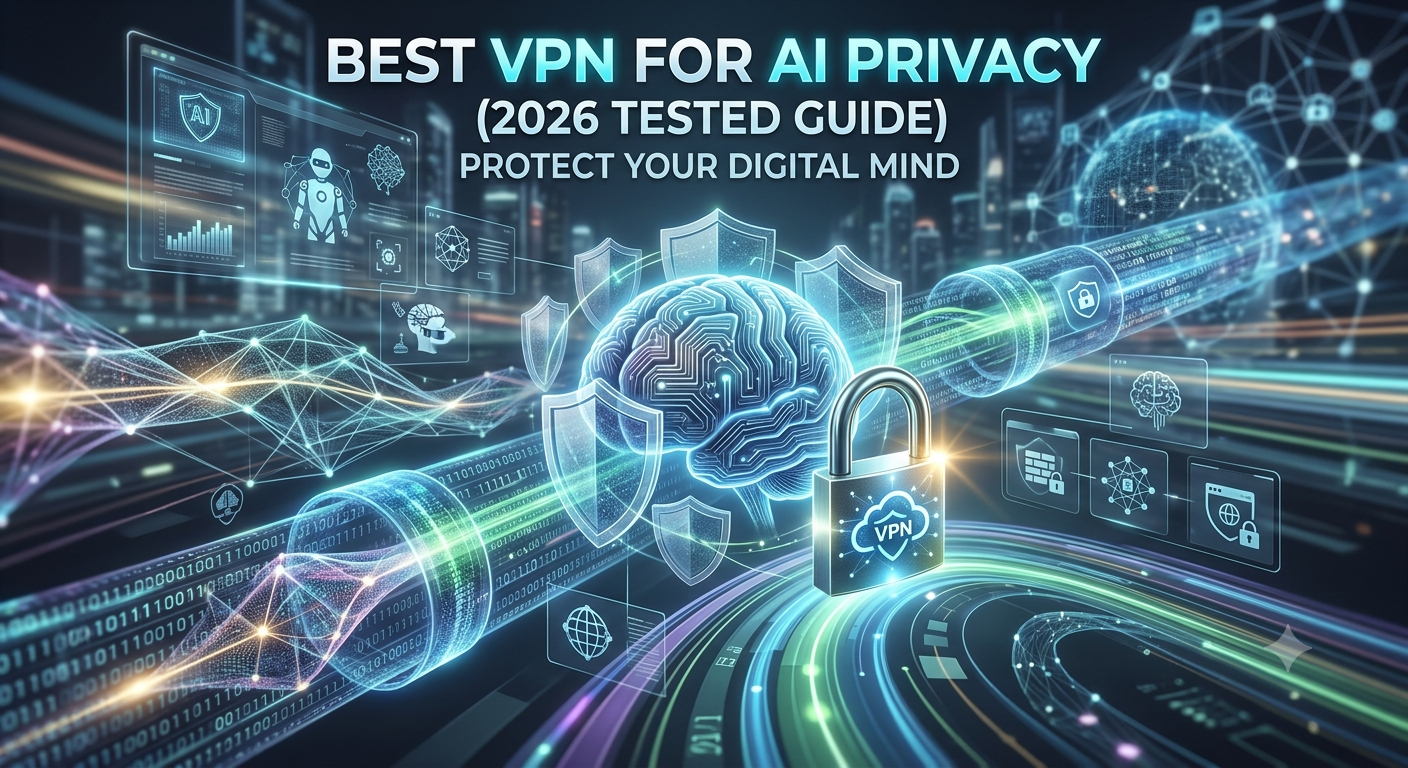

AI tools collect more data than many users realize. Your prompts, IP address, location signals, account information, device identifiers, and usage patterns can all contribute to a larger privacy footprint. If you regularly use ChatGPT, Claude, Gemini, or other AI platforms, choosing the best vpn for ai privacy can reduce some of that exposure.
A VPN is not a magic privacy button. It will not stop an AI provider from seeing the prompts you intentionally submit. However, it can hide your IP address, encrypt traffic on untrusted networks, reduce location tracking, and add an important layer to a broader privacy strategy.
For most users, the strongest AI privacy VPNs combine independently audited no-log policies, modern protocols, privacy-friendly jurisdictions, and consistent performance. If you are still comparing providers, our guide to the top-rated VPN services provides a broader overview of the current market.
Before comparing providers, it is important to understand what risks a VPN actually addresses—and what it does not.
What Makes a VPN Good for AI Privacy?
The best VPNs for AI privacy focus on three areas:
- Protecting your network traffic
- Minimizing identifiable metadata
- Demonstrating trust through independent audits
Many VPN providers claim to protect privacy, but only a small group regularly undergo third-party verification of their no-log policies and infrastructure.
Understanding AI Privacy Risks
When you access an AI platform, several categories of information may be exposed:
- Your IP address
- Approximate location
- Device information
- Browser characteristics
- Account activity
- Submitted prompts
A VPN primarily addresses the first two items. It replaces your visible IP address with the VPN server’s IP address and encrypts traffic between your device and the VPN server.
If you need a refresher on understanding VPN technology, reviewing the basics helps clarify what VPNs can realistically protect.
The challenge is that many users assume a VPN automatically anonymizes everything. That is not how modern AI services work.
What a VPN Can Protect
A quality VPN can:
- Hide your real IP address
- Reduce location tracking
- Encrypt traffic on public Wi-Fi
- Prevent local network monitoring
- Protect against many ISP-level observations
- Reduce metadata exposure
For example, if you connect to ChatGPT from a coffee shop, a VPN prevents others on the same network from easily viewing your traffic.
What a VPN Cannot Protect
A VPN cannot:
- Hide prompts you submit
- Prevent account-based tracking
- Stop browser fingerprinting entirely
- Override AI provider retention policies
- Protect information you voluntarily disclose
This distinction is where most competing articles fall short. AI privacy depends on both network privacy and platform privacy.
Using a VPN without adjusting your AI account settings is similar to locking your front door while leaving a window open.
How VPN Encryption Improves AI Privacy
Encryption remains one of the strongest reasons to use a VPN.
Modern providers typically use:
- WireGuard
- OpenVPN
- AES-256 encryption
- ChaCha20 encryption
These technologies secure traffic as it travels between your device and the VPN server.
If you want a deeper technical explanation of how VPN encryption works, understanding the tunneling process makes it easier to evaluate provider claims.
For AI users handling sensitive research, business planning, software development, or confidential communications, encryption is often the first layer of protection.
Which VPN Features Matter Most for AI Users?
Not every VPN feature contributes equally to privacy.
These are the capabilities that deserve the most attention.
Independently Audited No-Log Policies
A no-log claim is only meaningful when verified.
The strongest providers regularly commission third-party audits to confirm that they are not storing activity logs, connection histories, or identifying records.
This matters because a VPN provider ultimately sits between you and the internet. Trust should be earned through verification, not marketing language.
Privacy-Friendly Jurisdictions
Jurisdiction affects legal obligations and data retention requirements.
Many privacy-focused VPNs operate from locations such as:
- Panama
- Switzerland
These jurisdictions are frequently highlighted because they generally offer stronger privacy protections than some alternatives.
Jurisdiction alone does not guarantee privacy, but it contributes to the overall picture.
RAM-Only Server Infrastructure
RAM-only servers automatically erase data whenever a server restarts.
This approach significantly reduces the risk of long-term data retention.
Several leading providers have adopted RAM-only infrastructure because it aligns with modern privacy expectations.
Kill Switch Protection
A kill switch prevents your internet connection from leaking outside the VPN tunnel if the VPN disconnects unexpectedly.
Without a kill switch, your real IP address may become visible during connection interruptions.
For users accessing AI tools while traveling or working remotely, this feature is essential.
Why AI Privacy Is Different From Traditional Online Privacy
Traditional VPN buying guides focus heavily on:
- Streaming
- Torrenting
- Gaming
- Public Wi-Fi security
AI introduces additional considerations.
When interacting with large language models, users often submit:
- Business strategies
- Software code
- Research notes
- Personal information
- Proprietary documents
The privacy stakes can be much higher than normal browsing.
This is one reason privacy communities frequently discuss provider transparency. Articles examining Reddit’s favorite privacy VPNs often reveal that experienced users prioritize audits, open-source applications, and proven no-log histories over flashy marketing claims.
In the next section, we’ll compare the leading VPNs for AI privacy, including NordVPN, Proton VPN, Mullvad, ExpressVPN, and Surfshark, and evaluate how they perform for AI-focused privacy needs.
Which VPNs Are the Best for AI Privacy in 2026?
After reviewing privacy policies, independent audits, infrastructure design, encryption standards, and AI-related privacy considerations, five VPNs consistently stand out.
The goal is not simply to find the fastest VPN or the largest server network. For AI users, the priority is minimizing data exposure while maintaining reliable performance.
1. NordVPN
NordVPN remains one of the strongest overall choices for AI privacy.
Its appeal comes from a combination of:
- Multiple independent no-log audits
- RAM-only servers
- NordLynx protocol
- Kill switch protection
- Threat Protection features
- Large global network
For AI users, the audit history matters most. Many VPNs claim they do not log activity, but NordVPN has repeatedly subjected those claims to external verification.
The service also performs well when switching locations to access region-specific AI tools or features.
Strengths
- Strong audit track record
- Excellent speed retention
- Advanced security features
- User-friendly applications
Limitations
- More expensive than some competitors
- Advanced settings may overwhelm beginners
2. Proton VPN
Proton VPN is often the first recommendation from privacy enthusiasts.
The provider benefits from its location in Switzerland and a transparency-focused approach.
Notable features include:
- Open-source applications
- Independent audits
- Secure Core routing
- Strong privacy documentation
- Reliable free tier
For users concerned about AI-related metadata collection, Proton VPN offers some of the clearest explanations of how its infrastructure operates.
Strengths
- Exceptional transparency
- Open-source software
- Strong privacy reputation
- Excellent free plan
Limitations
- Some advanced features require premium plans
- Secure Core can reduce speeds
If budget is a concern, comparing several reliable free VPN services can help identify safer no-cost options without resorting to questionable providers.
3. Mullvad
Mullvad takes a different approach.
Instead of relying on email-based accounts, it generates anonymous account numbers.
This reduces the amount of personal information associated with your subscription.
Privacy-focused users frequently highlight Mullvad because of:
- Minimal data collection
- Open-source applications
- Strong transparency
- Anonymous payment options
For AI privacy specifically, Mullvad’s philosophy aligns closely with the principle of minimizing identifiable information wherever possible.
Strengths
- Outstanding privacy design
- Anonymous account model
- Transparent development
Limitations
- Smaller feature set
- Fewer convenience tools than competitors
4. ExpressVPN
ExpressVPN remains one of the easiest VPNs to recommend to mainstream users.
The provider combines:
- Lightway protocol
- Audited no-log policies
- RAM-only infrastructure
- Consistent performance
Users who frequently switch between devices often appreciate its simplicity.
This becomes particularly useful when accessing AI tools across laptops, tablets, and smartphones.
Strengths
- Excellent usability
- Consistent performance
- Strong audit history
Limitations
- Premium pricing
- Fewer advanced privacy controls
5. Surfshark
Surfshark appeals to users who want strong privacy features at a lower price.
Key advantages include:
- Unlimited simultaneous connections
- Audited infrastructure
- MultiHop routing
- Built-in security tools
For households that use AI tools across multiple devices, unlimited connections can provide significant value.
Strengths
- Competitive pricing
- Unlimited devices
- Strong feature set
Limitations
- Smaller audit history than some competitors
- Performance varies more between regions
How Do AI Companies Collect Data and Metadata?
Understanding AI privacy requires understanding what AI platforms actually collect.
Many users focus exclusively on prompts while overlooking metadata.
In practice, metadata can reveal significant information about your behavior.
IP Addresses
When you connect without a VPN, the AI platform can generally see your public IP address.
This information may reveal:
- Approximate location
- ISP details
- Network characteristics
A VPN replaces that IP address with the VPN server’s address.
This is one of the most immediate privacy benefits.
Account Tracking
Even with a VPN enabled, logging into an AI account creates another layer of identification.
Your account may still contain:
- Email addresses
- Subscription details
- Usage history
- Conversation records
This is why VPNs should be viewed as one component of a larger privacy strategy.
Browser Fingerprinting
Browser fingerprinting remains one of the most misunderstood privacy issues.
Websites can often identify users through combinations of:
- Browser versions
- Screen resolution
- Fonts
- Extensions
- Device characteristics
A VPN helps protect network-level information, but it does not eliminate browser fingerprinting.
Prompt Retention Policies
Many AI providers maintain conversation records for varying periods.
Policies differ between:
- Consumer accounts
- Business accounts
- Enterprise deployments
Before submitting confidential information, you should review the provider’s retention settings and privacy controls.
Device Compatibility Matters More Than Many Users Realize
AI workflows increasingly span multiple devices.
You may start a conversation on a laptop, continue it on a smartphone, and review results on a headset or tablet.
Because of this, device support deserves attention.
Some users specifically evaluate VPN compatibility with emerging hardware such as VPN support for Apple Vision Pro when building privacy-focused workflows across ecosystems.
Likewise, performance-sensitive testing environments often borrow lessons from low-latency VPN testing because both VR applications and AI tools benefit from responsive network performance.
In the next section, we’ll examine whether a VPN can fully protect your ChatGPT, Claude, and Gemini conversations, and where the limitations begin.
Can a VPN Fully Protect Your ChatGPT, Claude, and Gemini Conversations?
No. A VPN improves privacy, but it cannot fully protect everything you do inside an AI platform.
This is the most important concept for AI users to understand.
Many marketing claims create the impression that a VPN automatically makes online activity anonymous. In reality, privacy depends on multiple layers working together.
A VPN primarily protects:
- Your IP address
- Network traffic
- Location-related metadata
- Activity visible to local networks and ISPs
A VPN does not automatically protect:
- Account information
- Submitted prompts
- Uploaded files
- Chat history stored by AI providers
- Information voluntarily shared during conversations
If you enter sensitive information into an AI chatbot, the platform can still process that information regardless of whether you use a VPN.
The Privacy Protection Stack
Think of AI privacy as a layered system.
Layer 1:
- VPN protection
Layer 2:
- Secure browser settings
Layer 3:
- Tracker blocking
Layer 4:
- AI account privacy controls
Layer 5:
- User behavior
The final layer is often the most important.
Even the strongest VPN cannot protect information that you intentionally submit to a service.
When a VPN Makes the Biggest Difference
A VPN becomes particularly valuable when:
- Using AI tools on public Wi-Fi
- Accessing AI services while traveling
- Preventing ISP monitoring
- Reducing location tracking
- Separating browsing activity from your home IP address
For researchers, journalists, developers, and privacy-conscious professionals, these protections can significantly reduce exposure.
When a VPN Has Limited Impact
A VPN provides less benefit when:
- You remain logged into a personal account
- You share identifying information in prompts
- Browser fingerprinting remains unchanged
- AI conversation retention remains enabled
This is why privacy professionals rarely recommend relying on a single tool.
What Is the Best Privacy Stack for AI Users?
The most effective approach combines multiple privacy technologies.
Rather than asking whether a VPN is enough, a better question is:
“What additional tools should work alongside my VPN?”
VPN + Secure Browser
Your browser often reveals more information than your IP address.
Privacy-focused browsers can reduce:
- Tracking cookies
- Fingerprinting exposure
- Cross-site monitoring
- Advertising identifiers
Using a secure browser alongside a VPN creates stronger protection than either tool alone.
VPN + Ad and Tracker Blocking
Advertising networks frequently collect extensive behavioral information.
Many modern VPNs now include integrated blocking tools that stop:
- Tracking scripts
- Advertising domains
- Malicious websites
- Known phishing infrastructure
If this feature is important to you, guides covering VPNs with built-in ad blocking provide additional comparisons of providers that include these protections.
Reducing tracker exposure helps limit the amount of information that can be connected to your AI-related activity.
DNS Protection
DNS requests can reveal browsing activity even when users overlook them.
Quality VPN providers typically route DNS requests through protected infrastructure.
When evaluating a VPN for AI privacy, verify that it includes:
- Private DNS
- DNS leak protection
- Encrypted DNS handling
These capabilities help close privacy gaps that many users never notice.
Privacy Controls Inside AI Platforms
VPN protection should always be combined with platform-specific privacy settings.
Many AI services now offer controls that affect:
- Chat history
- Model training participation
- Data retention
- Conversation storage
Reviewing these settings can often produce larger privacy improvements than switching VPN providers.
How Should Businesses and Professionals Protect Confidential AI Prompts?
The privacy requirements of a casual user differ from those of a business user.
Someone asking an AI chatbot for travel recommendations faces very different risks than someone submitting proprietary information.
Researchers
Researchers often work with:
- Early findings
- Draft papers
- Unpublished data
- Sensitive notes
A VPN can help protect network traffic, particularly when working from shared environments or while traveling.
Journalists
Journalists frequently handle:
- Confidential communications
- Source-related research
- Investigative materials
Protecting IP addresses and connection metadata can be valuable when researching sensitive topics.
Software Developers
Developers increasingly use AI assistants for:
- Code generation
- Debugging
- Documentation
- Architecture planning
Before submitting proprietary code, organizations should review both VPN policies and AI platform retention policies.
Small Teams
Organizations adopting AI tools need more than individual privacy settings.
They should evaluate:
- Access controls
- Team management features
- Audit capabilities
- Centralized security policies
Businesses comparing VPN solutions for small teams often prioritize management controls alongside privacy protections.
Account and Plan Restrictions
Not every VPN plan provides the same capabilities.
Common differences include:
- Device limits
- Multi-hop availability
- Dedicated IP options
- Advanced security features
- Business management tools
Before subscribing, verify that the plan supports your intended workflow.
A provider that works well for a single user may not be ideal for a team of researchers or developers.
Why Performance Still Matters for AI Privacy
Privacy features are important, but performance affects usability.
If a VPN becomes frustrating to use, many users eventually disable it.
That defeats the entire purpose.
Reliable providers maintain strong performance while preserving privacy protections.
This balance is one reason performance discussions often overlap with analyses of VPNs favored by Reddit gamers. While gaming and AI workloads differ, both benefit from stable connections, responsive servers, and consistent speeds.
In the final section, we’ll determine which VPN is the best overall choice for AI privacy, examine free VPN risks in greater detail, and provide recommendations based on different user profiles.
Are Free VPNs Safe for AI Privacy?
Most free VPNs are not ideal for protecting AI-related activity.
Running a VPN service requires infrastructure, bandwidth, maintenance, and security investments. When users are not paying for the service, providers must generate revenue elsewhere.
In some cases, that revenue comes from:
- Advertising
- Data collection
- Usage analytics
- Upselling restrictions
For users concerned about AI privacy, these practices can undermine the very reason for using a VPN.
Common Risks of Free VPNs
The most problematic free VPNs may:
- Log user activity
- Display intrusive advertising
- Sell aggregated usage data
- Limit security features
- Restrict server availability
These limitations become more significant when handling sensitive AI interactions.
When a Free VPN Can Be Acceptable
A small number of reputable providers offer free plans with transparent business models.
These services generally use free tiers as an introduction to paid subscriptions rather than monetizing user data.
If you choose a free VPN, prioritize:
- Independent audits
- Clear privacy policies
- Transparent ownership
- Strong security history
The safest approach is to evaluate free providers carefully rather than assuming all free VPNs are equally trustworthy.
Which VPN Should You Choose for AI Privacy?
The answer depends on your priorities.
Best Overall Choice
NordVPN remains the strongest overall recommendation for most users.
Why?
Because it combines:
- Audited no-log policies
- Excellent speeds
- RAM-only infrastructure
- Broad device support
- Mature security features
It strikes the best balance between privacy, usability, and performance.
Best for Maximum Privacy
Mullvad stands out for users who prioritize anonymity above convenience.
Its anonymous account model remains one of the most privacy-focused approaches in the industry.
Best for Transparency
Proton VPN continues to impress privacy-conscious users with:
- Open-source applications
- Independent audits
- Transparent development practices
- Strong privacy documentation
Best for Simplicity
ExpressVPN remains an excellent option for users who want strong protection without managing complex settings.
Best Value
Surfshark offers a compelling balance of affordability and functionality, particularly for households with many connected devices.
Final Buying Considerations
Before selecting a VPN for AI privacy, ask yourself four questions:
1. Does the VPN Have Independent Audits?
Independent verification carries far more weight than marketing claims.
Look for:
- No-log audits
- Infrastructure audits
- Security assessments
2. Is the Jurisdiction Privacy Friendly?
Jurisdiction should not be the only factor, but it remains relevant.
The strongest providers typically combine privacy-friendly jurisdictions with audited operations.
3. Does the VPN Protect Against Common Leaks?
Verify that the service includes:
- Kill switch protection
- DNS leak protection
- Strong encryption
- Secure protocols
4. Does It Fit Your Workflow?
A VPN should support:
- Your devices
- Your AI tools
- Your usage patterns
The best privacy solution is the one you consistently use.
What Most People Get Wrong About AI Privacy
Many users spend hours comparing VPN providers while ignoring the largest privacy risks.
A VPN can help hide your IP address and secure network traffic, but it cannot prevent you from sharing sensitive information with an AI platform.
For many users, the most effective privacy improvements come from:
- Reviewing AI account settings
- Disabling unnecessary data retention
- Avoiding confidential prompt submissions
- Using secure browsers
- Reducing tracker exposure
The VPN remains an important layer, but it should never be viewed as the only layer.
Conclusion
The best vpn for ai privacy is one that combines independently audited no-log policies, strong encryption, privacy-focused infrastructure, and consistent performance. For most users, NordVPN offers the best overall balance, while Proton VPN and Mullvad remain excellent choices for users who place maximum emphasis on privacy and transparency.
Remember that VPNs protect network-level privacy, not everything you submit to an AI system. The strongest approach combines a trusted VPN, privacy-focused browser settings, tracker protection, and careful handling of sensitive prompts.
If you’re still evaluating providers, start with the broader comparison of our recommended VPNs and then narrow your shortlist based on your AI privacy requirements.