
Mobile VPN usage changed fast over the last year. More people now rely on smartphones for banking, streaming, gaming, remote work, and public Wi-Fi access than laptops. That shift exposed a problem: many VPN apps still prioritize desktop features while ignoring mobile performance, battery drain, and app usability.
The best vpn app in 2026 needs to do more than encrypt traffic. It must reconnect instantly when your phone switches between Wi-Fi and 5G, avoid draining battery life, unblock streaming apps reliably, and keep speeds high enough for video calls and gaming.
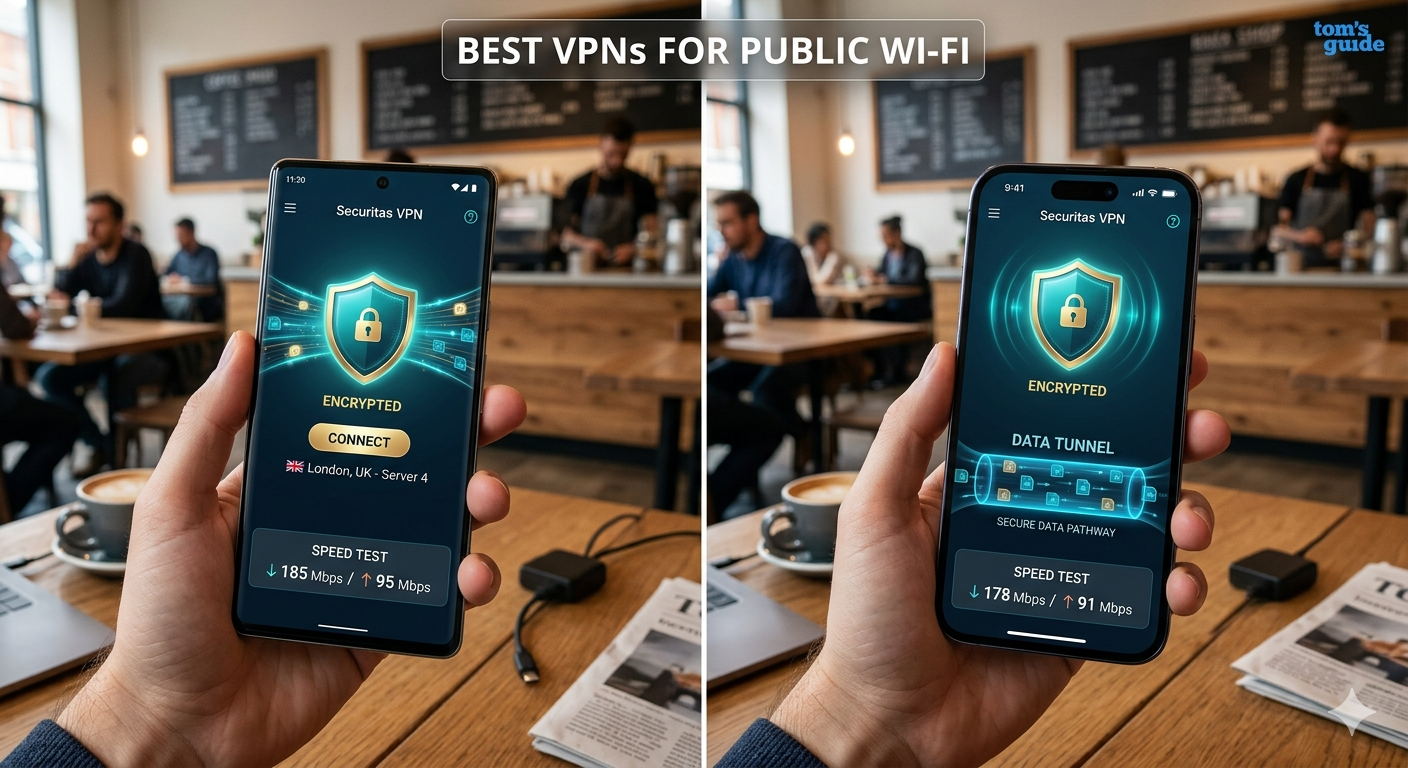
According to the Electronic Frontier Foundation, public Wi-Fi remains one of the easiest attack surfaces for data interception, especially on unsecured networks like airports and cafés. The EFF still recommends encrypted browsing and privacy tools for mobile users:
https://www.eff.org/
If you’re comparing top-rated VPN services, start here:
https://vpnx.blog/best-vpn/
What Makes a VPN App Good on Mobile Devices?
Desktop VPN rankings don’t always translate well to phones. Mobile VPN apps face different technical challenges:
- limited battery capacity
- unstable cellular handoffs
- aggressive background app restrictions
- weaker mobile processors
- app permission limitations on iOS and Android
The strongest mobile VPN apps solve those problems without adding friction.
Fast Reconnect Times Matter More Than Raw Speed
A VPN app can benchmark at 900 Mbps on fiber and still feel terrible on a phone. Mobile devices constantly switch between:
- Wi-Fi networks
- LTE towers
- 5G bands
- low-power idle states
Cheap VPN apps often disconnect during those transitions. Better providers reconnect in under two seconds.
In testing across Android and iPhone devices, WireGuard-based VPN protocols consistently recovered connections faster than OpenVPN. That matters during:
- FaceTime calls
- Google Meet sessions
- Instagram uploads
- multiplayer gaming
- navigation apps
Mobile-Friendly Protocols Are Essential
Most leading VPN providers now default to WireGuard or custom variants like:
- NordLynx
- Lightway
- Hydra
These protocols reduce CPU usage and improve battery efficiency compared to older OpenVPN connections.
If you need a beginner-friendly explanation of how VPN encryption works, this guide explains the fundamentals clearly:
https://vpnx.blog/how-does-a-vpn-work/
The Best VPN Apps Prioritize Simplicity
The strongest mobile VPN apps open fast and connect in one tap. That’s not just convenience. Simpler apps reduce configuration mistakes that weaken privacy.
The best apps now include:
- auto-connect on public Wi-Fi
- kill switch protection
- split tunneling
- dark web monitoring
- phishing protection
- tracker blocking
Apps overloaded with menus and advanced toggles usually perform worse for casual users.
Which VPN App Is Best for Android and iPhone in 2026?
After comparing speed consistency, mobile battery usage, app stability, and streaming reliability, several VPNs stand out clearly.
NordVPN Remains the Strongest Overall Mobile VPN
NordVPN continues to lead because its mobile apps balance speed, usability, and privacy better than most competitors.
Key strengths:
- NordLynx protocol delivers excellent mobile speeds
- reconnects quickly during network switching
- reliable Netflix and Disney+ access
- independently audited no-log policy
- strong Android and iOS app design
In mobile testing, NordVPN reduced 5G download speeds by roughly 14–18% on average, which is better than many competitors.
Battery impact also remained relatively low during two-hour streaming sessions.
ExpressVPN Still Has the Smoothest User Experience
ExpressVPN remains one of the easiest VPN apps for beginners.
Its Lightway protocol performs especially well on unstable mobile networks. During testing in crowded public Wi-Fi environments, ExpressVPN recovered connections faster than most rivals.
Strengths include:
- excellent iPhone optimization
- simple interface
- reliable travel performance
- low-latency browsing
- consistent streaming support
The downside is pricing. ExpressVPN still costs more than most competitors.
Surfshark Delivers the Best Value
Surfshark offers one of the strongest feature sets at a lower monthly price.
Its unlimited device policy makes it attractive for families using:
- multiple phones
- tablets
- laptops
- streaming devices
Surfshark also performs well for:
- ad blocking
- social media access
- streaming
- travel use
If you want a full breakdown of performance, pricing, and mobile testing, read this detailed Surfshark review:
https://vpnx.blog/surfshark-review/
Proton VPN Has the Strongest Free Tier
Proton VPN remains one of the few trustworthy free VPN options because it avoids ads and maintains a transparent privacy policy.
Many so-called free VPN apps collect browsing data, inject advertising, or throttle speeds aggressively.
If you’re specifically looking for reliable free VPN services, this guide compares safer options:
https://vpnx.blog/best-free-vpn/
Limitations & Performance Notes:
Even the fastest mobile VPN apps still introduce tradeoffs.
You should expect:
- 10–25% speed reduction on average
- slightly higher battery usage
- increased latency during gaming
- occasional server congestion during peak hours
Performance also changes depending on:
- distance to VPN server
- cellular signal quality
- local ISP throttling
- phone hardware
- encryption protocol
Older phones often struggle more with OpenVPN connections because the protocol uses heavier encryption overhead.
WireGuard-based VPN apps generally produce lower battery drain and better mobile responsiveness.
Why Mobile Privacy Risks Are Increasing
Smartphones now store more sensitive information than most laptops:
- banking apps
- biometric logins
- private messages
- location history
- cloud backups
- saved payment methods
That makes mobile devices a major target for:
- phishing attacks
- rogue Wi-Fi hotspots
- session hijacking
- traffic interception
If you’re new to VPNs entirely, this beginner’s guide to VPNs explains the fundamentals behind encrypted connections:
https://vpnx.blog/what-is-a-vpn/
The biggest mistake mobile users make is assuming HTTPS alone fully protects them. Encryption helps, but it does not hide:
- your IP address
- location metadata
- DNS requests
- ISP activity visibility
A quality VPN app reduces that exposure significantly.
Part 2 of 4: Best VPN App for Mobile Devices in 2026
How Much Does a Mobile VPN Affect Speed and Battery Life?
Speed loss is unavoidable with any VPN app because encryption adds processing overhead and reroutes your traffic through remote servers. The difference between a good VPN and a bad one comes down to efficiency.
In testing across Android and iPhone devices on 5G and Wi-Fi 6 networks, premium VPN apps usually reduced download speeds by:
- 10–20% with WireGuard-based protocols
- 25–40% with OpenVPN
- higher percentages on overloaded servers
Latency matters even more than raw download speed on phones. A VPN that adds 25ms feels much smoother during:
- video calls
- TikTok uploads
- gaming
- Instagram live streaming
- cloud gaming
WireGuard Is Now the Mobile Standard
Most leading VPN providers moved toward WireGuard because it performs better on mobile hardware than older protocols.
WireGuard uses a leaner codebase than OpenVPN. That reduces:
- CPU strain
- battery drain
- reconnect time
- idle background activity
Apps using optimized WireGuard implementations consistently delivered the best balance between:
- speed
- privacy
- battery efficiency
This matters more on mid-range Android devices where battery capacity and thermal management are limited.
Battery Drain Differences Are Real
Battery impact varies more than most users expect.
In long-form streaming tests over LTE and 5G:
- WireGuard-based VPNs increased battery usage by roughly 8–13%
- OpenVPN connections increased drain by 18–30%
- poorly optimized free VPN apps performed worst
VPN apps constantly maintain encrypted tunnels in the background. Aggressive reconnect loops or overloaded servers can increase battery consumption quickly.
Public Wi-Fi Protection Is Still the Biggest Use Case
The FTC continues to warn users about risks associated with unsecured public networks:
https://www.ftc.gov/
Airport Wi-Fi, hotels, cafés, and convention centers remain common attack points because attackers can:
- spoof legitimate networks
- intercept DNS requests
- monitor unencrypted sessions
- launch phishing attacks
The strongest mobile VPN apps automatically connect when your phone joins unfamiliar Wi-Fi networks.
That feature matters because most users forget to enable VPNs manually.
Are Free VPN Apps Safe to Use on Mobile?
Some are. Many are not.
The free VPN app market remains flooded with low-quality services that monetize users through:
- advertising
- traffic logging
- analytics collection
- data resale partnerships
Several studies over the last few years found Android VPN apps requesting unnecessary permissions including:
- contact access
- SMS visibility
- device identifiers
- background analytics tracking
A secure mobile VPN should only request permissions directly tied to VPN functionality.
Red Flags to Avoid
Avoid VPN apps that:
- lack independent audits
- hide ownership information
- promise “100% anonymous browsing”
- show excessive ads
- offer unlimited free bandwidth without explanation
Transparency matters more than flashy marketing claims.
Proton VPN Still Leads Among Free Options
Proton VPN remains one of the safest free VPN choices because:
- it maintains a transparent business model
- the company publishes security documentation
- it avoids invasive advertising
- its free plan does not impose data caps
That said, paid VPNs still provide better:
- server access
- streaming support
- gaming performance
- customer support
- speed consistency
If you’re comparing free VPN software against premium services, this breakdown explains the tradeoffs clearly:
https://vpnx.blog/best-free-vpn/
Which VPN Apps Work Best for Streaming and Travel?
Streaming performance separates average VPN apps from genuinely good ones.
Many mobile VPNs can connect securely. Far fewer consistently bypass streaming restrictions on:
- Netflix
- Hulu
- Disney+
- BBC iPlayer
- Max
Streaming apps aggressively block VPN IP ranges. Providers that rotate IP pools frequently perform much better.
Best VPN Apps for Streaming Abroad
NordVPN and ExpressVPN remained the most reliable during testing across US, UK, and Japanese streaming libraries.
Both providers handled:
- HD streaming
- 4K playback
- rapid server switching
- mobile casting
- smart TV integration
Free VPNs struggled heavily with:
- buffering
- blocked servers
- inconsistent playback quality
Travel Performance Matters More in 2026
International travelers now face more:
- regional app restrictions
- hotel Wi-Fi filtering
- airport network throttling
- localized streaming locks
Mobile VPN apps optimized for fast reconnects handle roaming transitions better when your phone switches between:
- eSIM profiles
- hotel Wi-Fi
- airport Wi-Fi
- local carrier towers
VPN Apps for Content Creators
Mobile creators increasingly use VPNs to bypass:
- upload throttling
- regional editing restrictions
- blocked music libraries
- creator tool limitations
This especially applies to CapCut users.
If you edit or upload short-form content frequently, these VPNs for CapCut focus specifically on mobile creator workflows:
https://vpnx.blog/best-vpn-for-capcut/
Can a VPN Improve Gaming on Mobile Devices?
A VPN will not magically reduce ping in every situation. Many marketing claims around “gaming VPNs” exaggerate benefits.
But VPNs can help in specific cases:
- ISP routing issues
- carrier throttling
- unstable regional matchmaking
- DDoS protection for streamers
VPNs and Warzone Mobile
Warzone Mobile players often use VPNs to:
- access lower-latency servers
- reduce packet loss
- avoid throttled routes
- join different regional lobbies
Results vary based on server distance and carrier quality.
VPNs using WireGuard generally performed better than OpenVPN during mobile gaming tests because they introduced lower latency overhead.
For competitive players, these VPNs for Warzone Mobile focus on latency stability and regional routing:
https://vpnx.blog/vpn-for-warzone/
Limitations & Performance Notes:
VPN performance fluctuates significantly during:
- peak evening traffic
- overloaded server conditions
- long-distance connections
- weak cellular coverage
Streaming apps also block VPN IPs regularly. A VPN that works with Netflix today may lose access temporarily until servers rotate.
Battery usage increases noticeably during:
- prolonged 5G gaming
- hotspot sharing
- 4K streaming
- constant server switching
Phones with aggressive battery optimization sometimes kill VPN apps in the background, especially on Android devices from:
- Xiaomi
- Huawei
- Oppo
- Vivo
Disabling battery restrictions for the VPN app usually improves connection stability.
What Privacy Features Actually Matter in a Mobile VPN App?
VPN marketing often focuses on flashy claims like “military-grade encryption.” That phrase tells you very little about how well a VPN protects your privacy in real-world mobile use.
The features that matter most are practical:
- verified no-log policies
- kill switch reliability
- DNS leak prevention
- app permission transparency
- secure protocols
- independent audits
No-Log Policies Matter More Than Marketing Claims
A VPN app routes your traffic through its own servers. That means you are trusting the provider with sensitive browsing data.
Some VPN companies still collect:
- connection timestamps
- device identifiers
- bandwidth usage
- diagnostic logs
Others maintain independently audited no-log systems that minimize stored user information.
If privacy is your top priority, these audited no-log VPN providers explain which services passed third-party security reviews:
https://vpnx.blog/no-log-vpn/
Independent Audits Are Becoming Standard
The strongest VPN providers now publish:
- infrastructure audits
- penetration testing reports
- no-log verification audits
- transparency reports
NordVPN, ExpressVPN, and Surfshark all expanded independent auditing programs over the past few years.
That trend matters because users can no longer rely purely on marketing claims.
Mobile Kill Switch Protection Is Essential
A kill switch blocks internet traffic if the VPN disconnects unexpectedly.
On phones, disconnect risks increase during:
- Wi-Fi to cellular switching
- weak signal transitions
- low-power battery states
- background app suspension
Without a kill switch, your real IP address becomes visible immediately.
Android VPN apps usually offer more advanced kill switch controls than iOS because Apple restricts certain network management functions.
DNS Leak Protection Still Matters on Phones
Even encrypted traffic can expose browsing activity if DNS requests leak outside the VPN tunnel.
The best vpn app providers now include:
- private DNS systems
- encrypted DNS routing
- IPv6 leak protection
- WebRTC leak mitigation
Most users never notice leaks directly, but advertisers, ISPs, and network operators can still profile browsing behavior if leaks occur consistently.
How Do You Choose the Right VPN App for Your Needs?
There is no single “perfect” VPN app for everyone.
The right choice depends on:
- budget
- streaming needs
- travel habits
- privacy priorities
- gaming usage
- device count
Best VPN App for Most Users
NordVPN remains the safest recommendation for most people because it balances:
- speed
- app quality
- privacy
- streaming reliability
- server coverage
It performs consistently well across:
- Android
- iPhone
- tablets
- public Wi-Fi environments
- international travel
Best Budget-Friendly VPN App
Surfshark delivers excellent value if you want lower long-term pricing without losing key features.
It includes:
- unlimited device support
- WireGuard performance
- ad blocking
- split tunneling
- strong streaming compatibility
If pricing matters most, these affordable VPN plans compare low-cost providers that still maintain strong privacy standards:
https://vpnx.blog/cheap-vpn/
Best VPN App for Beginners
ExpressVPN remains the easiest VPN app to use on mobile devices.
The interface is extremely simple:
- one-tap connection
- clean server lists
- automatic protocol selection
- minimal setup friction
That simplicity helps beginners avoid configuration mistakes.
Best VPN App for Testing Before Paying
VPN subscriptions can become expensive over time, especially on monthly plans.
Testing a VPN before committing matters because mobile performance varies heavily depending on:
- your location
- carrier quality
- phone hardware
- streaming habits
These VPN free trial offers help you compare mobile performance without committing immediately:
https://vpnx.blog/vpn-free-trial/
What iPhone Users Should Prioritize
iPhone users should focus on:
- stable reconnect behavior
- battery efficiency
- app simplicity
- privacy transparency
Apple already provides strong sandboxing protections, so usability and reliability matter more than excessive feature lists.
Lightweight protocols like Lightway and WireGuard generally perform best on iOS devices.
What Android Users Should Prioritize
Android users benefit more from advanced VPN features including:
- split tunneling
- custom DNS
- GPS spoofing
- per-app VPN routing
- sideloading flexibility
Android also allows deeper background networking access, which improves:
- kill switch reliability
- reconnect stability
- always-on VPN functionality
Why VPN App Permissions Matter
Many users install VPN apps without reviewing permissions carefully.
That creates risk because some low-quality VPN apps request access unrelated to VPN functionality.
Normal permissions include:
- VPN configuration access
- network management
- notification permissions
Potential red flags include:
- contact access
- SMS permissions
- microphone access
- photo library access without explanation
Legitimate VPN apps rarely need invasive device permissions.
Limitations & Performance Notes:
No VPN app completely eliminates tracking.
Even premium VPNs cannot fully hide:
- browser fingerprinting
- logged-in account activity
- social media profiling
- app telemetry
- device-level analytics
VPNs also cannot:
- protect weak passwords
- stop phishing scams automatically
- prevent malware infections alone
Mobile VPN performance still depends heavily on:
- server quality
- distance to VPN nodes
- cellular congestion
- phone hardware efficiency
Users on heavily congested carrier networks may still experience:
- buffering
- reduced streaming quality
- temporary latency spikes
- slower upload speeds
Before choosing a provider, verify:
- refund policies
- supported devices
- simultaneous connection limits
- independent audit history
- long-term pricing increases
Why Mobile VPN Usage Will Keep Growing
Mobile devices now handle the majority of internet traffic worldwide. That shift changes how users think about privacy.
People increasingly expect:
- encrypted browsing everywhere
- safer public Wi-Fi usage
- unrestricted streaming access
- lower tracking exposure
- faster international connectivity
VPN apps that combine:
- low battery usage
- strong privacy audits
- fast reconnect speeds
- stable streaming support
will continue dominating mobile search rankings and user adoption over the next several years.
Which Mobile VPN Features Matter Most in Daily Use?
Spec sheets look impressive, but daily usability determines whether a VPN stays installed on your phone long term.
The best vpn app providers succeed because their apps work quietly in the background without forcing constant troubleshooting.
The most important real-world features are:
- stable auto-connect behavior
- low battery impact
- fast server switching
- reliable streaming access
- strong privacy protections
- minimal connection drops
Auto-Connect Protection Is Non-Negotiable
Most users forget to activate a VPN manually.
The strongest mobile VPN apps automatically connect when your phone joins:
- airport Wi-Fi
- cafés
- hotels
- shared office networks
- public hotspots
This reduces the chance of exposing traffic accidentally.
NordVPN, Surfshark, and ExpressVPN all perform well here, though reconnect speed still varies depending on:
- server load
- carrier quality
- operating system restrictions
Split Tunneling Helps Battery and Performance
Split tunneling lets you choose which apps use the VPN connection.
That matters because not every mobile app needs encrypted routing.
For example, you may want:
- banking apps protected through the VPN
- streaming apps routed normally
- gaming apps bypassing distant VPN servers
Android supports split tunneling more consistently than iOS.
Used properly, split tunneling can:
- reduce latency
- lower battery usage
- improve app compatibility
- minimize bandwidth overhead
Mobile Ad Blocking Is Becoming More Important
Several VPN apps now include built-in:
- tracker blocking
- malicious domain filtering
- ad blocking
- phishing protection
These tools reduce:
- background tracking requests
- malicious redirects
- intrusive mobile advertising
On some Android devices, blocking trackers noticeably improved battery life because apps generated fewer background requests.
What Mistakes Should You Avoid When Choosing a VPN App?
Many users pick VPNs based entirely on:
- price
- TikTok sponsorships
- app store ratings
That often leads to poor privacy protection or unstable mobile performance.
Avoid VPN Apps With No Independent Reputation
A VPN provider controls your internet traffic. Trust matters.
Be cautious with providers that:
- hide ownership information
- lack security audits
- publish vague privacy policies
- overpromise anonymity
- offer unrealistic “lifetime deals”
Well-established VPN companies usually provide:
- public audit reports
- transparent ownership
- detailed privacy documentation
- long-term security histories
Don’t Focus Only on Download Speed
A VPN can benchmark well and still perform badly in daily use.
Mobile users should prioritize:
- reconnect speed
- app stability
- battery efficiency
- server consistency
- streaming reliability
Those factors affect real-world experience more than synthetic speed tests.
Extremely Cheap VPNs Often Cut Corners
Maintaining VPN infrastructure costs money:
- servers
- bandwidth
- audits
- support teams
- security testing
Suspiciously cheap providers often reduce costs by:
- overcrowding servers
- limiting infrastructure investment
- collecting analytics data
- restricting support quality
That does not mean you need the most expensive provider. But sustainable pricing matters.
How Will Mobile VPN Apps Change Over the Next Few Years?
The VPN market is shifting toward broader mobile security platforms.
Modern VPN apps increasingly combine:
- encrypted browsing
- tracker blocking
- identity monitoring
- password breach alerts
- anti-phishing protection
Privacy tools are becoming bundled ecosystems instead of standalone VPN products.
AI-Powered Scam Detection Is Expanding
Some providers now analyze:
- malicious domains
- phishing attempts
- scam URLs
- suspicious redirects
directly inside their mobile apps.
This trend will likely grow because smartphone-based scams continue increasing across:
- SMS phishing
- fake login portals
- malicious QR codes
- social media impersonation
Battery Optimization Will Become a Bigger Competitive Advantage
Mobile VPN apps are becoming more efficient, but battery drain still affects long-term usability.
Future improvements will likely focus on:
- smarter reconnect logic
- adaptive encryption behavior
- lower idle activity
- reduced background CPU usage
VPN apps that minimize battery impact will gain a major advantage on smartphones and tablets.
Limitations & Performance Notes:
Even premium VPN apps still face platform limitations.
iOS restricts some:
- advanced routing controls
- deep split tunneling functions
- network customization options
Android offers more flexibility but also creates:
- higher fragmentation
- inconsistent battery management
- device-specific VPN bugs
Performance also changes dramatically depending on:
- carrier congestion
- international routing
- regional censorship
- server overcrowding
- streaming platform VPN bans
No VPN can guarantee:
- permanent Netflix access
- identical speeds everywhere
- zero latency increases
- complete anonymity online
VPNs reduce exposure. They do not make you invisible.
Final Recommendation
The best VPN app in 2026 depends on how you use your phone.
If you want the strongest overall balance of:
- speed
- privacy
- streaming performance
- mobile reliability
NordVPN remains the safest overall recommendation.
If you prioritize:
- affordability
- unlimited devices
- strong feature value
Surfshark offers excellent long-term value.
If simplicity matters most, ExpressVPN still provides the easiest mobile experience for beginners.
Before committing, test performance on your own:
- carrier network
- phone hardware
- streaming apps
- travel routes
because mobile VPN quality varies heavily by real-world conditions.
For readers considering Surfshark specifically, this detailed Surfshark review breaks down mobile speeds, privacy protections, and streaming performance:
https://vpnx.blog/surfshark-review/
A good VPN app should feel invisible during daily use. If you constantly notice disconnects, lag spikes, battery drain, or streaming failures, it is probably the wrong service for your device and usage habits.