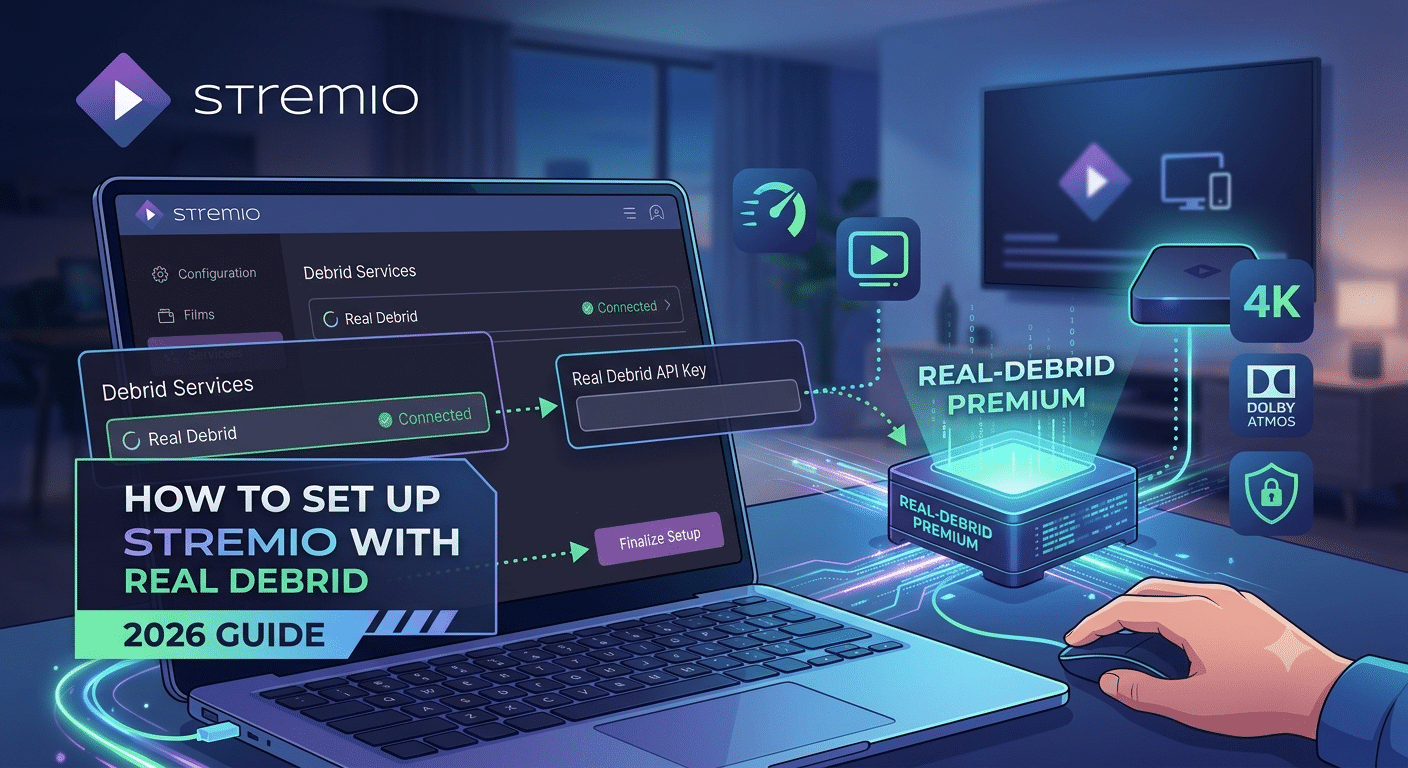

If you’re trying to get smoother, buffer-free streaming, understanding how to set up stremio with real debrid is the key step that changes the entire experience. The combination of Stremio’s addon-based interface and Real-Debrid’s cached streaming network removes most of the friction users face with slow or unreliable sources.
In practice, the setup is not complicated, but it is sensitive to configuration order. Missing one step—especially the API link between services—can result in empty streams or broken playback.
Before touching configuration, make sure Stremio is correctly installed on your device using a clean setup path like this Stremio installation guide. A faulty or outdated install is one of the most common reasons users fail at the integration stage.
From a privacy standpoint, it’s also worth understanding what sits behind your connection. Even though Real-Debrid is not a VPN, your traffic still moves through internet infrastructure that can expose metadata. If you’re not familiar with the basics, this overview of VPN basics and this breakdown of how VPN encryption works help clarify what is protected—and what isn’t.
For users concerned about data exposure, organizations like the Electronic Frontier Foundation also explain how streaming traffic and intermediaries can impact privacy in real-world scenarios: https://www.eff.org/deeplinks.
What is the fastest way to connect Stremio with Real-Debrid?
The fastest working setup depends on one core principle: you are not streaming torrents directly. Instead, Real-Debrid acts as a high-speed caching layer between Stremio and hosted content.
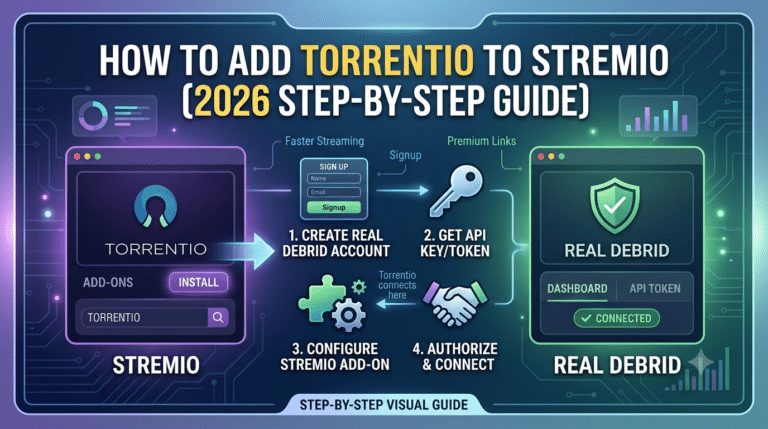
Here’s the simplified workflow:
- Install Stremio on your device
- Create and log into a Real-Debrid account
- Install the Torrentio addon inside Stremio
- Link your Real-Debrid API key
- Restart Stremio and test playback
If you skip proper installation, the rest of the chain breaks. That’s why starting with a verified base install using a trusted setup path like Stremio installation guide is critical before anything else.
At this stage, most users misunderstand what Real-Debrid actually does. It does not “store” your media. Instead, it pulls from cached torrents already processed through its network. That’s why you’ll often see RD+ labeled streams—those are pre-cached, ready-to-play sources.
Security note: your ISP can still see that you’re connecting to services, even if they can’t easily inspect content. This is where optional privacy layers like VPNs come in. However, Real-Debrid itself does not require a VPN to function.
If you want to understand the technical gap between encrypted tunnels and direct connections, this breakdown of how VPN encryption works is useful for separating myth from reality.
How do you configure Torrentio for Real-Debrid properly?
Torrentio is the bridge between Stremio and Real-Debrid. Without it, Stremio has no structured way to fetch cached torrent sources.
The correct configuration process is:
- Open Torrentio settings inside Stremio
- Enter your Real-Debrid API token
- Select preferred quality sources (1080p / 4K if available)
- Enable Debrid-only streams (recommended for stability)
- Install and restart Stremio
The most critical step is the API token. If this is incorrect or expired, you will see no RD+ results at all.
You can follow a structured walkthrough here for deeper integration logic: connecting Real-Debrid to Stremio.
At a system level, Torrentio works by indexing available torrent metadata and matching it against Real-Debrid’s cached database. This removes the need for peer-to-peer downloading and significantly improves consistency.
However, configuration alone does not guarantee reliability. The stability of streams depends on cache availability, server load, and content popularity.
server load effects, device compatibility limits, account/plan restrictions, speed throttling scenarios, etc.
Real-Debrid performance is not fixed. It fluctuates based on server demand and cache availability. During peak usage hours, you may notice slower stream initiation even if bandwidth is high. Device limitations also matter—older Fire TV sticks or low-memory Android boxes can struggle with high-bitrate 4K streams. On the account side, free or restricted plans may limit simultaneous streams, while premium tiers unlock full concurrency. Speed throttling is rare but can occur when multiple high-bandwidth streams run under the same account simultaneously.
At this point, it’s also worth validating whether Stremio itself is safe to use in your region or network environment. The platform is legal as a media player, but addons vary in source reliability and compliance. A detailed breakdown is available here: Stremio safety and legitimacy.
The key takeaway so far is simple: the setup is less about installation and more about correct service linking. Once Torrentio and Real-Debrid are properly synced, the system becomes highly stable and fast—but only if each layer is configured correctly.
Where do you find and use your Real-Debrid API key?
The Real-Debrid API key is the authentication bridge that connects your account to Stremio through Torrentio. Without it, Stremio cannot request or validate cached streams, which is why most setup failures happen at this stage.
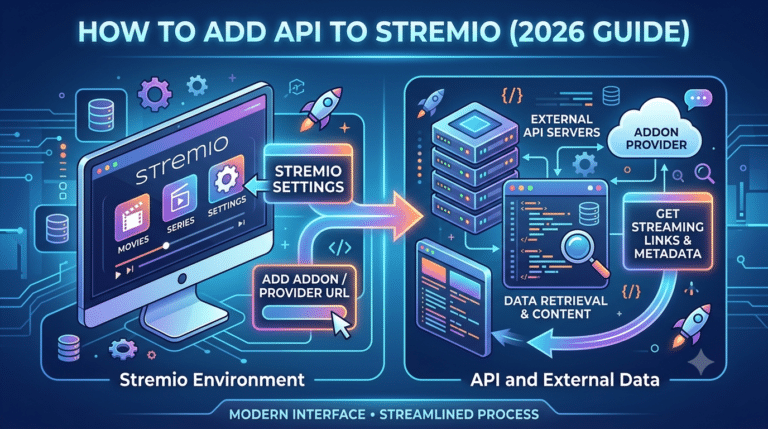
You generate your API token directly inside your Real-Debrid account settings, then paste it into Torrentio’s configuration panel. Once saved, Torrentio uses that token to pull RD+ cached results instead of raw torrent sources.
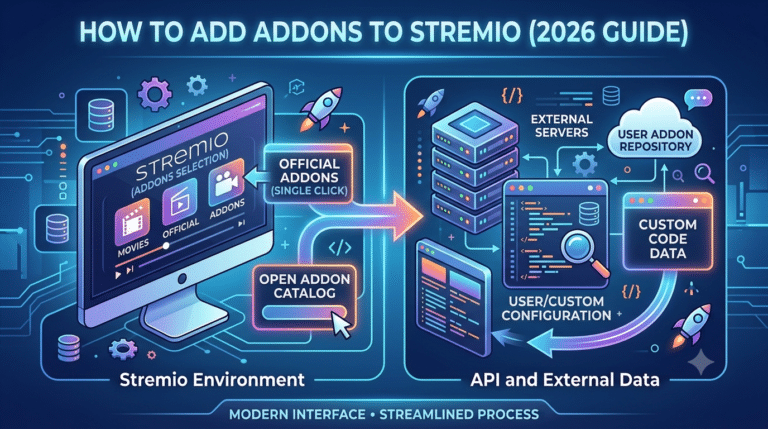
If you haven’t completed the basic addon installation yet, start here first: adding Stremio addons. Skipping addon setup is one of the fastest ways to end up with an empty library or missing streams.
From a system perspective, this API key is not just a password—it’s a scoped access token. It tells Real-Debrid which device and session is requesting cached links, and it enforces stream limits tied to your account tier.
For users new to the ecosystem, the full addon structure is explained in this installation flow: Stremio installation guide.
Why are RD+ streams not showing in Stremio?
When RD+ streams fail to appear, the issue is almost always configuration-related rather than content-related. The most common failure points are:
- Invalid or expired Real-Debrid API token
- Torrentio not properly installed or outdated
- Debrid option not enabled in settings
- Temporary cache unavailability for the requested title
- Account restrictions on Real-Debrid side
In most cases, refreshing the addon and re-entering the API key resolves the issue immediately.
If streams still don’t appear after reconfiguration, the problem may be tied to addon syncing across devices. A proper sync process ensures consistent configuration across all installs, especially when using multiple screens or Firestick setups. You can follow this guide for multi-device alignment: syncing Stremio addons.
Another overlooked factor is installation integrity. If Stremio itself is installed from an unofficial or outdated package, Torrentio may fail silently without showing errors. A clean install using this verified method is recommended: Stremio installation guide.
server load effects, device compatibility limits, account/plan restrictions, speed throttling scenarios, etc.
Even when configuration is correct, RD+ stream availability is influenced by backend conditions. Real-Debrid cache servers do not store every file permanently, and unpopular content may not have cached copies at all. During high traffic periods, response time for stream resolution can increase slightly, especially for 4K or high-bitrate files. Lower-end devices can also struggle to process large stream manifests, leading to delayed playback initiation. Account-level limits may restrict simultaneous playback sessions depending on subscription tier, which can block new stream requests if the limit is reached.
What setup mistakes break Stremio Real-Debrid integration?
Most failures are not technical—they are procedural. The setup process must follow a strict order, and breaking that order introduces inconsistencies.
1. Installing addons before linking Real-Debrid
Torrentio must be configured with your API key before full activation. Installing it without setup often leads to missing RD+ streams.
2. Using incorrect API token
Even a single character error invalidates authentication. Regenerating the token and reapplying it is often faster than troubleshooting.
3. Not enabling debrid streams in Torrentio
Some configurations default to torrent-only mode. This prevents RD+ results from appearing entirely.
4. Device mismatch or outdated builds
Firestick and Android TV builds especially require updated Stremio versions. Older builds may not correctly render addon responses.
For Firestick users specifically, installation behavior can differ significantly from desktop setups. A dedicated walkthrough is available here: Stremio on Roku setup. While Roku differs from Firestick technically, it highlights the broader constraint: not all devices support addon-based streaming equally.
Is Stremio secure enough for Real-Debrid usage?
Stremio itself is a media interface, not a content host. Security concerns usually arise from addon behavior rather than the core app.
Real-Debrid adds a layer of abstraction by serving cached files instead of direct peer-to-peer torrents, which reduces exposure compared to traditional torrent clients. However, it does not anonymize traffic.
If you’re evaluating privacy posture, it helps to understand baseline VPN concepts. This guide explains the fundamentals clearly: VPN basics. For users who want deeper protection layers, reviewing how VPN traffic is structured can clarify what remains visible on a network: how does a VPN work.
Some users choose to combine streaming setups with VPNs for ISP-level masking. In that case, selecting a stable provider matters more than raw speed claims. A curated overview of options is available here: top-rated VPN services.
What is the fastest way to connect Stremio with Real-Debrid?
Speed in setup isn’t about skipping steps—it’s about doing them in the correct sequence so Stremio, Torrentio, and Real-Debrid sync without conflicts. Once the API token is active and Torrentio is configured correctly, stream discovery becomes nearly instant because results are pulled from cached RD+ sources instead of live torrents.
The most reliable workflow looks like this:
- Install Stremio on your primary device
- Add Torrentio and configure Debrid mode
- Insert Real-Debrid API key
- Restart the app to refresh catalog indexing
- Test with a high-availability title
If you haven’t completed base installation yet, this official walkthrough helps ensure a clean start: Stremio on Roku setup. Even though Roku has platform limitations, the guide is useful for understanding how device constraints affect addon-based streaming systems in general.
At a technical level, Real-Debrid reduces dependency on peer availability by serving pre-cached torrent hashes. That’s why RD+ results typically load faster than standard torrent scrapers.
For users concerned about how network paths behave during streaming, independent security researchers have repeatedly shown that encrypted tunnels reduce ISP visibility into traffic patterns, even when they don’t fully anonymize metadata. A good technical breakdown of streaming privacy tradeoffs is available from Wired’s analysis of modern streaming infrastructure: https://www.wired.com.
If you’re still unclear on baseline privacy architecture, it’s worth revisiting the fundamentals through a neutral explanation of VPN basics, especially if you plan to combine streaming with privacy tools.
Where do you find and use your Real-Debrid API key?
The API key is generated inside your Real-Debrid account dashboard and acts as the authentication layer between Stremio and the debrid network. Without it, Torrentio cannot request cached results.
Once generated, you paste it directly into Torrentio’s configuration screen. This step binds your device session to your account permissions.
A clean setup path is essential here because incorrect installation order often leads to silent failure—where Stremio works, but no RD+ streams appear.
If you need to verify your addon environment before adding the API key, this reference helps ensure proper structure: adding Stremio addons.
Why are RD+ streams not showing in Stremio?
When RD+ streams don’t appear, the issue is almost always configuration or caching—not content availability.
The most common causes are:
- Incorrect API token input
- Torrentio not fully installed or outdated
- Debrid mode not enabled
- Temporary cache unavailability
- Device sync mismatch
In many cases, reinstalling Torrentio and re-entering the API key resolves the issue instantly.
For users running multi-device setups, inconsistency often comes from unsynced addon states. This guide helps stabilize configuration across devices: syncing Stremio addons.
It’s also worth noting that Stremio itself is just a playback layer. It does not host or store content. That distinction matters when evaluating safety and compliance. A clear breakdown of platform behavior is available here: Stremio safety and legitimacy.
From a networking standpoint, RD+ streams depend on cache availability and server routing efficiency. If a title isn’t popular, it may not exist in cached form yet, which results in empty or limited results even when configuration is correct.
For users operating on budget setups or restricted networks, VPN selection can also affect stream stability due to routing overhead or regional filtering. If you’re evaluating lightweight options, this overview of best free VPN options outlines tradeoffs between speed, privacy, and reliability.
What setup mistakes break Stremio Real-Debrid integration?
Most failures happen because one layer in the setup chain is incomplete or misaligned. Stremio, Torrentio, and Real-Debrid must all be correctly linked.
Common breakdown points include:
- Installing Stremio without updating it
- Skipping Torrentio configuration
- Using expired API tokens
- Enabling multiple conflicting addons
- Not restarting the app after changes
Device compatibility also plays a major role. Smart TVs and streaming sticks often handle addon updates differently than desktop environments. That’s why setup behavior can vary significantly between Firestick, Android TV, and browser-based Stremio.
If you’re expanding beyond a single device, the platform behaves more consistently when addon syncing is properly configured using this method: Stremio installation guide.
From a network perspective, connection stability is influenced by routing efficiency and encryption overhead. Even though Real-Debrid itself does not require a VPN, some users still apply one for ISP-level masking. If you want a deeper breakdown of how encrypted traffic behaves under streaming loads, this guide explains it clearly: how VPN encryption works.
For users who choose to add an extra privacy layer, selecting a stable provider matters more than marketing claims. A performance-focused breakdown of providers is available here: industry-leading VPN software.
What setup mistakes break Stremio Real-Debrid integration?
Even when users follow the steps correctly, small configuration errors can silently break the entire streaming chain. The system depends on three working layers—Stremio, Torrentio, and Real-Debrid—and a failure in any one of them results in missing or incomplete streams.
The most common failure pattern is incorrect sequencing. Users often install everything first and configure later, but Torrentio requires Real-Debrid authentication before it can properly index RD+ sources. When this order is reversed, Stremio continues to run normally but never returns cached results.
Another frequent issue is outdated addon builds. Torrentio updates regularly to maintain compatibility with Real-Debrid endpoints. If you’re running an older version, API requests may succeed but return empty payloads.
Device fragmentation is another hidden problem. Fire TV sticks, Android TV boxes, and desktop builds don’t always store addon states the same way. That leads to situations where RD+ works on one device but not another, even under the same account.
Finally, many users forget that Stremio does not manage content itself. It only renders streams provided by addons. If the addon layer is broken, the app will appear functional but effectively empty.
For users still refining their setup, ensuring a clean baseline install is critical. A structured walkthrough like this Stremio installation guide helps eliminate corrupted or incomplete setups that commonly cause downstream issues.
Is Stremio with Real-Debrid actually worth it in 2026?
The short answer: yes, if your goal is stable, cached streaming with minimal buffering.
The combination works because it replaces unpredictable peer-to-peer torrent sourcing with pre-cached delivery. Instead of waiting for seeds, Real-Debrid serves already-processed files through its infrastructure. That’s why RD+ streams typically start faster and maintain more consistent bitrate performance.
However, it is not a universal solution. Availability depends on whether content has been cached previously. New or niche titles may still fail to appear until they are indexed by the system.
From a performance standpoint, the biggest gain is consistency—not raw speed. Even mid-range connections can stream 1080p or 4K content smoothly if cached sources are available.
On the privacy side, Real-Debrid reduces exposure compared to raw torrenting, but it does not anonymize traffic. Your ISP can still observe that you are connecting to streaming services, even if they cannot inspect content payloads directly.
If you want a deeper understanding of how traffic visibility works at the network level, this explanation of VPN basics and this technical breakdown of how VPN encryption works clarify what is and isn’t hidden during streaming sessions.
For users who decide to add an extra privacy layer, VPN selection matters. A performance-oriented breakdown of options is available here: industry-leading VPN software.
Final performance considerations (what actually affects streaming quality)
Streaming quality in a Stremio + Real-Debrid setup is influenced by more than just internet speed. The real variables are caching availability, device decoding power, and addon response time.
High-resolution streams (especially 4K) depend heavily on device capability. Low-power streaming sticks often struggle with high-bitrate playback even when the network is stable. In those cases, buffering is not caused by the connection but by hardware decoding limits.
Another overlooked factor is server-side load. Real-Debrid’s cache network distributes popular content efficiently, but during peak usage windows, stream initiation can slow down slightly. Once playback starts, performance usually stabilizes.
Finally, addon responsiveness plays a major role. Torrentio acts as the query engine, and any delay or misconfiguration there directly impacts how quickly RD+ links appear.
For users exploring broader device compatibility, understanding platform differences is essential. Some ecosystems handle addon updates more reliably than others, especially in constrained environments like smart TVs. A related device-focused breakdown can be found here: Stremio on Roku setup, which highlights how platform limitations affect addon-based streaming.
Conclusion: streamlined streaming, but only when configured correctly
A properly configured setup removes most of the friction associated with traditional torrent streaming. Once Real-Debrid is correctly linked, Stremio becomes a fast, interface-driven media layer powered by cached delivery rather than unstable peers.
The key takeaway is consistency: correct API linking, stable addon configuration, and compatible devices matter more than internet speed alone. When any of these layers break, the entire experience degrades.
Used correctly, how to set up stremio with real debrid becomes less about troubleshooting and more about maintaining a lightweight, high-performance streaming system that reliably delivers RD+ content with minimal buffering.
For users who want a deeper breakdown of secure browsing options that complement streaming setups, reviewing the full comparison of top-rated VPN services provides a useful benchmark for balancing speed, privacy, and stability.