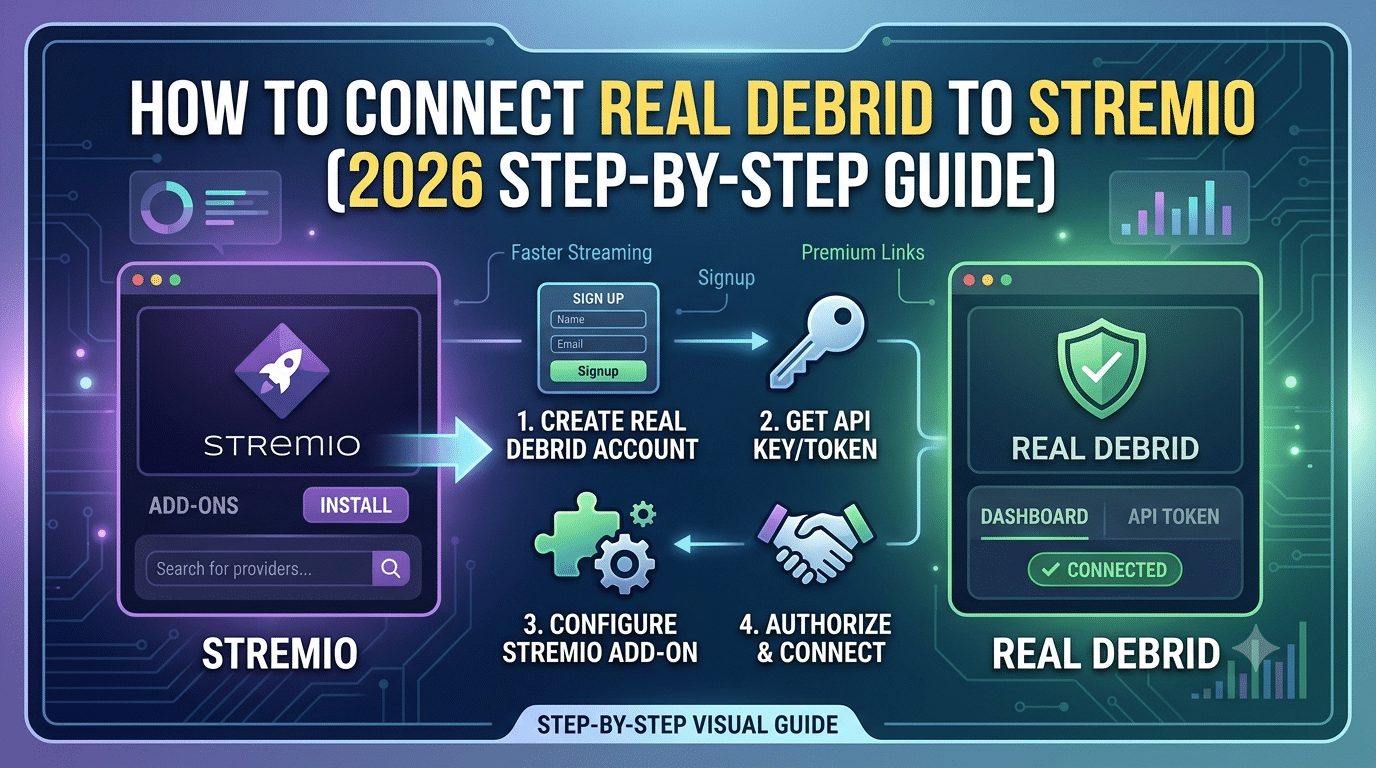

If you want faster streams, more cached sources, and fewer buffering issues, learning how to connect real debrid to stremio is one of the most valuable upgrades you can make. The setup only takes a few minutes, but configuring it correctly makes a significant difference in stream availability and playback quality.
Real-Debrid does not replace Stremio. Instead, it works alongside compatible add-ons to provide access to premium cached sources hosted on high-speed servers. When configured correctly, you’ll often see more reliable playback, especially for high-bitrate 1080p and 4K content.
Before you begin, it’s worth understanding how the Stremio service works and whether Stremio is legitimate so you know exactly what each component does and how they work together:
For additional guidance on digital privacy, the Electronic Frontier Foundation (EFF) explains how encrypted internet connections help protect data in transit: https://www.eff.org.
What Is Real-Debrid and Why Do People Use It With Stremio?
Real-Debrid is a premium unrestricted downloading service. Rather than storing movies or TV shows itself, it provides access to high-speed cached files from supported file hosts and compatible applications.
When paired with Stremio through a compatible add-on, Real-Debrid can:
- Increase the number of available streaming sources
- Improve playback stability
- Reduce buffering
- Deliver faster startup times
- Provide access to cached files that stream directly from Real-Debrid’s infrastructure
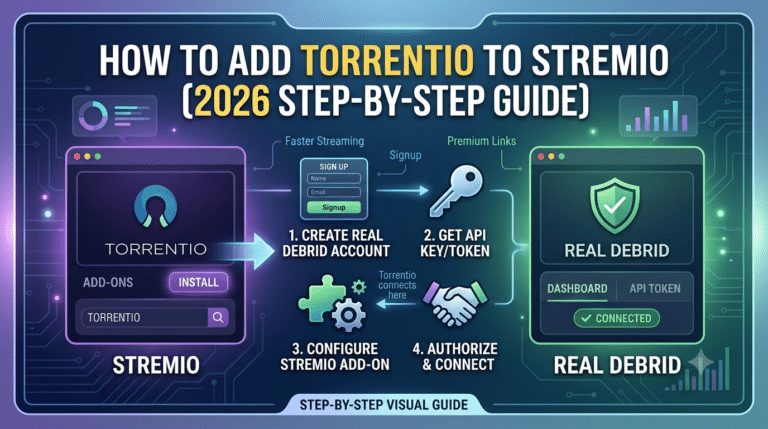
A common misconception is that Stremio connects directly to Real-Debrid. In practice, an add-on—most commonly Torrentio—acts as the bridge between the two services.
The workflow looks like this:
Stremio → Add-on → Real-Debrid → Cached server → Playback
Understanding this workflow makes troubleshooting much easier if something stops working later.
Another important point is that Real-Debrid primarily benefits cached content. If the requested file has already been cached on Real-Debrid’s servers, playback usually starts much faster than obtaining the file from other sources.
What Do You Need Before Connecting Real-Debrid to Stremio?
The setup is straightforward, but you should have everything ready before starting.
You’ll need:
- A Real-Debrid account with an active subscription
- The latest version of Stremio
- A supported Stremio add-on that integrates with Real-Debrid
- A stable internet connection
- Access to your Real-Debrid authorization page during setup
If you’re new to Stremio, install the required add-ons first. This guide explains the process in detail:
Keeping your software updated is also important. Newer releases often improve compatibility with add-ons and fix authentication issues that can interrupt playback.
Do You Need Torrentio?
In most cases, yes.
Torrentio is currently the most widely used add-on for integrating Real-Debrid with Stremio because it supports Real-Debrid authorization directly during configuration.
Although other compatible add-ons exist, Torrentio remains the most common option thanks to its flexible filtering, quality selection, and support for cached sources.
Why Real-Debrid Improves Streaming Performance
Real-Debrid doesn’t magically increase your internet speed. Instead, it changes where your content comes from.
Instead of relying solely on publicly available sources, compatible add-ons can retrieve cached files from Real-Debrid’s infrastructure. Because these files are already available on Real-Debrid’s servers, playback typically starts more quickly and requires fewer retries.
The biggest improvements are usually seen with:
- Large 4K files
- HDR releases
- Dolby Vision content
- High-bitrate Blu-ray remuxes
- Popular TV episodes with existing cached copies
Performance still depends on factors such as your internet connection, device capabilities, server availability, and the quality of the source selected.
Should You Use a VPN With Real-Debrid?
Real-Debrid encrypts communication between your device and its service using HTTPS, but that doesn’t automatically eliminate every privacy consideration.
Whether you choose to use a VPN depends on your privacy goals, local laws, and how you use online services. If you’re unfamiliar with VPN technology, these resources provide useful background:
If you’re considering additional privacy protection, reviewing independent comparisons of the best VPN services can help you evaluate features such as server locations, privacy policies, and device support:
We’ll cover when a VPN is useful—and when it may not be necessary—later in this guide.
How Do You Connect Real-Debrid to Stremio Step by Step?
Now that you understand how the pieces fit together, it’s time to complete the setup. If you already have an active Real-Debrid subscription and Stremio installed, the entire process typically takes less than five minutes.
The exact appearance of the configuration page may vary slightly as add-ons receive updates, but the overall workflow remains the same.
Step 1: Sign in to Your Real-Debrid Account
Open your web browser and sign in to your Real-Debrid account. Keep the browser tab open because you’ll need to authorize the connection during the add-on configuration.
Verify that your subscription is active before continuing. If your account has expired, Stremio won’t be able to retrieve premium cached sources even if the setup appears successful.
Step 2: Open the Torrentio Configuration Page
Launch Stremio and navigate to the add-on you’ll use with Real-Debrid, typically Torrentio.
If you haven’t configured add-ons before, review the complete guide on installing Stremio add-ons before proceeding.
The configuration page contains several options, including provider selection, quality filters, sorting preferences, and Debrid service integration.
Step 3: Select Real-Debrid as Your Debrid Provider
Locate the Debrid Provider setting and choose Real-Debrid from the available list.
Once selected, the page generates an authorization link or authentication code. This securely links your Real-Debrid account to the add-on without exposing your account password.
Step 4: Authorize the Connection
Open the authorization page provided during setup.
After signing in, approve the authorization request. Real-Debrid then issues an authentication token that the add-on stores for future requests.
When authorization succeeds, you’ll return to the configuration page where Real-Debrid now appears as your active provider.
Step 5: Configure Torrentio
Before installing the configured add-on, review the available filters.
Recommended settings include:
- Prefer cached sources
- Hide non-cached results if desired
- Enable higher-quality releases first
- Filter unwanted resolutions
- Sort by quality or seed health, depending on your preference
These settings don’t affect your Real-Debrid account itself—they simply control which results Stremio displays.
Step 6: Install the Configured Add-on
After saving your settings, install the customized add-on.
Stremio automatically imports the configuration into your account.
From this point forward, compatible searches should begin displaying Real-Debrid-powered sources whenever cached content is available.
How Can You Verify That Real-Debrid Is Working?
The easiest way to confirm the integration is to open a popular movie or TV episode.
If everything is configured correctly, you’ll notice:
- Additional premium sources
- Cached stream labels
- Faster playback startup
- More high-quality options
- Fewer unavailable streams
If you only see standard sources, double-check that:
- Your Real-Debrid subscription is active.
- Authorization completed successfully.
- The configured add-on was installed after authorization.
- You’re signed in to the correct Stremio account.
How Can You Optimize Torrentio and Real-Debrid for Better Streaming?
Connecting the services is only the first step. A few small adjustments can noticeably improve your experience.
Prefer Cached Sources
Cached content usually starts much faster because it’s already stored on Real-Debrid’s infrastructure.
Whenever possible, prioritize cached results over uncached alternatives.
Filter Out Low-Quality Releases
Large result lists often include duplicates, low-resolution copies, and poor encodes.
Filtering these results keeps searches cleaner and makes it easier to choose reliable streams.
Choose Appropriate Resolution
A 4K stream isn’t automatically the best choice.
If you’re watching on a laptop, tablet, or slower internet connection, a high-quality 1080p source often delivers nearly identical visual quality while requiring significantly less bandwidth.
Keep Add-ons Updated
Developers periodically release updates that improve compatibility and fix API changes.
Installing updated versions helps avoid authentication errors and missing sources.
If you use Stremio on multiple devices, keeping configurations synchronized saves time. This guide explains syncing Stremio add-ons across devices so your installed add-ons remain consistent after signing in.
Account Restrictions, Device Compatibility, and Speed Limitations
Understanding the platform’s limitations helps prevent confusing errors.
One Active Public IP
Real-Debrid generally expects account usage from a single public IP address at any given time.
Using the same account simultaneously from different internet connections may trigger temporary restrictions or require reauthorization.
Supported Devices
Real-Debrid works with Stremio on most major platforms, including:
- Windows
- macOS
- Linux
- Android
- Android TV
- Fire TV
- Compatible streaming boxes
The authorization process is similar across platforms, although interface layouts differ slightly.
Temporary Slowdowns
Occasionally, playback may be slower than expected because of:
- Heavy server demand
- CDN routing changes
- Large file sizes
- Temporary network congestion
- Add-on maintenance
These issues are usually temporary and don’t necessarily indicate a problem with your configuration.
If you’re new to the platform, learning how to watch content on Stremio can help you understand how catalogs, add-ons, and playback sources work together before troubleshooting advanced issues.
What Causes Real-Debrid to Stop Working in Stremio?
Most Real-Debrid issues come down to authorization, account status, add-on configuration, or source availability. Fortunately, nearly all of them can be resolved in a few minutes without reinstalling Stremio.
Work through the following checks in order. Starting with the simplest causes saves time and avoids unnecessary troubleshooting.
Problem: No Real-Debrid Streams Appear
If you don’t see any premium or cached sources, begin with the basics.
Check that:
- Your Real-Debrid subscription is still active.
- You completed the authorization process successfully.
- The configured Torrentio add-on is installed.
- You’re signed into the correct Stremio account.
- The content you’re trying to watch has cached sources available.
If all of these are correct but no Real-Debrid links appear, remove the configured add-on, authorize it again, and reinstall it. Authentication tokens occasionally expire or become invalid after configuration changes.
Problem: Authorization Keeps Failing
Authorization failures are usually caused by:
- An expired login session
- An incorrect authorization flow
- Browser extensions interfering with authentication
- Temporary service-side issues
Sign out of your Real-Debrid account, sign in again, and repeat the authorization process from the beginning.
If you’re configuring Stremio on another device, complete the authorization using a browser on the same device whenever possible to avoid session conflicts.
Problem: Streams Buffer Frequently
Real-Debrid can reduce buffering, but it cannot eliminate every performance issue.
Buffering may occur because of:
- A slow internet connection
- High network congestion
- A large 4K or HDR file
- Temporary CDN routing issues
- An overloaded streaming server
- Limited hardware performance on older devices
Try selecting a smaller file or a high-quality 1080p release instead of the largest available stream. In many cases, visual quality remains excellent while playback becomes noticeably smoother.
Problem: Playback Starts but Stops
If playback begins and then freezes, consider these possibilities:
- The selected source is no longer available.
- The cached file has become temporarily inaccessible.
- The add-on is returning outdated results.
- The streaming device is running low on memory.
Restarting the application and selecting another cached source often resolves the issue.
Problem: The Add-on Shows an Error
Configuration errors commonly occur after:
- API authorization changes
- Add-on updates
- Corrupted settings
- Expired authentication tokens
Rather than reinstalling Stremio completely, reinstall only the configured add-on and repeat the authorization process.
How Can You Improve Streaming Reliability?
Once everything is working, a few best practices help maintain consistent performance over time.
Keep Your Add-ons Organized
Installing too many overlapping add-ons can clutter search results with duplicate sources.
Instead, keep only the add-ons you actually use. A smaller, well-maintained collection is easier to troubleshoot and generally produces cleaner results.
Update Stremio Regularly
Application updates frequently improve compatibility with newer add-on versions and fix bugs affecting playback.
Using the latest version also reduces the likelihood of authentication or interface issues after add-on updates.
Monitor Your Real-Debrid Subscription
Expired subscriptions are one of the most common reasons premium sources suddenly disappear.
Before troubleshooting anything else, confirm that your account is still active.
Choose Cached Sources Whenever Possible
Cached content remains the fastest and most reliable option.
When several versions of the same movie or episode are available, prioritize cached releases from reputable sources instead of selecting the largest file automatically.
Should You Use a VPN Alongside Real-Debrid?
This is one of the most frequently asked questions.
Real-Debrid encrypts communication between your device and its servers using HTTPS, but HTTPS and a VPN solve different privacy problems.
HTTPS protects the connection between your device and the service you’re accessing. A VPN encrypts your internet traffic before it leaves your device and routes it through a VPN server.
Whether you choose to use both depends on your personal privacy preferences, your network environment, and applicable laws where you live.
If you’re evaluating different providers, our guide to the best free VPN explains the limitations of free services compared with paid alternatives, including speed, data limits, and server availability.
Understanding Legal and Responsible Use
Real-Debrid is a legitimate online service, but how you use it matters.
The service itself doesn’t determine whether specific content is authorized for distribution. Users remain responsible for ensuring they access content legally and comply with copyright laws applicable in their jurisdiction.
Many new users also wonder about combining Stremio with public torrent indexers. If you’re researching how that ecosystem works, our guide to using Stremio with torrent indexers explains the technical relationship, common misconceptions, and important legal considerations.
The safest approach is always to access content that you have the legal right to view.
Best Practices for Long-Term Stability
After configuring Real-Debrid successfully, you generally won’t need to repeat the setup unless your authorization expires or you intentionally change your configuration.
To keep everything running smoothly:
- Keep Stremio updated.
- Reauthorize the add-on if authentication expires.
- Review your add-on settings after major updates.
- Prefer cached sources for faster playback.
- Remove duplicate or unused add-ons.
- Confirm your subscription remains active before troubleshooting.
Following these simple habits minimizes interruptions and helps maintain a consistent streaming experience across supported devices.
Frequently Asked Questions About Real-Debrid and Stremio
Does Stremio work without Real-Debrid?
Yes. Stremio functions without Real-Debrid, provided you have compatible add-ons installed. However, connecting Real-Debrid often increases the number of available cached sources, improves playback consistency, and reduces buffering for popular content.
Is Real-Debrid required to use Torrentio?
No. Torrentio can operate without Real-Debrid, but you’ll typically see fewer premium cached sources. Integrating a Real-Debrid account expands the selection of available streams and generally improves reliability.
Can I use Real-Debrid on multiple devices?
Yes, but you should follow Real-Debrid’s account usage policies. Your account can be used on multiple supported devices, including Windows PCs, macOS computers, Android phones, Android TV, Fire TV devices, and Linux systems. Be aware that simultaneous use from different public IP addresses may result in temporary account restrictions.
Why did my Real-Debrid streams suddenly disappear?
Several factors can cause this:
- Your subscription expired.
- The authorization token needs to be refreshed.
- The configured add-on requires reinstallation.
- Cached sources are temporarily unavailable.
- The selected content has no cached version.
Checking these items usually resolves the problem without reinstalling Stremio.
Why is Stremio still buffering?
Buffering isn’t always caused by Real-Debrid. Other factors include:
- Slow internet speeds
- Wi-Fi interference
- Network congestion
- High-bitrate 4K files
- Device hardware limitations
- Temporary CDN routing issues
Testing a different cached source or selecting a smaller file often improves playback.
Best Practices for a Reliable Setup
Once you’ve connected Real-Debrid to Stremio successfully, maintaining a reliable setup requires only occasional attention.
Follow these recommendations:
- Keep Stremio and your add-ons updated.
- Reauthorize your Real-Debrid connection if authentication expires.
- Periodically review Torrentio settings after major updates.
- Choose cached sources whenever they’re available.
- Remove duplicate or unused add-ons to simplify source selection.
- Verify your subscription status before troubleshooting playback issues.
- Restart the application after significant configuration changes.
These habits reduce the likelihood of common issues and help ensure a more consistent streaming experience.
Common Mistakes to Avoid
Many setup problems stem from small oversights rather than software bugs.
Avoid these common mistakes:
Installing the Add-on Before Authorization
Configure and authorize the add-on before installing it. Otherwise, you’ll often need to repeat the process.
Ignoring Subscription Status
An expired subscription is one of the most common reasons premium sources stop appearing.
Expecting Every Title to Have Cached Sources
Real-Debrid improves access to cached content, but not every movie or episode will have a cached version available at all times.
Using Outdated Add-on Configurations
Add-on developers periodically update their configuration options and API integrations. Reconfiguring after major updates can prevent authentication problems.
Assuming Every Playback Issue Is Caused by Real-Debrid
Playback can also be affected by:
- Local network conditions
- Internet service quality
- Device performance
- Temporary service maintenance
- Source availability
Working through each possibility methodically makes troubleshooting much more effective.
Final Thoughts
Learning how to connect real debrid to stremio is a straightforward process once you understand how Stremio, Torrentio, and Real-Debrid work together.
The key steps are simple: install a compatible add-on, authorize your Real-Debrid account, configure your preferred settings, and verify that cached sources appear during playback. Most problems that arise later can be resolved by checking your subscription status, refreshing authorization, or reviewing your add-on configuration.
If privacy is an important consideration, take time to understand how HTTPS, VPNs, and streaming services differ. Choosing the right privacy tools depends on your own needs, network environment, and local regulations—not every user requires the same setup.
By following the practices outlined in this guide, you’ll be well equipped to enjoy a smoother, more reliable Stremio experience while minimizing common configuration issues.