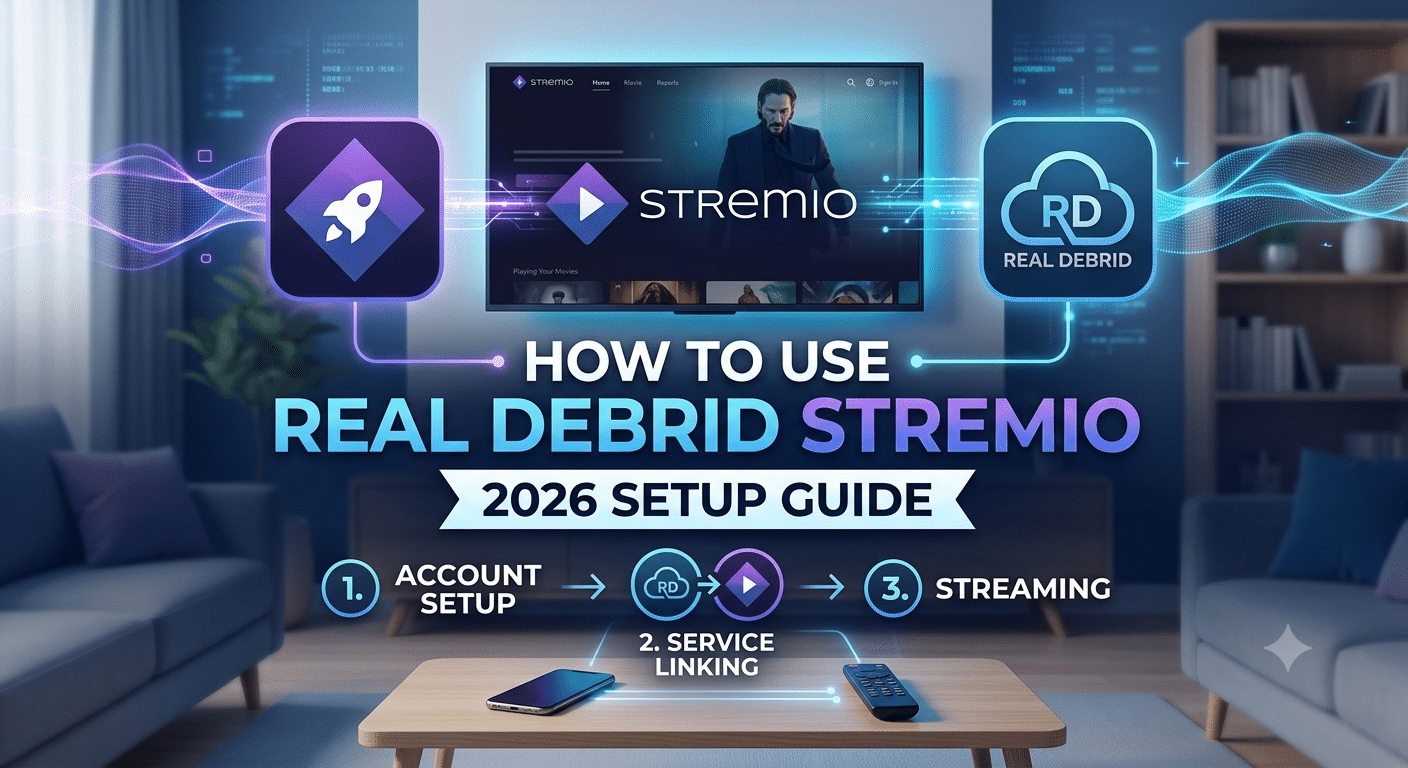

If you’ve ever tried streaming through Stremio and ended up with buffering, broken links, or low-quality sources, you’re not alone. The difference between a basic setup and a properly configured how to use real debrid stremio workflow is night and day—especially when it comes to speed, stream quality, and reliability.
At its core, Real Debrid acts as a premium source aggregator. Instead of relying on slow or overloaded public links, it gives Stremio access to cached, high-speed streams hosted on dedicated servers. When configured correctly, it can significantly reduce buffering and unlock higher-resolution playback options like 1080p and 4K.
Before diving into setup, it helps to understand how the ecosystem works and why each component matters.
What Is Real Debrid and How Does It Work with Stremio?
Real Debrid is a premium caching service that pulls content from multiple file hosts and torrents, then serves it through fast, pre-cached servers. In simple terms, it replaces unreliable public streaming links with optimized ones.
To understand the technical layer more clearly, it helps to review how virtual private networks operate in general, since both technologies often get confused. While Real Debrid improves source availability and speed, VPNs focus on encrypting and anonymizing your traffic.
For users new to privacy tools, this VPN basics guide explains how tunneling and encryption protect your connection.
When integrated with Stremio, Real Debrid doesn’t act as a standalone app. Instead, it works through add-ons—most commonly Torrentio or similar providers—that fetch and filter available streams. Once connected, these add-ons prioritize cached Real Debrid links over standard torrent sources.
This setup is what makes the experience smoother: fewer dead links, faster loading times, and more consistent HD playback.
If you want a deeper breakdown of infrastructure-level protection, this guide on how does a VPN work explains encryption paths and data routing in detail.
How Do You Set Up Real Debrid on Stremio?
Before anything works, you need both a Stremio account and a Real Debrid subscription. Stremio itself is free, but Real Debrid is a paid service that unlocks premium streaming sources.
A full installation walkthrough is covered in this complete Stremio installation guide, which walks through platform setup across Windows, Android, and TV devices.
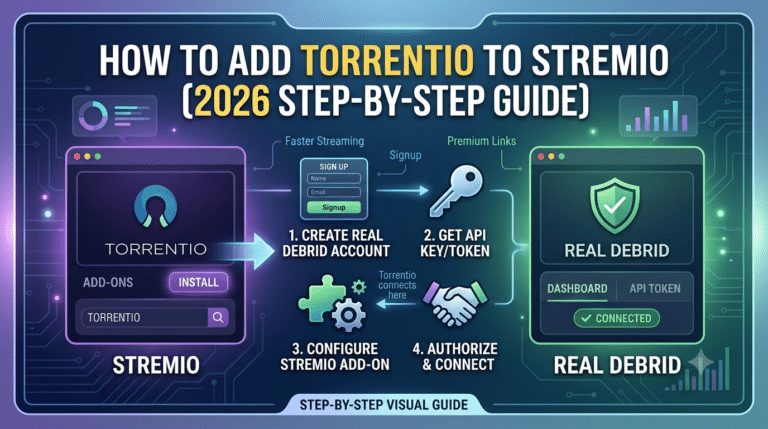
Once Stremio is installed, the Real Debrid connection happens through an add-on configuration process:
- Install a compatible add-on (commonly Torrentio or similar).
- Open the add-on settings page.
- Locate the Real Debrid authorization section.
- Copy the generated API token or login link.
- Confirm authorization inside your Real Debrid account dashboard.
At this point, Stremio can begin pulling premium cached sources automatically.
However, the real improvement comes after correct add-on configuration. Many users skip this step or install outdated extensions, which leads to missing Real Debrid links.
To avoid that, this guide on installing Stremio add-ons correctly explains how to ensure extensions are properly registered and updated.
Which Stremio Add-ons Work Best with Real Debrid?
Not all Stremio add-ons support Real Debrid integration. The most widely used option is Torrentio, which filters torrent results and prioritizes cached Debrid streams.
Other add-ons may offer similar functionality, but compatibility varies depending on updates and community maintenance. Choosing the right add-on directly affects stream quality and availability.
A curated list of best Stremio add-ons to install helps identify which extensions are actively maintained and optimized for debrid services.
In most setups, the combination of Stremio + Torrentio + Real Debrid is enough for stable HD streaming without constant buffering interruptions.
Why This Setup Matters
Without Real Debrid, Stremio relies heavily on public torrent sources. These are often inconsistent, slow, or unavailable for newer content. With Real Debrid enabled, you shift from peer-dependent streaming to server-cached delivery.
That difference becomes especially noticeable during peak hours when torrent swarm speeds drop significantly. Cached links remain stable regardless of user load.
Once Real Debrid is connected to Stremio, most users expect everything to work instantly. In practice, issues usually come down to misconfigured add-ons, expired authorization tokens, or misunderstood streaming behavior. This section breaks down the most common problems and what actually fixes them.
We’ll also look at whether Real Debrid genuinely improves streaming quality—or if the benefit is more limited than most guides suggest.
Why Is Real Debrid Not Working in Stremio?
When Real Debrid fails inside Stremio, the problem is almost always integration-related rather than a service outage.
The most common causes include:
- Expired Real Debrid authorization token
- Incorrect add-on configuration (especially Torrentio)
- Using outdated or unofficial add-ons
- Account restrictions or subscription lapses
- Region-based ISP filtering in rare cases
Before assuming a major issue, re-check your add-on connection settings. In most cases, simply re-authorizing Real Debrid inside the add-on dashboard restores functionality immediately.
It’s also worth understanding how Stremio handles content requests at a system level. This breakdown of how Stremio actually works explains how add-ons act as external data sources rather than built-in streaming providers. If one layer breaks, the entire chain can appear “offline,” even when the service itself is fine.
Quick Fix Checklist
- Re-authorize Real Debrid in your add-on settings
- Restart Stremio completely
- Clear add-on cache or reinstall the extension
- Confirm your Real Debrid subscription is active
- Test with a different add-on source
Most users resolve the issue within minutes using these steps.
Does Real Debrid Actually Improve Streaming Quality?
Yes—but with clear limits.
Real Debrid improves streaming quality by prioritizing cached, high-speed sources instead of relying on unstable peer-to-peer torrents. This leads to:
- Faster stream loading times
- Fewer broken links
- More consistent HD and 4K availability
- Reduced buffering during playback
However, it does not improve your internet speed or fix weak home networks. If your connection is unstable, you’ll still experience buffering regardless of Debrid.
A helpful comparison is how content delivery networks (CDNs) function: they don’t increase bandwidth, but they reduce distance and congestion between you and the source.
From a privacy perspective, many users pair streaming tools with VPNs. Independent privacy organizations like the Electronic Frontier Foundation explain how encryption tools help reduce ISP visibility and tracking risks during streaming activity.
That said, Real Debrid itself is not a VPN—it does not encrypt traffic or anonymize your activity. It simply improves access to cached media.
Is Real Debrid Safe and Legal to Use?
Real Debrid is widely considered safe from a technical standpoint. It does not host content directly; instead, it aggregates links from third-party sources and cached servers.
Legality is more nuanced.
- The service itself is legal in many countries
- Usage depends on the content being accessed
- Copyright laws vary by region
Stremio follows a similar model. It functions as a media player with add-ons, rather than a content provider.
A detailed breakdown of compliance considerations is covered in this guide on Stremio legality and usage rules, which explains how legality depends heavily on add-on sources rather than the platform itself.
Users often assume Real Debrid guarantees legal safety, but that is not accurate. It only changes how content is delivered, not its licensing status.
Why Some Users Mention “Bleack Kai Edition” in Stremio
You may encounter references to modified or unofficial Stremio builds, sometimes referred to in communities as “Bleack Kai Edition.” These versions are not part of the official Stremio ecosystem and are typically distributed through third-party channels.
Most of these builds are unnecessary for Real Debrid usage and can introduce instability or outdated add-ons.
For clarity, this breakdown explains whether a Bleack Kai Edition exists on Stremio and why official builds are generally more reliable for debrid integration.
When Streaming Still Feels Slow
Even with Real Debrid enabled, some users still experience lag or buffering. This usually comes down to:
- Poor Wi-Fi signal strength
- ISP throttling during peak hours
- Overloaded home network devices
- Low-performance streaming hardware
At this point, the issue is no longer the streaming service—it’s your network environment.
This is where VPNs sometimes enter the setup. While they don’t increase raw speed, they can help bypass ISP-level throttling in some cases. If you’re evaluating providers, this breakdown of best VPN services highlights performance-focused options.
For users on a budget, there are also reliable free VPN options available, although they typically come with speed or data limitations.
At this stage, most users have Real Debrid working inside Stremio and notice a clear jump in stream quality. But performance isn’t unlimited. Even a properly configured setup can run into bottlenecks depending on server load, device capability, and account restrictions.
This section breaks down what actually limits performance—and what doesn’t—so you can avoid chasing fixes that won’t make a difference.
What Are the Common Limitations of Using Real Debrid?
Real Debrid improves access to cached streaming sources, but it doesn’t guarantee perfect playback in every situation. Several structural limits still apply.
Key limitations include:
- Availability depends on cached content, not live hosting
- Older or niche titles may have fewer high-quality links
- Peak-hour congestion can still affect response time
- Some add-ons may not properly filter low-quality sources
- Device decoding limits can restrict 4K playback
The biggest misconception is that Real Debrid “creates” streams. It doesn’t. It only surfaces cached versions of existing content from supported hosts.
A more accurate mental model is that it acts like a high-speed index, not a content provider.
For users trying to understand the broader ecosystem, this breakdown of how Stremio actually works explains why add-ons, not the app itself, determine what you can watch.
Server Load Effects, Device Compatibility Limits, Account Restrictions, Speed Throttling Scenarios
Even with premium caching, performance can fluctuate due to external constraints.
1. Server Load Effects
Real Debrid’s cached servers are generally stable, but they are still shared infrastructure. During peak usage hours, you may notice:
- Slight delays in fetching streams
- Temporary reduction in available high-bitrate links
- Slower initial loading times for large files
These issues are typically short-lived and resolve automatically as load decreases.
2. Device Compatibility Limits
Your device plays a major role in playback quality.
Common bottlenecks include:
- Weak CPU/GPU decoding on older devices
- Limited codec support for HEVC/H.265 streams
- Insufficient RAM on low-end Android TV boxes
- Poor hardware acceleration support in some browsers
Even if Real Debrid provides a 4K source, your device may downscale or stutter during playback.
3. Account Restrictions
Performance issues can also stem from account-level limitations:
- Expired subscription
- Simultaneous stream limits (depending on plan)
- Temporary API token invalidation
- Region-based access inconsistencies
These are less common but often misdiagnosed as “service outages.”
4. Speed Throttling Scenarios
Real Debrid itself does not throttle speed, but your ISP might.
Typical signs of throttling:
- Streams slow only during evening hours
- Speed improves when using alternative DNS or routes
- Buffering occurs on specific streaming domains only
In such cases, traffic shaping—not Real Debrid—is the limiting factor.
This is where privacy tools like VPNs sometimes come into play. A VPN can obscure traffic patterns, which may reduce ISP-level throttling in certain environments. To understand the mechanics behind this, this guide on how virtual private networks operate explains how encrypted tunnels change traffic visibility.
Should You Use a VPN with Real Debrid and Stremio?
A VPN is not required for Real Debrid to function, but it can be useful depending on your network conditions and privacy expectations.
When a VPN helps:
- Your ISP throttles streaming traffic
- You want to mask streaming activity metadata
- You are using public or shared Wi-Fi networks
- You want an extra encryption layer for general browsing
When a VPN doesn’t help:
- Your internet speed is already unstable
- The issue is add-on misconfiguration
- Real Debrid links are unavailable or broken
- Your device cannot decode high-bitrate streams
It’s important to understand that VPNs do not increase streaming quality directly. They only change how your traffic is routed and perceived.
For users choosing a provider, this comparison of top-rated VPN services focuses on speed, stability, and privacy performance under real-world testing conditions.
If you’re only looking for basic protection or testing purposes, there are also no-cost VPN options available, but they often come with bandwidth limits that make them less suitable for high-resolution streaming.
Where VPNs Fit in a Real Debrid Setup
In a typical setup:
- Stremio handles playback
- Add-ons fetch streaming sources
- Real Debrid supplies cached high-speed links
- VPN (optional) handles privacy and routing control
Each layer has a different role. Mixing them up often leads to incorrect troubleshooting, especially when users assume VPNs will fix buffering caused by device or add-on issues.
For a deeper understanding of traffic handling and encryption layers, this guide on VPN mechanics explains how data is secured between your device and remote servers.
By now, your how to use real debrid stremio setup should be fully configured, optimized, and stable. The final step is understanding the legal boundaries, best practices for long-term use, and how to keep performance consistent without constant troubleshooting.
This is also where most guides fall short—they explain setup, but not sustainability. That matters more than initial installation.
Is Real Debrid Safe and Legal to Use?
Real Debrid itself is a legitimate premium caching service. It does not host or upload content; instead, it aggregates links from external sources and delivers cached downloads through high-speed servers.
From a technical standpoint, it is safe to use. The service uses account-based authentication and encrypted API connections, which reduces exposure compared to random public streaming sources.
However, legality depends on what you stream, not the tool itself.
- The platform is legal in many jurisdictions
- Content availability varies by region and licensing laws
- Add-ons may access third-party sources outside official distribution channels
This distinction is important: tools are rarely illegal on their own—usage context is what determines compliance.
For a broader understanding of platform-level legality and how streaming ecosystems are classified, this breakdown of Stremio legality and usage rules explains how responsibility shifts between platform, add-ons, and content sources.
Does Stremio Support Real Debrid Officially?
Stremio does not officially bundle Real Debrid. Instead, integration happens through third-party add-ons like Torrentio or similar community tools.
That means:
- Stremio acts as the media player
- Add-ons handle search and source retrieval
- Real Debrid enhances those sources with cached links
This separation is why setup can feel confusing at first. There is no single “enable button”—it’s a layered configuration process.
A deeper explanation of this architecture is covered in this guide on installing Stremio add-ons correctly, which shows how external extensions extend functionality beyond the base app.
Best Practices for Stable Streaming Performance
Once everything is working, stability depends on maintenance habits more than configuration.
Recommended practices:
- Re-authorize Real Debrid every few months
- Avoid outdated or unsupported add-ons
- Stick to actively maintained extensions
- Restart Stremio after major updates
- Clear cache if streams stop appearing
These small steps prevent most long-term issues users encounter.
Another overlooked factor is understanding what Stremio is actually doing in the background. It is not a streaming provider—it is a catalog aggregator that depends entirely on external sources. This breakdown of how Stremio actually works helps clarify why maintenance matters more than initial setup.
When You Should Reconfigure Everything
Even a properly working setup may degrade over time. You should consider reconfiguration if:
- Streams stop appearing entirely
- Real Debrid links no longer show up in results
- Add-ons fail to load or crash frequently
- Playback quality drops unexpectedly
In most cases, reinstalling add-ons and re-authorizing Real Debrid resolves these issues faster than deep troubleshooting.
Should You Use a VPN with Real Debrid Long-Term?
A VPN is optional, but in long-term use it becomes a privacy and network stability decision rather than a setup requirement.
A VPN may help if:
- Your ISP throttles streaming traffic
- You use shared or public networks
- You want to reduce metadata exposure
It won’t help if:
- Your add-ons are misconfigured
- Your device cannot handle high-bitrate streams
- Real Debrid sources are unavailable
For users choosing a provider, this analysis of best VPN services highlights options tested for speed consistency and privacy performance.
If you only need temporary protection, there are also free VPN tools available, though they typically limit bandwidth and speed, making them less ideal for high-resolution streaming.
Final Takeaways
The Real Debrid + Stremio setup is not complicated once you understand its layered structure. The key points are simple:
- Stremio organizes content
- Add-ons retrieve streaming sources
- Real Debrid upgrades those sources with cached performance
- Your device and network still determine final playback quality
Most issues users face are not service failures—they are configuration or environment problems.
When correctly set up, the system delivers consistent HD and 4K streaming with significantly fewer interruptions than standard torrent-based playback.