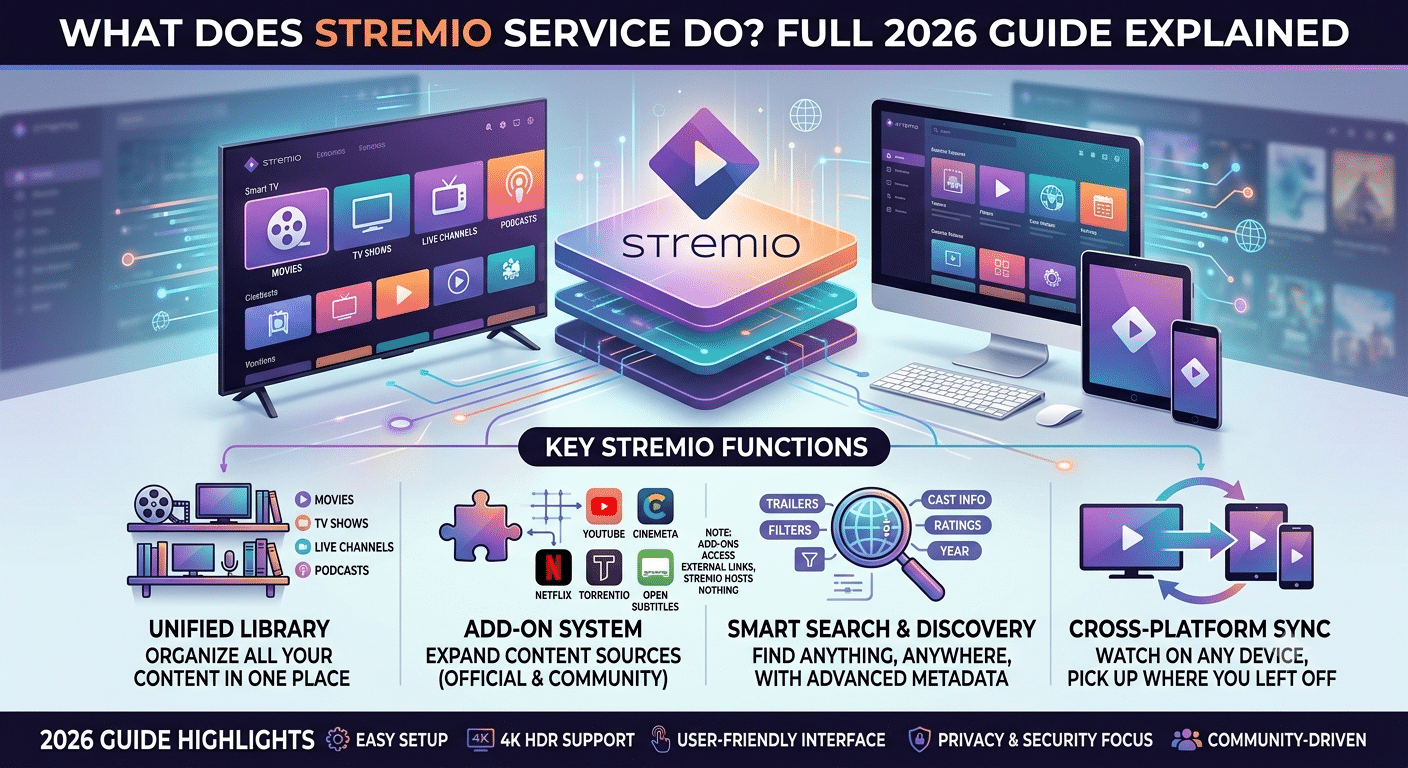

The what does stremio service do question usually gets answered incorrectly because people assume it works like Netflix or Disney+. It doesn’t. Stremio is a media aggregation system that organizes video streams from multiple external sources into a single interface instead of hosting content itself.
In simple terms, you install the app, then connect it to “add-ons” that provide access to content catalogs. Those add-ons determine what you can watch, not Stremio itself. This design makes it closer to a media dashboard than a traditional streaming platform.
A helpful way to frame it: Stremio is the “search engine + library organizer,” while the actual video sources live elsewhere.
For context on how streaming privacy and routing often depend on your network setup, tools like VPNs are commonly used to protect traffic patterns. A solid overview of this can be found in this breakdown of VPN basics, which explains how encrypted tunnels hide browsing activity from third parties.
At its core, Stremio does three things:
- Aggregates content metadata (titles, posters, descriptions)
- Connects to external streaming sources via add-ons
- Plays content inside a unified video player interface
It does not store or own the media files itself.
A broader technical explanation of digital privacy layers like encryption is covered in resources such as how VPN encryption works, which helps you understand how traffic protection works when streaming across third-party sources.
For users trying to understand the legal framing, Stremio is often categorized as a “media hub,” not a content provider, which is why its structure is different from services like Netflix or Hulu.
External reference for streaming platform privacy models:
PCMag VPN overview and security context
Is Stremio a streaming platform or just an app?
Stremio is technically an application layer, not a standalone streaming service. That distinction matters.
Streaming platforms like Netflix host and license content directly. Stremio, by contrast, acts as a container that pulls streams from third-party providers using add-ons.
So when you open Stremio:
- You are not entering a content library owned by Stremio
- You are entering a configurable interface that loads external catalogs
This is why the app feels different from traditional streaming platforms. It doesn’t have a fixed library unless you define one through add-ons.
If you’re comparing it to traditional services, it sits closer to a “media aggregator” than a “media provider.”
For users evaluating privacy or network safety while using aggregated streaming tools, it’s common to compare different protection layers. One reference point is leading VPN providers, which are often used to secure traffic when accessing decentralized streaming sources.
The key takeaway here is simple: Stremio is an interface layer, not a content owner.
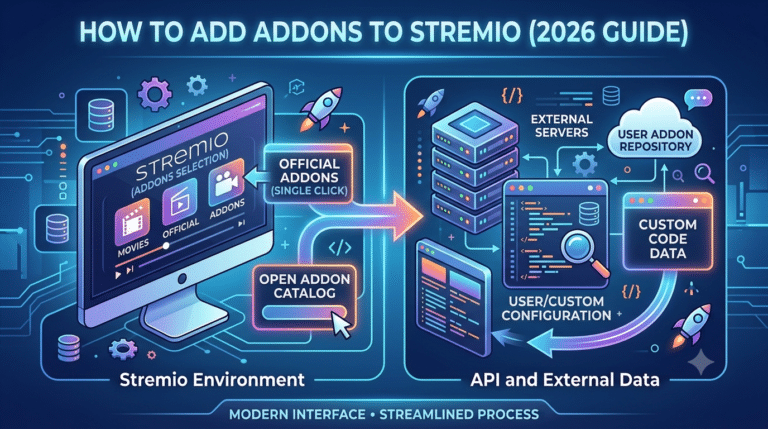
How do Stremio add-ons control what you watch?
Add-ons are the real engine behind Stremio. Without them, the app is basically an empty shell with a UI.
Each add-on connects Stremio to a specific content source. These sources can include:
- Public streaming catalogs
- Torrent-based indexes
- Subtitle providers
- Metadata services
When you search for a movie or show, Stremio queries all active add-ons and returns available streams. That means your viewing options depend entirely on what add-ons you install.
A deeper explanation of how decentralized sources are structured can be found in guides like top free VPNs, which show how free network tools often rely on shared infrastructure models similar in concept to add-on ecosystems.
In practice:
- You search for a title
- Add-ons respond with available streams
- Stremio aggregates them into one list
- You select a stream and play it
This modular design is why Stremio can feel highly flexible—but also inconsistent depending on add-on quality.
Some add-ons are official and stable, while others rely on community-maintained sources. That variability is the reason users often customize their setup heavily.
Why does Stremio rely on external content sources?
Stremio avoids hosting content for both technical and legal reasons.
Hosting video content at scale requires:
- Massive storage infrastructure
- Licensing agreements with studios
- Regional distribution rights management
Instead of building that system, Stremio delegates responsibility to external providers through add-ons. This reduces infrastructure cost and shifts complexity away from the core app.
It also means the app can remain lightweight and cross-platform, running on Windows, macOS, Android, Linux, and TV devices without needing heavy backend servers.
From a cybersecurity perspective, this distributed model is similar to how encrypted traffic systems separate data transport from content access layers. That’s where tools like VPNs are often introduced to add an additional privacy layer over third-party data flows.
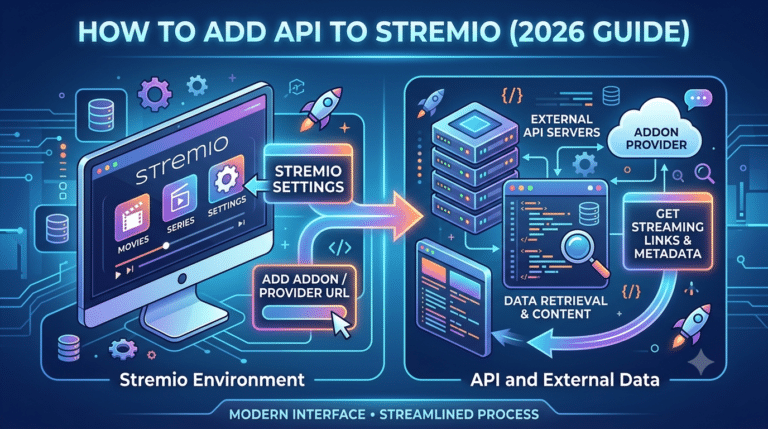
To understand what does stremio service do, you need to see what happens the moment you click a title. Stremio doesn’t “play” content from its own servers. Instead, it queries a network of installed add-ons in real time.
Each add-on acts like a mini search engine. When you request a movie or show, Stremio sends the query to all active add-ons simultaneously. They respond with available stream links, metadata, subtitles, and quality options.
The key detail: results are not stored centrally. Everything is fetched dynamically.
For users who install and configure the platform, setup matters more than anything else. A structured walkthrough is available in this step-by-step Stremio setup guide, which shows how initial configuration affects performance and content discovery.
This architecture explains why two users can have completely different libraries on the same app.
Why Stremio feels different from traditional streaming apps
Traditional platforms like Netflix rely on centralized infrastructure:
- One catalog
- One licensing system
- One controlled playback environment
Stremio replaces that with a distributed model:
- Multiple external catalogs
- Independent stream sources
- User-controlled add-on ecosystem
This creates flexibility but also variability. Some add-ons prioritize speed, others prioritize quantity, and some rely on peer-to-peer sources that change constantly.
When users customize their setup further, they often adjust how add-ons are organized or prioritized. That directly affects what appears in search results. A practical breakdown of this process is covered in guides like how to rearrange Stremio add-ons for better streaming control, which explains how ordering impacts discovery results.
The result is a system that behaves more like a “modular search layer” than a fixed streaming library.
How Stremio handles torrent-based streaming
One of the most misunderstood parts of Stremio is its ability to integrate torrent-based sources through certain add-ons. In this setup, streams are not hosted on servers in the traditional sense—they are shared across peer networks.
When you click play:
- The add-on locates a torrent swarm
- Data is fetched in small chunks
- Playback begins before full download completes
This is why buffering behavior can vary significantly depending on source health.
Some setups use external tools to improve reliability by caching or optimizing streams. For example, users often rely on services described in how Real-Debrid works with Stremio for smoother playback, which reduces dependency on unstable peer sources.
This model increases availability but also introduces variability in speed and quality.
What determines stream quality inside Stremio?
Stream quality is not controlled by the app itself. It depends on three external factors:
- Add-on source quality – Some sources only provide low-resolution streams
- Network health of peers – In torrent-based streams, peer availability matters
- Caching or resolver services – External tools can stabilize playback
This is why the same title can appear in 480p for one user and 1080p or higher for another.
From a system design perspective, Stremio acts like a router between you and multiple decentralized video pipelines.
To understand why users often combine streaming tools with privacy layers, it helps to look at encrypted routing behavior described in VPN mechanics and secure data tunneling, which explains how traffic is shielded from ISP visibility during third-party streaming.
Installing and managing add-ons effectively
Add-ons are not automatically optimized. Users often need to:
- Add new sources manually
- Remove outdated or broken ones
- Prioritize reliable providers
This customization process is essential for stable usage.
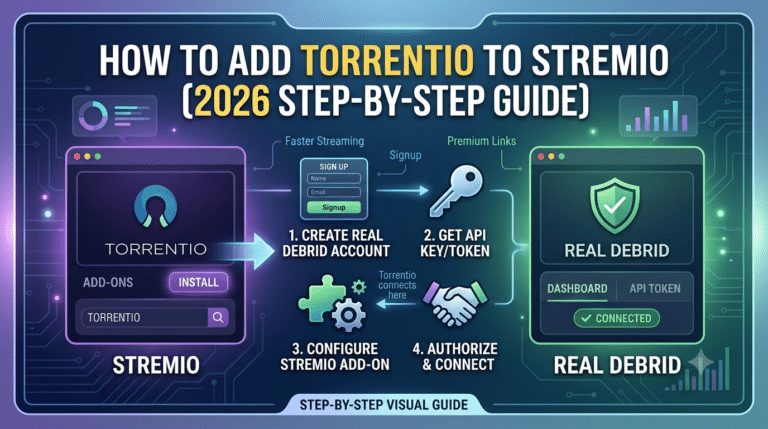
A deeper technical walkthrough of adding popular streaming sources is available in how to install Torrentio inside Stremio, which demonstrates how a single add-on can significantly expand content availability.
Once installed, Stremio continuously syncs add-ons in the background. There is no central update cycle—each add-on evolves independently.
This decentralized structure is powerful but also unpredictable. If an add-on goes offline, content linked to it disappears instantly.
server load effects, device compatibility limits, account/plan restrictions, speed throttling scenarios, etc.
Stremio itself does not impose strict server-side limits because it doesn’t host content, but performance is still shaped by external constraints.
Device compatibility limits
- Low-end devices struggle with high-bitrate streams
- Smart TVs may have slower add-on loading times
- Mobile devices depend heavily on CPU decoding capability
Speed throttling scenarios
- ISPs may throttle peer-to-peer traffic
- High-resolution streams require stable bandwidth
- VPN routing can either improve or reduce latency depending on server distance
Account or usage restrictions
- Some external sources limit simultaneous streams
- Certain add-ons restrict access based on region or availability
- Cached services may require subscription tiers for full quality access
These limitations are not enforced by Stremio itself but by the ecosystem around it.
Why external tools are often used with Stremio
Because Stremio depends on third-party streams, users often combine it with optimization layers:
- caching services for smoother playback
- subtitle providers for language accuracy
- privacy tools for secure traffic routing
This layered approach improves consistency, especially when sources fluctuate.
A practical example of external stream optimization is shown in using Stremio with external torrent-based sources, which illustrates how decentralized content feeds integrate into the app.
Is Stremio legal and how does content access actually work?
Understanding what does stremio service do requires separating the app itself from the sources it connects to. Stremio is legal as a software application. It functions as a media organizer and playback interface.
The legal complexity comes from add-ons. Since add-ons connect to third-party sources, the legality depends on what those sources provide and how they are licensed in your region.
Stremio does not host or distribute copyrighted content on its own infrastructure. Instead, it indexes and displays streams made available through external providers.
This structure is similar to other open media tools, where responsibility shifts from the platform to the user-selected sources.
For users who want to understand how network privacy affects streaming activity, this overview of what is a VPN and why it matters for streaming privacy explains how encrypted connections can reduce exposure of browsing activity to ISPs.
The key takeaway: legality is not tied to the app—it is tied to the content sources you enable.
How does Stremio get movies and shows from different sources?
Stremio does not maintain a centralized library. Instead, it pulls content metadata and stream links from add-ons that act as connectors.
When you search for a title:
- Stremio sends your request to active add-ons
- Each add-on scans its indexed sources
- Results are returned as stream options
- You choose a source and playback begins
This system means Stremio is constantly dependent on external availability.
Some add-ons pull from official APIs, while others rely on community or peer-based indexing systems. That is why results can vary dramatically between users.
A deeper walkthrough of how external streaming sources integrate into Stremio is available in this guide on how to watch content on Stremio step by step, which explains how streams are selected and played.
This model gives flexibility but also introduces inconsistency in availability and quality.
Why Stremio’s add-on ecosystem creates legal gray areas
The add-on system is both Stremio’s strength and its legal complexity.
Because add-ons are developed independently:
- Some provide access to licensed content
- Others aggregate publicly available streams
- Some rely on peer-to-peer indexing systems
Stremio itself does not verify every add-on source, which means responsibility shifts to the user.
This decentralized model is similar to open-source ecosystems where plugins extend functionality without centralized approval.
From a security standpoint, this is where users often introduce privacy tools. Guides such as how VPNs operate to protect data traffic explain how encryption layers can reduce exposure when interacting with third-party networks.
However, no tool changes the legal responsibility tied to content selection.
Is Stremio safe to use in everyday scenarios?
Stremio is generally safe as an application, but safety depends on how it is configured.
The main risks come from:
- Unverified add-ons
- External stream sources
- Third-party torrent-based feeds
The app itself does not contain malware, but external add-ons can vary in quality and trustworthiness.
Users typically reduce risk by:
- Installing only well-known add-ons
- Avoiding unknown community sources
- Keeping the app updated
Security behavior also depends on network configuration. For example, encrypted routing tools described in VPN mechanics and secure data handling are often used to reduce exposure of streaming activity to ISPs.
Safety in Stremio is less about the app itself and more about ecosystem hygiene.
What limits affect performance and streaming quality?
Even though Stremio feels like a single platform, performance is shaped by multiple external constraints.
Device performance limits
- Low RAM devices struggle with high-bitrate playback
- Smart TVs may lag when loading multiple add-ons
- Mobile devices depend heavily on hardware decoding efficiency
Network constraints
- Peer-based streams depend on swarm health
- High-resolution content requires stable bandwidth
- ISP throttling can affect torrent-based sources
Add-on variability
- Some add-ons update frequently, others break over time
- Source availability changes dynamically
- Stream quality depends on upstream provider stability
A useful comparison can be made with secure browsing environments described in top-rated VPN services, where routing stability and server quality directly affect performance—similar to how add-on quality impacts Stremio.
How users typically improve streaming stability
Since Stremio itself doesn’t control infrastructure, users often optimize the environment around it.
Common improvements include:
- Using higher-quality add-ons with stable indexing
- Removing redundant or broken sources
- Relying on caching or premium resolver services
- Ensuring stable network conditions
Some users also experiment with different content sourcing strategies, such as those explained in installing and configuring Torrentio for Stremio, which can significantly expand available streams.
These optimizations don’t change Stremio itself—they improve how efficiently it connects to external sources.
What devices can run Stremio smoothly?
To fully understand what does stremio service do, you need to see where it actually runs in real life. Stremio is designed to be cross-platform, which means it behaves differently depending on the device.
It supports:
- Windows and macOS desktops
- Linux distributions
- Android smartphones and tablets
- Android TV / smart TV devices
- Some browser-based access layers (limited functionality)
Desktop versions are the most stable because they can handle heavier stream processing and multiple add-ons without performance drops. Mobile and TV versions are more streamlined, focusing on playback rather than configuration depth.
Device capability directly affects playback quality. High-resolution streams require hardware decoding support, while lower-end devices may default to reduced quality streams or experience buffering.
This is especially noticeable when multiple add-ons are active at once, since each adds overhead during search and stream resolution.
How the Stremio experience changes across devices
The same Stremio account can feel completely different depending on where you use it.
Desktop experience
- Full add-on management
- Faster catalog loading
- Better multitasking during stream selection
- More stable playback pipelines
Mobile experience
- Simplified interface
- Limited add-on configuration
- Heavily optimized for touch navigation
- Dependent on network stability
Smart TV experience
- Focused purely on viewing
- Slower navigation through add-ons
- Optimized for remote control interaction
- Best for passive watching, not setup
This variation matters because Stremio is not a fixed streaming service—it is a modular system that adapts to hardware constraints.
For users configuring multi-device setups, proper installation steps matter. A structured walkthrough is available in this complete Stremio setup guide, which explains how to align the same account across devices for consistent behavior.
Real-world workflow: how users actually use Stremio daily
In practice, most users follow a predictable workflow:
- Open the app on their preferred device
- Search for a movie or TV show
- Wait for add-ons to return available streams
- Select a source based on quality and speed
- Start playback inside the built-in player
The experience is fast when add-ons are well configured, but inconsistent setups can slow down discovery.
Many users refine this process by managing add-ons carefully. For example, reorganizing or disabling low-quality sources improves search accuracy and reduces clutter. This is covered in detail in how to rearrange Stremio add-ons for better control, which shows how ordering affects stream selection.
The system is dynamic, meaning results can change daily depending on source availability.
How external services improve streaming consistency
Because Stremio relies on external streams, performance is not always predictable. Users often introduce optimization layers to stabilize playback.
Common improvements include:
- Caching services that reduce buffering
- High-speed stream resolvers for better quality links
- Subtitle integration tools for multilingual content
- Network optimization through routing tools
Some advanced setups integrate services described in using Real-Debrid with Stremio for smoother streaming performance, which improves reliability by reducing dependency on unstable peer-based sources.
These enhancements don’t change Stremio itself—they improve the infrastructure it depends on.
server load effects, device compatibility limits, account/plan restrictions, speed throttling scenarios, etc.
Even though Stremio has no traditional server load model, performance is still influenced by ecosystem constraints.
Device compatibility limits
- Low-power devices struggle with high-bitrate decoding
- Smart TVs may lag during add-on sync operations
- Mobile devices rely heavily on efficient codecs
Speed and throttling scenarios
- ISP throttling can affect peer-to-peer streams
- VPN routing can either reduce or increase latency
- High-demand streams may suffer from peer scarcity
Account and add-on constraints
- Some add-ons limit simultaneous stream requests
- External services may restrict access by region
- Premium resolvers may require subscription tiers
These constraints exist outside the core app but directly shape user experience.
Final explanation: what Stremio actually is in one view
At its core, Stremio is not a streaming service in the traditional sense. It is a content aggregation platform that organizes and plays media streams from multiple external sources.
It does three things extremely well:
- Centralizes fragmented streaming sources
- Provides a unified playback interface
- Lets users customize content discovery through add-ons
But it does not:
- Host media itself
- Control licensing of external streams
- Guarantee consistent availability across all sources
That balance is what makes it powerful and flexible, but also dependent on ecosystem quality.
For users comparing streaming tools and privacy layers, understanding secure network behavior is useful. A foundational explanation is available in this beginner’s guide to VPNs, which outlines how encrypted connections interact with online services.
Conclusion
The what does stremio service do question comes down to one idea: it is a streaming aggregator, not a streaming provider. It organizes external sources into a single interface, giving users flexible but variable access to content.
Its strength is modularity. Its weakness is dependency on third-party streams. If you understand that trade-off, you understand Stremio.
Used with properly managed add-ons and stable network conditions, it becomes a powerful media hub. Without that structure, performance can feel inconsistent.
Based on its architecture, Stremio is best seen as a customizable streaming layer rather than a traditional platform.
For a deeper breakdown of how setup impacts performance, you can explore the full Stremio configuration and usage guide.