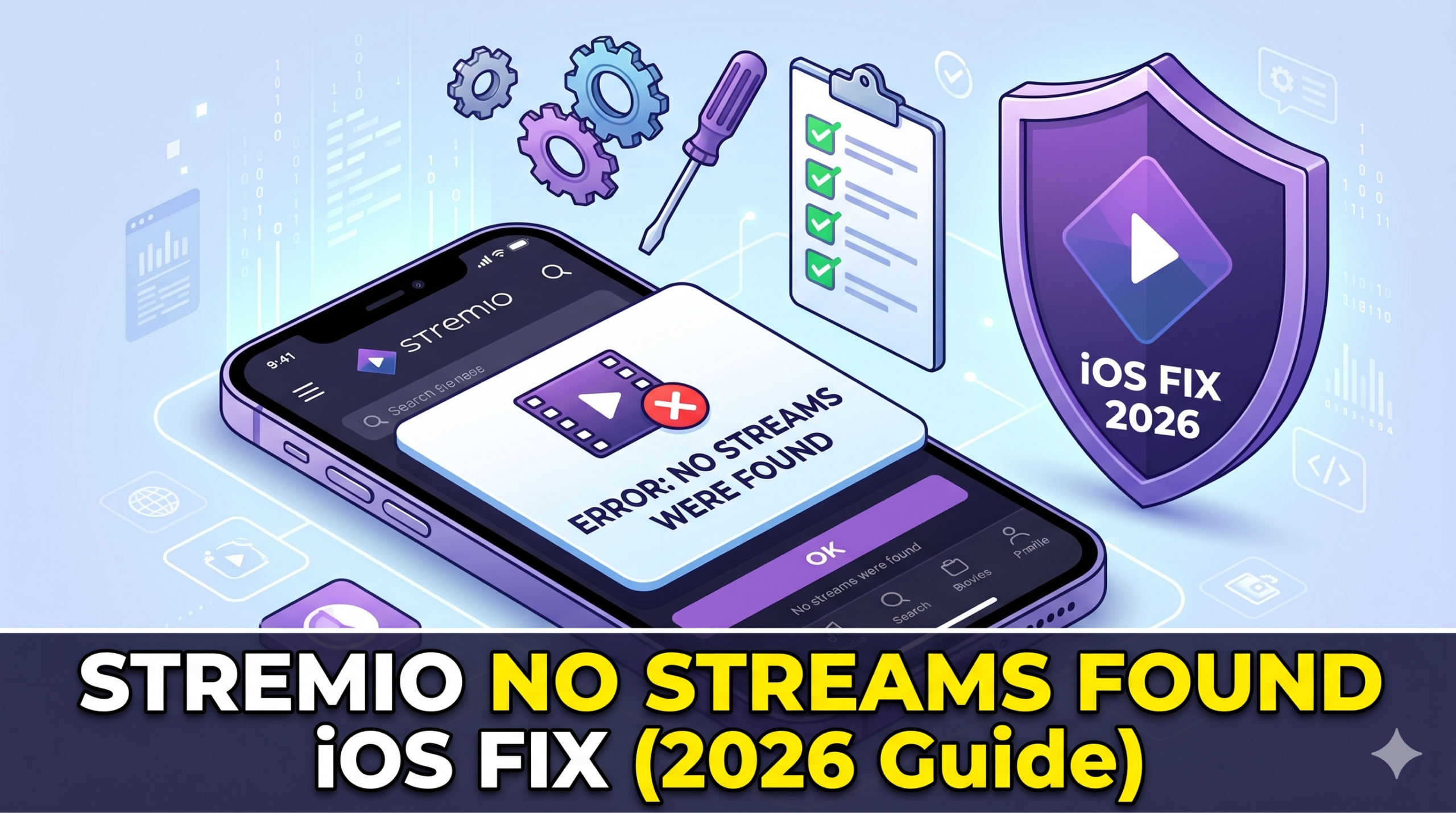

Stremio No streams were found iOS is one of the most common playback failures users encounter when trying to stream on iPhone or iPad. The problem is rarely a single bug. It usually comes from a mix of iOS platform restrictions, missing streaming sources, and how Stremio handles add-ons on Apple devices.
At a technical level, Stremio depends on third-party add-ons to generate streaming links. On iOS, that pipeline is more fragile due to browser constraints, limited background processing, and stricter media handling rules. Apple’s WebKit engine blocks or limits several behaviors that desktop Stremio users take for granted.
Privacy and network configuration can also make the issue worse. In some cases, VPN routing or DNS filtering changes how add-ons respond, which leads to empty results. If you’re new to how encrypted routing affects streaming paths, this VPN basics guide explains how traffic tunneling can influence app-level connectivity without you noticing.
For broader privacy context, organizations like the Electronic Frontier Foundation also highlight how network-level filtering can unintentionally break media discovery systems. You can review their analysis on digital privacy controls at https://www.eff.org/issues/privacy.
Why does Stremio show “No streams were found” on iOS?
The “No streams were found” message appears when Stremio’s add-on layer fails to return playable sources. On iOS, this failure is more frequent for three main reasons.
First, Safari-based WebKit limits how Stremio Web interacts with external APIs. Many torrent-indexing add-ons rely on requests that are either throttled or blocked under strict cross-site rules. When those requests fail, Stremio receives an empty response rather than an error message.
Second, iOS devices often route traffic through privacy layers like iCloud Private Relay or DNS-level filters. These systems can interfere with real-time scraping or indexing services used by add-ons.
Third, many users rely on VPNs to access region-locked sources. While VPNs improve privacy, they can also introduce routing inconsistencies that break add-on queries. If you want a deeper breakdown of secure tunneling behavior, this how does a VPN work resource explains how encrypted packets are routed and where delays or mismatches occur.
A more complete breakdown of this error pattern across devices is available in our global troubleshooting guide on Stremio failures: https://vpnx.blog/stremio-no-streams-were-found/
Is Stremio fully supported on iPhone and iPad?
Stremio does not have a full native iOS application with the same capabilities as its Windows or Android versions. Instead, iOS users rely on Stremio Web or lightweight variants that depend heavily on browser execution.
That distinction matters. On desktop platforms, Stremio can run background services and maintain persistent connections to add-ons. On iOS, everything runs inside a sandboxed browser environment with strict memory and network limits.
As a result, even if the same add-ons are configured, iOS may fail to display streams simply because it cannot maintain the required connection lifecycle. This is why users often report that everything works on Android but breaks on iPhone under identical setups.
You can see how this behavior differs on Android in our platform-specific breakdown here: https://vpnx.blog/stremio-no-streams-were-found-android/
On macOS, similar limitations appear but are less severe due to broader system-level permissions. We cover that separately here: https://vpnx.blog/stremio-no-streams-were-found-mac/
server load effects, device compatibility limits, account/plan restrictions, speed throttling scenarios, etc.
Server-side load and device-level restrictions play a bigger role than most users expect. When add-on servers are overloaded, they often return incomplete datasets instead of explicit errors. iOS browsers interpret this as “no streams available.”
Device compatibility also matters. Older iPhones may struggle with modern WebRTC-based streaming paths, especially when multiple background processes compete for memory. This leads to silent failures where links never render.
Account-level restrictions appear when using debrid services without proper authentication refresh. If tokens expire, Stremio may still load the interface but fail to populate results.
Speed throttling is another hidden factor. Some ISPs detect streaming patterns and reduce bandwidth dynamically. On iOS, where buffering logic is more conservative than desktop apps, throttling often results in empty stream lists rather than slow playback.
Quick technical takeaway
On iOS, “No streams were found” is not a single error state. It is the result of:
- API requests failing silently in WebKit
- Add-ons returning empty datasets under restricted conditions
- Network layers (VPN, DNS, Private Relay) altering request paths
- Limited background processing compared to desktop Stremio
Is Stremio fully supported on iOS?
Stremio is not fully supported on iOS in the same way it is on Android or Windows. On iPhone and iPad, you’re essentially working with a constrained version of the platform that runs inside a browser environment rather than a full native app.
This matters because Stremio’s core function—aggregating streams from multiple add-ons—depends on persistent background connections. iOS does not allow that level of background execution for web apps. As a result, Stremio Web on iOS often loads the interface but fails to populate stream results.
Apple’s browser engine (WebKit) also enforces strict sandboxing. That limits how long requests can stay open and how external scripts interact with media sources. When those requests time out, you get the “No streams were found” message even though the same content may load on desktop.
This is why official guidance from Stremio’s own support documentation emphasizes browser-based usage on iOS rather than a dedicated app experience:
https://stremio.zendesk.com/hc/en-us/articles/360000294751-Stremio-on-iOS
If you want a deeper understanding of how VPN routing can also impact these limitations, this breakdown of leading providers shows how network stability affects streaming consistency:
https://vpnx.blog/best-vpn/
Why does Stremio work on Android but fail on iOS?
The difference between Android and iOS behavior is structural, not cosmetic. On Android, Stremio can rely on a more flexible runtime environment where background processes, WebView behavior, and network calls are less restricted.
On iOS, everything is locked into Safari’s WebKit engine. That means:
- Short-lived API calls instead of persistent streaming sessions
- Stricter cross-site request policies
- Limited background refresh for web apps
- Aggressive memory cleanup when tabs are inactive
These constraints directly affect how add-ons respond. Even if the same add-ons are installed, iOS may never complete the handshake required to return stream URLs.
This gap is why users frequently report that Stremio works normally on Android but shows empty results on iPhone under identical configurations.
A similar pattern appears in other device categories too. On Windows systems, for example, full desktop execution avoids these limitations entirely. You can see how that environment behaves differently in this breakdown:
https://vpnx.blog/stremio-no-streams-were-found-windows/
On Smart TVs, the issue shifts again due to hardware decoding and app wrapper limitations rather than browser constraints:
https://vpnx.blog/stremio-no-streams-were-found-tv/
These differences confirm that the issue is not the content itself—it’s the execution environment.
How addons and Real-Debrid affect streams on iOS
Add-ons are the backbone of Stremio’s streaming system. They act as search engines for video sources, pulling links from torrent indexes, APIs, or debrid services. On iOS, this process is more fragile because requests often fail silently at the browser level.
When an add-on fails to return results, Stremio doesn’t always show an explicit error. Instead, it simply displays “No streams were found.”
Real-Debrid changes this behavior significantly. Instead of relying on unstable torrent scraping, debrid services provide cached, direct-download links. These are faster and more reliable, especially in restricted environments like iOS.
However, even Real-Debrid can fail if authentication tokens expire or if Safari blocks third-party storage required to maintain sessions. That’s a common issue on iOS where privacy protections clear or isolate cookies more aggressively than desktop browsers.
VPN usage adds another variable. Some ISPs or regions throttle or filter torrent-related traffic, which can cause add-ons to return incomplete datasets. In those cases, a stable VPN connection can improve consistency, but only if it avoids overloaded or heavily filtered endpoints.
If you’re evaluating VPN stability specifically for streaming scenarios like this, these no-cost options are often used for testing basic connectivity before upgrading:
https://vpnx.blog/best-free-vpn/
For users trying to understand how VPN routing interacts with streaming pipelines in Stremio, this dedicated breakdown explains the failure points in detail:
https://vpnx.blog/stremio-no-streams-were-found-vpn/
Why streams disappear even when everything is “correct”
One of the most confusing aspects of this issue is that everything can appear correctly configured—add-ons installed, Real-Debrid connected, and streams still missing.
This usually comes down to timing and request failure. Add-ons often rely on multiple chained requests. If even one step fails (API call, index fetch, or debrid validation), the final output becomes empty.
On iOS, these failures are more likely because Safari aggressively limits simultaneous network calls. That creates a bottleneck where partial responses are discarded instead of retried.
The result is a clean interface with no error messages—just missing content.
Quick diagnostic summary
If you’re seeing “No streams were found” on iOS, the most likely causes are:
- WebKit blocking or shortening API requests
- Add-ons failing to complete multi-step lookups
- Real-Debrid session or token issues
- Network filtering or VPN routing inconsistencies
- iOS privacy features isolating streaming data
Can VPN or iCloud Private Relay block Stremio streams on iOS?
Yes—both VPNs and iCloud Private Relay can directly influence whether Stremio returns streams on iOS, and the effect is usually silent. You don’t get a clear error; you just get an empty result list.
iCloud Private Relay, in particular, reroutes Safari traffic through multiple Apple-controlled nodes. That process obscures your IP address but also interferes with real-time request matching used by Stremio add-ons. When the add-on server cannot reliably identify your session or region, it may return no results instead of partial ones.
VPNs introduce a similar issue but for different reasons. A VPN changes your exit node, which affects geo-filtered content, DNS resolution, and sometimes even API response behavior. If the VPN endpoint is overloaded or flagged by streaming indexes, requests may be throttled or dropped entirely.
This is especially relevant for torrent-index-based systems, where consistency matters more than raw speed. A single dropped request in the chain can collapse the entire stream lookup process.
If you want a structured explanation of how encrypted tunnels affect routing behavior, this overview of VPN mechanics breaks down how traffic is encapsulated and where failures typically occur:
https://vpnx.blog/how-does-a-vpn-work/
What are the most common fixes for iOS Stremio streaming errors?
Most “No streams were found” cases on iOS can be resolved by isolating where the request chain breaks. The goal is not to “boost performance” but to remove interference points.
Start with the browser environment. Safari extensions, content blockers, and privacy settings often interfere with add-on scripts. Disabling these temporarily helps determine whether the issue is local or upstream.
Next, test network behavior without intermediaries. Turn off VPNs and iCloud Private Relay, then reload Stremio Web. If streams appear, the issue is routing-related rather than content-related.
DNS configuration also plays a role. Some filtered DNS providers block torrent-related domains at the resolution level. Switching to a neutral resolver can restore missing endpoints.
Another common fix involves clearing session storage. Stremio Web relies heavily on browser-stored tokens. If those become corrupted or outdated, add-ons may fail silently.
Finally, test across browsers if possible. While iOS forces all browsers to use WebKit, small differences in caching behavior between Safari and alternative browsers can still affect session persistence.
server load effects, device compatibility limits, account/plan restrictions, speed throttling scenarios, etc.
Server-side instability is one of the most overlooked causes of missing streams. Add-ons do not always fail cleanly when overloaded. Instead, they return incomplete or partial datasets. On iOS, where error visibility is reduced, this often appears as “No streams available.”
Device limitations also matter more than users expect. iPhones with lower RAM or older chipsets may aggressively suspend background tabs. When Stremio Web is paused mid-request, the final response chain is never completed. The interface loads, but streams never populate.
Account-level restrictions are another hidden factor. Real-Debrid or similar services rely on authentication tokens that expire periodically. If renewal fails, Stremio continues to display normally but cannot fetch usable links.
Speed throttling from ISPs adds another layer. Some networks detect streaming-like behavior and reduce bandwidth selectively. Unlike desktop apps that retry aggressively, iOS browsers often fail fast instead of retrying connections, which leads to empty results instead of buffered playback.
This combination of factors creates a false impression that Stremio is broken, when in reality the request pipeline is being interrupted at multiple points.
Why fixes behave differently on iOS compared to desktop
On desktop systems, troubleshooting is straightforward because you can inspect logs, force refresh background services, and maintain persistent connections. iOS removes most of those debugging options.
That means fixes that work on Windows or macOS—like reinstalling add-ons or forcing cache rebuilds—don’t always translate directly. Instead, iOS requires environmental isolation: stripping away VPNs, disabling privacy relays, and resetting browser state.
This is why many users mistakenly assume Stremio is “not working on iPhone,” when in reality it is working but receiving no valid upstream responses.
Key diagnostic logic for iOS users
If you are trying to isolate the issue, follow this logic path:
- If streams work without VPN → routing or geo-filtering issue
- If streams work in another browser session → cache or storage corruption
- If streams work on Android but not iOS → WebKit limitation
- If streams never work anywhere → add-on or debrid service issue
This separation is important because iOS collapses multiple failure modes into a single symptom: an empty results screen.
Why the error feels inconsistent
The most frustrating aspect of “No streams were found” is inconsistency. The same setup may work one day and fail the next.
This happens because add-on sources are not stable databases. They are dynamic indexes that change constantly. A working stream path today may be removed, throttled, or geo-blocked tomorrow.
iOS amplifies this inconsistency because it does not retry failed network calls as aggressively as desktop environments. Once a request fails, it is often dropped without fallback attempts.
Why “No streams were found” on iOS is not a single error
By now, the pattern is clear: Stremio No streams were found iOS is not caused by one broken component. It is the result of multiple failure layers collapsing into a single output—empty results.
On iOS, Stremio runs inside a restricted browser environment. That alone removes several capabilities the system depends on: persistent socket connections, stable background requests, and flexible cross-site data exchange. When any part of that chain fails, the app does not always surface a detailed error. It simply returns nothing.
This is why users often assume the app is broken when, in reality, the request never completed in the first place.
A useful reference point for understanding how modern platforms handle data control and filtering is the Electronic Frontier Foundation’s breakdown of network transparency and privacy layers at https://www.eff.org/issues/privacy. The same principles apply here: when traffic is filtered or obscured, downstream services often fail silently instead of explicitly.
Why fixes sometimes work temporarily but not permanently
One of the most confusing behaviors on iOS is inconsistency. A user may fix the issue temporarily—streams appear again—then disappear hours later.
This usually happens because Stremio add-ons depend on unstable external indexes. These indexes change frequently, and some are rate-limited or geo-sensitive. When a working endpoint becomes unavailable, iOS does not always retry aggressively enough to recover alternate sources.
Temporary success often comes from:
- A fresh DNS route resolving correctly
- A non-blocked VPN endpoint
- A still-valid Real-Debrid session
- Cached add-on responses that haven’t expired yet
Once any of these conditions change, the system falls back into an empty state.
For users trying to evaluate more stable privacy routing options that reduce these inconsistencies, this breakdown of leading VPN configurations helps identify services optimized for streaming reliability:
https://vpnx.blog/best-vpn/
Why iOS makes troubleshooting harder than other platforms
On Windows or Android, diagnosing Stremio issues is relatively direct. You can inspect logs, force restart services, or isolate network calls more effectively. iOS removes most of those options.
You cannot access deep system logs for WebKit-based apps. You cannot override memory handling. You cannot fully control background network retries. That means every troubleshooting step becomes indirect:
- Change network conditions
- Reset browser state
- Disable privacy layers
- Re-test add-ons
This limitation is not specific to Stremio—it applies to all streaming tools running in Safari’s engine. The result is a system where failures are harder to diagnose but easier to misinterpret.
When the issue is not iOS at all
A critical point often missed in user discussions is that iOS is frequently blamed for failures caused elsewhere in the stack.
In many cases, the root issue is:
- Broken or outdated add-ons
- Expired Real-Debrid authorization
- Overloaded indexing servers
- Regional blocking of content sources
- ISP-level filtering of torrent-related traffic
When any of these break, iOS simply exposes the failure more clearly because it lacks fallback execution paths.
This is why the same setup might work on desktop while failing on iPhone under identical conditions. Desktop clients silently retry; iOS often does not.
Practical troubleshooting hierarchy (what actually works)
If you want a structured approach instead of random changes, use this order:
- Network reset first
Disable VPNs, iCloud Private Relay, and custom DNS. - Add-on validation second
Check if sources work on another device (Android or desktop). - Session reset third
Clear Stremio Web storage and reload authentication tokens. - External dependency check
Confirm Real-Debrid or similar services are active. - Browser isolation test
Try a clean Safari session without extensions.
This order matters because most failures occur at the network or add-on layer—not inside the app itself.
Is Stremio usable on iOS long-term?
The short answer: yes, but with constraints.
Stremio on iOS works best when treated as a lightweight streaming interface rather than a full media engine. If you expect desktop-level reliability, you will consistently run into limitations caused by WebKit and Apple’s security model.
For users evaluating whether alternative setups might offer better consistency, independent reviews of streaming-focused privacy tools—such as those analyzed by PCMag at https://www.pcmag.com/—highlight how platform restrictions shape real-world performance more than raw connection speed.
FAQ
Why does Stremio show no streams only on iPhone?
Because iOS restricts background requests and cross-site streaming calls, which prevents add-ons from completing source lookups.
Does using a VPN fix Stremio on iOS?
Sometimes. A VPN can bypass ISP filtering, but it can also introduce routing issues that worsen stream discovery.
Why does Stremio work on Wi-Fi but not mobile data?
Mobile networks often apply stricter filtering or throttling to streaming-related traffic patterns.
Is Real-Debrid required for iOS?
Not required, but highly recommended because it reduces dependency on unstable torrent-based indexing.
Final takeaway
The Stremio No streams were found iOS error is not a single malfunction—it is a layered failure across network routing, browser restrictions, and add-on availability. iOS simply exposes these weaknesses more aggressively than other platforms.
If your setup depends on consistent streaming, stability will come from reducing external dependencies, not forcing the app to behave like a desktop client. In most cases, VPN routing quality and add-on reliability matter far more than device settings.
For a deeper breakdown of VPN configurations that improve streaming consistency and reduce empty stream errors, see our full guide here: https://vpnx.blog/stremio-no-streams-were-found-vpn/