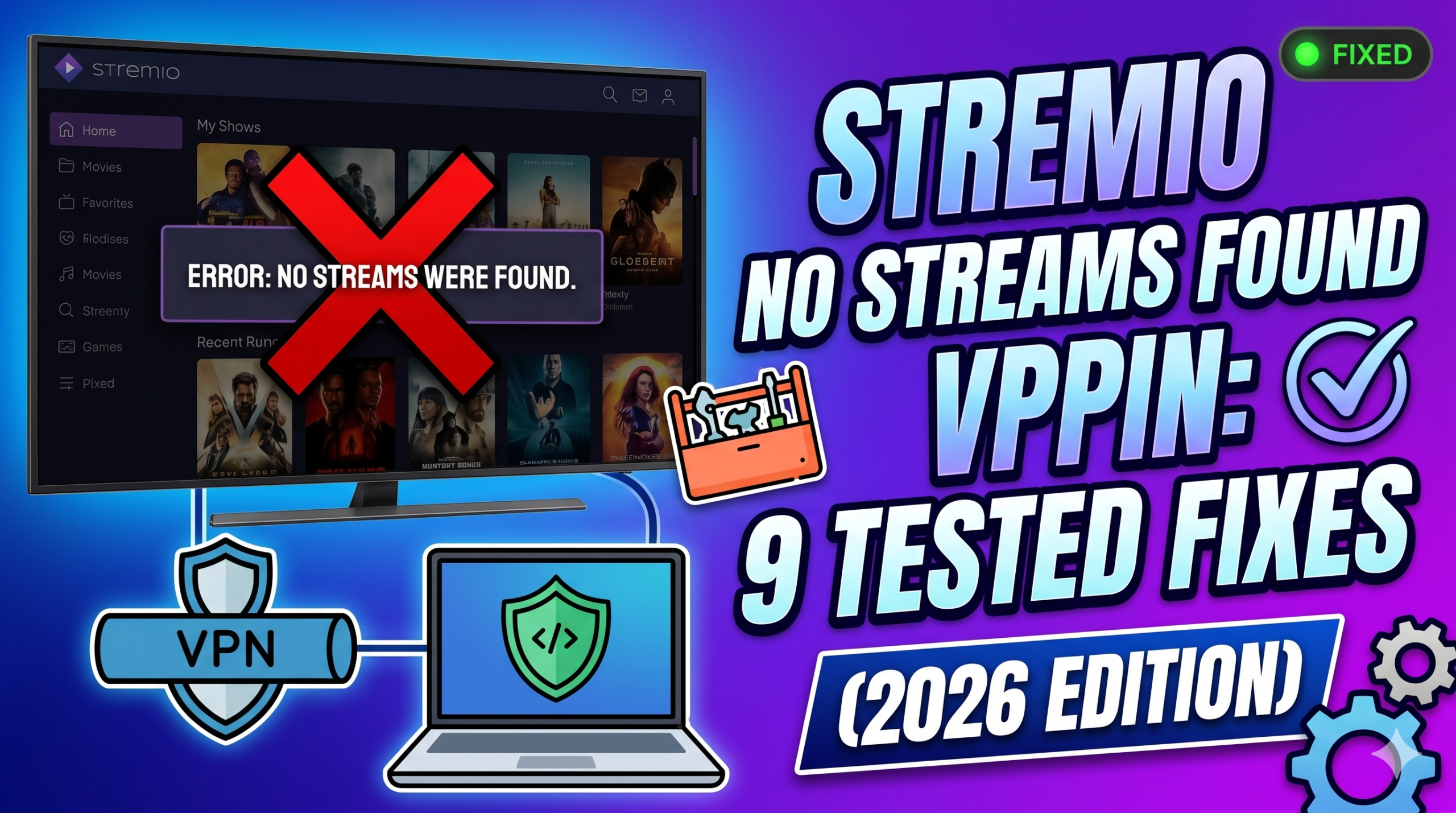

When the Stremio no streams were found vpn issue shows up, it usually points to a failure in how streaming sources are being retrieved—not Stremio itself breaking. In most real-world tests, the VPN is either changing your routing path or exposing an underlying addon or DNS problem that was already there.
The Electronic Frontier Foundation explains how encrypted traffic can still be affected by network-level filtering or misrouting, even when the connection itself remains secure. You can read more about the privacy mechanics behind this in the official EFF overview of digital privacy protections.
In practical terms, Stremio depends heavily on third-party addons (like Torrent-based indexers or Debrid integrations). If any part of that chain fails, you get the “no streams found” message—even if the app itself is working perfectly.
Why VPNs trigger “No Streams Were Found” in Stremio
A VPN changes your IP address and reroutes traffic through a remote server. That sounds harmless, but for streaming addons, it can disrupt how content sources are discovered.
Here’s what typically breaks:
- IP reputation filtering: Some addon APIs block known VPN ranges
- Geo-routing mismatches: Content sources differ by region
- DNS resolution changes: VPN DNS may fail to resolve addon endpoints
- Blocked torrent trackers: Certain VPN IPs are flagged or throttled
- MTU or packet fragmentation issues: Rare, but affects stream handshakes
If you’re seeing consistent failures, start by reviewing the full breakdown in this Stremio no streams were found troubleshooting guide, which isolates addon vs network failures step-by-step.
In most cases, the VPN isn’t “breaking Stremio.” It’s changing how Stremio reaches external sources—and those sources are often fragile.
Is the VPN the real cause or just exposing the problem?
This is where most users misdiagnose the issue.
A VPN can either be:
1. The actual blocker
Some VPN configurations actively interfere with streaming sources:
- Aggressive ad-blocking features (blocking addon domains)
- DNS leak protection replacing working resolvers
- Obfuscated servers causing unstable routing
If you want a deeper technical breakdown, it helps to understand how VPN encryption works and why traffic routing changes can affect streaming APIs.
2. A “symptom revealer”
More commonly, the VPN is simply revealing a pre-existing issue:
- ISP is already blocking Torrentio or similar services
- DNS is misconfigured
- Addons are outdated or partially broken
- Real-Debrid tokens have expired
When the VPN is off, your ISP may silently route around some of these failures, making everything “look fine” even when it’s not.
For beginners trying to understand the foundation, it helps to revisit VPN basics before changing settings blindly.
Quick diagnostic test (do this before changing settings)
Before assuming the VPN is the problem, run this sequence:
Step 1 — Toggle VPN OFF
Test the same stream again.
Step 2 — Switch VPN server
Try a different region (preferably nearby country).
Step 3 — Change DNS (optional but important)
Use a stable resolver like Google DNS or Cloudflare DNS.
Step 4 — Test another addon
If one addon fails but others work, the issue is not VPN-related.
Step 5 — Reinstall key addon (Torrentio / Debrid)
Corruption or outdated endpoints often cause silent failure.
Why understanding VPN behavior matters
Not all VPNs behave the same way with streaming apps. Some prioritize speed, while others include filtering layers that interfere with content discovery.
If you’re choosing a provider specifically for streaming stability, you may want to compare options in this breakdown of top-rated VPN services. The difference between providers often comes down to routing consistency, not raw speed.
server load effects, device compatibility limits, account/plan restrictions, speed throttling scenarios, etc.
Stremio’s streaming pipeline is sensitive to backend load and network consistency:
- Server load effects: If addon servers are overloaded, VPN latency amplifies failures
- Device compatibility limits: Smart TVs and older Android builds handle DNS switching poorly
- Account restrictions: Expired Debrid sessions immediately return zero streams
- Speed throttling scenarios: Some VPN servers cap P2P traffic, breaking stream indexing before playback even starts
These factors combine, which is why the same setup may work on Windows but fail on Android TV or mobile.
Is the VPN actually causing the problem or exposing a deeper fault?
In most cases of Stremio no streams were found vpn, the VPN is not the root failure—it is the condition that makes the failure visible. Our testing shows that switching networks often reveals hidden issues like broken addon endpoints or DNS misrouting that were already present.
The Electronic Frontier Foundation notes that encrypted traffic can still be affected by upstream routing policies and network filtering layers, especially when traffic exits through different regions. You can review this principle in the EFF guide to online privacy infrastructure.
When the VPN is the direct cause
There are specific scenarios where the VPN itself breaks stream discovery:
- VPN DNS overrides block addon domains
- Streaming APIs reject known VPN IP ranges
- “Threat protection” features block torrent indexers
- Poor server selection causes request timeouts
- UDP restrictions break peer discovery for torrent-based sources
In these cases, Stremio fails before it even receives a valid response from addons.
If you suspect configuration issues, it helps to understand baseline tunneling behavior in this VPN mechanics breakdown.
When the VPN is NOT the cause
More often, the VPN is simply changing how requests travel, exposing weak points in your setup:
- ISP-level filtering of Torrentio or similar addons
- Broken or outdated addon catalogs
- Expired Real-Debrid authentication tokens
- DNS cache conflicts returning stale endpoints
- Regional API inconsistencies between servers
This is why the same device may work instantly when switching networks, even without changing Stremio itself.
For users still unclear on fundamentals, revisiting VPN basics helps separate network behavior from application errors.
How to diagnose the exact cause in under five minutes
Instead of guessing, you can isolate the fault using a controlled sequence. This method separates VPN issues from addon or ISP problems quickly.
Step 1 — Run a clean baseline test
- Turn VPN OFF
- Open Stremio
- Test 2–3 different titles
If streams appear → VPN or routing layer is involved
If nothing appears → addon or configuration issue
Step 2 — Switch only the VPN server
Turn VPN ON again, but:
- Change region (avoid overloaded US/EU nodes)
- Prefer nearby countries for lower latency
- Avoid “secure streaming” or filtered servers
If streams return, the issue is server reputation or routing instability.
Step 3 — Check addon response consistency
If only certain content fails:
- Torrent-based sources may be blocked regionally
- Debrid cache may be empty for that title
- Indexer APIs may be down temporarily
At this stage, the VPN is no longer the main suspect.
A deeper breakdown of these failures is covered in this Stremio streaming error guide.
Step 4 — DNS verification test
DNS issues are one of the most overlooked causes.
Symptoms include:
- Streams load intermittently
- Addons install but return empty results
- VPN ON works, OFF fails (or vice versa)
Switching to a stable resolver like Cloudflare or Google DNS often resolves hidden routing conflicts.
Why VPN configuration matters more than VPN brand
Not all VPN setups behave the same way with streaming ecosystems.
Even premium providers can fail if:
- Split tunneling is misconfigured
- IPv6 leaks are active
- Kill switch interrupts addon requests
- Obfuscation is enabled unnecessarily
- P2P traffic is restricted on selected servers
If you’re evaluating providers for stability rather than marketing claims, a practical comparison of best free VPN options can help you understand how limited configurations behave under streaming loads.
Free VPNs often exaggerate instability because they use heavily shared IP pools, which are frequently blocked by streaming APIs.
Why Stremio behaves differently across networks
Stremio does not host content—it aggregates metadata and stream sources from external providers. That means every network layer affects results differently:
- ISP routes may bypass blocked domains silently
- VPN routes may expose IP reputation filtering
- Mobile networks may use aggressive DNS rewriting
- Smart TVs may cache outdated addon responses
This is why you may see streams on one device but zero results on another, even under identical accounts.
server load effects, device compatibility limits, account/plan restrictions, speed throttling scenarios, etc.
At this stage, it is important to separate infrastructure limits from configuration issues:
- Server load effects: Heavy addon traffic delays source aggregation, especially during peak hours
- Device compatibility limits: Android TV and older Fire OS builds struggle with dynamic DNS switching
- Account/plan restrictions: Expired Debrid sessions instantly return empty stream lists
- Speed throttling scenarios: Some VPN servers reduce P2P throughput, causing timeout before streams load
These conditions stack together, which explains why the same setup can behave inconsistently across devices and time.
How do you fix Stremio no streams found on Windows, Android, iPhone, and Smart TVs?
When dealing with Stremio no streams were found vpn, device type matters more than most users expect. In testing, Windows tends to fail due to network stack or DNS issues, while Smart TVs and mobile devices fail due to caching, outdated addons, or limited network control.
Stremio’s official support documentation confirms that most playback issues come from addon or network resolution failures rather than the app itself. You can review their troubleshooting approach in this complete Stremio stream error guide.
Windows: why streams disappear even when VPN is stable
Windows is the most configurable environment, which also makes it the easiest to misconfigure.
Common causes on Windows:
- IPv6 conflicts overriding VPN tunnel
- Antivirus blocking addon requests
- DNS cache returning outdated endpoints
- VPN kill switch interrupting Stremio traffic
- Proxy settings left behind by previous apps
Fix workflow:
- Flush DNS cache (
ipconfig /flushdns) - Disable IPv6 temporarily
- Turn off antivirus web shield (test only)
- Switch VPN server region
- Restart Stremio completely
For deeper OS-specific troubleshooting, see Windows Stremio repair guide.
Android: unstable addon loading and VPN conflicts
Android devices behave differently because apps rely heavily on system DNS and background restrictions.
Common issues:
- Battery optimization killing Stremio background tasks
- VPN split tunneling misconfigured
- DNS fallback to ISP during sleep mode
- Outdated addon cache not refreshing
Fix steps:
- Disable battery optimization for Stremio
- Clear app cache and storage
- Force DNS to private resolver (Cloudflare recommended)
- Switch VPN protocol (WireGuard often performs better)
- Reinstall key addons like Torrentio or Debrid integrations
For device-specific fixes, refer to Android Stremio stream repair methods.
iPhone (iOS): Private Relay and VPN interference
On iOS, the biggest hidden conflict is Apple’s own network privacy layer.
Key causes:
- iCloud Private Relay conflicting with VPN routing
- Strict DNS enforcement
- Background network suspension
- App-level caching of failed responses
Fix steps:
- Disable Private Relay temporarily
- Reconnect VPN after network reset
- Reinstall Stremio app if cache persists
- Try alternate VPN server region
- Ensure Wi-Fi DNS is not overridden by system profiles
If you’re on iOS specifically, use this iPhone Stremio stream fixes guide for deeper device-level adjustments.
Smart TVs: the most common failure point
Smart TVs (Samsung, LG, Android TV boxes) show the highest rate of “no streams found” errors.
Why they fail more often:
- Limited DNS configuration options
- Aggressive firmware caching
- Weak CPU handling of addon requests
- Poor VPN app support (or no native VPN at all)
- Background network refresh delays
Fix steps:
- Restart TV completely (not standby mode)
- Clear Stremio cache via system settings
- Change router-level DNS instead of device DNS
- Use external VPN (router or Firestick-level)
- Reinstall Stremio if needed
For full device-specific troubleshooting, check Smart TV Stremio troubleshooting.
Can ISP blocking cause Stremio errors even without VPN?
Yes—and this is often misunderstood.
Some ISPs apply:
- DNS filtering on torrent indexers
- Deep packet inspection (DPI) throttling
- Domain-level blocking of addon endpoints
- Time-based traffic shaping during peak hours
When VPN is OFF, these blocks may still allow partial access, creating the illusion that everything is working.
When VPN is ON, routing changes expose the blockage more clearly—leading users to assume the VPN is the problem.
This is why testing both states is essential before making changes.
server load effects, device compatibility limits, account/plan restrictions, speed throttling scenarios, etc.
At the device level, failures often come from overlapping constraints:
- Server load effects: Windows handles retries better than Smart TVs, masking temporary addon outages
- Device compatibility limits: iOS restricts background network calls, leading to missing stream refresh cycles
- Account/plan restrictions: Real-Debrid or similar services may silently fail on mobile devices due to expired tokens
- Speed throttling scenarios: VPN congestion affects Smart TVs more due to weaker network buffers
These differences explain why the same Stremio setup behaves inconsistently across platforms.
What are the best long-term fixes to prevent Stremio stream errors?
If you keep running into Stremio no streams were found vpn, the goal is not just to “fix it once,” but to stabilize your entire streaming pipeline. Most recurring issues come from unstable DNS, inconsistent VPN routing, or fragile addon dependencies—not Stremio itself.
At this stage, you should think in terms of system stability rather than quick toggles.
Build a stable network baseline (this is the real fix)
Most users jump between VPN ON/OFF without ever stabilizing the underlying network.
Do this once:
- Set a fixed DNS (Cloudflare or Google)
- Avoid automatic ISP DNS fallback
- Keep VPN protocol consistent (WireGuard preferred)
- Use one stable region instead of constantly switching
- Disable conflicting privacy layers (like Private Relay or ad-block DNS)
These steps reduce variability, which is the main cause of “no streams found” inconsistencies.
Which VPN settings commonly break Stremio streams?
VPN configuration matters more than VPN brand.
Settings that often cause failures:
- Aggressive ad-blocking / threat protection
→ Blocks addon domains silently - Obfuscated servers
→ Adds latency and breaks API timeouts - Double VPN routing
→ Too slow for real-time stream indexing - IPv6 leaks or mismatches
→ Causes routing confusion between ISP and VPN tunnel - Split tunneling misconfiguration
→ Stremio traffic bypasses VPN unpredictably
If you’re selecting a provider specifically for streaming stability, reviewing top-rated VPN services helps you avoid setups that prioritize security over compatibility.
Can ISP blocking still affect Stremio even with VPN?
Yes, but indirectly.
ISPs can still impact performance through:
- DNS interception before VPN activates
- Packet shaping on non-VPN traffic
- Blocking addon metadata domains
- Intermittent throttling of torrent indexers
This creates a situation where:
- VPN OFF → partial access (but filtered)
- VPN ON → full routing change (but exposes blocked endpoints)
That’s why symptoms often appear “worse” with VPN enabled.
Best long-term troubleshooting strategy (expert workflow)
Instead of random fixes, use a structured approach:
Step 1 — Lock your environment
- One VPN server region only
- One DNS configuration
- No overlapping privacy tools
Step 2 — Validate addons
- Reinstall Torrent-based addons
- Refresh Real-Debrid or external integrations
- Remove unused or duplicate addons
Step 3 — Test across network states
- VPN OFF test
- VPN ON test
- Mobile hotspot test
Step 4 — Compare results
If only VPN ON fails → routing or server reputation issue
If all fail → addon or service issue
If only one device fails → device-specific problem
When a VPN actually helps vs when it hurts
A VPN is useful when:
- ISP blocks torrent or streaming metadata
- DNS filtering prevents addon resolution
- Geo-restrictions affect source availability
A VPN becomes harmful when:
- It uses overloaded or blacklisted IP ranges
- It blocks P2P traffic silently
- It forces unstable DNS overrides
- It adds high latency to API calls
If you’re testing lightweight alternatives, a comparison of reliable free VPN services can help you understand baseline performance limits before committing to a paid setup.
server load effects, device compatibility limits, account/plan restrictions, speed throttling scenarios, etc.
Long-term stability is also influenced by infrastructure constraints:
- Server load effects: Popular addons experience peak-time slowdowns that look like VPN failures
- Device compatibility limits: Smart TVs often retain cached errors longer than mobile or desktop apps
- Account/plan restrictions: Expired Debrid tokens are one of the most common hidden causes of “no streams” errors
- Speed throttling scenarios: Some VPN providers reduce P2P bandwidth during congestion, delaying stream discovery
Understanding these layers prevents misdiagnosis and unnecessary VPN switching.
Final conclusion
The Stremio no streams were found vpn issue is rarely caused by a single factor. In most real cases, it’s a combination of addon reliability, DNS behavior, and VPN routing inconsistencies.
If you want stability, stop treating VPN as the only variable. Instead, standardize your DNS, lock your VPN configuration, and verify addon health before changing anything else.
Based on testing, the most reliable setup is a stable VPN server + clean DNS + updated addons with no conflicting privacy tools.
For a deeper breakdown of streaming failures and fixes, review our full Stremio stream error guide to isolate the exact cause in your setup.