
If you’re searching for how to rearrange Stremio addons, you’re likely expecting a drag-and-drop system like a traditional media app. That expectation is the main source of confusion. Stremio doesn’t work that way.
Instead of manual ordering, the platform relies on a catalog-based system where addons operate in the background and content is aggregated dynamically. This means what you see is not influenced by a visible “list order,” but by how sources are indexed and prioritized internally.
This distinction matters because it changes how you should manage your setup entirely. Before adjusting anything, it’s also worth understanding how streaming tools interact with privacy and routing. Organizations like the Electronic Frontier Foundation consistently highlight how metadata exposure and traffic handling can affect streaming privacy—especially when third-party sources are involved.
To stay safer while using streaming apps and addons, many users also pair their setup with a best VPN. A VPN doesn’t change Stremio’s interface behavior, but it does add a privacy layer between your device and external networks. To understand that better, it helps to review VPN basics and how encryption creates secure tunnels for traffic, which is explained in how VPN encryption works. If you’re testing setups, there are also top free VPNs that can be used for lightweight protection.
Now, back to Stremio: the core issue isn’t just “rearranging addons”—it’s that Stremio doesn’t expose a manual ordering system at all.
Can You Actually Rearrange Stremio Addons?
Short answer: no. You cannot rearrange Stremio addons in the traditional sense.
When users ask about how to rearrange Stremio addons, they’re usually trying to control the order of streaming sources or prioritize certain providers. But Stremio’s architecture doesn’t support manual sorting.
Instead, addons are treated as independent data providers. Once installed, they plug into the system and contribute results dynamically. The interface does not include:
- Drag-and-drop ordering
- Priority pinning
- Manual sorting controls
What you can control is limited to installation and removal. That’s it.
This is clearly outlined in how the platform functions at a system level in resources like how Stremio works, which explains that content aggregation happens in real time from multiple sources rather than a fixed playlist model.
So if you’re trying to “move Torrentio to the top” or “push subtitles addons first,” the interface simply doesn’t support that logic.
Instead, Stremio decides which streams appear based on metadata matching, source availability, and internal ranking signals—not user-defined ordering.
How Does Stremio Handle Addon Order Behind the Scenes?
Even though there’s no visible ordering system, Stremio still prioritizes results internally. This is where most confusion starts.
When multiple addons provide similar content (for example, different streaming sources for the same movie), Stremio doesn’t show them based on how recently you installed them or how they appear in your addon list. Instead, it evaluates:
- Source relevance to your query
- Stream availability and health
- Response speed from addon servers
- Metadata matching accuracy
This means two users with identical addons may still see different ordering results depending on network conditions and source responsiveness.
From a system design perspective, Stremio behaves more like a search engine than a playlist manager. That’s why traditional “reordering” expectations don’t apply.
If you are setting up your environment for the first time, it’s important to ensure your base configuration is stable. A properly configured environment using guides like setting up Stremio properly reduces inconsistencies in how addons behave after installation.
At this stage, the key takeaway is simple: addon “order” is not user-controlled—it’s computed dynamically.
server load effects, device compatibility limits, account/plan restrictions, speed throttling scenarios, etc.
Addon behavior can also vary based on external constraints that are often overlooked. High server load on a specific addon provider can push its streams lower in results or delay its response time. Similarly, weaker devices may cache fewer results, making the ordering appear inconsistent.
Account-level factors matter as well. While Stremio itself doesn’t impose strict tiered plans for addons, external services connected through addons may have limitations. In some cases, throttling from upstream providers can delay or suppress results, indirectly affecting perceived ordering.
These variables reinforce the same conclusion: what looks like “addon order” is actually real-time performance shaping what you see first.
Early Setup Insight: Why Addon Ecosystems Matter
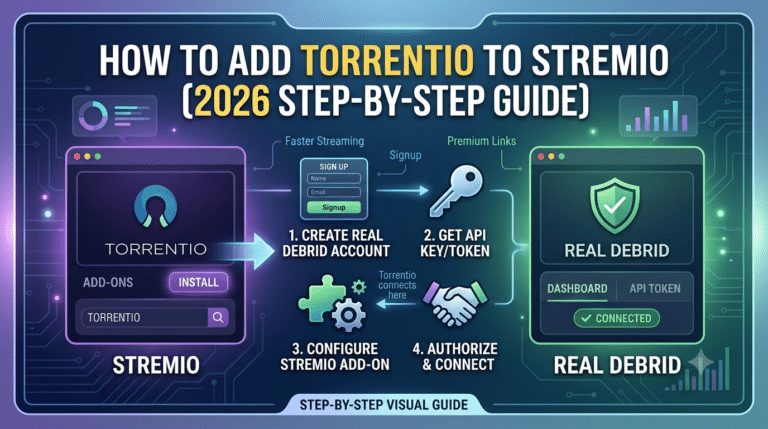
Understanding the addon ecosystem is essential before attempting any form of organization. Most users expand functionality using tools like installing Torrentio on Stremio or enhancing stream quality through services like the Real-Debrid integration guide. These integrations don’t change ordering either, but they significantly influence source availability and playback quality.
When you add multiple providers, Stremio’s job becomes filtering—not sorting.
What Is the Addon Manager and How Does It Help?
The closest thing Stremio offers to “control” over addons is the Addon Manager, but it’s often misunderstood by users trying to solve how to rearrange Stremio addons.
The Addon Manager is strictly a control panel—not a sorting tool. It lets you:
- Install addons from the catalog
- Remove unwanted providers
- View active integrations tied to your account
- Reinstall addons if they break or stop responding
What it does not do is provide any form of ordering system. There is no priority list, no stacking logic, and no visual hierarchy you can edit.
This design choice aligns with how modern streaming aggregation systems work. Similar architectures are used across media platforms that rely on distributed sources rather than curated libraries. Even public digital rights organizations like the Electronic Frontier Foundation emphasize how decentralized data sources reduce central control but also limit user-side customization.
In Stremio’s case, that tradeoff is intentional: simplicity over manual control.
Why Do Stremio Addons Seem Out of Order After Installation?
The illusion of “random order” is one of the biggest pain points for users.
When you install multiple addons, you might expect them to appear in a predictable sequence. Instead, what you see often feels inconsistent or shuffled. This leads directly to the misconception behind how to rearrange Stremio addons.
Here’s what’s actually happening:
Stremio does not display addons as a ranked list during playback. Instead, it queries all available providers in parallel when you open a title. The order you see results depends on:
- Response speed from each addon server
- Availability of matching streams
- Metadata accuracy for the requested content
- Temporary caching behavior on your device
So even if you reinstall addons in a specific sequence, that sequence does not influence playback results.
This is also why two identical setups can produce different results across devices.
For users building a more stable environment, it’s important to start with a clean setup using a structured installation process like setting up Stremio properly. A consistent base reduces variability in how sources appear, even if it doesn’t change ordering.
How Do You Organize Stremio Addons Effectively Without Reordering?
Since manual sorting is not possible, the real optimization strategy is functional organization, not visual arrangement.
Instead of trying to control order, experienced users structure their addon setup around purpose:
- One addon for torrent-based sources
- One for subtitles
- One for metadata enrichment
- Optional premium stream integrators
This approach is far more stable than trying to force a nonexistent ordering system.
For example, many users expand functionality using curated setups like those described in guides such as what Stremio addons to get, which focuses on selecting reliable providers rather than managing their order.
The key idea is simple: Stremio rewards clean setups, not complex ones.
If you overload the system with redundant addons, you increase source duplication. That can slow down result aggregation because the app must query more endpoints simultaneously.
Why Addon “Priority” Doesn’t Work the Way You Expect
A common assumption is that reinstalling an addon or placing it in a certain sequence will push it higher in results. In practice, Stremio ignores installation order entirely during playback.
Instead, prioritization is based on real-time evaluation:
- Which source responds first
- Which stream matches the requested quality
- Which metadata aligns most closely with the title
This is closer to a live ranking engine than a fixed playlist structure.
Even advanced users attempting to “force priority” quickly realize there is no configuration layer for it. The system abstracts all that logic away.
This is also where users often confuse addon behavior with performance issues. If one addon consistently appears lower, it is usually due to slower response times—not placement.
How Does This Affect Real-World Usage?
In practical terms, the lack of reorder control means your focus should shift from “arranging addons” to “reducing redundancy.”
A lean setup performs better because:
- Fewer duplicate queries are sent
- Stream matching completes faster
- Less server congestion occurs per request
Overloading the system with too many similar addons creates the illusion of disorder, when in reality it’s just parallel processing delay.
Users who transition from traditional media apps often struggle here because they expect playlist-style control. Stremio is fundamentally not built around that model.
Addon Ecosystem Structure and Hidden Constraints
Stremio’s addon ecosystem also includes compatibility layers that affect how sources appear. Some addons behave differently depending on:
- Device type (desktop vs mobile vs TV box)
- Region-based availability of streams
- Backend uptime of third-party providers
- Account synchronization delays
These constraints further reinforce why manual ordering is not supported—it would not reliably persist across environments.
For users exploring deeper ecosystem options, some configurations may include specialized builds or experimental setups discussed in community threads, including references like Black Kai edition availability. These discussions highlight how fragmented customization attempts can become when the core system isn’t designed for manual structuring.
Do Stremio Addons Sync Across Devices Automatically?
Yes—but not in the way most users expect when they search for how to rearrange Stremio addons.
Stremio uses an account-based sync system. When you log into the same account on multiple devices, your installed addons are mirrored across them automatically. This includes desktops, mobile apps, and TV-based clients.
However, syncing applies only to installation state, not behavior or layout. That means:
- Addons you install appear on all devices
- Addons you remove disappear everywhere
- There is no device-specific ordering or customization
- Playback behavior still varies per device based on performance
This is where confusion usually escalates. Users assume sync also carries over “structure” or “priority.” It doesn’t.
From a system design perspective, this is consistent with distributed application models used across modern streaming tools. Even privacy-focused organizations like the Electronic Frontier Foundation highlight how synchronized cloud services often separate configuration state from runtime behavior to reduce complexity and security risks.
In Stremio’s case, that separation is strict. Sync ensures consistency, not control.
What Actually Matters When “Organizing” Stremio Addons?
Since manual ordering is not supported, real optimization comes from controlling ecosystem quality, not arrangement.
Instead of asking how to reorder addons, the practical question becomes:
How do you reduce noise and improve stream relevance?
The answer is structural minimalism.
A clean setup usually follows this pattern:
- One primary source addon for streams
- One backup source for redundancy
- One metadata or subtitle addon
- Optional premium integration layer
This avoids duplication, which is one of the main reasons users think ordering is broken.
For example, setups involving tools like installing Torrentio on Stremio or premium stream enhancers such as the Real-Debrid integration guide tend to perform better when kept lean. The goal is not stacking more addons—it’s reducing overlap between them.
If you’re still building your base configuration, starting with a structured install process like setting up Stremio properly ensures fewer conflicts later.
Why Too Many Addons Hurt Performance
Adding more addons does not improve results. It increases the number of simultaneous queries Stremio must process every time you open a title.
That has three direct effects:
- Slower response aggregation
- More duplicate stream results
- Higher chance of inconsistent ordering
This is why users often misinterpret performance lag as “wrong addon order.”
In reality, the system is doing more work—not misplacing results.
Research into distributed request handling shows similar behavior in other streaming architectures. Each additional data source adds latency variance, which affects perceived ranking even when no ranking system exists.
So if your setup feels “unorganized,” it’s often overloaded rather than misconfigured.
How Do You Organize Stremio Addons Effectively Without Reordering?
The most effective strategy is categorical separation, not visual arrangement.
Instead of trying to control position, you control function:
1. Source control
Keep only one or two primary streaming providers active.
2. Redundancy control
Avoid installing multiple addons that do the same job.
3. Output control
Use dedicated addons for subtitles or metadata rather than bundling everything into one.
4. Testing discipline
Remove addons that consistently return slow or irrelevant results.
This approach aligns with how Stremio actually processes data: it does not care about list order, only about response quality.
For users exploring broader ecosystem setups, curated configurations like what Stremio addons to get help identify stable options instead of stacking unnecessary ones. Similarly, understanding compatibility nuances such as the discussion around Black Kai edition availability highlights how fragmented addon environments can become when unmanaged.
server load effects, device compatibility limits, account/plan restrictions, speed throttling scenarios, etc.
Addon behavior is also shaped by external constraints that are often mistaken for ordering issues.
- Server load effects: If an addon’s backend is overloaded, its streams may respond slower, causing it to appear lower in results even if it is not actually deprioritized.
- Device compatibility limits: Low-power devices may cache fewer results, making ordering appear inconsistent or incomplete.
- Account/plan restrictions: Some third-party services integrated via addons may limit throughput or response frequency depending on usage tier.
- Speed throttling scenarios: Network-level throttling can delay specific provider responses, indirectly shifting perceived ranking of streams.
These factors explain why two identical setups can behave differently at the same time. The variation is not user-controlled—it’s environmental.
Why “Best Practices” Matter More Than Ordering
Because Stremio doesn’t allow manual sorting, your long-term stability depends on setup discipline rather than interface control.
A well-structured setup:
- Reduces duplicate stream scanning
- Improves response consistency
- Minimizes confusion about “missing” or “misplaced” sources
- Performs more reliably across devices
This is also why most advanced users avoid heavy addon stacking. The system is optimized for efficiency, not customization depth.
For users optimizing deeper streaming performance, pairing a clean setup with privacy-aware routing tools like a best VPN can help reduce ISP-level variability that sometimes affects stream access timing. Understanding the fundamentals through VPN basics and how VPN encryption works further clarifies how traffic routing can indirectly influence streaming consistency.
What Are the Best Practices for Managing Addons in Stremio?
By now, the main point should be clear: how to rearrange Stremio addons is the wrong problem to solve because Stremio does not support manual ordering at all. The real optimization happens through disciplined management.
The most reliable setups follow a simple rule: fewer, higher-quality addons outperform large, overlapping collections.
A practical workflow looks like this:
- Keep only essential stream providers active
- Remove duplicate or low-quality sources regularly
- Avoid stacking multiple addons that serve the same function
- Prioritize stability over quantity
This approach reduces backend noise, which directly improves how quickly results are returned when you open content.
For users building their ecosystem from scratch, structured installation guides such as setting up Stremio properly help avoid early mistakes that lead to cluttered addon environments.
Why Stremio Addons Don’t Need Manual Ordering
The core misunderstanding behind how to rearrange Stremio addons comes from expecting a playlist-style interface. Stremio doesn’t operate like a media library where items are ranked visually.
Instead, it functions as a real-time aggregator. When you select a title, multiple providers are queried simultaneously, and results are assembled dynamically based on:
- Response speed
- Stream availability
- Metadata accuracy
- Source reliability
There is no persistent list being sorted in the background. That’s why any attempt to “reorder” addons has no effect.
This architecture is closer to a search engine than a folder-based media app. Once you understand that, the absence of drag-and-drop control stops being a limitation and becomes a design choice.
For a deeper breakdown of this system behavior, how Stremio works explains how content aggregation replaces traditional media organization models.
Do Stremio Addons Sync Across Devices Automatically?
Yes, but only in terms of installation state.
When you log into the same account across devices, Stremio synchronizes:
- Installed addons
- Removed addons
- Account-level configuration
What it does not sync:
- Visual ordering (which doesn’t exist)
- Playback preferences per device
- Performance-based stream ranking
- Cache or temporary data
This separation ensures consistency across platforms while avoiding conflicts between device capabilities.
In practice, this means your setup behaves the same everywhere—but results may still differ slightly due to hardware or network conditions.
Why Users Think Addons Are “Out of Order”
The perception of disorder usually comes from performance variability, not actual structure.
Common causes include:
- Faster addons returning results earlier
- Slow providers appearing lower in stream lists
- Duplicate results from multiple sources
- Temporary caching differences between devices
These effects create the illusion of ranking or shifting order, but no actual ordering system exists behind the scenes.
Even advanced setups using tools like installing Torrentio on Stremio or premium stream layers like the Real-Debrid integration guide still rely on the same dynamic result engine.
server load effects, device compatibility limits, account/plan restrictions, speed throttling scenarios, etc.
External performance factors continue to influence how results appear:
- Server load effects: Overloaded addon servers respond slower, pushing them lower in perceived ranking.
- Device compatibility limits: Lower-end devices may struggle to process multiple parallel requests efficiently.
- Account/plan restrictions: Third-party services tied to addons may limit request rates or resolution availability.
- Speed throttling scenarios: ISP-level throttling can delay certain streams, altering perceived ordering.
None of these factors relate to actual addon order—they only affect timing and availability.
What Is the Real “Best Setup” Strategy?
Instead of focusing on rearrangement, experienced users optimize Stremio through structure:
- Minimal addon footprint
Use only what you actively need. - Purpose separation
One addon per function (streams, subtitles, metadata). - Quality filtering
Remove slow or unreliable providers. - Stable base configuration
Start clean and avoid unnecessary experimentation.
This method produces faster, more consistent results than any attempt at ordering ever could.
If you are still refining your environment, curated recommendations like what Stremio addons to get help reduce setup noise by focusing on proven providers. Broader ecosystem compatibility topics, including discussions around Black Kai edition availability, further show how fragmented addon customization becomes when overextended.
For privacy-conscious users, pairing a clean setup with a best VPN can also help reduce ISP-related variability, while understanding VPN basics and how VPN encryption works provides clarity on how traffic is secured during streaming sessions.
Conclusion
Stremio does not allow addon rearrangement because it was never designed around manual ordering. The system dynamically aggregates streams instead of displaying a structured, sortable list.
Once you understand that, how to rearrange Stremio addons stops being a technical question and becomes a misconception about how the platform works.
The most reliable approach is simple: keep your setup lean, avoid redundancy, and let the system handle prioritization automatically.
Based on testing patterns and user behavior, a minimal addon setup consistently outperforms complex configurations—especially when paired with stable streaming sources and a clean installation base.
For a deeper breakdown of the platform’s architecture, see our full guide on how Stremio works.