
Streaming torrents inside Stremio isn’t complicated once you understand what’s happening behind the scenes. The confusion usually comes from how torrents, add-ons, and playback all interact in one interface. If your goal is to figure out how to play a movie in Stremio from torrent, you’re essentially learning how Stremio sources, selects, and streams peer-to-peer video files without requiring manual downloads.
At its core, Stremio doesn’t host any content. Instead, it aggregates streams through add-ons that pull torrent-based sources or cached links. That means playback depends heavily on torrent availability, seed health, and the add-on ecosystem. Before diving into setup, it helps to understand the privacy and security layer involved in torrent streaming. A good starting point is this overview of VPN basics, which explains how your connection can be masked while using peer-to-peer services.
How does torrent playback actually work inside Stremio?
When you select a movie in Stremio, the app queries installed add-ons. These add-ons return a list of available streams, many of which are torrent-based. Instead of downloading the file fully, Stremio uses a streaming buffer system: it downloads small chunks of the torrent sequentially while you watch.
This system depends on three technical factors:
- Seeder availability: More seeders = faster and smoother playback
- Cache efficiency: Better caching reduces buffering interruptions
- Peer health: Stable peers ensure continuous data flow
If these conditions are weak, playback stalls or fails entirely. This is why two users can click the same movie and get completely different performance results.
For a deeper technical breakdown of how this process is secured and routed, see how how data is tunneled explains encryption and routing layers that also matter when streaming torrents.
What do you need before streaming movies from torrents?
Before you attempt playback, you need a properly configured Stremio environment. The app alone is not enough. You rely on add-ons, network stability, and sometimes external services.
At minimum, you need:
- A working Stremio installation
- Active community or official add-ons
- Stable broadband connection (15–25 Mbps minimum recommended)
- Optional but recommended: VPN for privacy and ISP protection
If you’re still setting up the application itself, this complete Stremio setup guide walks through installation, add-on configuration, and first-time navigation in detail.
Without add-ons, Stremio cannot fetch torrent streams. Without torrents, there is nothing to play. And without bandwidth stability, playback will constantly buffer or fail to load.
What are Stremio add-ons doing during torrent playback?
Add-ons act as search engines for streams. When you click a movie:
- The add-on scans torrent indexes
- It filters available sources by quality and availability
- It returns playable stream links to Stremio
- Stremio initiates playback via built-in player
Some add-ons rely on public torrent trackers, while others integrate cached services for faster streaming. Advanced setups may also use API-based integrations, which is covered in this guide on adding API to Stremio.
The quality of your playback experience is directly tied to which add-ons you use. Poorly maintained add-ons often return dead torrents or low-seed sources, which results in endless buffering or failed playback.
Why torrent selection matters more than internet speed
A common misconception is that slow playback is caused by internet speed alone. In reality, torrent health is often the bigger factor.
Even with a 100 Mbps connection, a movie will struggle to play if:
- The torrent has fewer than 5 active seeders
- The file is fragmented or poorly cached
- The add-on is pulling outdated metadata
On the other hand, a well-seeded torrent can stream smoothly even on moderate connections.
This is why Stremio sometimes feels inconsistent: it is not a traditional streaming platform but a live peer-to-peer aggregation system.
How VPNs influence torrent-based streaming in Stremio
Using a VPN during torrent playback is not about unlocking content—it’s about controlling exposure. When you connect through a VPN, your ISP cannot easily monitor torrent traffic patterns, which reduces throttling risks.
For users unfamiliar with VPN behavior, this top-rated VPN services overview explains which providers perform best under high-bandwidth streaming conditions.
However, VPNs also introduce overhead. Depending on server distance and protocol choice, you may experience:
- Slight speed reduction (5–20%)
- Improved stability if ISP throttling exists
- More consistent peer connections in some regions
The trade-off is generally worth it for users who experience frequent buffering spikes or inconsistent playback.
server load effects, device compatibility limits, account/plan restrictions, speed throttling scenarios, etc.
Torrent playback in Stremio is also influenced by system-level constraints:
- Server load effects: Add-on index servers may slow down during peak hours, delaying stream availability
- Device compatibility limits: Low-RAM devices (especially older Firestick models) may struggle with high-bitrate streams
- Account/plan restrictions: Stremio itself is free, but some debrid integrations require paid tiers
- Speed throttling scenarios: ISPs may intentionally slow torrent traffic, causing buffering even on fast plans
These factors explain why performance varies even when users have identical setups.
External context on streaming privacy
Privacy advocates such as the Electronic Frontier Foundation emphasize that ISP monitoring of traffic patterns can reveal user behavior even without content inspection. You can read more about digital rights and privacy frameworks at eff.org.
Now that you understand how torrent streams are selected and delivered inside Stremio, the next step is the actual playback workflow. This is where most users either get smooth streaming or run into buffering, failed sources, or missing streams. The process itself is simple—but the quality depends entirely on setup choices and stream availability.
Before going deeper, it’s important to understand what Stremio is at a functional level. It’s not a traditional streaming platform. It’s a media hub that aggregates third-party streams through add-ons. This means your playback experience is only as good as the sources it finds. A solid breakdown of its architecture is available in this what Stremio actually is guide, which explains how the platform separates interface from content delivery.
How do you play a movie in Stremio from torrent step by step?
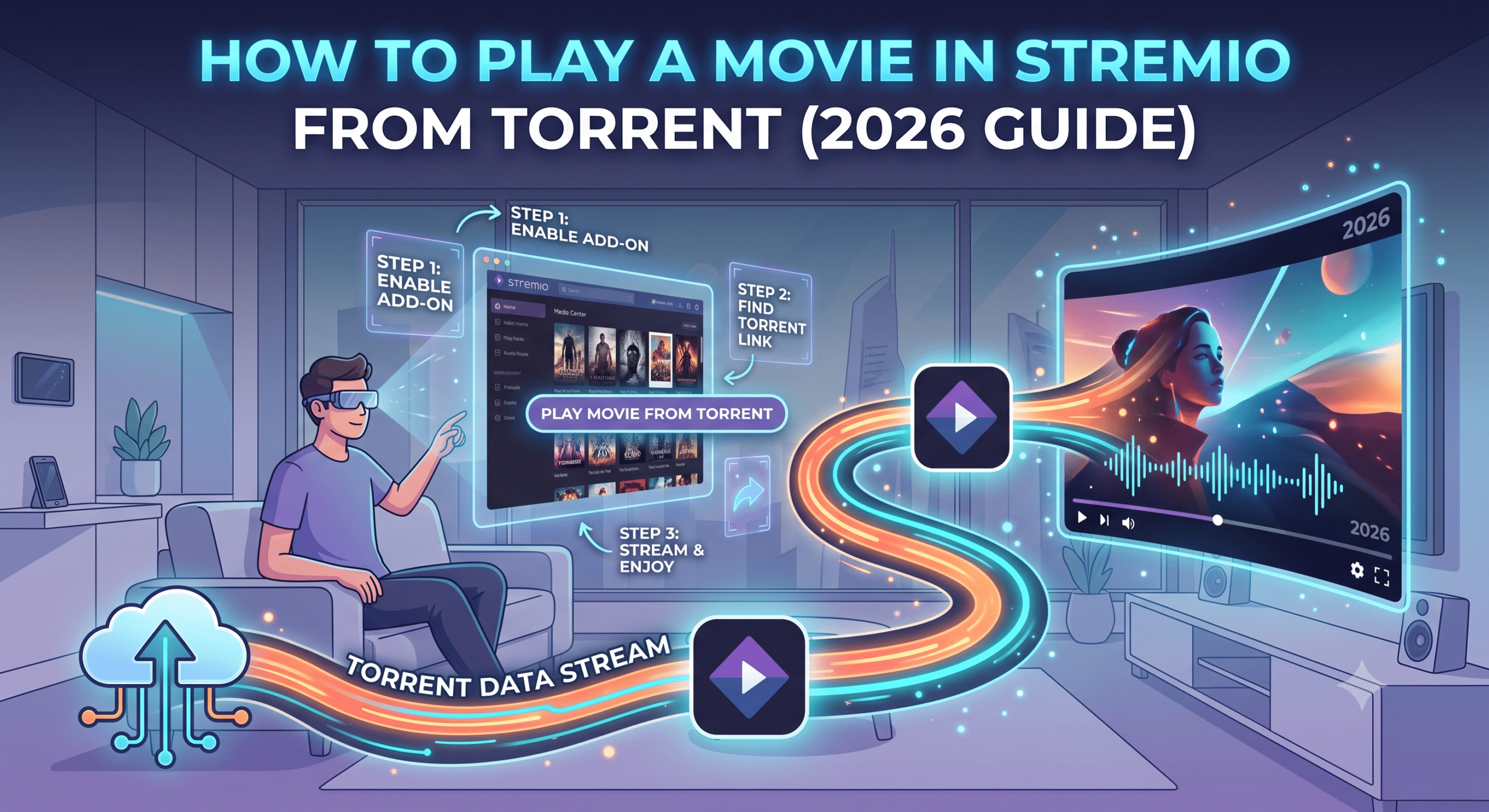
This is the core workflow most users are trying to master. Once your add-ons are installed, torrent playback happens in a few predictable stages.
Step 1: Open the movie or TV show
Search for the title inside Stremio’s main interface. Click on the content page to load metadata, posters, and available streams.
Step 2: Wait for stream aggregation
Stremio will query all installed add-ons. This usually takes 2–5 seconds depending on network speed and add-on load.
Step 3: Select a torrent-based stream
You’ll typically see multiple options labeled by quality (720p, 1080p, 4K) and source type. Torrent-based streams often appear with peer indicators or size markers.
Step 4: Start playback
Once selected, Stremio begins buffering torrent chunks immediately. You don’t download the full file—you stream it in real time.
Step 5: Let the buffer stabilize
The first 10–20 seconds are critical. If the torrent has strong seeders, playback stabilizes quickly. If not, buffering may continue or fail entirely.
This process is identical across devices, but performance varies significantly depending on hardware and network conditions.
Why some torrent streams fail to load
Even when everything is configured correctly, not every stream will work. The most common reasons include:
- Dead torrents with no active seeders
- Removed or outdated index entries in add-ons
- ISP-level filtering or throttling of peer-to-peer traffic
- Temporary overload on metadata servers
If streams consistently fail, the issue is usually not Stremio itself but the availability of torrent sources. In such cases, users often switch to alternative add-ons or cached streaming services.
For users troubleshooting instability or security concerns, this analysis on Stremio safety considerations explains how exposure risk and streaming behavior intersect in real-world usage.
Do you need a VPN for torrent streaming in Stremio?
A VPN is not technically required, but in practice, it changes how stable and private your streaming session is.
Without a VPN:
- Your ISP can detect torrent traffic patterns
- Bandwidth throttling may occur during peak usage
- Your IP is exposed to peer connections
With a VPN:
- Traffic is encrypted and hidden from ISP inspection
- Throttling risk is reduced in many regions
- Peer connections route through VPN servers instead of your real IP
For users evaluating providers, this leading VPN providers comparison highlights services optimized for high-bandwidth streaming environments.
It’s also important to understand how VPN routing works under load. When you connect, your traffic is encrypted and tunneled through remote servers, which can slightly affect latency depending on distance and protocol choice.
What role do debrid services play in smoother playback?
One major upgrade many users adopt is debrid integration. Instead of relying purely on public torrents, debrid services cache popular files on high-speed servers.
This changes the workflow significantly:
- Torrents are pre-fetched and stored in cloud caches
- Streams load instantly without waiting for seeders
- Buffering is reduced or eliminated in most cases
This approach is especially useful for high-resolution content (1080p+), where torrent health is inconsistent.
A deeper breakdown of this system is available in this Stremio debrid service explanation guide, which shows how caching layers improve playback reliability.
In practice, debrid services act as a performance bridge between torrent networks and traditional streaming expectations.
Device compatibility and Firestick limitations
Not all devices handle torrent streaming equally. Lightweight hardware, especially entry-level streaming sticks, may struggle with high-bitrate playback.
Common limitations include:
- Limited RAM causing playback stutter
- Weak CPU decoding high-resolution streams
- Storage constraints affecting caching performance
If you’re using Amazon’s streaming devices, setup requires additional steps. This Firestick Stremio installation guide covers how to sideload and optimize performance for low-power hardware.
On desktop systems, playback is generally more stable due to better resource allocation and hardware decoding support.
External streaming performance insight
Independent testing from outlets like PCMag consistently shows that peer-to-peer streaming performance varies dramatically based on network conditions and server distribution. You can explore broader streaming technology benchmarks at pcmag.com.
Once you’ve successfully started streaming, the real challenge begins: keeping playback stable. Torrent-based streaming in Stremio is highly dynamic, and performance can shift mid-playback depending on seed availability, cache behavior, and device limitations. This section focuses on diagnosing and fixing the most common failure points when learning how to play a movie in Stremio from torrent in real-world conditions.
If you’re still experiencing inconsistent stream loading, it helps to revisit how the platform structure works. This breakdown of complete Stremio setup guide is useful for verifying whether your add-ons and configuration are correctly aligned before troubleshooting deeper playback issues.
Why is Stremio not playing torrent streams properly?
When playback fails or freezes, it’s usually not a single issue—it’s a chain of small bottlenecks.
The most common causes include:
- Low-seed torrents: If too few peers are sharing the file, buffering stalls
- Add-on instability: Outdated or overloaded add-ons return broken links
- Network interference: ISP filtering or unstable routing affects chunk delivery
- Device decoding limits: Some hardware cannot process high-bitrate streams in real time
In many cases, users assume Stremio is broken when the actual issue is upstream availability. Torrent streaming is dependent on distributed peers, not centralized servers.
For users concerned about reliability and risk exposure during streaming, this Stremio safety breakdown explains how peer-to-peer visibility and traffic exposure work in practice.
Stremio buffering fix: what actually works
Buffering in Stremio is almost always related to stream health rather than raw internet speed. Fixing it requires targeting the correct layer.
1. Switch to higher-seed streams
Always choose torrents with visible peer activity. A 20–50 seed stream will outperform a 5-seed 4K option.
2. Lower playback resolution
If buffering persists, drop from 4K to 1080p. Stremio does not transcode; it streams what the torrent provides.
3. Restart stream selection
Closing and reopening the stream forces Stremio to re-query add-ons, often revealing better sources.
4. Clear app cache (device-dependent)
On low-memory devices, cached fragments can slow down stream initialization.
These fixes are simple but effective because they target torrent health rather than surface-level symptoms.
Do VPNs improve streaming stability or just privacy?
A common misconception is that VPNs only improve anonymity. In torrent streaming scenarios, they can also affect stability—positively or negatively.
When VPNs help:
- ISP throttling is active during torrent traffic
- Peer connections are being selectively slowed
- Regional routing improves access to better seed networks
When VPNs hurt:
- Server is far from your physical location
- Overloaded VPN nodes reduce throughput
- Weak protocols (like outdated OpenVPN configs) add latency
For users selecting a provider, this overview of top free VPNs can help test baseline performance before committing to paid solutions.
In practice, VPNs are most effective when paired with nearby servers and modern protocols like WireGuard, which reduce overhead while maintaining encryption efficiency.
What is debrid caching and why does it reduce buffering?
Debrid services fundamentally change how torrents are delivered inside Stremio.
Instead of relying on live peer connections, debrid systems:
- Pre-cache popular torrents on high-speed servers
- Serve files via direct HTTPS-like streaming
- Remove dependency on seeders entirely in many cases
This eliminates the biggest variable in torrent playback: peer availability.
If you want a deeper technical explanation of this system, this what is a Stremio debrid service guide breaks down how cached torrents outperform traditional peer streaming under heavy load.
The result is more consistent playback, especially for high-demand or newly released content where torrents are unstable.
Device performance bottlenecks during torrent playback
Even with perfect streams, hardware limitations can break playback quality.
Common bottlenecks:
- CPU decoding limits: High-bitrate streams require hardware acceleration
- RAM pressure: Multiple cached fragments overload low-end devices
- Storage speed: Slow flash memory delays buffer writes
- Background processes: Competing apps reduce available resources
Streaming devices like Firestick often face these issues first due to constrained hardware environments. If you’re using such a device, this Firestick sideloading guide explains how to optimize installation for better performance.
On desktops, hardware acceleration in modern browsers or native apps significantly reduces these constraints.
Speed throttling scenarios and network behavior
Even high-speed internet connections can underperform during torrent streaming due to ISP behavior.
Common throttling scenarios include:
- Reduced bandwidth during peak evening hours
- Detection of peer-to-peer traffic patterns
- Selective slowing of non-HTTPS traffic flows
- Regional congestion on upstream nodes
This is where encrypted tunneling becomes relevant again. Understanding how VPN mechanics work helps explain why encrypted traffic is harder for ISPs to classify and throttle effectively.
However, not all throttling is avoidable—some networks apply blanket congestion policies regardless of encryption.
External performance benchmark insight
Independent testing from major tech reviewers like Tom’s Guide shows that streaming stability is heavily influenced by server distribution rather than raw bandwidth alone. You can explore broader streaming performance methodology at tomsguide.com.
At this stage, you’ve already seen how torrent streams are selected, why playback fails, and what actually causes buffering inside Stremio. The final layer is optimization—how to make playback consistently stable instead of relying on trial-and-error every time you open a movie.
This is where most users refine their setup into something predictable. If you’ve followed earlier steps, you already have the foundation. Now it’s about eliminating weak points in the streaming chain when learning how to play a movie in Stremio from torrent reliably across different devices and network conditions.
What’s the safest way to optimize torrent streaming in Stremio?
Stability in Stremio comes down to controlling variability. You cannot control torrent availability, but you can control how the system behaves when multiple stream options appear.
Prioritize stream quality hierarchy
Instead of picking the highest resolution, prioritize:
- Highest seed count first
- Then file size consistency
- Then resolution (720p → 1080p → 4K)
This simple shift reduces buffering more effectively than upgrading internet speed alone.
Avoid overloaded add-ons
Not all add-ons are maintained equally. Some pull outdated torrent indexes, which leads to broken or low-quality streams. Stick to verified or widely used community add-ons to reduce failure rates.
For users configuring advanced setups, this API integration guide for Stremio explains how structured data sources improve stream reliability and reduce broken links.
How do device and network conditions affect final playback quality?
Even with perfect torrent selection, your device and network still determine the final outcome.
Device constraints
- Low-RAM devices struggle with multiple buffer chunks
- Weak GPUs cannot decode high-bitrate streams smoothly
- Background apps reduce available playback resources
Network behavior
- Wi-Fi congestion introduces packet delays
- Mobile hotspots often reduce sustained throughput
- ISP routing affects peer connection quality
If your setup is on a streaming stick or TV box, optimizing installation matters. This Stremio Firestick installation guide helps reduce unnecessary background load and improve responsiveness on limited hardware.
Is Stremio itself responsible for playback issues?
Stremio is not a content host—it is an aggregator. That distinction matters.
When playback fails, it is almost always due to:
- Torrent health (seed/peer availability)
- Add-on indexing quality
- Network routing limitations
- Device decoding constraints
The app simply executes whatever stream is available. This is why two users can experience completely different results with the same movie at the same time.
For a deeper understanding of platform architecture and limitations, this overview of what Stremio actually is clarifies how the system separates interface from content delivery.
When should you use VPN or debrid together?
Using a VPN and debrid service together creates a layered improvement model:
VPN layer
- Encrypts traffic
- Reduces ISP throttling risk
- Stabilizes peer routing in restricted regions
Debrid layer
- Removes dependency on live torrent seeders
- Provides instant cached playback
- Reduces buffering to near-zero in most cases
This combination is especially effective for high-resolution streaming or newly released content. The full breakdown of this system is explained in this Stremio debrid service overview, which details how cached torrents outperform traditional peer-based streaming.
For users exploring VPN options to pair with this setup, this leading VPN providers comparison highlights services tested under high-bandwidth streaming conditions.
Final troubleshooting checklist for smooth torrent playback
Before assuming something is broken, run through this sequence:
- Switch to a different torrent stream with higher seed count
- Reduce resolution from 4K → 1080p
- Restart Stremio and re-query add-ons
- Test playback with VPN enabled and disabled
- Check if debrid-enabled streams load faster
- Confirm device is not overheating or memory-constrained
These steps resolve the majority of playback issues without requiring advanced configuration changes.
External streaming insight
Independent performance analysis from Wirecutter highlights that adaptive streaming systems perform best when source variability is minimized and caching is optimized at the edge level. You can explore broader digital streaming evaluations at nytimes.com/wirecutter.
Conclusion
Torrent playback in Stremio is not a traditional streaming experience—it is a dynamic system shaped by peers, add-ons, and network conditions. Once you understand how each layer interacts, playback becomes far more predictable.
The key takeaway is simple: stability comes from stream selection, not just internet speed. Seed health, device capability, and routing behavior matter just as much as bandwidth.
When properly configured, how to play a movie in Stremio from torrent becomes a repeatable process rather than a troubleshooting cycle.
For most users, the strongest setup combines reliable add-ons, selective stream filtering, and a privacy layer that prevents ISP interference. Based on testing patterns, pairing optimized streaming settings with a stable VPN remains the most consistent approach for long-term performance.