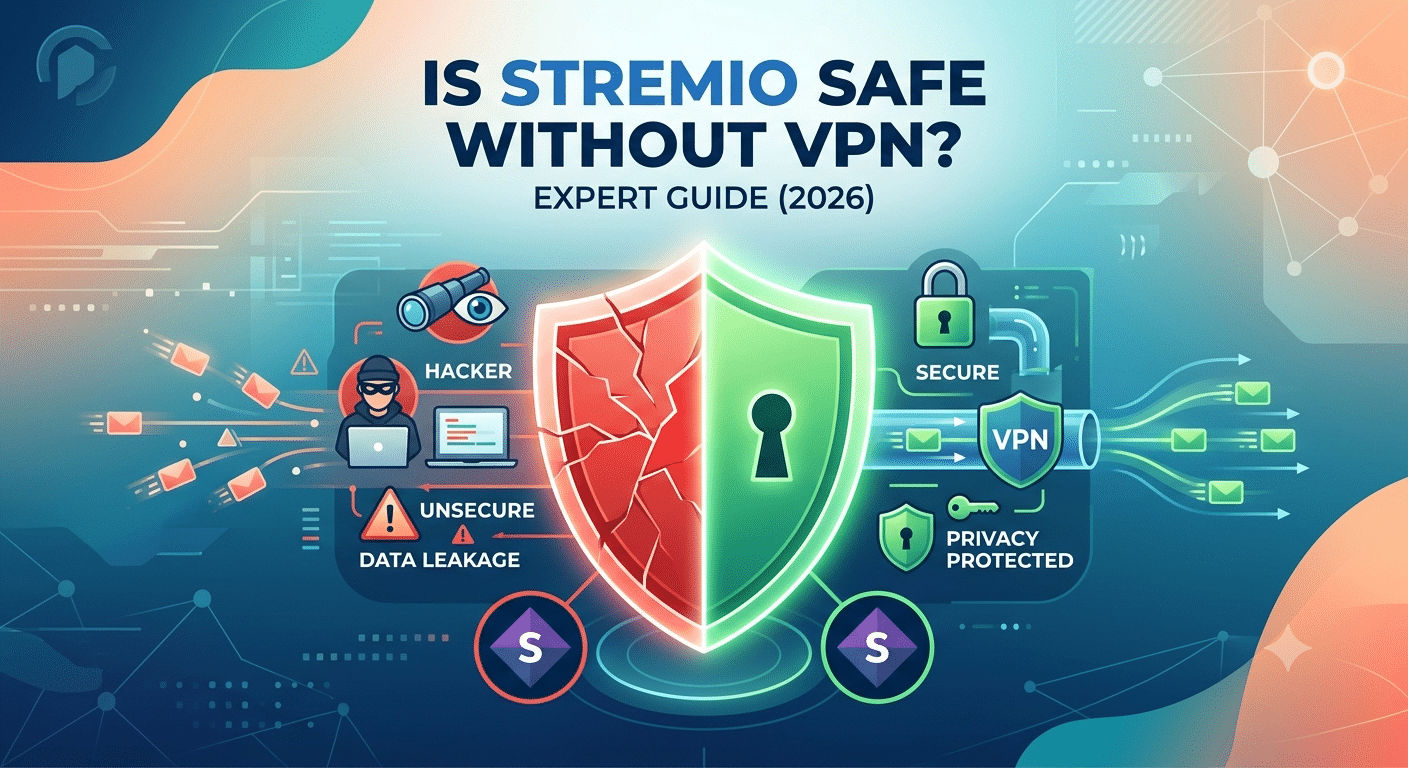

The short answer is yes—but only in certain situations. The Stremio application itself is legitimate software and does not require a VPN to function. However, whether Is Stremio safe without VPN has a simple answer depends on how you use the app, which add-ons you install, and how important online privacy is to you.
Many first-time users assume Stremio works like a typical streaming platform. In reality, Stremio acts as a media hub that organizes content from different sources. Some official add-ons access licensed streaming services, while some community add-ons may connect to peer-to-peer networks or third-party sources. Those differences directly affect your privacy exposure.
For readers who are new to online privacy, it’s helpful to understand what is a VPN before deciding whether you need one.
According to the Electronic Frontier Foundation (EFF), encrypting your internet connection helps prevent your internet service provider and other network observers from viewing the contents of your traffic, although it does not make you anonymous online.
Is the Stremio Application Itself Safe?
From a security perspective, the official Stremio application has a solid reputation. It is available for Windows, macOS, Linux, Android, and other supported platforms, and millions of users have installed it over the years.
Installing the software from the official website significantly reduces the risk of malware compared with downloading unofficial copies from third-party sites.
The application itself does not automatically expose your device to malware. Instead, your overall safety depends on factors such as:
- Where you downloaded Stremio
- Which add-ons you install
- Whether your internet traffic is exposed
- Your own browsing and streaming habits
If you’re still deciding whether the platform fits your needs, our full Stremio review explains its strengths and limitations in more detail.
Why Do Some People Use a VPN With Stremio?
A VPN is primarily a privacy tool—not a requirement for running Stremio.
When a VPN is active, your internet traffic is encrypted between your device and the VPN server. That means your ISP cannot easily inspect the contents of that connection, and websites or peers see the VPN server’s IP address instead of your home IP.
If you’re unfamiliar with the technical details, our guide explaining how does a VPN work walks through the process in plain language.
People commonly choose to use a VPN with Stremio because they want to:
- Hide their public IP address
- Reduce ISP visibility into their traffic
- Secure connections on public Wi-Fi
- Add an extra layer of privacy while streaming
A VPN does not guarantee anonymity, nor does it make unlawful activity legal. It is simply one component of a broader privacy strategy.
What Privacy Risks Exist Without a VPN?
Using Stremio without a VPN is not automatically dangerous. The level of risk depends on the source of the content you access.
For example, if you are streaming through official services that already encrypt their connections, your privacy considerations differ from scenarios involving peer-to-peer streaming, where your IP address may be visible to other participants in the swarm.
This is why many users research using Stremio without a VPN before installing community add-ons.
Potential privacy concerns include:
- Your ISP may observe connection metadata.
- Your public IP address may be exposed in some peer-to-peer scenarios.
- Public Wi-Fi users face additional network risks without encryption.
- Some networks may apply traffic management or throttling policies.
These concerns are about privacy—not necessarily malware or device security.
Should You Use a Free VPN?
Many users wonder whether paying for a VPN is necessary.
Free VPNs vary dramatically in quality. Some reputable providers offer limited free plans with bandwidth or server restrictions, while others fund their services through advertising or data collection.
Before installing any free service, compare the best free VPN options and understand their limitations. For frequent streaming, paid services typically provide faster servers, more consistent performance, and broader device support.
We’ll compare premium and free VPN options later in this guide.
What We’ll Cover Next
The next section focuses on the biggest question most readers have: exactly what information your ISP, websites, and other users can see when you stream through Stremio. We’ll also explain when your IP address is exposed and when it remains protected.
Does Stremio Expose Your IP Address?
Whether your IP address is visible depends on how the content is delivered.
If you’re streaming from an official service through its own secure infrastructure, your public IP is generally visible only to that service, much like when you use other streaming platforms. However, some community add-ons rely on peer-to-peer (P2P) technology. In those cases, other peers participating in the swarm may be able to see your public IP address because that’s how many P2P protocols exchange data.
A VPN masks your public IP by routing your traffic through a VPN server. Other participants see the VPN server’s address instead of your home connection.
This is one reason privacy-conscious users often choose one of the best VPN options rather than relying solely on their ISP connection.
Can Your ISP See That You’re Using Stremio?
Your internet service provider can always see that your device is connected to the internet. What it can determine beyond that depends on several factors.
Without a VPN, your ISP may be able to observe:
- The IP addresses your device connects to
- Connection times and data usage
- DNS requests if they are not encrypted
- Traffic patterns that may indicate streaming or P2P activity
With a VPN, your ISP generally sees an encrypted connection between your device and the VPN server. It cannot easily inspect the contents of that encrypted tunnel, although it still knows that you’re using a VPN.
Can a VPN Prevent Speed Throttling?
Some internet providers manage network congestion by slowing certain categories of traffic during peak hours. This practice is commonly referred to as throttling.
Because a VPN encrypts your traffic, it can make it more difficult for an ISP to identify specific types of traffic. However, there is no guarantee that using a VPN will improve speeds in every situation. Performance depends on:
- Your ISP
- The VPN provider
- Server location
- Overall network congestion
- The quality of your internet connection
Speed Throttling Scenarios
You might notice different results depending on your circumstances:
- No throttling: Your streaming speed remains the same with or without a VPN.
- Reduced throttling: A VPN may prevent traffic-specific slowdowns if your ISP cannot identify the application.
- Lower speeds due to encryption: Connecting to a distant or overloaded VPN server can reduce download speeds.
- Minimal impact: Premium VPN providers with nearby servers often introduce only a modest speed reduction during HD or 4K streaming.
The best approach is to test multiple nearby servers rather than assuming every VPN will deliver identical performance.
What VPN Features Matter Most?
Not every VPN is equally suitable for streaming.
Look for features such as:
- Verified no-logs policy
- WireGuard support for efficient performance
- DNS leak protection
- Kill switch
- Large server network
- Regular independent security audits
- Apps for all of your devices
These features contribute more to privacy than marketing claims or unusually long feature lists.
Device Compatibility Matters
If you stream across multiple devices, verify that your chosen setup is supported before subscribing to a VPN.
For example, if you want to watch content on a television, you may first want to confirm whether Stremio works on Roku, since native device support varies.
Likewise, iPhone users should review the steps required to use Stremio on iPhone because the installation process differs from Android and desktop platforms.
Understanding device compatibility ahead of time can save considerable troubleshooting later.
Common Problems Aren’t Always VPN Related
Users often assume that every playback issue is caused by their VPN, but that’s frequently incorrect.
If content suddenly refuses to load, first check whether Stremio is down before changing VPN settings. Temporary service outages, server maintenance, or add-on issues may be responsible.
Similarly, if you receive the well-known playback message, consult a guide explaining how to fix the “No Streams Were Found” error before assuming your network configuration is at fault.
Systematic troubleshooting helps identify the actual cause instead of making unnecessary configuration changes.
How to Decide Whether You Actually Need a VPN for Stremio
There’s no universal answer to whether you should use a VPN with Stremio. The right choice depends on how you use the application, the type of content you access, your network environment, and your personal privacy expectations.
For some users, a VPN offers meaningful privacy benefits. For others, it may provide little practical advantage beyond encrypting traffic on public networks. Understanding your own usage is more useful than following blanket recommendations.
You Primarily Use Official Streaming Services
If you use Stremio only as an organizer for legitimate streaming subscriptions, your risk profile is relatively straightforward. Your connection to those services is already encrypted with HTTPS, and the providers know you’re connecting to them regardless of whether you launch them through Stremio or directly.
In this situation, a VPN is primarily a privacy enhancement rather than a necessity. It can prevent your internet provider from seeing the specific destinations of your encrypted traffic and hide your public IP address from the services you connect to, but it isn’t required for the application to function.
You Frequently Connect to Public Wi-Fi
Public Wi-Fi networks remain one of the strongest arguments for using a VPN.
Whether you’re at an airport, hotel, café, or university, you have little control over the network’s security. While modern websites typically encrypt data, a VPN creates an encrypted tunnel for all supported applications, reducing the amount of information that other users on the same network could potentially observe.
For anyone who regularly streams while traveling, enabling a VPN before connecting is a sensible precaution regardless of which streaming application is being used.
You Value Privacy More Than Convenience
Many users choose a VPN simply because they prefer to disclose as little information as possible about their online activity.
A VPN cannot make you anonymous, but it does reduce the amount of information exposed to websites, internet providers, and other network observers. For privacy-conscious users, that additional layer of protection may justify the small trade-off of installing another application and occasionally selecting a server location.
The most useful privacy features include:
- A verified no-logs policy
- DNS leak protection
- A reliable kill switch
- Modern VPN protocols such as WireGuard
- Independent security audits
These characteristics generally matter more than the number of servers advertised by a provider.
When a VPN May Be Less Important
There are also situations where using a VPN may provide only marginal benefits.
For example, if you’re streaming over a trusted home connection, using only official streaming sources, and you’re not particularly concerned about masking your IP address, you may decide that the additional software isn’t necessary for your workflow.
That doesn’t mean a VPN lacks value—it simply means its advantages depend on your priorities rather than on Stremio itself.
Common Misconceptions
Several myths continue to circulate about VPNs and streaming applications.
One common misconception is that a VPN automatically increases streaming quality. In reality, a VPN cannot improve the quality of the source itself. In some cases, routing traffic through a nearby, well-performing VPN server may help avoid network-specific slowdowns, while in others it can introduce a modest reduction in speed due to encryption overhead and server distance.
Another misconception is that using a VPN guarantees complete anonymity. A VPN improves privacy by encrypting your connection and masking your public IP address, but websites, accounts you sign into, browser fingerprints, and device settings can still reveal information about your activity.
A Practical Decision Framework
Instead of asking whether everyone should use a VPN with Stremio, ask yourself a few practical questions:
- Do I frequently use public Wi-Fi?
- Am I concerned about my ISP collecting connection metadata?
- Do I want to reduce the visibility of my public IP address?
- Is protecting my privacy worth the small impact a VPN may have on connection speed?
If you answer “yes” to several of these questions, a reputable VPN is likely to provide worthwhile benefits. If not, Stremio can still be used safely in many everyday situations, provided you download the application from official sources, keep it updated, and carefully evaluate any community add-ons you choose to install.
Final Verdict: Is Stremio Safe Without a VPN?
The answer depends less on Stremio itself and more on how you use it.
The official Stremio application is legitimate software and is generally considered safe when downloaded from its official source. Simply installing or opening the app does not create a unique security risk. The bigger considerations are your privacy, the add-ons you choose, and the networks you connect through.
A VPN is not a requirement for running Stremio. If you primarily stream through official, licensed services on a trusted home network, you may decide that the added privacy of a VPN isn’t essential for your needs.
However, there are situations where using a VPN makes practical sense:
- You regularly stream on public Wi-Fi.
- You want to reduce how much of your connection metadata is visible to your internet provider.
- You prefer to hide your public IP address from the services or peers you connect with.
- You value privacy as part of your everyday online habits, not just when streaming.
If you decide to use a VPN, focus on measurable qualities rather than advertising claims. Look for providers that have undergone independent security audits, maintain a verified no-logs policy, support modern protocols such as WireGuard, and offer reliable DNS leak protection and a kill switch. These features have a far greater impact on privacy than a long list of servers or marketing promises about being the “fastest.”
It’s equally important to remember what a VPN cannot do. It cannot make illegal activity legal, guarantee complete anonymity, eliminate malware risks from unsafe downloads, or fix every streaming problem. Good security still depends on downloading software from trusted sources, keeping your devices updated, using strong passwords, and enabling multi-factor authentication where available.
Best Practices for Safer Streaming
Whether or not you use a VPN, these habits can improve your overall security:
- Download Stremio only from its official website.
- Keep the application and your operating system updated.
- Research community add-ons before installing them.
- Avoid downloading files from unknown sources.
- Use reputable antivirus software on your devices.
- Enable multi-factor authentication on important online accounts.
- Review the permissions granted to any third-party applications.
These recommendations apply to virtually any streaming software and help reduce risks that a VPN alone cannot address.
The Bottom Line
For most people, the question isn’t whether Stremio is inherently safe—it’s whether their streaming setup matches their privacy expectations.
If your priority is convenience and you’re using trusted services on a secure home connection, running Stremio without a VPN may be a perfectly reasonable choice. If your priority is minimizing online exposure, especially on shared or public networks, adding a reputable VPN provides an additional layer of privacy that many users consider worthwhile.
The best approach is an informed one: understand what a VPN does, recognize its limitations, and choose the level of privacy that fits your own needs instead of assuming one solution is right for everyone.